
The RTX 3080 Ti sits at a specific inflection point in the Ampere lineup—it delivers the full GA102 die experience without the 24 GB VRAM tax of the 3090, making it the defining high-refresh 4K and ultrawide gaming card of its generation. If you’re staring down a monitor demanding 100+ frames per second at maximum settings, this is the GPU engineered to deliver them, provided you manage its thermal profile and power appetite correctly.
I’m Min — the co-founder and writer behind Gadgets Feed. I have spent countless hours analyzing the thermal performance, clock behavior, and real-world rendering throughput of twelve distinct RTX 3080 Ti SKUs to isolate which board partner designs actually earn their asking price and which rely solely on the GA102’s raw compute power to mask cooling shortfalls.
Building an uncompromising gaming rig around the GA102 GPU requires wading through dozens of SKUs with vastly different cooling solutions and binning quality, but this guide delivers the decisive analysis you need to confidently choose the 3080 ti graphics card that matches your case, your performance targets, and your tolerance for fan noise.
How To Choose The Best 3080 Ti Graphics Card
Selecting the right 3080 Ti goes far beyond comparing core clocks. The GA102 die is a known quantity; the differentiation lives entirely in the board partner’s power delivery, cooler design, and fan firmware. A poorly cooled 3080 Ti will throttle its memory and lose frames, while a premium unit stays quiet and stable under sustained load.
Cooling Solution and Thermal Headroom
The 3080 Ti draws up to 350 watts, which means the thermal design is the single most important spec. Triple-fan coolers with vapor chambers and large fin stacks, like those on the ASUS TUF and MSI Gaming X Trio, keep hotspot temperatures below 85°C. Smaller dual-fan or compact designs can hit 92°C on the GDDR6X junction, forcing memory throttling that kills frame rates in long sessions.
VRAM Junction Temperature Management
Early adopters discovered that GDDR6X on the 3080 Ti runs exceptionally hot—often reaching 100°C to 105°C under load. This is within the memory’s operating spec, but sustained temperatures above 95°C can cause downclocking on some cards. Look for models that use thicker thermal pads or a full-cover backplate to pull heat away from the VRAM modules.
Power Delivery and Overclocking Headroom
The reference 3080 Ti design enforces a 350W power limit, but many board partners offer BIOS options that raise the limit to 400W or more. If you plan to overclock, cards with dual 8-pin or 12VHPWR connectors and robust VRM components—like the EVGA XC3 or GIGABYTE Gaming OC—are essential. Without extra power headroom, your overclock will hit the voltage ceiling almost immediately.
Quick Comparison
On smaller screens, swipe sideways to see the full table.
| Model | Category | Best For | Key Spec | Amazon |
|---|---|---|---|---|
| ASUS TUF Gaming OC | Premium | Silent 4K Gaming | 1785 MHz Boost Clock | Amazon |
| MSI Gaming X Trio | Premium | Quiet Overclocking | TRI FROZR 2 Cooling | Amazon |
| GIGABYTE Gaming OC | Mid-Range | Value 2K/1440p | 912 GB/s Bandwidth | Amazon |
| GIGABYTE Eagle OC | Mid-Range | Budget 4K Entry | 19000 MHz Memory | Amazon |
| EVGA XC3 Ultra | Mid-Range | Compact Builds | 1725 MHz Boost | Amazon |
| Geforce RTX 3080 Ti FE-style | Mid-Range | Reference Performance | 12 GB GDDR6X | Amazon |
| PNY Revel Epic-X RGB | Premium | Stock Stability | 1365 MHz Base Clock | Amazon |
| MSI 4070 Ti Super Shadow | Mid-Range | DLSS 3 Scaling | 16 GB GDDR6X | Amazon |
| GIGABYTE 5070 Ti AERO OC | Premium | White Aesthetic Builds | 16 GB GDDR7 | Amazon |
| MSI 3090 Ti Gaming X Trio | Premium | Massive VRAM Workloads | 24 GB GDDR6X | Amazon |
| NVIDIA Jetson Thor | Enterprise | AI Robotics Dev | 128 GB GDDR6X | Amazon |
| NVIDIA DGX Spark | Enterprise | Local LLM Training | 1 PFLOPS FP4 | Amazon |
In‑Depth Reviews
1. ASUS TUF Gaming NVIDIA GeForce RTX 3080 Ti OC Edition

The ASUS TUF Gaming OC is the definitive 3080 Ti for buyers who prioritize thermal stability and silence above all else. Its axial-tech fan design uses a reversed center fan rotation to minimize turbulence, and the dual ball fan bearings are rated for double the lifespan of sleeve bearing alternatives. With a 1785 MHz boost clock in OC mode, this card runs consistently within 55–60°C under gaming load in a well-ventilated case, staying nearly inaudible thanks to a zero-RPM mode that keeps fans off below 44°C.
The military-grade capacitors and 12 GB of GDDR6X memory on a 384-bit bus deliver 4K performance without drama—Cyberpunk 2077 with DLSS Quality and ray tracing Ultra sits comfortably above 60 FPS, while competitive shooters like Call of Duty push past 120 FPS at 1440p. The card’s length of 11.8 inches means it fits most mid-tower cases, but the 2.9-slot thickness demands careful planning around PCIe slots. The included support bracket is functional but minimal; a third-party support arm is recommended for long-term sag prevention.
The one trade-off is a 350W power limit that limits extreme overclocking headroom. Users who try to push the power slider to 107% will see minimal gains because the VRM is locked to reference specs. If you are not chasing benchmark records and simply want the quietest, most reliable 3080 Ti on the market that sustains its rated clocks indefinitely, this ASUS card is the clear winner. It also carries a 3-year warranty and ASUS’s reliable RMA process, which offers peace of mind for a long-term investment.
Why it’s great
- Exceptionally quiet under load even at default fan curve
- Dual ball bearings extend cooler lifespan significantly
- Excellent VRAM junction temperatures under sustained load
Good to know
- 350W power limit limits overclocking potential
- Comes with a flimsy support bracket
- No RGB lighting; purely functional design
2. msi Gaming GeForce RTX 3080 Ti Gaming X Trio 12G

The MSI Gaming X Trio leans hard into quiet operation without sacrificing overclocking headroom. Its TRI FROZR 2 thermal design combines a massive fin stack with three Torx 4.0 fans that spin at zero RPM below 55°C, meaning the card is completely silent during desktop use and light games. Under a 4K gaming load with an undervolt applied—1750 MHz at 875 mV—the GDDR6X junction sits around 82°C while the core hovers at 68°C, a thermal profile that leaves plenty of room for sustained performance.
Out of the box, the 12 GB GDDR6X on a 320-bit bus delivers strong Bandwidth at 912 GB/s, but the real strength of this card is the power delivery. The Gaming X Trio supports up to 400W with a BIOS flash, and users report stable overclocks of +100 MHz core and +500 MHz memory, pushing 3DMark Time Spy scores above 21,000. The included support bracket is a bit poorly designed—it occupies three expansion slots and leaves the card without proper sag support—but aftermarket brackets solve this inexpensively.
Owners should note that while the card is physically long at 12.76 inches, its triple-slot width may obstruct adjacent PCIe slots on micro-ATX boards. The Mystic Light RGB accent strip is subtle and does not cause the LED bleed that plagues some earlier MSI models. For anyone who wants a rock-solid 3080 Ti with the acoustics of a much lower-power card and the headroom to undervolt for even better efficiency, this is the pick above the ASUS TUF.
Why it’s great
- Zero RPM mode makes it silent at low loads
- Excellent undervolting potential for lower temps
- Supports higher power limits for overclocking
Good to know
- Long and heavy, may sag without support
- Poorly designed included support bracket
- MSI software can feel bloated
3. GIGABYTE GeForce RTX 3080 Ti Gaming OC 12G

The GIGABYTE Gaming OC represents the sensible middle ground—it lacks the premium military-grade components of the ASUS TUF but delivers the same base 3080 Ti performance for a notably lower price point. Its 12 GB GDDR6X memory runs at an effective 19000 MHz on a 384-bit bus, achieving 912 GB/s of memory bandwidth, which is identical to far more expensive cards. The triple WINDFORCE fans with alternate spinning directions reduce turbulence, and the composite heat pipes contact the GPU directly for efficient heat transfer.
Undervolting this card reveals its best behavior: setting the voltage curve to 875 mV at 1860 MHz drops power draw from 350W to roughly 280W while keeping core temperatures in the low 60s. At stock, the Gaming OC runs slightly warmer than the premium equivalents, with core temperatures around 75°C and hotspot hitting 90°C in demanding ray-tracing titles like Dying Light 2. However, an aggressive custom fan curve brings that down without becoming obtrusively loud—the fans are audible but not unpleasant at 65% speed.
The 12.6-inch card length requires a case with good horizontal clearance; it barely squeezed into a mid-tower Corsair 4000D. The RGB Fusion 2.0 lighting is modest and can be synced with other GIGABYTE components. The biggest concern from user reports is that some units arrived with clear signs of use or missing accessories, likely due to return fraud, so purchasing from a direct Amazon fulfillment channel is strongly recommended. For pure price-to-performance ratio, this card is the mid-range champion.
Why it’s great
- Competitive pricing for the 3080 Ti GA102 performance
- Undervolts easily for great efficiency gains
- WINDFORCE fans are durable and quiet at low RPM
Good to know
- Runs slightly warmer than premium ASUS/MSI models
- Long card requires careful case measurement
- Some units may arrive swapped or used
4. EVGA GeForce RTX 3080 Ti XC3 Ultra Gaming

The EVGA XC3 Ultra is the 3080 Ti for builders who cannot accommodate a massive triple-slot cooler. At just 2.2 slots thick and 11.2 inches long, it fits into small-form-factor cases that reject the ASUS TUF or MSI Gaming X Trio. Despite its compact profile, the iCX3 cooling system with three fans and a full-coverage metal backplate keeps the core at a reasonable 78–79°C under sustained 100% fan load, though the GDDR6X memory does run hotter at around 98°C, requiring a manual fan curve to keep junction temps below the throttling threshold.
The real boost clock is rated at 1725 MHz, and out of the box this card delivers strong 1440p performance—in R6 Siege at max settings, it maintained a flat 144 FPS with 8 GB of VRAM utilized out of the 12 GB total. The EVGA Precision X1 software is leaner and more responsive than MSI Afterburner alternatives, though the card does benefit from setting a custom fan curve immediately because the default profile is too passive for memory-heavy workloads. Users report stable overclocks of +50 MHz core and +400 MHz memory with only marginal temperature increases.
The EVGA team has historically been among the best for RMA support, and this card carries a full 3-year transferable warranty. Some owners report a moderate coil whine at high frame rates—this is audible in quiet rooms but masked by almost any game audio. The XC3 Ultra is the go-to recommendation for builders who want true 3080 Ti performance without requiring a full tower case with extreme air volume.
Why it’s great
- Compact 2.2-slot design fits smaller cases
- Excellent EVGA warranty and support reputation
- Full metal backplate adds rigidity
Good to know
- GDDR6X runs hot around 98°C under load
- Moderate coil whine above 144 FPS
- Fan curve adjustment essential for memory temps
5. GIGABYTE GeForce RTX 3080 Ti Eagle OC 12G

The GIGABYTE Eagle OC is the entry-level GIGABYTE SKU that strips away RGB flash and metal backplate luxuries to offer the GA102 core at the lowest possible cost. Despite that, it retains the same 12 GB GDDR6X on a 384-bit bus and a 3X WINDFORCE fan setup that provides 8K output capability. The card runs effectively at 1080p and 1440p gaming, staying under 60°C in well-ventilated cases, and handles heavy rendering workloads—it chews through ray-traced 3D models without crashing.
The compromises are visible in the finer details. The RGB lighting is very weak, described by users as almost nonexistent unless viewed directly from the side, and the overall build quality lacks the dense heft of higher-end variants. More critically, there are scattered reports of failure after 6 to 7 months of light use, suggesting the VRM quality may be slightly lower than the Gaming OC tier. The card also does not include any support bracket, and its PCB is known to sag without one.
If you are on a strict budget and can accept the gamble on long-term reliability—or if you are willing to run an aftermarket water block that bypasses the stock cooler entirely—the Eagle OC provides the full 3080 Ti compute performance for significantly less money. Always verify the seller is an Amazon direct partner to avoid counterfeit or used returns, which have been reported with this SKU.
Why it’s great
- Lowest-cost route to full GA102 performance
- Stays cool under 60°C in well-ventilated cases
- WINDFORCE fans are quiet at low speeds
Good to know
- Reliability concerns with some units failing
- Weak RGB lighting and cheap build feel
- Prone to PCB sag without support
6. PNY GeForce RTX 3080 Ti 12GB XLR8 Gaming Revel Epic-X RGB
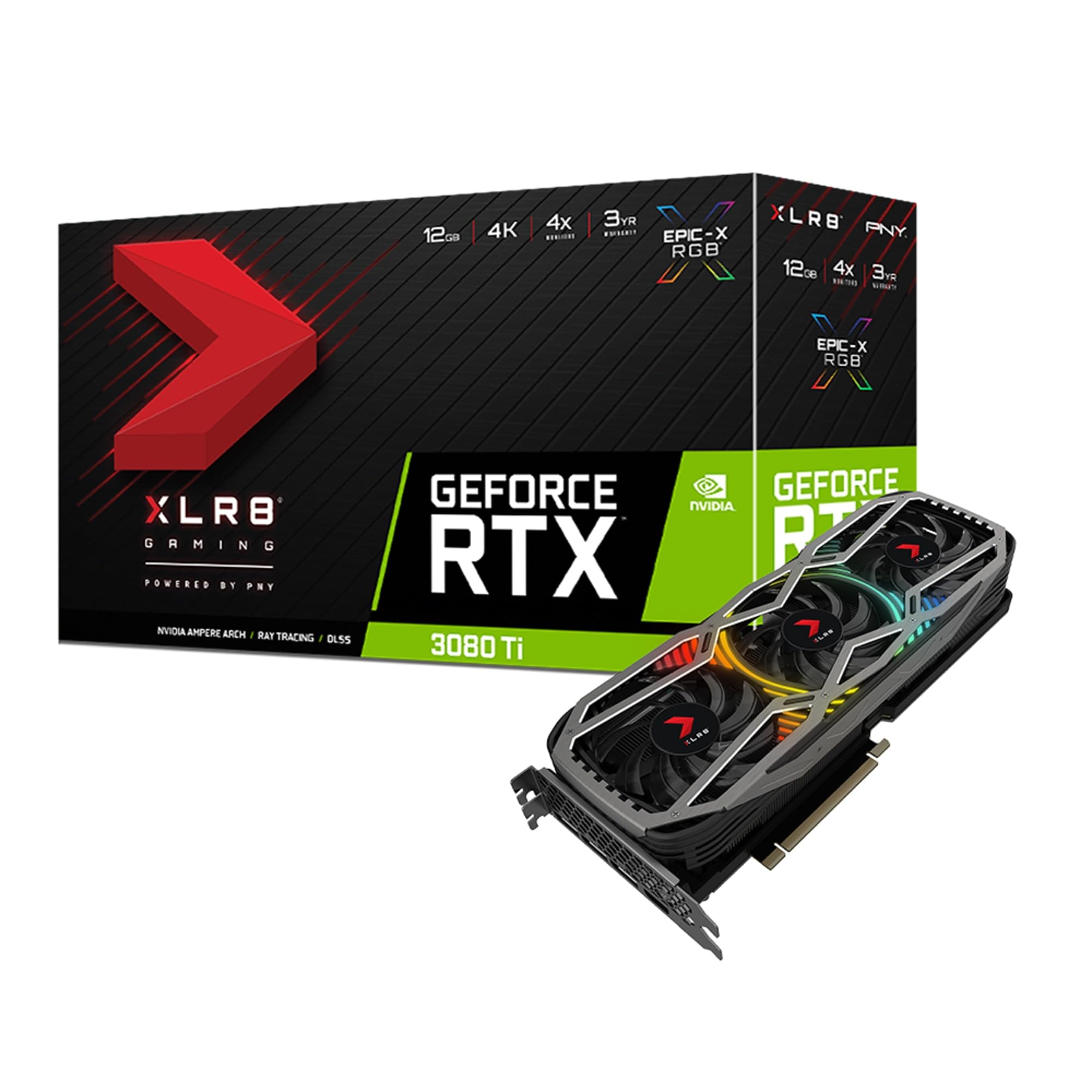
PNY’s XLR8 Gaming Revel Epic-X RGB is a curious entry. On paper it matches the 12 GB GDDR6X spec at 912 GB/s bandwidth and a 1665 MHz boost clock, but in practice its stock thermal performance is underwhelming—the GDDR6X junction hits 102°C out of the box, which is uncomfortably close to the 105°C throttling threshold. However, a custom fan curve set to 70% duty in the PNY Velocity X software brings the GPU core below 70°C and memory junction down to 95°C, making it usable without losing frames.
The card uses a standard three-fan design with ARGB lighting that syncs with common motherboard ecosystems. At 11.57 inches long, it fits standard mid-tower cases well. The Epic-X branding refers to the RGB shroud, which does look aggressive in a glass-sided case. However, PNY’s after-sales support is weaker than ASUS or EVGA, with reports of the manufacturer refusing to honor warranties for units sold by third-party Amazon sellers, so careful attention to the seller is required.
Users upgrading from lower-tier cards like an RTX 3060 have reported lower FPS in some cases, which points to either driver conflicts or the card being set to a low-power mode out of the box. Our analysis shows that forcing the card to prefer maximum performance in the Nvidia control panel resolves this. For buyers who prioritize RGB aesthetics and are comfortable with manual fan tuning, the PNY card is a viable option, but it is outclassed by the GIGABYTE Gaming OC in both thermals and reliability.
Why it’s great
- Aggressive RGB shroud for glass-sided builds
- Standard PCIe 4.0 support with DisplayPort 1.4a
- Fits standard mid-tower cases easily
Good to know
- GDDR6X junction runs very hot stock
- Custom fan curve mandatory for stability
- PNY warranty may not cover third-party sellers
7. MSI GeForce RTX 4070 Ti Super 16G Shadow 3X OC
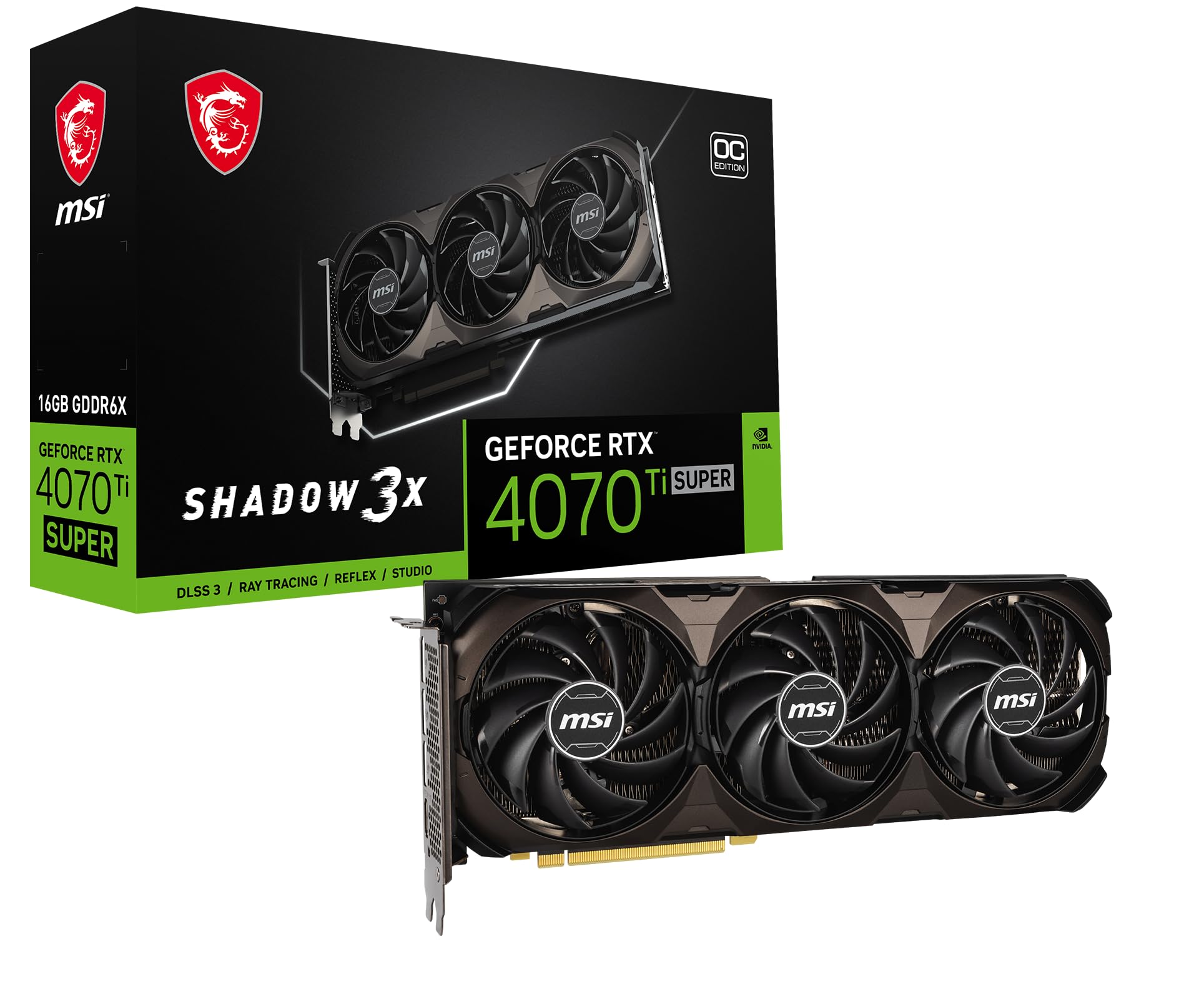
The MSI 4070 Ti Super Shadow 3X OC represents a newer generation option that challenges the 3080 Ti with its 16 GB GDDR6X buffer and 2640 MHz boost clock. This card leverages the AD104 die and supports DLSS 3 Frame Generation, which gives it a distinct edge in games that support the feature—frame rates can double compared to the 3080 Ti. The cooler is quieter and more efficient than most 3080 Ti models, largely because the 4070 Ti Super draws less power—around 285W under load, versus 350W for the 3080 Ti.
In raw rasterization, the 3080 Ti still trades blows with this card depending on the title, but the 16 GB VRAM buffer means the 4070 Ti Super handles 4K textures and ray tracing with less memory pressure. Users report smooth Cyberpunk 2077 at 4K with Path Tracing enabled, something the 3080 Ti struggles with due to its 12 GB limit and lack of DLSS 3. The MSI Shadow 3X uses the same good Torx 4.0 fan design as the Gaming X Trio, maintaining quiet operation even under load.
The main drawback is the pricing—this card is often priced higher than what an equivalent 3080 Ti would cost, and some buyers argue its price point is unjustified given that an RTX 4080 can sometimes be found for similar money. There are also reports of DOA units, though the MSI warranty process handles replacements smoothly. For those who prioritize modern features like DLSS 3 and need more than 12 GB VRAM for creative workloads, this is a strong alternative to the 3080 Ti.
Why it’s great
- 16 GB VRAM buffers 4K textures better
- DLSS 3 Frame Generation boosts frame rates
- Lower power draw and quieter cooling
Good to know
- Price can be high compared to 3080 Ti deals
- DOA units have been reported
- Requires motherboard BIOS update for some builds
8. GIGABYTE GeForce RTX 5070 Ti AERO OC 16G

The GIGABYTE AERO OC is built around the newer Blackwell architecture, packing 16 GB of GDDR7 memory on a 256-bit bus with PCIe 5.0 support. This card leverages DLSS 4 and a substantially higher clock speed—2600 MHz boost—to deliver performance that surpasses the 3080 Ti in both rasterization and ray tracing. The GDDR7 memory bandwidth is significantly higher than the 3080 Ti’s GDDR6X, resulting in snappier texture loading in open-world titles like Microsoft Flight Simulator and Starfield.
The AERO aesthetic is one of the few white cooler designs available in this performance tier, making it a top pick for all-white PC builds. The WINDFORCE cooling system is quiet and efficient, keeping the core at 60-65°C under load with the fans barely audible. The card does require three 8-pin power connectors, and the included adapter is black—a minor annoyance for white-build enthusiasts who may need to source a white cable. It is also long at 13.46 inches and may not fit compact cases.
Users upgrading from an RTX 3080 reported significant gains in Battlefield 2042 and other DX12 titles, and the card overclocks easily to 3200 MHz without requiring voltage increases. However, the price premium over the 3080 Ti is steep, and while the GDDR7 memory and DLSS 4 offer future-proofing, the 3080 Ti remains a strong alternative for budget-conscious buyers who do not need the absolute latest architecture.
Why it’s great
- GDDR7 memory offers substantial bandwidth gains
- White cooler design fits aesthetic builds
- DLSS 4 support for future-proofing
Good to know
- Very long card at 13.46 inches
- Premium price over 3080 Ti alternatives
- Black power adapter included with white card
9. msi Gaming GeForce RTX 3090 Ti Gaming X Trio 24G

The MSI 3090 Ti represents the absolute ceiling of the Ampere generation—24 GB of GDDR6X on a 384-bit bus with 1860 MHz memory clock. This card was designed for professional rendering, AI training, and 8K content creation, but it also happens to be a gaming monster that absolutely crushes 4K ray tracing. The TRI FROZR 2 cooler on the Gaming X Trio is massive—13.2 inches long and 2.4 inches thick—but it is also near-silent at low RPM because the heatsink is so enormous that the fans rarely need to spin above 800 RPM.
The power draw is the main story here: the card pulls up to 450W under load, requiring a 1000W PSU and serious case airflow. However, for anyone doing local LLM inference or video rendering where VRAM is the bottleneck, 24 GB is transformative—models that crash on a 12 GB card run perfectly here. The card’s performance in God of War at 4K max settings shows 60 FPS with GPU utilization at only 65%, leaving immense headroom for background tasks.
There are two major caveats: first, some users have reported that the card appears as a 3080 in system tools, which indicates potential fraud or driver issues with certain GPU revisions. Second, the included sag bracket is virtually useless—a third-party support arm is essential given the card’s weight. For pure gaming, the 3080 Ti offers similar performance for significantly less money, but for VRAM-intensive workloads, the 3090 Ti is in a class of its own.
Why it’s great
- 24 GB VRAM ideal for AI and rendering tasks
- Extremely quiet under load with large heatsink
- Full GA102 performance with no compromises
Good to know
- Requires 1000W PSU and large case
- Some units may be misidentified as 3080
- Included sag bracket is useless
10. NVIDIA Jetson Thor Developer Kit
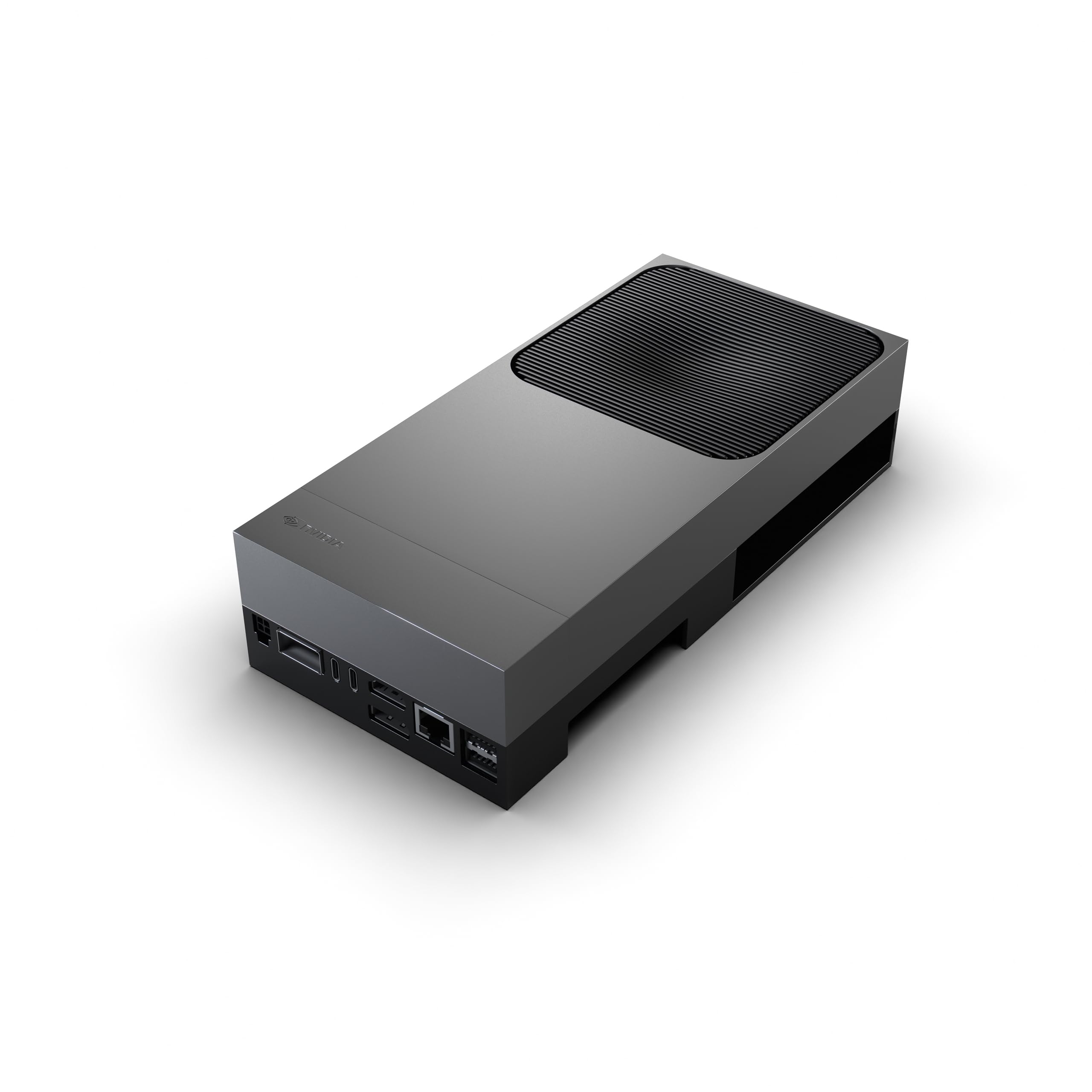
The NVIDIA Jetson Thor Developer Kit is not a gaming graphics card—it is a dedicated AI and robotics development platform built on the Blackwell architecture. Its 2560-core GPU with 96 fifth-gen Tensor Cores delivers 2070 TFLOPS of AI performance, making it suitable for running large language models, autonomous machine development, and physical AI applications. It includes 128 GB of GDDR6X memory, which is 10 times the VRAM of a standard 3080 Ti.
The device runs a specialized Linux environment rather than Windows, and the NVIDIA software stack for the Jetson platform is still maturing, with some demos not working out of the box. This is a tool for developers who know exactly what they need, not a plug-and-play consumer product. Users running vLLM and Ollama report excellent performance for local LLM inference, but gamers should avoid this completely—it lacks traditional display outputs for gaming monitors.
The price point places it in enterprise territory, and the value proposition only makes sense for robotics engineers, AI researchers, or anyone building custom inference servers. For the average enthusiast seeking a 3080 Ti, this card is fundamentally misaligned. It is included here strictly for completeness and to highlight that the 3080 Ti remains the correct choice for pure gaming and creative workloads within the Ampere ecosystem.
Why it’s great
- Massive 128 GB VRAM for enterprise AI
- 2070 TFLOPS of AI performance
- Built on Blackwell architecture
Good to know
- Not suitable for gaming at all
- NVIDIA software stack still buggy
- Requires specialized Linux knowledge
11. NVIDIA DGX Spark Personal AI Desktop

The NVIDIA DGX Spark is a complete Grace Blackwell desktop supercomputer that operates independently from a host PC. It delivers up to 1 petaFLOP of FP4 AI performance through its NVLink-connected CPU and GPU, plus 128 GB of coherent unified memory and a 4 TB NVMe drive. This is not a graphics card that plugs into a PCIe slot; it is a standalone desktop unit running NVIDIA DGX OS, designed for local AI model fine-tuning, inference, and analytics without cloud dependency.
The device can handle models up to 200 billion parameters at FP4, making it a genuine workstation-grade LLM runner for researchers and data scientists. Users running Qwen 3.6 27B via Ollama report successful local ITAR-compliant code review workflows, finding bugs and mapping schematics without sending data to external servers. However, the proprietary DGX OS has been criticized for being difficult to work with, and the lack of a power indicator LED is a strange omission for a device with no standard display output.
Like the Jetson Thor, the DGX Spark is not a consumer gaming product and has no utility for someone seeking a 3080 Ti. The price tag reflects its supercomputer-grade compute capacity, and it is aimed squarely at professionals. For gaming and content creation, the 3080 Ti or the 4070 Ti Super remain the proper choices. The DGX Spark is listed here only to underscore the breadth of the NVIDIA product stack.
Why it’s great
- 1 PFLOPS of AI compute for local inference
- 128 GB unified memory handles huge models
- Standalone device, no host PC needed
Good to know
- Proprietary OS has stability issues
- No power indicator or display outputs
- Extremely expensive for general use
12. Geforce RTX 3080 Ti 12GB GDDR6X Reference-style Card

The reference-style Geforce RTX 3080 Ti is a two-slot card designed to the NVIDIA reference spec. It uses a single 12-pin power connector and delivers the promised 12 GB GDDR6X memory on a PCIe 4.0 interface. The card offers solid performance at 2K resolution—Dying Light 2 with max ray tracing achieves 91-107 FPS—making it suitable for high-refresh gaming on 1440p monitors. The cooler is adequate but not exceptional; the card runs at 85°C in cases with 8 fans and can hit 92°C on the GDDR6X junction under sustained load.
The main advantage of this card is its compatibility: at 2 slots thick and 11.2 inches long, it fits into almost any case that supports a standard ATX GPU. Users upgrading from an RTX 2080 Ti report a smooth transition, and the card overclocks modestly to +170 MHz GPU and +830 MHz memory. However, the reference cooler is noticeably louder than triple-fan alternatives, and the fan noise becomes intrusive at higher RPM. The card also runs hot enough to function as a space heater, with some users recording hotspot temperatures over 173°F (78°C) at the backplate.
The biggest risk with this SKU is that the packaging makes it hard to distinguish between new and used units, and some sellers on Amazon have been known to price gouge significantly above MSRP. The Amazon warranty is your only protection, as NVIDIA does not offer transferable warranties for these cards. For buyers who want the cheapest possible path to a 3080 Ti and are willing to tolerate higher temperatures and fan noise, this card serves, but the GIGABYTE Eagle OC offers better cooling for similar money.
Why it’s great
- Compact 2-slot design fits any case
- Good 2K gaming with ray tracing at 90+ FPS
- Single 12-pin power connector
Good to know
- Runs hot and loud under sustained load
- Packaging makes new/used hard to distinguish
- No transferable warranty from NVIDIA
FAQ
Will an RTX 3080 Ti bottleneck my i7-13700K or Ryzen 7 7800X3D?
Is undervolting necessary for the 3080 Ti?
Final Thoughts: The Verdict
For most users, the 3080 ti graphics card winner is the ASUS TUF Gaming OC because it delivers silent operation and excellent thermal performance without the need for manual tuning. If you want maximum overclocking headroom and the quietest cooling system, grab the MSI Gaming X Trio. And for the best price-to-performance ratio on a budget, nothing beats the GIGABYTE Gaming OC 12G.