
Shifting from a phone to a full-size display changes how you consume media, take notes, and handle light productivity. A 13-inch Android tablet offers a canvas that fits on a coffee table, an airline tray, or a music stand without feeling cramped or requiring a lap desk. The jump from 11 inches to 13 inches delivers roughly 40 percent more screen real estate, which transforms split-screen multitasking from a cramped chore into a genuinely usable experience.
I’m Min — the co-founder and writer behind Gadgets Feed. I’ve spent hundreds of hours comparing display resolutions, battery capacities, stylus latency, and real-world performance numbers across the current 13-inch tablet landscape to separate the specs that matter from the marketing numbers that don’t.
Whether you need a digital notebook for class, a sheet music reader that replaces a binder, or a portable entertainment hub for the living room, this guide breaks down the strongest contenders for the android tablet 13 inch category and explains exactly what each model does best.
How To Choose The Best Android Tablet 13 Inch
<
Not all 13-inch Android tablets deliver the same experience. The raw diagonal measurement tells only part of the story. The real differentiators are display resolution and aspect ratio, processor capability, battery capacity, stylus support, and software update policy. Understanding these five factors will help you pick a tablet that still feels fast two years from now.
Display Resolution and Aspect Ratio
A 13-inch screen with a 1920×1200 resolution (roughly 170 PPI) looks noticeably softer than a 2560×1600 panel (about 230 PPI). For reading PDFs, viewing sheet music, or drawing fine lines, the higher pixel density reduces eye strain and makes text crisp from a normal viewing distance. Aspect ratio also matters: 16:10 screens are great for widescreen video, while a 4:3 or 3:2 ratio shows more vertical content, which is ideal for documents and web browsing.
Processor and RAM Configurations
Android tablets in this size class typically ship with mid-range chips like the MediaTek Helio G99 or the Samsung Exynos 1380/1580. These handle streaming, note-taking, and office apps without issue. Heavy multitaskers or casual gamers should look for at least 8 GB of physical RAM. Avoid configurations that rely heavily on virtual RAM expansion — 8 GB physical is the baseline for a smooth split-screen experience with multiple tabs open.
Stylus Technology and Latency
If you plan to handwrite notes or sketch, the stylus protocol matters more than the brand name. Look for 4096 levels of pressure sensitivity and a low-latency active pen (preferably one that doesn’t require its own battery). The Samsung S Pen is the gold standard in this category, offering near-zero latency and seamless palm rejection. Some third-party tablets include USI 2.0 compatible pens that work well, but accuracy and responsiveness vary significantly between models.
Battery Capacity and Charging Speed
A 13-inch display consumes more power than a phone or a smaller tablet. Aim for at least 10,000 mAh to get through a full day of mixed use. Fast charging above 18 W makes a real difference — a 30 W charger can refill a drained battery in under two hours. Some premium models skip including a charger in the box, so factor that into your total cost.
Software Updates and Ecosystem
Samsung guarantees four major OS upgrades and five years of security patches for its Galaxy Tab FE and S-series tablets. Lesser-known brands often ship with the latest Android version but provide no clear update roadmap. If you plan to keep your tablet for more than two years, paying extra for a device with a committed update schedule is worth the investment.
Quick Comparison
On smaller screens, swipe sideways to see the full table.
| Model | Category | Best For | Key Spec | Amazon |
|---|---|---|---|---|
| Samsung Galaxy Tab S10 FE+ | Premium | All-around productivity and note-taking | 13.1″ 90Hz display, Exynos 1580 | Amazon |
| Samsung Galaxy Tab S9 FE+ | Mid-Range | Water-resistant design with S Pen | 12.4″ 90Hz display, Exynos 1380 | Amazon |
| Samsung Galaxy Tab S9+ 5G | Premium | AMOLED display and cellular connectivity | 12.4″ Dynamic AMOLED 2X, Snapdragon 8 Gen 2 | Amazon |
| Samsung Galaxy Tab S11 | Flagship | Top-tier performance and AMOLED clarity | 11″ Dynamic AMOLED 2X, 120Hz, 12GB RAM | Amazon |
| TCL NXTPAPER 14 | Mid-Range | Eye-friendly reading and sheet music | 14.3″ 2.4K paper-like display, 10,000mAh | Amazon |
| Samsung Galaxy Tab S9 | Premium | Compact flagship with AMOLED | 11″ Dynamic AMOLED 2X, 120Hz, Snapdragon 8 Gen 2 | Amazon |
| TABWEE 13.4″ Bundle | Value | All-in-one bundle with keyboard and mouse | 13.4″ 120Hz display, 10,000mAh battery | Amazon |
| TECLAST Artpadpro | Value | Budget-friendly with large storage | 12.7″ 2176×1600 display, 10,000mAh | Amazon |
In‑Depth Reviews
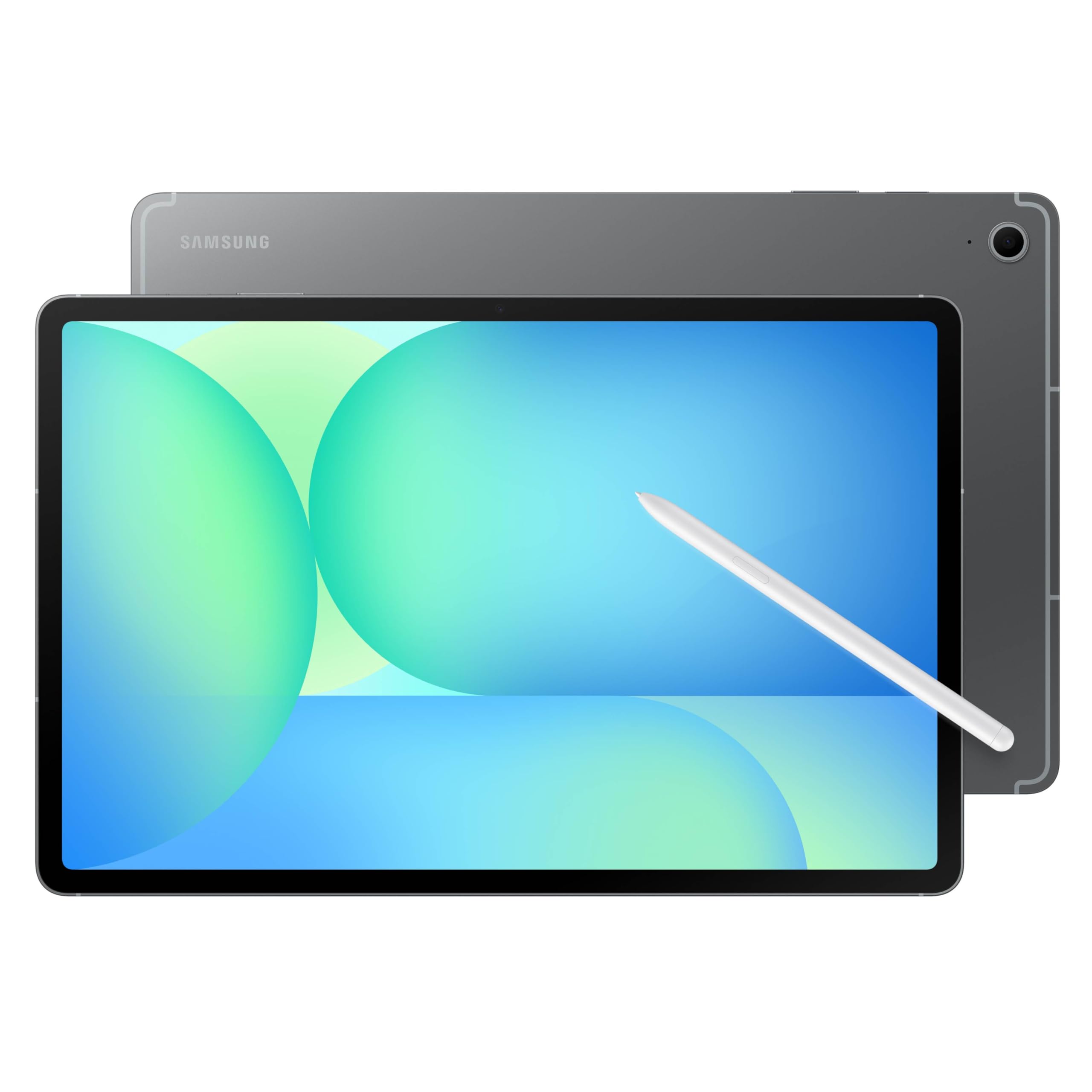
1. Samsung Galaxy Tab S10 FE+ 13.1″
 See price on Amazon
The Galaxy Tab S10 FE+ hits the sweet spot for a 13-inch Android tablet. Its 13.1-inch display runs at a smooth 90 Hz, which makes scrolling through long documents and switching between split-screen apps feel fluid without the battery penalty of a 120 Hz panel. The Exynos 1580 processor handles streaming, note-taking, and light gaming without hesitation, and the included S Pen offers the best stylus experience in this price tier — near-zero latency, palm rejection that actually works, and no separate charging required.
Battery life is the headline number here. The 10,090 mAh cell delivers a genuine 21 hours of video playback, which means you can leave the charger at home during a full workday plus an evening commute. The IP68 water resistance gives peace of mind for coffee shop use, and Samsung’s commitment to four OS upgrades ensures this tablet stays relevant through 2029. The only real trade-off is the LCD panel instead of AMOLED — blacks are grayish in dark rooms, and contrast isn’t as punchy as the premium S-series.
Samsung’s Circle to Search feature and Handwriting Assist add genuine AI utility without gimmicks. The S Pen pairs naturally with Note Assist to tidy up messy handwriting, and Math Solver converts handwritten equations into clean text. For a student or professional who needs a reliable digital notebook and media consumption device, this is the most balanced option in the category.
Why it’s great
- Outstanding 21-hour battery life
- Best-in-class S Pen with no external battery
- IP68 water and dust resistance
- Four years of OS updates guaranteed
Good to know
- LCD panel lacks deep blacks of AMOLED
- Heavy and bulky for one-handed use
- No charger included in the box
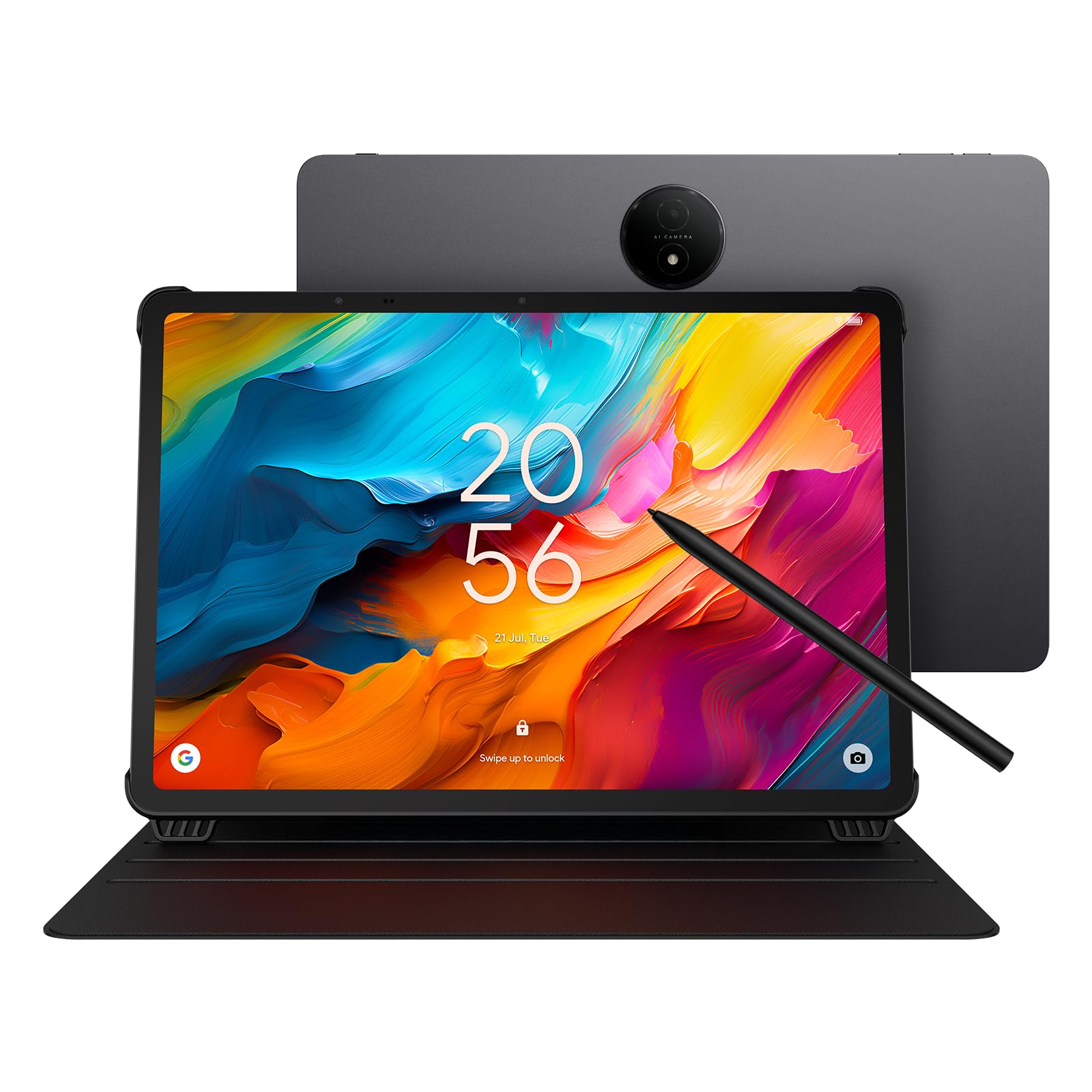
2. TCL NXTPAPER 14
 See price on Amazon
The TCL NXTPAPER 14 serves a very specific audience: musicians, readers, and anyone who stares at a screen for hours. Its 14.3-inch 2.4K panel uses NXTPAPER 3.0 technology to reduce glare and filter blue light without the yellowish tint typical of eye-care modes. The three display modes — Standard, Color Paper, and Ink Paper — let you switch from a normal tablet look to a grayscale e-ink-like experience that genuinely reduces eye fatigue during long reading sessions.
Under the hood, the MediaTek Helio G99 paired with 8 GB of physical RAM (plus 8 GB of virtual expansion) handles MobileSheets for musicians, note-taking apps, and light multitasking smoothly. The included 4096-level T-PEN stylus charges via USB-C and works well for handwriting and annotation, though it lacks the refined palm rejection of Samsung’s S Pen. The 10,000 mAh battery delivers a solid 10 hours of real-world use, and the 33 W reverse charging lets you top up your phone in a pinch.
Where the NXTPAPER 14 truly excels is sheet music reading. The 14.3-inch screen displays two full A4 pages side by side at a readable size, and the anti-glare coating means no distracting reflections under stage lights. The included flip case doubles as a stand, making it easy to prop up on a music stand. The lack of expandable storage is a downside — you’re limited to the internal 256 GB — but for most users, that’s enough for a large sheet music library or a collection of PDF textbooks.
Why it’s great
- Exceptional eye comfort for extended reading
- 14.3-inch screen fits A4 sheet music perfectly
- 33W fast charging and reverse charging
- Versatile three-mode display system
Good to know
- No microSD card slot for storage expansion
- Stylus requires separate USB-C charging
- Charger not included in the box
- Boot loop issue if charged while powered off
3. Samsung Galaxy Tab S9+ 5G 12.4″
 See price on Amazon
The Galaxy Tab S9+ sits at the intersection of raw power and display quality. Its 12.4-inch Dynamic AMOLED 2X panel delivers true blacks, vibrant saturation, and a 120 Hz refresh rate that makes every swipe and transition feel instantaneous. The Snapdragon 8 Gen 2 processor, paired with 12 GB of RAM, breezes through heavy multitasking, video editing in LumaFusion, and demanding games like Genshin Impact at high settings without thermal throttling.
The IP68 rating means this tablet survives accidental drops in water, and the Armor Aluminum frame absorbs bumps better than most plastic-bodied competitors. The S Pen experience is identical to the S10 FE+ — low latency, excellent palm rejection, and no charging required — but on the AMOLED screen, drawing feels more responsive because the display’s faster pixel response reduces visible lag. The 10,090 mAh battery provides about 10 hours of mixed use, which is lower than the FE+ but reasonable given the power-hungry AMOLED panel.
The Verizon 5G model keeps you connected on the go, and Samsung DeX transforms the tablet into a desktop-like experience when connected to an external monitor. The main drawback is the price premium — you’re paying for the AMOLED display and cellular connectivity, which may not matter if you primarily use the tablet at home on Wi-Fi. Also, this model is carrier-locked to Verizon, so check compatibility before purchasing.
Why it’s great
- Exceptional Dynamic AMOLED 2X display with 120Hz
- Snapdragon 8 Gen 2 delivers flagship performance
- IP68 water and dust resistance
- Samsung DeX for desktop-like productivity
Good to know
- Carrier-locked to Verizon network
- Battery life is average for the category
- Premium price for AMOLED and 5G
- Charger and stylus sold separately in some bundles
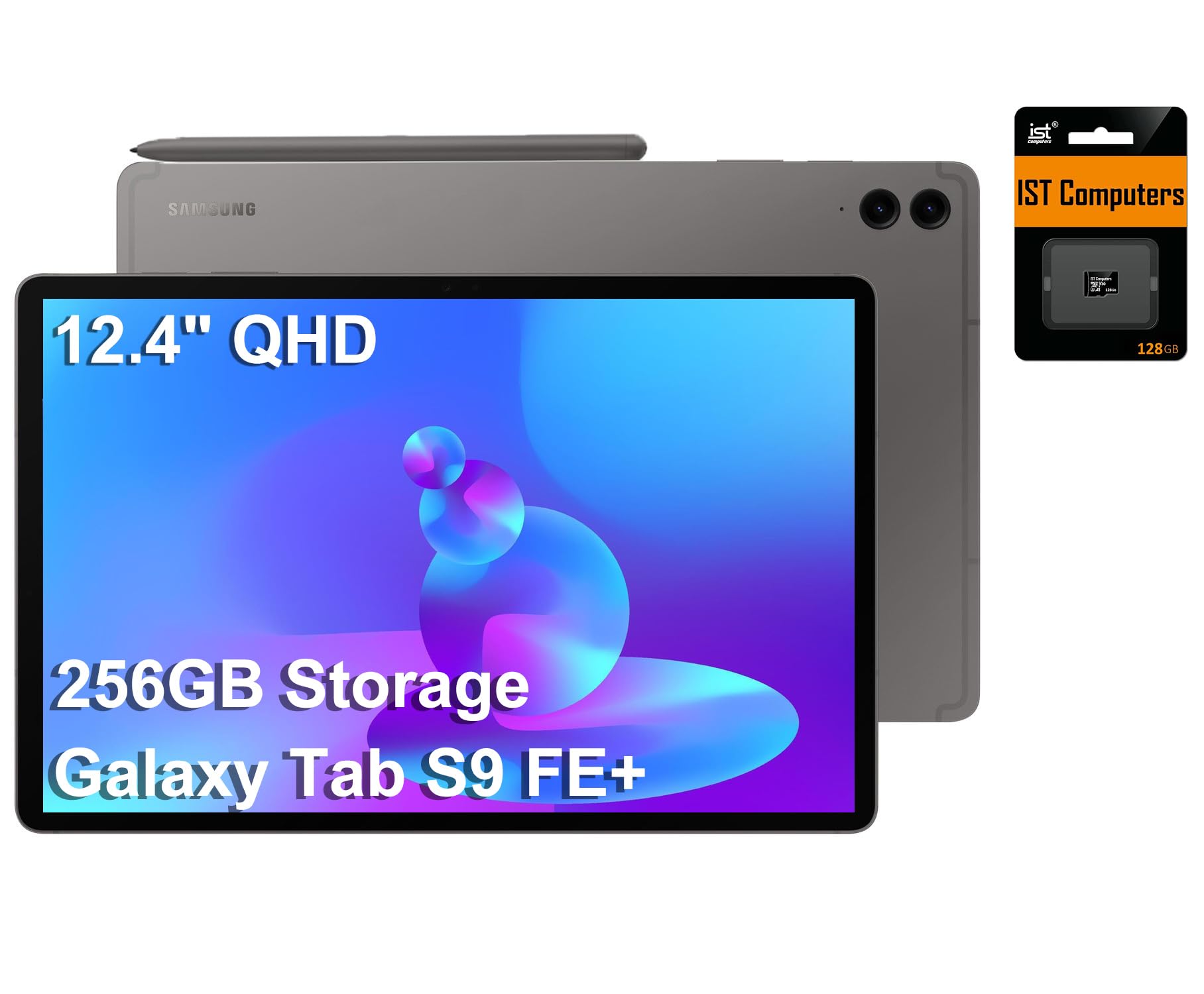
4. Samsung Galaxy Tab S9 FE+ 12.4″
 See price on Amazon
The Galaxy Tab S9 FE+ is the previous-generation value king that still holds its own. Its 12.4-inch WQXGA display runs at 90 Hz with a resolution of 2560×1600, delivering sharp text and smooth scrolling without the OLED price tag. The Exynos 1380 processor and 8 GB of RAM provide enough headroom for split-screen note-taking, video streaming, and web browsing without slowdowns. The included S Pen offers the same excellent handwriting experience as the more expensive S-series tablets.
Samsung claims 18 hours of battery life, and real-world usage confirms a full day of mixed tasks — think eight hours of note-taking in class, two hours of Netflix, and some light web browsing — with juice left over. The IP68 rating adds durability that most tablets in this price range lack. The bundle includes a 128 GB microSD card, bringing total storage to 256 GB, which is generous for a mid-range tablet. The charging speed is adequate but not fast at 15 W, so plan for longer top-up sessions.
Where the S9 FE+ falls short is raw gaming performance — the Exynos 1380 struggles with sustained high-frame-rate gaming, and the 90 Hz LCD shows motion blur on fast-moving content. The tablet is also noticeably thicker and heavier than the premium S-series, making one-handed use a stretch. For students and professionals who prioritize battery life, stylus support, and durability over gaming, this remains a compelling option.
Why it’s great
- Excellent 18-hour battery life
- IP68 water and dust resistance
- Included S Pen with low latency
- Bundle includes 128GB microSD card
Good to know
- LCD display lacks OLED contrast
- Charging limited to 15W
- Heavier and thicker than premium models
- Not suitable for high-end gaming
5. Samsung Galaxy Tab S11 11″
 See price on Amazon
The Galaxy Tab S11 represents Samsung’s latest flagship, packing an 11-inch Dynamic AMOLED 2X display with a 120 Hz refresh rate that delivers the best visual experience in this roundup. Colors are vivid without oversaturation, blacks are truly black, and the Vision Booster feature makes the screen readable in direct sunlight — a rare feat for an AMOLED panel. The 3nm MediaTek MT6991 processor (likely a custom chip for Samsung) pairs with 12 GB of RAM to handle any task without stutter, from 4K video editing to demanding creative apps.
The Galaxy AI integration is where the S11 differentiates itself. Drawing Assist turns rough sketches into polished mock-ups, Note Assist organizes handwritten notes with AI, and the S Pen remains the most responsive stylus available on any Android tablet. The 8,400 mAh battery delivers 18 hours of video playback, which is impressive given the power draw of the high-refresh AMOLED panel. The 512 GB internal storage with microSD expansion covers heavy media libraries and creative project files.
The compromise is the 11-inch screen size — it’s smaller than the 13-inch category we’re focused on, and some users will find the reduced real estate limiting for split-screen work. The price is also flagship-level, placing it above most other options in this guide. For creative professionals who prioritize display quality and stylus accuracy over sheer screen size, the S11 is a worthy alternative that offers the best AMOLED experience in Samsung’s current lineup.
Why it’s great
- Best-in-class Dynamic AMOLED 2X display
- 120Hz refresh rate for buttery smooth interactions
- Powerful 3nm processor with 12GB RAM
- Advanced Galaxy AI features for creatives
Good to know
- 11-inch screen is smaller than 13-inch category
- Premium price point
- No charger included in the box
- AMOLED burn-in risk if static content displayed for long hours
6. Samsung Galaxy Tab S9 11″
 See price on Amazon
The Galaxy Tab S9 packs the same Snapdragon 8 Gen 2 processor and Dynamic AMOLED 2X display as the larger S9+ into an 11-inch chassis, making it the most portable flagship option from Samsung. The 120 Hz AMOLED panel is a joy to watch content on, with deep blacks that make HDR video pop. The S Pen experience is identical to the larger models — excellent palm rejection and near-zero latency — and the IP68 rating protects against drops and splashes.
Battery life is the main trade-off for the compact size. The 8,400 mAh cell delivers around 15 hours of video playback, which is respectable but falls short of the 21 hours offered by the S10 FE+. The 256 GB storage is generous for an 11-inch tablet, and Wi-Fi 7 support ensures fast downloads and low-latency streaming. Samsung’s software update policy (four major OS upgrades) applies, so this tablet will receive Android updates through 2028.
This model is best suited for users who want flagship performance and AMOLED quality but prioritize portability over screen real estate. It fits comfortably in a small bag, and the lightweight design makes it easy to hold for extended reading sessions. The lack of a headphone jack and the requirement to buy a charger separately are minor frustrations, but the overall package is hard to beat for a compact powerhouse.
Why it’s great
- Stunning 11-inch Dynamic AMOLED 2X with 120Hz
- Snapdragon 8 Gen 2 delivers flagship speed
- IP68 water and dust resistance
- Compact and lightweight design
Good to know
- Smaller screen limits split-screen productivity
- No headphone jack
- Charger not included in the box
- Battery life less than FE+ models
7. TABWEE 13.4″ Android 16 Tablet with Keyboard Bundle
 See price on Amazon
The TABWEE 13.4-inch bundle aims to be a full laptop replacement out of the box. It includes a wireless keyboard, mouse, stylus, case, tempered glass screen protector, and a stand — everything you need to start working immediately. The 13.4-inch IPS display runs at 1920×1200 with a 120 Hz refresh rate, making scrolling feel smooth, though the resolution (about 169 PPI) is noticeably lower than the 2560×1600 panels on Samsung tablets. The 180 Hz touch sampling rate helps with stylus responsiveness during note-taking.
Under the hood, the T7280 octa-core processor paired with 8 GB of physical RAM (plus 16 GB of virtual expansion) handles basic productivity tasks like email, document editing, and web browsing without issue. The 10,000 mAh battery provides all-day power for mixed use, and the 18 W charging is adequate but slow compared to the competition. Android 16 with Gemini AI integration adds smart features like document summarization and email drafting, which are genuinely useful for students and professionals.
The value proposition here is the included accessories. The keyboard, mouse, and stylus would cost a significant amount to buy separately, and the case and screen protector add protection without extra expense. The trade-offs are the lower-resolution display, the unknown brand’s update commitment (no guaranteed OS upgrades beyond Android 16), and the weight — this is a hefty tablet to hold for long periods. For budget-conscious users who want a full productivity setup, this bundle delivers impressive value.
Why it’s great
- Complete bundle with keyboard, mouse, and stylus
- 120Hz display for smooth scrolling
- Android 16 with Gemini AI features
- 10,000mAh battery for all-day use
Good to know
- Display resolution is lower than competitors
- Charging limited to 18W
- Heavy for extended handheld use
- Unknown software update roadmap
8. TECLAST Artpadpro Android 15 Tablet 12.7″
 See price on Amazon
The TECLAST Artpadpro delivers an impressive spec sheet for a budget-friendly price. The 12.7-inch display runs at 2176×1600, which translates to roughly 200 PPI — not as sharp as Samsung’s WQXGA panels but noticeably better than the 1920×1200 screens found on many entry-level tablets. The 4:3 aspect ratio mirrors the iPad Pro’s screen proportions, making it excellent for PDFs, sheet music, and drawing. The metal unibody construction feels premium in hand and resists flex.
Performance is where the Artpadpro shows its budget roots. The MediaTek G99 processor paired with 8 GB of physical RAM handles streaming, note-taking, and light multitasking well, but it struggles with demanding 3D games and heavy photo editing. The advertised 20 GB RAM includes 12 GB of virtual expansion, which helps with basic multitasking but doesn’t accelerate CPU-bound tasks. The 10,000 mAh battery delivers around 7 hours of real-world use, which is below average for this category. The 30 W fast charging is a welcome inclusion.
The included T-Pen stylus supports 4096 levels of pressure but has inconsistent reviews regarding accuracy and palm rejection — some users report skip marks and unintended inputs. The 256 GB storage is generous, and the microSD slot expands up to 1 TB. The lack of guaranteed OS updates beyond Android 15 is a concern for long-term use. For the price, the Artpadpro offers a large, high-resolution display and solid build quality, making it a strong entry-level option for users who don’t need intensive performance.
Why it’s great
- High-resolution 12.7-inch display with 4:3 ratio
- Metal unibody construction feels premium
- 256GB storage with microSD expansion
- 30W fast charging supports quick top-ups
Good to know
- Processor struggles with demanding games
- Stylus accuracy and palm rejection inconsistent
- No guaranteed OS updates
- Battery life is below category average
FAQ
Can a 13-inch Android tablet replace a laptop for school or work?
How important is the refresh rate for a 13-inch tablet?
Should I buy a Samsung tablet or a budget brand for a 13-inch Android tablet?
Can I use a 13-inch Android tablet for reading sheet music?
What is the real battery life difference between an LCD and AMOLED 13-inch tablet?
Final Thoughts: The Verdict
For most users, the android tablet 13 inch winner is the Samsung Galaxy Tab S10 FE+ because it combines a large 13.1-inch 90Hz display, excellent S Pen support, 21-hour battery life, and guaranteed OS updates into a package that balances premium features with reasonable pricing. If you need the absolute best screen quality for creative work and media consumption, grab the Samsung Galaxy Tab S11 for its stunning AMOLED display. And for musicians or heavy readers who want the most eye-comfortable display on the market, nothing beats the TCL NXTPAPER 14 with its paper-like screen and generous 14.3-inch canvas.
Product prices and availability are accurate as of the date/time indicated and are subject to change. Any price and availability information displayed on Amazon at the time of purchase will apply to the purchase of this product. As an Amazon Associate I earn from qualifying purchases.
CERTAIN CONTENT THAT APPEARS ON THIS SITE COMES FROM AMAZON. THIS CONTENT IS PROVIDED "AS IS" AND IS SUBJECT TO CHANGE OR REMOVAL AT ANY TIME.
Amazon and the Amazon logo are trademarks of Amazon.com, Inc. or its affiliates.