
A 27-inch touchscreen monitor occupies a unique space — it is large enough for serious productivity but small enough that your arm won’t fatigue reaching across the glass for every tap, swipe, and pinch-zoom. Getting the interaction layer right — capacitive accuracy, palm rejection, driver stability — is what separates a tool you actually use from a gimmick that collects dust.
I’m Min — the co-founder and writer behind Gadgets Feed. I have spent countless hours analyzing the capacitive touch panels, OSD firmware quirks, and multi-monitor compatibility issues that define this specific category, so you get the monitor that actually works as intended.
Once you account for resolution, panel type, connectivity, and touch responsiveness, the field narrows quickly to a handful of models that genuinely deliver, which is exactly what this guide to the 27 inch touch screen monitor aims to clarify.
How To Choose The Best 27 Inch Touch Screen Monitor
Not every 27-inch display with a touch layer performs the same. The panel type (IPS vs. VA vs. TN), the touch technology (projected capacitive vs. infrared), and the driver support for your operating system all dictate whether the monitor feels like a giant tablet or a frustrating lag machine.
Touch Technology: PCAP vs. Resistive vs. Infrared
Projected Capacitive (PCAP) is the standard for glass-smooth, 10-point multi-touch that responds to the lightest skin contact. Resistive screens require physical pressure and tend to feel spongy — they belong in industrial kiosks, not your desk. Infrared bezels offer decent touch but create a raised lip that catches dust and makes edge-swiping awkward. Stick with PCAP for the best consumer experience.
Resolution and Panel Quality
A 27-inch monitor at 1080p has a pixel density of roughly 81 PPI — fine for point-of-sale systems or general office work, but noticeably soft for reading text or photo editing. The jump to 2560×1440 (QHD) at 109 PPI or 3840×2160 (4K UHD) at 163 PPI makes on-screen elements crisp and reduces the need to zoom. IPS panels with 95% DCI-P3 or 100% sRGB coverage deliver accurate colors and wide viewing angles that matter when people gather around the screen.
Connectivity and Touch Backhaul
Almost every touch monitor requires a separate USB cable — usually USB-B to USB-A — to carry the touch data back to the host PC. This cable must connect directly to the computer’s motherboard USB port; plugging it into a hub often introduces dropout. USB-C with DP-Alt mode simplifies everything to a single cable, but verify that the monitor’s USB-C port actually carries both video and touch signals. HDMI and DisplayPort handle the video alone.
Ergonomics and Mounting
Finger strain is a real concern when you tap on a monitor that sits too high or too low. A fully adjustable stand — height, tilt, swivel, pivot — lets you position the screen so your arm rests naturally at your side. VESA 100x100mm compatibility ensures you can switch to a monitor arm or gas-spring mount, which is almost mandatory for multi-monitor touch setups where you need the panels aligned at the same height.
Quick Comparison
On smaller screens, swipe sideways to see the full table.
| Model | Category | Best For | Key Spec | Amazon |
|---|---|---|---|---|
| LG 27UP850K-W | Premium | Creative Pros & Mac Users | 4K UHD, 95% DCI-P3, USB-C 90W PD | Amazon |
| ViewSonic TD2760 | Premium | Commercial & Point-of-Sale | 1080p, 10-Point PCAP, RS232 | Amazon |
| Elo 2702L | Premium | High-Volume Retail & Hospitality | 1080p, Edge Connect, Industrial Build | Amazon |
| Pisichen Curved QHD 85Hz | Mid-Range | Immersive Productivity & Light Gaming | 2560×1440, Curved 1500R, 85Hz | Amazon |
| Pisichen 2K 100Hz w/ Webcam | Mid-Range | Work-from-Home All-in-One | 2560×1440, 100Hz, Built-in Webcam | Amazon |
| LG 27UP650K-W | Mid-Range | 4K Value with Great Ergonomics | 4K UHD, DisplayHDR 400, Ergo Stand | Amazon |
| CUNPU 27″ 1080p | Budget-Friendly | Entry-Level Touch on a Budget | 1080p, 100% sRGB, VESA | Amazon |
| ASUS VT229H | Budget-Friendly | Space-Constrained or Secondary Touch | 21.5″ 1080p, 10-Point, IPS | Amazon |
In‑Depth Reviews
1. LG 27UP850K-W

The LG 27UP850K-W delivers 3840×2160 resolution on a 27-inch IPS panel with 95% DCI-P3 color gamut, making it the sharpest and most color-accurate touch-capable monitor in this roundup. The 400 cd/m² brightness and DisplayHDR 400 certification mean highlights pop without crushing shadow detail — a requirement for photo editing or reviewing HDR video.
Where this monitor pulls ahead of non-touch 4K competitors is the full USB-C implementation: a single cable carries 4K video, USB 3.0 data, and up to 90W power delivery to a laptop. The touch layer still requires a separate USB-B connection, but the convenience of charging and driving the display with one cable is unmatched in this price tier. The built-in stereo speakers with Waves MaxxAudio are usable for casual video calls, though external speakers remain preferable for critical audio work.
The ergonomic stand with height, tilt, swivel, and pivot adjustments makes it simple to position the screen so your arm hangs naturally for touch interaction. Mac users benefit from the factory-calibrated IPS panel and the USB-C single-cable convenience, while Windows users get full 10-point touch out of the box with no driver hunting.
Why it’s great
- 4K UHD resolution at 163 PPI keeps text razor-sharp
- USB-C with 90W power delivery simplifies a clean desk setup
- 95% DCI-P3 coverage with DisplayHDR 400
- Fully adjustable ergonomic stand (height, tilt, swivel, pivot)
Good to know
- Requires separate USB-B cable for touch data
- 60 Hz refresh rate limits gaming appeal
- White enclosure may yellow over time in direct sunlight
2. ViewSonic TD2760

The ViewSonic TD2760 is built for commercial environments where uptime and compatibility matter more than pixel count. It sticks to 1920×1080 resolution, but the MVA panel delivers a 50M:1 MEGA dynamic contrast ratio that produces deeper blacks than standard IPS — useful for kiosks, POS systems, and control-room dashboards that stay on for hours.
What sets the TD2760 apart is the connectivity suite: RS232 serial port for legacy POS integration, DisplayPort with MST daisy-chain support for multi-monitor arrays, and USB 3.1 Type-A ports on the left edge for quick peripheral access. The dual-hinge ergonomic stand provides tilt and swivel, but lacks pivot — the monitor cannot rotate into portrait mode without an aftermarket VESA arm.
macOS users must install the vTouch driver to enable gesture support, which adds a step compared to Windows plug-and-play. Once configured, the pressure-sensing touch layer registers stylus input well, making this a viable option for signature capture or light annotation work in retail and medical settings.
Why it’s great
- RS232 serial port for legacy POS systems
- DisplayPort MST daisy-chaining for multi-monitor setups
- Excellent MVA contrast ratio with deep blacks
- sturdy dual-hinge stand with wide tilt range
Good to know
- 1080p resolution appears soft at 27 inches
- No pivot adjustment for portrait orientation
- Requires vTouch driver for macOS touch support
3. Elo 2702L

The Elo 2702L is the industrial reference standard for touch monitors. Its TouchPro projected capacitive technology delivers 10 simultaneous touch points with optical clarity that does not degrade after years of continuous use. The 300-nit brightness is modest, but the anti-glare treatment ensures readability under harsh retail lighting where glossy panels would wash out.
Elo’s Edge Connect peripheral system sets this monitor apart for commercial deployments: bolt-on accessories like a fingerprint reader, MSR card swipe, or barcode scanner attach directly to the bezel without cable clutter. The standard VESA mount works with any industry arm, and the monitor ships with HDMI, VGA, USB, and audio cables in the box — a small touch that saves frustration during setup.
At 1080p on a 27-inch panel, the pixel density is low, but the target audience — hospitality check-in, inventory management, ticketing kiosks — prioritizes reliability and touch accuracy over pixel count. The Elo branding carries a price premium, but the build quality justifies it for businesses that cannot afford a monitor failure mid-shift.
Why it’s great
- TouchPro PCAP for accurate, durable multi-touch
- Edge Connect accessory system for retail peripherals
- Includes all cables (HDMI, VGA, USB, audio)
- Bulletproof build for 24/7 commercial use
Good to know
- 1080p resolution looks pixelated for text-heavy apps
- Significant price premium over consumer models
- No built-in speakers
4. Pisichen Curved QHD 85Hz
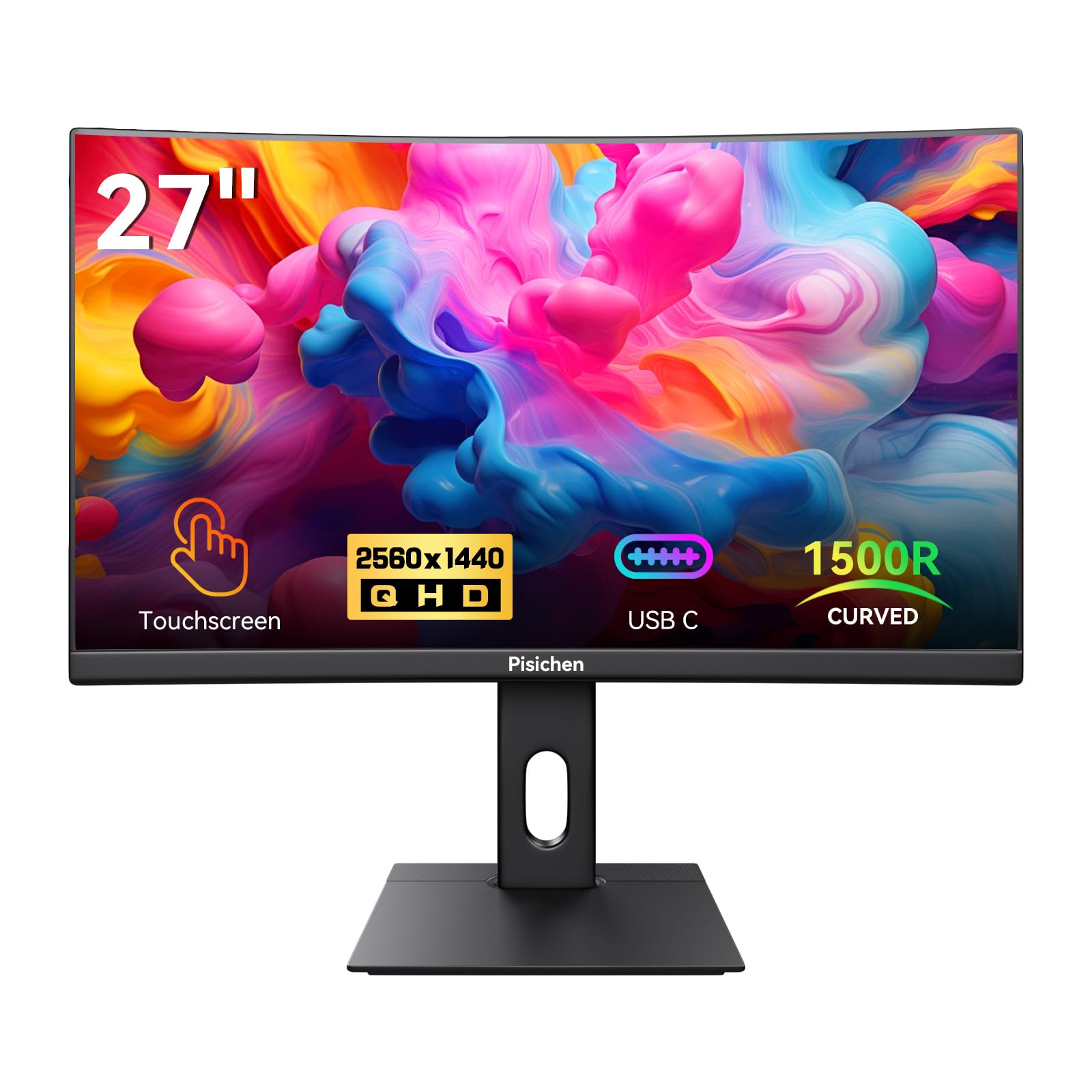
The Pisichen Curved QHD monitor is one of the few curved touchscreen displays on the market — the 1500R radius wraps the edges toward the viewer, reducing eye movement across a 27-inch surface. The 2560×1440 resolution (109 PPI) is a meaningful step up from 1080p, making text and UI elements look clean without the GPU overhead of 4K.
The 85 Hz refresh rate exceeds the standard 60 Hz, providing slightly smoother cursor movement and scrolling that feels more fluid than typical office monitors. Adaptive Sync support reduces tearing during occasional gaming sessions. The 300 cd/m² brightness is adequate for indoor use, and the 99% sRGB color gamut meets basic photo-editing needs without calibration.
Reports indicate the VESA mounting pattern is 75x75mm rather than the advertised 100x100mm, which may complicate aftermarket arm installation — verify compatibility before purchasing. The included stand lacks height adjustment, so users shorter or taller than average may need to add a riser or switch to a VESA arm for comfortable touch access.
Why it’s great
- QHD 2560×1440 resolution for crisp text and detail
- 1500R curved panel for immersive viewing
- 85 Hz refresh rate with Adaptive Sync
- 99% sRGB color coverage
Good to know
- VESA pattern is 75x75mm, not 100x100mm as listed
- Stand lacks height adjustment
- Mixed reports on USB-C DP-Alt reliability
5. Pisichen 2K 100Hz w/ Webcam
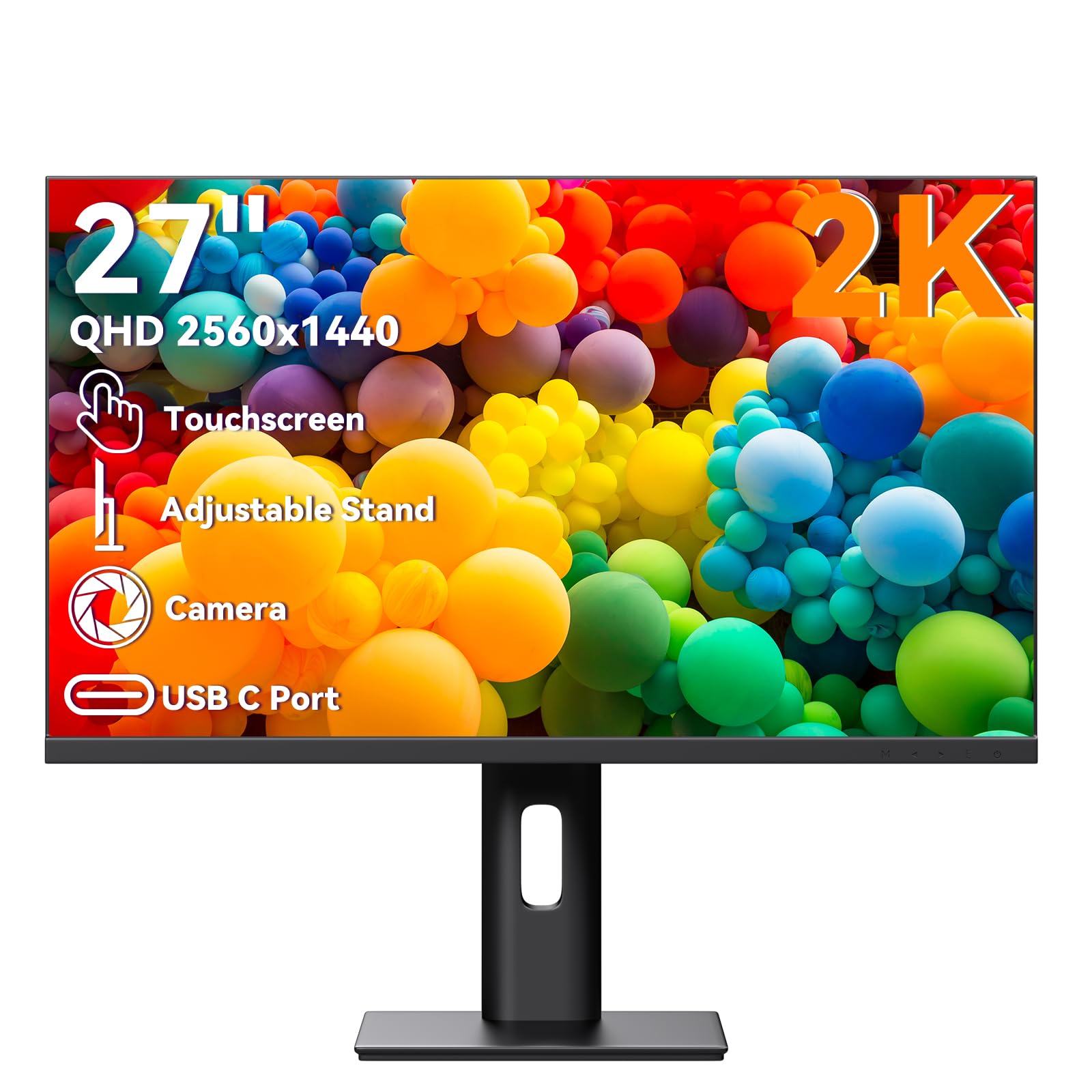
This Pisichen model bundles a 2560×1440 IPS panel, 100 Hz refresh rate, and an integrated 1080p webcam into a single touch-enabled package — a rare combination for remote workers who want one cable to handle display, camera, and touch input. The 100 Hz refresh makes window dragging and scrolling perceptibly smoother than standard 60 Hz monitors, which reduces eye strain during long work sessions.
The 10-point capacitive touch layer supports multi-finger gestures reliably once the USB-B cable is connected directly to the PC — users who attempt to route touch through a USB hub may experience dropout. The built-in webcam is positioned in the top bezel with a physical privacy shutter, though image quality is merely acceptable for conference calls rather than studio-grade.
Connectivity includes HDMI, DisplayPort, and USB-C with DP-Alt mode, plus a 3.5mm audio jack. The integrated stereo speakers are serviceable for system sounds but lack bass; external speakers or a headset are recommended for daily calls. Some users report the webcam driver is finicky on Windows, occasionally requiring a reboot to reinitialize the camera.
Why it’s great
- QHD resolution with 100 Hz refresh rate
- Built-in 1080p webcam with privacy shutter
- USB-C DP-Alt for single-cable video + touch
- 10-point capacitive multi-touch
Good to know
- Webcam driver can be unreliable on some systems
- Built-in speakers lack volume and clarity
- Short included cables may require extensions
6. LG 27UP650K-W

The LG 27UP650K-W brings 4K UHD resolution (3840×2160) and VESA DisplayHDR 400 to a mid-range price point without cutting corners on panel quality. The 1200:1 contrast ratio and 95% DCI-P3 coverage produce vibrant, accurate colors that rival monitors costing significantly more. The matte anti-glare surface reduces reflections in bright rooms, and the 400 cd/m² peak brightness handles HDR content respectfully.
The ergonomic stand is a standout feature: height adjustment, tilt, swivel, and pivot are all included, enabling portrait mode for code or document reading. Assembly takes under 10 minutes with a tool-free snap-in design. The on-screen display uses a joystick control that is intuitive to navigate, and LG’s Switch app allows splitting the screen into up to six custom layouts for multitasking.
This monitor does not support USB-C, relying on HDMI and DisplayPort inputs instead. Users who need single-cable laptop connectivity should consider the 27UP850K-W instead. The 60 Hz refresh rate is fine for office productivity and stock trading but will not satisfy gamers looking for smooth motion.
Why it’s great
- 4K UHD (3840×2160) with DisplayHDR 400
- Fully ergonomic stand with pivot for portrait
- 95% DCI-P3 color gamut
- Easy tool-free assembly
Good to know
- No USB-C port — requires separate video + USB-B for touch
- 60 Hz refresh only
- White stand and cables show dirt over time
7. CUNPU 27″ 1080p Touchscreen
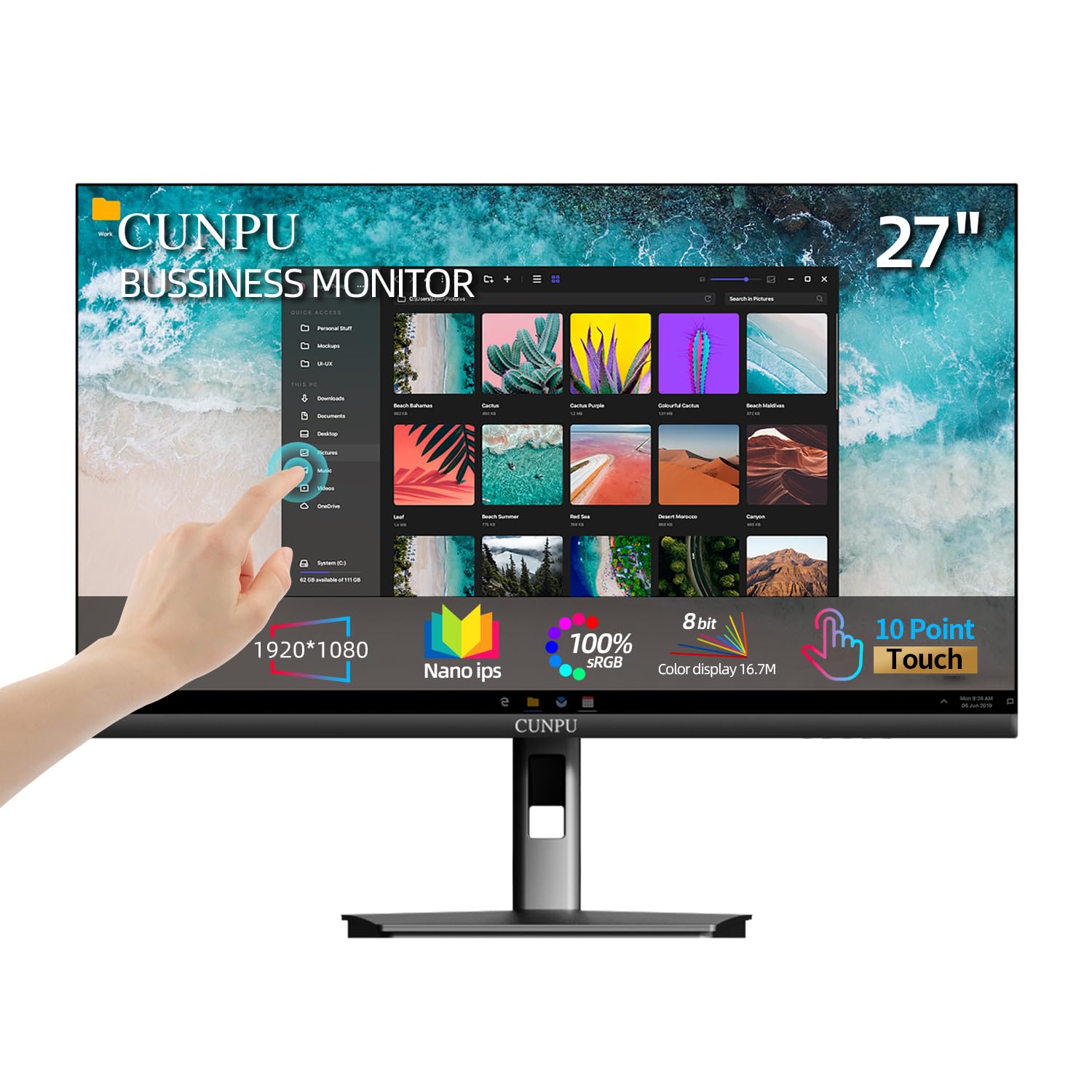
The CUNPU 27-inch touchscreen monitor hits the lowest price point in this roundup while maintaining a 1920×1080 IPS panel with 100% sRGB coverage and a 1000:1 contrast ratio. For basic office tasks, inventory management, or a wall-mounted family command center, the image quality is entirely adequate — colors look natural and viewing angles stay consistent at 178 degrees.
The 10-point capacitive touch works without drivers on Windows 10 and 11 once the USB-B cable is connected. The monitor defaults to a 220 cd/m² brightness out of the box, which feels dim compared to premium models, but it is adjustable through the on-screen menu. The included stand supports tilt adjustment only, and VESA 100x100mm mounting is available for users who want proper ergonomics.
Reliability is a mixed bag: multiple users report units that failed after several months or arrived with defective touch panels. The manufacturer’s customer service appears responsive, shipping replacements, but the failure rate is higher than established brands like LG or ViewSonic. For a low-stakes secondary monitor or a temporary setup, the CUNPU delivers solid touch performance per dollar.
Why it’s great
- Low cost for a 27-inch touch panel
- IPS screen with 100% sRGB and wide 178° viewing angles
- VESA 100x100mm compatible
- 10-point capacitive touch with no driver on Windows
Good to know
- Higher reported failure rate than established brands
- Low default brightness (220 cd/m²)
- No macOS touch support
- Stand is tilt-only with limited height
8. ASUS VT229H

At 21.5 inches, the ASUS VT229H is smaller than the 27-inch guideline of this guide, but it earns its place here as the most reliable entry-level touch monitor on the market. The 1080p IPS panel with 250 cd/m² brightness delivers solid image quality for its size, and ASUS Eye Care technology with flicker-free backlighting and blue light filter reduces fatigue during extended use.
The frameless design makes it a strong candidate for multi-monitor arrays where a uniform bezel gap matters. At just over 7 pounds, it is light enough for a gas-spring monitor arm rated for smaller displays. The 10-point capacitive touch is plug-and-play on Windows 11 — it literally becomes a large tablet for drawing, annotation, or touch-based navigation without any configuration.
Connectivity is limited to HDMI and VGA, with no USB-C or DisplayPort. The touch data requires a USB-B cable, and users running multi-monitor setups must set the VT229H as the primary display for touch to map correctly. The 60 Hz refresh and 5ms response time are typical for office monitors but not suited for competitive gaming.
Why it’s great
- Proven reliability with consistent positive reviews
- Frameless design for seamless multi-monitor setups
- Flicker-free backlighting reduces eye strain
- Lightweight and VESA compatible
Good to know
- 21.5″ is smaller than the 27-inch standard
- Only HDMI and VGA inputs — no USB-C or DisplayPort
- Must be set as primary display for touch mapping in multi-monitor
FAQ
Does a 27-inch touch monitor work with macOS?
Why does my touch input register on the wrong monitor in a dual display setup?
Can I use a 27-inch touch monitor with a Raspberry Pi or single-board computer?
Why do some touch monitors require a separate USB cable even with USB-C?
Final Thoughts: The Verdict
For most users, the 27 inch touch screen monitor winner is the LG 27UP850K-W because it pairs 4K resolution and wide color gamut with USB-C convenience and a fully adjustable stand. If you want a curved screen for immersive productivity, grab the Pisichen Curved QHD 85Hz. And for a commercial-grade workhorse that can survive years of heavy tapping, nothing beats the Elo 2702L.