
The coffee table is a graveyard of clickers. You have one for the TV, another for the soundbar, a third for the streaming stick, and a fourth for the Blu-ray player you swear you still use. Every movie night starts with a frustrating hunt for the right controller, followed by mashing buttons until something happens. This chaos is the exact problem a unified controller solves—collapsing a basket of remotes into a single, commanding device that speaks to every piece of gear in your entertainment stack.
I’m Min — the co-founder and writer behind Gadgets Feed. I spend my time dissecting product specs and cross-referencing real-world performance data to separate marketing fluff from the hardware that actually simplifies a living room setup.
The goal of this guide is straightforward: cut through the noise and help you find the best all-in-one remote that reliably tames every component in your home theater without introducing a new set of headaches.
How To Choose The Best All-In-One Remote
Not every universal remote delivers on the promise of simplification. The wrong pick can be just as frustrating as the pile it replaced. Focus on these three factors to ensure you end up with a remote that actually unifies your gear.
Connectivity: IR, Bluetooth, or Hybrid
The majority of components like TVs and soundbars still rely on infrared. A remote with strong IR emitters and a generous range—30 feet or more—is essential. If you own a streaming box like Apple TV or a game console, native Bluetooth support bypasses line-of-sight limitations entirely. Hybrid models that combine IR with Bluetooth or RF offer the most flexibility for mixed-device setups.
Code Library and Learning Ability
A remote’s built-in database determines how many brands and models it can control out of the box. The best units support hundreds of thousands of devices across thousands of brands. For unsupported gear, a learning function lets the remote capture and replicate commands from your original clicker, preserving functions like subtitles or eject that are not in the standard code set.
Macro and Activity Programming
This is the feature that transforms a universal remote into a true all-in-one controller. Macro programming allows you to execute a sequence of commands—power on TV, switch input, turn on soundbar, launch streaming app—with a single button press. Look for remotes that let you set custom delays between commands to accommodate older equipment that powers up slowly.
Quick Comparison
On smaller screens, swipe sideways to see the full table.
| Model | Category | Best For | Key Spec | Amazon |
|---|---|---|---|---|
| SofaBaton X1S | Premium | Multi-device home theater with hub | 360° IR hub + Bluetooth + WiFi | Amazon |
| Logitech Harmony 665 | Premium | Activity-based control, up to 10 devices | 10-device IR with activity macros | Amazon |
| SofaBaton U2 | Mid-Range | Budget-friendly with backlight and OLED | 35 ft IR range + Bluetooth | Amazon |
| SwitchBot Universal Remote | Mid-Range | Smart home and Matter integration | IR + Bluetooth with Hub Mini | Amazon |
| One For All URC7880 | Mid-Range | Smartphone app setup, 8 devices | 8-device IR with learning | Amazon |
| Anderic RRU401 | Budget | Entry-level, macro, and backlight | 4-device IR with learning | Amazon |
| SofaBaton X2 | Premium | Ultimate control with touchscreen and HA | 50-device, IR/BT/RF/WiFi, touchscreen | Amazon |
In‑Depth Reviews
1. SofaBaton X1S Smart Remote Control with Hub
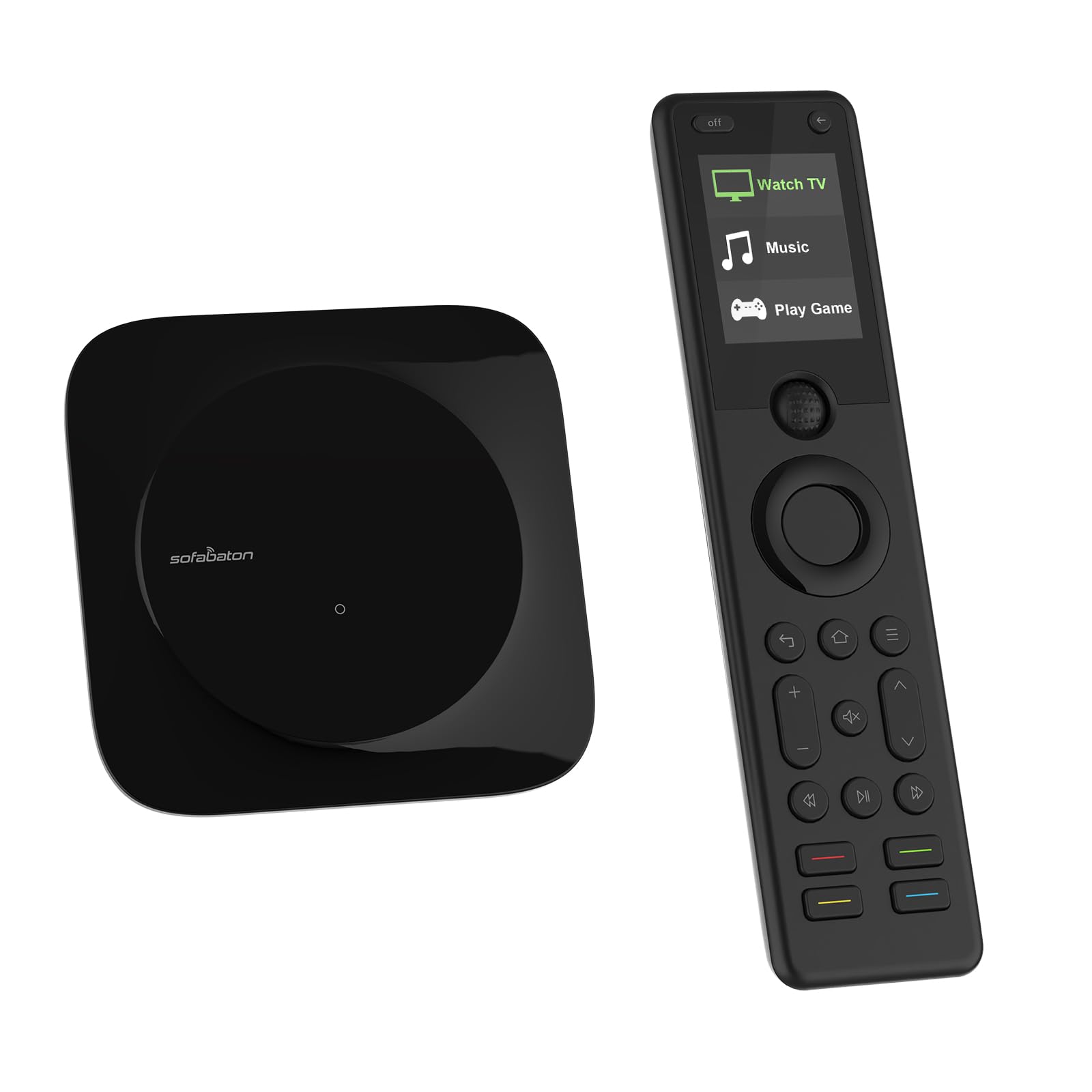
The SofaBaton X1S is the most complete hub-based universal remote in the current landscape. Its included hub transmits both IR and RF signals around a 360-degree radius, which means you can stash components behind solid cabinet doors and still get a clean signal. The remote itself supports Bluetooth, IR, and WiFi connectivity, allowing it to control devices like a PS5 or Apple TV that would otherwise require line of sight.
One-touch activity setup is central to the X1S experience. You can program a single button to power on your TV, switch the receiver to the correct input, and launch your streaming box, all without navigating menus. The raise-to-wake LCD screen and backlit buttons make late-night operation effortless. With support for over 6,000 brands and 500,000 device models, the X1S covers almost any gear you own.
The build quality is a clear step up from mid-range options, with a solid feel and responsive tactile buttons. The find-my-remote feature is a practical lifesaver for anyone who frequently loses their clicker between couch cushions. The X1S requires a bit more initial configuration than simpler models, but the payoff in daily convenience is substantial for a multi-device setup.
Why it’s great
- Hub eliminates line-of-sight issues entirely
- Customizable one-touch activities for complex routines
- Robust code library and learning mode for obscure devices
Good to know
- Setup is more involved than basic IR-only remotes
- Battery life is moderate given the LCD screen
2. Logitech Harmony 665 Advanced Remote Control

The Logitech Harmony 665 remains one of the most sought-after universal remotes even after being discontinued, and the renewed units available today still command a premium. Its defining strength is the activity-based control system: you press “Watch a Movie” and the remote automatically powers on the TV, switches the receiver to the Blu-ray input, and dims the lights—all with one button.
Setup is guided through the MyHarmony desktop software, which scans a massive code database to find the correct commands for each device. The remote can replace up to ten original clickers and supports 23 customizable channel favorites for quick access to your most-watched content. The motion-activated backlight is a nice touch for darkened home theaters.
The main downside is that Logitech has officially discontinued production, so the only option is renewed units that may show cosmetic wear or have shorter battery life. The on-screen help feature is genuinely useful if an activity gets out of sync, but the requirement to install a computer app for initial programming feels dated in 2025. Still, for pure activity-based simplicity, the Harmony 665 is unmatched.
Why it’s great
- Unmatched activity-based macro system
- Replaces up to 10 devices with guided setup
- Motion-activated backlight for dark rooms
Good to know
- Discontinued—only available as renewed stock
- Requires desktop software for initial setup
3. SofaBaton U2 Universal Remote with Backlight

The SofaBaton U2 is the most compelling mid-range universal remote available, offering a feature set that rivals premium models at a fraction of the cost. It controls up to 15 devices via IR or Bluetooth, and the newly added backlit buttons and OLED display make night-time navigation far easier than previous iterations. The scroll wheel for device switching is a smart ergonomic touch that reduces button clutter.
Setup is handled through the SofaBaton app, which accesses a cloud code library supporting over 6,000 brands and half a million device models. You can also use IR learning to capture commands from original remotes if a device is not in the database. The macro system allows you to string together a sequence of commands like power on TV, turn on soundbar, and switch input, with adjustable delays to accommodate older electronics that boot slowly.
The U2’s extended IR range of 35 feet, powered by multiple IR transmitters, ensures reliable signaling even from far corners of the room. The build quality is solid with larger, well-spaced buttons that feel precise. Some users note that the app can occasionally be buggy during complex macro configuration, and the lack of a hub means IR devices still require line of sight. For the price, however, the U2 delivers exceptional performance.
Why it’s great
- Excellent IR range and reliable signal
- Backlit buttons and OLED display for dark rooms
- Cloud code library with extensive device support
Good to know
- No hub—IR devices need line of sight
- App can be buggy during complex macro setup
4. SwitchBot Universal Remote Control with Hub Mini

The SwitchBot Universal Remote takes a different approach—it combines traditional IR control with Bluetooth and Matter smart home integration. This means it can not only control your TV and soundbar but also manage smart bulbs, plugs, and thermostats when paired with a SwitchBot Hub Mini or Hub 2. The touch wheel for device selection and channel scrolling is intuitive, and the spacious button layout works well for all ages.
The built-in 2000mAh battery is a standout feature, lasting up to 150 days per charge and recharging via USB-C. The remote can control up to 25 devices in total, with up to three Bluetooth TV boxes connected simultaneously. The Matter integration opens up compatibility with Apple Home, allowing you to create scenes that involve both entertainment and smart home devices—like a “Movie Night” scene that dims the lights and powers on the TV.
Setup is straightforward through the SwitchBot app, which offers a large IR code library covering nearly 100,000 models. However, the remote relies heavily on the hub for full functionality, including firmware updates and advanced learning. The ergonomics have mixed reviews, with some users finding the button spacing too wide and the wake-up delay a bit slow. For users invested in the SwitchBot ecosystem, this is a natural fit; for others, it may feel incomplete without the hub.
Why it’s great
- Matter integration bridges AV and smart home control
- Excellent 150-day battery life with USB-C charging
- Controls up to 25 IR and Bluetooth devices
Good to know
- Hub required for full functionality and updates
- Slow wake-up from sleep and occasional ergonomic issues
5. One For All URC7880 Universal Smart Remote

The One For All URC7880 is a solid mid-range contender that simplifies setup with a free smartphone app, eliminating the need to hunt through code books. It supports up to eight devices across more than 7,000 brands, making it compatible with nearly any TV, streaming box, soundbar, or game console that uses IR. The learning feature lets you copy functions directly from your original remotes, preserving hard-to-find commands.
One of its most practical features is the punch-through system, which allows you to assign volume control to stay on your soundbar even when you switch between devices, while the channel keys still control your cable box. This activity-like behavior makes daily use much smoother than basic universal remotes. The three shortcut keys for streaming services like Netflix, YouTube, and Amazon Prime provide instant access without navigating menus.
The URC7880 covers a 10-meter range with reliable IR, and the 48-button layout offers dedicated controls for most common functions. The build is functional but not premium—buttons are slightly cramped and there is no backlight. The macro programming process can be clunky, especially when referencing documentation that sometimes omits key button labels. It is a dependable performer for the price, but not a true activity-based remote like the Harmony lineup.
Why it’s great
- Smartphone app makes setup quick and easy
- Punch-through volume control for seamless use
- Three dedicated streaming shortcut keys
Good to know
- No backlight for dark room use
- Macro programming interface is clunky
6. Anderic RRU401 4-in-1 IR Universal Remote
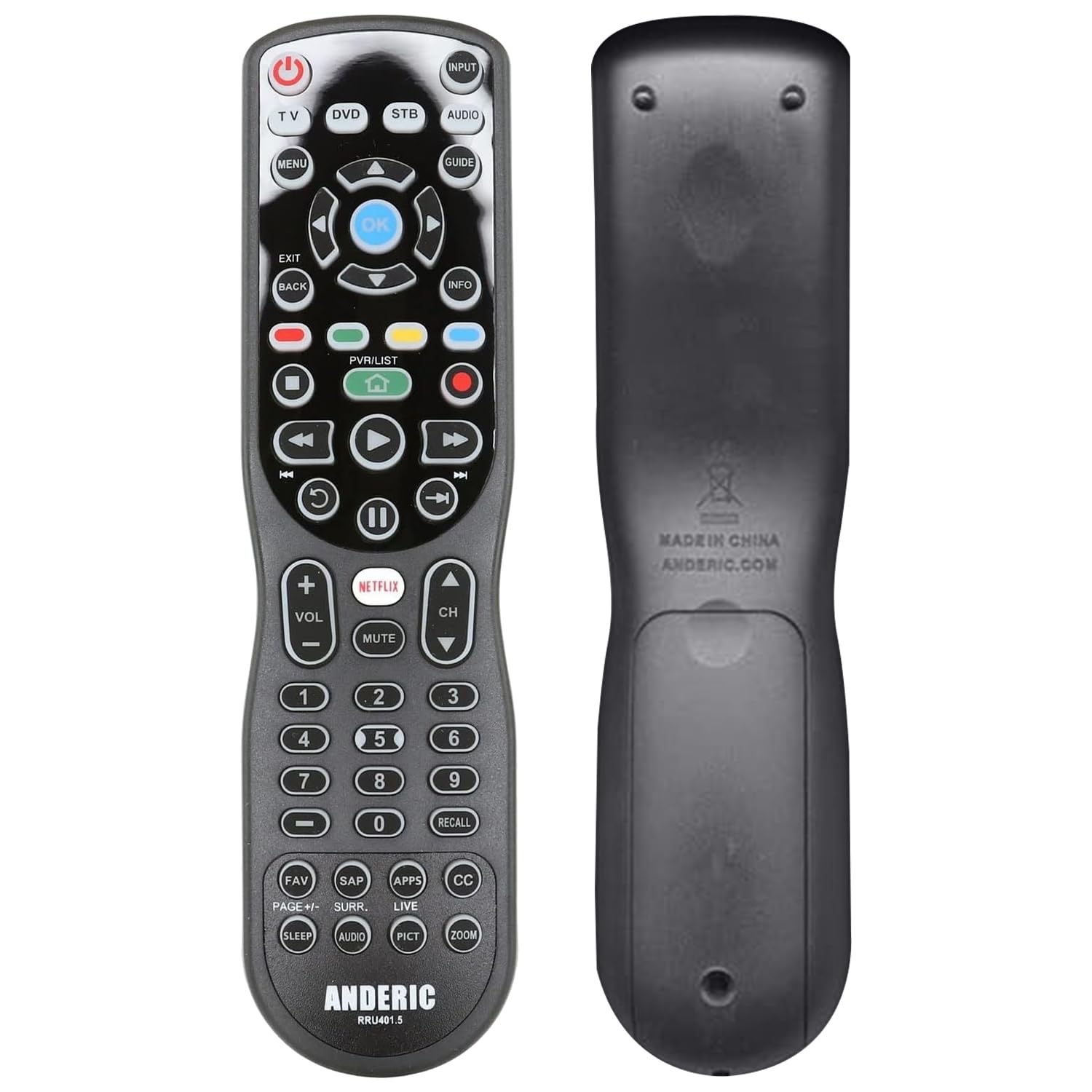
The Anderic RRU401 is a budget-friendly entry point into the world of universal remotes, offering learning and macro capabilities that are usually reserved for pricier models. It controls up to four devices and features full key backlighting, which is a rarity at this price tier. The dedicated Netflix and Home keys provide one-touch access to popular streaming services.
The learning function allows the RRU401 to capture commands from your original remotes, which is useful for controlling older devices that are not in the built-in code database. The macro feature lets you combine the power-on or power-off sequence for multiple devices into a single button press. The remote uses 30 buttons with a clean, straightforward layout that is easy to navigate.
The build quality reflects the budget price—buttons can feel slightly mushy without a satisfying click, and the backlight has been reported by some users to be dimmer than expected. The directional IR beam is narrow, requiring careful aiming, and the remote can occasionally miss presses if not pointed directly at the device. For a secondary room or a simple setup with a TV, soundbar, and streaming device, the RRU401 gets the job done without breaking the budget.
Why it’s great
- Full backlighting at a budget-friendly price
- Learning and macro capabilities for custom control
- Dedicated streaming service shortcut keys
Good to know
- Buttons feel mushy with no tactile click
- Narrow IR beam requires precise aiming
7. SofaBaton X2 Universal Remote with Touchscreen
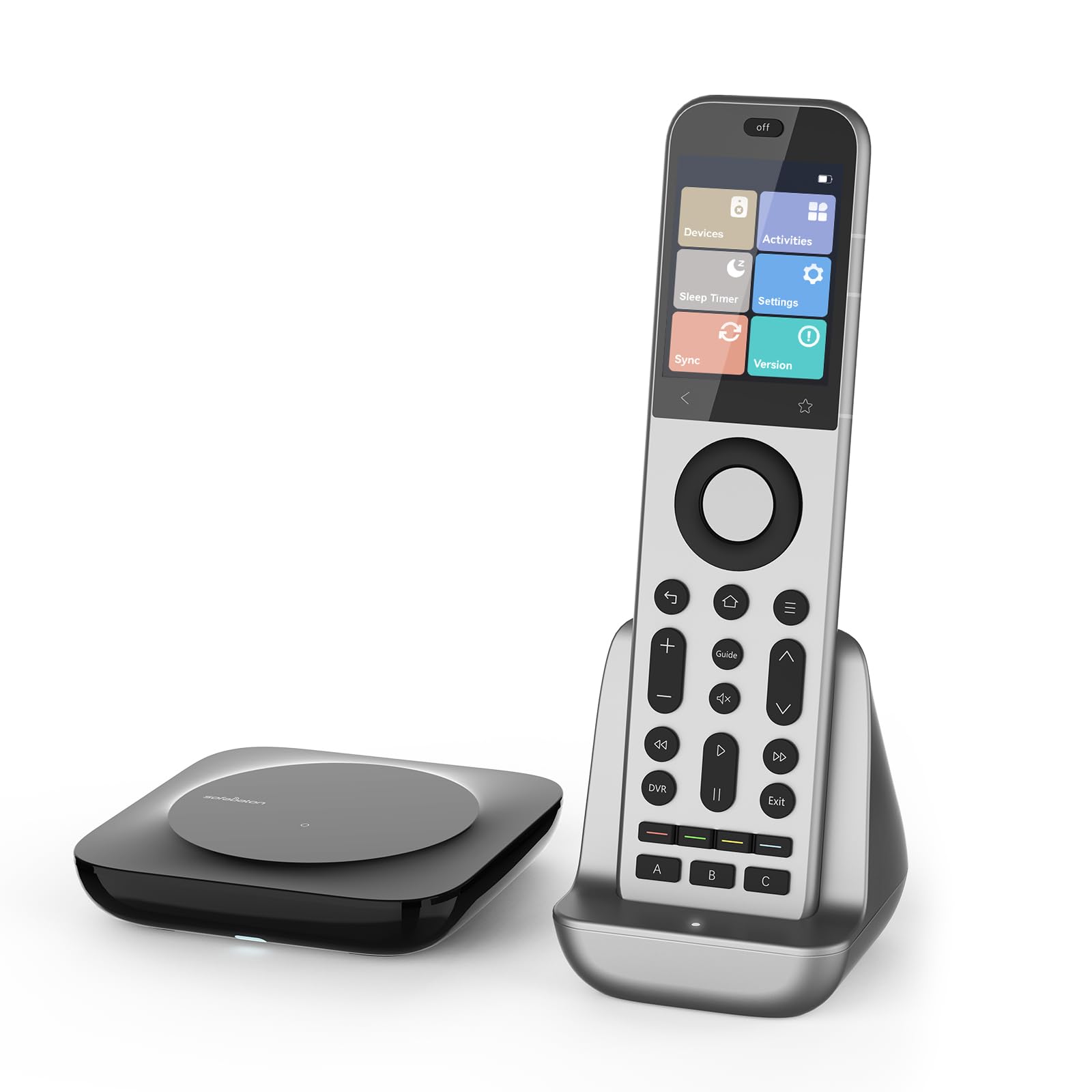
The SofaBaton X2 is the flagship universal remote, designed as the direct successor to the Logitech Harmony Elite. It features a 2.4-inch HD touchscreen for navigating activities and devices, combined with physical backlit buttons and an aluminum frame that feels premium in hand. The remote supports IR, Bluetooth, RF, and WiFi, giving it the broadest control spectrum of any remote on this list.
The included hub with built-in IR blasters and wired IR transmitters provides 360-degree coverage, allowing you to control devices hidden in cabinets from anywhere in the room. The X2 controls up to 50 devices—far more than any competitor—making it suitable for complex home theaters with multiple zones. The dedicated SofaBaton app allows for detailed customization of button layouts, macros, and one-touch activities, with cloud backup for easy recovery.
Home Assistant integration via MQTT is a standout feature, letting the X2 act as a physical control terminal for smart home automation—turning on lights, adjusting the thermostat, and controlling AV gear from a single device. The Type-C charging dock keeps the remote powered and ready. The main drawbacks are the steep learning curve for initial setup and an interface that sometimes feels less polished than the Harmony ecosystem. Battery life under heavy use is around three days, requiring regular docking.
Why it’s great
- Ultimate connectivity—IR, Bluetooth, RF, WiFi
- Home Assistant integration for smart home control
- Premium aluminum build with touchscreen interface
Good to know
- Steep learning curve for initial setup
- Frequent docking required for battery life
FAQ
Can an all-in-one remote control Bluetooth devices like an Apple TV?
What does the learning feature do on a universal remote?
Final Thoughts: The Verdict
For most users, the best all-in-one remote winner is the SofaBaton X1S because its hub-based system eliminates line-of-sight limitations and its one-touch activity programming simplifies even the most complex home theater. If you want the best value with excellent range and backlit buttons, grab the SofaBaton U2. And for the ultimate premium experience with touchscreen control and Home Assistant integration, nothing beats the SofaBaton X2.