
That old Nintendo 64, VCR, or camcorder sitting in a box isn’t broken—your new TV just doesn’t speak its language anymore. Modern displays have ditched the composite RCA jacks (those yellow, white, and red ports) in favor of HDMI, leaving your classic gear effectively mute. An AV to video converter bridges that analog-to-digital gap, translating the signal so your favorite retro hardware can shine on a 4K screen without needing a secondhand CRT television.
I’m Min — the co-founder and writer behind Gadgets Feed. I’ve spent countless hours comparing conversion chipsets, signal sampling rates, and output resolutions across dozens of models to find the units that actually deliver stable 1080p upscaling from 480i composite sources.
Whether you are dusting off a Wii for family game night or digitizing old home movies from a VHS deck, choosing the wrong adapter can introduce lag, screen tearing, or washed-out colors. This guide breaks down everything you need to know to confidently pick the best av to video converter for your specific setup.
How To Choose The Best AV To Video Converter
An AV to video adapter looks simple, but the conversion chip inside and the supported resolutions dictate whether your picture is crisp or a mess of artifacts. Here are the three specs that separate a good converter from a frustrating one.
Output Resolution: 720p vs. 1080p
Most budget converters output at 720p, which is fine for a small monitor but looks soft on a 55-inch living room TV. Models that support 1080p 60Hz upscaling deliver noticeably sharper text and edges, especially for VCR menus and older console UI elements. The conversion chip’s sampling rate matters—10-bit 162MSPS sampling, found on mid-range units, preserves more color depth than the basic 8-bit chips in entry-level adapters.
Input Options: Composite vs. S-Video
Standard yellow/white/red RCA composite is the bare minimum, combining luma and chroma into one signal. S-Video keeps them separate, reducing color bleed and dot crawl on titles like Super Mario World or Sonic. If your source device has an S-Video port, choosing a converter with both composite and S-Video inputs will produce a cleaner image without the checkerboarding common on composite-only routes.
Build Quality and Power Delivery
Cheap plastic converters with loose RCA jacks introduce signal dropouts and static. Look for metal enclosures with secure connectors. Every AV to HDMI converter requires external 5V power—typically via a micro-USB cable. Units that include a power adapter in the box save you a trip to the drawer. Models that lack on/off switches can leave indicator LEDs burning all night, so a physical power toggle is a welcome bonus.
Quick Comparison
On smaller screens, swipe sideways to see the full table.
| Model | Category | Best For | Key Spec | Amazon |
|---|---|---|---|---|
| Tendak 3RCA & S-Video | Premium | Retro console enthusiasts | Metal case, S-Video + composite input, 1080p | Amazon |
| ZUZONG 4-Port RCA | Premium | Multiple console setups | 4 RCA inputs, IR remote, 4:3/16:9 switch | Amazon |
| BolAAzuL 4-Port RCA | Mid-Range | Easy multi-device switching | 4 composite inputs, remote control, 1080p | Amazon |
| Uzifhdhi 2-in-1 RCA & HDMI | Mid-Range | Blending old and new sources | RCA + HDMI input combo, 4K pass-through | Amazon |
| PARUIEN 2-in-1 RCA/S-Video | Mid-Range | Budget S-Video users | S-Video + composite input, 720p/1080p switch | Amazon |
| ABLEWE RCA to HDMI | Value | Single-device simplicity | Includes HDMI cable, 1080p output | Amazon |
| Portta AV to HDMI | Value | Entry-level testing | Ultra-compact 31.7g body, 1080p output | Amazon |
In‑Depth Reviews
1. Tendak 3RCA AV CVBS Composite & S-Video to HDMI Converter

The Tendak is built around a genuine 10-bit 162MSPS sampling chip inside a metal housing, which keeps interference low and thermal stability high during long gaming sessions. It handles both composite and S-Video inputs with a dedicated pushbutton switch, meaning you can leave your N64 connected via S-Video and your PS2 via composite without juggling cables. The 3.5mm audio jack is a welcome extra for connecting powered speakers or capture cards.
Output resolution options span from 480i all the way to 1080p 60Hz, and the auto-save feature remembers your last setting across power cycles. On a 65-inch 4K display, composite sources look noticeably cleaner than through a generic adapter—less color bleed and no visible dot crawl. A few users report the S-Video port can feel slightly loose, but the picture stability is otherwise excellent.
If you own multiple retro consoles and want one permanent hub that doesn’t degrade image quality, the Tendak justifies its premium positioning. The metal case and flexible resolution switching make it the most versatile unit for collectors who care about signal integrity.
Why it’s great
- Metal chassis dissipates heat and blocks interference
- S-Video plus composite inputs with one-touch switching
- Six resolution options from 480i to 1080p 60Hz
Good to know
- S-Video port fitment can be slightly loose on some units
- No on/off switch—bright LED stays lit when powered
- Forced 16:9 output, no 4:3 aspect ratio option
2. ZUZONG 4 Port RCA to HDMI Converter 1080P

The ZUZONG solves the cable-swapping headache by offering four dedicated composite input ports, each selectable via the included IR remote or a button on the unit. The conversion engine uses 10-bit 162MSPS sampling to upscale 480i signals to 1080p 60Hz, and it supports both 4:3 and 16:9 aspect ratio switching—critical for N64 and SNES games that look stretched on widescreen. The compact aluminum body keeps the whole setup tidy.
Input handshaking is generally solid, though some older analog consoles (pre-1995) may require a power cycle of the converter to lock the signal. The included power adapter removes the guesswork of finding a 5V 1A USB wall plug. Users pairing it with a Wii or PS2 report the image is sharp with no perceivable input lag, making it viable for fast-paced retro platformers.
For households juggling a Wii, VCR, and a couple of retro boxes, the ZUZONG eliminates the need to reach behind the TV every time you switch devices. The 4:3 support alone makes it the top choice for anyone who hates seeing Super Mario World’s face stretched across a 16:9 panel.
Why it’s great
- Four independent RCA inputs for permanent multi-console setups
- Manual 4:3 and 16:9 aspect ratio switching
- Power adapter included in the box
Good to know
- Some pre-1995 consoles may require a re-power to lock signal
- Picture can appear slightly washed out without OBS color correction
- Does not power off—stays in standby when idle
3. BolAAzuL 4 Port RCA to HDMI Converter
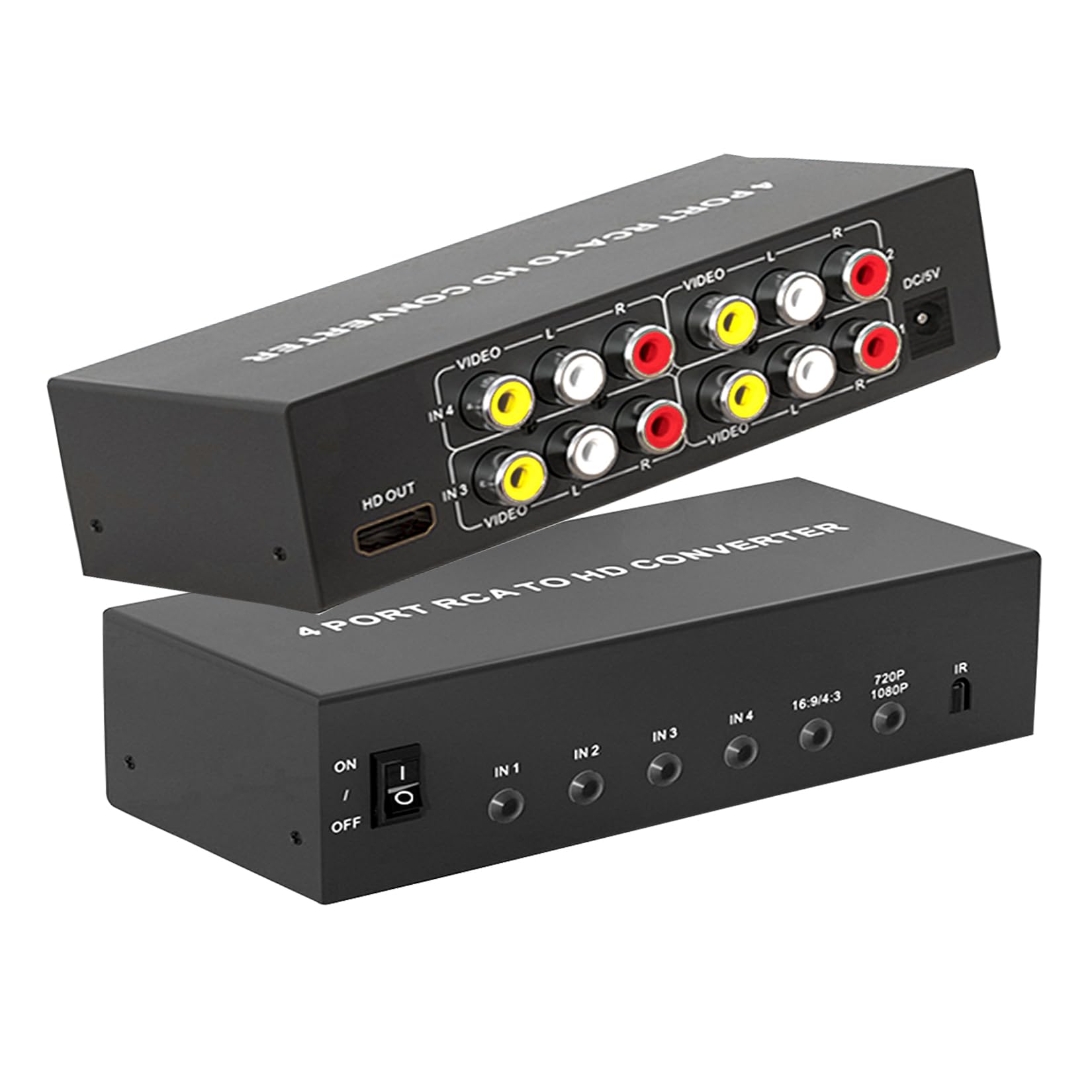
The BolAAzuL brings four composite inputs and dual-control flexibility—a front button for tactile switching plus an IR remote for couch operation—at a price that undercuts most 4-port competitors. It supports 720p and 1080p 60Hz output along with 4:3 and 16:9 aspect ratio toggles, covering the basics for Wii, N64, and VCR use without frills. The included DC power adapter ensures stable voltage delivery, eliminating the USB power cable clutter.
Picture quality from a Wii source is notably cleaner than single-port budget adapters, with less noise in the background gradients of Mario Kart Wii. The remote requires two AAA batteries (not included), but range is solid across a 15-foot living room. A few users noted that switching inputs takes about three seconds for the chip to re-sync, which is standard for this class.
If you need a multi-port hub but don’t require S-Video input, the BolAAzuL delivers the essential features at a mid-range price. The included power supply and remote make it the most practical drop-in solution for families with a few retro devices.
Why it’s great
- Four composite inputs with button and remote selection
- 4:3 and 16:9 aspect ratio switching
- Power adapter included, no USB cable hassle
Good to know
- Remote batteries not included
- Input switching takes roughly three seconds to sync
- Plastic build feels lighter than premium metal units
4. Uzifhdhi 2-in-1 RCA & HDMI to HDMI Converter
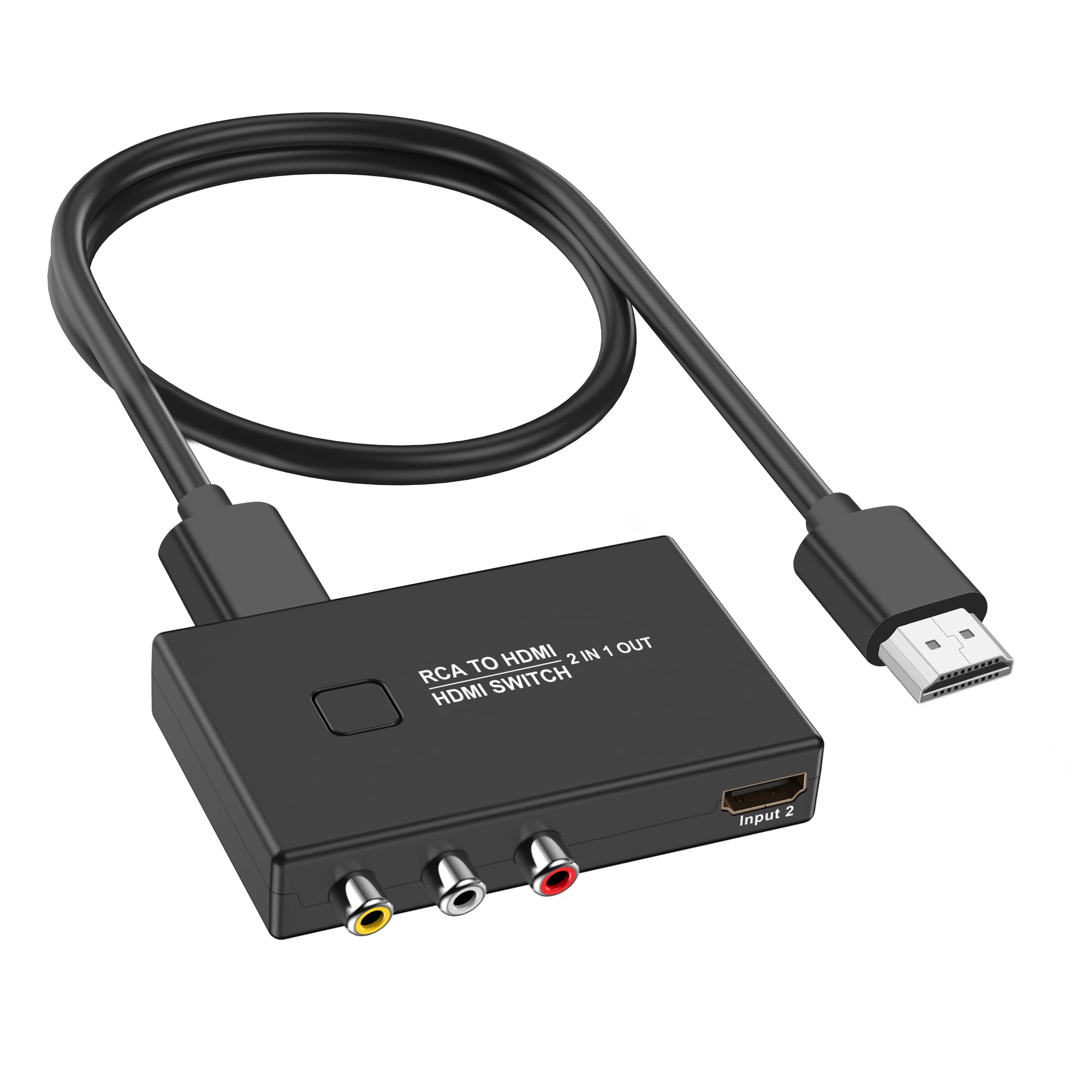
The Uzifhdhi is a unique 2-in-1 design that functions as both an RCA-to-HDMI converter and an HDMI switcher. It accepts one composite RCA input and one HDMI 2.0 input, then outputs to a single HDMI display. This means you can keep a retro console on the RCA port and a modern device like a Roku or PS4 on the HDMI port, toggling between them with a button. The HDMI path supports 4K at 30Hz pass-through, so your 4K source isn’t downscaled.
When using the RCA input, the converter upscales to 1080p 60Hz with PAL/NTSC/SECAM support. The 4:3 and 16:9 switching works well for retro games, and the unit is powered by a standard USB 5V cable (adapter not included). Some users noted that cheaper alternatives offer slightly better 1080p upscaling from RCA sources, but the convenience of having both inputs in one box is hard to beat.
This is the ideal choice for someone with one retro console and one modern HDMI source sharing a single TV input. It reduces HDMI port shortage while delivering functional conversion that gets the job done without extra hardware.
Why it’s great
- Combines RCA converter and HDMI switcher in one unit
- HDMI 2.0 path supports 4K 30Hz pass-through
- Easy button toggle between sources
Good to know
- USB power adapter not included
- RCA upscaling to 1080p is decent but not class-leading
- Only one RCA input—not for multi-console collections
5. PARUIEN 2-in-1 RCA/S-Video to HDMI Converter
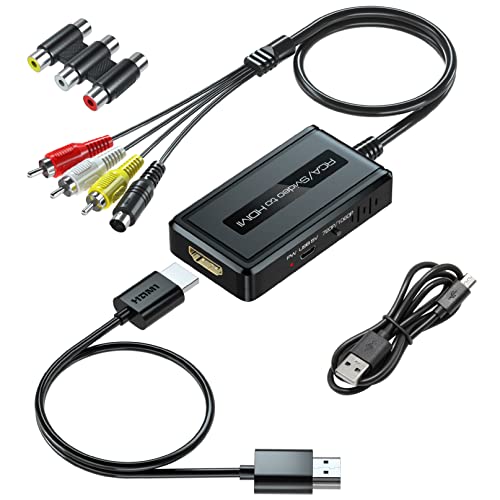
The PARUIEN is a compact adapter that accepts both RCA composite and S-Video inputs, converting them to HDMI at either 720p or 1080p 60Hz. What sets it apart in the mid-range is the included accessory bundle: an HDMI cable, RCA cable, S-Video cable, and micro-USB power cable all come in the box, so there are no extra purchases. The 720p/1080p output switch on the unit gives quick resolution control without menus.
Picture quality from S-Video sources is noticeably better than composite—colors are more separated and text is sharper on a 1080p monitor. The unit defaults to 16:9 output without a 4:3 option, which means older 4:3 content will appear stretched unless your TV has its own aspect ratio control. A few users noted the 720p mode doesn’t always fill the full screen on some displays.
For anyone testing the waters with S-Video or needing a travel-friendly converter, the PARUIEN is a solid entry point. The included cables offset the slightly higher price, and the small footprint fits easily behind a TV stand.
Why it’s great
- Includes all cables—HDMI, RCA, S-Video, USB power
- Hardware switch for 720p/1080p output
- S-Video input reduces color bleed over composite
Good to know
- No 4:3 aspect ratio support—forced 16:9 only
- 720p mode may not fill the screen on all TVs
- Plastic housing feels less durable than metal alternatives
6. ABLEWE RCA to HDMI Converter 1080P

The ABLEWE converter strips the feature set down to the essentials—single RCA composite input, 720p/1080p output, and a mini form factor that’s easy to tuck behind a TV. It includes an HDMI cable and a micro-USB power cable, though you’ll need to supply your own 5V 1A USB wall adapter. Setup is true plug-and-play with no drivers or configuration needed, and it supports PAL/NTSC/SECAM input formats.
Image quality from a Wii or VCR is acceptable for the price point—colors are accurate enough for casual viewing, but you will see softer edges and occasional noise in areas of solid color compared to mid-range converters. The device runs cool during operation, and the compact 0.66-inch height means it doesn’t block adjacent HDMI ports. Some regulatory markings (FCC, RoHS, UL) are absent from the casing, which may concern buyers needing compliance for professional use.
For a single-device setup on a tight budget, the ABLEWE gets the job done without breaking the bank. It’s the right choice for digitizing a few old VHS tapes or hooking up a single retro console temporarily.
Why it’s great
- Includes HDMI cable for instant out-of-box setup
- Ultra-compact design fits tight spaces
- True plug-and-play with no drivers needed
Good to know
- USB power adapter not included
- Missing FCC, RoHS, and UL regulatory markings
- Picture quality shows visible noise on large screens
7. Portta AV to HDMI Converter 1080P

The Portta is the lightest converter in this roundup at just 31.7 grams, making it nearly unnoticeable in a cable bundle. It converts a single composite RCA input to HDMI at 720p or 1080p 60Hz with PAL/NTSC/SECAM support. The unit requires USB power to function, and the included cable is short enough that positioning near a TV’s USB port is ideal.
Performance is basic but functional—a connected N64 or PS3 outputs a watchable picture with no major artifacts, though upscaling sharpness falls short of the Tendak or ZUZONG. A few users reported screen tearing with SNES titles, suggesting the conversion chip struggles with fast sprite movement. Portta backs the unit with a 2-year warranty and lifetime technical support, which adds peace of mind at this entry-level price.
If you need the absolute lowest-cost way to test if a converter fits your workflow, the Portta is a safe starting point. The warranty is a nice hedge, but serious retro gamers should budget for a more capable unit.
Why it’s great
- Extremely lightweight at 31.7 grams
- 2-year warranty plus lifetime technical support
- Supports PAL, NTSC, SECAM input formats
Good to know
- Screen tearing reported with fast-moving SNES sprites
- USB power must be plugged in—no battery option
- Upscaling sharpness is basic compared to mid-range options
FAQ
Do AV to HDMI converters add input lag for retro gaming?
Can I use an AV to HDMI converter in reverse to connect HDMI to an old TV?
Why does my converter need external USB power to work?
Will a converter make my old VHS tapes look high-definition?
Final Thoughts: The Verdict
For most users, the best av to video converter is the Tendak 3RCA & S-Video because its metal chassis, S-Video input, and six resolution options deliver reliable 1080p upscaling for both retro consoles and VCRs. If you need a multi-port hub for several devices, the ZUZONG 4-Port with IR remote and 4:3 support is the smarter buy. And for the best value with S-Video capability, the PARUIEN 2-in-1 includes all necessary cables in the box, making it a complete drop-in solution for single-device setups.