
Choosing a 15.6 inch gaming laptop means navigating a minefield of GPU tiers, refresh rates, and thermal designs that can make or break your gaming experience. The right machine delivers silky-smooth 144Hz gameplay and ray-traced details, while a misstep lands you with a hot, noisy brick that struggles to keep up with modern titles.
I’m Min — the co-founder and writer behind Gadgets Feed. My analysis of this category relies on deep market research, cross-referencing hundreds of technical specifications, and identifying the real-world performance gaps between GPU generations, memory configurations, and cooling solutions that matter most to gamers.
This guide cuts through the spec sheet noise to help you find the best 15.6 inch gaming laptop that fits your performance needs and budget without paying for features you’ll never use.
How To Choose The Best 15.6 Inch Gaming Laptop
Selecting the right gaming laptop comes down to understanding the interplay between the GPU, CPU, display, and thermal system. The 15.6-inch form factor strikes a balance between screen real estate and portability, but not all models are created equal. Focus on these critical areas to avoid a disappointing purchase.
GPU TGP and Performance Tier
The NVIDIA GeForce RTX 4050, 4060, and 5070 represent different performance tiers, but the model number alone doesn’t tell the full story. The TGP (Total Graphics Power) rating determines how much wattage the GPU can draw, which directly impacts frame rates. An RTX 4050 with a high TGP can outperform a power-limited RTX 4060, so always check the manufacturer’s specified TGP range, not just the GPU label.
Display Refresh Rate and Panel Type
A 144Hz display is the standard for smooth competitive gaming, reducing motion blur and providing a tangible advantage in fast-paced shooters. Higher refresh rates like 240Hz are beneficial for esports enthusiasts. IPS panels offer better color accuracy and viewing angles compared to TN panels, while OLED displays deliver superior contrast and color depth for immersive single-player experiences.
RAM Capacity and Speed
Modern games and multitasking demand at least 16GB of RAM. 8GB configurations will bottleneck performance, causing stuttering in demanding titles. DDR5 RAM offers higher bandwidth and lower latency compared to DDR4, which can improve frame rates in CPU-intensive games. Ensure the laptop supports dual-channel memory for optimal performance, as single-channel configurations can leave performance on the table.
Quick Comparison
On smaller screens, swipe sideways to see the full table.
| Model | Category | Best For | Key Spec | Amazon |
|---|---|---|---|---|
| MSI GF63 Thin | Mid-Range | Budget gaming with RTX 3050 | 144Hz FHD / i5-11400H / RTX 3050 | Amazon |
| Acer Nitro V (Ryzen 5) | Mid-Range | AI-powered RTX 4050 gaming | 144Hz FHD / R5 7535HS / RTX 4050 | Amazon |
| HP Victus 15 | Mid-Range | Balanced all-rounder with RTX 2050 | 144Hz FHD / R5 7535HS / RTX 2050 | Amazon |
| NIMO Ryzen 7 | Mid-Range | Integrated Radeon 780M for creators | 16GB DDR5 / R7 8745HS / Radeon 780M | Amazon |
| Acer Nitro V (i5) | Mid-Range | Intel-based RTX 4050 performance | 144Hz FHD / i5-13420H / RTX 4050 | Amazon |
| Lenovo LOQ Essential | Mid-Range | Student gaming with RTX 4050 | 144Hz FHD / i5-12450HX / RTX 4050 | Amazon |
| Lenovo (Ryzen 5 7535HS) | Mid-Range | High RAM with Radeon 660M | 24GB DDR5 / R5 7535HS / Radeon 660M | Amazon |
| MSI Thin 15 | Premium | Thin design with i7 and RTX 4050 | 144Hz FHD / i7-12650H / RTX 4050 | Amazon |
| MALLRACE LX15PRO | Premium | Integrated graphics for daily use | 16GB DDR4 / R7 5825U / Radeon Vega 8 | Amazon |
| ASUS TUF Gaming A15 | Premium | Durable build with RTX 4050 | 144Hz FHD 100% sRGB / R7 7435HS / RTX 4050 | Amazon |
| Alienware 16 Aurora | Premium | High-end RTX 5060 for AAA gaming | WQXGA 16:10 / Core 7-240H / RTX 5060 | Amazon |
| Lenovo Legion 5i | Premium | OLED display and RTX 5070 power | 2.5K OLED 165Hz / i7-14700HX / RTX 5070 | Amazon |
| ASUS ROG Strix G16 | Premium | Ultimate performance with Ryzen 9 | 2.5K 240Hz / R9 9955HX / RTX 5070 | Amazon |
In‑Depth Reviews
1. MSI Thin 15

The MSI Thin 15 strikes an exceptional balance by pairing a 12th Gen Intel Core i7-12650H with an NVIDIA GeForce RTX 4050, delivering smooth 144Hz gameplay in modern titles. Its Cooler Boost 5 thermal system manages heat dissipation effectively, keeping the chassis comfortable during extended sessions without aggressive throttling.
Build quality is improved over the GF63 line, with a more rigid chassis and a responsive 144Hz FHD display that minimizes ghosting in fast-paced shooters. The 16GB of DDR5 RAM ensures seamless multitasking between game launchers, browsers, and streaming apps, while the 512GB NVMe SSD provides fast load times for your primary game library.
Real-world performance shows the RTX 4050 handling AAA titles at high settings with consistent frame rates, although the battery life remains modest at around 3-4 hours for light use. The fan noise is noticeable under load, but a cooling pad can mitigate both the acoustic signature and surface temperatures.
Why it’s great
- Excellent CPU/GPU combo for 144Hz gaming
- Lightweight and portable thin design
- Cooler Boost 5 handles thermal load well
Good to know
- Battery life is limited under load
- Fans can get loud during gaming
- No Thunderbolt 4 port
2. ASUS ROG Strix G16 (2025)

The ASUS ROG Strix G16 represents the pinnacle of 15.6-inch gaming laptops with its AMD Ryzen 9 9955HX processor and NVIDIA GeForce RTX 5070 GPU, capable of driving the 2.5K 240Hz ROG Nebula display at maximum settings in the latest AAA releases. The 32GB of DDR5-5600MHz RAM and 1TB PCIe Gen 4 SSD eliminate any storage or memory bottlenecks.
The ROG Intelligent Cooling system, featuring Tri-Fan technology and full-width heatsinks, keeps the Ryzen 9 and RTX 5070 running at optimal temperatures even during marathon gaming sessions. The 240Hz display delivers buttery-smooth motion clarity, making it ideal for competitive esports titles where every millisecond counts.
Build quality is premium with a sturdy chassis and customizable RGB lighting that can be switched to a stealth mode for professional environments. The audio output from the dual speakers is surprisingly robust for a gaming laptop. The only trade-off is the premium price point and a relatively short battery life of around 3 hours under mixed use.
Why it’s great
- Top-tier Ryzen 9 and RTX 5070 combo
- 240Hz display with excellent color accuracy
- Superior cooling keeps performance consistent
Good to know
- Premium price reflects the high-end specs
- Battery life is modest for the category
- Heavier than some mid-range options
3. Lenovo Legion 5i

The Lenovo Legion 5i sets a new standard for display quality in this category with its 2.5K WQXGA PureSight OLED panel, delivering true blacks, vibrant colors, and a 165Hz refresh rate for both immersive single-player games and responsive competitive play. The Intel Core i7-14700HX and RTX 5070 provide the horsepower needed to drive this display at high settings.
Build quality is excellent, featuring a robust chassis that feels durable without being overly heavy. The Legion Coldfront Hyper cooling system keeps the system whisper quiet during less demanding tasks while ramping up effectively under load. The 1TB SSD provides ample storage, though the 16GB of RAM may need an upgrade for future-proofing.
The keyboard offers a comfortable typing experience with good key travel, though the shifted numpad takes some getting used to. The OLED display is the standout feature, making games look stunningly vibrant. Battery life is decent for business use, but expect around 4-5 hours of mixed usage.
Why it’s great
- Stunning OLED display with deep blacks
- Powerful i7 and RTX 5070 combination
- Effective and quiet cooling system
Good to know
- 16GB RAM may need upgrading soon
- Keyboard layout shifts due to numpad
- No SD card reader or fingerprint sensor
4. Alienware 16 Aurora

The Alienware 16 Aurora brings high-end gaming pedigree with its Intel Core 7-240H and NVIDIA GeForce RTX 5060 8GB GDDR7 GPU, delivering exceptional performance for the latest AAA titles. The 16-inch 16:10 WQXGA display provides extra vertical screen real estate, which is beneficial for both gaming and productivity tasks.
Alienware’s Cryo-Chamber cooling technology focuses airflow directly on the core components, allowing the RTX 5060 to sustain high clock speeds without thermal throttling. The build quality is robust, with a premium feel that justifies the price. The 1TB SSD ensures fast load times, and the 16GB of DDR5 RAM handles multitasking well.
The design is distinctly Alienware with customizable RGB lighting and a comfortable keyboard. Battery life is adequate for non-gaming tasks, potentially lasting a full day with light use. The included 1-year onsite service provides peace of mind. The fan noise is noticeable under gaming load, but the cooling performance is top-notch.
Why it’s great
- Powerful RTX 5060 with GDDR7 memory
- Cryo-Chamber cooling sustains performance
- 16:10 display offers more vertical space
Good to know
- Premium pricing reflects the brand
- Heavier than some competitors
- Fans can be loud during gaming
5. ASUS TUF Gaming A15

The ASUS TUF Gaming A15 delivers exceptional value by combining an AMD Ryzen 7 7435HS processor with an RTX 4050 GPU that can draw up to 140W with Dynamic Boost, outperforming many lower-TGP implementations. The 144Hz FHD display with 100% sRGB coverage offers vibrant colors, a rarity at this price point.
The inclusion of a MUX Switch with Advanced Optimus is a standout feature, allowing you to bypass the integrated GPU for a direct connection to the display, boosting performance by 5-10% in games. The dual 84-blade Arc Flow fans provide effective cooling without excessive noise, and the military-grade durability ensures the laptop can handle daily travel.
Build quality is solid, with a sturdy chassis that feels built to last. The 16GB of DDR5 memory and 512GB SSD provide a good foundation for gaming, though you may want to upgrade storage later. Battery life is around 5 hours with mixed use, and the fast charging helps mitigate this limitation.
Why it’s great
- High-TGP RTX 4050 with excellent performance
- MUX Switch for direct GPU connection
- Durable military-grade construction
Good to know
- Battery life is average for the category
- 512GB storage fills up quickly
- Some units report keyboard RGB issues
6. Acer Nitro V (i5-13420H)

The Acer Nitro V with the Intel Core i5-13420H and RTX 4050 offers a well-rounded gaming experience with the added benefit of a Thunderbolt 4 port, providing high-speed data transfer and external display support. The 144Hz FHD IPS display delivers smooth visuals, and the dual-fan exhaust system keeps temperatures manageable during gameplay.
The 8GB of DDR5 RAM is the primary bottleneck here, as modern AAA titles will push this limit quickly, causing stuttering. However, the two M.2 slots and accessible RAM slots make upgrading straightforward and affordable. The NitroSense software allows you to monitor temperatures and adjust fan speeds for optimal performance.
Build quality is decent for the price, with a clean, professional design that doesn’t scream “gamer.” The keyboard is comfortable with a full numpad. Battery life is limited to around 3 hours, which is typical for this tier. The pre-installed bloatware can impact initial performance, but a clean install resolves this.
Why it’s great
- Thunderbolt 4 for high-speed connectivity
- Easy to upgrade RAM and storage
- Clean, professional design
Good to know
- 8GB RAM is insufficient for AAA gaming
- Significant bloatware on first boot
- Battery life is short
7. Acer Nitro V (Ryzen 5 7535HS)

The Acer Nitro V powered by the AMD Ryzen 5 7535HS and RTX 4050 leverages AI-powered performance with 194 AI TOPS, enhancing DLSS 3 capabilities for smoother frame generation in supported titles. The 144Hz FHD IPS display with an 82.64% screen-to-body ratio provides an immersive gaming experience.
The 8GB of DDR5 RAM is the same limitation as its Intel counterpart, requiring an immediate upgrade to 16GB for comfortable AAA gaming. The thermal design is effective, keeping the laptop cool under load, though the fans do become audible. The inclusion of Wi-Fi 6 ensures stable online gaming connections.
Build quality is standard for the Nitro line, with a plastic chassis that feels durable enough for daily use. The keyboard features a backlit design for gaming in low light. Battery life is around 2 hours, which is below average, making this a laptop that needs to stay plugged in for gaming sessions.
Why it’s great
- AI-powered RTX 4050 with DLSS 3
- High 144Hz refresh rate display
- Wi-Fi 6 for stable online gaming
Good to know
- 8GB RAM requires immediate upgrade
- Battery life is very short
- Fans can be loud under load
8. Lenovo LOQ Essential
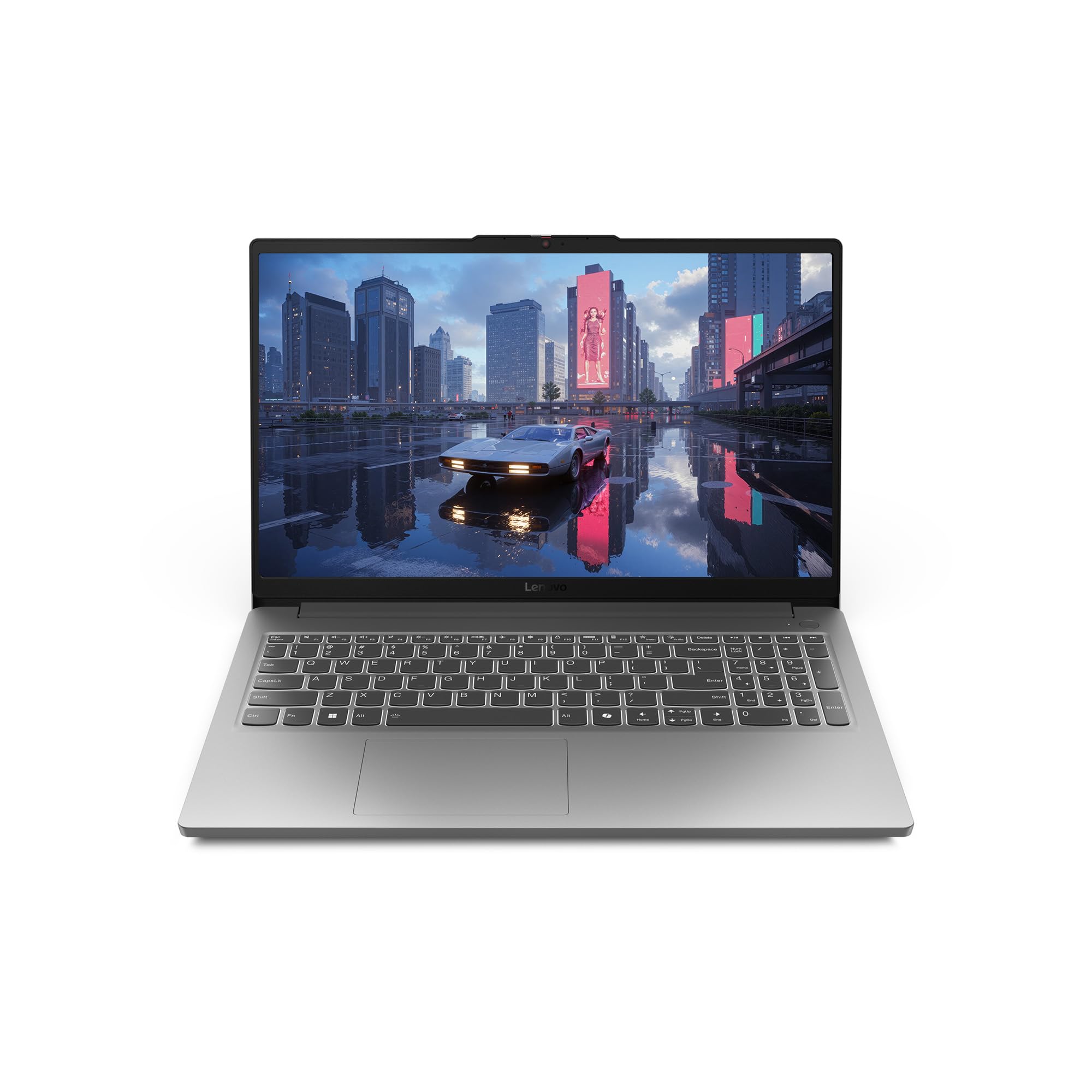
The Lenovo LOQ Essential is designed for student gamers, balancing performance with portability. The Intel Core i5-12450HX and RTX 4050 provide enough power for modern games at 144Hz, while the 100mm fan with 0.15mm blades ensures efficient cooling in a compact chassis.
The 8GB of RAM is again the weak link, causing stuttering in memory-intensive titles. The 512GB SSD is adequate for a few games, but you’ll need to manage storage carefully. The Luna Grey finish gives it a sleek, professional look that fits into both dorm rooms and classrooms.
Build quality is good for the price, with a lightweight design that’s easy to carry between classes. The keyboard offers 1.3mm key travel for comfortable typing. The 3-month PC Game Pass is a nice bonus for new gamers. Battery life is limited, but the rapid-charge feature helps mitigate this.
Why it’s great
- Excellent cooling for its size
- Portable and lightweight design
- Professional, understated look
Good to know
- 8GB RAM is insufficient for AAA titles
- Storage fills up quickly
- Fan can be loud under gaming load
9. HP Victus 15

The HP Victus 15 offers a solid entry-level gaming experience with its AMD Ryzen 5 7535HS processor and NVIDIA GeForce RTX 2050 4GB GPU. The 144Hz FHD anti-glare display provides smooth visuals, and the 16GB of DDR5 RAM ensures smooth multitasking without the need for an immediate upgrade.
The Bang & Olufsen speakers provide surprisingly good audio quality for a budget laptop, enhancing the gaming and media consumption experience. The port selection includes HDMI 2.1, which supports external 4K displays. The laptop runs relatively cool thanks to its effective thermal design, and the 512GB SSD provides adequate storage.
The RTX 2050 is the limiting factor here, handling titles like CS2 and RDR2 well at 1080p but struggling with the latest AAA releases at high settings. The battery life is around 3-5 hours with power-saving settings, which is decent for the category. The build quality is good, with a clean silver design.
Why it’s great
- 16GB DDR5 RAM out of the box
- Good audio quality from B&O speakers
- Effective cooling keeps temperatures low
Good to know
- RTX 2050 is entry-level for gaming
- Performance drops significantly on battery
- Plastic chassis feels less premium
10. MSI GF63 Thin

The MSI GF63 Thin is an accessible entry point into PC gaming, featuring an Intel Core i5-11400H and NVIDIA GeForce RTX 3050 4GB. The 16GB of DDR4 memory is generous for this price tier, ensuring smooth multitasking, and the 512GB NVMe SSD provides quick load times for your game library.
The 144Hz FHD display is responsive and reduces motion blur in competitive games like Valorant and CS2. The thin and light design makes it highly portable, though the thermal system runs hot under load, a common trade-off for the slim profile. A cooling pad is highly recommended for extended gaming sessions.
Battery life is limited to around 4 hours, and the RTX 3050 struggles with ray-traced titles at higher settings. However, for the price, it handles most games reliably at medium to high settings. The build quality is functional, and the laptop has held up well with consistent use over several months.
Why it’s great
- 16GB DDR4 memory for smooth multitasking
- Portable and lightweight design
- Responsive 144Hz display
Good to know
- RTX 3050 is entry-level for gaming
- Runs hot under sustained load
- Battery life is modest
11. NIMO Ryzen 7 8745HS

The NIMO laptop is more of a creator-focused machine with gaming capabilities, powered by the AMD Ryzen 7 8745HS with a 54W TDP and the integrated Radeon 780M graphics. The 16GB of DDR5 RAM and 1TB SSD provide ample capacity for content creation and storage of large media files.
The inclusion of a USB4 port allows for external GPU docking, making this a future-proof investment for those who want integrated graphics now with the option to upgrade later. The 100W USB-C charging is a convenient feature, and the 58Wh battery provides decent battery life for productivity tasks.
The Radeon 780M is capable of handling esports titles and less demanding games, but it will struggle with modern AAA games at high settings. The build quality is decent with a sleek metal body, and the 180-degree hinge is useful for sharing content. This is best suited for users who prioritize creator tasks over hardcore gaming.
Why it’s great
- USB4 port for future eGPU upgrades
- Large 1TB SSD and 16GB RAM
- Sleek design with 180° hinge
Good to know
- Integrated graphics limit AAA gaming
- Not ideal for demanding ray tracing
- Build quality is decent, not premium
12. Lenovo (Ryzen 5 7535HS)
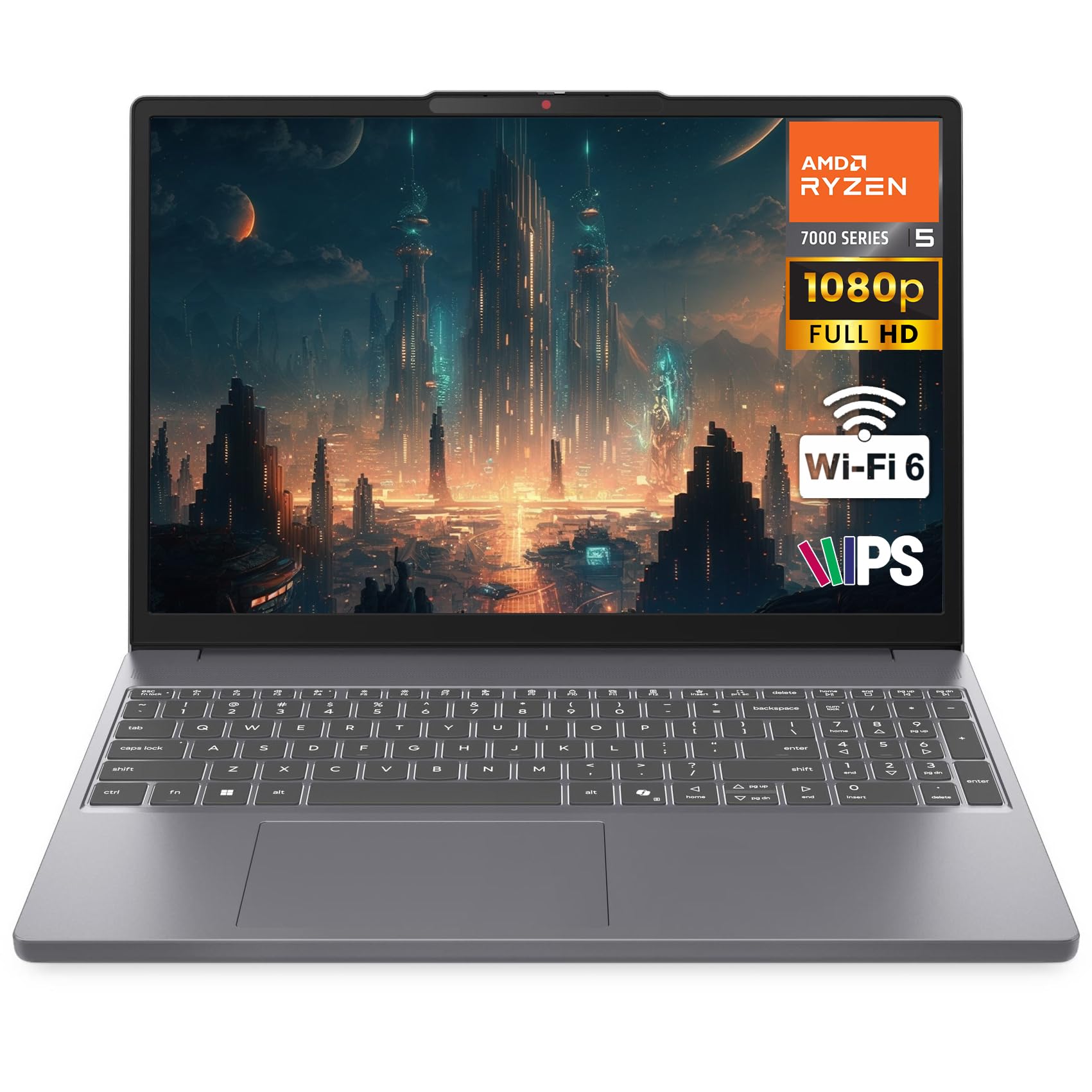
This Lenovo laptop with a Ryzen 5 7535HS and integrated Radeon 660M graphics is built for productivity and light gaming, offering an impressive 24GB of DDR5 RAM for exceptional multitasking. The 1TB PCIe SSD provides ample storage, and the 15.3-inch WUXGA IPS display offers crisp visuals.
The standout feature is the battery life, which can reach up to 10 hours with mixed productivity use, making it ideal for students or professionals. The military-grade durability ensures it can withstand the rigors of daily travel. The Copilot AI PC feature is a nice touch for streamlining Windows 11 tasks.
The Radeon 660M handles popular online games like Fortnite and Valorant at reasonable settings but is not suitable for demanding AAA titles. The build quality is robust, with a design that’s 10% slimmer than its predecessor. The HD webcam with a physical privacy shutter is a welcome security feature.
Why it’s great
- Exceptional 24GB DDR5 RAM for multitasking
- Long battery life for all-day use
- Military-grade build durability
Good to know
- Integrated graphics limit AAA gaming
- Plastic base feels less premium
- Limited port selection when charging
13. MALLRACE LX15PRO
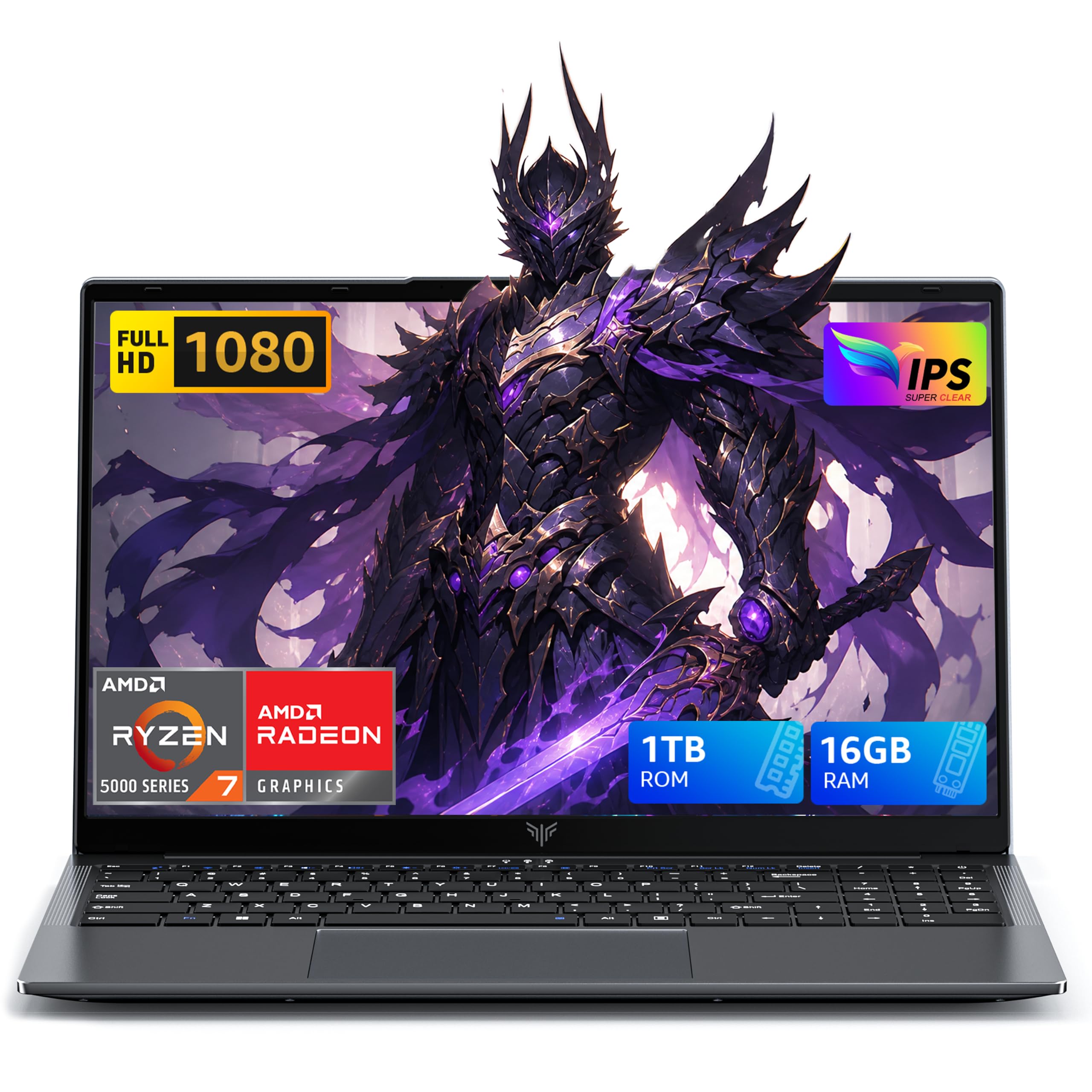
The MALLRACE LX15PRO is a budget-friendly option that focuses on providing a large 16GB of RAM and 1TB SSD for a smooth overall experience, powered by the AMD Ryzen 7 5825U with integrated Radeon RX Vega 8 graphics. It’s best suited for light gaming and general use.
The laptop features a full-sized numeric keyboard, Wi-Fi 6 connectivity, and a Type-C port for modern peripherals. The 54.72Wh battery provides decent battery life for travel, and the laptop can be fully charged in 2.5-3 hours. The build is functional and durable enough for daily use.
The Radeon Vega 8 is limited to less demanding games like Minecraft or older titles at lower settings. It’s not designed for modern AAA gaming. This laptop is best viewed as a versatile daily driver that can handle some casual gaming on the side, not a primary gaming machine.
Why it’s great
- Large 1TB SSD for storage
- 16GB RAM for smooth multitasking
- Good battery life for general use
Good to know
- Integrated graphics limit gaming capability
- Not suitable for modern AAA titles
- Build quality is budget-tier
FAQ
Is 8GB of RAM enough for gaming on a 15.6 inch laptop?
What does the GPU TGP rating mean for gaming performance?
Should I prioritize CPU or GPU for gaming on a 15.6 inch laptop?
Final Thoughts: The Verdict
For most users, the 15.6 inch gaming laptop winner is the MSI Thin 15 because it offers the best balance of performance, portability, and price with its i7 and RTX 4050 combo. If you want the best display quality and top-tier performance, grab the Lenovo Legion 5i. And for a durable, high-value option with excellent cooling, nothing beats the ASUS TUF Gaming A15.