
For years, buying a 4K gaming monitor meant choosing between a sharp, cinematic picture and the high refresh rates required for competitive play. That trade-off is officially dead. The latest generation of affordable 4K panels delivers silky-smooth motion, low response times, and true-to-life color — all without requiring you to spend wildly on a flagship model. If you have been waiting for the right moment to upgrade your desktop experience, that moment is now, provided you know exactly which specs to prioritize and which marketing claims are worth ignoring.
I’m Min — the co-founder and writer behind Gadgets Feed. I’ve spent the past several weeks analyzing the technical specifications, real-world performance data, and user feedback from over a thousand hours of cumulative research to find the monitors that actually deliver at this price tier.
This guide cuts through the noise to highlight the models that justify their place in your setup for work, fast-paced gaming, and media consumption. After extensive comparison, here is your definitive best 4k budget gaming monitor.
How To Choose The Best 4K Budget Gaming Monitor
Selecting the right budget-friendly 4K gaming monitor is about balancing resolution, motion clarity, and connectivity against a strict spending limit. The best models in this space prove that you can achieve all three without sacrificing build quality or essential features.
Refresh Rate and Response Time
The single most impactful upgrade for a 4K gaming monitor is a 120Hz or higher refresh rate paired with a response time of 1ms or less. Aim for 144Hz or 160Hz at 4K, as this gives you smooth scrolling and crisp motion in modern titles. Some monitors in this category now offer Dual Mode technology, allowing you to switch to a lower resolution like 1080p at a higher refresh rate (up to 320Hz) for competitive shooters where raw frame rate matters more than pixel density.
Panel Type and Color Accuracy
IPS panels are the standard for budget-conscious buyers due to their superior color reproduction and wide viewing angles. Fast IPS variants reduce response times to sub-1ms levels. VA panels offer deeper contrast ratios (3000:1 versus 1000:1 for IPS) which improve HDR-like shadow detail but can suffer from slower black-to-gray transitions. Look for color gamuts covering at least 90% DCI-P3 or 125% sRGB to ensure visuals are vibrant and true-to-life.
Connectivity and Adaptive Sync
HDMI 2.1 and DisplayPort 1.4 are non-negotiable for running 4K at 120Hz or higher. These ports provide the bandwidth required for uncompressed high-resolution output. Adaptive sync technologies like AMD FreeSync Premium and NVIDIA G-Sync compatibility eliminate screen tearing and stuttering, making gameplay fluid. Some models also include a built-in KVM switch, which lets you control multiple devices with a single keyboard and mouse setup.
Quick Comparison
On smaller screens, swipe sideways to see the full table.
| Model | Category | Best For | Key Spec | Amazon |
|---|---|---|---|---|
| GIGABYTE M27UP | Premium | Dual-mode versatility and KVM | 160Hz 4K / 320Hz FHD | Amazon |
| ViewSonic VX2730D-4K | Premium | Switchable refresh rate pros | 288Hz FHD / 144Hz 4K | Amazon |
| Amzfast AMZG27F6U | Mid-Range | Bright HDR and full ergonomics | HDR400, 126% sRGB, 320Hz | Amazon |
| KTC U27T6 | Mid-Range | Color-accurate productivity | ΔE<2, 140% sRGB | Amazon |
| Acer Nitro VG270K | Mid-Range | High-FPS competitive play | 160Hz 4K / 320Hz FHD | Amazon |
| Dell S2725QS | Mid-Range | Productivity and eye comfort | 120Hz, 1500:1 contrast | Amazon |
| Gawfolk GFTY981 | Mid-Range | Immersive curved 4K gaming | 240Hz, 1500R VA, 3000:1 | Amazon |
| KTC H32P22P | Premium | Large 32-inch 4K immersion | 165Hz, 3000:1 contrast | Amazon |
| CRUA 32″ Curved | Premium | High-refresh curved VA gaming | 240Hz, 1500R VA | Amazon |
In‑Depth Reviews
1. GIGABYTE M27UP
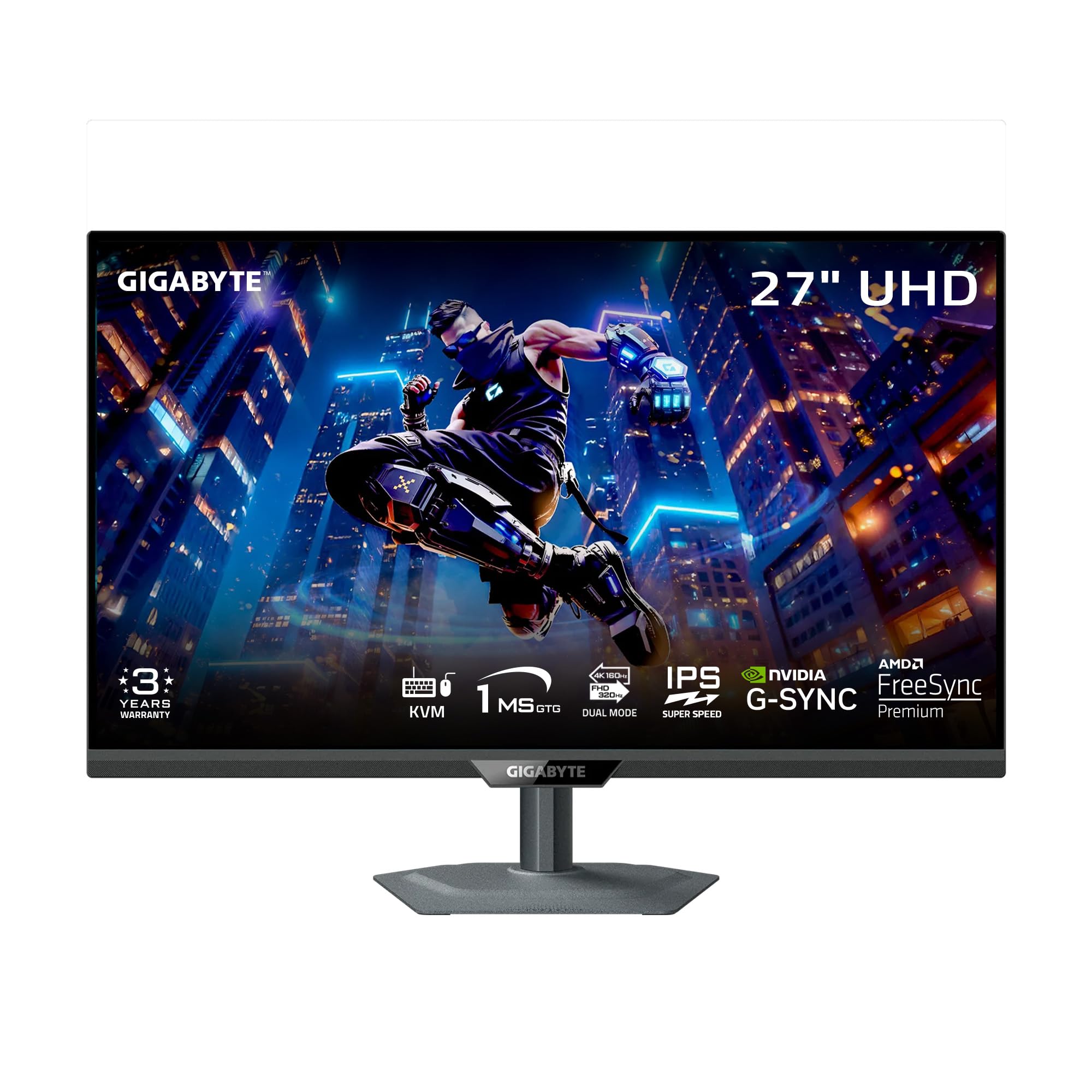
The GIGABYTE M27UP earns its top spot by delivering the most versatile spec sheet in this price range. Its SuperSpeed IPS panel hits a native 160Hz at 4K UHD and can switch to 320Hz at 1080p, giving you two experiences in one monitor. The 1ms GtG response time ensures fast transitions with minimal ghosting, and the 350-nit brightness combined with VESA DisplayHDR 400 adds genuine contrast to supported titles.
What sets the M27UP apart is its built-in KVM switch — a rare find at this level. You can control a desktop PC and a laptop with a single set of peripherals, making it ideal for hybrid setups. The ergonomic stand offers height, tilt, swivel, and pivot adjustments, while the matte screen finish cuts down reflections. The inclusion of HDMI 2.1 and DisplayPort 1.4 ensures full bandwidth for 4K 160Hz output without compression.
User feedback consistently praises the metal stand and solid build quality. Some users note a slight vignette effect along the edges, though it is rarely visible during normal use. The chin is a bit large for vertical orientation, and viewing angles are best when seated directly in front. For the combination of speed, color, and connectivity, the M27UP is the most balanced pick.
Why it’s great
- Dual-mode refresh rate (4K 160Hz / FHD 320Hz) offers flexibility
- Integrated KVM switch simplifies multi-device workflows
- Full ergonomic adjustments with a premium metal stand
Good to know
- Slight vignette effect on the edges may be noticeable in dark scenes
- Larger chin makes it less ideal for vertical portrait use
2. ViewSonic VX2730D-4K
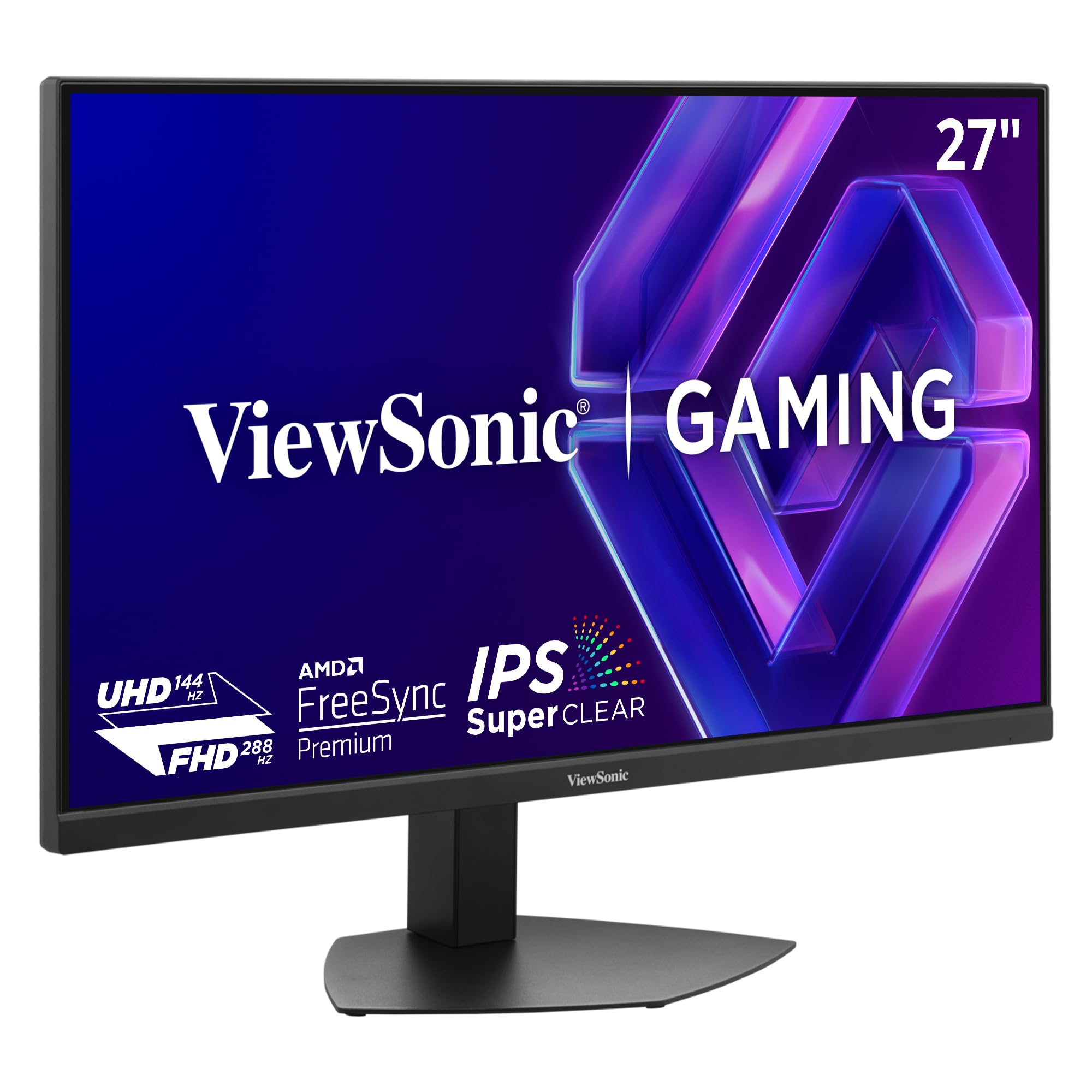
ViewSonic packs remarkable flexibility into the VX2730D-4K with a switchable refresh rate panel that operates at 144Hz in native 4K resolution and rockets up to 288Hz at 1080p. The 0.5ms MPRT response time and AMD FreeSync Premium compatibility ensure that motion stays clear and tear-free regardless of which mode you select. The SuperClear IPS technology delivers wide 178-degree viewing angles and 99% sRGB coverage, making this a strong choice for both competitive and visually immersive games.
A unique feature here is the dedicated 24.5-inch esports OSD setting, which scales the viewable area down to the exact size preferred by professional players. This reduces eye movement during high-speed matches without distorting the image. The monitor also supports both HDMI 2.1 and DisplayPort 1.4, providing full bandwidth for 4K at 144Hz. The matte screen finish and sturdy stand with height, tilt, swivel, and pivot adjustments round out the physical package.
Owners highlight the crisp text rendering and near-zero input lag. A common note is the lack of support for 1440p resolution — the monitor jumps directly from 1080p to 2160p, which may frustrate users who prefer intermediate resolutions. Brightness is rated at 250 nits, making it best suited for a light-controlled room. For buyers who value high-speed versatility, the VX2730D-4K is a compelling contender.
Why it’s great
- Switchable 288Hz FHD mode for competitive play
- Esports OSD scales viewable area for pro-level focus
- Full ergonomic stand with height, pivot, and swivel
Good to know
- No 1440p intermediate resolution option
- 250-nit brightness lower than some competitors; best in dim rooms
3. Amzfast AMZG27F6U
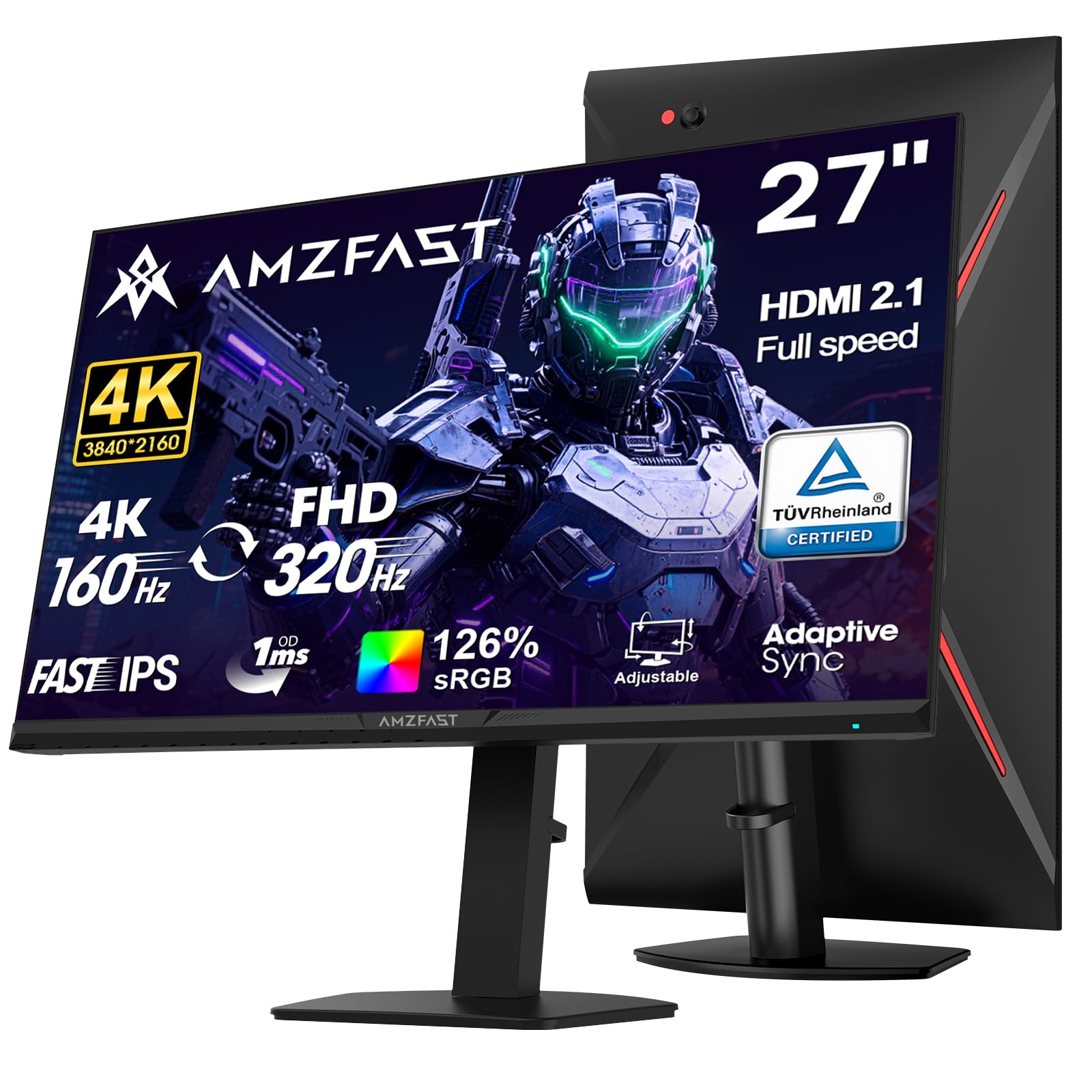
The Amzfast AMZG27F6U stands out in the budget category with a maximum brightness of 400 cd/m² and VESA DisplayHDR 400 certification, which translates to noticeably punchier highlights and deeper contrast in supported games and HDR video content. The Fast IPS panel supports dual-mode operation: 4K at up to 160Hz and 1080p at up to 320Hz. The 1ms MPRT response time and Adaptive Sync compatibility keep fast-paced action free from stutter and tearing.
Color performance is exceptional for the tier, covering 126% sRGB and 93% DCI-P3 with 10-bit color depth (8-bit + FRC). The ergonomic stand offers full adjustments including 130mm height, ±90° pivot, ±30° swivel, and -5° to 20° tilt, making it easy to find a comfortable viewing position. The monitor includes dual HDMI 2.1 ports and dual DisplayPort 1.4 connections, plus a 3.5mm AUX output for external audio.
User reviews applaud the vivid colors and metal-based stand stability. One reported issue is that the stand pivot can feel slightly low quality, causing a tilt after assembly. Motion handling is best at 120Hz or 200Hz, with some users noting a slightly off feel at 165Hz. Overall, the Amzfast offers premium brightness and comprehensive ergonomics at a sharp price point.
Why it’s great
- 400 cd/m² brightness with HDR400 certification
- Full ergonomic adjustments including pivot and height
- Dual HDMI 2.1 and DP 1.4 ports for maximum compatibility
Good to know
- Stand pivot can feel loose and cause tilting
- MPRT mode may introduce reverse ghosting in some scenes
4. KTC U27T6
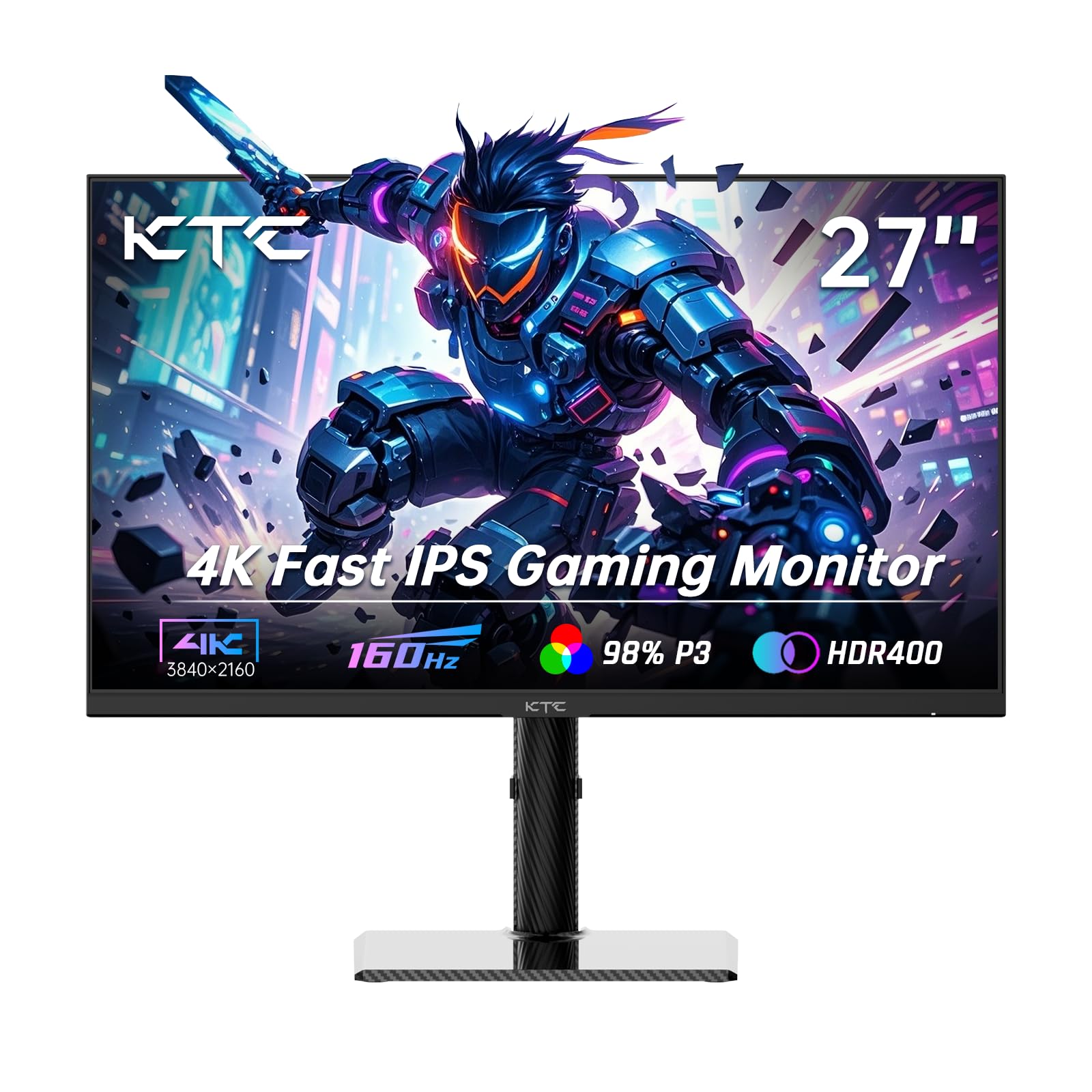
The KTC U27T6 is built for users who prioritize color fidelity alongside gaming performance. Its Fast IPS panel covers 140% sRGB and displays 1.07 billion colors with a factory-calibrated ΔE<2 accuracy, making it a legitimate option for light photo editing and content creation. The panel runs at 160Hz at native 4K resolution and supports both AMD FreeSync and NVIDIA G-Sync compatibility for tear-free gameplay.
The monitor features HDR400 support with 400 cd/m² peak brightness, adding a noticeable boost to highlights in HDR games. The ergonomic stand provides full height, tilt, swivel, and side swivel adjustments. The carbon fiber backplate keeps the unit lightweight yet rigid. Connectivity includes dual HDMI 2.1 ports, dual DisplayPort 1.4 ports, and a USB 2.0 port that supports firmware updates.
Customer feedback frequently mentions the clear picture quality and easy rotation between landscape and portrait modes. Some users reported that after waking from sleep mode, the on-screen display settings become temporarily unresponsive, requiring an input switch to resolve. The monitor also includes only a DisplayPort cable in the box, so you may need to buy an HDMI cable separately. For studio-minded gamers on a budget, the U27T6 is a strong option.
Why it’s great
- Factory-calibrated ΔE<2 color accuracy
- 140% sRGB gamut and HDR400 support
- Lightweight carbon fiber backplate with full ergonomic stand
Good to know
- No HDMI cable included in the box
- Settings may become unresponsive after sleep mode
5. Acer Nitro VG270K

The Acer Nitro VG270K delivers a compelling Dual Frame Rate (DFR) feature that lets you toggle between 4K at 160Hz for immersive titles and 1080p at 320Hz for hyper-competitive shooters. The IPS panel covers 90% of the DCI-P3 color space and supports HDR10, delivering vibrant colors with good contrast. The 0.5ms GTG response time and AMD FreeSync Premium certification ensure smooth, tear-free visuals across both resolution modes.
Its ZeroFrame design minimizes bezels, making it an excellent candidate for multi-monitor setups. The stand offers tilt adjustment from -5° to 25°, and VESA 100x100mm mounting is supported. Connectivity includes one DisplayPort 1.4 and two HDMI 2.1 ports, all capable of handling the monitor’s maximum refresh rates. Built-in speakers provide basic audio for casual use.
Users frequently compliment the value-for-money ratio and the sharpness of the 4K image. A few reports mention the built-in speakers being weak in volume and depth. There are isolated instances of HDMI port failure after extended use, though these appear to be outliers. For a feature-rich entry into 4K high-refresh gaming, the VG270K is a dependable choice.
Why it’s great
- DFR technology: 4K 160Hz or 1080p 320Hz
- 90% DCI-P3 color gamut for vivid visuals
- Near bezel-less ZeroFrame design for multi-monitor setups
Good to know
- Built-in speakers are weak in volume
- Some durability concerns with HDMI ports over time
6. Dell S2725QS

Dell’s S2725QS focuses on all-day comfort and sharp productivity without neglecting gaming. Its 27-inch IPS panel runs at 120Hz with AMD FreeSync Premium, providing smooth motion in less demanding titles and buttery-smooth desktop navigation. The 1500:1 contrast ratio is notably higher than the typical 1000:1 found on many IPS competitors, resulting in deeper blacks and better shadow detail for movies and design work.
ComfortView Plus technology reduces harmful blue light emissions to ≤35% without washing out color accuracy, a major boon for users who spend eight-plus hours in front of a screen. The monitor includes 99% sRGB coverage and HDR readiness. Audio is handled by redesigned built-in speakers that offer greater output power and deeper frequency response compared to the previous generation. The ultra-thin bezels and ash white finish give the monitor a modern, clean aesthetic.
User reports highlight the crisp text clarity and excellent brightness of 350 nits. Some users note noticeable ghosting in fast-paced games, making this a better fit for productivity and casual gaming rather than competitive FPS play. G-Sync compatibility is confirmed, expanding adaptive sync support to NVIDIA GPU owners. For a blend of ergonomic features and reduced eye strain, the S2725QS is a stellar option.
Why it’s great
- 1500:1 contrast ratio for deeper blacks
- ComfortView Plus reduces blue light by 65%
- Improved speakers with wider frequency response
Good to know
- Noticeable ghosting in fast-paced FPS games
- Some users report a persistent yellow tint
7. Gawfolk GFTY981
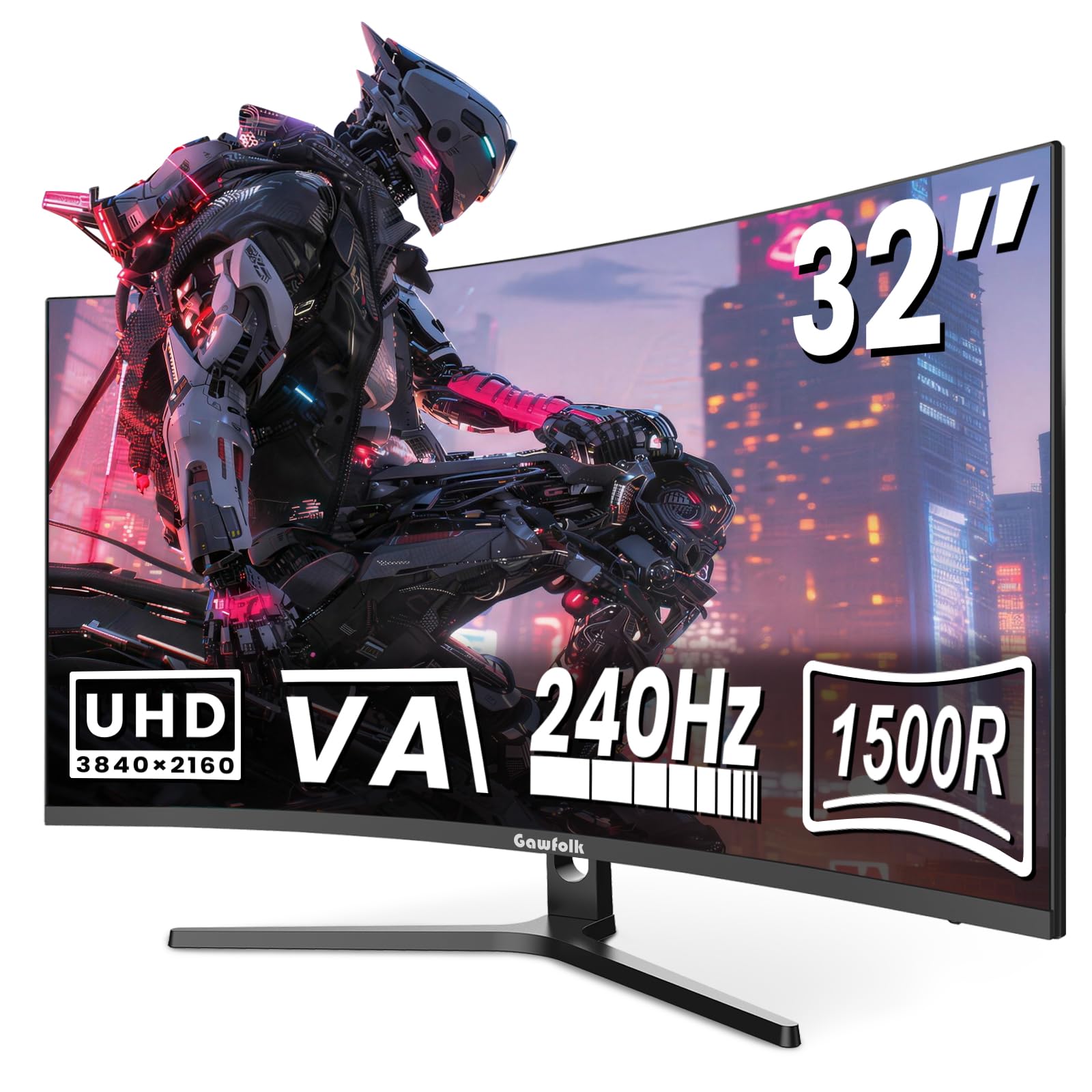
The Gawfolk GFTY981 brings a 32-inch 1500R curved VA panel to the budget-conscious gamer, wrapping the visual field for a more immersive experience in open-world and racing games. Its 4K UHD resolution and native 240Hz refresh rate make it one of the fastest curved monitors in this price bracket. The 3000:1 native contrast ratio delivers deep, inky blacks that eliminate the gray haze common to flat IPS screens, and the matte finish minimizes glare.
Color reproduction uses 8-bit + FRC to render 16.7 million colors with 85% NTSC gamut coverage. AMD FreeSync technology ensures the high frame rate stays synchronized with your GPU. The stand offers basic tilt adjustment, and the monitor uses a standard 75x75mm VESA pattern for aftermarket arm mounting. Port selection includes HDMI 2.1 and DisplayPort 1.4, though only one of each is provided.
Customer feedback highlights the massive screen real estate and the smooth 240Hz performance in competitive titles. Some users note the absence of built-in speakers despite their appearance, and the round mounting plate on the back can complicate dual-arm setups without adapters. There are isolated reports of dead pixels and unresponsive customer support. For a curved 4K high-refresh experience at a budget-friendly price, the Gawfolk is a bold choice.
Why it’s great
- 32-inch 1500R curve provides deep immersion
- 240Hz native refresh rate with FreeSync
- 3000:1 contrast for excellent black levels
Good to know
- Speakers are not actually built in despite design cues
- Round backplate requires adapter for dual-arm mounts
8. KTC H32P22P

The KTC H32P22P is a 32-inch 4K gaming monitor that uses a Fast IPS panel with a 165Hz refresh rate and a 1ms MPRT response time, delivering smooth motion at a resolution that benefits from extra screen real estate. The 3000:1 contrast ratio is higher than typical IPS figures, providing richer black depth and better detail in darker game scenes. It covers 121% sRGB and 1.07 billion colors for vivid, accurate imagery.
Adaptive sync technology supports both AMD FreeSync and NVIDIA G-Sync, ensuring a tear-free experience at high frame rates. Connectivity includes HDMI 2.1 and DisplayPort 1.4 ports, plus a USB 2.0 port. The stand offers height and tilt adjustment, and VESA 100x100mm mounting is supported for arm setups. The 300 cd/m² brightness is adequate for indoor use with controlled lighting.
Users generally praise the immersive feel of the large display and the crisp 4K detail. One consistent note is the absence of built-in speakers, so you will need external audio. The menu system has a learning curve, but the pixel response is smooth even in fast rhythm games. For those wanting a large-frame 4K monitor without moving into the premium price strata, the H32P22P delivers solid performance.
Why it’s great
- Large 32-inch Fast IPS panel with 165Hz refresh
- 3000:1 contrast for deeper blacks than typical IPS
- Supports both FreeSync and G-Sync
Good to know
- No built-in speakers included
- Menu interface has a moderate learning curve
9. CRUA 32″ Curved White

The CRUA 32-inch Curved monitor targets users who want a high-refresh-rate 4K experience combined with a unique white aesthetic. Its VA panel features a 1500R curvature and runs at a native 240Hz with AMD FreeSync, making it suitable for fast-paced FPS and racing games. The 3000:1 contrast ratio delivers rich black levels that enhance shadow visibility in dark game environments.
Color performance uses 8-bit + FRC to achieve 1.07 billion colors and 120% sRGB coverage. The monitor includes HDMI 2.1 and DisplayPort 1.4, along with PIP/PBP functionality for multitasking. The stand offers tilt adjustment only, but the 75x75mm VESA pattern allows for aftermarket mounting. Built-in speakers and RGB backlighting add flair to the package.
Customer reviews highlight the crisp curved display and lightweight design. Some users report difficulty assembling the stand and frustration with the menu system, which lacks a remote. There is also a discrepancy in the product claims regarding built-in speakers, with some units not having them. Overall, the CRUA is a visually distinct option for those seeking a 32-inch curved 4K monitor with high refresh capabilities.
Why it’s great
- 32-inch curved VA panel with 240Hz and FreeSync
- White finish offers a unique aesthetic for themed setups
- PIP/PBP support for multitasking workflows
Good to know
- Assembly is fiddly, and the menu is hard to navigate without a remote
- Built-in speakers may be absent despite being listed
FAQ
Can a mid-range graphics card handle a 4K budget gaming monitor at high refresh rates?
Is HDMI 2.1 necessary for a 4K budget gaming monitor?
What is the real benefit of Dual Mode on a gaming monitor?
Final Thoughts: The Verdict
For most users, the best 4k budget gaming monitor winner is the GIGABYTE M27UP because it combines a fast 160Hz 4K IPS panel with a 320Hz FHD mode and a built-in KVM switch, offering unmatched versatility at its price tier. If you want a large immersive screen with deep contrast, grab the Gawfolk GFTY981. And for color-accurate work mixed with gaming, nothing beats the KTC U27T6.