
PoE access points shrink dead zones not by shouting louder, but by placing the radio exactly where a router cannot go. A single Ethernet cable carries both data and power, so you can mount the access point on a ceiling, an exterior wall, or a detached garage without chasing an electrical outlet. The result is consistent throughput instead of the splintered, half-speed hops that mesh nodes still suffer.
I’m Min — the co-founder and writer behind Gadgets Feed. My deep market research and analysis of technical specifications in this guide focus on which radios handle 100+ concurrent clients without dropping packets and which management ecosystems let you scale from one AP to a fleet with zero friction.
Wi-Fi 6 and power-over-ethernet converge in this selection of network hardware. After evaluating price tiers, chipset maturity, PoE budgets, and management options, here is the definitive guide to the best poe access point for any deployment.
How To Choose The Best PoE Access Point
Not every access point serves the same purpose. A retail store with thirty customers needs dense OFDMA scheduling, while a three-bedroom home needs strong single-client range. Matching the chipset, power standard, and controller model to your environment is what separates a flawless install from a troubleshooting headache.
Wi-Fi Generation and Data Rate
Wi-Fi 6 (802.11ax) is the floor for any new deployment. The real differentiator is the spatial stream count and the backhaul port speed. An AX1800 access point uses two streams per band and a 1 GbE port — fine for general browsing. An AX3000 model adds a 160 MHz channel in the 5 GHz band and sometimes a 2.5 GbE uplink, which matters for office scenarios where multiple concurrent video calls saturate the link.
Power-over-Ethernet Budget and Standard
Every PoE access point states an 802.3af (15.4 W) or 802.3at (30 W) requirement. Wi-Fi 6 APs with four streams and Bluetooth gateways often need the full 30 W of PoE+. If your switch can only deliver 802.3af, the access point may boot but then throttle radios or disable USB ports. Always check the power budget of both the switch port and the AP before buying.
Management Ecosystem
Standalone APs configurable through a web browser are simple and cheap, but they lack seamless roaming, band steering, and central logging. If you plan to deploy two or more APs, you want an SDN ecosystem: TP-Link Omada and Ubiquiti UniFi both offer free cloud or local software controllers that handle channel optimization and client handoff automatically.
Quick Comparison
On smaller screens, swipe sideways to see the full table.
| Model | Category | Best For | Key Spec | Amazon |
|---|---|---|---|---|
| TP-Link Omada EAP650 | Mid-Range | Omada SDN with free cloud controller | AX3000, 2×2 MIMO, 1 GbE PoE+ | Amazon |
| Ubiquiti U7-LR | Premium | Maximum range in large indoor spaces | Wi-Fi 6, 5 dBi antennas, 1 GbE PoE+ | Amazon |
| Ubiquiti U6+ | Premium | UniFi ecosystem with proven reliability | AX3000, 3 Gbit/s aggregate, 1 GbE PoE+ | Amazon |
| Cudy AP3000 | Mid-Range | 2.5 GbE uplink for high-throughput offices | AX3000, 2.5 GbE port, PoE+ | Amazon |
| NETGEAR WAX210PA | Mid-Range | Compact business AP with local-only config | AX1800, 1 GbE PoE+, 1500 sq. ft. | Amazon |
| TP-Link EAP610-Outdoor | Premium | Weatherproof Wi-Fi 6 for patios and yards | AX1800, IP68, 1 GbE PoE+ | Amazon |
| REOLINK RLA-PS1 | Budget | PoE switch for camera-heavy security setups | 8 PoE ports, 120 W total budget | Amazon |
In‑Depth Reviews
1. TP-Link Omada EAP650

The EAP650 hits the sweet spot between performance and management flexibility. Its AX3000 dual-band radio delivers 2.4 Gbps on 5 GHz and 574 Mbps on 2.4 GHz, and the ultra-slim white chassis blends into any ceiling. The Omada SDN platform provides free cloud-based controller access with no licensing fees — you can manage VLANs, multiple SSIDs, and seamless roaming from a single pane of glass or from the Omada app on your phone.
VLAN tagging and per-band SSID support give the EAP650 utility beyond home use. Small businesses can isolate guest traffic and IoT devices through the web UI without needing a separate controller appliance. The 802.3at PoE+ input draws up to 17.6 W, so it works with most mid-range PoE switches, and the included 12 V DC adapter covers scenarios where the switch cannot supply enough power.
Real-world coverage sits around 1,300 square feet per unit, and the MU-MIMO plus OFDMA combination handles roughly 30 concurrent active clients without degrading throughput. The five-year warranty is a strong signal of manufacturing confidence, and the hardware design supports both ceiling and wall mounting with a low-profile snap-in bracket.
Why it’s great
- Free Omada cloud controller with no subscription fees
- Five-year warranty for multi-year deployment peace of mind
- Supports both 802.3at PoE+ and included 12 V DC adapter
Good to know
- 1 GbE port limits full AX3000 throughput at range
- Active cooling is absent; avoid sealed enclosures
2. Ubiquiti U7-LR
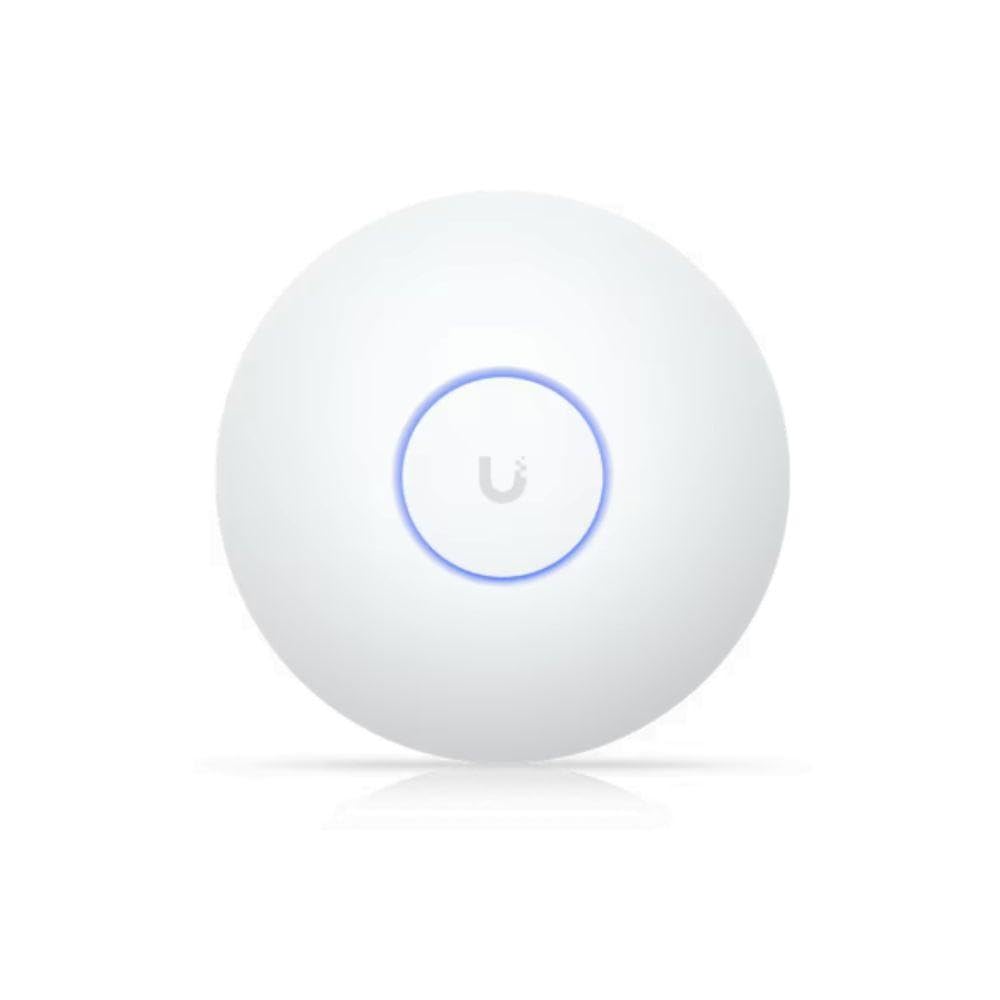
The U7-LR is built for signal reach. Higher-gain internal antennas extend coverage to roughly 70,000 square feet under ideal conditions, making it the strongest single-AP Wi-Fi 6 option for large open floor plans, warehouses, or multi-story homes where mounting constraints limit the number of units. Despite the range, the hardware stays cool in enclosed spaces like linen closets without active fans.
Adoption into the UniFi ecosystem is the standard Ubiquiti experience — scan the QR code in the UniFi app or use the software controller for adoption. The U7-LR supports seamless roaming when paired with other UniFi APs, and the controller handles channel optimization and band steering automatically. The 1 GbE uplink is the bottleneck for very high-throughput zones, but the priority here is range, not aggregate speed.
Real-world feedback confirms stable multi-client performance with no crashes or dropouts. Network engineers who manage both Cisco and Ubiquiti environments consistently praise the reliability and the single-pane management interface. The U7-LR is a top pick if you need to cover a large space with fewer wall penetrations.
Why it’s great
- Exceptional coverage range suited for large indoor spaces
- Passive heat dissipation enables enclosed installation
- UniFi seamless roaming works across the entire ecosystem
Good to know
- Requires UniFi controller hardware or software for full management
- 1 GbE port restricts throughput on the 5 GHz band
3. Ubiquiti U6+

The U6+ is the most popular UniFi AP for a reason — it delivers the same reliable Wi-Fi 6 experience as the U6-Lite and Pro but with a 3 Gbit/s aggregate data rate that future-proofs the backplane. The white puck-style hardware mounts flush against ceilings or walls and blends into any environment. Adoption is drag-and-drop through the UniFi software controller, and local web management is available if you prefer not to use a controller.
Coverage rating is 1,500 square feet, and the 2×2 MIMO configuration supports up to 30 active clients per band. The U6+ draws power over 802.3af PoE at about 13 W, which means it works with nearly every PoE switch on the market, including budget 8-port units. Multiple SSIDs, guest portal, and VLAN tagging are configurable without subscription costs.
Network professionals who have deployed both Cisco and Netgear equipment note that the U6+ matches enterprise stability at a fraction of the management overhead. The hardware runs cool, never requires a reboot outside firmware updates, and the seamless handoff between multiple units makes it the go-to choice for expanding an existing UniFi deployment.
Why it’s great
- 3 Gbit/s aggregate throughput enables multi-client density
- 802.3af PoE compatibility works with low-budget switches
- Proven UniFi stability with zero-crash uptime
Good to know
- Requires PoE+ injector or UniFi switch for power
- No 2.5 GbE uplink; single 1 GbE port
4. Cudy AP3000

The AP3000 stands out with a 2.5 GbE RJ45 port that removes the bottleneck created by standard 1 GbE uplinks. When paired with a 2.5 GbE switch, the AX3000 radio can deliver its full 2.4 Gbps on 5 GHz without choking. The firmware is based on OpenWRT, which gives advanced users deeper control over routing, firewall rules, and custom scripts through a familiar Linux interface.
Cudy was founded by former TP-Link engineers, and the hardware quality reflects that pedigree. The mounting plate is metal and supports both ceiling and wall installations. The unit is powered by 802.3at PoE+ or via a separate 12 V DC adapter (not included in the box). Real-world coverage spans roughly 1,400 square feet, and the device can handle 100+ registered clients thanks to DL/UL OFDMA and MU-MIMO.
Setup takes about ten minutes through a simple web GUI, though a firmware update on first boot is recommended to unlock full features. The AP3000 does not come with a cloud controller, but standalone mode with multiple SSIDs and VLAN support is sufficient for small offices that do not need seamless roaming across several units.
Why it’s great
- 2.5 GbE uplink removes throughput bottleneck for high-density zones
- OpenWRT-based firmware for deep customization
- Can handle 100+ registered client devices
Good to know
- Does not include a DC power adapter in the package
- No integrated cloud controller; standalone mode only
5. NETGEAR WAX210PA

NETGEAR’s WAX210PA is a compact AX1800 access point designed for small retail shops, dental offices, and lobbies where space and budget are constrained. The hardware is smaller than a typical ceiling tile, and the mounting kit supports both wall and ceiling orientation. Setup is entirely through a local web browser — no cloud account, no app required — which is a security advantage for businesses that prefer on-premise management.
The dual-band radio delivers up to 1,800 Mbps aggregate, and the 1 GbE port supports both data and 802.3af PoE power. The unit handles up to 128 registered clients, though real-world active capacity sits at around 30 simultaneous devices before throughput drops. Four independent SSIDs allow staff and guest networks to stay isolated with WPA3 encryption.
Coverage is rated at 1,500 square feet. Deployments in detached garages and steel barns show that the signal punches through building materials better than consumer routers. The included AC power adapter covers scenarios where a PoE switch is not available, making the WAX210PA one of the most flexible options for single-AP setups in small business or home offices.
Why it’s great
- Local-only web GUI management with no cloud dependency
- Compact size fits discreetly in tight retail or office spaces
- Includes AC power adapter for non-PoE deployments
Good to know
- AX1800 data rate is lower than AX3000 competitors
- No seamless roaming or band steering without a controller
6. TP-Link EAP610-Outdoor

The EAP610-Outdoor brings Wi-Fi 6 to patios, pool areas, and detached workshops with an IP68-rated enclosure that seals against dust and water jets. External high-gain antennas deliver coverage that extends 200+ feet from the mounting point, and the device can also operate in Wi-Fi extender mode to wirelessly repeat an existing Wi-Fi network — a rare feature for an outdoor AP.
Power options include 802.3at PoE+ or a passive 48V PoE injector that is included in the box. The Omada SDN integration allows remote cloud management and seamless roaming when combined with indoor Omada APs and a controller. The device supports band steering, load balancing, and airtime fairness to keep performance consistent even when multiple clients connect from the pool area.
Real-world feedback highlights the ability to paint the enclosure without degrading signal strength, which helps blend the AP into outdoor aesthetics. Speeds in extender mode reach 200 Mbps on 2.4 GHz and 400 Mbps on 5 GHz. The device handles Gulf coast humidity and direct sun without thermal shutdown, making it a reliable year-round solution for covering outdoor living spaces.
Why it’s great
- IP68 weatherproof rating for direct outdoor exposure
- Supports Wi-Fi extender mode to repeat an existing signal
- Included PoE injector simplifies installation without a PoE switch
Good to know
- AX1800 speed is lower than indoor AX3000 APs
- Passive PoE injector adds a wall-wart near the power source
7. REOLINK RLA-PS1 PoE Switch
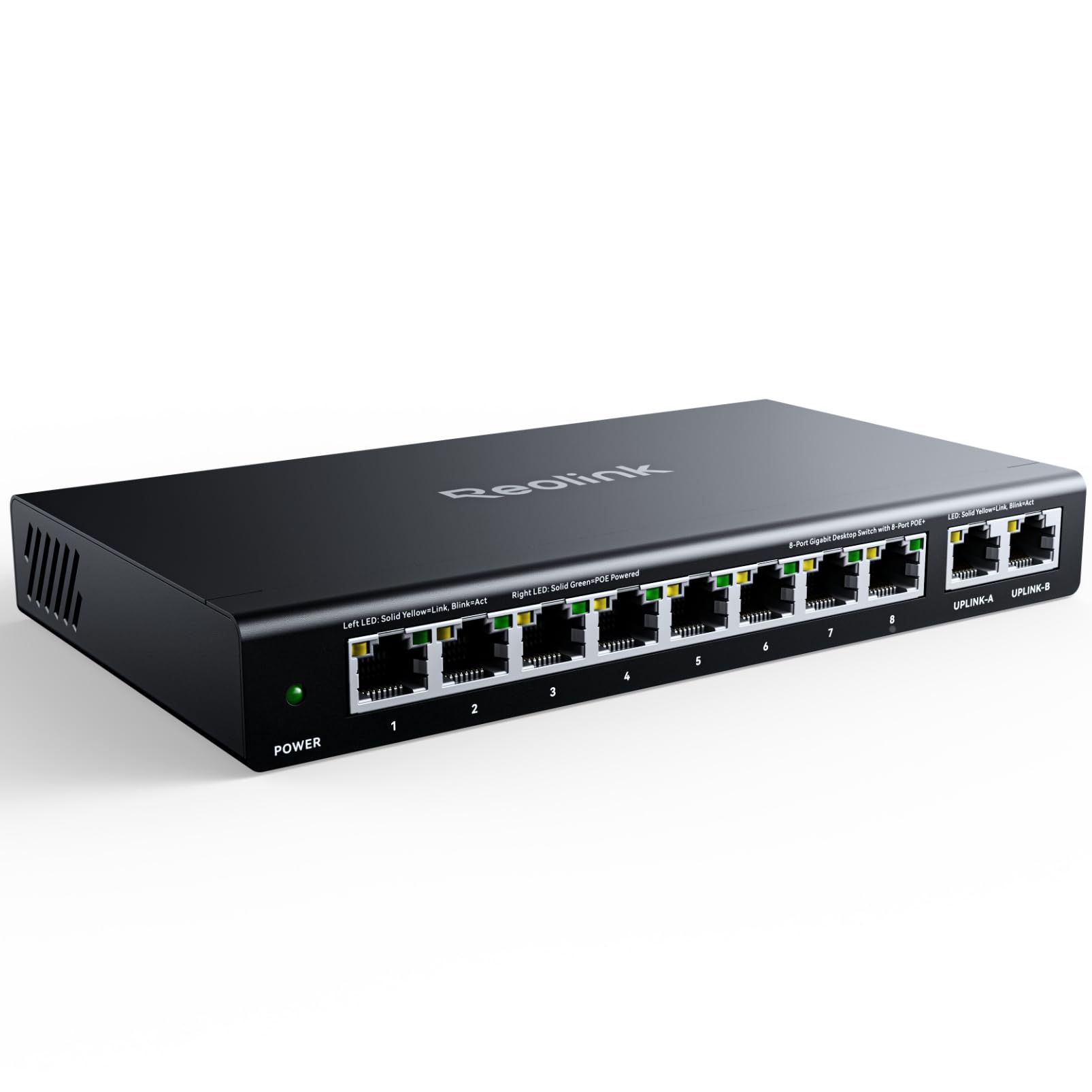
The RLA-PS1 is not an access point — it is a 10-port PoE switch that powers access points and security cameras over a single Ethernet cable. With eight 10/100 PoE ports and two Gigabit uplink ports, the switch delivers up to 30 W per port with a total budget of 120 W. This budget is sufficient to power four typical Wi-Fi 6 APs or up to eight 1080p PoE cameras.
Intelligent power management prioritizes high-importance ports when the total draw exceeds 120 W. The metal casing dissipates heat effectively, and the fanless design keeps operation silent in home or office environments. Auto-detection prevents power delivery to non-PoE devices, eliminating the risk of damaging standard Ethernet gear.
Setup is truly plug-and-play — connect the switch to a router via the Gigabit uplink, attach cameras or APs to the PoE ports, and devices power on immediately. The RLA-PS1 works as a standalone PoE source or integrates directly with REOLINK NVRs for unified camera management. This is the budget-friendly backbone that turns any standard router into a full PoE network.
Why it’s great
- Fanless metal construction with passive cooling
- Auto-sensing PoE protection prevents damage to non-PoE devices
- Works as standalone switch or integrated with REOLINK NVR
Good to know
- PoE ports are limited to 10/100 Mbps speed
- 120 W total budget may require careful allocation with high-power APs
FAQ
Can I use a PoE access point without a PoE switch?
What is the difference between standalone and controller-managed APs?
Why does my AP need more than 15 W of PoE power?
Final Thoughts: The Verdict
For most users, the best PoE access point winner is the TP-Link Omada EAP650 because it pairs AX3000 speed with a free cloud controller and a five-year warranty at a mid-range price. If you need maximum range across a large indoor space, grab the Ubiquiti U7-LR. And for covering outdoor patios or pool areas with weatherproof Wi-Fi 6, nothing beats the TP-Link EAP610-Outdoor.