
A liquid cooling loop is only as good as the chassis that houses it. The wrong case chokes your radiator’s airflow, forces sharp tubing bends, and turns a premium build into a noisy, hot compromise. Selecting the right enclosure means prioritizing radiator support thickness, pump mount locations, and unobstructed intake paths over simple aesthetics.
I’m Min — the co-founder and writer behind Gadgets Feed. I’ve spent hundreds of hours analyzing thermal performance data, radiator clearance measurements, and real-world user feedback across dozens of PC case models to find the ones that truly excel at housing liquid cooling systems.
After comparing radiator support up to 420mm, fan capacity, and dual-chamber airflow designs, these nine towers stand out as the best case for liquid cooling you can buy right now.
How To Choose The Best Case For Liquid Cooling
Not every case advertised as “water cooling ready” actually delivers the radiator clearance or airflow your loop needs. You need to look past the marketing and check the precise specs that determine whether your liquid cooling gear fits and functions properly.
Radiator Size and Thickness Clearance
The maximum radiator length a case supports is usually listed — 360mm, 420mm, or larger — but thickness clearance matters just as much. A thick 60mm radiator paired with push-pull fans needs close to 100mm of space. Cases that only list radiator length without specifying depth often force you to mount thin radiators only. Look for the measured clearance between the mounting bracket and the nearest obstruction like the motherboard tray, PSU shroud, or top panel.
Dual-Chamber vs Traditional Layout
A traditional layout puts everything in one open space, which can trap heat from the GPU and make tubing paths messy. A dual-chamber design separates the motherboard and PSU into separate compartments, giving you a dedicated cable management zone and a cleaner path for tubing runs. For liquid cooling, dual-chamber cases also allow you to mount radiators on a side bracket that pulls fresh air from outside instead of warm case air.
Fan Capacity and Intake/Exhaust Balance
Your loop’s coolant temperature is directly tied to how much fresh air the radiator fans can draw. A case that fits ten 140mm fans gives you the flexibility to run push-pull on a thick bottom radiator while still maintaining positive internal pressure. Pay attention to how many intake fan slots exist behind mesh panels versus tempered glass — glass panels choke fan performance regardless of how many fans you install.
Quick Comparison
On smaller screens, swipe sideways to see the full table.
| Model | Category | Best For | Key Spec | Amazon |
|---|---|---|---|---|
| ASUS ProArt PA602 | Full Tower | High-end workstation cooling | 420mm radiator + dual 200mm fans | Amazon |
| HAVN HS 420 | Mid Tower | Triple 420mm radiator builds | 11x 140mm fan slots | Amazon |
| NZXT H9 Flow RGB+ | Mid Tower | Dual-chamber panoramic display | Supports 420mm radiator top | Amazon |
| Lian Li O11 Dynamic EVO XL | Full Tower | Maximum custom loop space | 3x 420mm radiator support | Amazon |
| Lian Li LANCOOL III | Mid Tower | High airflow stock cooling | 4x 140mm PWM fans included | Amazon |
| Hyte Y70 | Mid Tower | Showcase aesthetics with cooling | Side 125mm thick radiator clearance | Amazon |
| be quiet! Silent Base 802 | Mid Tower | Silent operation with water cooling | 420mm radiator ready, sound dampened | Amazon |
| MSI MAG PANO 100R PZ | Mid Tower | Budget panoramic case | 360mm radiator + 4 ARGB fans | Amazon |
| darkFlash DS900 | Mid Tower | Entry-level liquid cooling build | 360mm radiator + 4 PWM fans | Amazon |
In‑Depth Reviews
1. ASUS ProArt PA602

The ASUS ProArt PA602 is a full tower built around serious thermal engineering. Its front panel grille achieves 45% porosity, and the two extra-thick 200x38mm fans pull massive volumes of air through that opening, feeding a 420mm radiator mounted up top or in the front with zero restriction. The included IR dust indicator tells you exactly when the filter needs cleaning, so your radiator fins never get clogged without your knowledge.
Inside, the power lock latch and two-section PWM control give you granular fan management directly from the front I/O. The tool-less PCIe mounting and GPU holder make installing a heavy water-cooled graphics card straightforward, while the front 20Gbps USB-C port keeps your peripherals connected at full speed. The case weighs 35.5 pounds empty, signaling just how much steel and tempered glass went into the structure.
A 420mm radiator with 200mm front intake fans creates an exceptionally quiet and cool environment even under sustained load. The rear 140mm exhaust completes the airflow path efficiently, and the deflectors inside the chassis direct incoming air over the VRM and RAM areas. For anyone building a Threadripper or dual-GPU workstation with a custom loop, this case handles it without requiring additional fan controllers or adapters.
Why it’s great
- Two 200x38mm front fans create unmatched intake pressure without noise
- IR dust indicator prevents radiator clogging
- Tool-less PCIe mounting and GPU holder simplify installation
Good to know
- 2.5-inch drive bays require reverse 90-degree SATA cables
- Size may be overkill for single-GPU gaming builds
2. HAVN HS 420

The HAVN HS 420 redefines what a mid tower can hold. With eleven 140mm fan slots and support for three separate 420mm radiators simultaneously, this dual-chamber case provides enough cooling capacity for the most extreme custom loop configurations. The heat-formed UniSheet glass panel curves around the front corner with minimal distortion, giving you a clear panoramic view of your tubing runs and reservoir placement.
The SimpliCable routing system uses top-to-bottom grooved guides to keep your pump power cables, fan headers, and RGB wires hidden behind a clean cover. The vibration isolation rubber pads on every fan bracket prevent resonance buildup, which is critical when running multiple high-static-pressure fans against thick radiator cores. The 3-way adjustable GPU support bracket handles oversized water-blocked cards without sagging.
Reviewers noted that the horizontal GPU layout is underappreciated for water cooling, as it keeps the card centered in the airflow path. The side fan bracket accepts a 420mm radiator while leaving room for a push-pull configuration on the bottom. The build quality feels visibly thicker than most cases at this price point, with no panel flex or sharp edges. The back panel design exposes cables to potential dust ingress, so good cable management is essential.
Why it’s great
- Eleven 140mm fan slots provide extreme radiator mounting flexibility
- Vibration-isolated fan brackets prevent resonance noise
- Curved UniSheet glass offers minimal visual distortion
Good to know
- Back panel cables may be exposed to dust without careful routing
- Fan hub placement could be more convenient for cable management
3. NZXT H9 Flow RGB+

The NZXT H9 Flow RGB+ uses a dual-chamber layout that separates the PSU and drives from the main compartment, giving your radiator fans direct access to cool air rather than recirculated case air. The top panel supports up to a 420mm radiator, and the front-right bracket can also hold a 420mm unit for dual-radiator builds. The stainless steel and tempered glass construction feels dense and premium without being overly heavy.
Perforated steel panels cover the top, front-right, and bottom intake zones, ensuring high static-pressure fans like the included F420 RGB Core units pull air efficiently. The NZXT Control Hub manages up to ten fans, and the extra-wide cable channels with built-in Velcro straps make routing pump cables and RGB wires clean. The panoramic tempered glass gives a clear view of your reservoir and tubing arrangement.
Back-connect motherboard compatibility means you can hide all front-panel headers behind the tray, creating a completely wire-free look around your water blocks. The case includes three pre-installed RGB fans and a Control Hub, so you do not need to buy extra controllers to start your build. Users consistently report excellent thermals even with high-end components like i7-14600K and RTX 4090 setups under sustained load.
Why it’s great
- Dual-chamber design isolates PSU heat from radiator intake
- Supports 420mm radiators on both top and side mounts
- Back-connect ready for wire-free motherboard cable routing
Good to know
- No fans included for side intake positions
- Premium price justified by dual-chamber engineering
4. Lian Li O11 Dynamic EVO XL

The Lian Li O11 Dynamic EVO XL is a full tower case designed from the ground up for triple radiator custom loops. You can mount a 420mm radiator on the top, one on the side, and one on the bottom simultaneously, giving you a total surface area that can handle extremely high wattage loads without needing push-pull on every rad. The two-level interior design places the PSU in a separate rear compartment, which improves airflow through the main chamber.
The hidden battery compartment and removable hard drive bay allow you to free up the entire bottom area for a thick radiator and pump-reservoir combo. The flip panel design lets you hide the radiator behind the tray for large E-ATX motherboards. The case supports up to eleven fans total, and the modular bracket system lets you reconfigure the interior layout without drilling or modding.
Builders report that the O11 Dynamic EVO XL eliminates heat pockets because of its open flow-through design. The tempered glass panels are thick and well-edged, and the entire chassis feels solid under its full weight. The fan mounting bracket arrived bent for one reviewer, but this appears to be an isolated quality control issue rather than a design flaw. For anyone wanting to run a dual-loop system with separate CPU and GPU cooling, this case provides the real estate needed.
Why it’s great
- Triple 420mm radiator support for extreme custom loops
- Modular bracket system allows interior reconfiguration
- Dual-level PSU compartment improves main chamber airflow
Good to know
- Insufficient space behind motherboard tray for cable management with HDD bays installed
- Heavy chassis requires careful desk or floor placement
5. Lian Li LANCOOL III
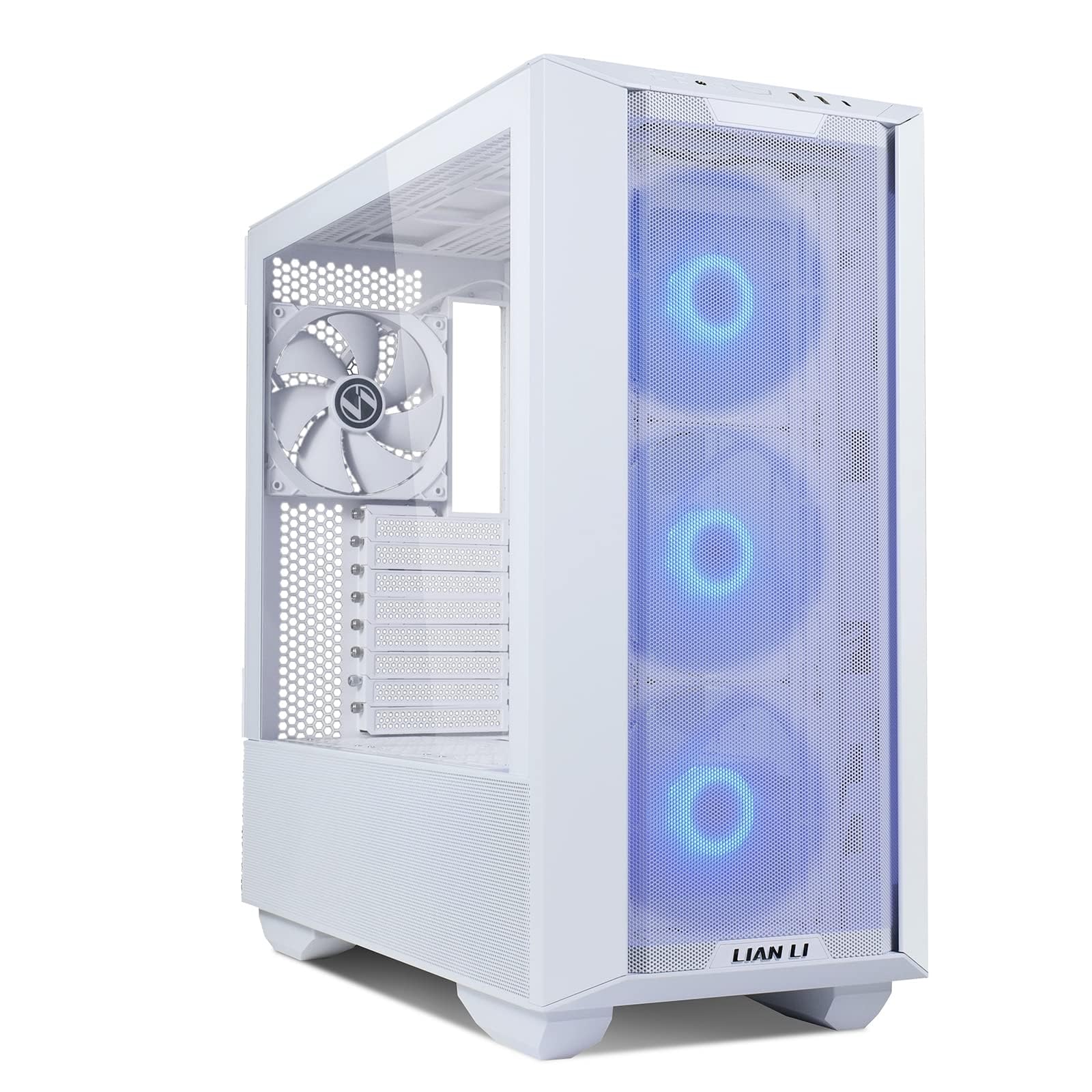
The LANCOOL III arrives with four 140mm PWM fans already installed, so your radiator setup does not require an immediate fan upgrade. The fine mesh front and top panels allow high static pressure fans to pull air through without audible turbulence. The hinged tempered glass doors swing open for easy access, and the two drop-down bottom doors make PSU installation and cable routing effortless when running tubing to a bottom-mounted radiator.
A 420mm AIO fits on the top with minimal clearance, so you need to measure your radiator thickness carefully before buying. The swinging cable covers on the routing side hide your pump power cables and fan headers behind magnetic panels. The built-in GPU anti-sag bracket supports heavy water-blocked cards without wobble. The case supports up to twelve 2.5-inch SSDs or four 3.5-inch HDDs plus eight SSDs, giving you massive storage flexibility alongside your loop.
The mechanical design includes multi-way brackets and pivoting mounts that let you adjust fan and radiator positions without removing the motherboard. The tempered glass is 4.0mm thick and feels secure. Users consistently mention that the cable management solution is among the best in this price range, with plenty of tie-down points and routing apertures. The rear fan lacks RGB, which may matter if you want a fully synchronized lighting scheme.
Why it’s great
- Four included 140mm PWM fans handle most radiator setups out of the box
- Hinged doors and drop-down bottom panels simplify radiator installation
- Outstanding cable management with swinging magnetic covers
Good to know
- 420mm AIO requires careful clearance check before purchase
- Rear fan does not include RGB lighting
6. Hyte Y70
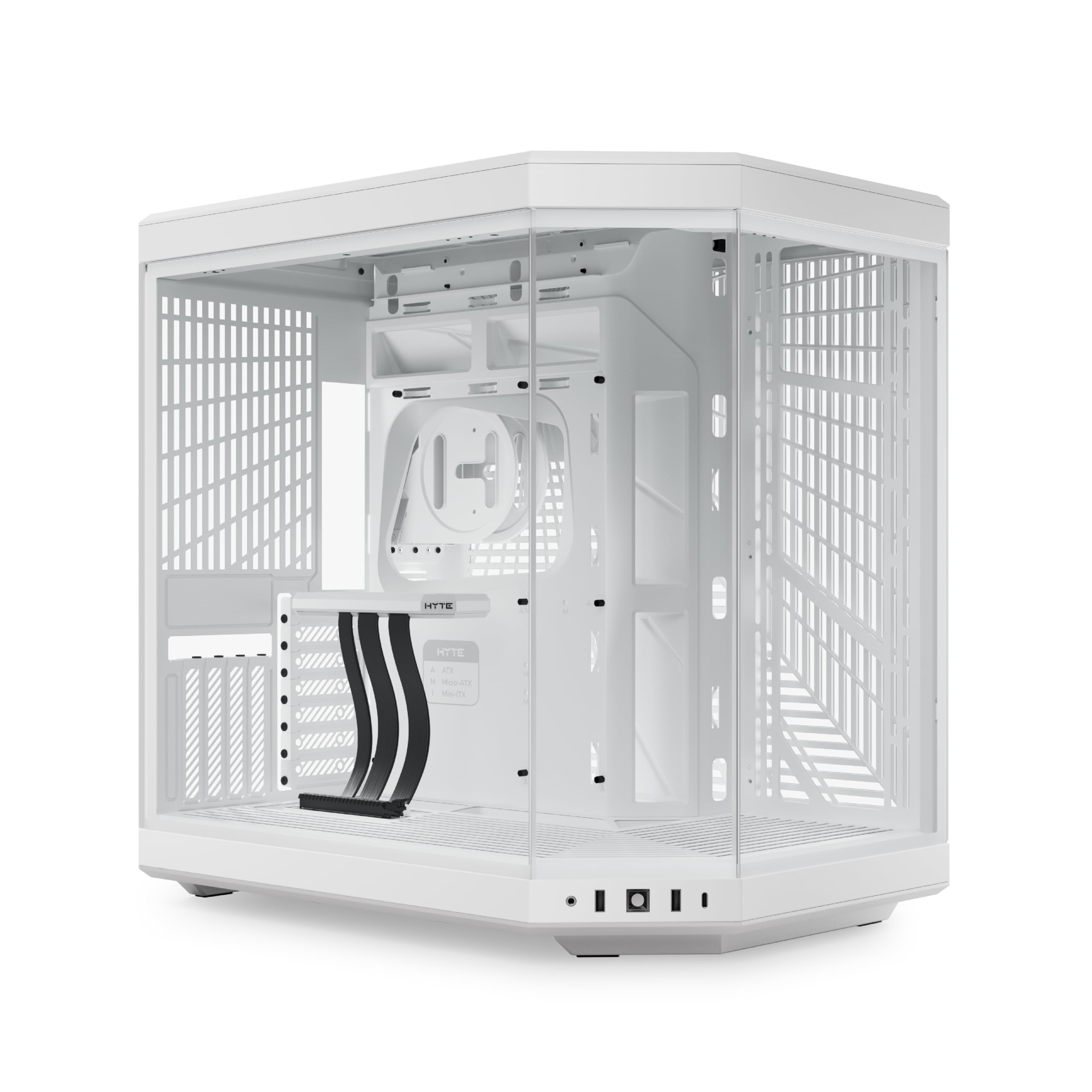
The Hyte Y70 stands out for its massive side radiator clearance — 125mm of depth allows you to mount a thick radiator with push-pull fans without interfering with the motherboard or GPU. The three-piece panoramic glass panel wraps around the front corner, giving you a full unobstructed view of your reservoir, pump, and tubing. The included luxury PCIe 4.0 riser cable keeps your vertical GPU mount clean and uninterrupted.
The dual-chamber interior separates the PSU and drives to the rear, leaving the main chamber open for an adjustable top radiator bracket that accommodates up to 360mm radiators up to 68mm thick. The cold floor cooling position fits either three 120mm or two 140mm fans up to 32mm thick, which works well for a bottom radiator intake. Reusable Velcro straps and floating storage sleds make cable management easier than in most showpiece cases.
The 2K tempered glass touchscreen on the front panel displays system metrics and GIFs, and connects directly to the motherboard via internal USB. While the software feels slow and memory-hungry, the hardware design and cooling capacity are excellent. The case does not include any fans, so you need to budget for a full set of high-static-pressure units and your radiator fans separately.
Why it’s great
- 125mm side radiator clearance supports thick push-pull configurations
- Included PCIe 4.0 riser keeps vertical GPU mount clean
- Panoramic glass provides unobstructed view of the entire loop
Good to know
- No fans included in the box
- Touchscreen software can be slow and memory-intensive
7. be quiet! Silent Base 802

The Silent Base 802 handles a 420mm radiator in the top or front while using thick insulation mats to dampen pump and fan noise. The interchangeable top cover and front panel let you switch between a solid panel for maximum noise reduction and a mesh panel for maximum airflow, giving you control over your loop’s thermal versus acoustic balance. The three pre-installed Pure Wings 2 140mm fans are designed for quiet operation even at higher RPMs.
The decoupled motherboard tray can be relocated for an inverted layout, which changes the airflow direction to draw cool air from the bottom and exhaust from the top — beneficial for certain radiator configurations. The detachable top bracket slides out for easy radiator and fan installation outside the case. The state-of-the-art I/O panel includes a fan controller and USB 3.2 Gen 2 Type-C port.
The button-release side panels open without tools, and the tinted tempered glass window still shows off your loop components without overwhelming glare. The case is roomy enough to fit a push-pull configuration on the front 420mm mount without crowding the GPU. Users note that with the front panel closed, the case is audibly louder than some other quiet-focused alternatives, but the thermal-acoustic tradeoff is reasonable for most custom loop builders.
Why it’s great
- Thick insulation mats reduce pump and fan noise
- Interchangeable panels let you prioritize airflow or silence
- Detachable top bracket simplifies radiator installation
Good to know
- Not as quiet as some competitors when front panel is closed
- Vertical GPU mount may be unusable with large air coolers
8. MSI MAG PANO 100R PZ

The MSI MAG PANO 100R PZ brings a 270-degree panoramic tempered glass design to the mid-range segment without sacrificing radiator support. The front interior includes a dedicated display space for figurines, which also serves as a useful shroud for a pump-reservoir combo. The case supports a 360mm radiator on the top and includes four pre-installed ARGB 120mm fans to get your loop started immediately.
The back-connect motherboard compatibility means you can use rear-connecting boards like MSI Project Zero for a completely clean front look around your tubing runs. The GPU support stand features a level indicator, so you can adjust the height precisely to prevent sag on heavy water-blocked cards. The dust filters on the top and bottom are easy to remove and clean, which is essential for maintaining radiator performance over time.
The rear compartment offers plenty of space for cable management, though the pre-installed controller has some tangled wiring that may require a short fix using online guides. Reviewers report excellent thermals with i5-14600K and RX 6700 XT configurations, with CPU temperatures staying under 41°C at idle. The case does not include a riser cable for vertical GPU mounting, which may be a consideration if you want to show off your water block.
Why it’s great
- 270-degree panoramic glass at a competitive price point
- Back-connect motherboard compatible for wire-free look
- Four pre-installed ARGB fans reduce initial build cost
Good to know
- No riser cable included for vertical GPU installation
- Pre-installed fan controller wiring can be messy
9. darkFlash DS900

The darkFlash DS900 delivers a 270-degree panoramic tempered glass experience with full 360mm radiator support at an entry-level price. The case includes four PWM ARGB fans that can be daisy-chained, so you do not need to buy extra fans to start your liquid cooling build. The high-speed I/O panel includes USB 3.0 and a Type-C port, which is increasingly important for modern pump control boxes that use internal USB headers.
The interior is roomy enough for standard ATX components and a 360mm radiator on the top or front. The magnetic dust filter on the top panel and the panel dust filter on the front keep your radiator fins free from debris. The anti-slip bottom structure prevents the case from sliding on smooth desk surfaces, which is a small but welcome detail when you are working with heavy water blocks and tubing.
Users consistently mention that the case offers great value for its price point, with vibrant and quiet RGB fans and excellent airflow. The dual tempered glass panels give a clear view of your CPU block and reservoir setup. The break-away PCI blanks and sharp internal edges require careful handling during installation, and the relatively short RGB and fan cables may need extensions for complex builds. The PSU cage can also make cable access slightly more difficult.
Why it’s great
- Four PWM ARGB fans included with full 360mm radiator support
- Magnetic dust filters protect radiator fins from debris
- Type-C port included on front I/O panel
Good to know
- Short fan and RGB cables may require extensions for tidy routing
- Sharp internal edges require careful handling during build
FAQ
What is the most important spec for a liquid cooling case?
Does a dual-chamber case really improve liquid cooling performance?
Can I use a 420mm radiator in any case that supports 360mm?
Final Thoughts: The Verdict
For most users, the best case for liquid cooling winner is the ASUS ProArt PA602 because its dual 200mm intake fans and 420mm radiator support provide unmatched thermal headroom without requiring immediate fan upgrades. If you want triple radiator capacity in a mid tower form factor, grab the HAVN HS 420. And for a budget-friendly entry into panoramic glass liquid cooling, nothing beats the darkFlash DS900.