
Our readers keep the lights on and my morning glass full of iced black tea. As an Amazon Associate, I earn from qualifying purchases.
A responsive touchscreen can change how you interact with a laptop — it makes swiping through documents, zooming into images, and navigating Windows or ChromeOS feel direct and fluid. The problem is that most premium-tier touchscreens sit well outside a tight budget, leaving many buyers stuck with a standard non-touch display when what they really want is the flexibility of a 2-in-1 or a simple tap-friendly interface for everyday use.
I’m Min — the co-founder and writer behind Gadgets Feed. I spend dozens of hours combing through manufacturer spec sheets, customer reviews, and real-world benchmark data to separate the truly capable touchscreen laptops from the ones that look good on paper but disappoint in daily use.
After my deep dive into the current market, I have sorted through dozens of models to present a clear, no-nonsense guide to the best budget touchscreen laptop options you can actually trust for school, remote work, and casual entertainment.
How To Choose The Best Budget Touchscreen Laptop
A touchscreen laptop on a budget doesn’t mean you have to accept a terrible processor or a dim, low-resolution panel. You need to focus on the right specs and understand where manufacturers cut corners. Here are the three most important factors to consider before clicking “buy.”
Processor and RAM: The Real Engine of Your Experience
The processor determines how snappy your laptop feels. For a budget-friendly touchscreen, you’ll find Intel Celeron N4500, Pentium Silver N5030, Intel Core i3 (12th or 13th Gen), and AMD Ryzen 5 chips. Avoid Celeron if you plan to run multiple browser tabs or Microsoft Office simultaneously — it will choke. Aim for at least an Intel Core i3 or an equivalent AMD Ryzen 3/5. RAM is just as critical: 8GB is the bare minimum for modern multitasking; 16GB will keep your laptop relevant for years. 4GB laptops should be avoided unless you only need a single app open at a time. Pair the processor with a solid-state drive (SSD) — even 128GB is acceptable for light use, but 256GB or 512GB provides more comfortable storage for apps and files.
Display Quality: Don’t Settle for a Bad Panel
A touchscreen is only useful if the display is decent. The resolution matters immensely: a 1366×768 panel is the bare minimum found on truly entry-level machines, but it lacks sharpness for reading text or viewing images. A 1920×1080 (Full HD) panel is massively better and should be your target. Brightness is another hidden spec: a 220-nit panel will look washed out in sunny rooms, while a 300-nit or brighter display stays usable in more lighting conditions. Also check if the screen is an IPS panel — IPS provides far better viewing angles and color than cheaper TN or LCD panels. Anti-glare coatings are helpful if you work near windows.
Battery Life, Ports, and Build Quality
A budget-friendly laptop is no good if it dies before lunch. Look for models promising 8 hours or more of real-world battery life — many budget laptops quote theoretical numbers closer to 11 hours but deliver about 6-7 in actual mixed use. Port selection is also important: you want at least one USB-C port (preferably with Power Delivery for charging), a couple of USB-A ports for older peripherals, and an HDMI port for external monitors. Build quality varies widely; metal chassis feel more premium but add weight, while plastic builds keep weight low but may flex. Check the weight too — 3.5 to 4.0 pounds is a good range for portability.
Quick Comparison
On smaller screens, swipe sideways to see the full table.
| Model | Category | Best For | Key Spec | Amazon |
|---|---|---|---|---|
| Microsoft Surface Laptop (2024) | Premium | AI-Powered Productivity | Snapdragon X Elite / 16GB / 256GB | Amazon |
| Apple 2026 MacBook Neo 13-inch | Premium | Ecosystem & Portability | A18 Pro / 8GB / 256GB | Amazon |
| HP Pavilion 15.6″ Touchscreen | Mid-Range | Large Storage & RAM | i3-1115G4 / 16GB / 1TB SSD | Amazon |
| HP Touchscreen Student Laptop | Mid-Range | School & Bundled Storage | i3-1315U / 16GB / 512GB + 500GB HDD | Amazon |
| Lenovo IdeaPad 1 Gen 7 | Mid-Range | Everyday Multitasking | i3-1215U / 16GB / 512GB SSD | Amazon |
| HP 15.6″ Touchscreen Laptop | Mid-Range | Student & Office Tasks | i3-1315U / 8GB / 256GB + 500GB HDD | Amazon |
| HP 17 Touchscreen Laptop | Mid-Range | Large 17.3″ Display | Intel N5030 / 4GB / 128GB SSD | Amazon |
| Acer Aspire Go 15.6″ | Mid-Range | Office & Boosted Thermal | Ryzen 5-7520U / 8GB / 512GB SSD | Amazon |
| Dell Latitude 7420 | Value | Renewed Business Power | i7-1165G7 / 16GB / 512GB SSD | Amazon |
| Dell Latitude 5400 | Entry-Level | Renewed Business Workhorse | i5-8365U / 32GB / 1TB SSD | Amazon |
| ASUS Chromebook Flip CX1 | Budget | Light ChromeOS & 2-in-1 | Celeron N4500 / 8GB / 128GB eMMC | Amazon |
In‑Depth Reviews
1. Microsoft Surface Laptop (2024)

The Microsoft Surface Laptop 2024 marks a turning point for the category — it delivers a true all-day battery life of up to 20 hours while maintaining a bright 13.8-inch PixelSense touchscreen that runs at a fluid 120Hz refresh rate. The Snapdragon X Elite processor (12 cores) brings solid performance for multitasking, and the 16GB of RAM ensures even heavy browser sessions feel smooth. The 256GB SSD is on the smaller side, but the replaceable design means you can upgrade storage later — a rare and welcome feature in any laptop, let alone a budget-friendly contender.
The 3:2 aspect ratio screen provides extra vertical space, which is excellent for reading documents and browsing the web without constant scrolling. Port selection is refreshingly practical: you get a USB-A port alongside two USB-C ports, a magnetic Surface Connect, and a 3.5mm headphone jack. The haptic trackpad rivals premium ultrabooks and the magnesium-aluminum chassis feels exceptionally solid. With Wi-Fi 7 and Bluetooth 5.4, it’s also future-proofed for wireless connectivity.
The main trade-off is the ARM architecture — some legacy x86 applications may not run natively, and you’ll need to verify compatibility if you depend on niche software. The base 256GB storage also fills up quickly if you install many apps or games. Windows Hello facial recognition remains fast and reliable, and the 1080p webcam handles video calls well. For most students and remote workers who live in the browser and cloud, this is the most polished touchscreen experience available at this level.
Why it’s great
- Exceptional 20-hour battery life
- Bright 120Hz PixelSense touchscreen in 3:2 aspect ratio
- Replaceable SSD + USB-A port included
Good to know
- ARM chip limits x86 app compatibility
- Base 256GB storage can feel cramped
2. Apple 2026 MacBook Neo 13-inch

The MacBook Neo 13-inch (2026) brings Apple’s famed build quality and ecosystem integration to a more accessible price point. Its A18 Pro chip delivers snappy performance for everyday tasks, while the Liquid Retina display (2408×1506, 500 nits, support for a billion colors) provides stunning clarity and brightness that outshines most Windows laptops in the same range. The 1080p FaceTime HD camera and Spatial Audio speakers make it a strong choice for students attending long Zoom lectures.
Battery life reaches up to 16 hours, which easily covers a full school day without needing a charger. The all-aluminum chassis feels incredibly durable, and at 2.71 pounds, it’s highly portable — fitting easily into any backpack. Apple Intelligence features (like on-device AI summarization) add practical utility for note-taking and research. The color options (Silver, Blush, Citrus, Indigo) give it a playful, customizable aesthetic rare in the budget-friendly space.
However, the 256GB SSD may be limiting if you store lots of media locally, and the 8GB of unified memory is the entry point — consider the upgrade to 16GB if you run multiple professional apps. The MacBook Neo also uses only two USB-C ports, and it lacks a headphone jack (though the included USB-C dongle helps). For users already in Apple’s ecosystem, the seamless continuity with iPhone, iPad, and iCloud makes this the most integrated touchscreen laptop available on a budget.
Why it’s great
- Stunning Liquid Retina display with 500 nits brightness
- All-day 16-hour battery life
- Superior build quality and ecosystem integration
Good to know
- Only 8GB unified memory at base config
- Limited to two USB-C ports, no headphone jack
3. HP Pavilion 15.6″ Touchscreen

The HP Pavilion 15.6″ Touchscreen stands out in the mid-range mainly because it packs 16GB of RAM and a massive 1TB SSD together — a combo you rarely see at this price level. The Intel Core i3-1115G4 processor (up to 4.1 GHz) handles typical productivity tasks like Office, web browsing, and video streaming without slowdown. The 15.6-inch HD touchscreen (1366×768) is only a 220-nit panel with 45% NTSC color gamut, so it’s not the sharpest or brightest, but the anti-glare coating improves outdoor usability.
Port selection is practical: one USB-C (5Gbps), two USB-A, HDMI 1.4b, and a headphone combo jack. The micro-edge design keeps the bezels slim, making the 15.6-inch form factor feel less bulky. The 1TB NVMe SSD is a massive advantage for storing media files, game libraries, or large work documents — you won’t need to juggle external drives as often. The backlit keyboard is comfortable for extended typing, and the overall design is clean and professional in silver.
The biggest drawbacks are the display resolution (1366×768 feels dated compared to Full HD alternatives) and the relatively short battery life — real-world testing shows about 5-6 hours of mixed use, less than ideal for full-day portability. Some units have also had issues with the added Kingston SSD causing warranty confusion when purchased from third-party sellers. If you value raw storage capacity over screen sharpness, this is a compelling choice.
Why it’s great
- Excellent 16GB RAM and 1TB SSD storage combo
- Anti-glare touchscreen for varied lighting
- Slim micro-edge design with good port selection
Good to know
- 1366×768 display is less sharp than Full HD
- Battery life averages only 5-6 hours
4. HP Touchscreen Laptop for Students (i3-1315U)
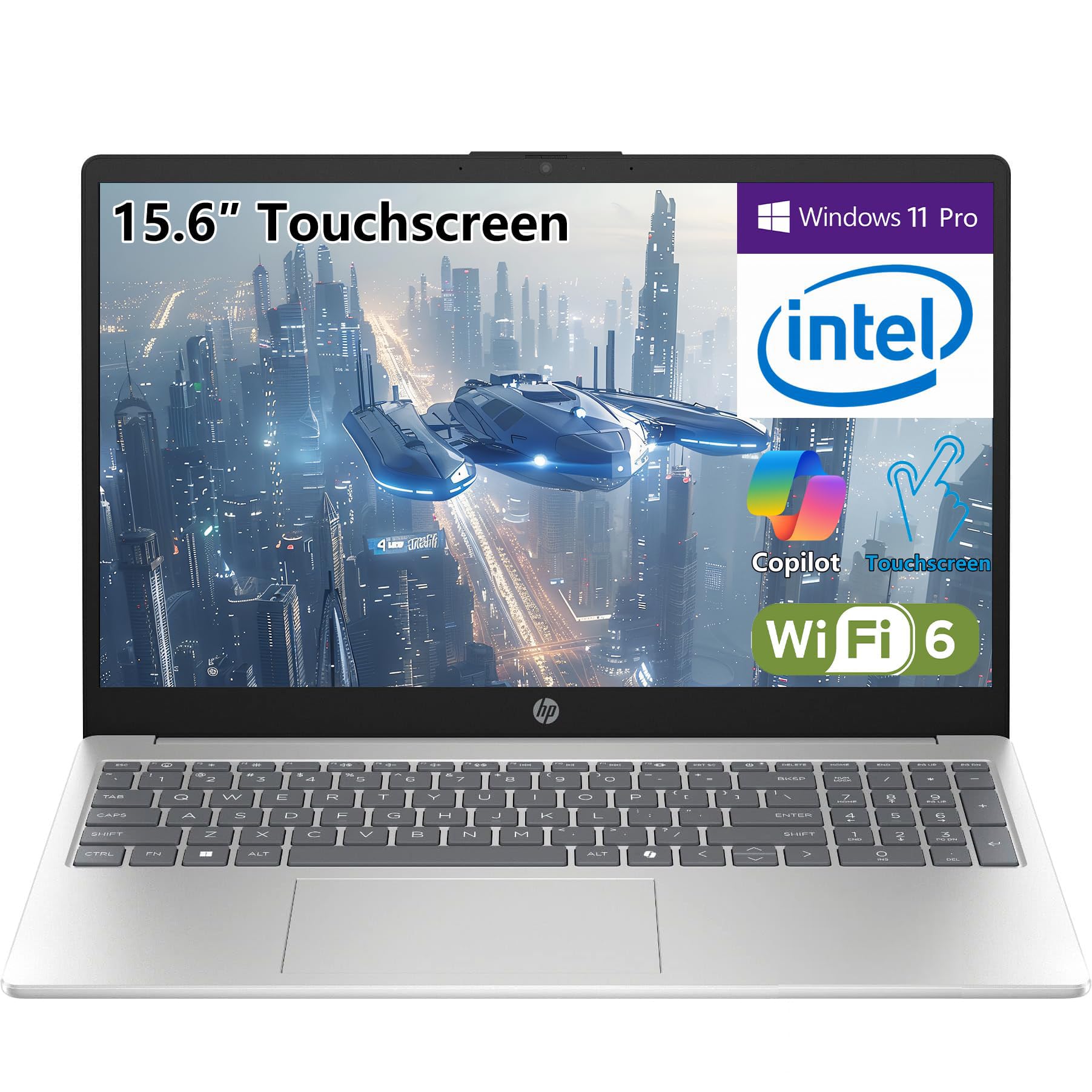
HP’s student-focused touchscreen laptop packs a 13th Gen Intel Core i3-1315U processor (6 Cores, up to 4.5GHz) with 16GB of DDR4 RAM — enough headroom to keep a dozen browser tabs, Office apps, and video calls running concurrently. The 512GB PCIe SSD handles fast boot-ups and app launches, while the included 500GB external HDD provides backup storage for large media files or archived projects. At just 3.52 pounds, it’s light enough for daily backpack commutes.
The 15.6-inch BrightView HD touchscreen (1366×768) is the weakest link here: the resolution is adequate for web browsing and basic applications, but text and images appear noticeably softer than on Full HD panels. Brightness levels also top out lower than ideal for brightly lit classrooms or coffee shops. The full-size numeric keypad is a welcome addition for data entry students. Wi-Fi 6 and Bluetooth 5.3 ensure fast wireless connectivity.
Battery life is solid but not outstanding — most users report about 7-8 hours of mixed use, which gets through a school day with some charge to spare. The fast-charge feature does help top up quickly during short breaks. Windows 11 Home runs smoothly with Copilot AI integration. If you can tolerate a lower-resolution touchscreen, this machine offers one of the best processor-and-RAM packages in its class, plus the free external hard drive.
Why it’s great
- Fast 13th Gen i3-1315U with 16GB RAM
- Free 500GB external HDD included
- Lightweight at 3.52 lbs with numeric keypad
Good to know
- 1366×768 display lacks sharpness
- Brightness feels dim in direct light
5. Lenovo IdeaPad 1 Gen 7

The Lenovo IdeaPad 1 Gen 7 strikes an impressive balance by offering a 15.6-inch Full HD (1920×1080) IPS touchscreen with 300 nits of brightness and an anti-glare coating — a configuration that feels genuinely premium for a budget-friendly laptop. The Intel Core i3-1215U processor (6 cores, 8 threads, up to 4.4 GHz) paired with 16GB of high-bandwidth RAM delivers smooth multitasking across Office applications, web browsing, and video streaming. The 512GB PCIe NVMe SSD provides snappy system responsiveness.
The IPS panel offers excellent viewing angles — colors remain consistent even when you’re not sitting dead center. The 300-nit brightness is usable in most indoor conditions, and the anti-glare treatment reduces reflections in bright rooms. Port selection is adequate: one USB-C Gen 1, one USB 3.2 Gen 1, one USB 2.0, an HDMI port, an SD card reader, and a 3.5mm headphone jack. The fingerprint reader adds a layer of security for quick Windows Hello logins.
Battery life is adequate, averaging around 6 hours in mixed use — sufficient for partial workdays but not enough for all-day unplugged sessions. The build is mostly plastic, which helps keep weight down (around 3.5 pounds) but doesn’t feel as premium as an aluminum chassis. Some users report freezing issues with sleep mode, so regular driver updates are recommended. If you prioritize a sharp Full HD touchscreen, this is the best display-focused option in the mid-range.
Why it’s great
- Full HD IPS touchscreen with 300 nits and anti-glare
- 16GB RAM for heavy multitasking
- Includes fingerprint reader and SD card slot
Good to know
- Battery life averages 5-6 hours
- Plastic build may not feel as premium
6. HP 15.6″ Touchscreen Laptop (i3-1315U + 500GB HDD)
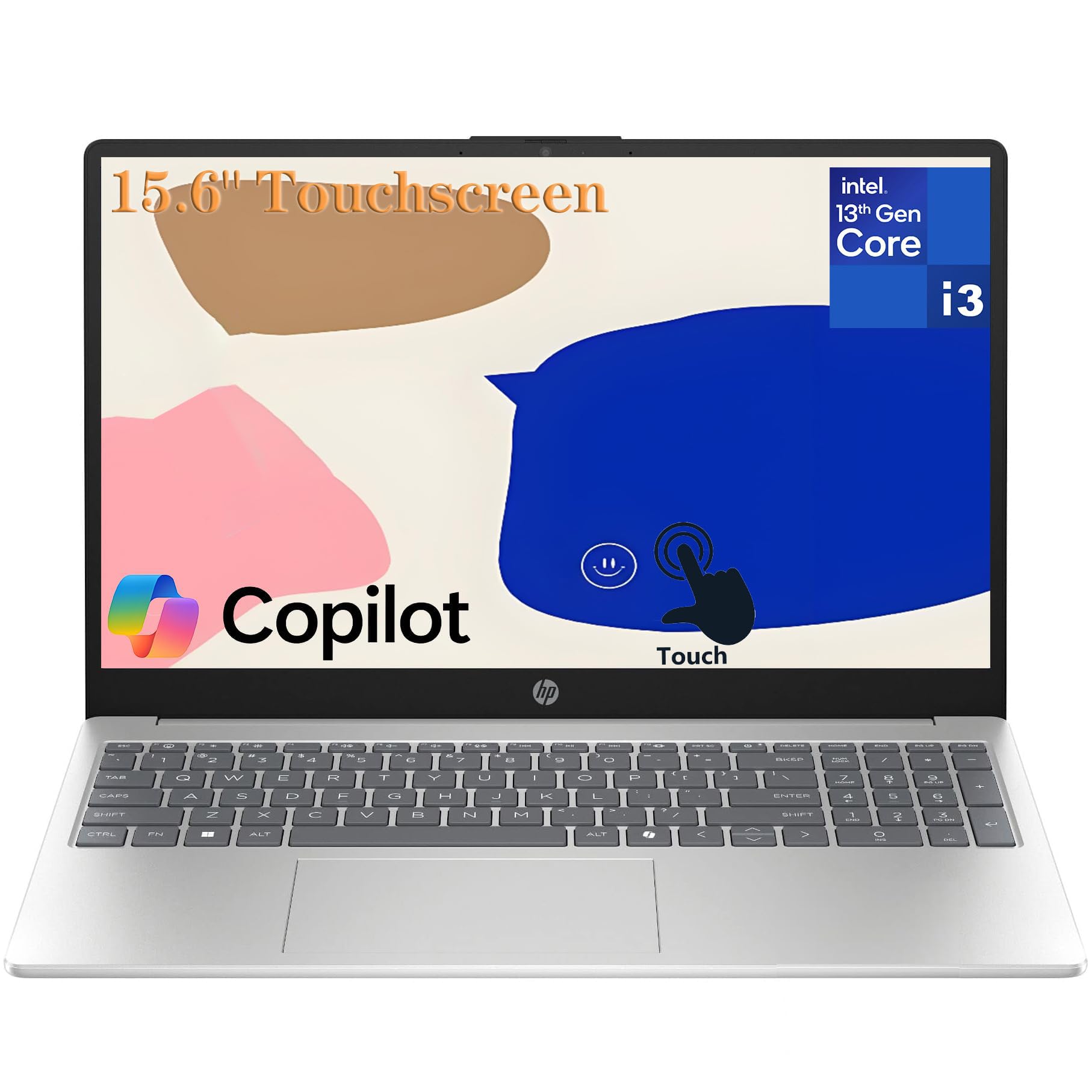
This HP 15.6-inch touchscreen laptop comes pre-loaded with Lifetime Microsoft Office 2024 Professional Plus — a massive value add that eliminates the ongoing subscription cost for students and professionals. Powered by the 13th Gen Intel Core i3-1315U (6 cores, 8 threads, up to 4.5 GHz) with 8GB of DDR4 RAM and a 256GB PCIe NVMe SSD, it delivers sufficient performance for typical school and office workflows. The included 500GB external HDD provides extra storage for media and backups.
The 15.6-inch HD touchscreen (1366×768) with a micro-edge design keeps the bezels slim, and the anti-glare coating helps reduce eye strain during long study sessions. The HP True Vision 720p HD camera with dual-array microphones ensures clear video and audio for Zoom and Google Meet calls. Wi-Fi 6 and Bluetooth 5.3 provide fast and stable wireless connectivity. The full-size keyboard with numeric keypad makes data entry and essay typing more comfortable.
The main drawback is the 8GB RAM — it’s fine for light multitasking but may cause slowdowns if you frequently run heavy Excel files alongside dozens of browser tabs. The 1366×768 display is acceptable for the price but lacks the sharpness and color vibrancy of a Full HD IPS panel. Battery life is reported at around 7 hours of mixed use. For users who need Office 2024 included and want a reliable student laptop with a touchscreen, this bundle is hard to beat.
Why it’s great
- Lifetime Office 2024 Pro Plus pre-installed
- Free 500GB external HDD included
- Wi-Fi 6 and Bluetooth 5.3 connectivity
Good to know
- 8GB RAM can feel limiting under heavy loads
- 1366×768 display not Full HD
7. HP 17 Touchscreen Laptop

The HP 17 Touchscreen Laptop is built around its massive 17.3-inch HD+ touchscreen display — a rare sight among budget-friendly machines. The larger screen real estate is genuinely useful for split-window multitasking, watching movies, or working with spreadsheets. The Intel Pentium Silver N5030 processor (up to 3.1 GHz) is competent for basic tasks like web browsing, email, and document editing, but it will slow down if you push it with multiple heavy applications.
The 4GB RAM configuration is a major limitation — you will feel the pinch with just a few tabs open alongside Office. Users should consider the model upgrades to 8GB or even 16GB RAM if available. The 128GB SSD provides fast boot-up but limited local storage for large media files. The laptop also comes bundled with a 1-year Microsoft 365 subscription, adding value. Port selection includes 1 USB-C (data only), 2 USB-A, HDMI, and a headphone jack.
Battery life is rated up to 11 hours for wireless streaming, but real-world mixed usage tends to deliver around 6-7 hours. Windows 11 Home in S Mode provides enhanced security but restricts app installations to the Microsoft Store — you can switch out of S Mode for free. The build is plastic to keep weight manageable for a 17-inch device. If your main priority is an enormous touchscreen for media consumption and light productivity, this HP delivers on that specific need.
Why it’s great
- Huge 17.3-inch touchscreen display
- Comes with 1-year Microsoft 365 subscription
- Includes USB-C and HDMI ports
Good to know
- Pentium N5030 is slow for heavy tasks
- 4GB RAM base config is severely limiting
8. Acer Aspire Go 15.6″
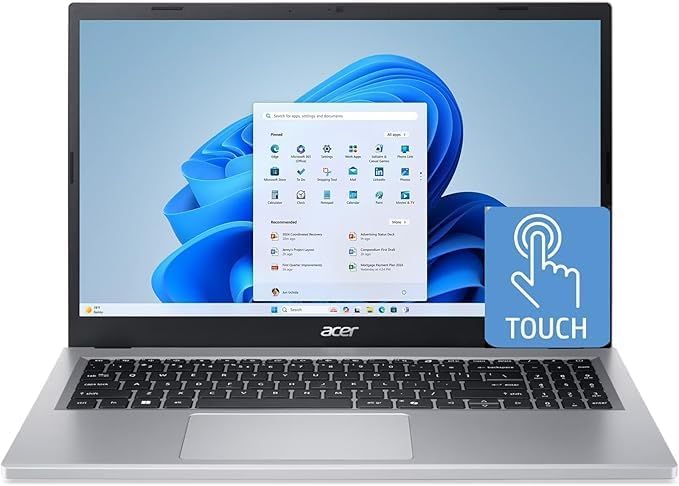
The Acer Aspire Go 15.6″ uses the AMD Ryzen 5-7520U processor with Radeon Graphics — a significant performance upgrade over Intel Celeron and Pentium options, offering better multi-core performance for multitasking and even light creative work. It comes with 8GB of LPDDR5 RAM and a 512GB NVMe SSD, striking a great balance between speed and storage. The 15.6-inch Full HD IPS touchscreen delivers sharp visuals and good color accuracy, though it lacks anti-glare coating.
Acer improved the thermal system for this model with a 78% larger fan surface area and 17% better thermal capacity, allowing the laptop to sustain performance during longer work sessions without throttling. The front-facing HD camera includes TNR (Temporal Noise Reduction) technology for better low-light image quality, and Acer PurifiedVoice with AI Noise Reduction cleans up audio during calls. Wi-Fi 6 ensures fast wireless connectivity. The silver design is clean and professional.
One catch is that many third-party sellers pre-install a region-locked Office 2024 Professional Plus — the laptop’s warranty may only be valid in Spain, so verify region support with the seller before purchase. The 8GB RAM is sufficient for typical multitasking but not upgradeable (LPDDR5 is soldered). Battery life averages around 8 hours of mixed use. If you want an AMD-powered touchscreen with strong thermal management, the Aspire Go is a solid mid-range pick.
Why it’s great
- AMD Ryzen 5 with Radeon Graphics for strong multitasking
- Full HD IPS touchscreen with good color
- Improved thermal system for sustained performance
Good to know
- Warranty region-lock issues with some sellers
- 8GB LPDDR5 RAM is soldered, not upgradeable
9. Dell Latitude 7420 (Renewed)

The Dell Latitude 7420 is a refurbished business-grade laptop that punches far above its price point thanks to an 11th Gen Intel Core i7-1165G7 processor (4 cores, 8 threads, up to 4.7 GHz) combined with 16GB of DDR4 RAM and a 512GB SSD. This spec configuration rivals many mid-range new laptops, handling intensive workloads like data analysis, development environments, and multiple virtual desktops without breaking a sweat. The 14-inch FHD touchscreen (1920×1080) is bright and responsive, and Intel Iris Xe Graphics provide enough power for casual photo editing and light creative work.
The Latitude series is built for the business environment, so you get a magnesium-alloy chassis, a backlit keyboard, and a fingerprint reader for Windows Hello. Port selection is professional-grade: Thunderbolt 4, USB 3.1, HDMI 2.0, and a micro SD card reader. The touchscreen is durable and accurate for presentations and collaborative settings. Windows 11 Pro is pre-installed with multi-language support (English, Spanish, French).
The trade-off is that this is a refurbished unit — you should buy from a seller with a solid return policy. Some customers report battery life as low as 2.5 hours, so expect that the original battery may have degraded and might need replacement. The display, while FHD, has been noted to have limited viewing angles typical of earlier Latitude panels.
Why it’s great
- i7-1165G7 with 16GB RAM for heavy multitasking
- Thunderbolt 4 + HDMI 2.0 connectivity
- Business-grade build with fingerprint reader
Good to know
- Battery life may be degraded (as low as 2.5 hrs)
- Display viewing angles are limited
10. Dell Latitude 5400 (Renewed)
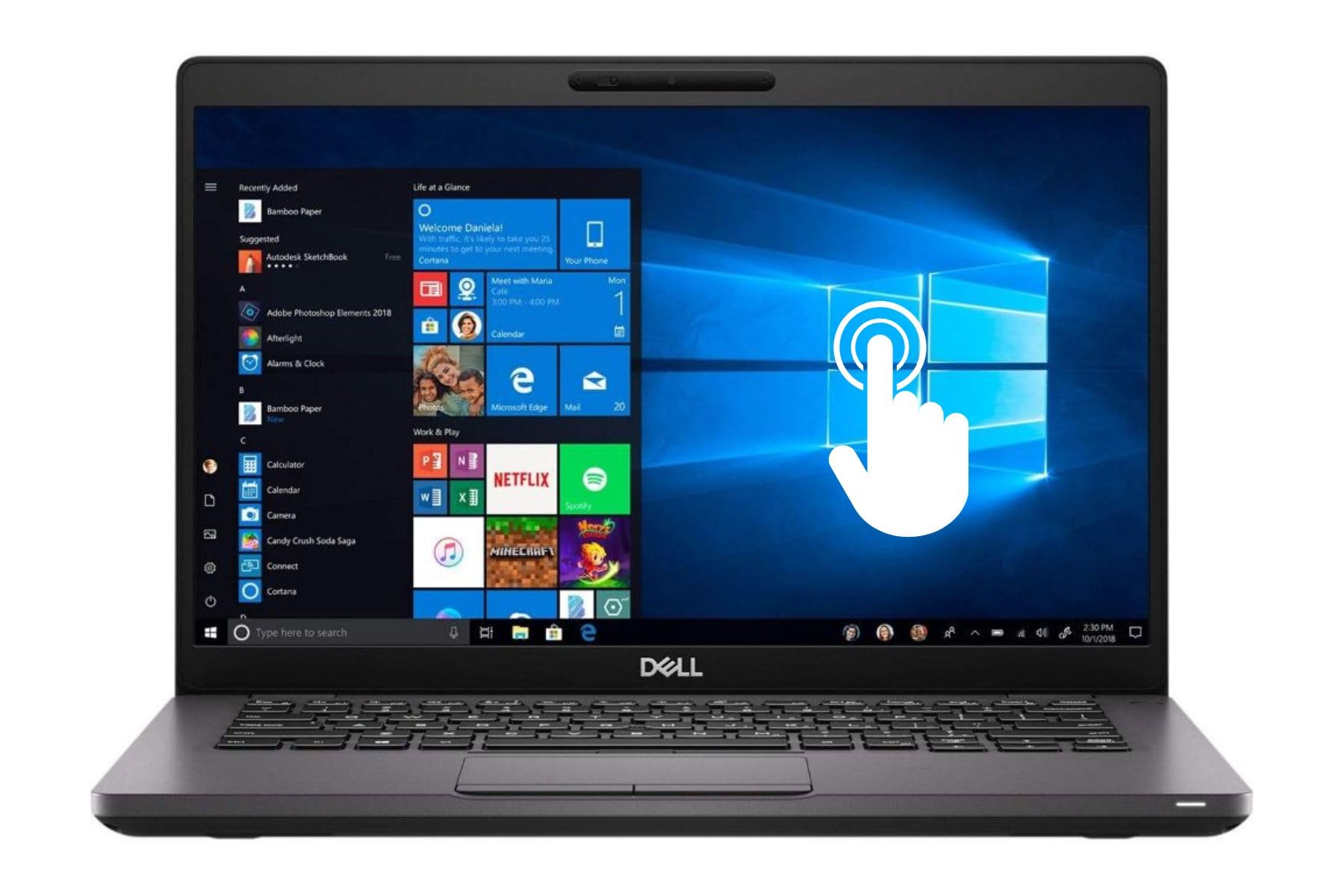
The Dell Latitude 5400 (Renewed) is an absolute anomaly in the budget-friendly segment — it packs a massive 32GB of RAM and a 1TB SSD, enough memory to run dozens of Chrome tabs, virtual machines, or heavy data analysis tools without any slowdown. The Intel Core i5-8365U (8th Gen, up to 4.9 GHz) is older but still delivers reliable performance for office productivity and multitasking. The 14-inch FHD touchscreen provides sharp visuals and responsive interaction for presentations or document markup.
This is a business laptop, so the build quality is solid — the chassis is magnesium-alloy, and the keyboard is spill-resistant. Port selection includes USB-C, USB-A, HDMI, and a headphone jack, making it easy to connect to external monitors and peripherals. Windows 11 Pro is pre-installed with strong security features. The touchscreen is responsive and works well for navigating Windows 11 gestures.
However, this is a refurbished model from a third-party seller, and quality control can vary — one report noted a data theft virus pre-installed, so immediately wiping and reinstalling Windows is recommended. The 8th Gen Intel processor is several generations behind, meaning single-core performance and integrated graphics are weaker than newer i3 or i5 chips. Battery life is around 6 hours in mixed use. If you need extreme amounts of RAM on a budget and are comfortable with a refurbished unit, this is the most memory you’ll find at this price.
Why it’s great
- Unreal 32GB RAM + 1TB SSD
- Business-grade build with spill-resistant keyboard
- USB-C and HDMI connectivity included
Good to know
- 8th Gen i5 is older and slower than newer chips
- Refurbished — risk of pre-installed malware
11. ASUS Chromebook Flip CX1

The ASUS Chromebook Flip CX1 is the most affordable entry point into a 2-in-1 touchscreen experience, featuring a 14-inch FHD NanoEdge display that flips 360 degrees into four modes: clamshell, tent, stand, and tablet. The Intel Celeron N4500 processor (up to 2.8 GHz) is paired with 8GB of RAM — a generous amount for ChromeOS — ensuring smooth multitasking across web apps, Google Docs, and streaming. The 128GB eMMC storage is modest but acceptable for cloud-centric workflows.
Build quality meets US Military Grade MIL-STD 810H standards, so it can handle bumps and drops better than most budget-friendly laptops. At only 3.59 pounds, it’s easy to carry around campus or between meetings. The 360-degree hinge feels sturdy and allows comfortable tablet use for reading or drawing. Battery life reaches up to 11 hours (theoretical), with real-world reviews averaging 7-8 hours of mixed use — enough for a full school day. Wi-Fi 6 and Bluetooth 5.2 provide modern wireless connectivity.
The eMMC storage is slower than an SSD, so system responsiveness isn’t as snappy. ChromeOS limits you to Android apps and browser-based software; native Windows apps won’t run. For students who primarily work in Google Workspace, browse the web, and stream video, this is the most affordable 2-in-1 touchscreen laptop worth buying.
Why it’s great
- Full HD touchscreen with 360-degree hinge
- MIL-STD 810H durability and good RAM
- Lightweight design with Wi-Fi 6
Good to know
- Celeron N4500 is slow for heavy workloads
- ChromeOS limits native Windows app compatibility
FAQ
Is a touchscreen laptop worth it on a tight budget?
Can a budget touchscreen laptop handle light gaming?
Should I get a Chromebook or a Windows laptop for a touchscreen?
Final Thoughts: The Verdict
For most users, the best budget touchscreen laptop winner is the Microsoft Surface Laptop (2024) because it combines an industry-leading PixelSense touchscreen with exceptional battery life and a replaceable SSD — a rare combination for the value tier. If you want the best display quality, grab the Lenovo IdeaPad 1 Gen 7 for its sharp Full HD IPS touchscreen. And for the most sheer storage and memory on the cheap, nothing beats the Dell Latitude 5400 (Renewed) with its staggering 32GB of RAM and 1TB SSD.