
Choosing a monitor for 1440p gaming in 2025 is no longer just about refresh rates and response times — the panel technology itself has become the deciding factor. QD-OLED and fourth-gen WOLED panels now deliver contrast ratios that make even the best IPS and VA screens look washed out in comparison, especially in dimly lit rooms where those true blacks and infinite contrast actually matter. Whether you’re pushing frames in competitive shooters or immersing yourself in single-player epics, the display you pick defines your entire visual experience more than any other component in your setup.
I’m Min — the co-founder and writer behind Gadgets Feed. I’ve spent hundreds of hours analyzing technical specifications, cross-referencing real user feedback, and studying the market dynamics of 1440p monitors to identify which models genuinely deliver on their performance promises.
After deep research into the current landscape of QHD gaming displays, reading through thousands of verified customer experiences, I’ve curated this comprehensive guide to the best 1440p cpu monitors available right now.
How To Choose The Best 1440P CPU Monitor
The 1440p monitor market has fragmented into three distinct panel technologies: OLED (both QD-OLED and WOLED), Mini-LED IPS, and traditional IPS. Each offers different trade-offs in contrast, brightness, response time, and long-term durability. Understanding these differences is essential before making a purchase.
Panel Technology: OLED vs Mini-LED vs IPS
OLED panels — whether QD-OLED from Samsung or WOLED from LG — deliver infinite contrast ratios and true blacks because each pixel emits its own light and can turn off completely. This makes them ideal for dark-room gaming, HDR content, and any scenario where shadow detail matters. The trade-off includes potential for burn-in over years of static UI elements and generally lower peak brightness in full-screen white scenes compared to Mini-LED. Mini-LED IPS bridges the gap, offering superb HDR brightness through thousands of local dimming zones while avoiding burn-in risk entirely, though it cannot match OLED’s per-pixel black levels. Traditional IPS remains the most affordable option but suffers from backlight bleed and limited contrast.
Refresh Rate and Response Time Explained
Refresh rate determines how many frames per second the monitor can display. For competitive gamers playing fast-paced shooters like Valorant or Overwatch 2, 240Hz or even 360Hz provides a tangible competitive advantage through smoother motion and reduced motion blur. The real-world difference between 144Hz and 240Hz is noticeable, while the leap from 240Hz to 360Hz is more subtle but still appreciated by esports professionals. Response time, measured in milliseconds (ms) gray-to-gray, indicates how quickly a pixel can change colors. OLED panels achieve 0.03ms which is effectively instant, eliminating ghosting entirely, while even the fastest IPS panels typically sit around 1ms.
HDR Performance and Brightness Levels
HDR certification levels matter significantly for visual fidelity. VESA DisplayHDR True Black 400 and True Black 500 are the OLED-specific standards that guarantee deep blacks and good peak brightness for specular highlights. Mini-LED monitors can achieve DisplayHDR 1000, producing 1000 nits peak brightness that makes explosions and sunlight feel genuinely bright in a well-lit room. However, OLEDs typically sustain lower full-screen brightness — around 200-280 nits in SDR — which can feel dim if you play in a brightly lit environment. Consider your typical ambient lighting: OLED excels in darker rooms, while Mini-LED handles bright rooms better.
Quick Comparison
On smaller screens, swipe sideways to see the full table.
| Model | Category | Best For | Key Spec | Amazon |
|---|---|---|---|---|
| ASUS ROG Strix XG27AQDMG | WOLED | Premium glossy OLED gaming | 240Hz / 0.03ms / 3yr warranty | Amazon |
| LG 27GX700A-B | WOLED | Brightest LG OLED | 280Hz / 0.03ms / 1500 nits | Amazon |
| Alienware AW2725DF | QD-OLED | 360Hz esports dominance | 360Hz / 0.03ms / 3yr warranty | Amazon |
| MSI MPG 271QRX | QD-OLED | 360Hz with KVM | 360Hz / 0.03ms / KVM | Amazon |
| AOC Agon PRO AG276QZD2 | QD-OLED | Value QD-OLED | 240Hz / 0.03ms / HDR400 | Amazon |
| INNOCN GA27T1M | Mini-LED | High brightness HDR1000 | 320Hz / 0.5ms / 1152 zones | Amazon |
| Samsung Odyssey OLED G5 G50SF | QD-OLED | Budget OLED entry | 180Hz / 0.03ms / Glare Free | Amazon |
| Acer Predator X27U W1 | QD-OLED | Budget QD-OLED | 240Hz / 0.03ms / DCI-P3 99% | Amazon |
| LG 27GR83Q-B | IPS | Affordable 240Hz IPS | 240Hz / 1ms / DisplayHDR 400 | Amazon |
In‑Depth Reviews
1. ASUS ROG Strix XG27AQDMG

The ASUS ROG Strix XG27AQDMG stands out as the most balanced premium 1440p monitor available today. Its glossy WOLED panel — a third-generation LG Display WOLED with an advanced custom heatsink — delivers image quality that rivals QD-OLED while avoiding the purple tint issue some Samsung panels exhibit. The glossy coating makes colors pop with a vibrancy that matte OLEDs simply cannot replicate, and the deep blacks create an immersive HDR experience that transforms how games look in a dim room.
The 240Hz refresh rate combined with 0.03ms response time means motion clarity is flawless, with zero visible ghosting even during fast horizontal tracking shots. ASUS includes its proprietary OLED Anti-flicker technology which reduces flicker during refresh rate fluctuations, a common annoyance on other OLED monitors. The uniform brightness setting is another thoughtful addition, keeping luminance consistent across the entire panel rather than letting ABL dim the screen during bright scenes.
What truly sets this model apart is the 3-year warranty that includes burn-in coverage — a rarity in the OLED monitor space that shows ASUS stands behind its OLED Care 2.0 system. The sturdy build, easy-to-navigate OSD via the five-way joystick, and DisplayWidget software for adjustments make this a polished product from top to bottom. If you want a single monitor that excels at both competitive gaming and single-player immersion, this is it.
Why it’s great
- Stunning glossy WOLED image quality with deep blacks and vibrant colors
- Effective custom heatsink and burn-in warranty for long-term peace of mind
- OLED Anti-flicker technology reduces eye strain during variable refresh rate use
Good to know
- No built-in speakers, so you’ll need external audio
- Auto dimming in HDR can be distracting until you adjust OLED care settings
2. LG 27GX700A-B

LG’s 27GX700A-B represents the fourth generation of its WOLED technology, featuring the Primary RGB Tandem structure that pushes peak brightness to an impressive 1500 nits for small highlights. This makes it the brightest OLED monitor in this roundup, capable of delivering HDR highlights that genuinely feel bright rather than merely adequate. The VESA DisplayHDR True Black 500 certification ensures deep blacks while maintaining enough headroom for convincing specular reflections in games and movies.
The 280Hz refresh rate is a subtle but meaningful bump over the standard 240Hz, and paired with the 0.03ms response time, motion handling is essentially perfect. Users report that the matte anti-glare coating on this panel is nearly glossy, striking a good balance between reducing reflections and maintaining perceived depth. The fully adjustable stand with height, tilt, swivel, and pivot adjustments provides excellent ergonomic flexibility right out of the box.
The LG Switch app allows for quick profile switching and screen splitting, which is useful for mixed-use scenarios. DTS Headphone:X support through the 4-pole headphone jack adds spatial audio capability for gaming headsets. Some users report noticeable horizontal banding on static solid colors, a known characteristic of this panel generation, and the VRR flicker issue is present but manageable by disabling G-Sync in certain edge cases.
Why it’s great
- 1500-nit peak brightness for stunning HDR specular highlights
- 280Hz refresh rate offers a slight edge over standard 240Hz competitors
- Full ergonomic stand with height, swivel, and pivot adjustments
Good to know
- Some units exhibit horizontal banding on static color screens
- VRR flicker may require disabling G-Sync in specific scenarios
3. Alienware AW2725DF

The Alienware AW2725DF is the definitive choice for competitive gamers who demand the highest refresh rate available at 1440p without sacrificing image quality. Its 360Hz QD-OLED panel delivers motion clarity that is effectively indistinguishable from CRT levels, making fast-moving targets in shooters like Valorant or Apex Legends appear razor-sharp with zero motion blur. The 0.03ms response time means pixel transitions happen faster than the human eye can perceive, eliminating ghosting entirely.
Beyond raw speed, the QD-OLED panel produces incredible color volume with DCI-P3 99.3% coverage and Delta E<2 accuracy right out of the box. The infinite contrast ratio makes dark scenes in games like Alan Wake 2 genuinely spooky, with shadow details visible that would be completely lost on an IPS panel. AMD FreeSync Premium Pro certification ensures tear-free gameplay with compatible graphics cards, and the monitor includes a full 3-year burn-in warranty that covers the panel.
The build quality is excellent with a sturdy stand that offers height, tilt, swivel, and pivot adjustments. The I/O includes DisplayPort 1.4, HDMI 2.1, and a USB 3.2 Gen1 hub for convenient peripheral connections. The periodic pixel refresh cycle is non-intrusive and runs quickly, typically completing in under five minutes. The only downsides are the slight QD-OLED purple tint when ambient light hits the panel directly and the fact that 360Hz requires a very powerful GPU to drive at 1440p.
Why it’s great
- 360Hz refresh rate provides unmatched motion clarity for esports
- Stunning QD-OLED color volume and infinite contrast for immersive single-player gaming
- 3-year burn-in warranty offers peace of mind for long-term owners
Good to know
- QD-OLED purple tint appears when direct ambient light hits the panel
- Requires a high-end GPU to fully utilize 360Hz in modern titles
4. MSI MPG 271QRX

The MSI MPG 271QRX brings 360Hz QD-OLED performance to a 27-inch form factor with a few extra features that differentiate it from the Alienware competitor. The most notable addition is the built-in KVM switch, which lets you control two devices with a single keyboard and mouse — a genuinely useful feature if you switch between a gaming PC and a work laptop. The gaming Intelligence App offers per-game profile customization that adjusts display settings automatically when you launch a title.
The QD-OLED panel itself delivers everything you expect from Samsung Display’s second-generation technology: deep blacks, vibrant colors, and near-instantaneous pixel response. The 360Hz refresh rate ensures fluid motion, and HDMI 2.1 with full 48Gbps bandwidth means console gamers can enjoy 1440p at 120Hz with HDR without compression artifacts. MSI’s OLED Care 2.0 includes pixel shift, panel protect, and taskbar detection to minimize burn-in risk over the display’s lifespan.
Build quality is solid, though the stand base is somewhat chunky and takes up significant desk space. The OSD menu is comprehensive but can feel cluttered compared to more streamlined competitors. Some users report that text clarity on this QD-OLED panel is slightly better than earlier QD-OLED generations thanks to improved subpixel layout, making it more viable for productivity work alongside gaming.
Why it’s great
- 360Hz QD-OLED with excellent motion clarity and color performance
- Built-in KVM switch simplifies multi-device setups
- HDMI 2.1 with full 48Gbps bandwidth for uncompressed console gaming
Good to know
- Stand base is large and consumes significant desk real estate
- OSD menu navigation can feel overly complex
5. AOC Agon PRO AG276QZD2

The AOC Agon PRO AG276QZD2 is the most affordable QD-OLED monitor in this lineup that still delivers the full OLED experience without cutting corners on the panel itself. The 240Hz QD-OLED panel offers the same vibrant colors, infinite contrast, and 0.03ms response time as more expensive competitors, but at a price point that makes OLED accessible to gamers who previously had to settle for high-end IPS displays. The factory calibration report included in the box confirms Delta E<2 accuracy right out of the gate.
G-Sync compatibility ensures smooth, tear-free gameplay when paired with NVIDIA GPUs, and the 240Hz refresh rate provides plenty of headroom for competitive gaming. The monitor includes built-in speakers, though they are mediocre at best and shouldn’t be relied upon for serious gaming. The RGB backlighting on the rear adds a subtle glow to your setup and can be synced with other AOC devices via the software.
The stand is one area where cost-cutting is apparent — it feels somewhat wobbly and lacks the premium heft of the ASUS or Alienware options. The plastic build is functional but uninspiring. Some users received units that ship with an updated firmware enabling 280Hz natively, making this an even better value if you get the revision. The pixel refresh routine is required every four hours of cumulative use and takes about five minutes to complete.
Why it’s great
- True QD-OLED image quality at an entry-level price point
- Factory calibrated Delta E<2 color accuracy out of the box
- Some units ship with native 280Hz support via firmware update
Good to know
- Stand feels wobbly and cheap compared to premium competitors
- Built-in speakers are too weak for serious gaming use
6. INNOCN GA27T1M
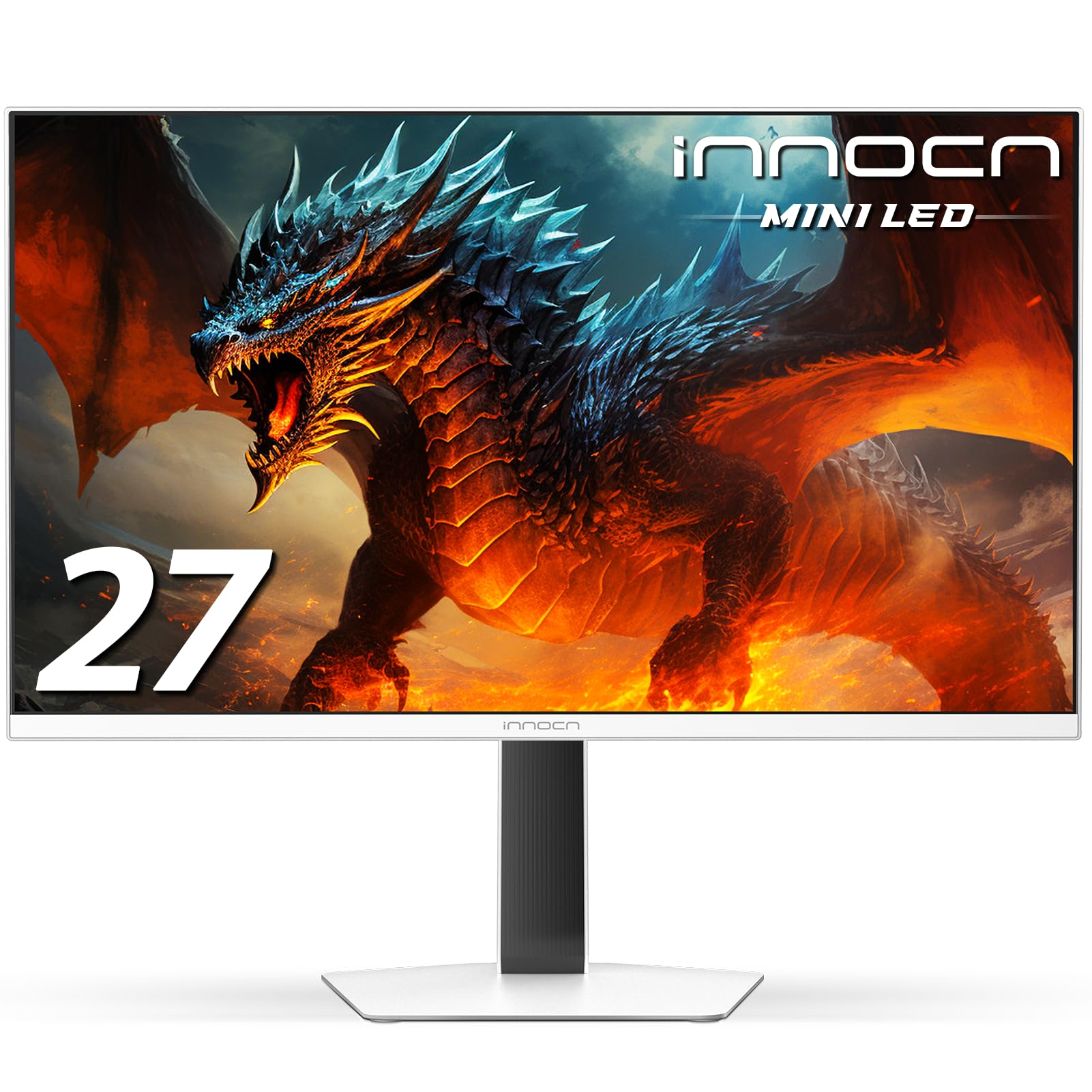
The INNOCN GA27T1M takes a different approach from the OLED-dominated list by using a Mini-LED IPS panel with 1152 local dimming zones. This technology delivers peak brightness of 1000 nits, making it the brightest monitor here and ideal for brightly lit rooms where OLEDs struggle. HDR content looks genuinely punchy, with specular highlights that make fire, explosions, and sunlight feel intense. The 320Hz refresh rate and 0.5ms response time provide smooth motion that comes close to OLED levels, though there is occasional blooming around bright objects on dark backgrounds due to the zone count.
Color accuracy is excellent out of the box with 100% sRGB coverage, and the IPS panel maintains consistent color at wide viewing angles. The white chassis with metal stand and RGB lighting gives it a unique aesthetic that stands out from the sea of black gaming monitors. The built-in speakers are functional for casual use and the blue light reduction feature helps reduce eye strain during long sessions.
The primary advantage of this monitor over OLED options is burn-in immunity — you can leave static UI elements on screen for hours without any risk of image retention. The local dimming in desktop use can be mediocre, with some haloing visible around window edges, but in gaming and HDR content it performs admirably. The light sensor auto-adjusts brightness based on ambient light, though it lacks customization options for minimum brightness levels.
Why it’s great
- 1000-nit peak brightness outperforms all OLEDs in well-lit rooms
- No burn-in risk makes it ideal for mixed productivity and gaming use
- 1152-zone Mini-LED provides convincing HDR highlights
Good to know
- Some blooming visible around bright objects on dark backgrounds
- Desktop local dimming performance is mediocre compared to gaming HDR
7. Samsung Odyssey OLED G5 G50SF

The Samsung Odyssey OLED G5 G50SF is the most accessible OLED monitor in terms of price, offering a genuine QD-OLED panel for significantly less than its 240Hz and 360Hz siblings. The 180Hz refresh rate is still dramatically smoother than a standard 144Hz display, and the 0.03ms response time ensures motion clarity that IPS panels simply cannot match. For gamers primarily playing single-player titles or esports games at moderate frame rates, this refresh rate is more than adequate.
The QD-OLED panel delivers the same stunning color volume and infinite contrast as Samsung’s more expensive offerings. The Glare Free technology does an excellent job of minimizing reflections without the hazy look of aggressive matte coatings, preserving image depth even in rooms with ambient light. The Pantone Validation ensures accurate color reproduction for creative work, and HDR10 support provides brighter highlights and deeper shadows for immersive gameplay.
Where this monitor makes compromises is clear: the stand is non-adjustable with tilt only, the port selection is limited to one HDMI and one DisplayPort, and there are no built-in speakers. The plastic build feels less premium than the ASUS or Alienware options. Samsung’s OLED Safeguard technology uses a Thermal Modulation System to actively cool the panel and reduce burn-in risk, which is reassuring for long-term ownership. The Auto Source Switch+ feature is genuinely convenient for multi-device setups.
Why it’s great
- True QD-OLED image quality at the lowest price point in this roundup
- Glare Free coating preserves image depth while reducing reflections
- OLED Safeguard thermal system actively reduces burn-in risk
Good to know
- Stand is tilt-only with no height or swivel adjustment
- Limited to one HDMI and one DisplayPort input
8. Acer Predator X27U W1

The Acer Predator X27U W1 brings full QD-OLED performance with 240Hz refresh rate and 0.03ms response time at a price that undercuts most competitors. The WQHD quantum dot OLED display with true 10-bit color depth produces stunning contrast and cinematic color that makes games look dramatically better than any IPS or VA panel. The DCI-P3 99% color gamut with Delta E<2 accuracy ensures colors are both vibrant and accurate.
AMD FreeSync Premium certification provides smooth, tear-free gameplay, and the 240Hz refresh rate is fast enough for all but the most hardcore competitive players. The ZeroFrame design removes bezels for an immersive look, and the 26.5-inch size is considered ideal for competitive gaming by esports tournament standards. The panel handles motion exceptionally well with no ghosting or smearing even during fast-paced action sequences.
Build quality is where Acer cut costs — the monitor is mostly plastic and some units arrive with cosmetic issues like cracks in the stand or loose fittings. The menu system is overly complex and lacks sharpness adjustment, a notable omission for users who want to fine-tune text clarity. Peak brightness is somewhat limited compared to higher-end OLEDs, averaging around 250 nits in SDR, which can feel dim in bright rooms. The glossy screen coating looks fantastic in controlled lighting but reflects overhead lights noticeably.
Why it’s great
- Full QD-OLED color and contrast at a very competitive price
- 240Hz with 0.03ms response time provides excellent motion clarity
- ZeroFrame design offers a sleek, immersive bezel-less look
Good to know
- Build quality is plastic-heavy and some units arrive with cosmetic defects
- Complex OSD menu lacks sharpness adjustment
9. LG 27GR83Q-B

The LG 27GR83Q-B is the most affordable monitor in this roundup and the only traditional IPS option, making it the entry-level choice for gamers who want 1440p at 240Hz without spending premium money. The IPS panel delivers vibrant colors with 95% DCI-P3 coverage and a 1000:1 contrast ratio that, while not in the same league as OLED, is perfectly serviceable for most gaming scenarios. The 400-nit peak brightness with DisplayHDR 400 provides enough punch for basic HDR content, though it lacks the depth of true HDR displays.
The 240Hz refresh rate and 1ms response time provide smooth motion that feels fast and responsive, especially when paired with G-Sync Compatible or FreeSync Premium technology. The fully adjustable stand offers height, tilt, swivel, and pivot adjustments, providing excellent ergonomic flexibility that many budget monitors lack. HDMI 2.1 connectivity supports full bandwidth for console gaming at 1440p 120Hz with VRR enabled.
The main compromises are IPS glow and backlight bleed, which are visible in dark scenes and may be distracting in a dark room. Quality control is inconsistent, with some users reporting stuck or dead pixels requiring multiple exchanges. The HDR performance is basic and lacks the impact of Mini-LED or OLED alternatives. The on-screen controls are easy to use and the gaming features like Dynamic Action Sync and Black Stabilizer are genuinely useful for competitive play.
Why it’s great
- Best price-to-performance ratio for 1440p 240Hz gaming
- Fully adjustable stand with height, tilt, swivel, and pivot
- HDMI 2.1 supports full-bandwidth console gaming
Good to know
- IPS glow and backlight bleed visible in dark scenes
- Quality control on dead/stuck pixels is inconsistent
FAQ
Is 240Hz noticeable compared to 144Hz on a 1440p monitor?
Does OLED text clarity look bad on 1440p monitors?
Can I use a 1440p 240Hz monitor with a PlayStation 5 or Xbox Series X?
Final Thoughts: The Verdict
For most users, the best 1440p cpu monitor winner is the ASUS ROG Strix XG27AQDMG because it combines a stunning glossy WOLED panel with burn-in warranty coverage, excellent build quality, and thoughtful features like OLED Anti-flicker and uniform brightness. If you prioritize maximum competitive performance and raw speed, grab the Alienware AW2725DF for its 360Hz QD-OLED panel and flawless motion clarity. And for a bright-room gaming setup where burn-in immunity matters, nothing beats the INNOCN GA27T1M Mini-LED monitor with its 1000-nit peak brightness.