
Your legacy analog phone or fax machine still delivers the reliability you need, but the world has moved on to IP-based networks. Bridging that gap without sacrificing audio clarity or losing features like caller ID and three-way conferencing is the core challenge of choosing the right hardware. The wrong adapter introduces echo, registration failures, or frustrating setup headaches that waste hours of your time.
I’m Min — the co-founder and writer behind Gadgets Feed. My deep market research and analysis of SIP protocol compatibility, encryption standards, and provisioning methods have shaped this guide to help you find the perfect bridge between your analog devices and modern VoIP services.
Whether you are equipping a home office or migrating an entire small business phone system, selecting the best analog terminal adapter means weighing port count, security features like TLS and SRTP, and the ease of automated provisioning against your specific VoIP provider’s requirements.
How To Choose The Best Analog Terminal Adapter
An analog terminal adapter (ATA) converts the analog signals from your traditional phone or fax machine into digital SIP packets for transmission over your IP network. Choosing the right one depends on your provider compatibility, the number of devices you need to connect, and the security requirements of your business or home setup.
Port Count and SIP Profiles
The number of FXS ports dictates how many analog devices you can connect. A single-port unit serves one phone or fax, while a dual-port model lets you run two lines independently. Each FXS port can typically be mapped to a separate SIP profile, allowing you to register with different VoIP providers or phone numbers on each port — a critical feature for separating business and personal lines.
Security and Encryption
Modern adapters support Transport Layer Security (TLS) for signaling encryption and Secure Real-time Transport Protocol (SRTP) for encrypting the actual voice data. If you handle sensitive calls or connect to a corporate PBX, these protocols prevent eavesdropping and toll fraud. Devices lacking encryption expose your account credentials and call contents to anyone on the same network.
Provisioning and Management
Deploying multiple adapters across an office requires automated provisioning. Look for support of TR-069 or XML configuration files that let your VoIP provider push settings remotely. Zero-configuration features like Grandstream’s integration with their UCM series IP PBXs save significant time, while consumer-oriented units often rely on a web interface and manual parameter entry.
Quick Comparison
On smaller screens, swipe sideways to see the full table.
| Model | Category | Best For | Key Spec | Amazon |
|---|---|---|---|---|
| Grandstream HT812 | Dual-Port Premium | Gigabit routing & encryption | 2 FXS + 2 Gigabit ports | Amazon |
| Grandstream HT802 V2 | Dual-Port Value | Reliable 2-line VoIP | 2 FXS + 10/100 port | Amazon |
| Yeastar TA200 | Dual-Port Compact | Rotary/pulse dialing & Fax | 2 FXS + USB power | Amazon |
| Cisco ATA 191 | Enterprise Dual-Port | Cisco UCM integrations | 2 FXS + TLS/SRTP | Amazon |
| Yeastar TA100 | Single-Port Value | Simple single-line PBX tie-in | 1 FXS + compact form factor | Amazon |
| magicJack | Consumer Plug-and-Play | Unlimited US/Canada calling | 1 FXS + bundled service | Amazon |
| Polycom OBi 302 | Multi-SIP Aggregator | Up to 4 SIP accounts | 2 FXS + OBiTALK decommissioned | Amazon |
In‑Depth Reviews
1. Grandstream HT812 2-Port ATA with Gigabit NAT Router
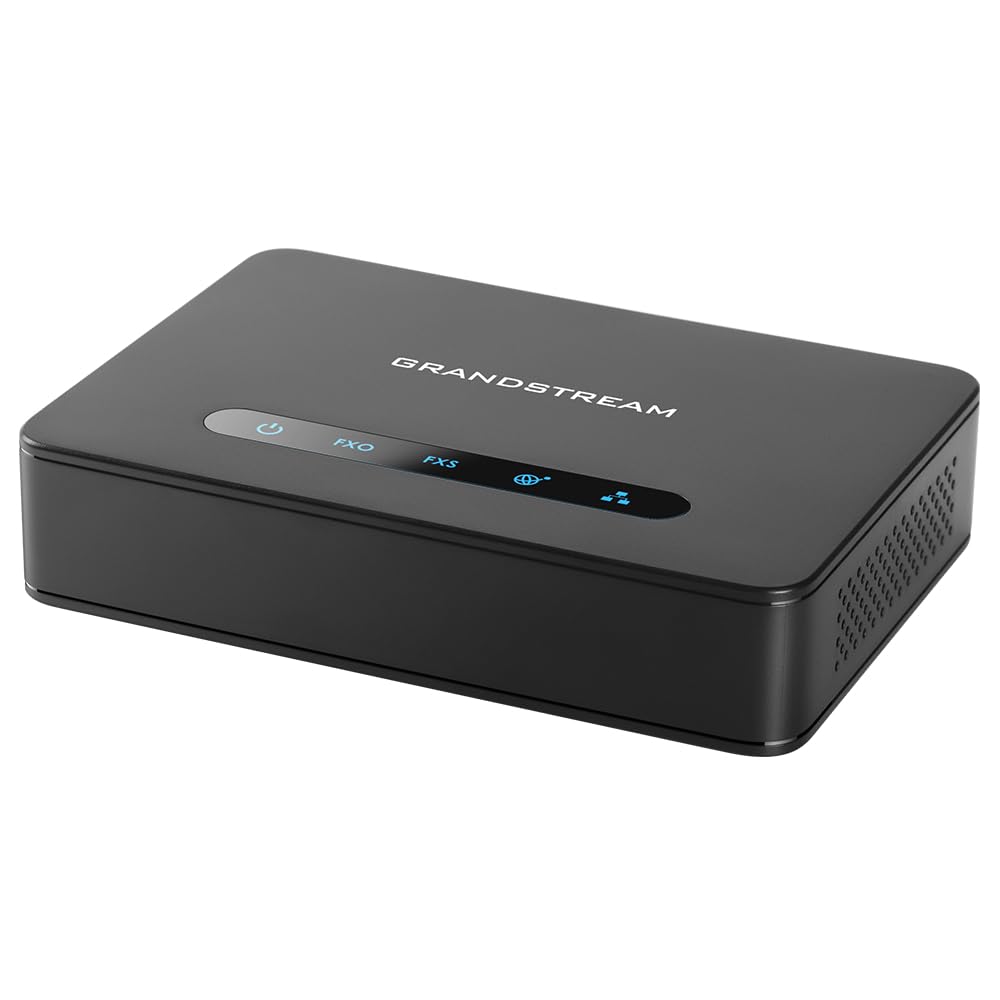
The Grandstream HT812 sits at the sweet spot of the mid-premium spectrum because it integrates a full Gigabit NAT router alongside its two FXS analog ports. Most adapters in this category offer only a single 10/100 Mbps Ethernet port, which creates a bottleneck for your LAN — the HT812’s dual 10/100/1000 ports maintain full network throughput while your phone lines stay active.
Security is equally robust, with TLS 1.2 signaling encryption and SRTP for voice media, ensuring your SIP credentials and call contents are protected even on shared office networks. The embedded router handles NAT routing up to 100 Mbps, which is sufficient for most small office internet plans, and the WebUI supports automated provisioning via TR-069 and XML config files for scalable deployments.
Setup does require careful attention to VoIP provider parameters, and some users report that the factory firmware URL is inaccurate, necessitating a manual update. Once properly configured, the voice quality is indistinguishable from a traditional POTS line, making the HT812 a reliable backbone for a dual-line home office or small business phone system.
Why it’s great
- Dual Gigabit ports prevent LAN bandwidth loss
- Full TLS and SRTP encryption for secure calling
- Built-in NAT router eliminates separate network gear
Good to know
- Factory firmware URL may need manual correction
- WebUI interface feels dated and less intuitive
- No power backup means phone dies during outages
2. Grandstream HT802 V2 2-Port ATA

The HT802 V2 is the most balanced dual-port adapter for users who need two independent analog lines without paying a premium for Gigabit routing. It provides two FXS ports with individual SIP profiles, meaning you can assign different phone numbers or VoIP providers to each port — ideal for separating a home office line from a personal number using a single device.
Voice quality is consistently praised for its clarity and lack of jitter, and the adapter supports T.38 fax passthrough, making it suitable for legacy fax machines. The failover SIP server feature automatically switches to a secondary server if the primary connection drops, adding a layer of reliability that is rare at this tier. LED indicators for power, network, and each phone port give clear visual status at a glance.
Firmware updates are mandatory out of the box — Grandstream strongly recommends upgrading to version 1.0.19.11 immediately. Configuration is technical and depends entirely on your VoIP provider’s parameters; users without networking experience may find the parameter-heavy interface challenging. However, once dialed in, the HT802 V2 delivers enterprise-level stability at a mid-range price.
Why it’s great
- Two independent FXS ports with separate SIP profiles
- T.38 fax support for legacy fax machines
- Failover SIP server for connection redundancy
Good to know
- Requires immediate firmware update before use
- Setup is technical and provider-dependent
- Only 10/100 Ethernet, no Gigabit pass-through
3. Yeastar Dual-Port TA200
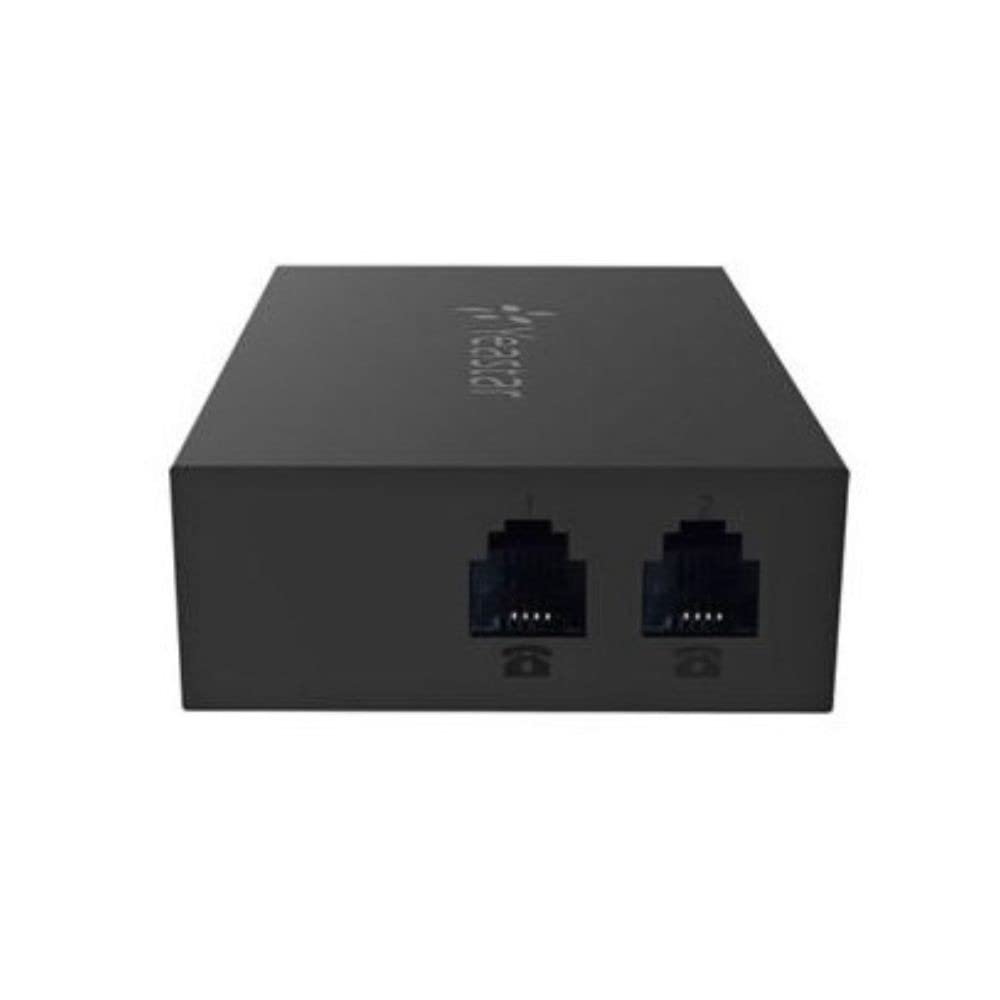
The Yeastar TA200 distinguishes itself with a design philosophy of space efficiency and compatibility with vintage hardware. It can be powered directly via a USB port from a PC or an IP-PBX, eliminating the need for an external power brick — a significant advantage when rack space or outlet availability is tight. The dual FXS ports support both standard tone dialing and pulse dialing, a rare feature that lets you connect rotary phones to a modern VoIP network.
Web-based configuration is intuitive for users familiar with Yeastar’s ecosystem, and the small form factor makes it easy to hide behind a desk or mount on a wall. T.38 fax support is included, and multiple customers have verified seamless fax transmission after minor tweaking of the TA200’s settings. The device pairs especially well with Yeastar’s own IP PBX series for zero-touch provisioning.
The primary limitation is compatibility with third-party PBX platforms — multiple users report that the TA200 does not work with 3CX without significant manual workaround. Documentation is sparse for non-Yeastar environments, so buyers planning to use it outside of a Yeastar or compatible SIP server should expect a steeper learning curve.
Why it’s great
- USB-powered design saves outlet space
- Supports pulse dialing for rotary phones
- Excellent T.38 fax performance
Good to know
- Does not work with 3CX out of the box
- Documentation is sparse for third-party PBX use
- No built-in NAT routing capability
4. Cisco ATA 191 Multiplatform Adapter

The Cisco ATA 191 is built for environments that already run Cisco Unified Communications Manager (UCM) versions 8.5 through 10.x. It provides two RJ-11 FXS ports and a single 10/100 Mbps Ethernet port with support for the latest TLS 1.2 and SHA-2 hash algorithms, along with SRTP cipher suites for encrypted voice transport. The audio preprocessing engine includes high-performance echo cancellation, voice activity detection, and comfort noise generation for natural-sounding calls.
Integration into a Cisco ecosystem is where this adapter truly shines — it activates automatically once its MAC address is provisioned in the Cisco dashboard. For third-party VoIP providers like RingCentral, the setup is still manageable through the Admin Portal web interface, though documentation focuses heavily on Cisco-specific configurations. The compact metal chassis measures just 1.1 x 3.9 x 3.9 inches and feels more durable than plastic competitors.
The main drawbacks are the sparse documentation for non-Cisco deployments and the relatively limited configuration options compared to Cisco’s own IP handsets. Dial plan configuration is particularly laborious, and voicemail indicator functionality can be inconsistent across different providers. One-year hardware warranty provides peace of mind, but the premium price reflects its enterprise-targeted feature set.
Why it’s great
- Native Cisco UCM integration with zero-touch activation
- SHA-2 and SRTP encryption for enterprise security
- Compact metal chassis with high durability
Good to know
- Sparse documentation for third-party VoIP providers
- Only 10/100 Ethernet, no Gigabit port
- Voicemail indicators may behave inconsistently
5. Yeastar TA100 1-Port Gateway

The Yeastar TA100 is a purpose-built single-port adapter ideal for connecting one analog phone or fax machine to a VoIP system without wasting ports or budget. It weighs only 6 ounces and has a small footprint that fits easily behind a desk or inside a wiring closet. The single FXS port supports all essential VoIP features including T.38 fax, call forwarding, and three-way conferencing.
Setup is straightforward when paired with a Yeastar IP PBX or compatible SIP server, with many users reporting that defaults worked well out of the box for voice. The web interface offers extensive configuration options — call routing, codec selection, and echo cancellation settings are all adjustable. For fax use, the TA100 required minor parameter tweaks, but once configured it delivered reliable fax-over-IP performance.
The trade-off is a lack of built-in routing or advanced security features like TLS/SRTP, making it less suitable for environments that require encrypted voice transport. The device is also limited to a single SIP account, so you cannot run separate numbers on the same hardware. If you only need a single-line bridge and are already in the Yeastar ecosystem, the TA100 is an efficient and cost-effective choice.
Why it’s great
- Compact and lightweight for easy placement
- Works reliably with Yeastar PBX systems
- Good T.38 fax support after minimal tweaking
Good to know
- Single FXS port limits expansion
- No TLS or SRTP encryption support
- Many config options can be overwhelming
6. magicJack VoIP Phone Adapter
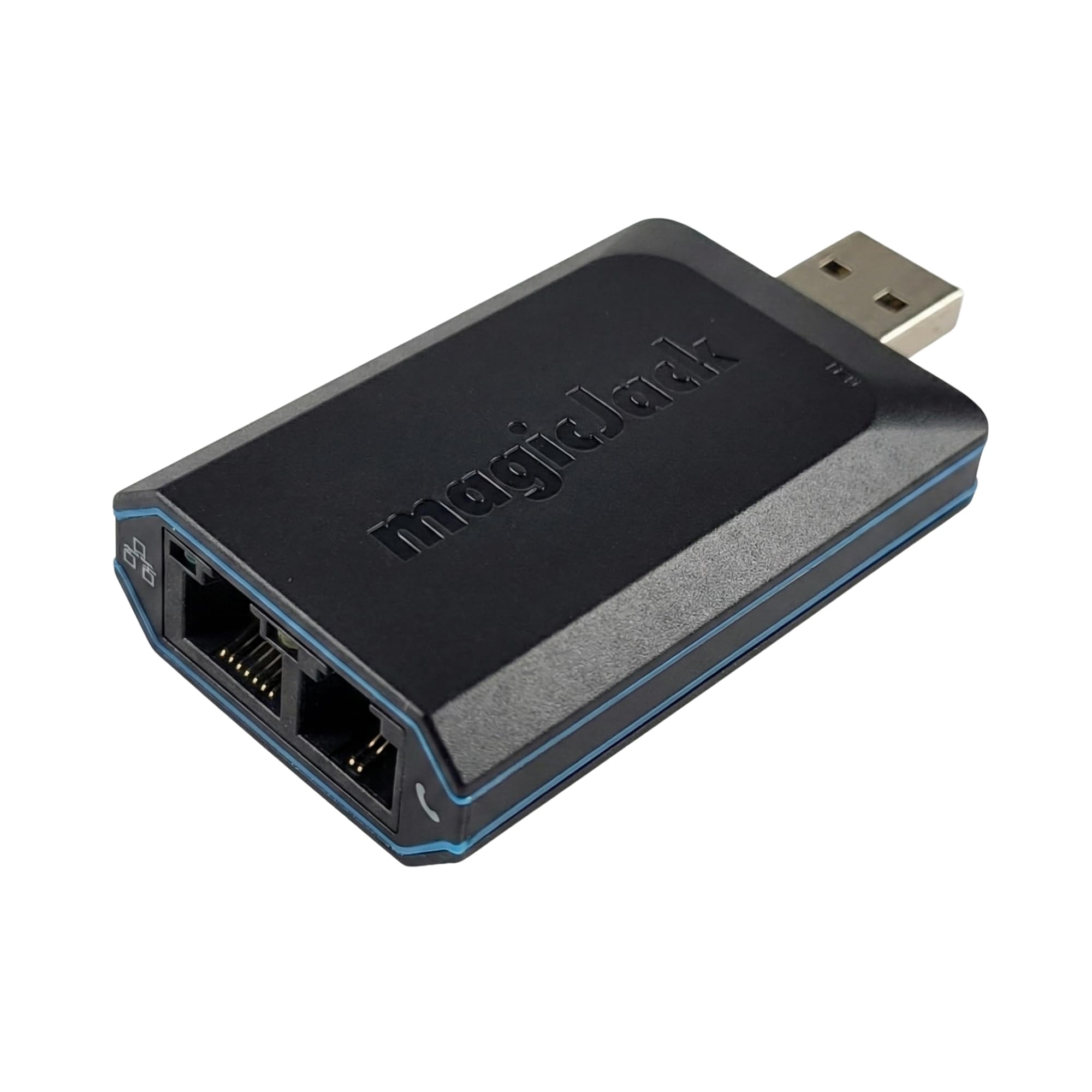
The magicJack is a unique entry in the analog terminal adapter category because it bundles a full year of unlimited calling to the US, Canada, Puerto Rico, and the US Virgin Islands directly into the hardware purchase. There is no monthly bill — you pay once for the adapter and receive 12 months of local and long-distance service with caller ID, voicemail, call waiting, and 411 directory assistance included. The 2023 model features a faster CPU (4x speed) and more memory for improved call clarity even on congested networks.
Setup lives up to its “plug and play” reputation: connect the adapter to your high-speed internet and any standard analog phone, and you are operational within minutes. The companion mobile app extends functionality to your smartphone, allowing you to make and receive calls from your magicJack number on the go, with simultaneous ringing on both your home phone and mobile device. Voicemail transcriptions are emailed as .wav files, and the service supports call forwarding and three-way conferencing.
The limitations are worth noting: there is no caller name ID support, voicemail notification can be quirky with missed alerts and duplicate entries, and the service blocks certain pay-per-minute numbers including some Microsoft Teams conference bridges. Call clarity depends heavily on your internet connection quality — users with high packet loss (10-40% daytime) report poor experiences. If your internet is stable and you want the simplest possible landline replacement with no monthly commitment, this is the most consumer-friendly option available.
Why it’s great
- Includes 12 months of unlimited calling with no monthly bills
- Truly plug-and-play setup with minimal configuration
- Free mobile app extends service to your smartphone
Good to know
- No caller name ID support
- Blocks some pay-per-minute and conference numbers
- Performance degrades significantly with high packet loss
7. Polycom OBi 302 Voice Adapter

The Polycom OBi 302 stands out for its ability to aggregate up to four SIP accounts and bridge them across its two FXS ports, with each phone port able to access any of the configured services independently. This makes it the most versatile adapter for users who need to juggle multiple VoIP providers on a single device. Hardware-wise, it provides two RJ-11 FXS ports and one Ethernet port in a compact black enclosure.
When used with a Zoom Phone system or other modern SIP provider, the OBi 302 works well — activation can be as simple as providing the MAC address and performing a factory reset. The device supports simultaneous access to SIP accounts, meaning line 1 could be your business provider while line 2 rings through a different service. Users who have successfully configured it report excellent voice quality and reliable fax transmission.
Critical warning: the OBiTALK cloud service was officially decommissioned on November 1, 2024, which breaks the intended web-based provisioning and remote management features. Polycom (now HP) has ended support for this product line, and the activation portal is non-functional for new users. If your plan depends on OBiTALK for setup, this adapter is no longer viable. For experienced users who can configure it manually with a raw SIP provider like voip.ms, the hardware still functions, but buyer beware — support is completely absent.
Why it’s great
- Supports up to 4 independent SIP accounts
- Each phone port can access any configured service
- Solid hardware with good voice quality
Good to know
- OBiTALK service decommissioned as of Nov 2024
- No support available from Polycom or HP
- Requires advanced manual SIP configuration
FAQ
Can I use an analog terminal adapter with any VoIP provider?
What is the difference between an ATA and a VoIP gateway?
Why does my analog terminal adapter need a firmware update before use?
Final Thoughts: The Verdict
For most users, the best analog terminal adapter winner is the Grandstream HT812 because it combines dual Gigabit ports with full TLS/SRTP encryption and a built-in NAT router, offering the best balance of features and network performance at its tier. If you need a simple, reliable dual-line adapter without Gigabit routing, grab the Grandstream HT802 V2. And for the simplest consumer-grade plug-and-play experience with no monthly bills, the magicJack is the most straightforward path to keeping an analog phone on a digital network.