
The search for a laptop assembled on U.S. soil often feels like a compromise between patriotism and performance, but the reality is more nuanced. These machines represent a distinct tier of engineering where final assembly and quality assurance happen stateside, typically resulting in higher build standards and greater component transparency than their mass-produced overseas counterparts.
I’m Min — the co-founder and writer behind Gadgets Feed. I’ve spent hundreds of hours analyzing technical specifications, customer feedback, and supply chain data to identify which models truly deliver on the promise of domestic assembly without sacrificing performance or value.
Whether you’re prioritizing enterprise-grade security or premium gaming performance, this guide breaks down the top contenders to help you find your ideal american made laptops.
How To Choose The Best American Made Laptops
Choosing a laptop assembled in the U.S. requires looking beyond marketing claims to understand what domestic assembly actually means for your ownership experience. The key factors revolve around component quality, warranty logistics, and how the machine’s specifications align with your real-world workload.
Understand the Assembly Standard
Not all laptops labeled as “built in the USA” receive the same level of domestic finishing. Some brands perform final assembly and quality testing in U.S. facilities using globally sourced components, while others maintain strict domestic supply chains. Knowing which tier a model belongs to helps set realistic expectations for service turnaround and build consistency.
Match Performance to Your Workflow
American-assembled laptops span a wide range, from productivity-focused Ultrabooks with Intel Core i5 chips and Intel Iris Xe graphics to workstation and gaming behemoths with dedicated NVIDIA RTX GPUs. Identify your primary tasks — office productivity, content creation, engineering simulation, or competitive gaming — then target the processor core count, memory capacity, and GPU tier that handle those workloads without bottlenecking.
Prioritize RAM and Storage Configurations
Many domestic-assembly models come with soldered LPDDR5 memory, which cannot be upgraded later. If you anticipate memory-intensive work, choose a configuration with 32GB or more from the start. Storage is more forgiving, with most units offering at least one PCIe Gen 4 M.2 slot for future expansion, but verify the slot count and whether a second slot is occupied before purchase.
Quick Comparison
On smaller screens, swipe sideways to see the full table.
| Model | Category | Best For | Key Spec | Amazon |
|---|---|---|---|---|
| GEEKOM GeekBook X16 Pro | Ultrabook | Creative professionals on the go | 32GB LPDDR5x 7500MHz RAM | Amazon |
| Dell 16 Plus DB16250 | Creator | AI-assisted content creation | Intel Core Ultra 9 288V | Amazon |
| HP EliteBook 16 | Business | Enterprise productivity | 32GB DDR5 RAM | Amazon |
| LG gram Pro 17 | Ultraportable | Travel-heavy power users | 3.3 lbs, 90Wh battery | Amazon |
| Lenovo ThinkPad P16s Gen 3 | Mobile Workstation | Engineering & CAD rendering | 3840×2400 OLED, RTX 500 Ada | Amazon |
| ASUS ROG Strix G16 | Gaming | Competitive esports | RTX 5070 Ti, 240Hz display | Amazon |
| Alienware X16 R2 | Gaming | High-end AAA gaming | RTX 4080 12GB GDDR6 | Amazon |
| Microsoft Surface Laptop 2024 | Copilot+ PC | AI-enhanced productivity | Snapdragon X Elite, 20hr battery | Amazon |
| Acer Nitro V 16S | Gaming | AI-powered gaming | RTX 5060, 180Hz display | Amazon |
| NIMO 17.3″ | Productivity | Budget business multitasking | AMD Ryzen 7 7735HS | Amazon |
| Lenovo IdeaPad 15.6″ | Value | Student productivity | 40GB DDR4 RAM | Amazon |
| HP Essential 17t | Business | Home office reliability | Intel Core i7-1355U | Amazon |
| Dell 16 DC16251 | Value | Everyday browsing & office | Intel Core 7 150U | Amazon |
In‑Depth Reviews
1. GEEKOM GeekBook X16 Pro

The GeekBook X16 Pro feels like a physics-defying trick — its magnesium alloy chassis weighs just 2.8 pounds yet houses a Core Ultra 9 185H with 16 cores and a dedicated NPU. The 16-inch 2.5K 120Hz IPS display covers 100% sRGB, making it an exceptional canvas for photographers and video editors who need color accuracy on the move.
The IceBlade 2.0 cooling system with dual fans and twin heat pipes keeps the Meteor Lake processor from throttling during extended rendering sessions, while the 77Wh battery delivers up to 17 hours of runtime. The 2TB PCIe Gen 4 SSD and 32GB of soldered LPDDR5x memory at 7500MHz mean you won’t need to open the case for years — and that’s intentional, since you can’t upgrade the RAM.
DTS:X Ultra audio through dual speakers provides immersive sound that punches above the slim form factor, and the 40Gbps USB4 port with DisplayPort 2.1 support lets you drive two 4K external displays. For a domestic-assembly Ultrabook, this is the complete package.
Why it’s great
- Remarkably light 2.8 lb magnesium alloy build
- Fast 120Hz 2.5K display with wide sRGB coverage
- Strong battery endurance at 17 hours
Good to know
- RAM is soldered and non-upgradeable
- Fan noise can be persistent under full load
- Touchpad click mechanism only works at corners
2. Dell 16 Plus DB16250

The Dell 16 Plus is engineered for creators who need raw computational horsepower without the bulk of a workstation. Its Intel Core Ultra 9 288V processor, paired with 32GB of LPDDR5X memory clocked at 8533Mbps, handles large Lightroom catalogs and 4K video timelines with headroom to spare.
The 16-inch 2.5K 16:10 display provides extra vertical real estate for timeline editing, and the aluminum chassis feels dense and premium. Military-grade durability testing ensures the hinge and frame hold up under daily commutes, while the 1-year onsite service means a technician visits you if something goes wrong — a tangible benefit of the Dell domestic service network.
One notable trade-off: the single USB-A port forces most users to carry a hub for legacy peripherals, and the speakers lack bass response even at moderate volume. Battery life is solid for a high-performance 16-inch, but the absence of a fingerprint reader means you rely solely on Windows Hello face recognition.
Why it’s great
- Extremely fast 8533Mbps LPDDR5X memory
- Durable aluminum chassis with military-grade testing
- Onsite warranty service within the U.S.
Good to know
- Only one USB-A port limits peripheral connectivity
- McAfee kernel-level software is difficult to fully remove
- Speakers produce flat sound without bass
3. HP EliteBook 16
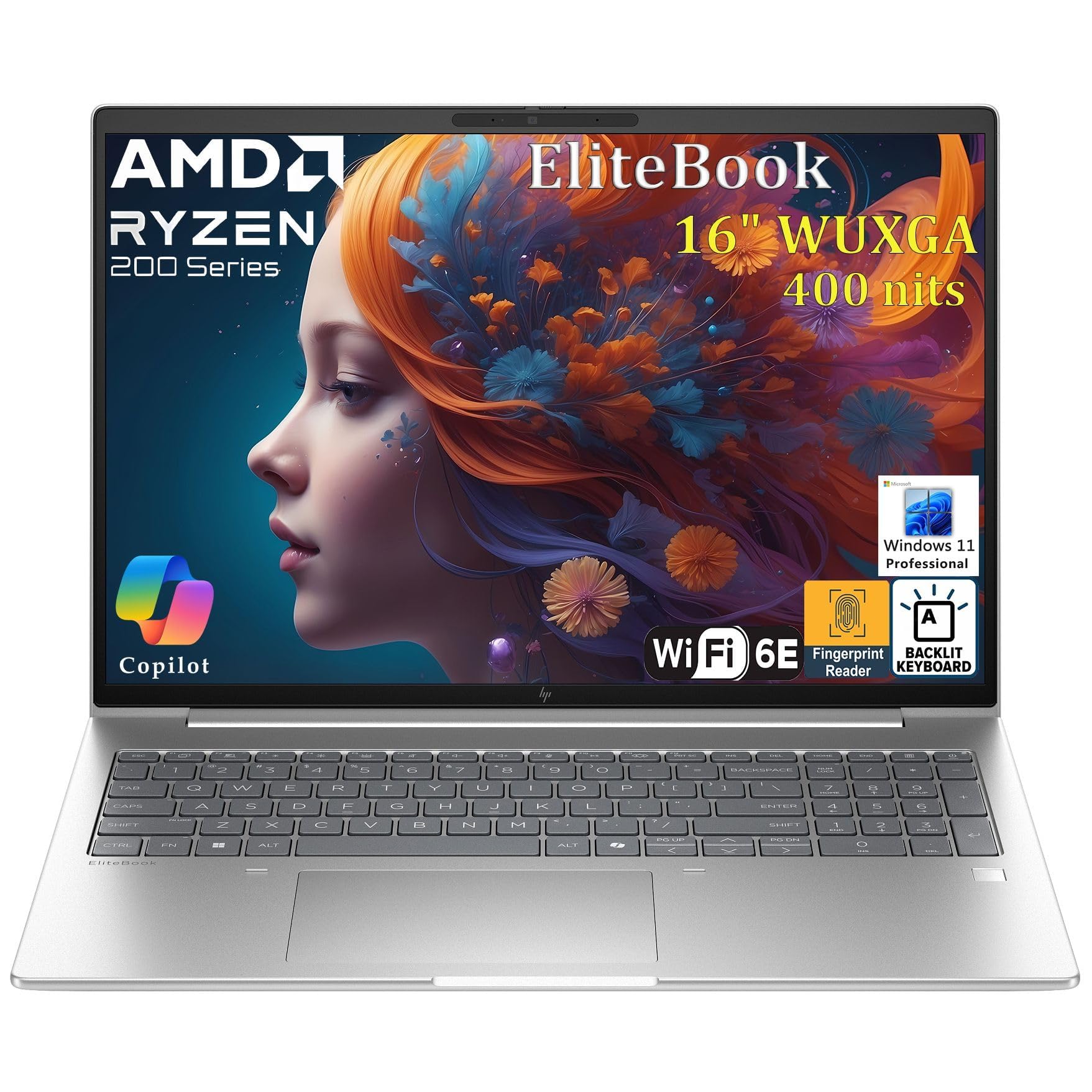
The HP EliteBook 16 is an enterprise-first machine built around the AMD Ryzen 5 200 Series with integrated Copilot AI. Its 32GB of DDR5 RAM and 1TB PCIe SSD are geared toward professionals who run multiple virtual machines or manage dozens of browser tabs without compromise.
The 16-inch FHD+ display at 1920×1200 gives a 16:10 aspect ratio that reduces scrolling through spreadsheets and documents, while WiFi 6E and Bluetooth 5.3 keep connectivity fast and reliable. The backlit keyboard and fingerprint reader support secure, password-free login, and Windows 11 Pro includes BitLocker encryption and Group Policy management for IT oversight.
Where this HP shines is its fast-charging capability — you can recover significant runtime during a short coffee break, which mobile executives will appreciate. The fingerprint reader can be fussy depending on finger placement, and the integrated Radeon 740M graphics won’t satisfy creative pros needing dedicated GPU power.
Why it’s great
- Fast charging gets you back to work quickly
- Enterprise security suite with TPM 2.0 and BitLocker
- Excellent multitasking with 32GB DDR5 RAM
Good to know
- Fingerprint reader recognition is inconsistent
- Integrated graphics limit creative applications
- Cooling vents require clearance to prevent overheating
4. LG gram Pro 17

At just 3.3 pounds, the LG gram Pro 17 is the lightest 17-inch laptop available with a dedicated GPU, packing an NVIDIA RTX 5050 and Intel Core Ultra 9 285H into a chassis that passes seven military-grade durability standards. The 90Wh battery delivers up to 25 hours of video playback, making it a genuine all-day companion for road warriors.
The 17-inch display with variable refresh rate from 31Hz to 144Hz ensures smooth visuals whether you’re scrolling documents or gaming, and the internal dual-fan cooling system prevents thermal throttling during sustained loads. LG gram Link enables seamless file sharing across up to 10 Android and iOS devices, bridging the gap between your laptop and phone ecosystem.
Hybrid gram AI blends on-device intelligence with cloud-based generative AI for document summarization and data analysis, directly integrated with Copilot. The lack of an Ethernet port may frustrate users in wired office environments, but the comprehensive port selection — including two USB-C and HDMI — covers most connectivity bases.
Why it’s great
- Remarkably light 3.3 lbs for a 17-inch chassis
- 25-hour video playback battery endurance
- Dedicated RTX 5050 GPU for creative workloads
Good to know
- No Ethernet port for wired office networking
- Premium pricing reflects ultraportable engineering
- Integrated GPU switching requires driver optimization
5. Lenovo ThinkPad P16s Gen 3
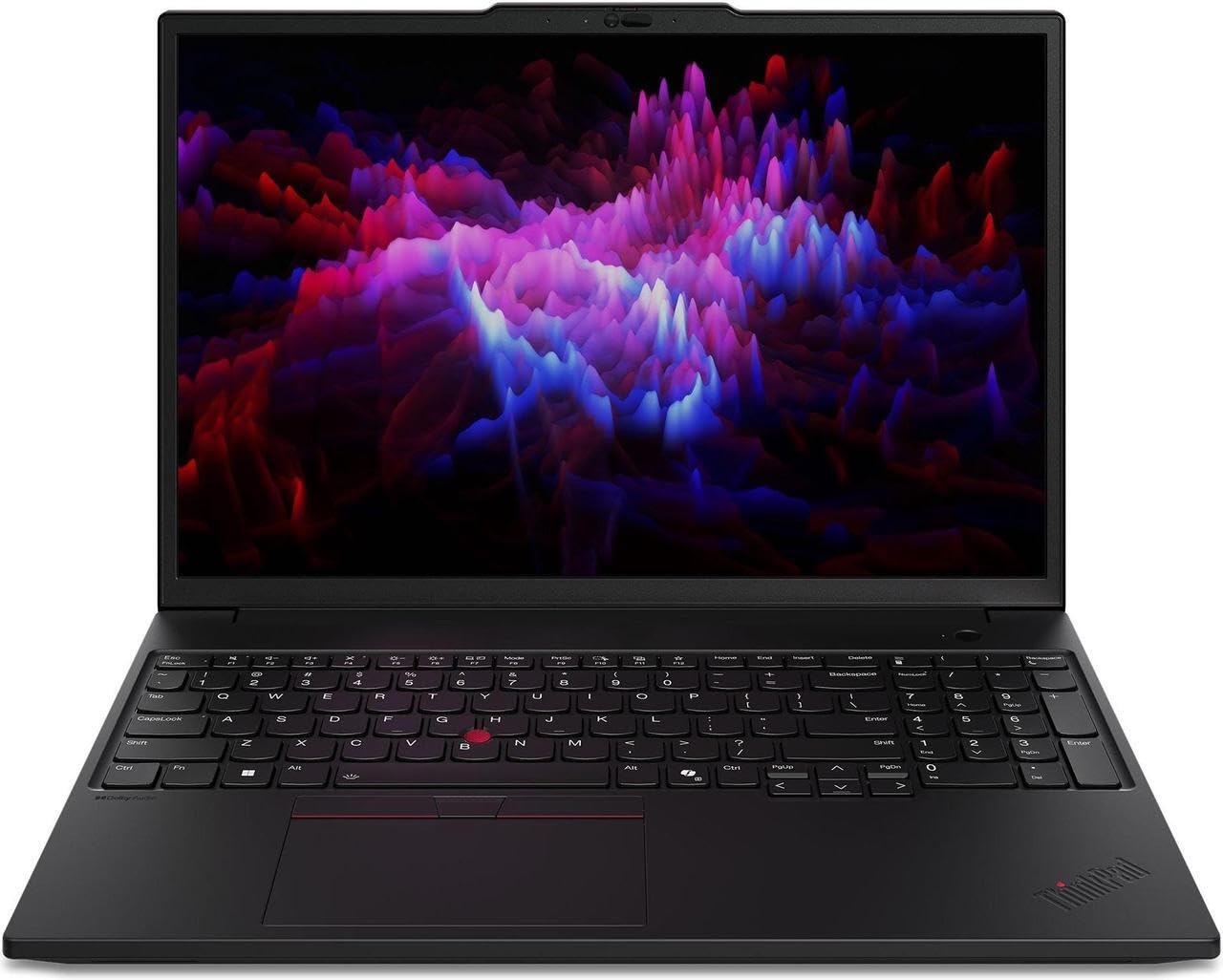
The ThinkPad P16s Gen 3 is a certified mobile workstation built for engineers, architects, and data scientists who demand ISV-certified graphics and absolute display accuracy. Its 16-inch 3840×2400 OLED panel covers 100% DCI-P3 with HDR 500 True Black certification, delivering infinite contrast for CAD wireframes and color-critical grading work.
Powered by an Intel Core Ultra 7 155H with 16 cores and 32GB of DDR5-5600 SODIMM memory, this Lenovo handles complex simulations and multi-layer renders without hesitation. The NVIDIA RTX 500 Ada GPU with 4GB GDDR6 enables real-time ray-traced previews in applications like SolidWorks and Autodesk Revit.
The ThinkPad heritage means a spill-resistant keyboard, discrete TrackPoint, and MIL-STD-810H certification for shock and vibration resistance. The backlit keyboard and fingerprint reader are standard, though the display is capped at a 60Hz refresh rate — fine for precision work but disappointing for casual media consumption.
Why it’s great
- Stunning 4K OLED with 100% DCI-P3 coverage
- ISV-certified RTX 500 Ada for professional apps
- Dual SODIMM slots allow user RAM upgrades
Good to know
- 60Hz refresh rate limits media smoothness
- Heavier than typical 16-inch ultrabooks
- OLED panel may require care to prevent burn-in
6. ASUS ROG Strix G16 (2025)
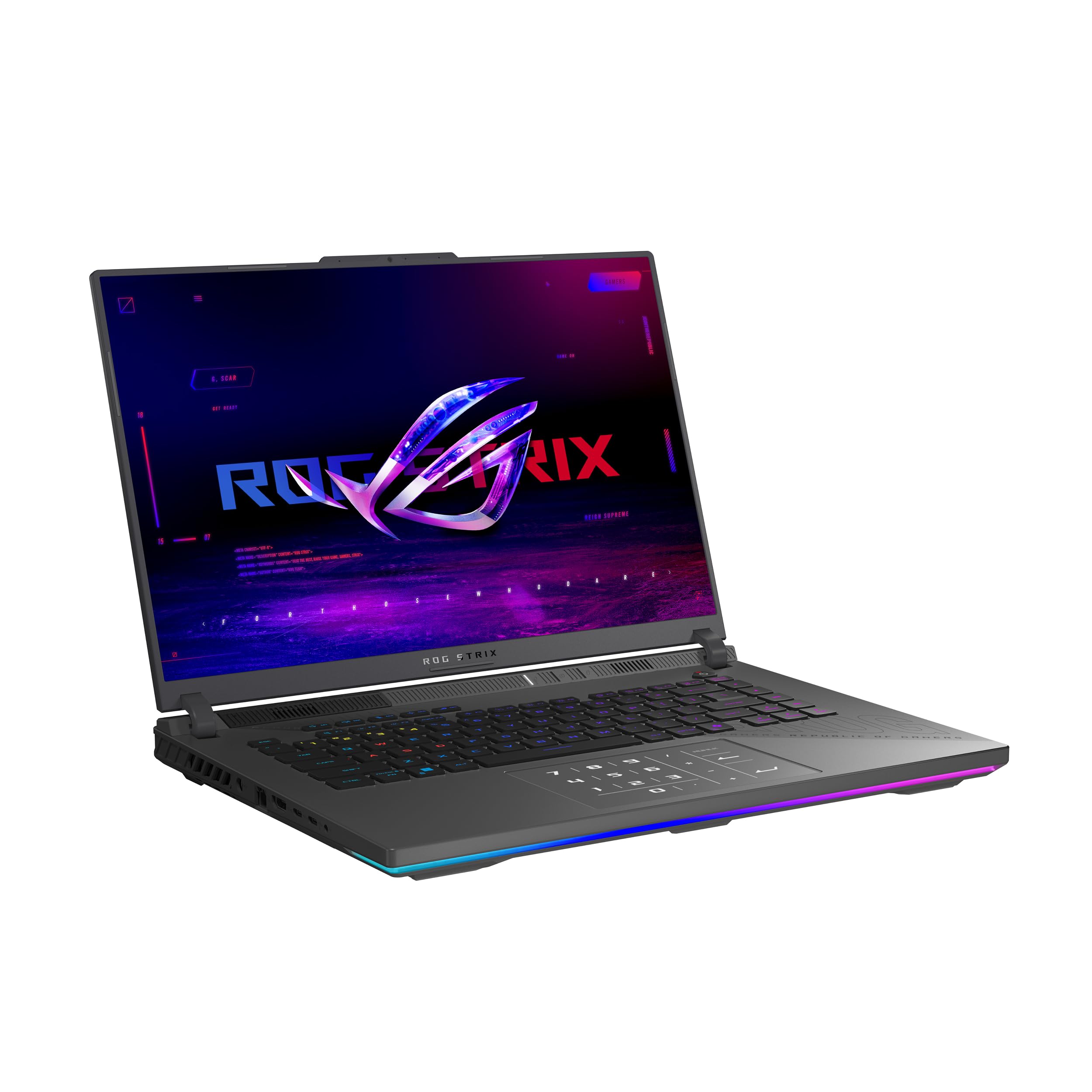
The ROG Strix G16 represents the bleeding edge of consumer gaming laptops, pairing an AMD Ryzen 9 9955HX3D processor with an NVIDIA GeForce RTX 5070 Ti GPU. The 3D V-Cache on the CPU provides a significant L3 cache boost that reduces latency in simulation and strategy games, while DLSS 4 Multi Frame Generation pushes frame rates beyond what raw rasterization could achieve.
The 16-inch ROG Nebula display runs at 240Hz with a 3ms response time, and the new ACR film enhances contrast while reducing glare — a meaningful improvement for competitive shooters played under variable lighting. Tri-fan technology and Conductonaut Extreme liquid metal on both CPU and GPU keep thermals in check even during marathon sessions.
A MUX Switch with Advanced Optimus automatically routes frames directly from the dGPU for gaming and switches back to integrated graphics for battery savings, all without requiring a restart. The customizable RGB lightbar syncs with the per-key keyboard backlighting, and Stealth Mode turns everything off for a subdued look in professional settings.
Why it’s great
- 3D V-Cache CPU provides massive L3 cache advantage
- 240Hz 3ms display with anti-glare ACR film
- Advanced Optimus for seamless dGPU/iGPU switching
Good to know
- Requires a cooling pad for sustained heavy loads
- Premium pricing for top-tier components
- Battery life is limited when gaming unplugged
7. Alienware X16 R2

The Alienware X16 R2 is a premium desktop replacement that leaves little on the table. Its Intel Core Ultra 9-185H paired with a full-power RTX 4080 12GB GDDR6 delivers ray tracing performance that rivals many mid-range desktop builds, and the 16-inch QHD+ display at 240Hz with 100% DCI-P3 color gamut ensures games look both fluid and vibrant.
The thermal design expels heat through side and top vents, drawing cooler air across the keyboard — an approach that keeps palm rest areas comfortable during extended play. The four-speaker array with separate tweeters and woofers produces room-filling audio that eliminates the need for external speakers in most scenarios.
At nearly three thousand dollars, the price demands serious consideration, and the Alienware Command Center software can take 10-20 seconds to load on startup. The 360-watt power adapter is substantial, but the 1-year onsite service provides peace of mind for a machine of this investment level.
Why it’s great
- Full-power RTX 4080 12GB for desktop-class gaming
- QHD+ 240Hz display with 100% DCI-P3 coverage
- Excellent four-speaker audio system
Good to know
- Very high cost of entry
- Command Center software has slow startup times
- Reported battery charging issues in some units
8. Microsoft Surface Laptop (2024)

Microsoft’s Surface Laptop (2024) marks the company’s full commitment to Arm architecture, powered by the Snapdragon X Elite 12-core processor that outperforms the MacBook Air M3 in multi-threaded tasks while delivering up to 20 hours of battery life. The 15-inch PixelSense touchscreen with HDR support and a razor-thin bezel makes this one of the most visually refined Windows machines available.
As a Copilot+ PC, the dedicated NPU enables on-device AI features like real-time captioning, Windows Studio Effects, and Recall search without sending data to the cloud. The all-day battery life and cool, fanless operation at idle make it ideal for students and knowledge workers who value runtime over raw GPU grunt.
The Arm architecture does impose limitations: applications without native Arm64 builds require emulation, which can reduce performance in x86-dependent tools like some CAD packages and legacy games. The 39W power adapter is compact, but the single USB-C port on the entry-level configuration demands a hub for multiple peripherals.
Why it’s great
- 20-hour battery life exceeds most x86 competitors
- Beautiful 15-inch touchscreen with HDR support
- Built-in NPU enables local AI processing
Good to know
- Arm compatibility issues with specific x86 applications
- Entry-level configuration has limited port selection
- No dedicated GPU for serious creative work
9. Acer Nitro V 16S AI

The Acer Nitro V 16S is a mid-range gaming laptop that punches above its weight class with an AMD Ryzen 7 260 processor delivering 38 AI TOPS and an RTX 5060 GPU rated at 572 AI TOPS. The combination supports DLSS 4 Multi Frame Generation, delivering playable frame rates in demanding titles even at high settings.
The 16-inch WUXGA 1920×1200 display runs at 180Hz with 100% sRGB coverage, providing smooth motion and accurate colors for both gaming and content consumption. The dual DDR5 SODIMM slots support up to 32GB, and the dual PCIe Gen 4 M.2 slots allow storage expansion beyond the included 1TB.
Battery life is the primary compromise — like most gaming laptops, it needs to stay plugged in for serious play, and the 135W power supply can be insufficient for full performance mode, causing the battery to drain slowly under sustained load. The bloatware removal is straightforward and transforms the experience into a clean Windows environment.
Why it’s great
- 572 AI TOPS GPU for DLSS 4 and neural rendering
- Upgradeable RAM and dual M.2 storage slots
- 180Hz display with full sRGB color coverage
Good to know
- 135W power supply can limit peak gaming performance
- Requires bloatware cleanup out of the box
- Battery drains under sustained gaming load
10. NIMO 17.3″ Gaming Laptop
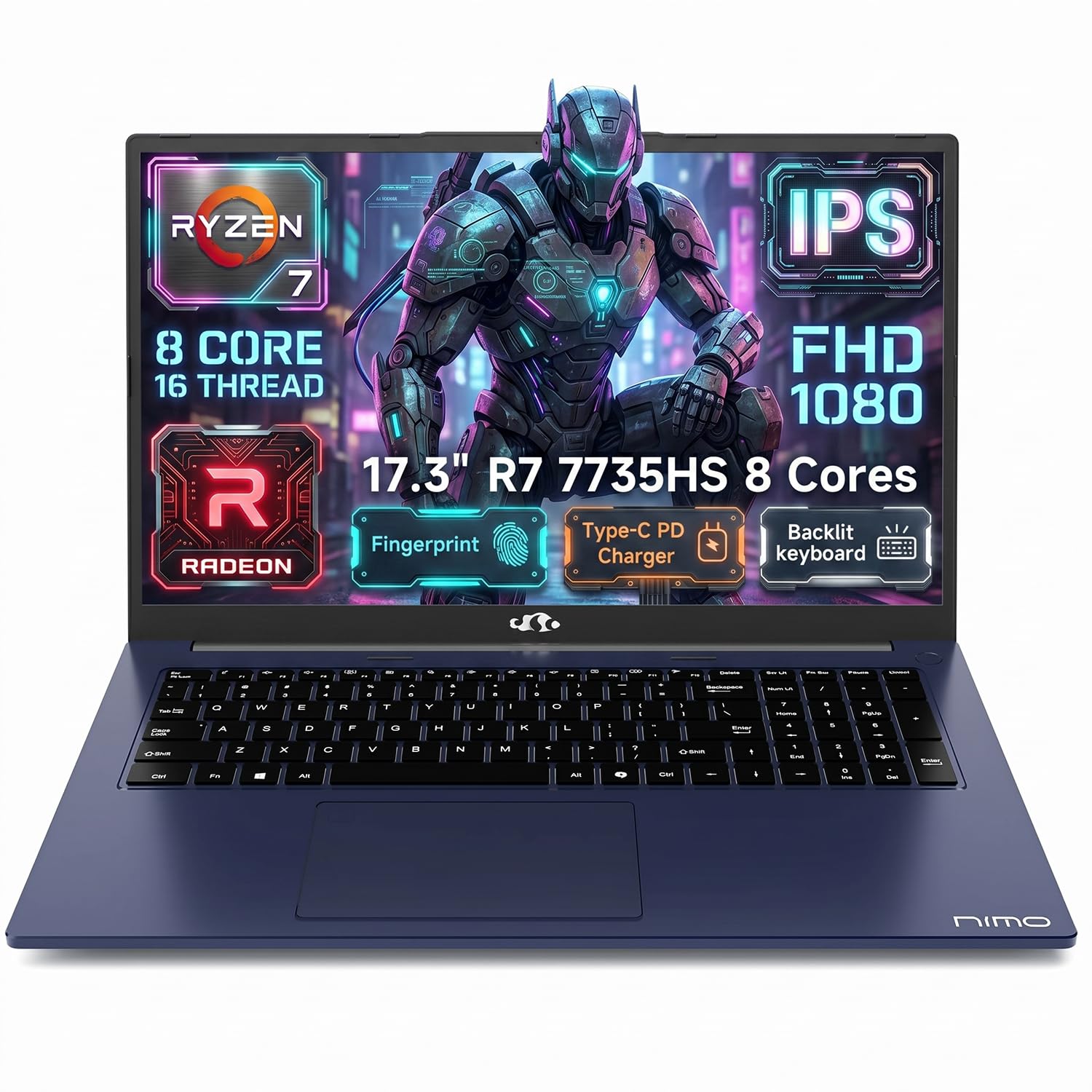
NIMO enters the domestic-assembly conversation with a 17.3-inch laptop that prioritizes RAM quantity and storage capacity for business users. The AMD Ryzen 7 7735HS with 8 cores and Radeon 680M graphics handles everyday productivity and light content creation, while 32GB of DDR5 memory ensures smooth multitasking across dozens of browser tabs and Office applications.
The 180° lay-flat hinge is a practical feature for collaborative work, allowing you to share your screen during meetings without angling the display awkwardly. The full-size keyboard includes a numeric keypad — a rarity at this size — and the 100W PD fast charging via Type-C reduces the number of chargers you need to carry.
The 58Wh battery delivers around 4 hours of light browsing, which is acceptable for a 17-inch machine but not class-leading. The dual-fan cooling system runs quietly during office tasks but ramps up noticeably under sustained CPU load. NIMO includes a 2-year warranty with U.S.-based support, reinforcing the domestic service advantage.
Why it’s great
- Generous 32GB DDR5 memory configuration
- 180° lay-flat hinge for collaborative use
- 100W USB-C fast charging reduces cable clutter
Good to know
- Battery life is modest compared to competitors
- Fan noise noticeable under heavier load
- Plastic chassis flexes with pressure on keyboard
11. Lenovo IdeaPad 15.6″ Touchscreen

The Lenovo IdeaPad offers an unusual configuration for its price bracket: 40GB of DDR4 RAM and 2.5TB of total storage (2TB SSD plus a 512GB docking station bundle). The 15.6-inch FHD touchscreen with an anti-glare finish and narrow bezels provides a modern viewing experience, and the Intel Core i5 with 10 cores handles productivity suites without complaint.
Windows 11 Pro comes preloaded along with a lifetime Microsoft Office license, which adds significant value for students or small business owners who need a turnkey solution. The flip-to-start feature and rapid charging provide convenience, and the numeric keypad is welcome for data entry work.
The chassis does feel less premium than competitors at this tier — the plastic construction flexes when picked up by a corner, and battery life falls short of the advertised 10 hours in real-world use. The 40GB configuration indicates the RAM has been upgraded after manufacturing, so the warranty terms on the added memory come from the seller rather than Lenovo.
Why it’s great
- Unusual 40GB RAM capacity for heavy multitasking
- 2.5TB total storage includes docking station
- Includes lifetime Microsoft Office license
Good to know
- Plastic chassis feels less durable than metal alternatives
- Battery life is below the advertised estimate
- Upgraded RAM covered by seller warranty, not Lenovo
12. HP Essential 17t Business Laptop

The HP Essential 17t targets home business users who want a large screen and capable processor without premium pricing. Its 17.3-inch HD+ touchscreen display provides generous real estate for spreadsheets and financial software, while the 13th Gen Intel Core i7-1355U with Intel Iris Xe graphics handles moderate multitasking with 16GB of DDR4 RAM and a 1TB NVMe SSD.
The fingerprint reader and full-size keyboard with numeric keypad support efficient data entry, and WiFi 6 ensures stable connectivity for video calls and cloud-based workflows. At around 4.6 pounds, it’s lighter than older 17-inch models, making it more portable than its size suggests.
The HD+ resolution of 1600×900 is a notable limitation — text appears less sharp than on Full HD panels, and the 250-nit brightness makes outdoor visibility challenging. Battery life is adequate for a home-office cycle but won’t get you through a full day of remote work away from an outlet.
Why it’s great
- Large 17.3-inch touchscreen for data-intensive tasks
- Fast 13th Gen Intel Core i7 performance
- Fingerprint reader for secure login
Good to know
- HD+ resolution lacks sharpness of Full HD panels
- 250-nit brightness limits outdoor visibility
- Average battery life for a 17-inch machine
13. Dell 16 DC16251

The Dell 16 DC16251 is a solid entry-level machine that puts a 16-inch 2K touchscreen at a very accessible price point. The Intel Core 7 150U processor with 10 cores and boost speeds up to 5.4 GHz handles web browsing, streaming, and office tasks with ease, and the 16GB of DDR5 RAM ensures smooth multitasking for the typical home user.
Dell ComfortView Plus reduces blue light emissions while maintaining color accuracy, making this a good choice for users who spend long hours reading or writing on screen. The adaptive thermal system detects when the laptop is on a stable surface and optimizes power delivery for quieter, cooler operation.
The 1TB SSD provides ample storage for documents and media, and the 1-year basic onsite service means a Dell technician will visit your home if hardware issues arise — a significant advantage for less technically inclined users. The 2K resolution at 16 inches delivers noticeably sharper text than 1080p panels, though the Intel integrated graphics won’t support gaming beyond casual titles.
Why it’s great
- Sharp 16-inch 2K touchscreen at entry-level pricing
- ComfortView Plus for reduced eye strain
- Onsite home service included for hardware issues
Good to know
- Integrated graphics unsuitable for gaming
- No dedicated GPU for creative applications
- Plastic construction lacks premium feel
FAQ
Does “American made” mean all components come from the U.S.?
How does domestic assembly affect warranty and customer support?
Is soldered RAM better than SODIMM RAM in American assembled laptops?
Can I upgrade the storage on these laptops after purchase?
Final Thoughts: The Verdict
For most users, the american made laptops winner is the GEEKOM GeekBook X16 Pro because it combines a featherlight magnesium alloy chassis with uncompromising specs — a 2.5K 120Hz display, 32GB of high-speed LPDDR5x memory, and a 17-hour battery that makes it the most versatile domestic-assembly Ultrabook available. If you need dedicated GPU performance for video editing or CAD work, grab the LG gram Pro 17 for its class-leading 3.3-pound build and RTX 5050 graphics. And for enterprise-grade security and fast charging, nothing beats the HP EliteBook 16.