
A 36-inch wide format printer is not a luxury—it is the single most productive tool an architect, engineer, or construction professional can place in their workflow. Lugging oversized drawings to a third-party print shop costs you billable hours and control over revision timing. Bringing that capability in-house means you print a full-size D-size or A1 sheet on demand, with your latest markups, without ever leaving your desk.
I’m Min — the co-founder and writer behind Gadgets Feed. I have spent hundreds of hours cross-referencing the technical specifications, real-world print speeds, and long-term ownership experiences of every major 36-inch model on the market to build this guide on solid data, not marketing fluff.
To find the right fit, you need to understand ink architecture, roll-feed mechanics, and nozzle density—not just model names. I will walk you through every crucial spec so you can confidently choose your own best 36 inch wide format printer.
How To Choose The Best 36 Inch Wide Format Printer
A 36-inch wide format printer is a significant investment in both upfront hardware and ongoing consumables. The right choice hinges on understanding the interplay between ink technology, media handling, and print speed for your specific use case.
Ink Architecture: Pigment vs. Dye and Cartridge Capacity
Pigment-based inks deliver superior water and UV resistance, which is non-negotiable for outdoor signage, construction site drawings, and color-critical fine art reproductions. Dye-based inks offer wider color gamuts but fade faster. Also, examine cartridge volume: a printer that ships with small “starter” cartridges forces an immediate high-cost refill, while models with large user-replaceable tanks or 80 mL+ cartridges lower your cost per square foot over the first year of volume printing.
Media Handling: Roll-Feed Mechanics and Sheet Support
Architects running multiple plan sets daily need a robust roll-feed system with automatic roll/paper switching and a built-in horizontal cutter. If you also print smaller presentation sheets or proof pages, look for a model that includes an auto sheet feeder—otherwise you will spend minutes per sheet manually feeding individual pages through the rear slot, which quickly becomes frustrating on deadline.
Print Head Technology and Resolution
The number of nozzles and the minimum droplet size (measured in picoliters) directly control line sharpness and tonal smoothness. A 15,000+ nozzle print head laying down 5 picoliter drops will produce finer text serifs and smoother gradients than a lower-density head. For CAD line drawings, a resolution of 2400 x 1200 dpi is the standard; for fine art photography, look for 2400 x 1200 dpi with multiple ink channels to minimize banding.
Quick Comparison
On smaller screens, swipe sideways to see the full table.
| Model | Category | Best For | Key Spec | Amazon |
|---|---|---|---|---|
| HP DesignJet T650 | Mid-Range | Architects & engineers needing speed | 25 sec/A1, 82 prints/hr | Amazon |
| Canon imagePROGRAF TA-30 | Mid-Range | High-volume poster production | 113 posters/hr (24×36) | Amazon |
| Epson SureColor T5170 | Mid-Range | Wireless CAD printing | 31 sec/A1, 50 mL cartridge | Amazon |
| HP DesignJet T630 | Mid-Range | Entry-level technical drawings | 2 ppm B&W, 36″ roll | Amazon |
| Canon imagePROGRAF TM-240 | Mid-Range | UV-resistant outdoor prints | 15,360 nozzles, 5 picoliter | Amazon |
| Canon PRO-2100 | Premium | Fine art & gallery prints | 12-color LUCIA PRO ink | Amazon |
| Canon Pro-4100 | Premium | Large-format photographic prints | 44″ wide, 18,432 nozzles | Amazon |
| Canon imagePROGRAF TC-21M | Budget | Copy & scan enlargements | 24″ roll, flatbed scanner | Amazon |
In‑Depth Reviews
1. HP DesignJet T650 Large Format 36-inch Plotter Printer

The HP DesignJet T650 is built for the architect or engineer who needs speed above all else. Its 25-second output on A1/D-size pages, combined with a throughput of 82 prints per hour, means you can clear a full set of construction documents in minutes rather than hours. The 1 GB of onboard memory handles complex HP-GL/2 vector files without choking on dense hatching or hatched patterns.
Connectivity is comprehensive: Gigabit Ethernet, Hi-Speed USB 2.0, and dual-band Wi-Fi 802.11 let you position the printer anywhere in the office. The integrated HP Click Software automatically nests multiple files onto a single roll, reducing paper waste by eliminating blank margins between separate jobs. The included automatic sheet feeder supports up to 13×19-inch sheets, giving you flexibility for smaller presentation prints without manually swapping media.
A standout feature for any busy architecture or construction firm is the two-year onsite warranty support included in the box. If the print head or roll-feed mechanism fails, a technician comes to you rather than requiring a costly and time-consuming unit return. The starter HP 712 and 713 ink cartridges are modest in capacity—budget for high-capacity replacements once you start printing regularly.
Why it’s great
- Class-leading print speed of 25 seconds per A1 sheet.
- Two-year onsite warranty eliminates downtime risk.
- HP Click auto-nesting reduces paper waste by up to 30%.
Good to know
- Starter ink cartridges are small; factor in replacement cost.
- Assembly bracket quality has drawn mixed feedback from some users.
2. Canon imagePROGRAF TA-30 with Stand 36” Large Format Inkjet Printer

The Canon TA-30 is a workhorse for firms that output large numbers of 24×36-inch posters or presentation drawings. Its L-COA PRO processing engine pushes through 113 of those posters per hour, translating to a D-sized sheet every 27 seconds. That throughput is matched by a 5-color LUCIA pigment ink system that delivers crisp, fade-resistant color on both coated and plain media.
Media handling centers on a 2-inch core roll system accommodating widths from 8 to 36 inches, plus manual duplex printing for the rare double-sided job. The printer ships with over worth of ink in the form of six 55 ml tanks, which gives you a genuine head start before your first refill bill arrives. Wireless printing is built in, so you can send sheets from a laptop on the drafting table without a cable run.
The touch control panel is responsive and intuitive, simplifying media type selection and head alignment. Some owners have reported that the ink cartridges consume faster than expected during heavy use, and the repair cost for a failed print head after fewer than 100 pages is a risk worth noting. For volume poster work where raw speed matters, the TA-30 delivers exceptional value per printed square foot.
Why it’s great
- Blistering 113 poster-per-hour print speed.
- Includes + of ink in the box.
- Robust LUCIA pigment ink for outdoor-durable prints.
Good to know
- Ink consumption runs high at volume; plan for frequent refills.
- Print head durability has been inconsistent in some cases.
3. Canon imagePROGRAF PRO-2100 24” Wide Fine Art Printer

For the photographer or fine artist who demands gallery-grade tonality, the Canon PRO-2100 is in a league of its own. Its 12-color LUCIA PRO ink set, including two distinct black inks and a chromatic optimizer, produces a color gamut that rivals dye-sublimation while retaining the archival permanence of pigment. The PF-10 print head with 18,432 nozzles lays down 4 picoliter droplets, which means transitions in sky gradients or skin tones are band-free even under a loupe.
The roll system (RU-23) handles both glossy and fine art papers up to 24 inches wide, and the rotary cutter delivers a clean edge every time. Manual duplex is possible for proofs, but this printer is truly optimized for single-sided fine art production. Color calibration out of the box is remarkably accurate—several owners report that test prints are frame-ready without any software profiling.
Ink capacity is a strategic consideration: the starter cartridges are small, and you will need to purchase the full 12-cartridge set immediately for any substantial print run. However, the ink lasts long enough to print 100 feet or more of dense photographic work before a single channel runs dry. For the artist whose sales depend on color faithful reproductions, the PRO-2100 is a studio investment that delivers museum-quality results.
Why it’s great
- 12-color LUCIA PRO ink gamut is unmatched for fine art.
- 18,432-nozzle head ensures zero banding.
- Excellent out-of-box color calibration.
Good to know
- Requires purchase of large cartridges immediately (starter set is small).
- Sheet feeding is cumbersome; designed primarily for roll use.
4. Epson SureColor T5170 36” Wireless Printer

The Epson SureColor T5170 is designed for the CAD professional who values speed and touch-driven ease of use. Its 4.3-inch color LCD touchscreen provides intuitive access to paper type selection, print queue management, and network setup, reducing the time you spend navigating menus. With A1/D-size output landing in 31 seconds and both black-and-white and color pages per minute rated at 6 ppm, this printer handles rush revisions without creating a bottleneck.
Epson uses high-capacity ink cartridges that hold up to 50 mL of color and a substantial 80 mL of black ink. This architecture significantly lowers the per-foot operating cost compared to models that rely solely on smaller starter cartridges. Integrated wireless plus router-free Wi-Fi Direct mean you can print from tablets or smartphones even if the office network is down, which is a genuine lifeline during remote site visits.
The compact footprint is a major advantage for firms where floor space is at a premium. However, the paper catch tray is poorly designed—prints land in a disorganized heap rather than stacking neatly. The ink cartridges, while large, drain surprisingly fast under heavy daily use, and Epson paper costs roughly a dollar per foot. For a wireless-first CAD office, the T5170 offers a strong balance of speed and connectivity.
Why it’s great
- Fast 31-second A1 prints for deadline days.
- 80 mL black cartridge lowers per-foot ink cost.
- Compact footprint and Wi-Fi Direct for mobile printing.
Good to know
- Paper catch tray does not stack prints cleanly.
- Ink drains quickly at high volume; budget for frequent replacements.
5. HP DesignJet T630 Large Format 36-inch Plotter Printer

The HP DesignJet T630 is the gateway machine for professionals moving from outsourced printing to in-house production. It supports media rolls up to 36 inches wide and includes an automatic sheet feeder for 13×19-inch sheets, giving you dual-media flexibility without a separate accessory. The starter pack includes the stand and media bin, so you are fully operational straight out of the crate.
Print speeds are modest at 2 ppm for both monochrome and color, but the key strength here is line quality. HP’s thermal inkjet technology delivers crisp, accurate vectors that satisfy architects who submit plans for permit review. The included HP Click software automates PDF error checking and nests multiple files onto a single roll, which saves ink and paper across repetitive job runs.
Connectivity spans Gigabit Ethernet, USB 2.0, and Wi-Fi, making it simple to integrate into any office network. For the price-conscious small firm or sole practitioner who needs 36-inch capability without the premium feature set, the T630 is a solid entry point.
Why it’s great
- Includes stand and media bin for out-of-box readiness.
- Excellent CAD line quality for permit-ready prints.
- HP Click auto-nesting saves ink and paper over time.
Good to know
- Print speed is slower than premium peers at 2 ppm.
- Reliability has been inconsistent based on owner reports.
6. Canon imagePROGRAF TM-240 24″ Large Format Printer
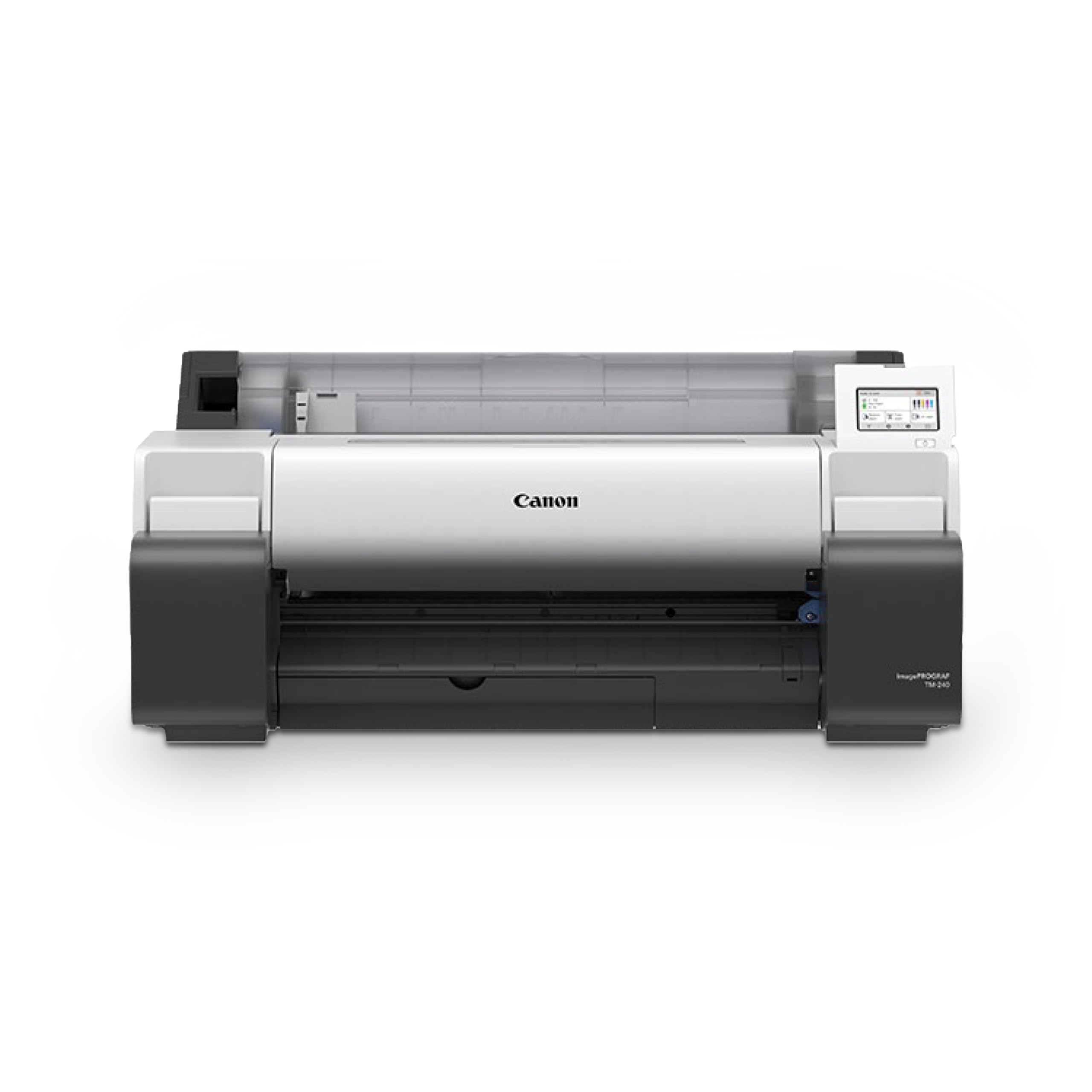
The Canon imagePROGRAF TM-240 is a specialist tool for anyone who needs durable outdoor-ready prints without stepping up to a full 36-inch model. Its 5-color ink set, anchored by a newly formulated magenta, is both UV and water-resistant—critical for construction site signage, outdoor posters, and store window displays that must survive rain and sun for weeks.
The L-COA PRO II processor makes this printer roughly 30 percent faster than the previous generation, achieving 3.2 ppm on 24×36-inch sheets. The 6-channel PF-06 print head totals 15,360 nozzles and fires 5 picoliter droplets, producing sharp text and fine lines that satisfy technical drawing standards. Automatic media type sensing identifies the paper width, length, and type and displays the information on the user interface, removing guesswork.
Color calibration across multiple TM-series printers is supported, so large firms can maintain uniform output across different units. The printer is bulky and requires a dedicated stand, but the print quality on Canon and third-party coated papers like Red River is excellent. For the sign shop or construction company printing outdoors, the TM-240 is a cost-effective choice that prioritizes durability.
Why it’s great
- UV and water-resistant inks withstand outdoor conditions.
- 30% faster than prior generation with L-COA PRO II.
- 15,360 nozzles deliver clean, sharp line work.
Good to know
- Limited to 24-inch width; not suitable for 36-inch plans.
- Requires dedicated stand that adds to total system footprint.
7. Canon imagePROGRAF Pro-4100 44-Inch Professional Photographic Printer

The Canon Pro-4100 is the flagship for photographers and fine art publishers who need to print larger than 36 inches. Its maximum media width of 44 inches, combined with the PF-10 print head carrying 18,432 nozzles, enables borderless prints up to 44×60 inches on fine art paper. The 12-color LUCIA PRO ink set includes chroma optimizer for gloss uniformity, making reflective surfaces on glossy paper look consistent from every viewing angle.
Out-of-box color accuracy is exceptional, with several owners reporting that their first prints match monitor calibration so closely that no further profiling is needed. The roll system (RU-43) handles up to 44-inch rolls, and the sub-ink tank system minimizes pressure fluctuations during long print runs. Wi-Fi connectivity is built in, allowing you to send large photographic files from a workstation anywhere in the studio.
The one-year onsite warranty from Canon provides peace of mind for this substantial investment. The primary limitation is sheet feeding: loading individual cut sheets is slower and more finicky than roll-based workflows. This printer is a roll-first machine. If your business relies on 40×60-inch or larger gallery prints, the Pro-4100 delivers results that sell. If you primarily handle smaller sizes, a 24-inch model like the PRO-2100 may be a better fit.
Why it’s great
- Handles up to 44-inch wide fine art paper for oversized gallery prints.
- 18,432-nozzle head produces band-free photographic gradients.
- One-year onsite warranty from Canon.
Good to know
- Sheet feeding is slow and awkward; optimized for roll use.
- Premium price places it well above a typical 36-inch budget.
8. Canon imagePROGRAF TC-21M Multifunction Printer
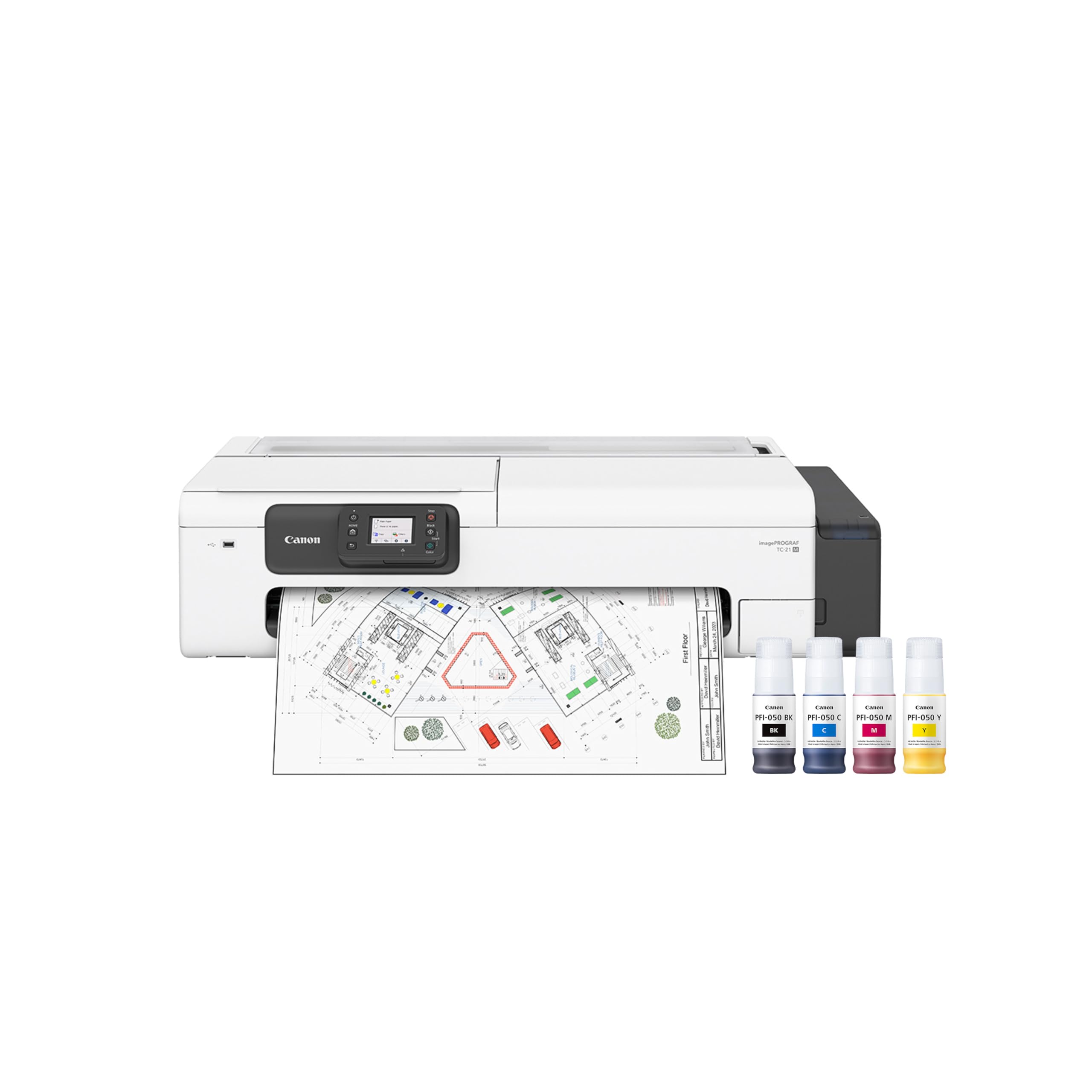
The Canon TC-21M breaks the mold by integrating a flatbed scanner and copy function directly into a 24-inch wide format machine. This is a rare all-in-one for the small architectural firm or design studio that needs to enlarge letter-size originals to poster-scale without sending them out. The 2.7-inch tiltable touchscreen LCD simplifies scanning and copy workflows, and the USB flash drive port lets you print directly from a thumb drive without a computer.
Print speeds are moderate at 16 ppm monochrome and 8 ppm color, but the real advantage is the automatic sheet feeder that holds up to 100 sheets of letter paper or 50 sheets of 11×17-inch paper. Cloud printing and scanning support add modern workflow convenience, making it simple to scan a contract or drawing and email it directly from the printer panel.
The critical specification to note: the built-in scanner bed is only 8.5×11 inches, not 24 inches wide. Some buyers have purchased this model expecting to scan full-width plans, which is not what the scanner supports. For making enlargements of small originals or creating digital archives of documents, the TC-21M is a compact space-saving solution that brings scan-copy-print capability to a wide format form factor.
Why it’s great
- All-in-one scan, copy, and print in a wide format footprint.
- 100-sheet auto feeder for high-volume document handling.
- USB flash drive port for PC-free printing.
Good to know
- Scanner bed is letter-size only, not wide format.
- Some units have reported paper feed errors after months of use.
FAQ
Can a 36-inch wide format printer handle standard letter-size paper?
Is pigment ink worth the extra cost for CAD blueprints?
How much does it cost to run a 36-inch printer per year?
Do I need a separate stand for a 36-inch wide format printer?
Final Thoughts: The Verdict
For most users, the best 36 inch wide format printer winner is the HP DesignJet T650 because it combines the fastest A1 print speeds in its class (25 seconds per sheet) with a two-year onsite warranty that protects your investment. If you prioritize poster production speed and volume throughput, grab the Canon imagePROGRAF TA-30. And for fine art photographers who demand 44-inch width and museum-grade 12-color output, nothing beats the Canon Pro-4100.