
The hunt for a period-correct display is rarely about nostalgia alone — it is about signal compatibility, aspect ratio accuracy, and input lag. Whether you are resurrecting a vintage PC, connecting a retro console, or swapping a dead CRT inside an arcade cabinet, the modern LCD replacement must tick very specific boxes that a standard widescreen monitor simply cannot.
I’m Min — the co-founder and writer behind Gadgets Feed. I’ve spent countless hours combing through technical datasheets, customer endurance reports, and niche arcade forum discussions to pinpoint exactly which 4:3 and 5:4 LCD monitors actually deliver on the promise of a faithful retro experience.
This guide distills that research into the only resource you need to find the right 90s computer monitor replacement for your setup, whether that means a compact CCTV display for a workbench or a full-sized arcade cabinet restore.
How To Choose The Best 90s Computer Monitor
Finding a suitable modern LCD replacement for a vintage setup is about more than just screen size. You need to match three core criteria: physical aspect ratio, native resolution, and the set of input ports your older hardware actually outputs. A wrong choice here means stretched images, unusable scaling, or the headache of hunting for active adapters.
Aspect Ratio and Native Resolution
The single most important spec is the display’s native aspect ratio. A 4:3 or 5:4 panel will natively display 640×480, 800×600, and 1024×768 signals without any black bars or distortion. A 16:9 widescreen monitor will stretch or pillar-box those same signals, losing pixel-perfect clarity. Always look for a listed aspect ratio of 4:3 or 5:4 and a native resolution like 1024×768 or 1280×1024.
Input Connectivity and Signal Compatibility
Vintage computers often output composite video or VGA, while arcade PCBs can use CGA or EGA signals. A monitor with BNC, VGA, and HDMI inputs in one unit saves you from buying expensive external scalers. Also check whether the VGA port supports 15kHz horizontal refresh — many modern LCDs reject this signal entirely, rendering them useless for original arcade boards without an upscaler.
Panel Technology and Viewing Angles
TN panels are cheaper and offer faster response times but suffer from very narrow viewing angles. IPS panels provide far superior color consistency and wider viewing angles, which matter when the display is mounted at an unusual angle inside a custom cabinet or on a workshop wall. If you plan to use the monitor on a desk directly in front of you, a TN panel can suffice, but an IPS panel is dramatically better for any off-axis viewing.
Quick Comparison
On smaller screens, swipe sideways to see the full table.
| Model | Category | Best For | Key Spec | Amazon |
|---|---|---|---|---|
| UNICO 26″ Arcade Monitor | Premium | Full-size arcade CRT replacement | 1024×768 (4:3) | Amazon |
| RetroArcade.us 19″ LED Monitor (1280×1024) | Premium | MAME and Jamma upright cabinets | 1280×1024 (5:4) | Amazon |
| RetroArcade.us 19″ CRT Mount Kit | Premium | Drop-in CRT replacement with brackets | 1024×768 (4:3) | Amazon |
| JaiHo 14″ Security Monitor | Mid-Range | Vintage computer composite video | 1024×768 (4:3) | Amazon |
| Cocar 15″ CCTV Monitor | Mid-Range | Arcade mods and security feeds | 1024×768 (4:3) | Amazon |
| Suprlipy 15″ LCD Monitor | Mid-Range | SD cartoon viewing and CCTV | 1024×768 (4:3) | Amazon |
| Miktver 10.1″ Portable Monitor | Value | Portable retro gaming and ITX builds | 1920×1280 (16:10) | Amazon |
| JaiHo 12″ Security Monitor | Budget | Small desktops and basic CCTV | 800×600 (4:3) | Amazon |
In‑Depth Reviews
1. UNICO 26″ Arcade Monitor

The UNICO 26-inch is currently the most compelling drop-in replacement for a dead CRT inside a 25-to-27-inch arcade cabinet. Its native 1024×768 resolution and true 4:3 aspect ratio mean games like Street Fighter II and Mortal Kombat render with proper geometry — no stretching, no black bars. The panel supports CGA, EGA, HDMI, and VGA inputs natively, which means you can connect original arcade PCBs, MAME builds, and even modern laptops without a daisy-chain of adapters.
Color reproduction and contrast ratio (1000:1) are noticeably better than smaller security monitors, and the viewing angles are wide enough to accommodate a two-player cabinet without severe off-axis washout. The pre-installed mounting bracket simplifies installation, though some users report needing to do minor fabrication for a perfect fit. The VGA input handles 15kHz signals reasonably well, but pairing it with a CGA-to-VGA adapter can clean up contrast inconsistencies on certain PCBs.
The primary drawback is the lack of a dedicated scaling solution for tricky resolutions — some games crop a few pixels at the top and bottom. UNICO has promised an upgraded controller board, but as of early 2026, it has not shipped. Despite this, for any restoration project demanding a 25-inch-plus 4:3 LCD, this monitor remains the most viable option on the market.
Why it’s great
- True 4:3 native resolution with no scaling artifacts
- Supports CGA, EGA, HDMI, and VGA in one unit
- Excellent 1000:1 contrast ratio for vibrant colors
Good to know
- Some games crop vertical pixels slightly at the top/bottom
- Promised upgraded controller board still unreleased
- May require custom mounting fabrication for some cabinets
2. RetroArcade.us 19″ LED Monitor (1280×1024)

This 19-inch unit from RetroArcade.us offers a native 1280×1024 resolution with a 5:4 aspect ratio, making it a near-perfect match for MAME cabinets and Jamma-compatible setups that output VGA. The 250 cd/m² brightness and 450:1 contrast ratio are adequate for a dimly lit arcade environment, and the LED backlight ensures years of maintenance-free operation without the burn-in risk of a CRT.
Customer feedback is consistently positive for upright cabinet installations — the monitor fits standard 19-inch frames with minimal fuss. It does not include HDMI or composite inputs, so you will need a VGA-compatible source or a passive adapter. The flicker-free feature reduces eye strain during long gaming sessions, and the FreeSync adaptive sync support is a surprising bonus for PC-based emulation setups.
The main limitation is the viewing angle: TN-like behavior means the image washes out when viewed from anything other than dead center. This is manageable for a single-player upright cabinet but less ideal for cocktail tables where players sit on opposite sides. Also, the monitor will not rotate the image in software, so vertical-shooter cabinets require a physical rotation of the panel itself.
Why it’s great
- Native 1280×1024 resolution matches many arcade PCBs
- LED backlight for long life and zero burn-in
- Flicker-free technology for comfortable viewing
Good to know
- No HDMI or composite inputs — VGA only
- Narrow viewing angles wash out off-axis
- Cannot rotate the display image in software
3. RetroArcade.us 19″ CRT Mount Kit

Unlike a bare panel, this kit bundles the LCD with a specific CRT-mount bracket designed to simplify the swap inside a classic upright cabinet. The native resolution is 1024×768 at a 4:3 ratio, and the 250 cd/m² brightness is comparable to the standard 19-inch model. The bracket is pre-drilled to align with common CRT mounting points, which eliminates the measuring and drilling that typically frustrates first-time restorers.
Customer reports from Ms. Pac-Man and other classic cabinet rebuilds praise the straightforward installation — the bracket fits perfectly, and the monitor feels secure once fastened. The image quality is described as vivid and flat, a welcome upgrade from an original 1981 CRT that had faded significantly. The flat screen also eliminates the geometric distortion common to curved CRT tubes.
The trade-off is that the kit is not universally compatible with every arcade brand. Some users reported that the included bracket did not line up with their machine’s existing holes and fabricated their own mount instead. Additionally, the instructions only cover the housing assembly — there is no wiring diagram for connecting the monitor to the cabinet’s power supply or Jamma harness, which may be a hurdle for beginners.
Why it’s great
- Pre-drilled bracket simplifies CRT-to-LCD conversion
- 4:3 flat-screen image superior to faded CRTs
- Fast action with no noticeable input lag
Good to know
- Bracket may not align with all cabinet brands
- No wiring diagram for Jamma or power hookup
- Screen slightly smaller than original rounded CRT
4. JaiHo 14″ Security Monitor

JaiHo’s 14-inch model is built around a rugged metal housing intended for 24/7 security use, but its native 1024×768 resolution and 4:3 aspect ratio make it equally compelling for vintage computer enthusiasts. The composite (AV) input is especially valuable for 8-bit computers like the Commodore 64 or Apple II that output standard composite video — you get a clean, un-stretched image without needing an expensive external converter.
The connectivity suite is genuinely versatile: BNC for professional security cameras, HDMI for modern DVR systems, VGA for PCs, and USB for standalone media playback. The 2000:1 contrast ratio is high for this class of monitor, producing deep blacks that help older games and software look punchy. The included remote control makes input switching easy once the monitor is mounted in a hard-to-reach spot.
The glaring weakness is the TN panel’s abysmal off-axis viewing. Multiple customers describe the viewing angles as “atrocious” — shifts in brightness and color become obvious if you look at the screen from even a 20-degree angle. This is acceptable for a desk setup where you sit directly in front, but it rules out any scenario where the monitor needs to be readable from across the room or from an elevated wall mount.
Why it’s great
- Composite AV input works perfectly with 8-bit computers
- Rugged metal housing for long-term durability
- 2000:1 contrast ratio produces deep blacks
Good to know
- Extremely narrow viewing angles — direct line of sight required
- Remote can be finicky and unpredictable
- Bottom-tier TN panel with noticeable color shift
5. Cocar 15″ CCTV Monitor

The Cocar 15-inch stands out for its high-brightness panel rated at 500 cd/m², making it one of the most readable options for well-lit rooms or overhead security stations. The 4:3 aspect ratio and 1024×768 resolution are standard for the category, but the 3ms response time is noticeably faster than most CCTV monitors, which reduces ghosting during fast-moving arcade games or scrolling text on a vintage PC.
Users have successfully repurposed this monitor for arcade cabinet mods, praising the onboard audio amplifier and the large remote control. The slim ABS housing is lighter than the metal JaiHo units, which is convenient for wall mounting but does sacrifice some physical robustness. The BNC input includes NTSC and PAL auto-switching, covering both US and European retro hardware without manual configuration.
Long-term reliability is a concern. Several reviews note that the monitor stopped functioning after 10 to 12 months of use, and the manufacturer’s warranty support has been inconsistent. Audio quality is also a weak point — the built-in speakers produce muddy, underwater-sounding audio that is unsuitable for anything beyond basic system beeps. An external speaker is practically mandatory for gaming or video playback.
Why it’s great
- High 500 cd/m² brightness for bright environments
- 3ms response time minimizes ghosting in fast games
- NTSC/PAL auto-switching covers international hardware
Good to know
- Reliability concerns — some units fail within a year
- Built-in speakers deliver poor, muddy audio
- ABS plastic housing less rugged than metal alternatives
6. Suprlipy 15″ LCD Monitor
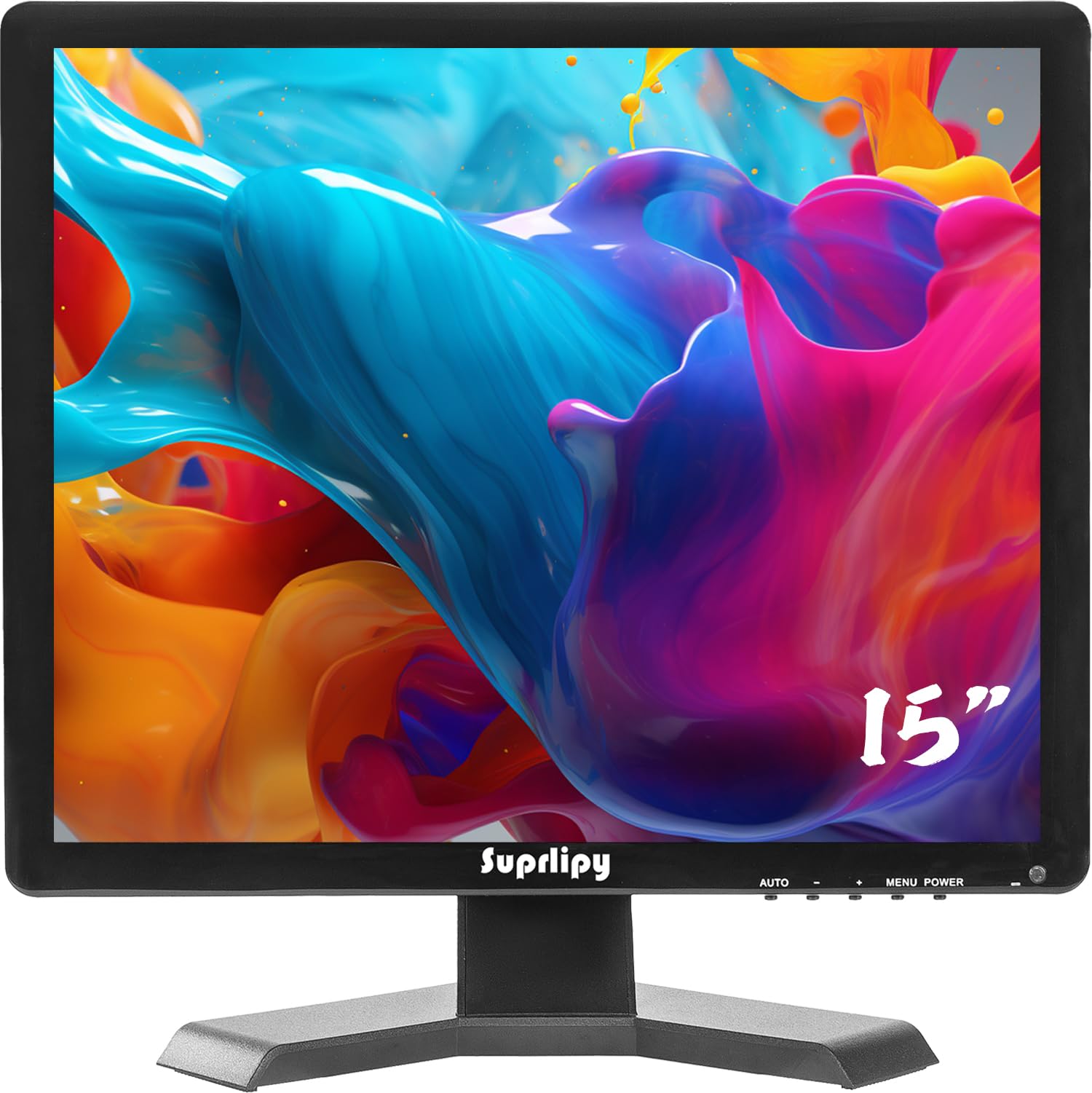
The Suprlipy 15-inch monitor is a basic, no-frills 4:3 display that covers all the essential ports — HDMI, VGA, BNC, and AV inputs — plus a USB port for direct media playback from a flash drive. The 1024×768 resolution is adequate for standard-definition cartoon watching and legacy CCTV feeds, and the 350 cd/m² brightness is serviceable in indoor lighting. The 500:1 contrast ratio is lower than competitors, so blacks appear more gray than deep.
Image mirroring support makes it useful for rear-view camera setups or sewer inspection monitors, and the VESA 75x75mm mounting compatibility adds flexibility for wall installation. The included remote control allows for menu navigation from a distance, which is practical for overhead installations. The built-in speakers are present but deliver a thin, tinny sound that customers have described as a downgrade even from budget TVs.
Build quality is a mixed bag. One customer warned that the power supply sparks when plugging in and recommended always using a surge protector and unplugging the unit when not in use. The panel itself is functional but unremarkable — acceptable for undemanding uses like a kitchen security monitor, but not satisfying for retro gaming due to noticeable input lag over HDMI and composite inputs.
Why it’s great
- All major inputs (HDMI, VGA, BNC, AV) in one small package
- Image mirror function useful for rear-view camera setups
- USB media player for standalone content playback
Good to know
- Power supply sparks when plugged in — use a surge protector
- Low 500:1 contrast ratio reduces black depth
- Noticeable input lag over HDMI makes retro gaming difficult
7. Miktver 10.1″ Portable Monitor
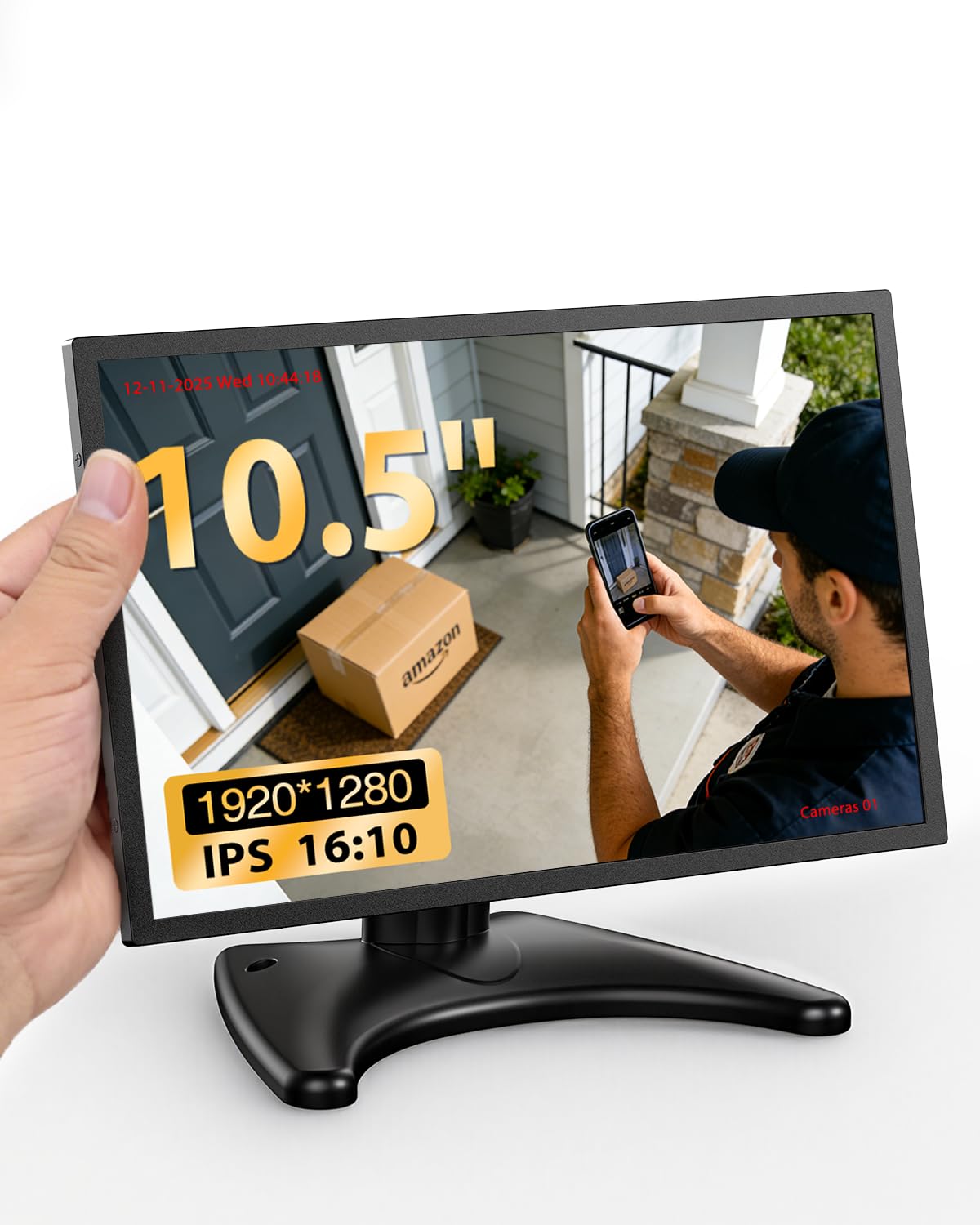
The Miktver 10.1-inch monitor breaks the 4:3 mold with a 16:10 aspect ratio and a sharp 1920×1280 IPS panel. This is not a true period-correct display for 90s computers, but its low-latency HDMI input and 420 cd/m² brightness make it an excellent secondary screen for retro gaming on the go, ITX PC builds, or Raspberry Pi projects. The IPS technology provides 178-degree viewing angles that are far superior to the TN security monitors.
The metal housing dissipates heat effectively, and the moon-shaped stand offers flexibility for desktop or wall mounting. The built-in dual speakers are clear enough for casual use, though the glossy screen finish can be reflective in bright rooms. Customers consistently praise the color accuracy and sharpness for the price point, and the compact size makes it easy to toss into a laptop bag for LAN parties or travel.
The main drawbacks are the 16:10 aspect ratio (most 90s content will have small black bars on the top and bottom) and a reported HDMI port defect where the cable does not fit snugly, requiring wiggling to maintain a connection. The stand is also somewhat unstable due to the monitor’s light weight — it can tip over if the desk is bumped. These issues are minor for the target audience of portable builders, but they prevent this from being a primary desktop retro monitor.
Why it’s great
- Sharp 1920×1280 resolution in a tiny footprint
- IPS panel with 178-degree viewing angles
- Metal housing and dual speakers in a portable size
Good to know
- 16:10 aspect ratio adds black bars to 4:3 content
- Some units have HDMI port fit issues
- Light weight makes the stand unstable on bumpy desks
8. JaiHo 12″ Security Monitor

JaiHo’s 12-inch monitor is the smallest 4:3 option in this guide, with a native SVGA resolution of 800×600. It is an acceptable display for basic CCTV feeds, simple retro consoles like the NES or SNES connected via composite, or as a small workbench monitor for vintage diagnostic PCs. The metal housing is identical in construction to the 14-inch version, providing the same vibration resistance and heat dissipation in a more compact form.
The connectivity suite is generous for the size: BNC, HDMI, VGA, AV, and USB inputs are all present, plus dual 10W speakers that get louder than expected from a 12-inch chassis. The included remote control works well for switching inputs, and the VESA 75x75mm mount gives you wall-mounting flexibility. The matte screen finish reduces glare, making it usable in brightly lit rooms.
The panel quality holds this unit back significantly. The resolution is too low for sharp text rendering, and the viewing angle is poor — customers report a washed-out image if you are not looking straight at the screen. Some units have failed within a week due to the internal connector panel breaking loose, and the composite and HDMI inputs exhibit high lag, making the monitor unsuitable for action games. The power button placement on the bottom edge is also awkward for desk use.
Why it’s great
- Very affordable entry point for 4:3 display needs
- Rugged metal housing with VESA mounting support
- Loud built-in 10W speakers exceed expectations
Good to know
- 800×600 resolution is too low for sharp text or fine details
- High input lag on HDMI and composite — not for gaming
- Quality control issues: some units fail within the first week
FAQ
Can I use a modern security monitor as a drop-in replacement for a 90s PC CRT?
Why does my CRT replacement LCD look washed out from the side?
Will a 1280×1024 monitor work with my arcade PCB that outputs 640×480?
Should I choose CGA, EGA, or VGA input for my arcade restoration?
Final Thoughts: The Verdict
For most users, the 90s computer monitor winner is the UNICO 26″ Arcade Monitor because it offers the largest true 4:3 panel available today, native CGA/EGA/HDMI/VGA inputs, and the best contrast ratio in its class for arcade CRT replacements. If you want a smaller, rugged monitor for a vintage PC desk setup, the JaiHo 14″ Security Monitor provides excellent composite video support and a metal housing at a mid-range price. And for the most portable retro gaming companion, nothing beats the Miktver 10.1″ Portable Monitor with its stunning IPS panel and ultra-compact design.