
The desk is a warzone of tangled cables and cramped mouse movements. You’re swapping between a laptop and a monitor, your wrist aches after spreadsheets, and the standard mouse just feels like an extra cog you don’t need. A dedicated Touchpad isn’t a luxury—it’s the ergonomic keystone for a cleaner, more intuitive workspace, whether you’re running a Windows PC, a Mac, or juggling a multi-device setup.
I’m Min — the co-founder and writer behind Gadgets Feed. I spend my days dissecting user feedback from hundreds of verified Amazon reviews, cross-referencing latency specs, battery capacities, and gesture support to find which pads actually deliver on their promises for real-world workflows.
After filtering through dozens of models on price, surface quality, and connectivity reliability, I’ve narrowed the field to the seven best performers. This guide covers the best touchpad options for Windows power users, macOS loyalists, and anyone seeking to banish their mouse for good.
How To Choose The Best Touchpad
Finding the right pad means matching your operating system and your tolerance for plastic vs. glass surfaces. Here are the three specs that separate a daily-driver from a desk ornament.
Surface Material: Glass vs. Plastic
Glass surfaces, like those on the Apple Magic Trackpad or premium Windows pads, offer a smoother glide and better resistance to wear over years. Plastic or ABS surfaces, common on budget pads, can develop a sticky drag over time and feel less precise for fine cursor work. Check for “glass touch surface” in the specs—it’s the single biggest predictor of long-term satisfaction.
Gesture Support and OS Compatibility
Not all pads speak the same language. macOS users need native support for three-finger drag and Mission Control swipes. Windows 10/11 users should look for pads that support four-finger gestures for virtual desktop switching. If you’re on Chrome OS or Linux, be prepared to lose some gesture functionality—only a few pads, like the ProtoArc, work well after system-level tweaks.
Connectivity: Wired Stability vs. Wireless Freedom
Wired pads (like the Perixx and ProtoArc) give you zero-latency tracking and no charging anxiety. Wireless pads (Bluetooth or 2.4GHz) keep your desk tidy but introduce a battery variable—look for at least a 500mAh battery capacity for a week-plus of charge. Avoid pads that only offer Bluetooth 4.0; Bluetooth 5.0 is the minimum standard for reliable, lag-free tracking.
Quick Comparison
On smaller screens, swipe sideways to see the full table.
| Model | Category | Best For | Key Spec | Amazon |
|---|---|---|---|---|
| Apple Magic Trackpad | Premium | macOS power users | Large edge-to-edge glass, Force Touch | Amazon |
| Tacti Trix Wireless Touchpad | Mid-Range | Windows 10/11 multi-gesture needs | 6.3″ glass surface, 500mAh battery | Amazon |
| Homiguar T8100C | Mid-Range | Travel-friendly Windows laptop | 3-mode connectivity, metal-backed | Amazon |
| ProtoArc T1 Wired | Mid-Range | Stable wired desk setup | 6.4″ aluminum body, 4-finger gestures | Amazon |
| Perixx PERIPAD-506 | Budget-Friendly | Basic wired backup/travel | 5-inch plastic surface, USB-C | Amazon |
| Bnnwa Multi-Device Keyboard+Touchpad | Budget-Friendly | All-in-one keyboard/touchpad combo | Multi-touch trackpad, 3-device switch | Amazon |
| Nillkin Pocket Foldable | Premium | Mobile office + numeric keypad | Foldable, touchpad + numpad, 140mAh | Amazon |
In‑Depth Reviews
1. Apple Magic Trackpad

The Apple Magic Trackpad is the gold standard for any macOS user. Its expansive glass surface registers even the lightest fingertip, and Force Touch adds a pressure-sensitive layer for quick Look-up and deep clicks that no third-party pad replicates. The seamless pairing with a Mac is immediate—no driver installs, no latency tweaks.
Battery life pushes past a month on a single charge, and the USB-C charging port means you can keep working while it’s plugged in. The large 6.89 x 5.1-inch footprint gives ample room for gestures like three-finger swipe between desktops or four-finger pinch for Launchpad. The white color shows smudges if you’ve just eaten chips, but the smooth tracking never stutters.
Yes, it’s the most expensive option here, but for Mac users, there is no serious alternative. If you spend eight hours a day in Final Cut or Excel on a Mac Mini or iMac, this pad pays for itself in comfort and speed. Windows users: stick with the next pick—this one won’t talk to your PC past basic clicks.
Why it’s great
- Flawless multi-touch and Force Touch integration
- Month-long battery life on one charge
- Large, smooth glass surface for fluid gestures
Good to know
- macOS only
- Premium price compared to Windows alternatives
2. Tacti Trix Wireless Bluetooth Trackpad
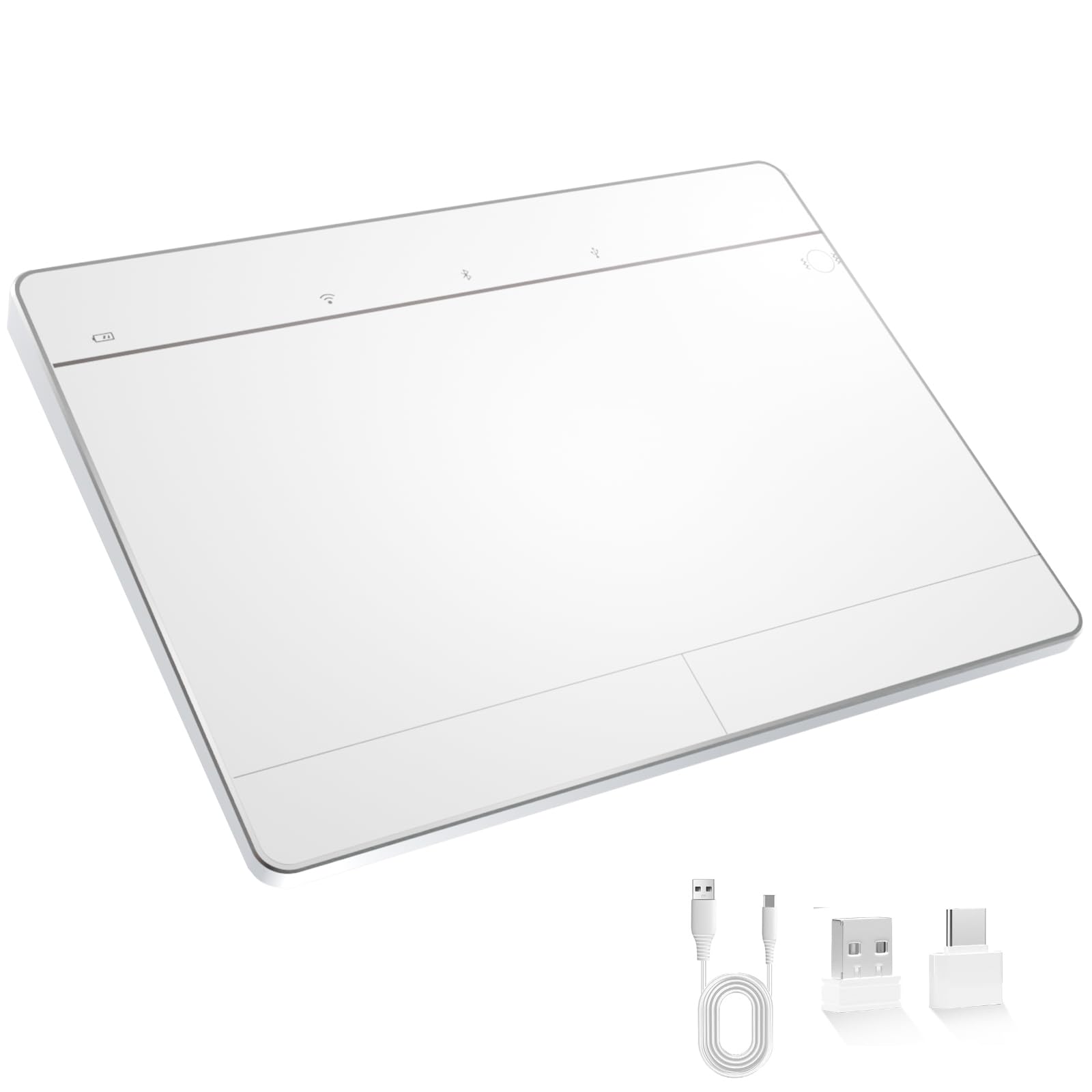
This is the closest a Windows pad gets to the Apple Magic Trackpad experience without the ecosystem lock-in. The 6.3-inch glass touch surface feels premium under the fingers, and the 500mAh battery delivers around 50 hours per charge—enough for a full work week even with Bluetooth on. It supports three connection modes: Bluetooth 5.0, 2.4GHz wireless, and USB-C wired.
Pressure-sensitive zones mimic a physical left/right click, and you can toggle haptic feedback on or off if you prefer a silent tap. Multi-touch gestures work up to four fingers on Windows 10 and 11, covering virtual desktops and timeline access. The metal body adds a satisfying heft, and the ultra-slim profile slides easily into a laptop bag.
Users report that the haptic feedback is modest—it won’t rival the Magic Trackpad’s Force Touch engine. Some users had initial Bluetooth pairing hiccups fixed by a PC restart. If you want a glass pad that talks to Windows natively with reliable latency, this is the one.
Why it’s great
- Large glass surface for smooth tracking
- Triple connectivity: Bluetooth, 2.4G, USB-C
- Fast 50-hour battery life
Good to know
- Haptic feedback is subtle and not fully customizable
- Some early Bluetooth pairing quirks
3. Homiguar T8100C Wireless Touchpad
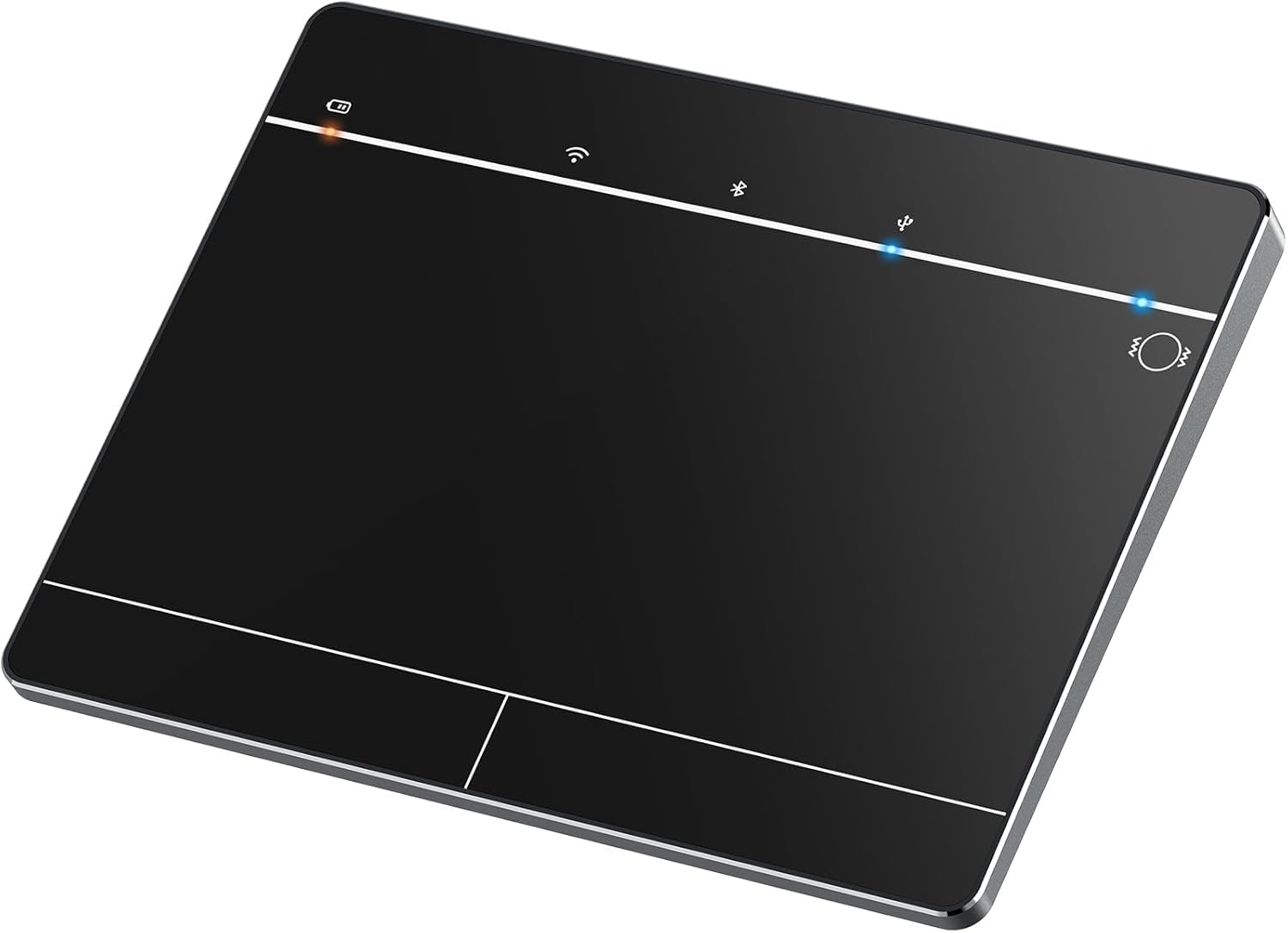
The Homiguar T8100C targets the Windows commuter who needs a compact pad that fits in a laptop sleeve without bulk. Its 3-mode connectivity—2.4GHz, Bluetooth, and USB-C wired—means you can wire it at a desk for zero latency or go wireless at a coffee shop. The metal back panel adds rigidity without weight.
Gesture support goes up to four fingers, and the pad offers physical left/right buttons at the bottom for those who prefer a click over a tap. The surface is responsive, with users noting that the pad feels smaller than the Apple Magic Trackpad but still large enough for daily scrolling and pinch-to-zoom. Cursor speed and scrolling direction are fully adjustable through Windows Touchpad settings.
A handful of reviewers noted the pad lacks dedicated left/right click buttons (the bottom surface acts as a pressure zone), which can be confusing for muscle-memory mouse users. Battery life is decent for a pad this size, but you’ll want to keep the USB-C cable handy for wired use during crunch time.
Why it’s great
- Three connectivity modes for any scenario
- Compact, metal-backed build for portability
- Up to four-finger gesture support in Windows
Good to know
- No traditional left/right click buttons
- Not compatible with macOS, Chrome OS, or Linux
4. ProtoArc T1 Wired Trackpad
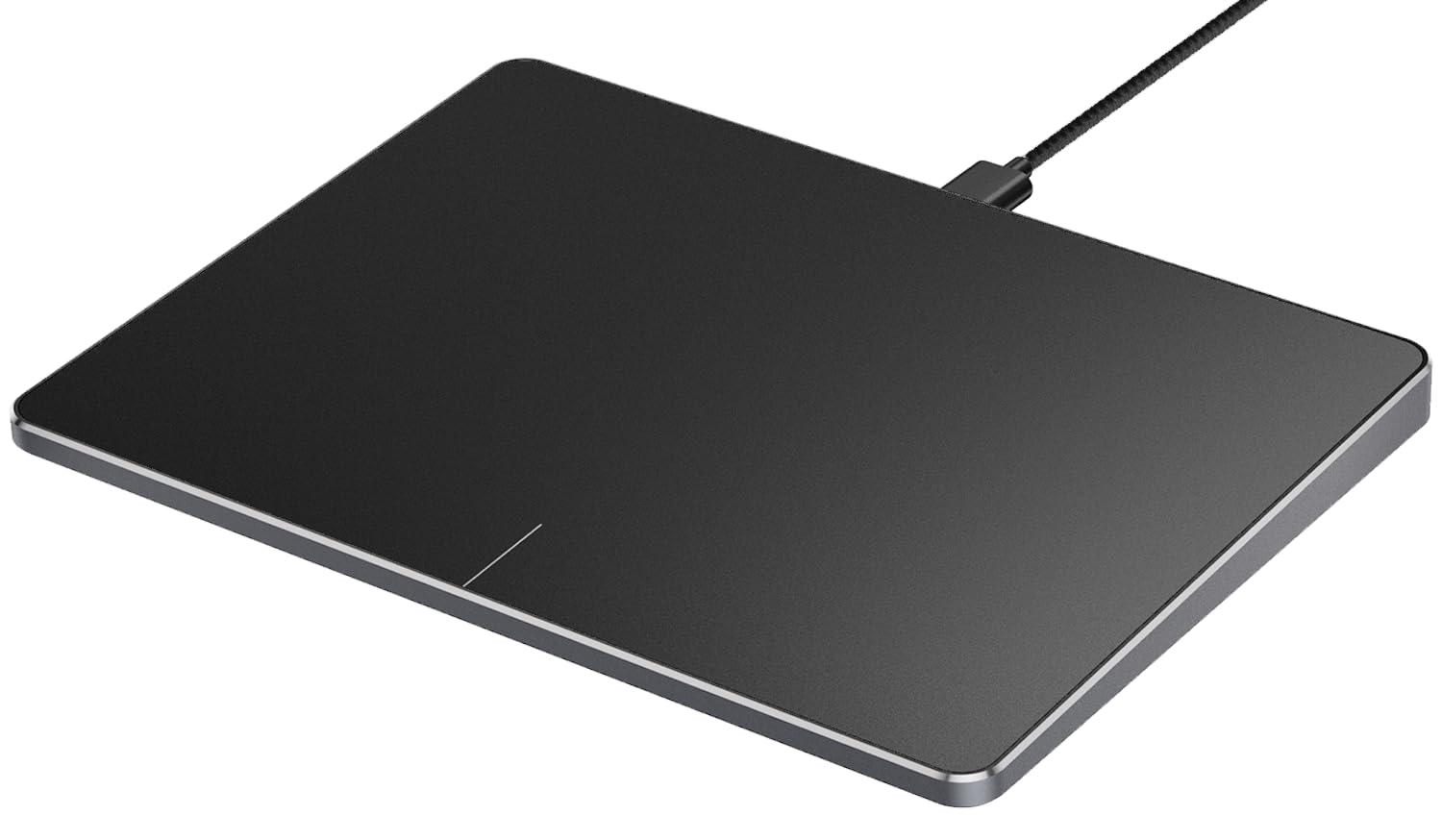
The ProtoArc T1 is the wired specialist for anyone who values zero-latency tracking and a premium aluminum chassis. At 6.4 x 4.8 inches with a thickness under half an inch, it’s slightly larger than the Tacti Trix and offers a solid, desk-gripping feel. Physical left and right buttons at the bottom give tactile clicks that Windows users accustomed to mice will appreciate.
Multi-touch support extends to four fingers, and the pad works plug-and-play on Windows 10 and 11—no drivers needed. Reviewers running Linux (Fedora) reported excellent one- and two-finger gesture performance with no lag, making this a rare reliable option for the Linux crowd. The USB-C cable provides a stable connection that never drops.
Some users on Windows 11 experienced high touch sensitivity that produced false detections, and scroll speed is not adjustable natively—you’ll need a third-party app like ChiralScroll to fine-tune it. The plastic surface doesn’t glide as smoothly as glass, so if you’re a Mac convert, the feel may be a step down. But for a stable, affordable wired pad, this is a strong contender.
Why it’s great
- Zero-latency USB-C wired connection
- Aluminum build feels premium and durable
- Works well on Linux after small adjustments
Good to know
- Surface is plastic, not glass—less glide
- Scroll speed not adjustable without third-party tool
5. Perixx PERIPAD-506 Wired Touchpad

The Perixx PERIPAD-506 is a no-nonsense wired pad for budget-conscious buyers who need a reliable secondary pointer for a desktop PC. Its 5 x 4-inch plastic surface is large enough for everyday scrolling and tap-to-click, and the detachable USB-C cable makes it easy to pack away when you switch machines.
German-engineered build quality shows in the thick cable and non-slip rubber feet that keep the pad planted during aggressive gestures. Multi-touch navigation supports basic Windows gestures—scroll, zoom, right-click—but doesn’t go beyond three fingers. It’s ideal for a home office or as a backup for your laptop’s built-in trackpad.
The biggest caveat: some users found the physical bottom buttons didn’t register on Windows 11 Enterprise and Enterprise versions, likely a driver-specific issue. The surface is plastic, so it won’t match glass pads for speed, and the sensitivity can feel inconsistent in certain Microsoft apps. For the price, it’s a dependable entry-level pick.
Why it’s great
- Very affordable wired solution
- Detachable USB-C cable for easy portability
- Solid German build with non-slip feet
Good to know
- Plastic surface is less smooth than glass
- Physical buttons may not work on some Windows builds
6. Bnnwa Multi-Device Keyboard with Touchpad
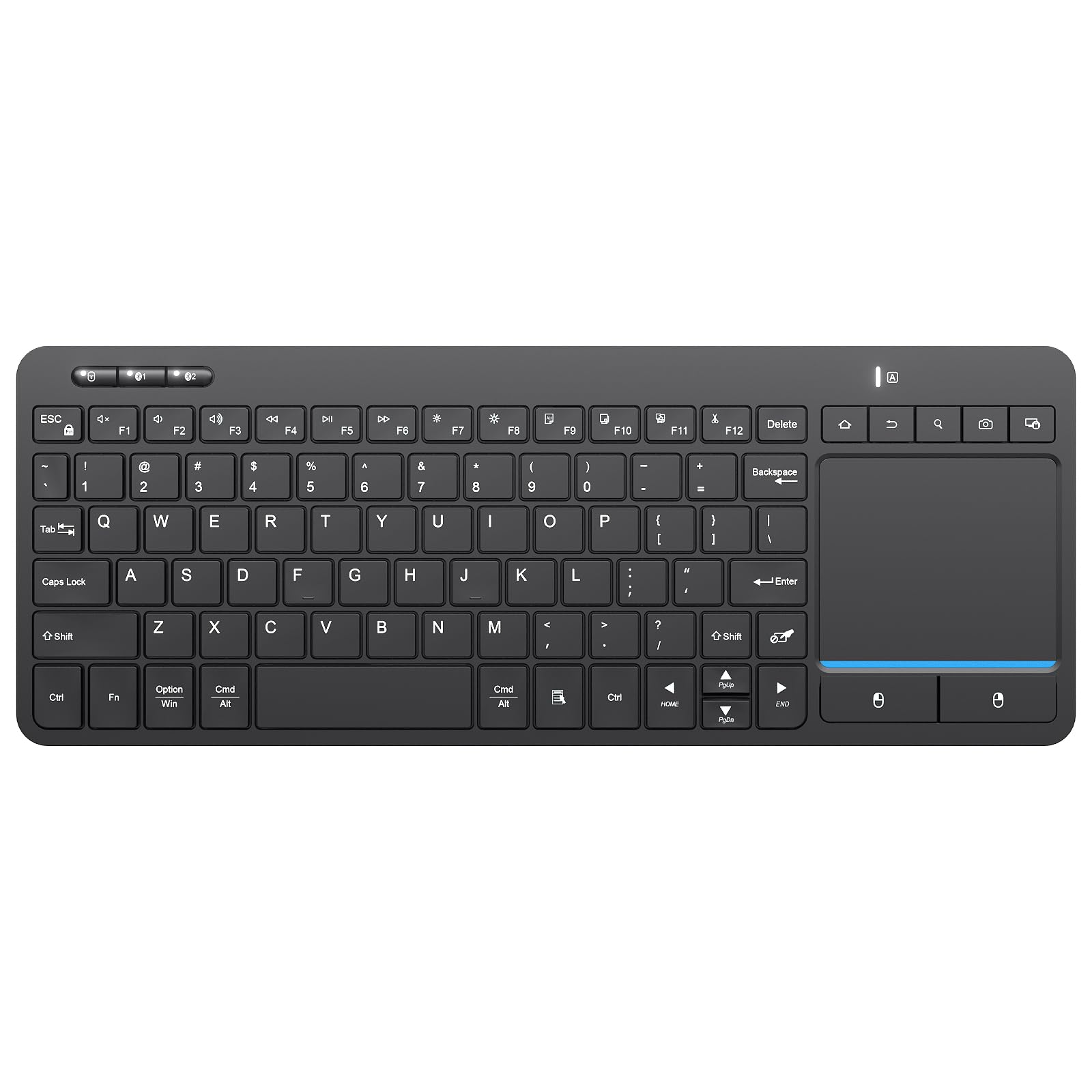
If you’re looking to consolidate peripherals, the Bnnwa combines a 90-key keyboard with a multi-touch trackpad in a single compact chassis. It switches between three devices (2.4GHz and two Bluetooth slots) via a dedicated key, making it a solid companion for an iPad, Android tablet, and Windows laptop at a single desk.
The touchpad supports basic multi-touch gestures—pointing, zooming, scrolling—but it’s cramped compared to standalone pads. The keyboard offers scissor-leg keys with a laptop-like feel and dedicated direction buttons. The 30-minute auto-sleep saves battery, though users report AAA batteries last only 2-3 weeks without turning the pad off manually.
The touchpad is functional for light browsing or HTPC use, but power users will find it unresponsive for precise file dragging or detailed graphic work. Connection dropouts were reported by some, requiring a USB receiver reseat. This is a convenience play, not a precision tool.
Why it’s great
- Keyboard and trackpad in one space-saving unit
- Switches between three devices instantly
- Wireless 2.4G and Bluetooth with 33-foot range
Good to know
- Touchpad surface is small and not glass
- Connection dropouts reported on some units
7. Nillkin Pocket Foldable Keyboard with Touchpad
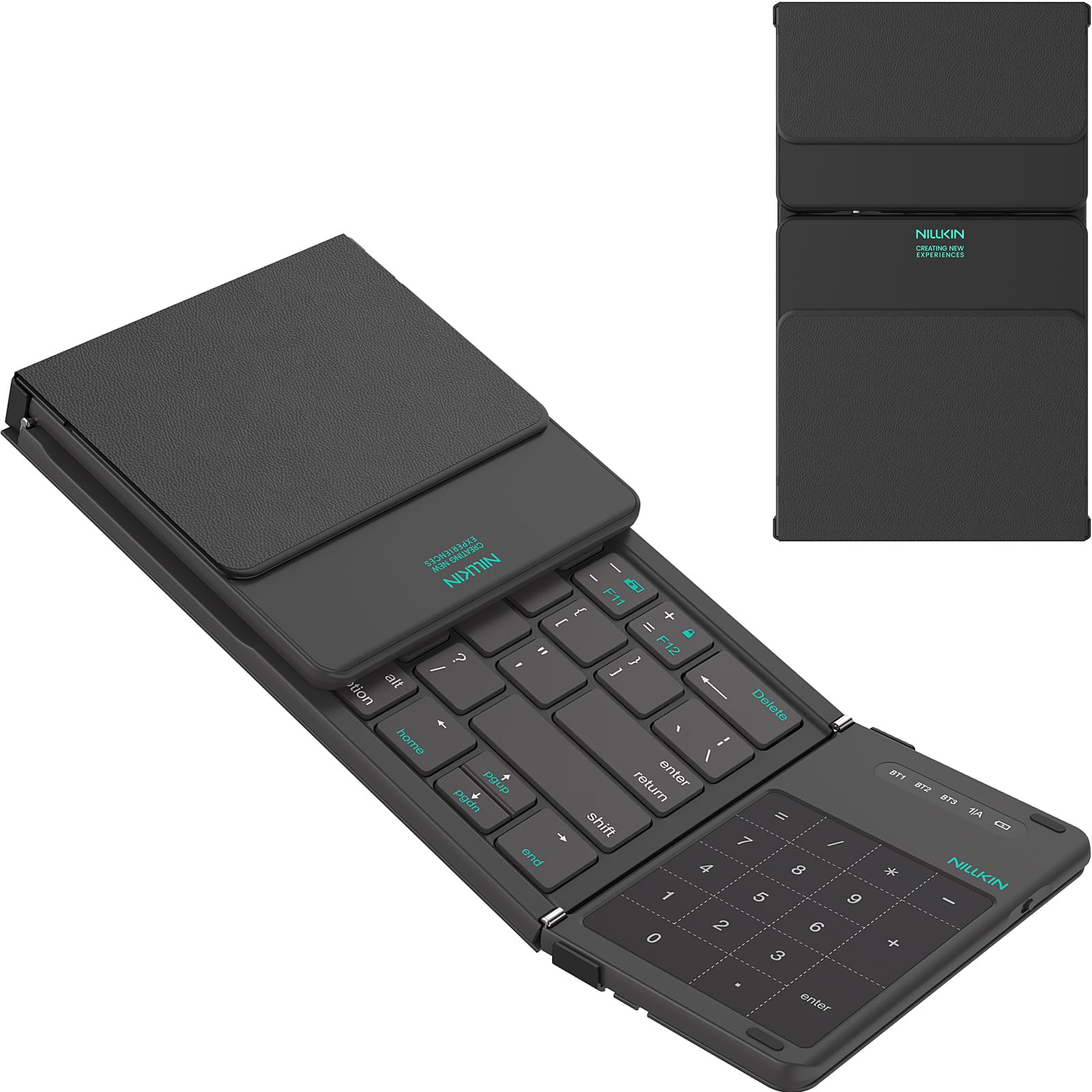
The Nillkin Pocket Foldable Keyboard is a tri-fold marvel for anyone who needs a full keyboard, numeric keypad, and a touchpad in a package that fits in a jacket pocket. At 140mAh, the battery is small, but the auto-sleep timer (10 minutes for the keyboard, 10 seconds for the touchpad) keeps it going for 10 to 15 days of mixed use.
The keyboard uses scissor-leg key switches for a laptop-like typing feel, and the touchpad is responsive enough for cursor control on a tablet or phone. Bluetooth 5.0 supports simultaneous pairing with three devices, so you can flip between your iPad, Samsung Galaxy, and Windows laptop without re-pairing. The green silicone base adds a striking visual flair and helps the keyboard stay put on a cafe table.
Some users report random disconnects and keys producing wrong characters, which may be a defective unit or a compatibility issue with certain Android tablets. The touchpad is not a glass surface, so it’s not ideal for extended drag-and-drop sessions. If you’re building a mobile office around a folding device, though, this is the most compact all-in-one option.
Why it’s great
- Tri-fold design fits in a pocket
- Includes a full numeric keypad and touchpad
- Connects to three Bluetooth devices simultaneously
Good to know
- Some units have connectivity or key registration issues
- Small battery needs frequent charging with heavy use
FAQ
Can I use a Windows touchpad with a Mac?
How long does the battery last on a wireless touchpad?
What does Force Touch actually do?
Final Thoughts: The Verdict
For most users, the best touchpad winner is the Apple Magic Trackpad because it delivers seamless Force Touch integration and month-long battery life for the macOS ecosystem. If you want a glass surface and full gesture support for Windows, grab the Tacti Trix Wireless Trackpad. And for a budget-friendly wired backup, nothing beats the Perixx PERIPAD-506.