
Staring at a bright monitor in a dark room creates a harsh contrast that forces your pupils to constantly adjust, leading to tired eyes, headaches, and reduced focus within minutes. The right backlighting eliminates that strain by casting a soft, diffused glow behind your screen, making long gaming sessions or work marathons genuinely comfortable.
I’m Min — the co-founder and writer behind Gadgets Feed. I’ve spent hundreds of hours dissecting the technical specs, real-world performance data, and user feedback across every major bias lighting solution to separate the products that deliver true color accuracy and ambient comfort from those that just look flashy in marketing photos.
Whether you game, edit video, or work late, the right setup reduces eye fatigue without washing out your screen’s contrast. This guide breaks down the best bias lighting for monitor setups by what actually matters — color-matching responsiveness, brightness uniformity, and build quality.
How To Choose The Best Bias Lighting For Monitor
Not all bias lighting delivers the same experience. The wrong pick can leave you with uneven glow, laggy color matching, or a strip that simply doesn’t fit your monitor’s back panel. Focus on three areas to get it right.
Real-Time Screen Mirroring vs Static Backlighting
True bias lighting systems analyze the pixels on your display and project matching colors onto the wall behind your monitor in real time. This expands the perceived contrast of your screen and dramatically reduces eye strain during dark scenes. Static white or single-color strips offer basic ambient light but won’t give you the immersive, dynamic effect that serious users expect. Check whether the product uses a camera-free software sync (like Govee’s Desktop App or Nanoleaf’s PC app) or a physical camera sensor — software sync is cleaner for most setups.
LED Density and Strip Length
The number of LED beads per meter directly determines how smooth and artifact-free the lighting looks on your wall. Strips with fewer than 60 LEDs per meter often produce visible hot spots and uneven color gradients, especially around monitor corners. For a 27-inch monitor, you want a strip that covers all four edges of the back panel — 360-degree coverage is ideal. Strips that are too long will bunch up awkwardly, while strips that are too short leave dark zones that break the illusion.
Mounting and Curved Monitor Compatibility
A bias lighting strip that doesn’t sit flush against the monitor back creates bright spots that distract rather than immerse. Look for products with dedicated adhesive pads designed for electronics (not cheap double-sided tape) and flexible zigzag designs that conform to flat or curved backs. If you use a 1000R or 1500R curved monitor, verify the strip is explicitly rated for curved screens — rigid straight strips will lift off the surface and ruin the effect.
Quick Comparison
On smaller screens, swipe sideways to see the full table.
| Model | Category | Best For | Key Spec | Amazon |
|---|---|---|---|---|
| Govee G1 Gaming Light | RGBIC Strip | Immersive gaming sync | 108 LED beads, 4-sided coverage | Amazon |
| Quntis RGB Pro+ | Light Bar + RGB | Desk + ambient dual lighting | 144 LEDs, Ra95, 20-inch bar | Amazon |
| Philips Hue Gradient Strip | Gradient Strip | Hue ecosystem integration | Gradient multi-color, Zigbee | Amazon |
| Nanoleaf PC Mirror Strip | RGB IC Strip | Trimmable custom fit | 75 LEDs, USB-C, zigzag design | Amazon |
| LYMAX Monitor Light Bar | Light Bar | Auto-dimming desk lighting | Motion sensor, wireless remote | Amazon |
| Govee Gaming Light Bars Pro | Table Light Bars | Triple-sided desk ambiance | 900 lumens, 60+ scenes | Amazon |
| Quntis Monitor Light Bar | Light Bar | Entry-level glare-free work | 84 LEDs, sliding weighted clip | Amazon |
In‑Depth Reviews
1. Govee Gaming Light for Monitor G1, RGBIC

The Govee G1 delivers the most complete 360-degree bias lighting package on the market, wrapping all four sides of your monitor with 108 individually addressable RGBIC LEDs. Its VibraMatch technology reads pixel data through the Govee Desktop app and projects matching colors onto your wall with no perceptible lag, making explosions and fast scene transitions feel far more immersive.
Installation is genuinely straightforward — the strip uses strong adhesive that sticks reliably to monitor backs, and the length fits 27 to 34-inch flat and curved screens perfectly. The Govee Home app gives you 123 preset scene modes and 11 music-reactive patterns, while DreamView lets you synchronize up to 10 additional Govee products for a room-wide lighting ecosystem.
Color accuracy is excellent for the price tier, though some users report the DreamView sync can pull noticeable CPU resources in demanding titles like Baldur’s Gate 3 at high graphics settings. If your gaming PC has modern multithreading, this is a non-issue — the visual payoff easily outweighs the minor overhead.
Why it’s great
- Full 360-degree four-sided coverage eliminates dark zones
- 108 dense LED beads produce smooth, artifact-free color gradients
- Razer Chroma compatible for unified peripheral lighting
Good to know
- Desktop sync can use significant CPU in demanding games
- Streaming content with DRM protection cannot be sampled
2. Philips Hue White and Color Ambiance Gradient PC Strip

Philips Hue brings its mature gradient technology to PC monitors with a strip that projects multiple colors simultaneously across its length, creating a seamless wash of light that no single-color strip can match. The gradient effect makes your monitor feel like it extends beyond its physical bezels, and the build quality — thick silicone housing, solid adhesive mounts — is noticeably more premium than generic alternatives.
The catch is that you must own a Hue Bridge (sold separately) to unlock any functionality beyond basic white light. Once paired, the Hue Sync desktop app delivers flawless real-time screen matching across games and movies, and the integration with Alexa, Google Assistant, and Apple HomeKit makes it easy to fold into an existing smart home routine.
At 24 to 27 inches, the strip length is purpose-built for standard monitors — owners of 32-inch or ultrawide panels will find it falls short of full edge coverage. The gradient transitions are buttery smooth, with three independently controllable zones that blend into one another without visible boundaries.
Why it’s great
- True multi-zone gradient produces the smoothest wall projection available
- Rock-solid Zigbee connection never lags or drops
- Deep ecosystem integration with Hue lights, sensors, and automations
Good to know
- Requires separate Hue Bridge purchase adds to total cost
- Only available in 24-27 inch size — larger monitors need alternative mounting
3. Nanoleaf PC Screen Mirror Lightstrip
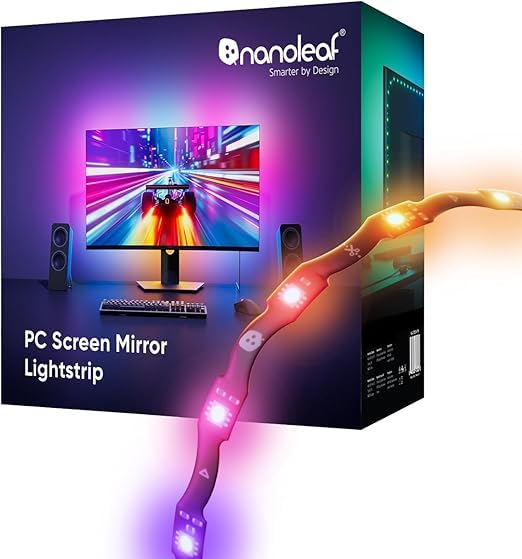
Nanoleaf’s entry into PC bias lighting leverages their signature zigzag design to fit behind 27 to 32-inch monitors with a clean, space-efficient layout that doesn’t require running a long strip in a single straight line. The 75 high-density RGB IC LEDs pump out 16 million colors plus tunable whites from 2700K to 6500K, and the USB-C power means you can run it directly from your monitor or PC without a wall wart.
The screen mirroring works through the Nanoleaf Desktop App on Windows and Mac, pulling pixel data directly from your display — no camera required. Early user feedback highlights that the color matching is notably more responsive than generic USB strips, with smoother transitions during fast-paced content. The strip is trimmable along cut lines, and the smart remapping adjusts lighting effects automatically after trimming.
Where this strip stumbles is its software ecosystem. The Nanoleaf Desktop App handles screen mirroring well, but the lights do not turn off when your PC enters sleep mode, and there is no mobile app compatibility for scheduling or remote control. Battery drain on laptops in sleep mode is a real concern if you leave it plugged in.
Why it’s great
- Unique zigzag design fits monitor backs without bunching
- Trimmable with smart remapping that auto-adjusts effects
- Clean USB-C power eliminates separate power brick
Good to know
- Lights stay on when PC sleeps — no auto-off behavior
- No mobile app control or smart home integration
4. Quntis RGB Pro+ Monitor Light Bar
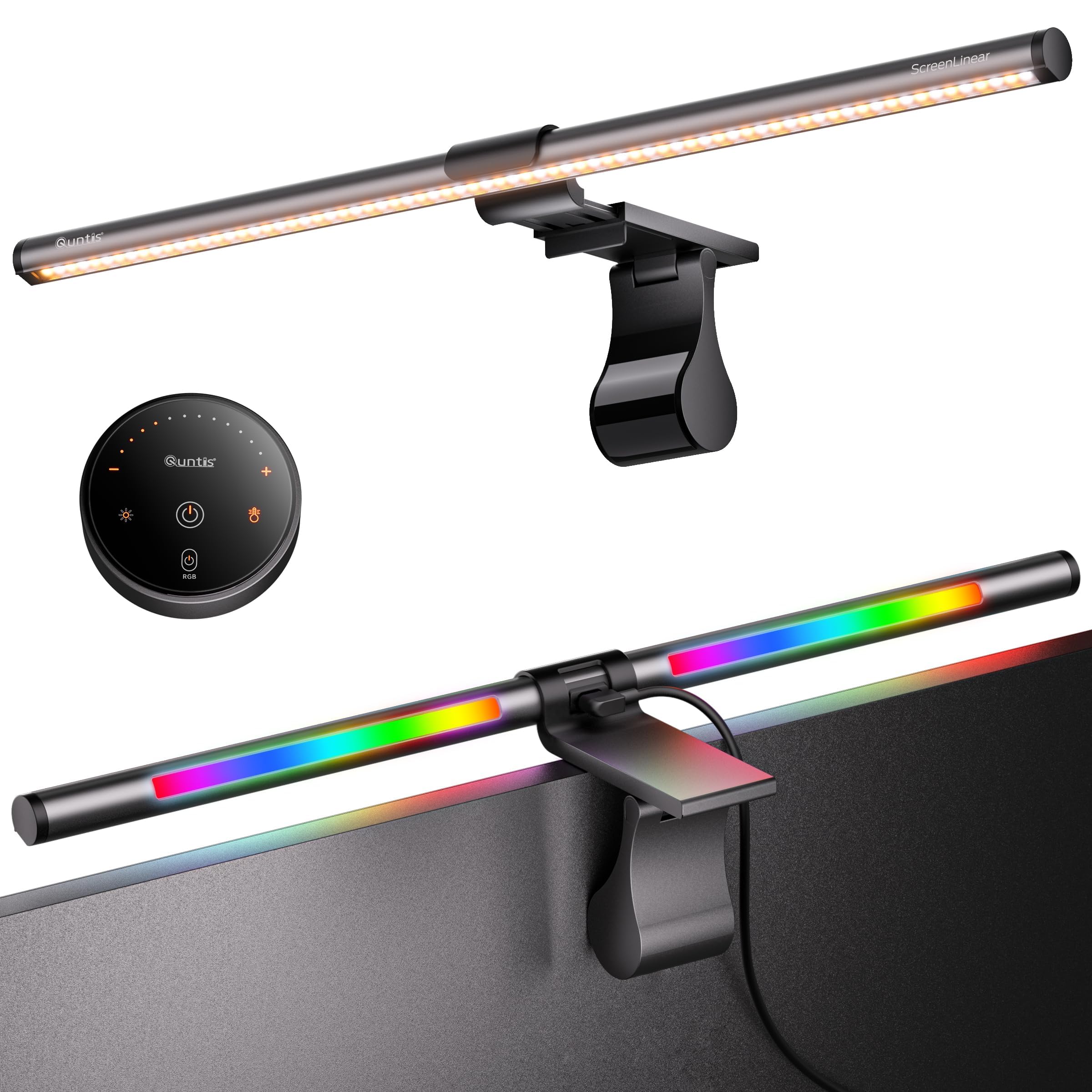
The Quntis RGB Pro+ combines a high-CRI front-facing work light (Ra95, 800+ lux) with a 15-mode RGB backlight in one elegant aluminum body, making it the most space-efficient solution for dual-purpose desks. The 20-inch bar length covers ultrawide monitors comfortably, and the patented sliding weighted clip adjusts to fit curved screens from 1500R and above without damaging the panel.
The front light uses an asymmetric optical system that projects light downward onto your desk while keeping the screen completely glare-free — a genuine engineering win for late-night work. The RGB backlight offers 15 distinct modes including breathing, strobe, and color cycling, all controllable via the included touch remote that sits neatly on your desk.
Color temperature ranges from 3000K warm to 6500K cool with stepless dimming across 100 brightness levels, and the smart memory function restores your last settings after a power cycle. The USB-C power delivery at 5V/1.5A means it draws minimal power, and the 90-degree plug leaves room for a webcam mount above your monitor.
Why it’s great
- Ra95 CRI ensures front light renders true colors for design work
- Patented sliding clip works on thick and curved monitors
- 15 RGB backlight modes plus 4 white color temperatures
Good to know
- RGB brightness is dimmer than dedicated LED strips
- Remote uses button cells instead of USB-C rechargeable
5. Govee Gaming Light Bars Pro
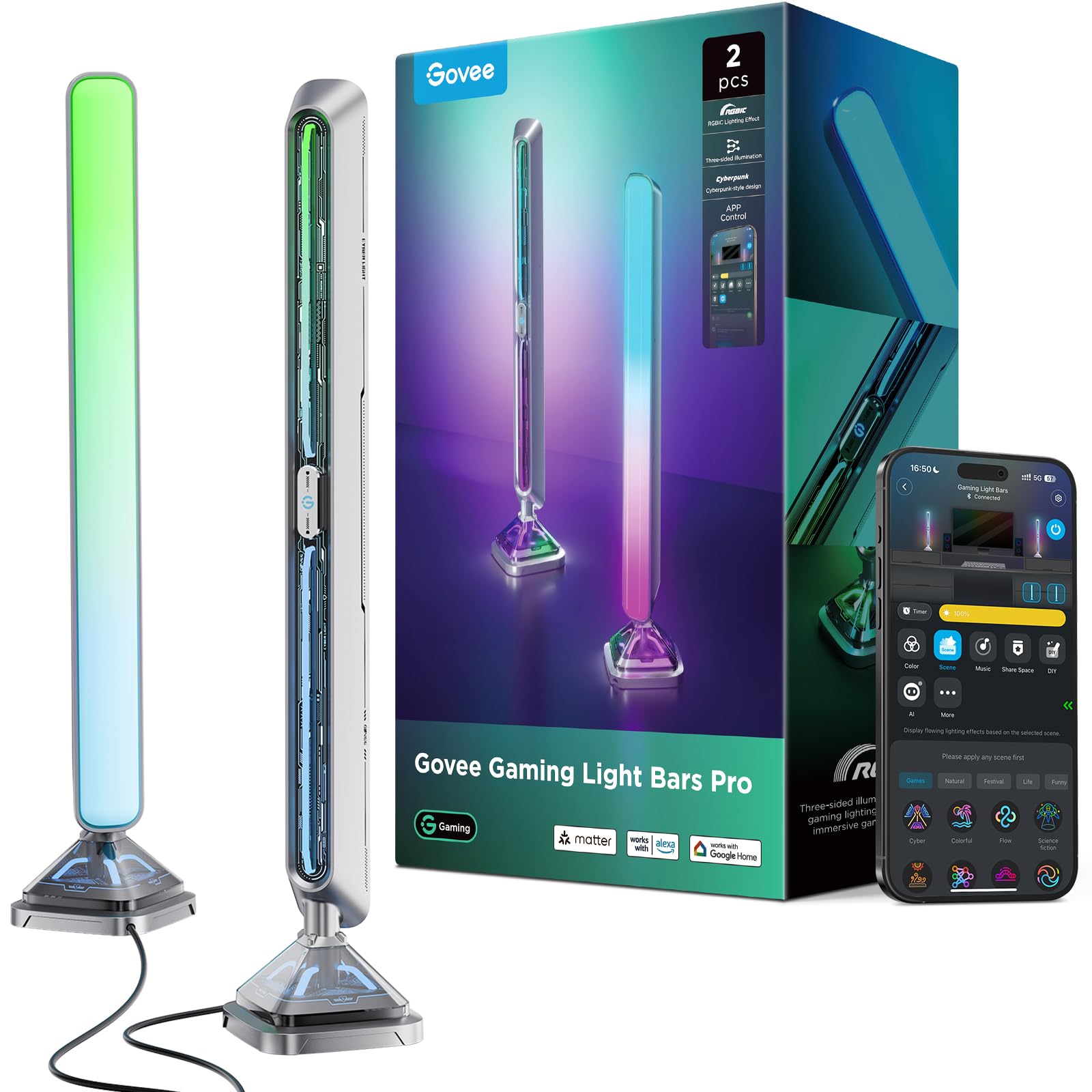
The Govee Gaming Light Bars Pro are not a strip you attach to your monitor — they are two standalone 16-inch light bars that sit on your desk flanking the display, projecting color upward and outward from front, back, and base sides simultaneously. The triple-sided illumination creates a dramatic 3D lighting effect that fills the room far more aggressively than any strip can, with a staggering 900 lumens of maximum output.
Setup is simple: plug in the control box, pair via the Govee Home app over 2.4GHz Wi-Fi, and you are ready. The DreamView technology syncs colors to your screen in real time through the Govee Desktop app (Windows only), and the built-in mic provides an alternative music-sync mode that reacts to ambient audio without needing software. At 60+ scene modes and independent control over each of the three illumination zones, the customization depth is unmatched in the table light bar category.
The metal-textured cyberpunk aesthetic and weighted base make these feel premium on any desk. The primary limitation is the Windows-only screen sync — Mac users lose the core color-matching feature and are limited to the built-in music and scene modes.
Why it’s great
- Triple-sided front, back, and base illumination creates immersive 3D effect
- 900 lumens output is powerful enough to serve as room accent lighting
- DreamView syncs with Govee ecosystem and Razer Chroma
Good to know
- Screen sync requires Windows — no Mac support for DreamView
- Requires dedicated desk space on both sides of monitor
6. LYMAX Monitor Light Bar with Motion Sensor
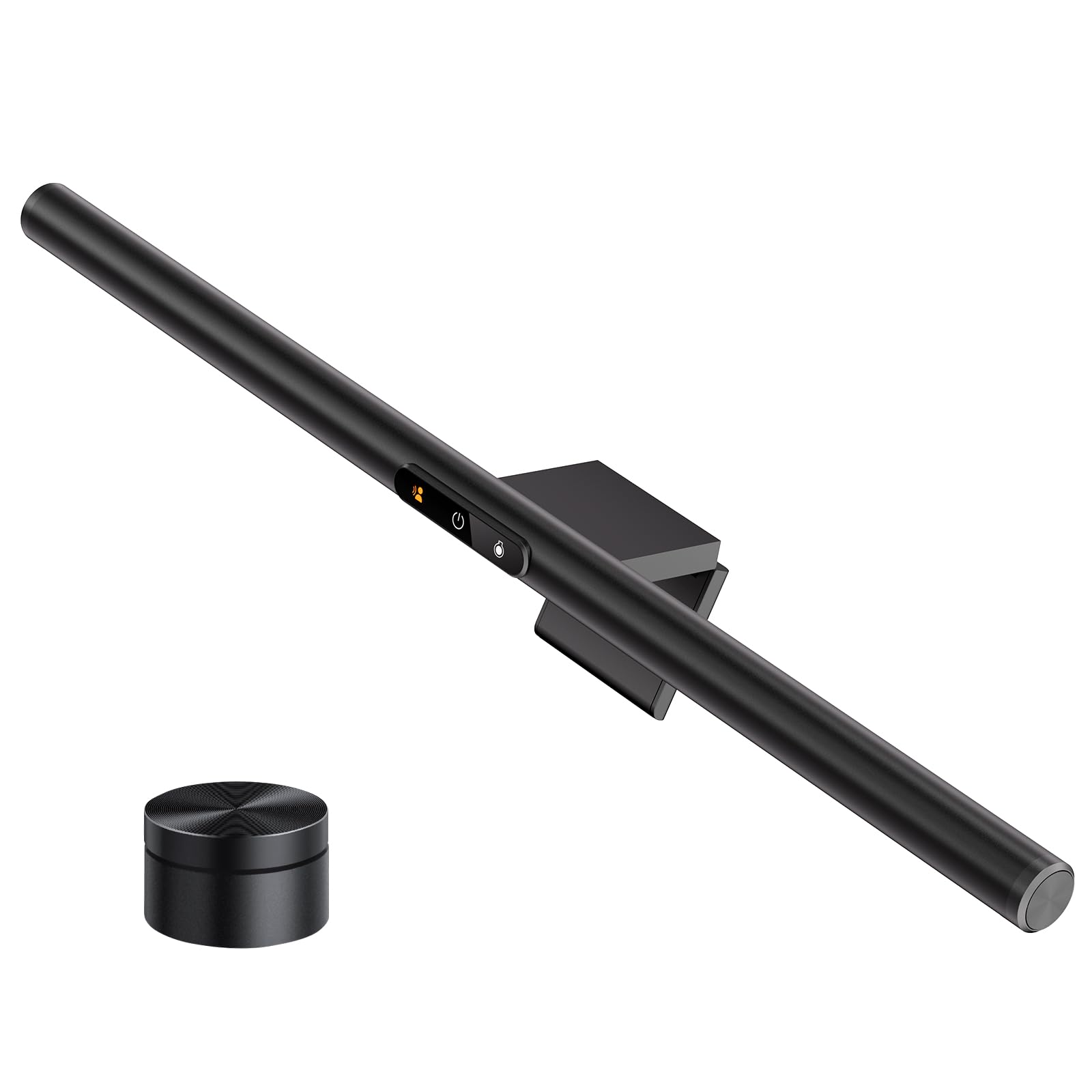
The LYMAX M6 stands out for its built-in radar motion sensor that automatically turns the light on when you sit down and switches it off after a period of inactivity — a genuinely useful feature for shared workspaces or anyone who walks away frequently. The integrated auto-brightness adjustment reads ambient room light and dials in the correct intensity without you touching a button.
The wireless remote is rechargeable via USB-C (no button cells to replace) and offers stepless control over color temperature from 2700K to 6500K and full brightness dimming. The asymmetric optical lens design keeps the front-facing light focused on your desk while leaving the screen completely reflective-glare-free, and the counterweight clamp secures the bar on monitors of any thickness without adhesive.
Users with tight 800R curved monitors report that light bleeds from the bar ends onto the screen edges, so this light bar performs best on flat screens or gentler curves of 1500R or higher. The USB-C power input offers flexibility for connection to a PC, power bank, or wall adapter, and the slim aluminum body slides easily into a bag for mobile workstation setups.
Why it’s great
- Radar motion sensor automates on/off without any app or switch
- Rechargeable wireless remote avoids disposable batteries
- Auto-brightness adjusts to changing ambient light conditions
Good to know
- Light ends may glare on aggressively curved 800R monitors
- Front panel indicator lights cannot be dimmed separately
7. Quntis Computer Monitor Light Bar with Remote
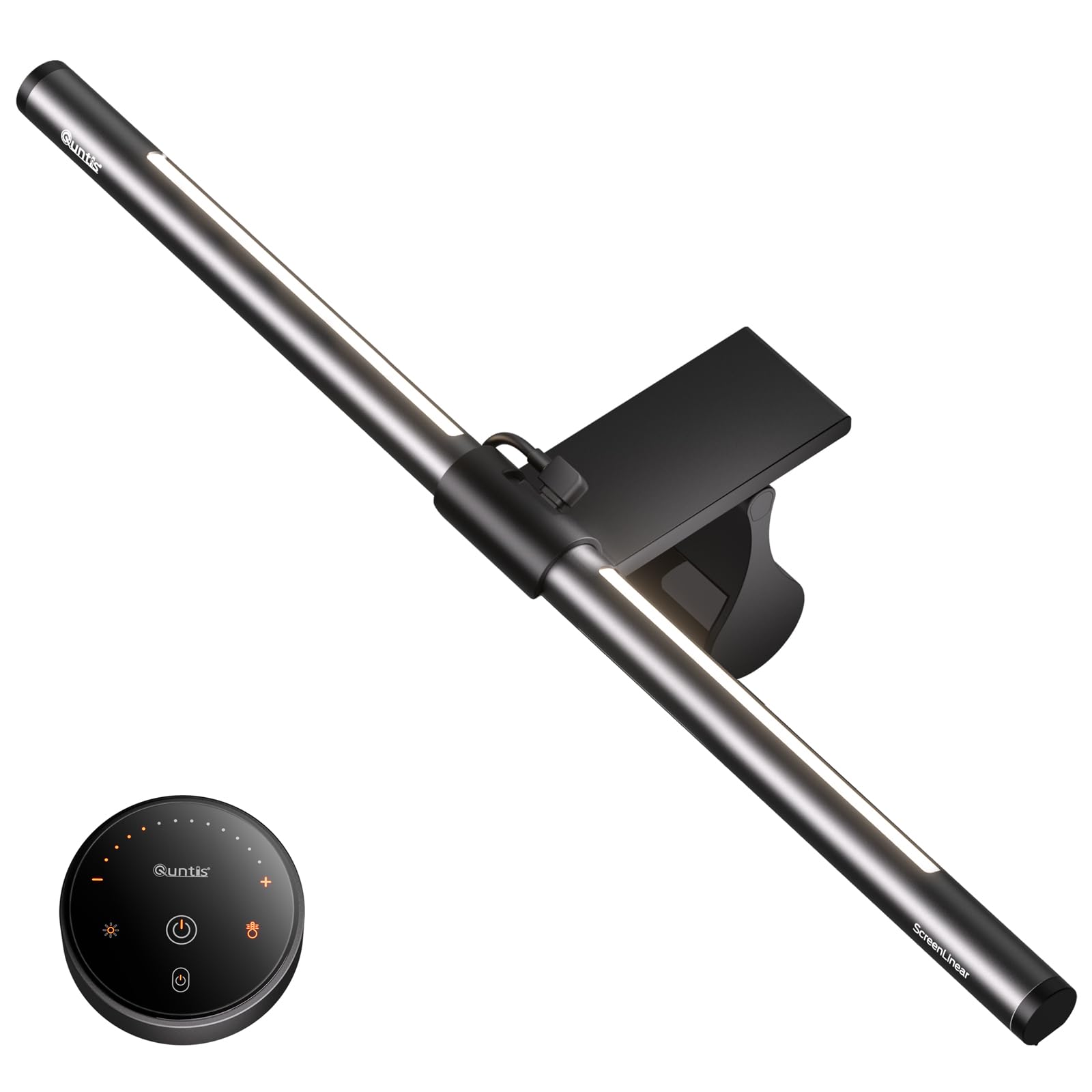
The Quntis standard monitor light bar delivers the glare-free front-illumination experience plus a functional backlight in a package that undercuts premium competitors by a meaningful margin. Its 84 LED beads drive three lighting modes — Work, Immersive, and Design — that balance front desk lighting with ambient backlight, and the patented sliding weighted clip secures the bar onto flat and curved monitors in under a second.
The smart touch remote uses orange-glowing buttons for easy location in the dark and offers stepless dimming for both brightness and color temperature. The Ra95 CRI rating ensures that the front light renders colors accurately enough for photo editing and design work, while the backlight brightness is adjustable independently from the main light — a feature often missing from cheaper bars.
The aluminum build feels solid and the 16.1-inch length suits most standard 24 to 27-inch monitors well. The memory function automatically restores your last settings after power loss, and the USB power draw is low enough to run from a monitor’s built-in USB port. The backlight angle is fixed and not adjustable, so you cannot tilt it to fine-tune wall projection.
Why it’s great
- Three dedicated lighting modes optimize for work, relaxation, and design
- Sliding weighted clip fits ultra-thin bezel monitors without damage
- Remote touch buttons illuminated for dark room use
Good to know
- Backlight angle is fixed and cannot be adjusted
- Remote battery compartment cover is fiddly to open
FAQ
Does bias lighting actually reduce eye strain or is it placebo?
Can I use a regular LED strip from a hardware store as bias lighting?
What monitor sizes work with these bias lighting products?
Can bias lighting damage my monitor’s screen or adhesive residue?
Final Thoughts: The Verdict
For most users, the best bias lighting for monitor winner is the Govee G1 Gaming Light because it delivers full 360-degree RGBIC coverage with responsive screen mirroring at a price that outperforms anything near its cost. If you want gradient smoothness and deep smart home integration, grab the Philips Hue Gradient Strip. And for a dual-purpose desk light that works for both focused work and ambient gaming, nothing beats the Quntis RGB Pro+.