
Our readers keep the lights on and my morning glass full of iced black tea. As an Amazon Associate, I earn from qualifying purchases.
The difference between a standard LED-backlit LCD and a real OLED panel isn’t subtle—it’s the difference between seeing a black pixel and seeing a pixel that is physically turned off. For anyone shopping in the 1080p OLED space, that per-pixel light control delivers contrast ratios that LCDs simply cannot match, even with local dimming arrays. The catch is that finding a true 1080p native OLED TV in today’s market means navigating a field dominated by 4K models, portable monitors, and gaming displays that all share the same fundamental OLED technology but serve radically different use cases.
I’m Min — the co-founder and writer behind Gadgets Feed. After spending dozens of hours dissecting the technical specifications, panel types, connectivity standards, and real-world brightness performance across this price-diverse category, I’ve built this guide around what actually matters when you prioritize OLED’s self-lit picture quality over raw resolution numbers.
Whether you are building a dedicated retro-gaming setup that looks its best at 1080p, or you simply want the purest black levels on a secondary screen without paying for 4K upscaling you won’t use, this deep-dive analysis cuts through the marketing to find the best 1080p oled tv for your specific room and budget.
How To Choose The Best 1080P OLED TV
Buying an OLED that runs at 1080p native resolution requires a different decision framework than shopping for a 4K television. You need to weigh panel generation, brightness ceiling, input latency, and burn-in countermeasures — all without the usual 4K marketing noise.
Panel Generation and Sub-Pixel Structure
Not all OLED panels are created equal. WOLED (white OLED with color filters) and QD-OLED (quantum dot enhanced) handle brightness and color volume differently. For a 1080p signal, WOLED displays often deliver better near-black uniformity at low brightness, while QD-OLED yields wider color gamut coverage — often exceeding 99% DCI-P3 — which makes 1080p HDR content look punchier. Check whether the panel uses a standard RGB stripe or a pentile sub-pixel arrangement, as that affects text clarity at close viewing distances.
Brightness Floor and ABL Aggressiveness
OLED brightness is measured in nits, but the real concern for a 1080p display is the Automatic Brightness Limiter (ABL). Some OLED monitors aggressively dim when the screen shows a large white area, which can wash out the perceived contrast of SDR content. Look for a sustained brightness spec of at least 250 nits for SDR and a VESA DisplayHDR True Black 400 certification or higher for HDR. The best 1080p OLED panels maintain stable brightness across 50% APL (average picture level) before the ABL kicks in.
Refresh Rate and Input Latency at 1080p
The biggest advantage of running a 1080p signal on an OLED is the ability to hit higher frame rates with lower bandwidth demands. Many premium OLED monitors support 360 Hz at 1080p or 1440p, but if you are strictly feeding a 1080p source, you want verified VRR support (HDMI Forum VRR, FreeSync Premium Pro, or G-Sync Compatible) and input lag under 5 ms at 1080p/120 Hz. The OLED’s 0.03 ms to 0.1 ms response time is inherent to the technology, but the display controller must handle 1080p scaling without adding frames of delay.
Burn-In Mitigation Features
OLED burn-in from static UI elements is a legitimate concern for desktop use or displays with fixed channel logos. Active countermeasures include pixel shifting, logo luminance reduction, and periodic pixel refresher cycles (usually triggered after 4 to 8 hours of cumulative use). If you plan to use the display as a computer monitor or for extended gaming sessions, verify that the manufacturer includes a burn-in warranty — Alienware offers a three-year panel warranty, and some LG models include pixel cleaning routines that run automatically when the TV is in standby.
Quick Comparison
On smaller screens, swipe sideways to see the full table.
| Model | Category | Best For | Key Spec | Amazon |
|---|---|---|---|---|
| Alienware AW2725DF | Gaming Monitor | Competitive 1440p/1080p gaming | 360 Hz / 0.03 ms / QD-OLED | $599.00$649.99Amazon |
| LG C4 48” (OLED48C4PUA) | Smart TV | Living room cinema & console gaming | 144 Hz / 0.1 ms / α9 AI Gen7 | $895.00Amazon |
| Samsung QN48S90FAEXZA | Smart TV | AI-enhanced 4K upscaling & HDR | 144 Hz / NQ4 AI Gen3 | from $1,434.99Amazon |
| LG C5 48” (OLED48C5PUA) | Smart TV | Latest OLED evo with burn-in coverage | 144 Hz / α9 AI Gen8 / 26-mo warranty | from $1,249.98Amazon |
| Samsung 48” OLED S85H | Smart TV | AI upscaling with Pantone validation | 120 Hz / NQ4 AI Gen2 / Pantone | $1,067.99$1,197.99Amazon |
| Sony A90K 42” | Smart TV | PS5 synergy & motion processing | 120 Hz / XR OLED Contrast Pro | from $1,398.00Amazon |
| Sony BRAVIA 8 II 55” | Smart TV | Reference-grade QD-OLED picture | 120 Hz / XR Triluminos Max | from $2,946.00Amazon |
| Panasonic Z8 77” | Smart TV | Cinema-size OLED with 144 Hz gaming | 144 Hz / HCX Pro AI MKII | $1,499.99Amazon |
| Magedok Pi X9 | Portable Monitor | Portable OLED for productivity & light gaming | 4K / 400 nits / FreeSync | $569.00Amazon |
| Samsung OLED G9 49” | Ultrawide Monitor | Simulated dual-monitor multitasking | 144 Hz / 5120×1440 / G-Sync | $999.99$1,299.99Amazon |
| Sony BRAVIA XR8B 55” | Smart TV | Studio-calibrated PS5 gaming | 120 Hz / XR OLED Motion | $1,498.00Amazon |
In‑Depth Reviews
1. Alienware AW2725DF

The Alienware AW2725DF uses a third-generation QD-OLED panel that hits 360 Hz at 1440p native resolution, but its real strength for the 1080p crowd is the pixel response: 0.03 ms gray-to-gray virtually eliminates motion blur, so fast-paced shooters and fighting games at 1080p look as crisp as the source allows. The infinite contrast ratio (1.5 million:1 dynamic) means 1080p SDR content exhibits no backlight bleed or clouding, which matters when you are sitting at a desk two feet from the screen.
With 99.3% DCI-P3 coverage and VESA DisplayHDR True Black 400 certification, the color volume here makes even standard-definition streaming look vibrant. The three-year burn-in warranty is a standout feature for anyone running static UI elements during long gaming sessions. The 27-inch size at 1440p also means 1080p signals scale with minimal softness — the 109 PPI density is high enough that the slight upscaling blur is invisible at normal viewing distances.
The anti-glare coating does have a slight purple tint in bright ambient light, and the stand takes up considerable desk depth, but the motion clarity, color accuracy, and warranty support make this the most complete OLED display for high-refresh 1080p gaming. The 360 Hz refresh rate ensures future-proofing even if you upgrade your GPU to drive 1440p later.
Why it’s great
- 360 Hz refresh with 0.03 ms response eliminates all motion blur at 1080p/1440p
- Three-year burn-in warranty covers desktop and gaming usage
- 99.3% DCI-P3 coverage makes HDR content look exceptionally vibrant
Good to know
- Anti-glare coating introduces a faint purple tint in bright rooms
- Requires periodic pixel refresh to maintain uniformity over long sessions
- Text clarity on OLED sub-pixel layout is slightly softer than IPS
2. LG 48″ OLED evo C4 (OLED48C4PUA)

The LG C4 at 48 inches is one of the few consumer televisions that doubles as a viable desktop monitor — and its 144 Hz refresh rate with four HDMI 2.1 inputs makes it a top choice for console gamers who want OLED blacks without jumping to 4K exclusive panels. The α9 AI Gen7 processor handles 1080p upscaling surprisingly well, adding subtle sharpness without introducing ringing artifacts. With over 8 million self-lit pixels, the contrast is absolute: 1080p content shows the same deep blacks and zero blooming as any 4K OLED.
NVIDIA G-Sync and AMD FreeSync Premium support mean VRR works across the full 40-144 Hz range, so 1080p games running at 60 or 120 fps are tear-free. The 0.1 ms response time is the same across all LG OLEDs — this is inherent to the panel technology. The built-in Dolby Atmos audio with down-firing speakers is good enough for casual use, though a dedicated soundbar is recommended for any room larger than a bedroom.
WebOS 24 includes the Re:New program that guarantees software updates for five years, which is rare for a model that launched in 2024. The main tradeoff at 48 inches is the 92 PPI — sitting closer than three feet will reveal individual pixels on 1080p sources, so this TV is best suited for living room or dedicated gaming desk setups where the viewing distance exceeds four feet.
Why it’s great
- Four HDMI 2.1 inputs with 144 Hz, G-Sync, and FreeSync Premium support
- α9 Gen7 AI processor does excellent 1080p upscaling without artifacts
- Five-year software support via webOS Re:New program
Good to know
- 48-inch size at 1080p means visible pixel structure under three feet
- Built-in audio lacks bass response for cinematic HDR content
- Stand is wide and requires a large tabletop surface
3. Samsung QN48S90FAEXZA
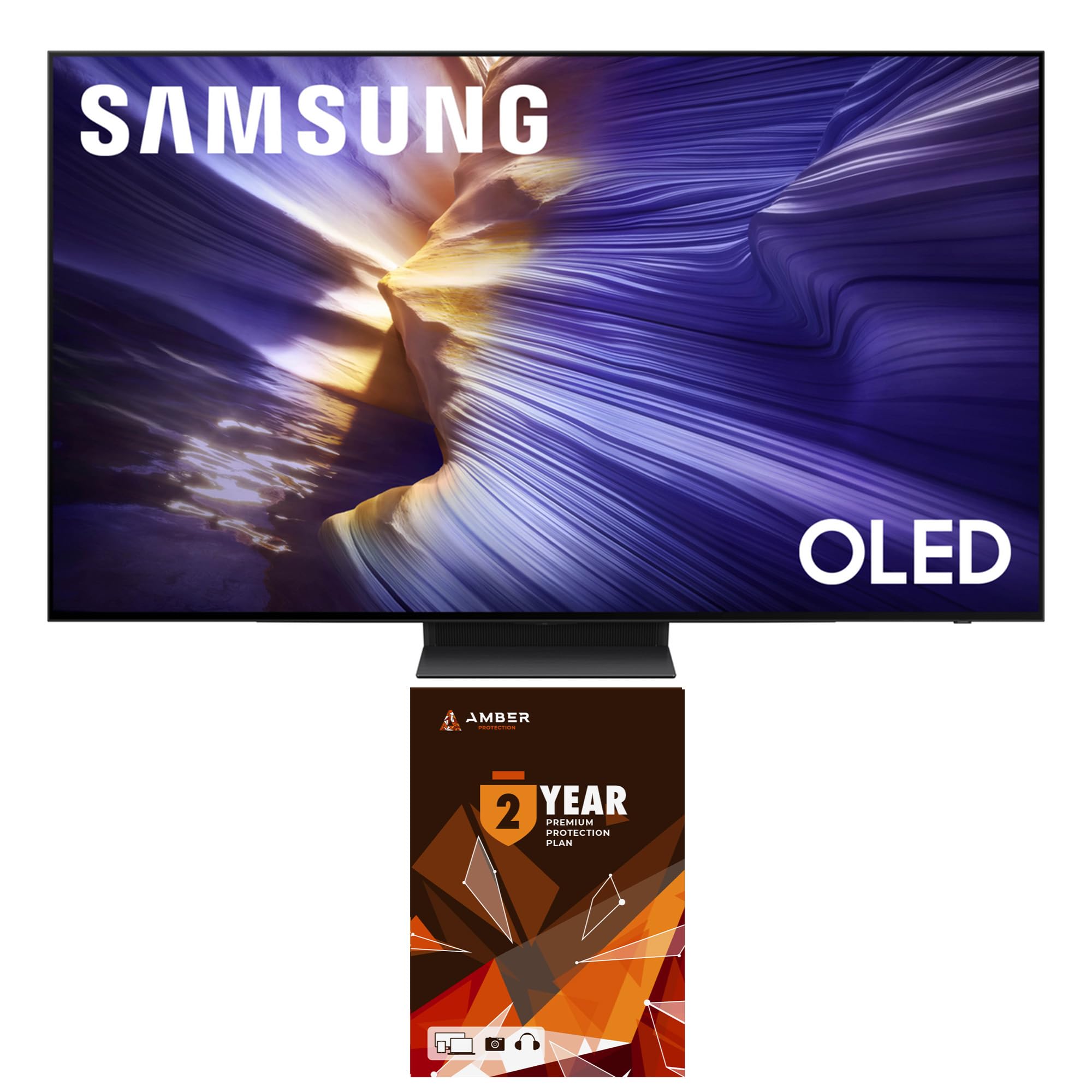
Samsung’s 2025 S90 series uses a QD-OLED panel that produces higher peak brightness than standard WOLED — measured at around 1,300 nits on a 10% window — which makes 1080p HDR content look dramatically punchier than on older OLEDs. The NQ4 AI Gen3 processor includes 4K AI Upscaling Pro, but for straight 1080p input, the Motion Xcelerator 144 Hz ensures smooth frame pacing without interpolation artifacts. The OLED HDR engine applies scene-by-scene brightness mapping that prevents clipping in specular highlights.
The bundle includes a two-year protection plan and a screen cleaning kit, which adds tangible value. The panel supports VESA 300×200 for wall mounting, and the 48-inch size fits medium-sized rooms well. The Tizen smart platform is responsive, though the interface pushes Samsung’s own apps more aggressively than competitors.
One limitation is the single HDMI 2.1 port that supports full 144 Hz — the other inputs cap at 60 Hz. For a pure 1080p console setup this is fine, but PC users running multiple high-refresh sources will need to swap cables. The anti-glare coating is less effective than the one on Samsung’s larger S90D models, so avoid direct window light.
Why it’s great
- QD-OLED panel with ~1,300 nit peak brightness for impactful HDR
- NQ4 AI Gen3 processor delivers excellent 1080p to 4K upscaling
- Two-year bundled protection plan provides peace of mind
Good to know
- Only one HDMI input supports full 144 Hz bandwidth
- Anti-glare coating is less effective than larger Samsung models
- Tizen interface prioritizes Samsung promoted content
4. LG C5 48″ OLED evo (OLED48C5PUA)
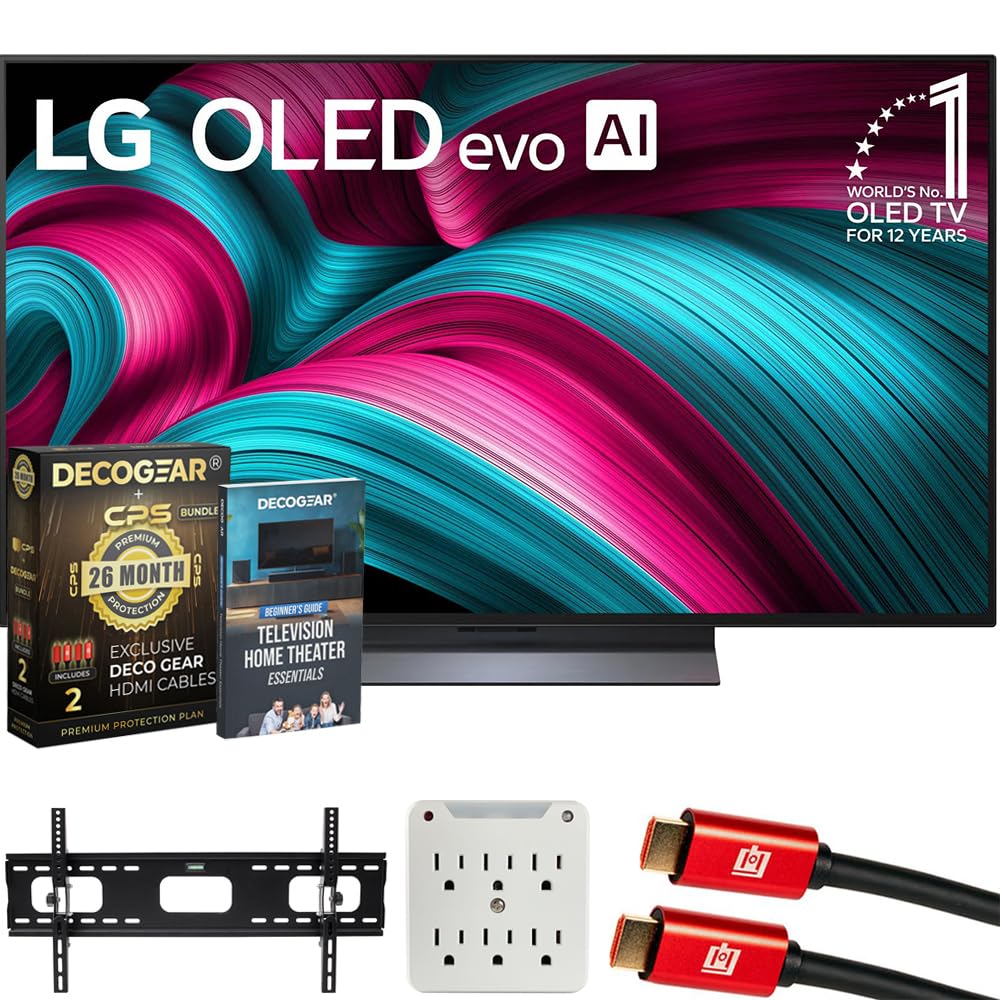
The C5 series is LG’s 2025 update, and the 48-inch model now ships with the α9 AI Gen8 processor, which improves near-black processing and reduces posterization in low-bitrate 1080p streams. The OLED evo panel uses a deuterium-enhanced emission layer that pushes full-screen brightness to around 250 nits while maintaining the infinite contrast ratio that defines this category. For 1080p gaming, the C5 supports 144 Hz VRR, G-Sync, and FreeSync Premium across all four HDMI 2.1 ports — no port limitations here.
The bundled package includes a 26-month extended protection plan that covers accidental damage and burn-in, which is a major advantage for anyone using the TV as a large-format gaming monitor. The Deco Gear wall mount included in the bundle is a solid third-party option that makes installation easier. The webOS 25 interface is snappier than previous generations, with faster app loading and customizable home screen layouts.
The only genuine complaint across reviews concerns the stand — it is difficult to install alone and the screen has a slight forward tilt that some users find distracting. If you plan to wall-mount the C5, this is a non-issue. The included Magic Remote with the point-and-click cursor works well for navigating the TV interface but feels less precise for gaming menus.
Why it’s great
- α9 Gen8 processor improves near-black handling for low-bitrate 1080p content
- 26-month extended warranty covers burn-in and accidental damage
- Full bandwidth HDMI 2.1 on all four ports with 144 Hz VRR
Good to know
- Included stand is difficult to install solo and tips slightly forward
- Brightness ceiling is lower than Samsung QD-OLED competitors
- Bundled surge adapter adds clutter if wall-mounting
5. Samsung 48″ OLED S85H
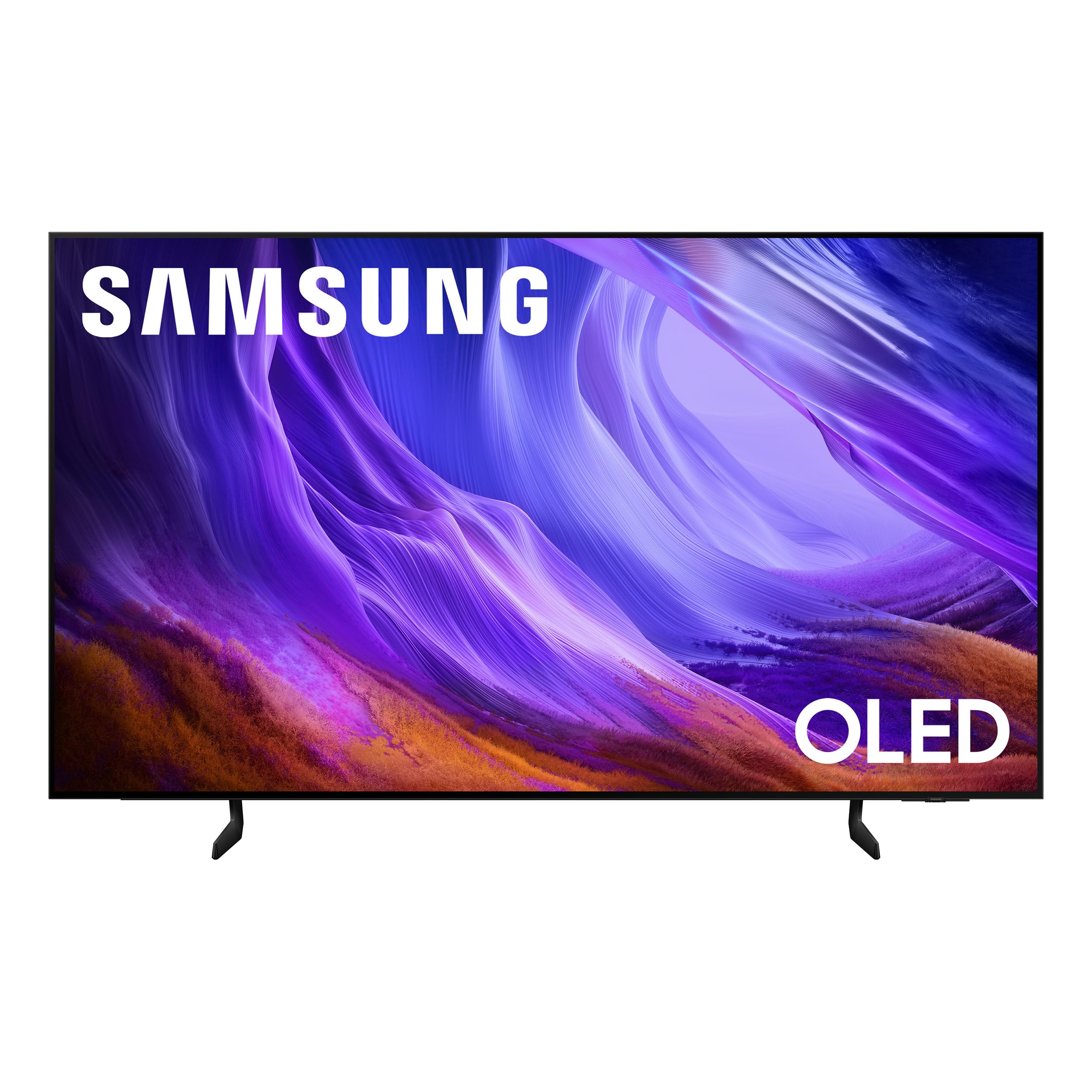
The S85H is Samsung’s entry-level OLED for 2026, but it punches above its tier with the NQ4 AI Gen2 processor that performs Pantone-validated color mapping — meaning skin tones and natural scenery at 1080p look noticeably more accurate than on non-certified displays. The OLED HDR engine adjusts brightness frame-by-frame based on scene analysis, which helps the 120 Hz panel maintain contrast even in mixed-brightness environments. With Motion Xcelerator 120 Hz, 1080p content at 60 fps is judder-free.
The solar-powered remote is a welcome sustainability feature, charging via ambient light or USB-C. The anti-reflection coating on this model is genuinely effective — one of the better implementations at this price point. The 4K AI Upscaling Pro does a respectable job with 1080p streaming, adding texture without oversharpening. The slim profile (roughly a quarter-inch thick at the thinnest point) makes wall mounting look seamless.
Where the S85H falls short is peak brightness: it cannot match the S90 series or LG C4 in HDR highlight intensity, measuring around 600-700 nits on a 10% window. This means 1080p HDR content won’t have the same specular pop. The Tizen smart platform also includes the same app-promotion bias as other Samsung TVs. For users prioritizing natural color accuracy over maximum brightness, this is a strong mid-range candidate.
Why it’s great
- Pantone-validated color calibration for accurate 1080p skin tones
- Solar-powered remote eliminates battery waste
- Effective anti-reflection coating handles ambient light well
Good to know
- HDR peak brightness is lower than QD-OLED competitors
- Tizen interface pushes Samsung content aggressively
- No full 144 Hz support — limited to Motion Xcelerator 120Hz
6. Sony 42″ A90K (XR42A90K)

The Sony A90K at 42 inches is optimized for the PlayStation 5 with features like Auto HDR Tone Mapping and Auto Genre Picture Mode, which automatically detect the PS5 signal and adjust picture settings to match. The Cognitive Processor XR simulates human visual attention, enhancing texture and contrast in the area of the screen you are most likely looking at — this makes 1080p PS5 games look sharper than their raw resolution suggests. The XR OLED Contrast Pro technology achieves high peak brightness by cooling the panel with a custom heatsink, allowing sustained 800-nit HDR highlights.
Acoustic Surface Audio+ uses actuators behind the screen to produce sound that feels like it originates from the on-screen action, which is immersive for single-player 1080p titles without needing external speakers. The Google TV interface is one of the cleanest smart TV platforms available, with minimal bloatware and fast app switching. The multi-position stand allows low-profile placement that fits under soundbars.
The 42-inch size is ideal for desktop use at 1080p — the 105 PPI is dense enough to hide pixel structure at 2.5 feet. The main drawback is the price per inch: this is one of the most expensive 42-inch OLEDs on the market. The 8.5 ms input lag at 1080p/60 Hz is higher than most gaming monitors, so competitive PC gamers should look at dedicated monitors instead.
Why it’s great
- Deep PS5 integration with Auto HDR Tone Mapping and Auto Genre Picture Mode
- XR OLED Contrast Pro uses a heatsink for sustained high brightness
- Acoustic Surface Audio+ delivers directional sound without external speakers
Good to know
- Higher input lag than gaming monitors at 1080p/60 Hz
- Premium price for a 42-inch panel
- Requires dark room to show best black level performance
7. Sony BRAVIA 8 II 55″ (K-55XR80M2)

The BRAVIA 8 II is Sony’s flagship 2025 QD-OLED, pairing a quantum dot panel with the XR Processor that uses AI to analyze and enhance every scene in real time. The XR Triluminos Max algorithm produces over a billion color variations with improved luminance mapping — 1080p sources that were mastered in standard RGB look noticeably more dimensional here thanks to the panel’s wider color volume. The self-lit pixel structure means blacks are absolute, and the XR OLED Contrast Pro technology with the custom heatsink keeps peak brightness around 1,000 nits without aggressive ABL dimming.
Google TV with built-in Google Assistant organizes streaming content well, and the included Sony Pictures Core app provides IMAX Enhanced content. The acoustic surface audio uses actuators behind the bezel to generate directional sound, creating a sense of height and width that matches Dolby Atmos object-based audio. The ultra-slim design (roughly a quarter-inch panel depth) mounts nearly flush to the wall.
The 55-inch size at a 1080p viewing distance of 5-6 feet results in a visible pixel grid — anyone sensitive to pixel structure should sit further back or consider 4K content. The 120 Hz refresh rate is adequate for most console gaming, but competitive PC players may want higher. The value proposition depends heavily on budget: this is a premium-tier QD-OLED with a premium-tier price.
Why it’s great
- QD-OLED with XR Triluminos Max delivers over a billion color variations
- Custom heatsink keeps HDR highlights sustained at ~1,000 nits
- Sony Pictures Core app includes IMAX Enhanced streaming content
Good to know
- 55-inch panel at 1080p shows visible pixel structure under 5 feet
- Premium pricing reflects flagship QD-OLED status
- eARC audio processing can introduce sync issues with some receivers
8. Panasonic Z8 77″ (77Z8BAP)

The Panasonic Z8 brings the Master OLED PRO panel to a 77-inch size at a price that undercuts LG’s G-series by a significant margin. The HCX Pro AI Processor MKII handles 1080p upscaling with Panasonic’s proprietary 4K Remaster technology, which analyzes each frame for texture and depth — the result is 1080p content that rivals native 4K on smaller sources. The panel uses micro-lens array (MLA) technology to boost brightness, achieving around 1,000 nits peak in HDR without sacrificing the deep black floor that defines OLED.
Game Mode Extreme supports HDMI 2.1 with 144 Hz, VRR, AMD FreeSync Premium, and NVIDIA G-SYNC Compatibility. The Game Control Board provides quick access to refresh rate overlay and latency settings without leaving the game. The 360° Soundscape Pro audio system, tuned by Technics, includes upward-firing speakers that create a convincing Dolby Atmos bubble — rare for a TV in this range.
At 77 inches, 1080p content will show some softness at close distances — the 57 PPI means you should sit at least 7-8 feet back for a clean image. The Fire TV interface is functional but less polished than Google TV or webOS. The USB media player has limited codec support (no MKV with advanced subtitles), but for streaming and console use, this TV delivers massive screen real estate with OLED contrast that is hard to beat at the price.
Why it’s great
- 77-inch OLED with MLA technology delivers impressive HDR brightness
- Game Mode Extreme supports 144 Hz VRR across all HDMI 2.1 inputs
- 360° Soundscape Pro with upward-firing speakers for Dolby Atmos
Good to know
- 1080p content appears soft at distances under 7 feet due to larger pixel pitch
- Fire TV interface is less intuitive than webOS or Google TV
- USB media player has limited format support compared to competitors
9. Magedok Pi X9 Portable Monitor

The Magedok Pi X9 uses a 16-inch Samsung AMOLED panel with a 4K native resolution, but its real-world versatility for 1080p users comes from the 16:10 aspect ratio — which provides 10% more vertical screen space than 16:9, making it ideal for document editing and web browsing alongside gaming. The 283 PPI at 4K means that even when running at 1080p (integer scaling at 2x), the pixel density is high enough to eliminate visible aliasing. The 100% DCI-P3 coverage and Delta E < 1 color accuracy ensure that SDR and HDR content look vibrant and true-to-life.
Connectivity includes Mini DisplayPort, USB-C with DP Alt Mode, and a standard HDMI port, making it compatible with PCs, laptops, phones, and consoles like the Nintendo Switch and Xbox. The built-in stand adjusts from 0 to 90 degrees and supports VESA 75×75 mounting. At 2 lbs and 0.22 inches thick at the edges, it is genuinely portable. The FreeSync support reduces tearing when gaming at 1080p on compatible GPUs.
Quality control is a concern — some units have developed green dots or USB-C port failures after a couple of months. The built-in speakers are mediocre, and the USB-C port placement on the side is awkward for cable management. For users who value OLED color volume in a portable form factor and understand the risks of a non-major-brand panel, this is the most affordable OLED display in the guide by a wide margin.
Why it’s great
- 16:10 4K AMOLED panel provides 283 PPI for sharp 1080p integer scaling
- 100% DCI-P3 and Delta E < 1 color accuracy out of the box
- 2 lbs weight with VESA mount support makes it genuinely portable
Good to know
- Quality control issues reported including dead pixels and port failures
- Built-in speakers are tinny and insufficient for immersive audio
- USB-C port placement on the side interferes with cable management
10. Samsung 49″ Odyssey OLED G9 (G91SD)

The Odyssey G9 is a 49-inch ultrawide QD-OLED with a native resolution of 5120×1440 (Dual QHD), but its 32:9 aspect ratio makes it an interesting candidate for 1080p users who want a simulated dual-monitor setup. The 144 Hz refresh rate with 0.03 ms response time delivers the same motion clarity as smaller gaming monitors, and the G-Sync Compatible and FreeSync Premium Pro support means 1080p signals at any frame rate are tear-free. The 1800R curvature wraps the image around your peripheral vision, which helps with immersion despite the large screen size.
The Thermal Modulation System predicts surface temperature and adjusts brightness to reduce heat, which also helps with burn-in prevention. The Logo & Taskbar Detection feature automatically dims static elements to prevent retention, and the Screen Saver dims the panel after 10 minutes of inactivity. The Picture-in-Picture mode lets you run two inputs side-by-side — useful for keeping a 1080p gaming feed on one half while monitoring chat or work on the other.
The main drawbacks are the single DisplayPort 1.4 input that can handle the full resolution at 144 Hz — all other inputs are limited to 60 Hz. The two 27-inch sub-panels fused together can show a slight brightness mismatch on uniform gray backgrounds, which is distracting in productivity use. For gaming at 1080p, the G9 scales the image to fill the wide screen, which can stretch UI elements. Consider this if you want an OLED that doubles as a multitasking powerhouse, not just a pure 1080p monitor.
Why it’s great
- 49-inch QD-OLED with 32:9 aspect ratio for dual-monitor simulation
- Thermal Modulation and Logo Detection prevent burn-in from static UIs
- Picture-in-Picture mode supports two independent inputs simultaneously
Good to know
- Only the DisplayPort input supports full 144 Hz at native resolution
- Fused panel design can show slight brightness gradient on gray backgrounds
- 1080p content stretches across ultrawide, affecting UI element proportions
11. Sony 55″ BRAVIA XR8B (K-55XR8B)

The BRAVIA XR8B is Sony’s most accessible OLED TV for 2025, and it retains the XR Processor that gives Sony its reputation for superior motion handling and upscaling. The XR Clear Image algorithm uses AI to analyze 1080p content and reconstruct lost detail — the result is a picture that looks cleaner than the source resolution suggests. The XR OLED Motion inserts black frames between video frames to reduce persistence blur, which makes fast-moving 1080p sports and action movies appear sharper without the soap-opera effect of traditional frame interpolation.
Studio Calibrated modes for Netflix and Prime Video automatically switch to the correct picture settings when those apps are launched, ensuring that 1080p streaming looks as close to the creator’s intent as possible. The Acoustic Surface Audio+ system uses actuators behind the screen to produce sound that tracks on-screen movement, creating a surprisingly convincing spatial audio experience. With two HDMI 2.1 ports supporting 4K 120 Hz and VRR, the XR8B is well-suited for PS5 gaming at 1080p/120 fps.
The 55-inch size at 1080p means a larger pixel pitch — sitting closer than five feet will reveal the pixel grid. Built-in audio is mediocre compared to the A90K or BRAVIA 8 II, as the acoustic system lacks the separate subwoofer found on higher-tier Sony models. The remote control is basic and lacks backlighting. For someone who prioritizes Sony’s processing and motion clarity while staying at a more accessible price point, this is the most rational entry-level OLED in Sony’s lineup.
Why it’s great
- XR Processor with XR Clear Image reconstructs detail in 1080p content
- Studio Calibrated modes automatically apply creator-intended picture settings
- Two HDMI 2.1 ports with VRR support for PS5 gaming at 1080p/120 Hz
Good to know
- 55-inch panel at 1080p shows visible pixel structure under 5 feet
- Built-in audio lacks the subwoofer found on higher-tier Sony models
- Remote control is not backlit and feels cheap for the price tier
FAQ
Does OLED burn-in still happen with static 1080p UI elements?
How does 1080p content look on a 4K OLED panel?
What is the minimum viewing distance for a 1080p OLED TV?
Can I use a 48-inch 144 Hz OLED TV as a computer monitor at 1080p?
Final Thoughts: The Verdict
For most users seeking a 1080p OLED experience — whether for gaming, movies, or general desktop use — the winner is the Alienware AW2725DF because its 360 Hz refresh rate, QD-OLED panel, and three-year burn-in warranty offer the best balance of motion clarity, color accuracy, and long-term reliability at a mid-range price. If you want a larger screen suitable for console gaming and movie watching in a living room, the LG 48″ C4 OLED evo provides premium processing, 144 Hz VRR, and excellent upscaling for 1080p sources. And for the purest picture quality in a desktop form factor with deep PS5 integration, nothing beats the Sony A90K 42″ — it is expensive per inch, but the XR processor and Acoustic Surface Audio deliver an experience that justifies the premium for dedicated single-player gaming at 1080p.
Product prices and availability are accurate as of the date/time indicated and are subject to change. Any price and availability information displayed on Amazon at the time of purchase will apply to the purchase of this product. As an Amazon Associate I earn from qualifying purchases.
CERTAIN CONTENT THAT APPEARS ON THIS SITE COMES FROM AMAZON. THIS CONTENT IS PROVIDED "AS IS" AND IS SUBJECT TO CHANGE OR REMOVAL AT ANY TIME.
Amazon and the Amazon logo are trademarks of Amazon.com, Inc. or its affiliates.