
Stepping up from 1080p to a 1440p 120Hz monitor is the single most impactful upgrade you can make for both competitive gaming and immersive single-player worlds. The extra pixel density sharpens every texture, while the high refresh rate makes motion feel fluid and responsive — a combination that 4K monitors still struggle to match at this price point without sacrificing frame rates.
I’m Min — the co-founder and writer behind Gadgets Feed. I’ve spent hundreds of hours digging into panel technologies, refresh rate curves, and real-world color performance to separate marketing specs from actual gaming experience for this guide.
Whether you are building a new rig or upgrading your setup, finding the right 1440p 120hz monitor means balancing motion clarity, color accuracy, and connectivity without overpaying for features you do not need.
How To Choose The Best 1440p 120Hz Monitor
Choosing the right 1440p 120Hz monitor means looking past the headline numbers. You need to evaluate the panel technology, the type of adaptive sync, the connectivity ports, and the real-world brightness and color coverage — not just the refresh rate on the box.
Panel Type: IPS vs. OLED vs. QD-OLED
IPS panels offer wide viewing angles and good color accuracy at a lower price, making them a reliable choice for mixed-use setups. OLED and QD-OLED panels deliver near-infinite contrast ratios and true blacks, but they come at a premium and require careful burn-in management. If you play in a bright room or keep static UI elements on screen for hours, IPS is safer; if you prioritize HDR gaming and deep black levels, OLED is the clear winner.
Refresh Rate and Response Time
While 120Hz is the baseline, many monitors in this category hit 180Hz or 240Hz. A higher refresh rate reduces motion blur, but you need a GPU capable of pushing those frames. Response time — measured in milliseconds (ms) GtG — matters for ghosting. Look for 1ms GtG on IPS and 0.03ms on OLED for the smoothest motion.
Connectivity: HDMI 2.1 vs. DisplayPort 1.4
To run 1440p at 120Hz or higher, you need DisplayPort 1.4 or HDMI 2.1. HDMI 2.0 is capped at 144Hz on 1440p, which is still fine for 120Hz, but HDMI 2.1 provides headroom for higher refresh rates and VRR with consoles. Always check which ports the monitor ships with and whether the included cable supports the full bandwidth.
Color Accuracy and HDR
A 1440p monitor with 99% sRGB or 95% DCI-P3 coverage produces vibrant, accurate colors out of the box. For HDR content, check for VESA DisplayHDR 400 certification or better — true HDR requires high peak brightness and good local dimming, which OLED panels handle best.
Quick Comparison
On smaller screens, swipe sideways to see the full table.
| Model | Category | Best For | Key Spec | Amazon |
|---|---|---|---|---|
| LG 27GR83Q-B | Premium | Competitive Gaming | 240Hz / 1ms GtG / IPS | Amazon |
| ASUS ROG Strix XG27AQDMG | Premium | HDR Gaming / Media | 240Hz / 0.03ms / Glossy WOLED | Amazon |
| Acer Predator X27U | Premium | Color-Critical Gaming | 240Hz / 0.03ms / QD-OLED | Amazon |
| Samsung Odyssey OLED G5 | Mid-Range | Budget OLED Upgrade | 180Hz / 0.03ms / QD-OLED | Amazon |
| INNOCN 2780s | Mid-Range | High-FPS Gaming | 280Hz / 0.03ms / QD-OLED | Amazon |
| AOC Q27GAZD | Mid-Range | Value OLED Entry | 240Hz / 0.03ms / QD-OLED | Amazon |
| Dell S2725QS | Value | Productivity + Casual Gaming | 120Hz / 4K / IPS | Amazon |
| UPERFECT 14″ OLED | Portable | Travel / Secondary Screen | 120Hz / 0.1ms / OLED | Amazon |
| CRUA 49″ Curved | Ultrawide | Sim Racing / Multitasking | 120Hz / DQHD 5120×1440 | Amazon |
In‑Depth Reviews
1. LG 27GR83Q-B

The LG 27GR83Q-B hits the sweet spot between performance and price with a 240Hz refresh rate and a 1ms GtG IPS panel. It supports both NVIDIA G-Sync and AMD FreeSync Premium, so screen tearing is eliminated regardless of your GPU brand. The HDMI 2.1 ports allow full-bandwidth 1440p 240Hz from both PC and consoles.
Color coverage reaches 95% DCI-P3 with VESA DisplayHDR 400 certification, delivering punchy highlights and good saturation for HDR titles. The included stand offers tilt, height, pivot, and swivel adjustments, giving you plenty of ergonomic flexibility out of the box.
The biggest drawback reported by users is inconsistent quality control — some units arrive with stuck or dead pixels. The 1000:1 contrast ratio is typical for IPS, meaning blacks appear grayish in dark rooms compared to OLED alternatives.
Why it’s great
- Blistering 240Hz refresh with 1ms response
- HDMI 2.1 supports full bandwidth for consoles
- Excellent 95% DCI-P3 color gamut
Good to know
- IPS contrast ratio limits black depth
- Quality control issues with stuck pixels reported
- No built-in speakers
2. ASUS ROG Strix 27” OLED XG27AQDMG

The ASUS ROG Strix XG27AQDMG uses a glossy third-generation WOLED panel that produces deeper blacks and richer colors than matte OLEDs. The 240Hz refresh rate and 0.03ms response time eliminate motion blur entirely, making fast-paced shooters feel incredibly responsive. The custom heatsink and ASUS OLED Care features actively reduce burn-in risk.
With 99% DCI-P3 coverage and uniform brightness setting, this monitor delivers consistent luminance across the entire screen — important for both gaming and creative work. G-Sync Compatible and FreeSync Premium support ensure smooth variable refresh rate operation.
The glossy finish can cause reflections in brightly lit rooms, and some users report VRR flicker that requires disabling the feature. The monitor lacks built-in speakers, and the VESA mount installation process is fiddly.
Why it’s great
- Glossy WOLED panel with stunning contrast and color
- Custom heatsink reduces burn-in risk
- Uniform brightness setting for consistent luminance
Good to know
- Glossy screen reflects ambient light in bright rooms
- VRR flicker reported with some GPU configurations
- No built-in speakers
3. Acer Predator X27U W1

The Acer Predator X27U W1 packs a 26.5-inch QD-OLED panel with 99% DCI-P3 coverage and Delta E<2 color accuracy, making it one of the most color-accurate monitors in this category. The 240Hz refresh rate and 0.03ms GtG response deliver instant motion clarity with zero ghosting. It includes both HDMI 2.1 and DisplayPort 1.4 inputs, supporting full 1440p 240Hz from modern GPUs.
AMD FreeSync Premium syncs frame rates smoothly, and G-Sync Compatible certification ensures it works with NVIDIA cards as well. The stand offers full ergonomic adjustment including height, tilt, pivot, and swivel — rare at this price tier for QD-OLED.
On the downside, the brightness is lower than premium OLEDs like the ASUS ROG, which can make HDR content look dimmer in well-lit rooms. The pixel refresh prompt can be intrusive during long sessions, and the menu system is complex to navigate.
Why it’s great
- Factory-calibrated 99% DCI-P3 with Delta E<2 accuracy
- Full ergonomic stand with height, pivot, and swivel
- Both HDMI 2.1 and DP 1.4 inputs
Good to know
- Peak brightness is lower than some competitors
- Pixel refresh prompt can interrupt gameplay
- Menu navigation is overly complex
4. Samsung Odyssey OLED G5 (G50SF)

The Samsung Odyssey OLED G5 brings QD-OLED technology to a more accessible price point with a 180Hz refresh rate and 0.03ms response time. Pantone Validated color reproduction and HDR10 support deliver vibrant, shade-accurate visuals that surpass any IPS panel in this range. The OLED Safeguard system uses a thermal modulation mechanism to actively prevent burn-in.
The Glare Free matte coating reduces reflections effectively, making it usable in brighter rooms than glossy OLEDs. G-Sync Compatible and AMD FreeSync support ensure tear-free gameplay across GPU brands.
The biggest limitation is the 180Hz refresh rate — competitive gamers may prefer 240Hz options. The stand is fixed with no height adjustment, and the monitor lacks built-in speakers. Inputs are limited to one HDMI and one DisplayPort.
Why it’s great
- QD-OLED panel with Pantone Validated color accuracy
- OLED Safeguard thermal system reduces burn-in
- Glare Free matte coating for bright rooms
Good to know
- 180Hz max refresh lags behind 240Hz competitors
- Non-adjustable stand with no height or tilt
- Limited to one HDMI and one DisplayPort input
5. INNOCN 2780s

The INNOCN 2780s pushes refresh rate boundaries with a 280Hz QD-OLED panel and a near-instantaneous 0.03ms response time, making it one of the fastest 1440p monitors available. HDMI 2.1 and DisplayPort inputs support the full bandwidth needed for 280Hz operation. The 1500000:1 contrast ratio delivers true blacks and exceptional HDR performance.
The fully adjustable stand includes height, tilt, and pivot adjustments, providing solid ergonomic support out of the box. G-Sync Compatible and FreeSync support ensure smooth gameplay across GPU ecosystems.
The built-in speakers are underwhelming and lack bass, making headphones or external speakers necessary for immersive audio. Some users report limited adjustment range for brightness and dark scene tuning in the OSD menu.
Why it’s great
- Blazing 280Hz refresh rate with 0.03ms response
- QD-OLED delivers true blacks and 1500000:1 contrast
- Fully adjustable ergonomic stand included
Good to know
- Built-in speakers lack bass and clarity
- Limited OSD adjustment for dark scenes
- QD-OLED requires careful burn-in management
6. AOC Q27GAZD

The AOC Q27GAZD delivers 240Hz QD-OLED performance at a price that undercuts many comparable models. The 0.03ms GtG response and HDR400 True Black certification provide excellent contrast and motion clarity for the price. Color gamut reaches 147.6% sRGB and 110.2% DCI-P3, making colors incredibly vibrant.
Adaptive-Sync technology eliminates screen tearing across a wide frame rate range. The VESA mount compatibility makes it easy to pair with an aftermarket monitor arm for a cleaner desk setup.
The included stand is short and lacks ergonomic adjustments, so you will likely want a monitor arm. HDMI is capped at 165Hz — you need DisplayPort to hit the full 240Hz. The glossy panel shows reflections in bright rooms, and brightness is on the lower side for HDR content.
Why it’s great
- 240Hz QD-OLED at an aggressive price point
- HDR400 True Black for deep, accurate blacks
- Wide color gamut covering 147.6% sRGB
Good to know
- Stand is short and non-adjustable
- HDMI limited to 165Hz; DP required for 240Hz
- Glossy panel shows reflections in bright rooms
7. Dell S2725QS

The Dell S2725QS offers 4K resolution at 120Hz with an IPS panel, making it a strong hybrid choice for users who split time between productivity and casual gaming. The 99% sRGB coverage and 1500:1 contrast ratio deliver accurate, punchy colors for photo editing and document work. AMD FreeSync Premium ensures smooth motion during gaming.
The monitor includes integrated speakers with improved frequency response over previous Dell models, plus a slim ash white bezel design that blends into modern workspaces. ComfortView Plus reduces blue light emissions to ≤35% without washing out colors.
Gaming performance is decent but not competitive-grade — users report noticeable ghosting in fast-paced titles. The 4K resolution demands a powerful GPU to push 120Hz, and some units have persistent yellow tint issues that calibration cannot fix.
Why it’s great
- 4K 120Hz delivers crisp visuals for work and play
- ComfortView Plus reduces blue light without color shift
- Integrated speakers with improved frequency response
Good to know
- Noticeable ghosting in fast-paced games
- 4K at 120Hz requires a powerful GPU
- Some units have persistent yellow tint issues
8. UPERFECT 14″ Touchscreen OLED
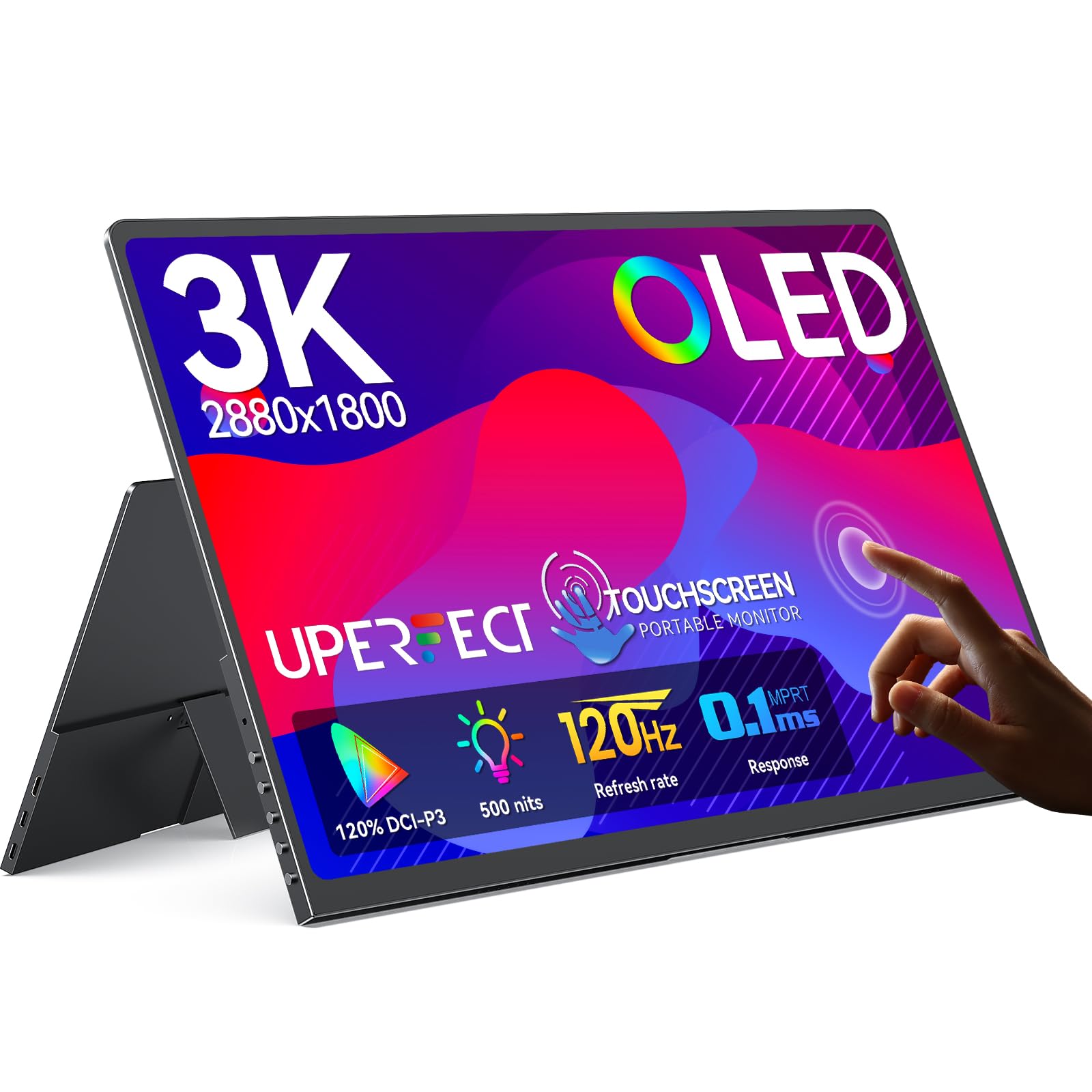
The UPERFECT 14-inch OLED portable monitor packs a 3K 2880×1800 resolution with 120Hz refresh rate and 0.1ms response time into a 1.29-pound chassis. The OLED panel delivers 500 nits brightness and 120% DCI-P3 color coverage, producing vibrant colors and true blacks that stationary monitors three times its size cannot match.
The touchscreen supports pixel-accurate input with zero offset, making it useful for drawing or navigating Windows/MacOS without a mouse. It connects via single USB-C for both power and video, simplifying travel setups with laptops, phones, and game consoles.
Note that 3K resolution runs at 100Hz over HDMI — Type-C is required for the full 120Hz. The built-in speakers are serviceable but quiet, and the folding case stand feels flimsy compared to dedicated monitor arms.
Why it’s great
- OLED panel with 500 nits and 120% DCI-P3 colors
- Pixel-accurate touchscreen with zero offset
- Ultra-slim 1.29 lbs design for true portability
Good to know
- HDMI caps at 100Hz; Type-C required for 120Hz
- Folding case stand is not very sturdy
- Built-in speakers are quiet
9. CRUA 49″ Curved Monitor
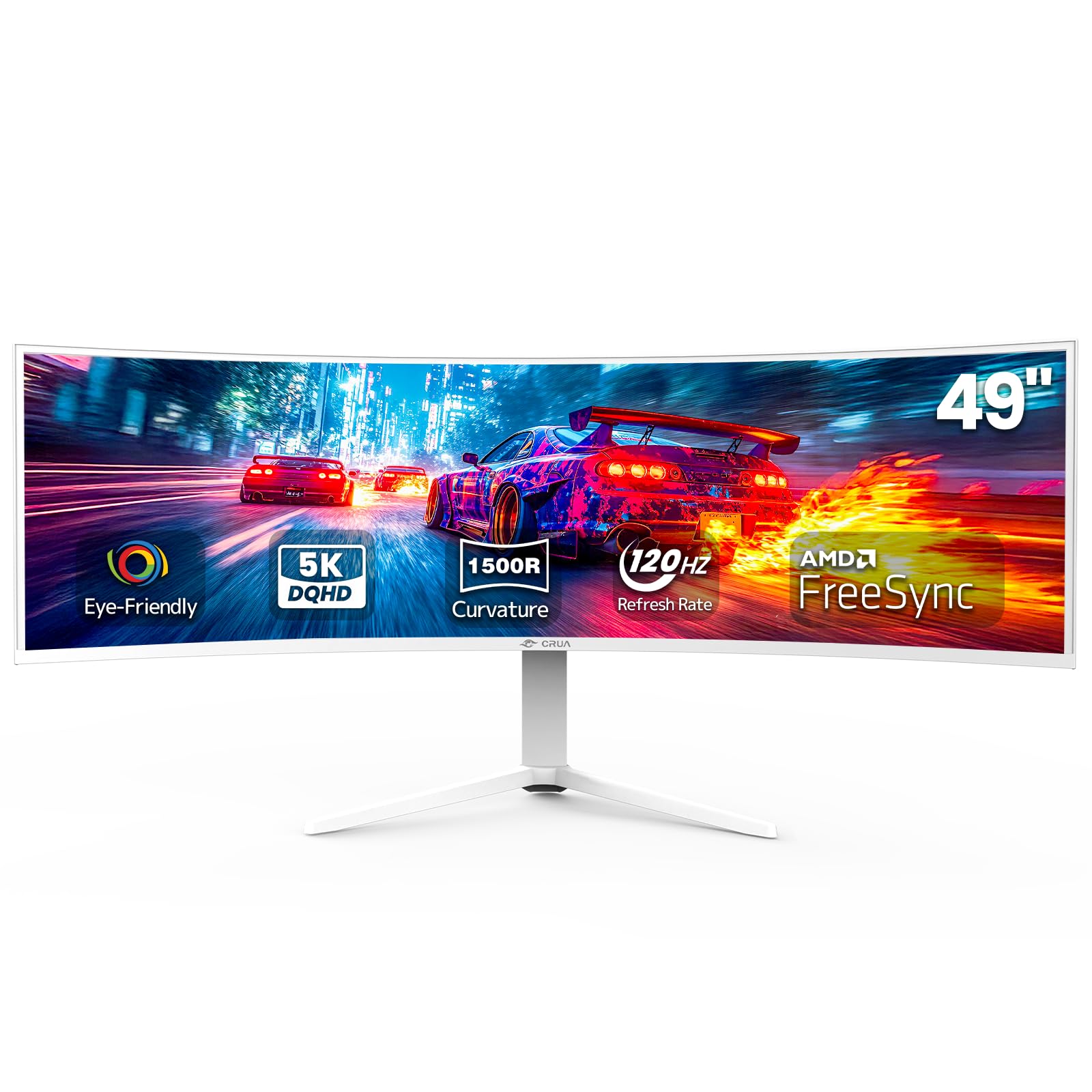
The CRUA 49-inch curved monitor uses a DQHD 5120×1440 resolution with a 1500R curvature and 32:9 aspect ratio, effectively replacing a dual-monitor setup with one seamless ultra-wide screen. The 120Hz refresh rate with AMD FreeSync ensures smooth scrolling and gameplay across the massive display. The 120% sRGB color coverage and 3000:1 contrast ratio produce vivid, detailed visuals.
The stand offers height adjustment, and VESA mount compatibility allows for wall installation. HDMI 2.1 and DisplayPort 1.4 inputs support the full bandwidth needed for 5120×1440 at 120Hz.
Some users report a high-pitched whine from the power adapter, and the panel has noticeable glare in bright rooms. The 120Hz refresh rate is modest compared to 240Hz gaming monitors, and there are no built-in speakers.
Why it’s great
- 32:9 ultra-wide replaces two monitors
- 120Hz with FreeSync for smooth motion
- 120% sRGB with 3000:1 contrast ratio
Good to know
- Some units have high-pitched power adapter whine
- Noticeable glare in bright rooms
- No built-in speakers
FAQ
Can a 1440p 120Hz monitor run at 4K resolution?
Do I need HDMI 2.1 for 1440p 120Hz gaming?
Is OLED burn-in a concern for 1440p gaming monitors?
What GPU do I need to run 1440p at 120Hz?
Final Thoughts: The Verdict
For most users, the 1440p 120hz monitor winner is the LG 27GR83Q-B because it combines a blistering 240Hz IPS panel with HDMI 2.1, excellent color coverage, and a fully adjustable stand at a price that undercuts most competitors. If you want true OLED blacks and infinite contrast for HDR gaming, grab the ASUS ROG Strix XG27AQDMG. And for a portable secondary screen that keeps the 120Hz OLED experience on the go, nothing beats the UPERFECT 14-inch Touchscreen OLED.