
Motion clarity is the defining difference between a monitor that feels sluggish and one that keeps your reflexes in sync with the action. A 144Hz curved monitor wraps that fluidity around your peripheral vision, reducing the eye travel time your brain needs to process fast-moving objects across the display. That combination of high frame-rate refresh and a concave panel is not a gimmick — it is a functional advantage for anyone who plays competitive shooters, racing sims, or open-world titles where spatial awareness matters as much as reaction speed.
I’m Min — the co-founder and writer behind Gadgets Feed. My research for this guide involved parsing over fifty technical spec sheets, customer benchmarks, and contrast-ratio deep dives to isolate which panels actually deliver on the 144Hz promise without washing out color accuracy or introducing motion artifacts.
Whether you are upgrading from a standard 60Hz office display or building a dedicated gaming rig from scratch, the right 144hz curved monitor must balance refresh-rate consistency, panel technology, curve aggressiveness, and connectivity bandwidth to match both your GPU and your genre of choice.
How To Choose The Best 144Hz Curved Monitor
Choosing a monitor at this refresh rate means prioritizing three interconnected traits: the panel’s native response time, the curvature’s effect on perceived depth, and the adaptive sync standard your graphics card supports. A mismatch in any one of these can leave you with a screen that ghosts during fast lateral motion or fails to hit its rated refresh at your resolution of choice.
Panel Technology: VA vs. IPS vs. OLED
Vertical Alignment panels dominate the curved monitor space because their native 3000:1 static contrast ratio produces deeper blacks than IPS, making dark scenes in games like Alan Wake 2 or Starfield look richer. IPS offers wider viewing angles and slightly better color accuracy out of the box, but its backlight glow reduces the immersive darkness that a curved VA creates. OLED delivers infinite contrast and per-pixel lighting, eliminating any backlight bleed, but it comes at a premium cost and requires burn-in management software.
Curve Radius and Screen Size
A 1500R curve is the standard for 27-inch to 34-inch panels because it approximates the natural focal arc of the human eye at typical desk distance. The more aggressive 1000R curve wraps further into your periphery, which helps on larger 32-inch displays where flat edges would otherwise fall outside your central field of view. For 49-inch super ultrawide panels, an 1800R curve is the minimum to keep both edges visible without neck rotation.
Connectivity: Reaching Full Refresh Rate
DisplayPort 1.4 is the only interface that guarantees the monitor’s full native refresh rate at its maximum resolution. HDMI 2.0 often caps at 120Hz on 1440p panels, and HDMI 2.1 is reserved for premium models. Always verify with the manufacturer’s spec sheet which port delivers the stated 144Hz or 180Hz — shipping cables are frequently HDMI-only, so you may need to purchase a separate DisplayPort cable to unlock the monitor’s full performance.
Quick Comparison
On smaller screens, swipe sideways to see the full table.
| Model | Category | Best For | Key Spec | Amazon |
|---|---|---|---|---|
| Alienware 34 QD-OLED AW3425DW | Premium OLED | Competitive & HDR Gaming | 240Hz / 0.03ms / 1,500,000:1 | Amazon |
| LG 34GS95QE | Premium OLED | Fast-paced FPS & Racing | 240Hz / 0.03ms / 800R curve | Amazon |
| ASUS TUF VG34VQ3B | Ultrawide Mid-Range | Immersive Single-Player | 180Hz / 1ms / 3440×1440 | Amazon |
| Alienware 34 AW3425DWM | Ultrawide Value | Productivity & Immersive Play | 180Hz / 1ms / DCI-P3 95% | Amazon |
| Deco Gear 49″ Ultrawide | Super Ultrawide | Sim Racing & Multi-tasking | 144Hz / 32:9 / 3840×1080 | Amazon |
| INNOCN 49C1G | Super Ultrawide | Productivity Suite | 144Hz / USB-C 65W / HDR400 | Amazon |
| Samsung Odyssey G5 32″ | Mid-Range VA | Balanced 1440p Gaming | 144Hz / 1ms / 1000R curve | Amazon |
| AOC CQ27G4H | Value QHD | Budget 1440p Gaming | 180Hz / 0.5ms / 1500R | Amazon |
| LG 27GS60QC-B | Entry-Level QHD | Entry-level 1440p Gaming | 180Hz / 1ms / 1000R | Amazon |
In‑Depth Reviews
1. Alienware 34 240Hz QD-OLED Curved Gaming Monitor – AW3425DW

This is the category benchmark for anyone who demands infinite contrast and per-pixel black levels from a curved ultrawide format. The QD-OLED panel delivers a 1,500,000:1 static contrast ratio, which means scenes with mixed bright and dark elements — like a sunlit cockpit in a starfield — render without any haloing or gray bleed. The 240Hz refresh rate runs natively over DisplayPort 1.4, and the 0.03ms gray-to-gray response eliminates any visible trailing during 180-degree flick shots in Valorant or Apex Legends.
Color volume is exceptional: 99.3% DCI-P3 coverage with a Delta E under 2 ensures that game environments look as the art director intended. The 1800R curve is gentle enough for productivity but still provides wraparound depth for cinematic single-player titles. The included VESA DisplayHDR TrueBlack 400 certification means highlights punch above the panel’s 250-nit sustained brightness without blowing out shadow detail.
Burn-in risk exists with any OLED, so Alienware includes a pixel-refresh routine that activates during standby. The anti-glare coating is more reflective than matte VA panels, so ambient light management matters. The stand offers full tilt, swivel, and height adjustment, and the build feels denser than the price bracket suggests. This is the monitor you buy when you want OLED-grade motion clarity without jumping to a 49-inch super ultrawide.
Why it’s great
- Infinite OLED contrast eliminates all backlight bleed in dark scenes.
- 240Hz with 0.03ms GTG response produces zero perceivable ghosting.
- Factory-calibrated color accuracy (Delta E < 2) out of the box.
Good to know
- Peak brightness in SDR is lower than high-end IPS monitors.
- Text rendering on Windows can appear slightly softer due to QD-OLED subpixel layout.
- Burn-in prevention software must be enabled manually for automatic maintenance.
2. LG 34GS95QE 34-inch Ultragear OLED Curved Gaming Monitor

The LG UltraGear OLED takes a radically different approach to immersion by pushing the curve to 800R — the tightest radius on this list. At a typical 60 cm viewing distance, the panel edges wrap so far into your peripheral vision that you stop noticing the bezel entirely. This aggressive curvature works especially well for racing sims like iRacing and flight sims where situational awareness depends on spotting wingmen or apexes at the edge of the screen without moving your head.
The OLED panel delivers the same per-pixel black levels as the Alienware QD-OLED, but LG pairs it with a 240Hz refresh rate and 0.03ms GTG that feels identical in practice. HDMI 2.1 bandwidth supports 240Hz at full 3440×1440 resolution, which is rare among ultrawide monitors — most competitors cap HDMI at 120Hz. FreeSync Premium Pro and G-Sync Compatible certification mean the VRR window covers the entire refresh range without flicker.
The anti-glare+low-reflection coating is genuinely effective: it cuts overhead light blooms better than most matte finishes while retaining the saturated blacks that make OLED special. Text clarity takes a hit due to the non-standard subpixel layout, but for a pure gaming monitor this is a minor trade-off. The built-in burn-in maintenance tools — pixel moving, logo dimming, and image cleaning — are configurable enough to let you set aggressive prevention without noticing it during gameplay.
Why it’s great
- 800R curve is the most aggressive radius available, maximizing peripheral immersion.
- Full 240Hz over HDMI 2.1 eliminates the need for DisplayPort on modern GPUs.
- Anti-reflection coating handles bright-room glare without crushing black detail.
Good to know
- Text rendering is noticeably softer than VA panels at the same resolution.
- The rear menu joystick is angled awkwardly and causes hand cramp during frequent adjustments.
- Burn-in prevention settings are off by default and require manual activation.
3. ASUS TUF Gaming 34″ Ultra-Wide Curved Monitor VG34VQ3B

The ASUS TUF VG34VQ3B bridges the gap between budget ultrawide and premium feature sets. It uses a 1500R VA panel at 3440×1440 with a 180Hz refresh rate and 1ms MPRT response, which is fast enough for competitive play while offering the wider FoV that standard 16:9 monitors cannot match. The static contrast ratio is rated at 4000:1, which is noticeably better than the 3000:1 common on most VA panels, giving dark scenes extra depth without crushing shadow detail.
ASUS includes Extreme Low Motion Blur Sync technology, which backlight-strobes in sync with the refresh cycle to reduce perceived motion blur during fast camera pans. The 90% DCI-P3 coverage is solid for the price tier, and HDR content benefits from the high native contrast even before adding separate local dimming zones. The built-in speakers are weak — 2W units that sound tinny — so plan on external audio.
Connectivity includes DisplayPort 1.4, dual HDMI 2.0, and a USB hub with four Type-A ports. The stand only offers tilt adjustment in the base model, but VESA 100×100 compatibility lets you mount an aftermarket arm. For anyone transitioning from a standard 27-inch 1440p panel to an ultrawide without spending OLED money, this ASUS delivers the most feature-dense package at its price point.
Why it’s great
- 4000:1 static contrast provides deeper blacks than typical VA ultrawides.
- ELMB Sync reduces motion blur without the brightness penalty of standard strobing.
- USB hub with four downstream ports simplifies desk cable management.
Good to know
- Stand offers tilt only — no height or swivel adjustment at this price.
- Built-in speakers are quiet and lack low-end frequency response.
- HDR performance is limited by the lack of full-array local dimming zones.
4. Alienware 34 Curved Gaming Monitor – AW3425DWM

The AW3425DWM is the value-conscious sibling of the Alienware QD-OLED, trading per-pixel black levels for a VA panel that still delivers excellent 3000:1 contrast at a significantly lower cost. The 34-inch 3440×1440 panel runs at 180Hz over DisplayPort with 1ms GTG response, and the 1500R curve provides comfortable wraparound depth for both gaming and productivity. Color coverage reaches 95% DCI-P3, which is competitive with mid-range IPS panels and better than many VA alternatives.
Where this monitor shines is its ergonomic package: the stand includes full height, tilt, and swivel adjustment, which is rare at this price point. The OSD includes a dedicated console mode that locks the panel into 120Hz at 1440p for PS5 and Xbox Series X, automatically handling the VRR handshake. There are no built-in speakers, but the included HDMI 2.1 and DP 1.4 cables cover the full bandwidth without needing an aftermarket purchase.
The VA panel exhibits the expected slight dark-level smearing during transitions from black to mid-gray, a trait common to the technology. Overdrive set to the middle setting reduces this artifact without introducing inverse ghosting. For a mixed-use scenario — office tasks during the day and immersive gaming at night — this Alienware delivers the best ergonomic value on the list.
Why it’s great
- Full ergonomic stand (height, tilt, swivel) included in the base price.
- Console mode locks 120Hz at 1440p with automatic VRR for PS5/Xbox.
- 95% DCI-P3 coverage rivals mid-range IPS for color-critical work.
Good to know
- VA panel exhibits mild dark-level smearing in transition-heavy scenes.
- No built-in speakers — external audio is mandatory.
- Non-OLED blacks become noticeable when compared side-by-side with a true OLED panel.
5. Deco Gear 49″ Curved Ultrawide Gaming Monitor
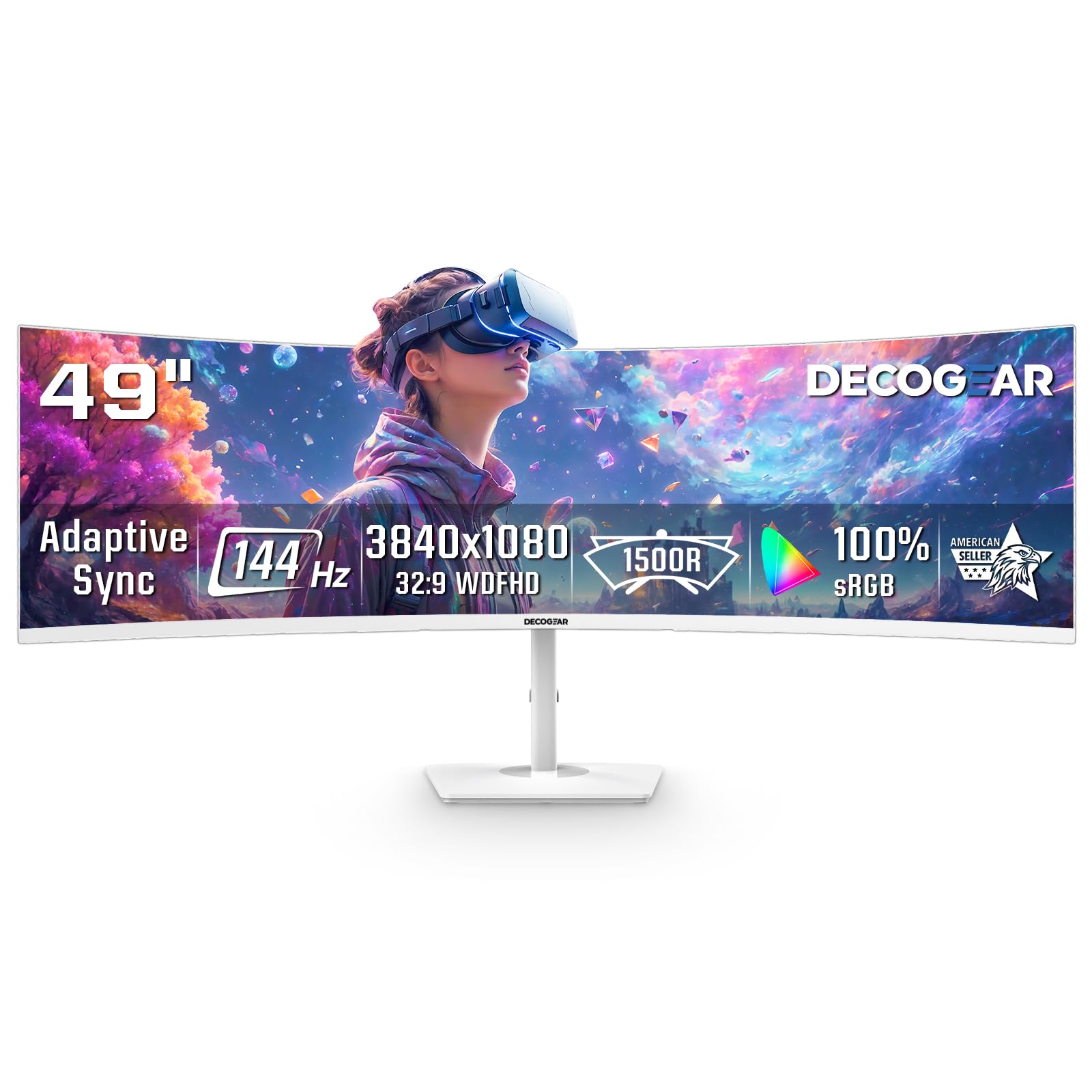
The Deco Gear 49-inch super ultrawide is the most cost-effective entry into the 32:9 aspect ratio, replacing a dual-monitor setup with a single curved panel at 3840×1080 resolution. The 144Hz refresh rate and 1ms MPRT response are sufficient for sim racing and flight sims where lateral motion across the wide canvas benefits from the high frame rate. The 1800R curve keeps both edges visible without neck strain during extended sessions in Assetto Corsa or Microsoft Flight Simulator.
The VA panel delivers a 3000:1 contrast ratio and 99% sRGB coverage, which produces vibrant colors for its price tier. Picture-in-Picture and Picture-by-Picture modes allow simultaneous input from two sources, so you can keep Discord or Spotify running from a secondary device while gaming on the main PC. The white chassis is a deliberate aesthetic choice that fits light-colored desk setups, though it collects fingerprints noticeably faster than black finishes.
Color gamut coverage is strong, but the 250-nit brightness falls short for HDR content — the panel passes HDR metadata but lacks the luminance headroom for convincing highlights. The stand offers no vertical adjustment, and the rear I/O omits a 3.5mm audio jack, so audio must exit through your PC or console. For buyers who prioritize screen real estate over deep contrast, this Deco Gear delivers the lowest cost-per-inch of any 144Hz curved monitor.
Why it’s great
- Lowest cost-per-inch for a 144Hz 49-inch super ultrawide format.
- PIP/PBP mode lets two inputs share the screen without external software.
- White chassis matches bright, modern desk aesthetics.
Good to know
- No USB-C or 3.5mm audio output — audio routing limited to source devices.
- Stand offers zero height or tilt adjustment after assembly.
- Power button is a protruding plastic nub that can snap off under regular use.
6. INNOCN 49″ Curved Gaming Monitor 49C1G

The INNOCN 49C1G targets a hybrid user who needs a 49-inch canvas for office productivity but also wants 144Hz gaming capability after work hours. Its killer feature is USB-C with 65W Power Delivery, which lets a single cable drive display, data, and laptop charging — a rarity in the curved ultrawide space. The 3840×1080 VA panel uses an 1800R curve and delivers HDR400 certification with 400 nits peak brightness, making text legible even with multiple windows tiled across the 32:9 span.
Connectivity is the most complete on this list: DP 1.4, HDMI 2.1, USB-C 65W, two USB-A downstream ports, USB-B upstream, RJ45 Ethernet, and a 3.5mm audio jack. The built-in speakers are passable for system sounds and video calls but lack the clarity for critical game audio. The included stand offers tilt, swivel, and height adjustment, though the foot is wide and consumes significant desk depth.
The VA panel exhibits the same 3000:1 contrast as competing 49-inch models, and the 99% sRGB coverage produces accurate colors for photo editing and spreadsheet work. Adaptive-Sync keeps the 144Hz refresh rate tear-free during gaming, but the panel’s 8ms GTG response — slower than the gaming-optimized 49-inch alternative — means fast-moving objects leave a faint trail. This trade-off makes the INNOCN better suited for strategy games and immersive RPGs than competitive shooters.
Why it’s great
- USB-C 65W PD turns the monitor into a laptop docking hub with one cable.
- Full ergonomic stand with height, tilt, and swivel included in the package.
- RJ45 Ethernet port provides wired networking for docked laptops.
Good to know
- 8ms GTG response time introduces visible smearing in fast-paced FPS games.
- Panel measures only 15 inches tall, which feels short relative to its 49-inch width.
- PS5 and Xbox content stretches awkwardly and is not recommended for console use.
7. Samsung 32″ Odyssey G5 Gaming Monitor

The Samsung Odyssey G5 32-inch is arguably the most balanced mid-range curved monitor available at 1440p. Its 1000R curve is tighter than most competitors, wrapping the action around your face like a flight sim cockpit. The 144Hz refresh rate pairs with a 1ms GTG VA panel that produces deep 3000:1 contrast, making night-time exploration in Elden Ring look cinematic even without local dimming. AMD FreeSync Premium keeps the VRR window wide enough to cover 48-144Hz without tearing.
The WQHD resolution packs 1.7x the pixel density of 1080p at 32 inches, which produces sharp text and detailed game textures without requiring the GPU horsepower of 4K. The HDR10 support is a marketing checkbox — the panel’s 250-nit brightness cannot produce convincing highlights, but the wide color gamut improves general vibrancy in SDR mode. Samsung’s game-centric OSD includes FPS counter, virtual crosshair, and black equalizer for competitive play.
The stand is the weakest component: it offers tilt only, and the plastic construction feels less sturdy than the metal-reinforced stands from LG or ASUS. The monitor ships with an HDMI cable, but you will need a separate DisplayPort cable to access the full 144Hz refresh rate at 2560×1440. For a 32-inch panel with this curve and refresh rate combination, the Odyssey G5 remains the most trusted name in the mid-range segment.
Why it’s great
- 1000R curve wraps further into peripheral vision than 1500R alternatives.
- 144Hz with FreeSync Premium offers a wide VRR window for consistent smoothness.
- 32-inch 1440p provides excellent pixel density without 4K GPU demands.
Good to know
- Peak SDR brightness is only 250 nits, insufficient for bright-room use.
- HDR10 support does not improve luminance — it only passes metadata.
- No DisplayPort cable in the box — you must purchase one separately for 144Hz.
8. AOC CQ27G4H 27″ Curved Gaming Monitor

The AOC CQ27G4H delivers the highest refresh rate in the value tier at 180Hz, paired with an aggressive 0.5ms MPRT response that reduces motion blur better than many monitors twice its price. The 1500R VA panel at 27-inch 1440p hits the ideal pixel density sweet spot — 109 PPI — producing crisp text without scaling issues. The static 3000:1 contrast ratio provides rich blacks for the panel size, and HDR readiness passes metadata respectably even if peak brightness stays at 300 cd/m².
AOC includes a height-adjustable stand with tilt and swivel, which is rare at this price point and eliminates the need for an aftermarket VESA arm for most users. The input selection covers DP 1.4 and dual HDMI 2.0, and the earphone-out jack works for connecting desktop speakers or a headphone amp. FreeSync Premium certification ensures a tear-free experience across the full refresh range without the flicker that sometimes plagues entry-level FreeSync panels.
The VA panel does exhibit the typical edge darkening effect near the sides, and some units ship with slight stand wobble if the locking collar is not fully tightened. AOC offers a 3-year zero-bright-dot warranty, which means any stuck bright subpixel within the warranty period qualifies for a replacement — a strong safety net for budget-conscious buyers. This is the most performance-per-dollar curved monitor on the list.
Why it’s great
- 180Hz refresh rate with 0.5ms MPRT is the fastest in its price segment.
- Height-adjustable stand with tilt and swivel included at no extra cost.
- 3-year zero-bright-dot warranty covers stuck subpixel defects.
Good to know
- VA edge darkening is visible on solid-color backgrounds at the panel sides.
- Stand can exhibit wobble if the locking collar is not firmly tightened.
- HDR mode is software-driven and lacks local dimming hardware.
9. LG 27GS60QC-B Ultragear 27-inch Curved Gaming Monitor

The LG 27GS60QC-B is the entry-level gateway into QHD curved gaming, offering a 180Hz refresh rate and 1ms GTG response on a 1000R VA panel at a price that undercuts almost every competitor. The 1000R curve is unexpectedly aggressive for a budget monitor — it matches the Samsung Odyssey G5 in curvature while costing less, pulling the 27-inch panel tightly into your peripheral vision. The 99% sRGB coverage and HDR10 support produce vibrant colors for the price tier.
LG includes Dynamic Action Sync for input lag reduction and Black Stabilizer for visibility in dark corners, both accessible through the joystick OSD. The two HDMI 2.0 ports and single DisplayPort 1.4 provide enough bandwidth for the full 180Hz at 2560×1440, though the panel is limited to 144Hz over HDMI. The three-side borderless design maximizes the screen-to-body ratio, and the matte coating cuts reflections well in average room lighting.
The stand is the most significant compromise: tilt-only adjustment with a small base that feels lightweight. VESA 100×100 compatibility lets you mount it on an arm, which most owners will want. The VA panel shows the expected black smearing at overdrive settings above the medium level, and the 300 cd/m² brightness is adequate but not vivid for HDR content. For the price, this is the most aggressive curve-per-dollar option available.
Why it’s great
- 1000R curve at this price point is unmatched by any competing budget monitor.
- 180Hz refresh rate provides headroom above the 144Hz standard.
- Dynamic Action Sync and Black Stabilizer offer competitive gaming features at no extra cost.
Good to know
- Stand offers only tilt adjustment — no height or swivel without VESA mounting.
- VA black smearing present at overdrive settings above medium level.
- 300 cd/m² brightness is adequate but not sufficient for convincing HDR highlights.
FAQ
Can I use this monitor with my PS5 or Xbox and get the full 144Hz?
Does a curved monitor cause eye strain differently than a flat monitor?
Is VA panel ghosting still a problem on modern 144Hz curved monitors?
Final Thoughts: The Verdict
For most users, the 144hz curved monitor winner is the Alienware 34 AW3425DWM because it pairs the immersive 1500R ultrawide VA panel with full stand ergonomics, 95% DCI-P3 color, and 180Hz refresh at a price that does not require OLED-level investment. If you want infinite OLED black levels and the fastest 240Hz response, grab the Alienware 34 QD-OLED AW3425DW. And for the most aggressive curve-per-dollar value in a compact 27-inch QHD package, nothing beats the LG 27GS60QC-B.