
The difference between an affordable work laptop that feels like a tool and one that feels like a tax write-off comes down to three things: real-world RAM, your CPU’s core count, and whether you’re stuck with an eMMC drive or a true NVMe SSD. Most budget-tier listings bury these specs behind marketing fluff about “multitasking” and “productivity,” leaving you to discover only after purchase that your so-called 12GB machine can’t handle ten browser tabs and a Slack call without stuttering.
I’m Min — the co-founder and writer behind Gadgets Feed. I’ve spent hundreds of hours analyzing processor benchmarks, memory configurations, and real user feedback across dozens of work laptops to isolate exactly which specs translate to smooth daily performance and which ones are just numbers on a box.
This guide cuts through the noise to deliver a curated selection of machines that prioritize the hardware that actually matters for office tasks, remote collaboration, and light creative work. Whether you prioritize a spacious 15.6-inch FHD display, a fingerprint reader for instant login, or a backlit keyboard for late-night deadlines, the best affordable work laptop balances capable internals with a build that won’t fall apart inside your bag.
How To Choose The Best Affordable Work Laptop
Selecting a budget-friendly work laptop requires a clear understanding of where corners can be cut and where they cannot. Focus on the components that directly impact your daily workflow rather than chasing marketing buzzwords like “AI Copilot” or “Entertainment-Ready.”
Prioritize RAM and Storage Type Over CPU Generations
An 8GB machine running an older processor will feel snappier with an NVMe SSD than a 16GB model bogged down by eMMC storage, but 16GB of RAM is the true safety net for modern multitasking. Look for configurations that pair at least 8GB of DDR4 or DDR5 RAM with a PCIe SSD. Avoid laptops listing “128GB eMMC + 512GB SSD” as separate drives unless you are comfortable managing two volumes.
Screen Quality and Keyboard Comfort Dominate Daily Interaction
You will stare at this screen for hours, so a 15.6-inch Full HD (1920×1080) IPS panel with anti-glare coating matters far more than a 4K resolution you cannot drive with integrated graphics. Similarly, a full-size keyboard with a dedicated numeric keypad and adequate key travel will reduce fatigue during spreadsheet work and document editing.
Port Selection and USB-C Charging
An HDMI port for external monitors and at least two USB-A ports for peripherals remain essential for most office setups. USB-C with Power Delivery (PD) is a game-changer because it lets you charge your laptop with the same cable as your phone, reducing cable clutter. Ensure the included charger wattage matches the laptop’s peak consumption for consistent performance under load.
Quick Comparison
On smaller screens, swipe sideways to see the full table.
| Model | Category | Best For | Key Spec | Amazon |
|---|---|---|---|---|
| Lenovo V15 Gen 4 | Premium Business | Power users needing an i5 and Windows 11 Pro | 15.6″ FHD / Intel i5-13420H / 16GB RAM / 512GB SSD | Amazon |
| NIMO 17.3″ Ryzen 7 | Premium Performance | Heavy multitasking and light creative work | 17.3″ 4K IPS / Ryzen 7 8745HS / 32GB RAM / 1TB SSD | Amazon |
| NIMO 15.6″ Ryzen 5 | Mid-Range Value | Students who need a backlit keyboard and fingerprint reader | 15.6″ FHD IPS / Ryzen 5 / 16GB RAM / 512GB SSD | Amazon |
| Dell 15 FHD 120Hz | Mid-Range General | Everyday computing with a smooth 120Hz display | 15.6″ FHD 120Hz / Intel Core 3 100U / 8GB RAM / 512GB SSD | Amazon |
| ASUS Vivobook Go 15 | Mid-Range Portable | Travelers wanting military-grade build and fast charging | 15.6″ FHD / Ryzen 3 7320U / 8GB DDR5 RAM / 128GB SSD | Amazon |
| Acer Aspire 3 A315-24P | Mid-Range Budget | Students needing long battery life and a Ryzen processor | 15.6″ FHD IPS / Ryzen 3 7320U / 8GB LPDDR5 / 128GB SSD | Amazon |
| HP Essential 15.6″ | Budget Entry-Level | Basic office tasks with a numeric keypad | 15.6″ FHD / Intel N100 / 8GB RAM / 256GB SSD | Amazon |
| HP 14 AI Copilot | Budget Bundled | Users who want accessories and Office 365 included | 14″ HD / Intel N150 / 16GB RAM / 128GB UFS+500GB Ext | Amazon |
| jumper S7Hi | Budget Value | Students needing a 1-year Office 365 license | 15.6″ FHD IPS / Intel 5205U / 12GB RAM / 640GB Storage | Amazon |
| Auusda Business Laptop | Budget All-Rounder | Users wanting a backlit keyboard and fingerprint ID | 15.6″ FHD / Quad-Core 3.4GHz / 16GB DDR4 / 1TB NVMe | Amazon |
| Dell Latitude 5400 | Budget Business | Professionals needing 32GB RAM and a touchscreen | 14″ FHD Touch / i5-8365U / 32GB RAM / 1TB SSD | Amazon |
In‑Depth Reviews
1. Lenovo V15 Gen 4 Business Laptop

The Lenovo V15 Gen 4 sets a clear benchmark for what a business-focused laptop should deliver at a mid-range price point. Its Intel Core i5-13420H processor, an 8-core chip that can turbo up to 4.6 GHz, outperforms many older i7 models, making it capable of handling heavy spreadsheet analysis, multiple virtual desktops, and video conferencing simultaneously without hesitation.
Paired with 16GB of RAM and a 512GB PCIe NVMe SSD, this machine offers the kind of headroom that prevents the slowdowns typical of 8GB configurations when you have thirty browser tabs, Slack, and a CRM tool running. The 15.6-inch Full HD display provides adequate clarity for long sessions, and the inclusion of an RJ45 Ethernet port is a rare and welcomed feature for users who rely on wired office networks.
Windows 11 Pro brings advanced security features like BitLocker device encryption and remote desktop support, which are essential for corporate environments. The build quality feels solid despite being plastic, and the keyboard with a numeric keypad offers satisfying tactile feedback for extended typing sessions.
Why it’s great
- Powerful 8-core i5-13420H processor with turbo up to 4.6 GHz
- 16GB RAM and 512GB NVMe SSD provide excellent multitasking headroom
- Includes RJ45 Ethernet port and Windows 11 Pro for business use
Good to know
- Build material feels like cheap plastic compared to premium ultrabooks
- Feels slightly sluggish next to high-end ThinkPads with similar specs
2. NIMO 17.3″ IPS Gaming Laptop, Ryzen 7 8745HS

If raw processing power and a massive screen are your priorities, the NIMO 17.3-inch machine is an absolute anomaly at this price tier. The AMD Ryzen 7 8745HS processor, capable of boosting to 4.9 GHz, combined with 32GB of DDR5 RAM and a 1TB PCIe 4.0 SSD, delivers performance that rivals laptops costing significantly more. This configuration handles 4K video editing timelines, compiling code, and heavy virtualization without breaking a sweat.
The 17.3-inch IPS display supports up to 4K resolution, which eliminates the need for constant scrolling in design applications, and the 180-degree hinge makes it easy to share your screen in collaborative settings. The integrated Radeon 780M graphics are surprisingly capable for light gaming and GPU-accelerated tasks, although this remains a work-first machine at its core.
Connectivity is future-proofed with USB4 and HDMI 2.1 ports, supporting external displays at 8K resolution, plus an SD card reader for photographers. The 100W USB-C PD charger is a welcome addition, and the 2-year warranty provides peace of mind that is rare for laptops in this price bracket.
Why it’s great
- Ryzen 7 8745HS with 32GB DDR5 RAM handles any productivity task
- 17.3″ 4K IPS display with 180° hinge for flexible viewing
- USB4 and HDMI 2.1 ports support high-resolution external displays
Good to know
- ThinkPad loyalists may find the keyboard feel less refined
- Battery life under heavy load is shorter than smaller-screened alternatives
3. NIMO 15.6” FHD IPS Student Laptop, Ryzen 5

The NIMO 15.6-inch model strikes an almost perfect balance between performance and price for most students and professionals. Its AMD Ryzen 5 processor, which beats the Intel i5-1135G7 according to the manufacturer, paired with 16GB of DDR4 RAM, ensures that multitasking between research tabs, document editors, and communication apps remains fluid. The 512GB PCIe SSD provides ample storage for project files and media.
One standout feature at this price point is the backlit keyboard with adjustable brightness, which is genuinely useful for late-night study sessions or dimly lit co-working spaces. The fingerprint reader integrated into the touchpad adds a layer of security and convenience that is typically reserved for more expensive business laptops. The 65W USB-C PD charger also powers your phone and tablet, reducing the chargers you need to carry.
The 15.6-inch Full HD IPS anti-glare display with an 85% screen-to-body ratio offers vibrant colors and reduces eye strain during long work sessions. Build quality feels robust, with reviews noting the sturdy metal A-shell and minimal chassis flex. The 2-year warranty and 90-day return policy further sweeten the deal for cautious buyers.
Why it’s great
- Excellent performance-to-price ratio with Ryzen 5 and 16GB RAM
- Includes backlit keyboard and fingerprint reader for security
- 2-year warranty and 90-day return policy provide buyer confidence
Good to know
- Front camera quality is grainy and may disappoint for frequent video calls
- Battery life averages around 5 hours with mixed use, not all-day
4. Dell 15 Laptop DC15250

The Dell 15 DC15250 carves a unique niche in the affordable work laptop segment by offering a 120Hz FHD display, a refresh rate typically reserved for gaming laptops. This translates to noticeably smoother cursor movement, scrolling, and animations, which reduces eye fatigue during long document reviews and data entry tasks. The Intel Core 3 100U processor provides adequate performance for everyday office applications like Word, Excel, and web browsing.
With 8GB of DDR4 RAM and a 512GB SSD, this configuration is well-suited for standard productivity workflows, though power users may find the 8GB ceiling limiting when running multiple virtual machines or large datasets. The 15.6-inch screen includes a dedicated numeric keypad, and the lifted hinge design creates an ergonomic typing angle that improves wrist comfort during extended sessions.
Dell backs this machine with a 1-year Onsite Service warranty, which means a technician will come to your home or office to resolve covered hardware issues. This level of service is rare at this price point and can be a deciding factor for non-technical users who want peace of mind without visiting a repair shop.
Why it’s great
- 120Hz FHD display provides exceptionally smooth scrolling and animations
- 1-year Onsite Service warranty eliminates the hassle of self-repair
- Ergonomic lifted hinge design improves typing comfort
Good to know
- 8GB RAM may feel restrictive for heavy multitaskers
- Battery life is shorter than some competitors with similar specs
5. ASUS Vivobook Go 15.6” FHD Slim Laptop

The ASUS Vivobook Go 15 is built for mobility and peace of mind. Its military-grade durability certification means it can withstand minor drops, vibrations, and temperature extremes that would damage a standard consumer laptop, making it a solid choice for field workers, consultants, and students who commute daily. The slim bezel 15.6-inch FHD NanoEdge display offers a vibrant visual experience with 45% NTSC color gamut, sufficient for office documents and streaming.
The AMD Ryzen 3 7320U processor with integrated Radeon Graphics provides smooth performance for browsing, document editing, and video calls. The 8GB of DDR5 RAM is a step up in speed from older DDR4 standards, and the 128GB SSD, while limited, can be supplemented with an external drive. The webcam privacy shutter is a small but meaningful feature for remote workers concerned about security.
Fast charging support is a key advantage, allowing the 45W AC adapter to quickly top up the lithium-ion battery during short breaks. The ErgoSense keyboard includes a precision touchpad and a 180-degree hinge, and the SonicMaster audio system delivers clear sound for conference calls. The inclusion of a USB-C port for power and display output adds versatility.
Why it’s great
- Military-grade durability certification for extra ruggedness
- Webcam privacy shutter and fast charging support
- Ryzen 3 7320U with DDR5 RAM offers solid everyday performance
Good to know
- 128GB SSD fills up fast; an external drive is almost mandatory
- Forces Microsoft account creation and S Mode lock during initial setup
6. Acer Aspire 3 A315-24P-R7VH Slim Laptop

The Acer Aspire 3 is a reliable entry point for students and professionals who value battery life above all else. With an advertised 11-hour battery life, this slim 15.6-inch laptop can comfortably last through a full day of classes or back-to-back meetings without needing a charge. The Ryzen 3 7320U Quad-Core processor with Radeon Graphics provides enough horsepower for web apps, Office 365, and light photo editing.
The 15.6-inch Full HD IPS display with narrow bezels delivers sharp details and adequate color accuracy for its class. Acer’s TNR (Temporal Noise Reduction) technology in the front-facing camera improves video call quality in low-light conditions, and the PurifiedVoice technology with AI noise reduction filters out background noise for clearer communication. The 8GB of LPDDR5 memory is soldered, meaning no future upgrade, which is a limitation to consider if your needs may grow.
The 128GB NVMe SSD provides fast boot times but offers limited storage for large media libraries or software installations. Upgrading the SSD is possible via the M.2 slot, but the memory cannot be expanded. The lack of a backlit keyboard may be a dealbreaker for users who work in dim environments.
Why it’s great
- Exceptional battery life that can last through a full day of classes
- TNR camera and PurifiedVoice improve video call quality
- Full HD IPS display with vivid colors for media consumption
Good to know
- 8GB RAM is soldered and cannot be upgraded in the future
- No keyboard backlight; typing in the dark is difficult
7. HP Essential 15.6” Laptop
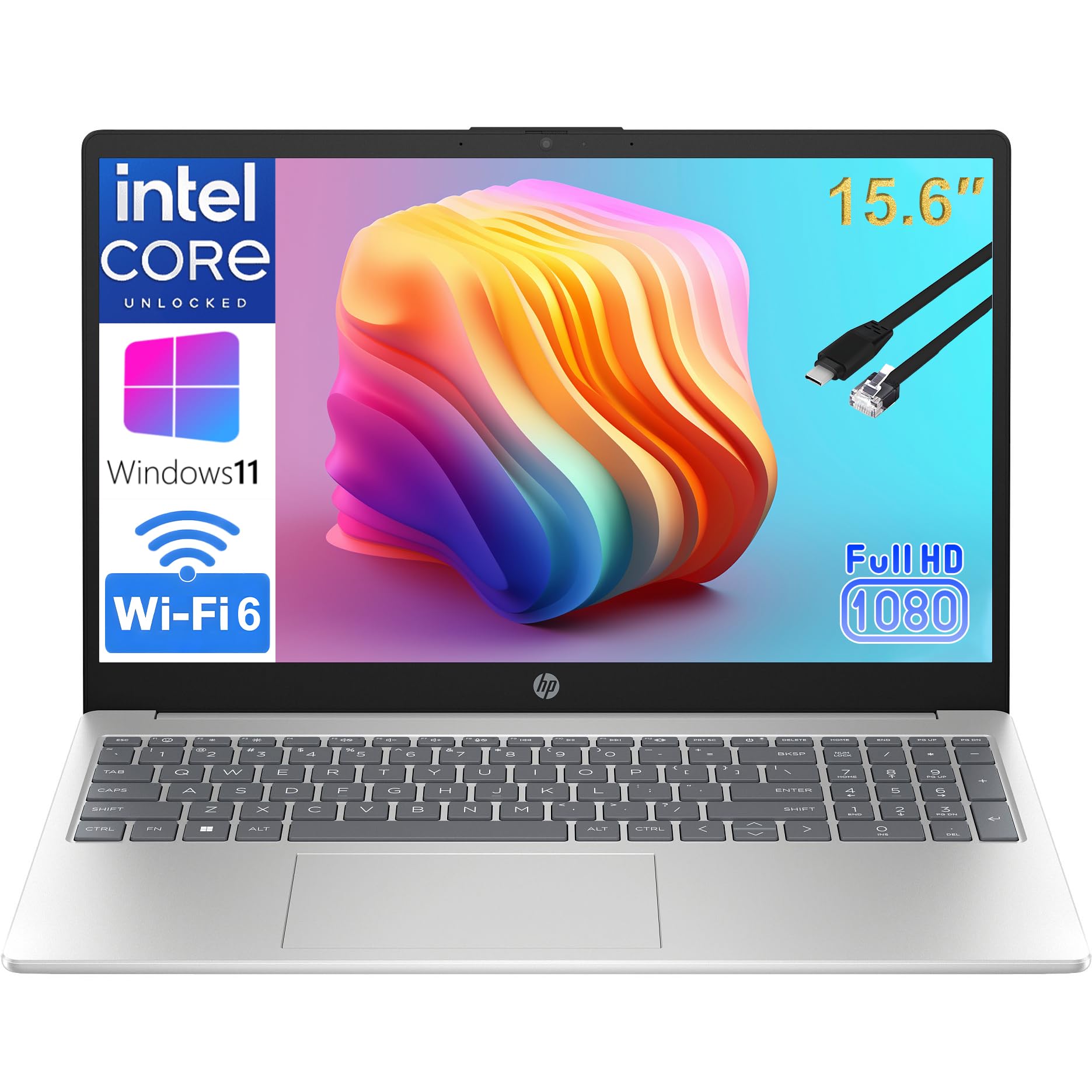
The HP Essential 15.6-inch laptop is a straightforward, no-nonsense machine designed for users who need a dependable device for web-based work, email, and Office 365. Powered by the Intel 4-Core N100 processor and 8GB of RAM, it handles basic multitasking without significant lag, making it suitable for students, remote learners, and professionals with light computing needs. The 256GB SSD provides faster boot and load times than traditional hard drives.
The 15.6-inch Full HD anti-glare display is easy on the eyes during long work sessions, and the inclusion of a full-size numeric keypad is a major plus for anyone who works extensively with spreadsheets or accounting software. Port selection includes USB-C with fast charge support, HDMI for external displays, and a RJ45 Ethernet port for stable wired internet connections.
The laptop comes with a lifetime Office 365 subscription for the web, which provides access to Word, Excel, and PowerPoint online. At under 4 pounds, it is light enough to carry between meeting rooms or classes. The natural silver finish is professional and resists fingerprints.
Why it’s great
- Full-size numeric keypad essential for spreadsheet and accounting work
- Includes lifetime Office 365 web access for basic productivity
- USB-C fast charge and RJ45 Ethernet port for versatile connectivity
Good to know
- Intel N100 is not suitable for heavy multitasking or gaming
- Battery life is average, not truly all-day for intensive use
8. HP 14 Laptop Student Business 2025 Flagship
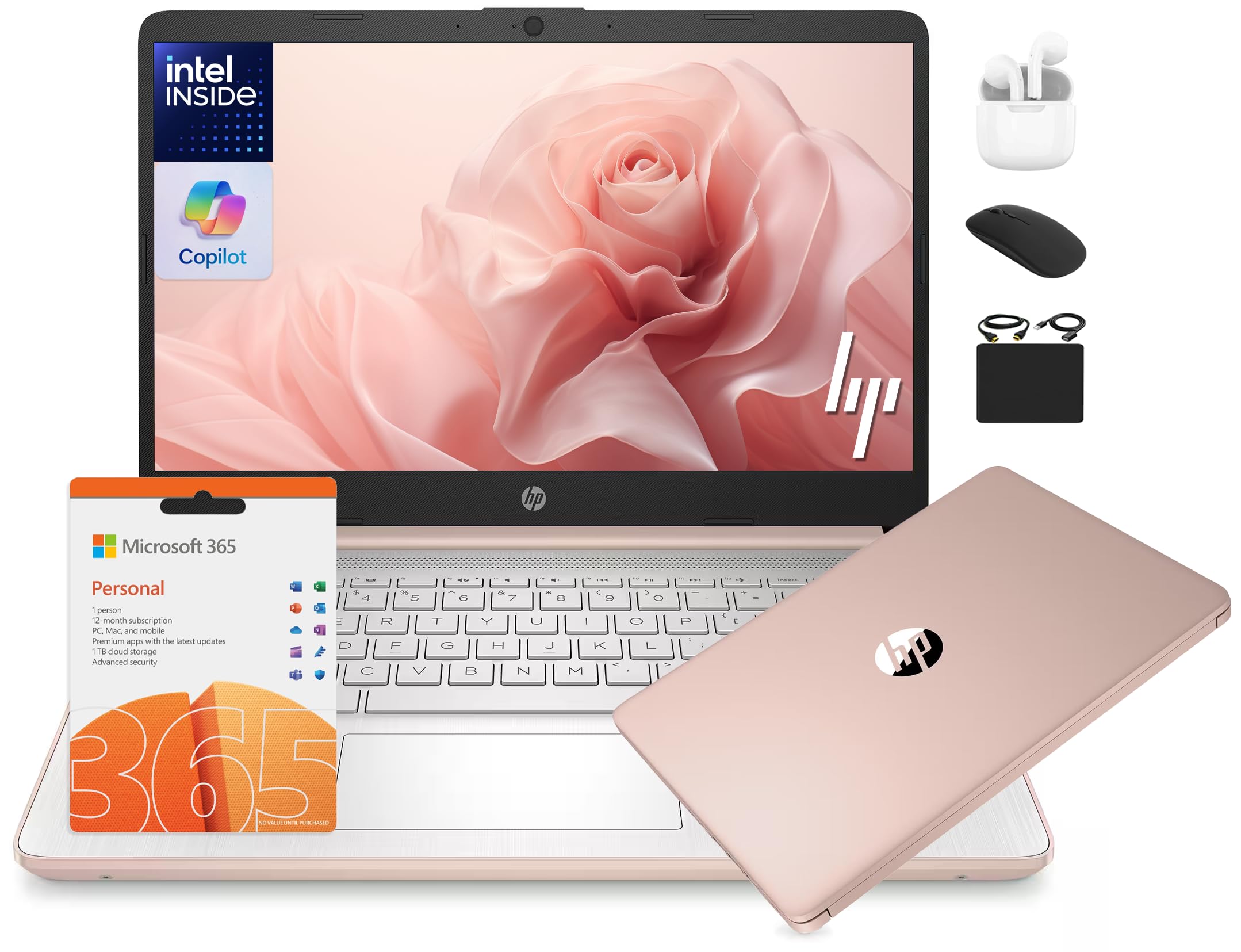
This HP 14-inch model is aimed at users who want everything in one box: a laptop, a 6-in-1 accessory kit (including wireless earbuds, a 500GB external drive, a mouse, and an HDMI cable), and a 1-year Microsoft Office 365 subscription. The 13th Gen Intel N150 quad-core processor paired with 16GB of DDR4 RAM provides enough power for daily office tasks, homework, and web browsing. The 628GB total storage (128GB UFS plus 500GB external drive) offers flexibility for file management.
The 14-inch HD display with anti-glare technology is suitable for indoor use but has a lower resolution of 1366×768 pixels, which means less screen real estate for complex spreadsheets compared to a Full HD panel. The HP True Vision 720p HD camera and integrated dual array microphones are adequate for Zoom and Google Classroom sessions.
The included AI Copilot integration in Windows 11 is a gimmick for most users but may appeal to early adopters. The Rose Gold color is stylish, and the laptop runs Windows 11 in S Mode, which restricts app installations to the Microsoft Store. Switching out of S Mode is straightforward but requires a few extra steps.
Why it’s great
- Comes with a comprehensive accessory kit and 1-year Office 365
- 16GB RAM and 13th Gen N150 processor for smooth basic computing
- Anti-glare screen reduces eye strain during extended work sessions
Good to know
- 1366×768 screen resolution is lower than the 1920×1080 standard
- Windows 11 S Mode requires manual switching to run non-Microsoft apps
9. jumper 15.6″ FHD Laptop

The jumper S7Hi offers a compelling package for students and home users who need a capable machine for word processing, email, and web browsing right out of the box. It comes with a 1-year license for Microsoft Office 365 pre-installed, eliminating an immediate software expense. The 15.6-inch Full HD IPS display provides crisp visuals, and the 640GB of total storage (128GB eMMC + 512GB SSD) gives you the space of a traditional drive with the speed of an SSD for your most-used applications.
The Intel Celeron 5205U processor with integrated UHD Graphics is sufficient for basic tasks, but its 2-core/2-thread architecture means it will struggle with heavy multitasking or more demanding applications like photo editing. The 12GB of RAM is generous for this price tier and helps mitigate the processor’s limitations by keeping more tabs and applications in memory. The inclusion of a numeric keypad is a plus for data entry work.
Connectivity options include a USB-C port, HDMI, two USB 3.0 ports, and a micro TF card slot for additional storage. The 38Wh battery provides enough power for a few hours of unplugged work, but heavy users will need to stay near an outlet. The starlight silver finish looks more premium than the price suggests.
Why it’s great
- Pre-installed 1-year Microsoft Office 365 license saves immediate cost
- 12GB RAM is unusually generous for a sub-350 machine
- Full HD IPS display offers clear visuals and decent color reproduction
Good to know
- Intel Celeron 5205U processor is underpowered for demanding tasks
- Combined 128GB eMMC and 512GB SSD management can be confusing
10. Auusda Business Laptop Computer for Work

The Auusda Business Laptop packs impressive storage and memory specs for its price bracket. With 16GB of DDR4 RAM and a 1TB PCIe NVMe SSD, this machine can store a vast array of documents and projects while offering lightning-fast boot times and application launches. The quad-core processor, capable of up to 3.4 GHz, handles daily work tasks efficiently, although some units may ship with a slower Intel N150 than advertised, so it is worth checking the specific configuration upon arrival.
The 15.6-inch Full HD IPS display has slim bezels and supports a 180-degree hinge for easy sharing. The backlit keyboard with a numeric keypad enhances productivity in low-light conditions, and the built-in fingerprint reader allows for instant secure login. The touchpad is described as glass-like, offering smooth cursor control, and the dual stereo speakers deliver clear audio for calls and media.
At 3.7 pounds and with a 6000mAh battery (45.6Wh), this laptop is portable enough for daily commutes. The included universal global charger works in multiple voltage standards, making it useful for international travelers. An included protective keyboard cover is a small but appreciated bonus.
Why it’s great
- 16GB RAM and 1TB NVMe SSD offer excellent storage and speed
- Backlit keyboard with numeric keypad and fingerprint reader
- Includes universal global charger and protective keyboard cover
Good to know
- Some units may ship with an Intel N150 instead of the advertised N95
- Wi-Fi 5 connectivity is a generation behind the current standard
11. Dell Latitude 5400 Laptop FHD Touchscreen (Renewed)
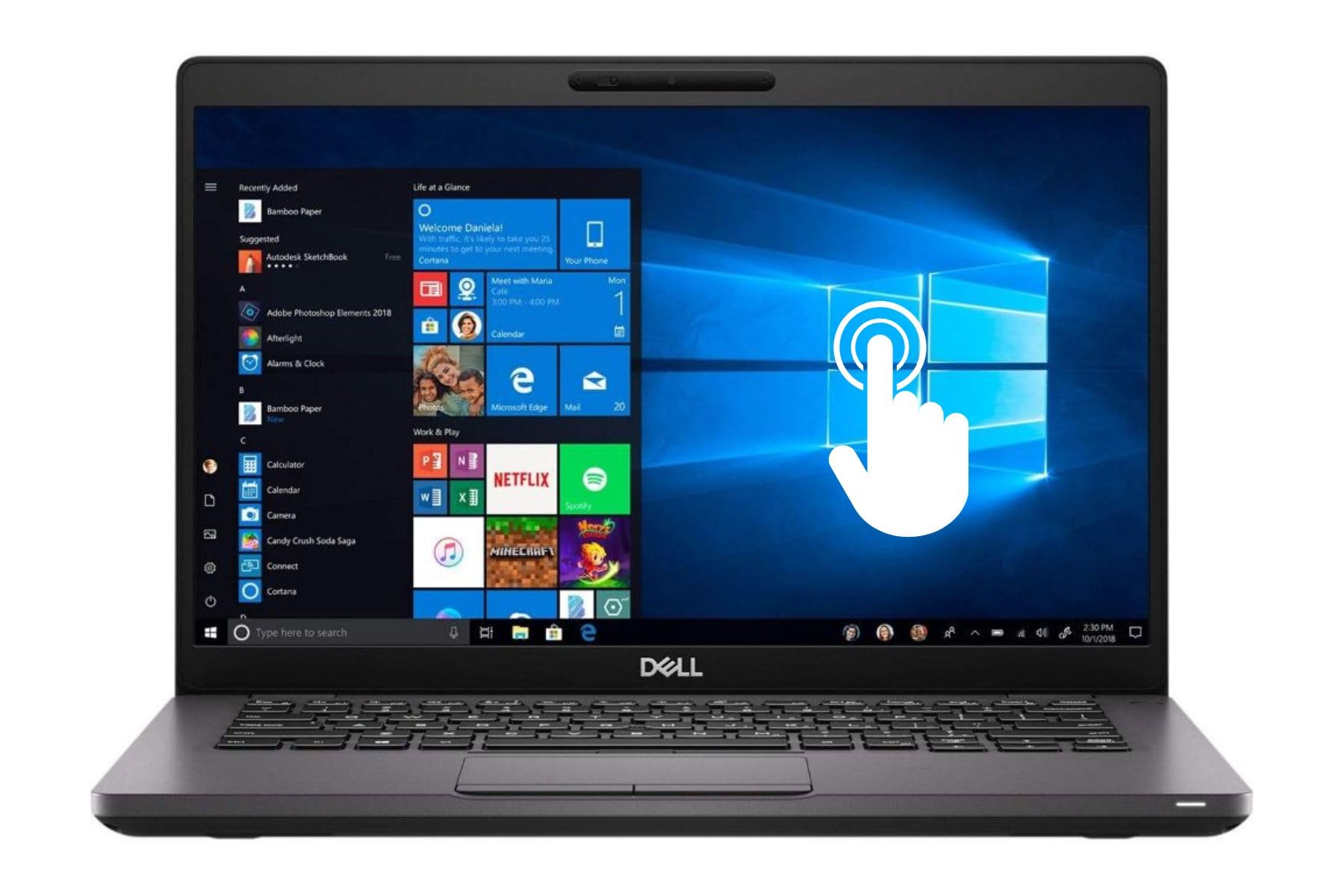
The Dell Latitude 5400 is a business-class machine available as a renewed product, offering exceptional memory capacity at an entry-level price. With 32GB of RAM and a 1TB SSD, this laptop can handle the most demanding multitasking scenarios, such as running multiple virtual machines, processing large datasets, or editing high-resolution images. The Intel Core i5-8365U 8th Gen processor, while older, still provides competent performance for office work.
The 14-inch FHD touchscreen display adds a layer of interactivity that is useful for presentations or navigating documents with gestures. The inclusion of a USB-C port for data transfer and charging, along with HDMI output for external displays, ensures compatibility with modern office peripherals. Windows 11 Pro provides advanced security and networking features suitable for professional environments.
As a renewed unit, condition can vary. Some users report receiving units in excellent cosmetic condition, while others have experienced issues like bloatware, poor packaging, or, in worst cases, non-functional hardware. The potential for data security issues from previous ownership is a genuine concern, as one review mentions a pre-loaded virus. Thoroughly wiping and reinstalling the operating system upon arrival is strongly recommended.
Why it’s great
- Massive 32GB RAM and 1TB SSD handle extreme multitasking with ease
- FHD touchscreen display with USB-C and HDMI ports
- Windows 11 Pro with advanced security and business features
Good to know
- Renewed unit condition varies; some reports of defective hardware or malware
- 8th Gen i5 processor is four generations old and shows age in performance
FAQ
Is 8GB of RAM enough for a work laptop in 2025?
What does Windows 11 S Mode mean for my work laptop?
Should I buy a renewed or refurbished work laptop?
Final Thoughts: The Verdict
For most users, the best affordable work laptop winner is the NIMO 15.6-inch Ryzen 5 model because it delivers the industry-standard 16GB RAM and a 512GB NVMe SSD at a price that undercuts most competitors, while adding a backlit keyboard and fingerprint reader that make daily use more comfortable. If you need a powerful i5 processor and Windows 11 Pro for business environments, grab the Lenovo V15 Gen 4. And for sheer storage capacity and memory, nothing beats the renewed Dell Latitude 5400, provided you are comfortable with the risks of a pre-owned device.