
A single room with a weak signal or a backyard where video calls constantly break up defines the problem an AC750 WiFi range extender solves. These compact plug-in units capture the signal from your main router and rebroadcast it, pushing coverage into those frustrating dead zones where your devices show one bar or struggle to connect at all.
I’m Min — the co-founder and writer behind Gadgets Feed. I spend my days analyzing the technical specifications and real-world performance data of network extenders to separate marketing claims from actual throughput that matters for streaming, browsing, and smart home devices.
This guide focuses on the most reliable AC750 WiFi range extenders available, comparing coverage capacity, dual-band throughput, and ease of installation to help you expand your home network without needing a new router. best ac750 wifi range extender options deliver a real fix for weak signals at a reasonable investment.
How To Choose The Best AC750 WiFi Range Extender
An AC750 extender provides a combined theoretical bandwidth of 750Mbps, split across the 2.4GHz and 5GHz bands. Most extenders at this tier deliver up to 300Mbps on 2.4GHz and up to 433Mbps on 5GHz. Your actual throughput depends heavily on the quality of the main router signal at the extender’s physical location, so proper placement is non-negotiable for acceptable performance.
External Antenna Configuration Matters
External antennas provide direct control over signal direction. Models with two or four fixed external antennas generally outperform internal antenna designs because you can angle the extender to face the router and the dead zone simultaneously. The physical separation of the antennas also reduces internal interference, a common issue in compact wall-plug units.
Ethernet Port Uses Beyond Extension
A built-in Fast Ethernet port turns the extender into a wired access point for devices that lack strong WiFi antennas, such as smart TVs, gaming consoles, or desktop PCs. This mode bypasses the wireless backhaul penalty entirely. If your extender sits near an entertainment center, an Ethernet port makes the difference between buffering and uninterrupted 4K streaming.
Intelligent Signal Indicator for Placement
Smart indicator lights that show signal strength between the router and the extender save hours of trial-and-error placement. These LEDs change color or blink rate depending on connection quality, allowing you to walk the extender to the optimal spot without repeatedly checking a phone app. Models without this feature often get placed too far from the router, resulting in unusably slow extended networks.
Quick Comparison
On smaller screens, swipe sideways to see the full table.
| Model | Category | Best For | Key Spec | Amazon |
|---|---|---|---|---|
| GEYILO 1200Mbps Booster | Premium | Large Home Coverage | 12,880 sq. ft. / 2 Ethernet Ports | Amazon |
| TP-Link AC2600 RE650 | Premium | Highest Throughput | 2600Mbps / MU-MIMO / Gigabit Port | Amazon |
| NETGEAR EX5000 | Mid-Range | Compact Simplicity | 1000 sq. ft. / 1200Mbps / WPS | Amazon |
| Gorzhesua 1200Mbps Booster | Mid-Range | High Device Capacity | 80 Devices / 4 Antennas / Ethernet Port | Amazon |
| TP-Link RE205 | Mid-Range | Budget-Range Reliability | 750Mbps / Intelligent Signal Light | Amazon |
| NETGEAR EX3110 | Budget | Basic Coverage Expansion | 750Mbps / Dual-Band / WPS | Amazon |
| D-Link DAP-1530 | Budget | Basic Outdoor Extension | 733Mbps / Compact Design | Amazon |
In‑Depth Reviews
1. GEYILO 1200Mbps Dual Band WiFi Extender Signal Booster
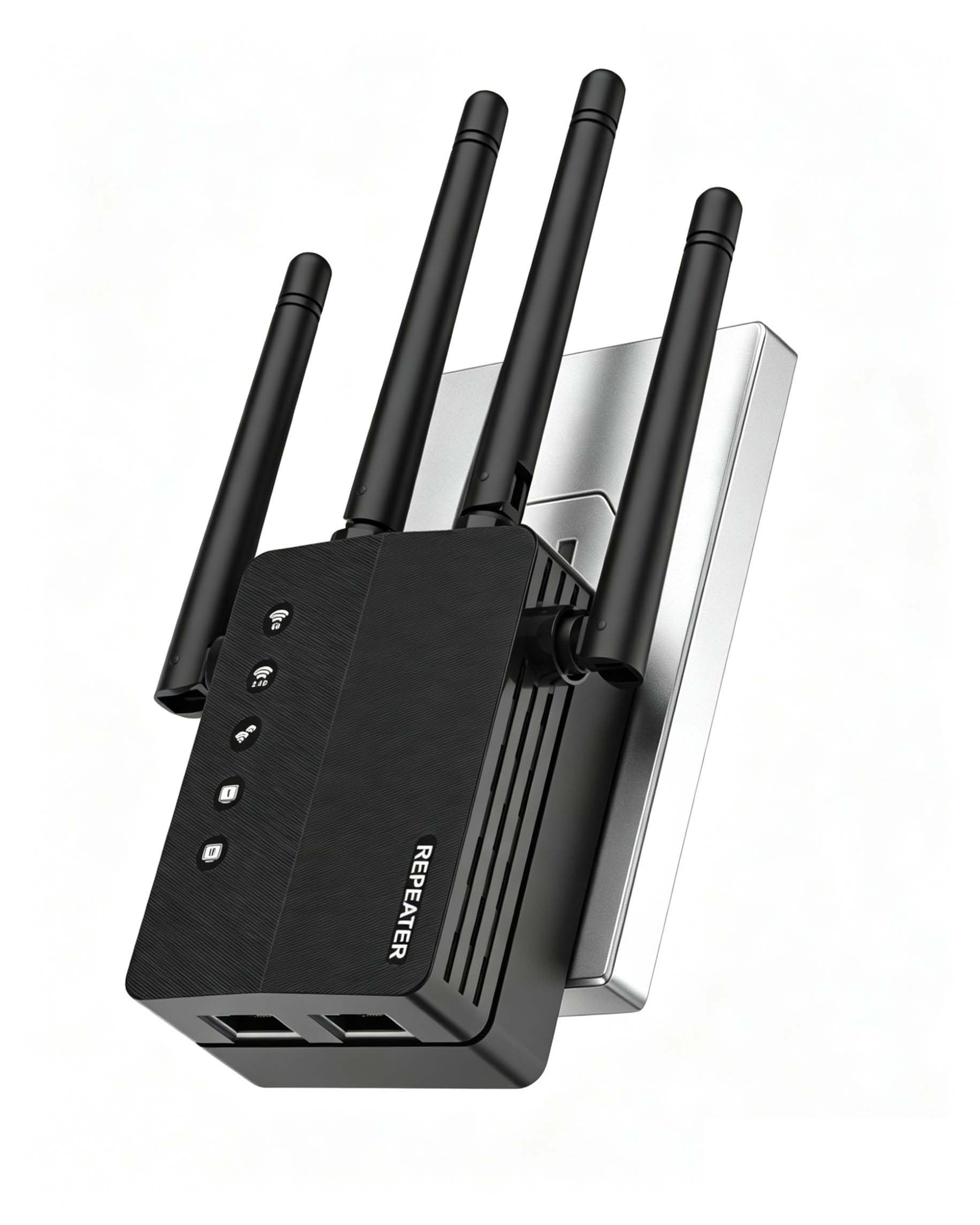
This extender pushes beyond the AC750 baseline with a combined 1200Mbps throughput, splitting 867Mbps on the 5GHz band and 300Mbps on the 2.4GHz band. The claim of 12,880 square feet of coverage is aggressive, but in real-world conditions it eliminates dead zones across a typical two-story home, including attic spaces, sheds, and backyard patios where other extenders fail completely.
Dual Ethernet ports give this model a clear advantage over single-port competitors, allowing simultaneous wired connections to a smart TV and a gaming console without a separate switch. The one-tap WPS setup pairs with most modern routers in under thirty seconds, and the four adjustable antennas provide directional control that internal-antenna designs lack.
WPA/WPA2 encryption secures the extended network, and users report stable connections even with 40+ devices including security cameras and IoT sensors. The trade-off is a slightly larger chassis compared to ultra-compact wall-plug extenders, though this is a fair compromise for the coverage area and port count.
Why it’s great
- Two Ethernet ports support wired connections simultaneously
- Four external antennas provide directional signal control
- 1200Mbps aggregate throughput handles multiple HD streams
Good to know
- Physical dimensions are larger than compact wall-plug models
- Actual coverage depends heavily on main router signal strength
2. TP-Link AC2600 WiFi Extender RE650

The RE650 operates in a different tier from standard AC750 extenders, offering a combined 2600Mbps with 1733Mbps on the 5GHz band and 800Mbps on the 2.4GHz band. MU-MIMO Wave 2 technology allows the extender to communicate with multiple devices simultaneously rather than cycling through them, which translates to noticeably lower latency when streaming 4K video while browsing on a separate device.
A Gigabit Ethernet port distinguishes this model from the Fast Ethernet ports found on budget extenders, enabling full-speed wired connections for desktop PCs or network storage. The quad antenna design with beamforming sends targeted WiFi signals to individual devices, improving link quality for Ring cameras and Echo devices placed at the edge of coverage.
Setup via the TP-Link app is more configuration-intensive than basic WPS pairing, but the smart indicator lights take the guesswork out of placement. Long-term reliability reports are mixed, with some units experiencing 2.4GHz channel failure after several days. However, for users who need the highest throughput from a range extender in this form factor, the RE650 delivers performance far beyond the AC750 ceiling.
Why it’s great
- MU-MIMO Wave 2 handles concurrent device requests efficiently
- Gigabit Ethernet port provides full-speed wired connectivity
- Quad antennas with beamforming improve targeted signal strength
Good to know
- Setup process is more involved than basic WPS pairing
- Some units report 2.4GHz channel failure after extended use
3. NETGEAR WiFi Mesh Range Extender EX5000

The EX5000 covers up to 1,000 square feet and supports 15 devices, making it a focused solution for smaller homes or single-floor apartments where the goal is to extend coverage to one or two trouble spots. The AC1200 dual-band speeds reach up to 1200Mbps aggregate, but real-world throughput depends on the distance from the main router and the construction of interior walls.
NETGEAR’s WiFi Analyzer app helps locate the optimal outlet by measuring signal quality before you finalize placement. The WPS button pairs with the router in seconds, and the compact wall-plug design leaves the second outlet partially accessible on most power strips. Users consistently report stable connections for streaming and browsing after the initial setup is complete.
Some smart home devices that require a pure 2.4GHz connection may have trouble staying connected if the extender broadcasts a combined SSID. Splitting the bands in the extender’s settings resolves this, but the extra step is worth noting for homes with IoT devices that lack 5GHz support.
Why it’s great
- Compact wall-plug form factor saves shelf space
- WiFi Analyzer app simplifies optimal placement
- WPS setup pairs with most routers in seconds
Good to know
- Limited to 15 connected devices
- Combined SSID may confuse 2.4GHz-only IoT devices
4. Gorzhesua 1200Mbps WiFi Extender Signal Booster
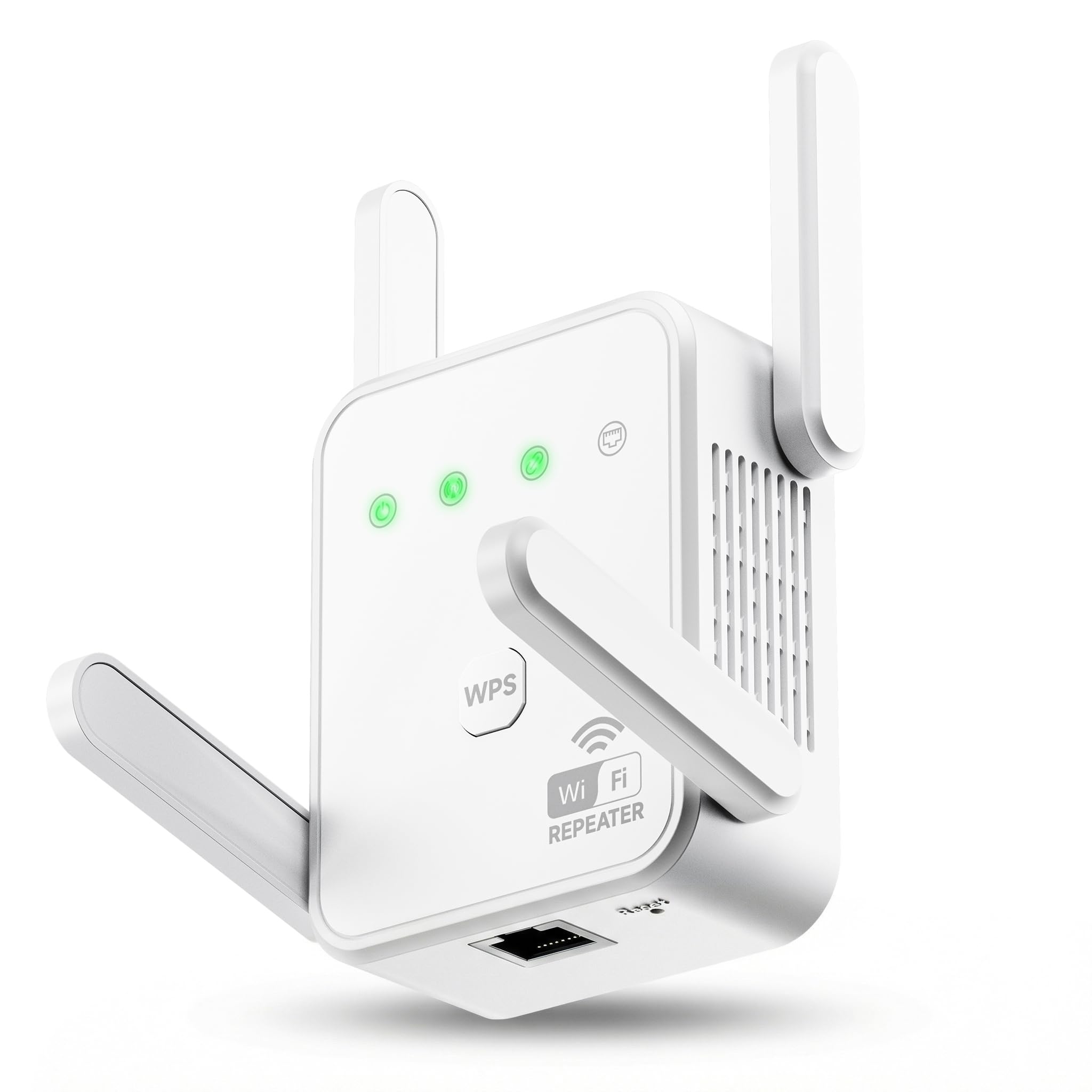
The Gorzhesua extender delivers 1200Mbps aggregate throughput with 867Mbps on the 5GHz band and 300Mbps on the 2.4GHz band, backed by four high-gain external antennas. The claimed 3600 square feet of coverage is a realistic estimate for a typical three-bedroom home, with users reporting eliminated dead zones in kitchens, basements, and back porches.
Support for up to 80 connected devices sets this model apart from budget-tier extenders that struggle past 30 connections. The 100Mbps Ethernet port handles wired connections for gaming consoles or desktop PCs, though the port speed caps out at Fast Ethernet rather than Gigabit. AP Mode converts the unit into a wired access point when connected to the router via Ethernet cable.
Setup is straightforward via WPS button, and the extender maintains stable connections across multiple security cameras and smart speakers simultaneously. The primary limitation is that throughput reduces on the extended network, which is typical for all range extenders operating in repeater mode. Placing the unit within strong router range minimizes this penalty significantly.
Why it’s great
- Supports up to 80 connected devices simultaneously
- Four external antennas improve wall penetration
- AP Mode offers wired backhaul flexibility
Good to know
- Ethernet port limited to 100Mbps
- Throughput halves on extended network in repeater mode
5. TP-Link AC750 Wi-Fi Range Extender RE205

The RE205 is a pure AC750 extender with 300Mbps on 2.4GHz and 433Mbps on 5GHz, using two external antennas to push coverage into difficult areas like metal garages and thick-walled rooms. The intelligent signal light on the front panel changes color to indicate connection quality, guiding placement without needing a smartphone app.
TP-Link’s reliability at this price point comes from years of refining firmware stability. Users report using the RE205 to convert non-wifi printers into wireless devices by connecting them via Ethernet to the extender in AP Mode, a clever workaround that adds functionality beyond simple range extension. The compact white chassis blends into most wall outlets without obstructing adjacent plugs.
The 750Mbps aggregate speed is sufficient for browsing, social media, and standard-definition streaming, but the 433Mbps ceiling on 5GHz may bottleneck 4K video on a busy network. For homes with fiber connections above 300Mbps, the 5GHz backhaul introduces a noticeable speed drop. Pairing this extender with a strong router signal in the same room minimizes this penalty.
Why it’s great
- Intelligent signal light guides optimal placement instantly
- Reliable firmware from a top networking brand
- AP Mode converts wired connections to wireless
Good to know
- 750Mbps aggregate may bottleneck high-speed fiber connections
- Two antennas offer less signal direction control than four-antenna models
6. NETGEAR Net-EX3110-100NAS AC750 WiFi Range Extender

The EX3110 is a straightforward AC750 extender that uses the familiar NETGEAR WPS setup process to mirror your existing network name and password. It operates over the 2.4GHz and 5GHz bands simultaneously, and users report extending coverage 300+ feet through trees on semi-rural properties, which is impressive for an entry-level unit without external antennas.
One quirk is the wall-wart design that blocks the second outlet on a standard duplex receptacle. This is common among compact extenders but worth noting if outlet space is limited in your chosen location. The setup process is reliable when paired with most major router brands, and the unified SSID means devices transition between router and extender without manual reconnection.
Performance drops are the most significant concern with the EX3110. Some users report a reduction from 130Mbps to 40Mbps on the extended network, which makes this extender best suited for basic browsing and email rather than streaming or gaming. Placing the unit closer to the router reduces the throughput penalty, but the internal antenna design limits overall range compared to external-antenna competitors.
Why it’s great
- Reliable WPS setup with most major router brands
- Unified SSID simplifies device handoff
- Compact form factor fits tight outlet spaces
Good to know
- Wall-wart design blocks second outlet on duplex receptacle
- Significant throughput reduction on extended network
7. D-Link Network DAP-1530 AC750 Wireless Range Extender
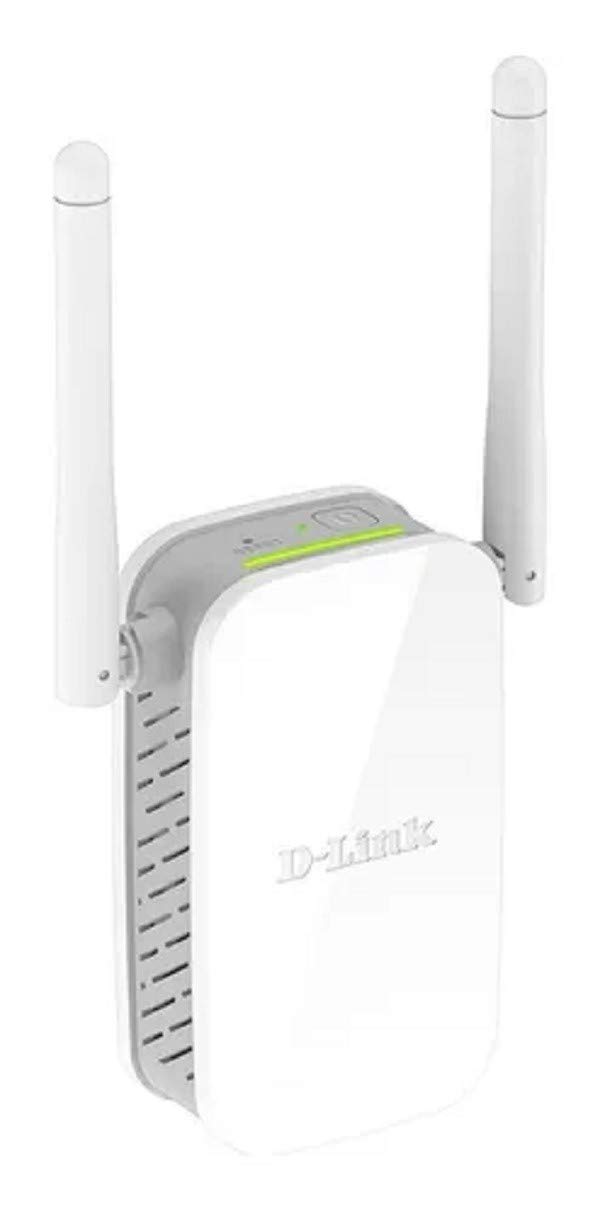
The DAP-1530 delivers a 733Mbps combined speed across both bands, positioning it at the lower end of the AC750 range but still capable of extending WiFi to outdoor cameras through brick walls. Users report consistent coverage for laptops, smartphones, and smart home devices across a typical home interior, with the compact design fitting easily in hallways and corners.
Setup is straightforward via WPS, though some users report that the extender does not function as a mesh extender with D-Link’s own x1870 mesh router, limiting its utility in mesh networks. The dual-band operation allows separate SSIDs for each band, which helps when troubleshooting 2.4GHz-only IoT devices that refuse to connect to combined networks.
Long-term reliability is a mixed bag. Several three-year-old units still function without issues, while newer units have caused total WiFi loss after eight hours of operation, requiring a power cycle to restore connectivity. The DAP-1530 works best as a simple range extender for a single room or outdoor area where the main router signal is weak but not absent.
Why it’s great
- Compact design fits discreetly in any outlet
- Separate SSID per band helps 2.4GHz IoT device compatibility
- Works reliably for outdoor camera extension through brick walls
Good to know
- Not compatible with D-Link mesh router systems
- Some units require periodic power cycling to maintain connectivity
FAQ
Will an AC750 extender work with a gigabit fiber internet connection?
How far from the router should an AC750 extender be placed?
Can I use an AC750 extender for gaming or 4K streaming?
Final Thoughts: The Verdict
For most users, the best ac750 wifi range extender winner is the GEYILO 1200Mbps Booster because it combines wide coverage capacity with dual Ethernet ports and four external antennas at a mid-range price point. If you want the highest throughput available in this form factor, grab the TP-Link RE650. And for simple, budget-friendly coverage in a small home, nothing beats the TP-Link RE205.