
For small offices, architects, and serious creatives, the jump to A3 printing opens up a world of large-format documents, detailed floor plans, and borderless marketing materials. The problem is that high-volume A3 printing using traditional cartridges has always carried a punishing cost per page that makes large-scale output feel financially reckless. An ink tank system fundamentally changes this equation by replacing disposable cartridges with refillable reservoirs, slashing operating costs to a fraction of what you’d expect from a standard A3 inkjet.
I’m Min — the co-founder and writer behind Gadgets Feed. I spend dozens of hours cross-referencing technical datasheets, consumer review patterns, and long-term reliability reports to identify which models in this crowded field actually deliver on their promise of affordable, high-volume A3 output without compromising on speed or quality.
This guide focuses exclusively on the best models within the a3 inkjet printer with ink tank category, analyzing real-world speed, ink yield, connectivity, and build quality to help you make a confident buying decision.
How To Choose The Best A3 Inkjet Printer With Ink Tank
Selecting the right A3 ink tank printer requires weighing several interconnected factors beyond the initial purchase price. The value of an ink tank system is realized over thousands of pages, so understanding the total cost of ownership, speed requirements, and connectivity options is critical for making a decision that will satisfy your output needs for years to come.
Ink Yield and Bottle Cost
The primary advantage of an ink tank printer is the massive reduction in cost per page. Compare the included ink yield — many models ship with enough ink for thousands of pages, but the actual volume of the starter bottles versus replacement bottles can vary significantly. Look for models that use pigment-based inks if you need water-resistant, fade-resistant documents, as dye-based inks are cheaper but less durable. Always verify the price of replacement ink bottles, as some manufacturers offer better long-term value than others.
Print Speed and First-Page-Out Time
For an office-focused A3 printer, measured speed in pages per minute (ppm) is a useful baseline, but the first-page-out time matters more when printing single-page documents throughout the day. Ink tank printers often use heat-free technology (like Epson’s PrecisionCore) which eliminates warmup time, delivering the first page in seconds. For color-heavy A3 documents, the color ppm speed is more relevant than the black ppm, and speeds above 10 ppm color are considered fast for this category.
Paper Handling and Duty Cycle
A3 printers demand robust paper handling. Look for a model that offers at least two paper trays to keep both A3 and letter-size paper loaded simultaneously. An automatic document feeder (ADF) is essential if you regularly copy or scan multi-page A3 documents. The recommended monthly duty cycle (pages per month) should match your actual volume — exceeding this regularly will shorten the printer’s lifespan. Rear specialty feed slots are crucial for printing on cardstock, labels, or envelopes without bending the media.
Quick Comparison
On smaller screens, swipe sideways to see the full table.
| Model | Category | Best For | Key Spec | Amazon |
|---|---|---|---|---|
| Brother MFC-J6960DW | Premium | Small business A3 | 31 ppm black / 30 ppm color | Amazon |
| Canon imagePROGRAF TA-30 | Professional | 36″ large format | 113 posters per hour | Amazon |
| Epson EcoTank Pro ET-5800 | Premium | High-volume office | 25 ppm black / 12 ppm color | Amazon |
| Canon Pixma PRO-200S | Professional | Photo printing | 8-dye ink system | Amazon |
| Epson EcoTank ET-4950 | Mid-Range | Home office A4 | 18 ppm black / 9 ppm color | Amazon |
| HP OfficeJet Pro 9730 | Mid-Range | Wide-format office | 22 ppm black / 18 ppm color | Amazon |
| Brother MFC-T580DW | Budget | Home printing | 16 ppm black / 9 ppm color | Amazon |
| Canon MegaTank MAXIFY GX2020 | Mid-Range | Home office | 15 ppm black / 10 ppm color | Amazon |
| HP Smart Tank 7001 | Mid-Range | Home office A4 | 15 ppm black / 9 ppm color | Amazon |
| Epson EcoTank ET-2800 | Budget | Entry-level A4 | 10 ppm black / 5 ppm color | Amazon |
| SENORTIAN A3 DTF Printer | Professional | DTF garment printing | 5760×1440 dpi / 6 colors | Amazon |
In‑Depth Reviews
1. Brother INKvestment 6960 Wireless Color Inkjet All-in-One Printer (MFC-J6960DW)

The Brother MFC-J6960DW is a genuine A3 powerhouse that combines blistering print speeds of 31 ppm black and 30 ppm color with a 500-sheet dual-tray system that keeps both A3 and letter paper loaded without constant refilling. Its PerfectPrint Auto Detection System actively monitors print quality and adjusts settings on the fly, which means fewer misprints and less wasted media during large batch jobs. The 50-page automatic document feeder supports single-pass duplex scanning, making it a true productivity tool for offices that handle multi-page A3 contracts or architectural sheets daily.
Brother’s INKvestment technology here uses high-yield LC506 series cartridges rather than a traditional bulk tank, but the math still works heavily in your favor — the included starter cartridges deliver roughly 1,800 pages black and 750 pages color. The 3.5-inch color touchscreen and Brother Mobile Connect app provide intuitive control over printing, scanning, and cloud connectivity to Google Drive, Dropbox, and OneDrive without needing a computer. Wi-Fi Direct ensures printing continues even when your network goes down, a feature that saves real time in busy office environments.
The dual paper trays automatically switch between paper types, though some users report that paper must be carefully fanned and seated to prevent misfeeds. The auto-switch between trays sometimes requires manual confirmation on the touchscreen, which can slow down unattended printing jobs. Overall, the combination of A3 capability, exceptional speed, and low running costs makes this the strongest all-around choice for small businesses and professional offices that print A3 documents daily.
Why it’s great
- Fastest print speeds in its class at 31 ppm black and 30 ppm color
- Reliable single-pass duplex ADF scanning for multipage documents
- 500-sheet dual-tray system plus 100-sheet multipurpose tray
Good to know
- Paper must be carefully fanned to avoid jams in the trays
- Auto-tray switching requires manual screen confirmation in some modes
2. Canon imagePROGRAF TA-30 36″ Large Format Inkjet Printer

The Canon imagePROGRAF TA-30 is a true large-format technical printer designed for architecture firms, engineering offices, and graphic design studios that need 36-inch wide output. It delivers 113 D-sized (24×36 inch) posters per hour, which translates to about 27 seconds per print — a speed that keeps production workflows moving without bottlenecks. The printer accepts roll media from 8 to 36 inches wide on a 2-inch core, and the included six ink tanks (two matte black, plus cyan, magenta, yellow, and black) provide instant readiness without cartridge swapping.
Wireless printing is fully supported, and Canon includes free poster creation software to simplify layout tasks. The print resolution and color accuracy meet the needs of CAD drawings, blueprints, and presentation-quality posters. The unit ships with over worth of ink included, which helps offset the initial investment. The TA-30 also supports manual duplex printing, which is adequate for large-format documents where automatic duplex is less critical.
The most significant drawback is the ink cartridge size — each 55 ml tank is relatively small compared to other large-format plotters, meaning replacement cycles come more frequently for high-volume users. Some users report that replacement ink costs add up quickly if printing in full color at high volumes. The TA-30 is a print-only model, meaning there is no scanner or copier built in, so users needing scanning must look at higher-tier models in the imagePROGRAF line.
Why it’s great
- Exceptional 27-second D-sized print speed for production workflows
- 36-inch roll media support for true large-format output
- Over worth of ink included in the box
Good to know
- 55 ml ink tanks are small, requiring frequent replacements at high volumes
- Print-only model with no scanner or copier
3. Epson EcoTank Pro ET-5800 All-in-One Supertank Printer

The Epson EcoTank Pro ET-5800 represents the pinnacle of ink tank engineering, using PrecisionCore Heat-Free Technology to deliver 25 ppm black and 12 ppm color with zero warmup time. The printhead technology produces crisp, instant-dry pigment-based prints that resist smudging and water damage, making it ideal for professional documents that need to hold up over time. The ink supply is staggering — two full 127 ml black bottles and two sets of color bottles (70 ml each) are included, yielding up to 7,500 black pages and 6,000 color pages right out of the box.
Paper handling is equally impressive with two front-loading trays totaling 500 sheets plus a rear specialty feed for envelopes and cardstock. The motorized output tray is a premium touch that extends and retracts automatically, keeping your workspace tidy. A large tilting LCD screen provides clear navigation, and the Ethernet port ensures stable wired network connectivity for office environments where Wi-Fi can be unreliable. The EcoTank Pro series is also covered by a two-year limited warranty with registration.
The ET-5800 uses pigment-based DURABrite inks exclusively, meaning it is not compatible with dye-based inks — using the wrong ink type could cause damage not covered by warranty. Photo quality is good but not exceptional if you are a professional photographer expecting gallery-level output; this machine is optimized for document and graphics printing. Some users report that the error handling logic can be overly sensitive, triggering false “printer busy” or “password incorrect” messages that require manual intervention to clear.
Why it’s great
- PrecisionCore Heat-Free Technology for instant-on, fast printing
- Massive included ink supply for up to 7,500 black pages
- 500-sheet dual-tray system with motorized output tray
Good to know
- Pigment-based inks only — not compatible with dye-based inks
- Error handling can be overly sensitive, requiring manual resets
4. Canon Pixma PRO-200S A3 Photo Printer
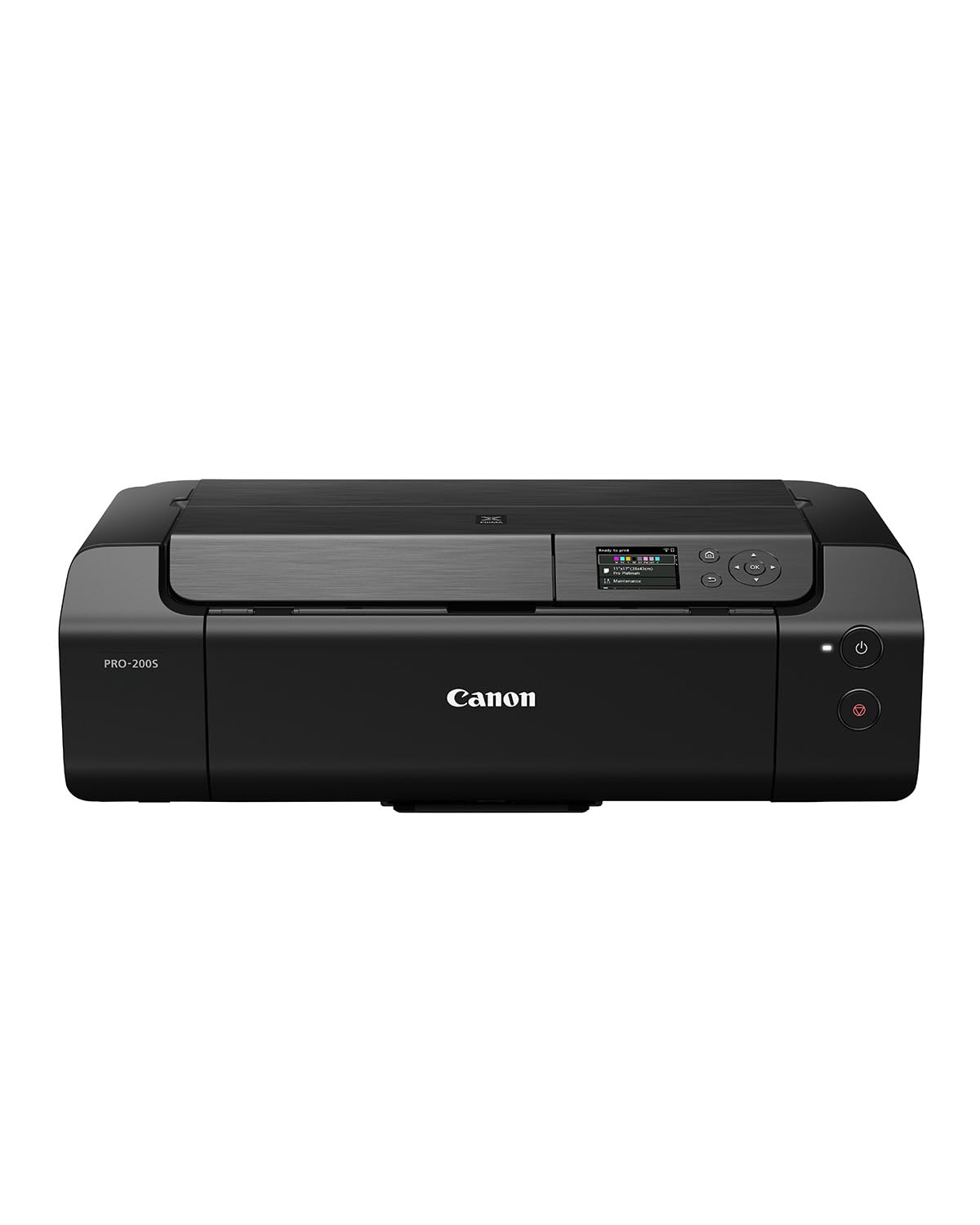
The Canon Pixma PRO-200S is a dedicated photo printer designed for photographers and artists who demand gallery-quality A3 prints. It uses an eight-dye ink system (including chroma optimizer) that produces exceptionally wide color gamuts, smooth gradations, and accurate skin tones across glossy, luster, and fine art paper types. The printer supports three separate paper feed paths, including a front cassette for plain paper and a rear tray for thick fine art media up to 1.3mm thick, giving you total flexibility without manual paper path switching.
The 3-inch LCD display makes ink level checks and maintenance procedures straightforward, and the included Professional Print and Layout plugin works seamlessly with Adobe Lightroom Classic and Photoshop for a streamlined editing-to-print workflow. Duplex printing is supported for borderless A3 prints, and the printer connects via Ethernet, USB 2.0, or Wi-Fi. The PRO-200S operates almost silently during printing, which is a welcome feature for studio environments where noise is a concern.
The biggest tradeoff is print speed — at roughly 1 ppm for high-quality photo output, this is not a printer for volume document production. The initial setup involves calibrating your monitor and configuring custom ICC profiles to get the best color accuracy, which is a time investment that photo enthusiasts will appreciate but casual users may find complex. Plain paper text printing is serviceable but expensive per page compared to a dedicated office printer, so you will likely want to keep a separate device for everyday documents.
Why it’s great
- Eight-dye ink system for professional-grade color accuracy and gamut
- Three paper feed paths supporting media up to 1.3mm thick
- Near-silent operation and excellent build quality
Good to know
- Slow print speed of about 1 ppm for high-quality photo output
- Requires monitor calibration and ICC profiling for optimal results
5. Epson EcoTank ET-4950 Wireless All-in-One Printer

The Epson EcoTank ET-4950 brings 7th-generation ink tank technology to the mid-range with a solid balance of features and affordability. It prints at 18 ppm black and 9 ppm color with zero warmup time thanks to the same Micro Piezo Heat-Free Technology found in higher-end Epson models. The included ink bottles yield up to 6,600 black pages and 5,500 color pages — enough to cover most home offices for a year or more of moderate printing. The 2.4-inch color touchscreen may seem modest, but it keeps navigation simple without taking up too much desk space.
The ET-4950 includes an automatic document feeder for multi-page copying and scanning, auto duplex printing on both A4 and letter sizes, and fax capability for offices that still need it. Connectivity options include Ethernet, USB, and Wi-Fi, with solid range performance reported by users even across larger homes. The EcoFit ink bottles are keyed to prevent accidental cross-filling, and the transparent tank windows let you see ink levels at a glance without any printer software.
Some users note that the copy function can occasionally misjudge page size from the ADF, cutting off edges on A4 originals. The build quality feels slightly less substantial than the Pro series, with some plastic panels making faint snapping sounds during operation. After a power outage, the Wi-Fi reconnects automatically and reliably, but the default reverse page order in the print settings annoys some users who then need to rearrange their output.
Why it’s great
- Excellent ink yield with 6,600 black / 5,500 color pages included
- Zero warmup time with Micro Piezo Heat-Free Technology
- Includes ADF, duplex, and fax for a complete office feature set
Good to know
- ADF copy function can sometimes cut off page edges
- Plastic chassis feels less premium than Pro-series models
6. HP OfficeJet Pro 9730 Wide-Format All-in-One

The HP OfficeJet Pro 9730 is a wide-format workhorse that prints up to 11×17 inches, making it ideal for floor plans, mood boards, and oversized spreadsheets. Print speeds of 22 ppm black and 18 ppm color are among the fastest in this segment, and the 4.3-inch color touchscreen provides a phone-like interface for easy navigation. Two 250-sheet input trays keep A3 and letter paper separate without manual swapping, and the 50-sheet ADF supports single-pass duplex scanning for rapid document digitization.
A standout feature is the P3 wide color gamut support, making the 9730 the first wide-format printer in its class to deliver screen-accurate colors beyond sRGB. This is a real advantage for graphic designers and marketers who need prints to match their monitor closely. The HP AI formatting feature automatically removes unwanted content from web pages and emails before printing, which saves paper and frustration. Dual-band Wi-Fi automatically detects and resolves connection issues, keeping the printer online even in busy wireless environments.
The printer uses HP 936 cartridges rather than a traditional bulk tank, but the three-month Instant Ink trial helps offset the initial cost. Some users report that the Wi-Fi connection can drop when the printer enters deep sleep mode, requiring a router reboot or a USB connection to wake it up. The 9730 is a large machine at nearly 23 inches deep, so it requires generous desk space and may not fit in typical home office setups.
Why it’s great
- P3 wide color gamut for screen-accurate color reproduction
- Fast 22 ppm black / 18 ppm color print speeds
- Two 250-sheet trays plus single-pass duplex ADF
Good to know
- Wi-Fi can drop after deep sleep, requiring a wake-up intervention
- Physically large at 23 inches deep — requires dedicated space
7. Brother INKvestment Tank 580 (MFC-T580DW)
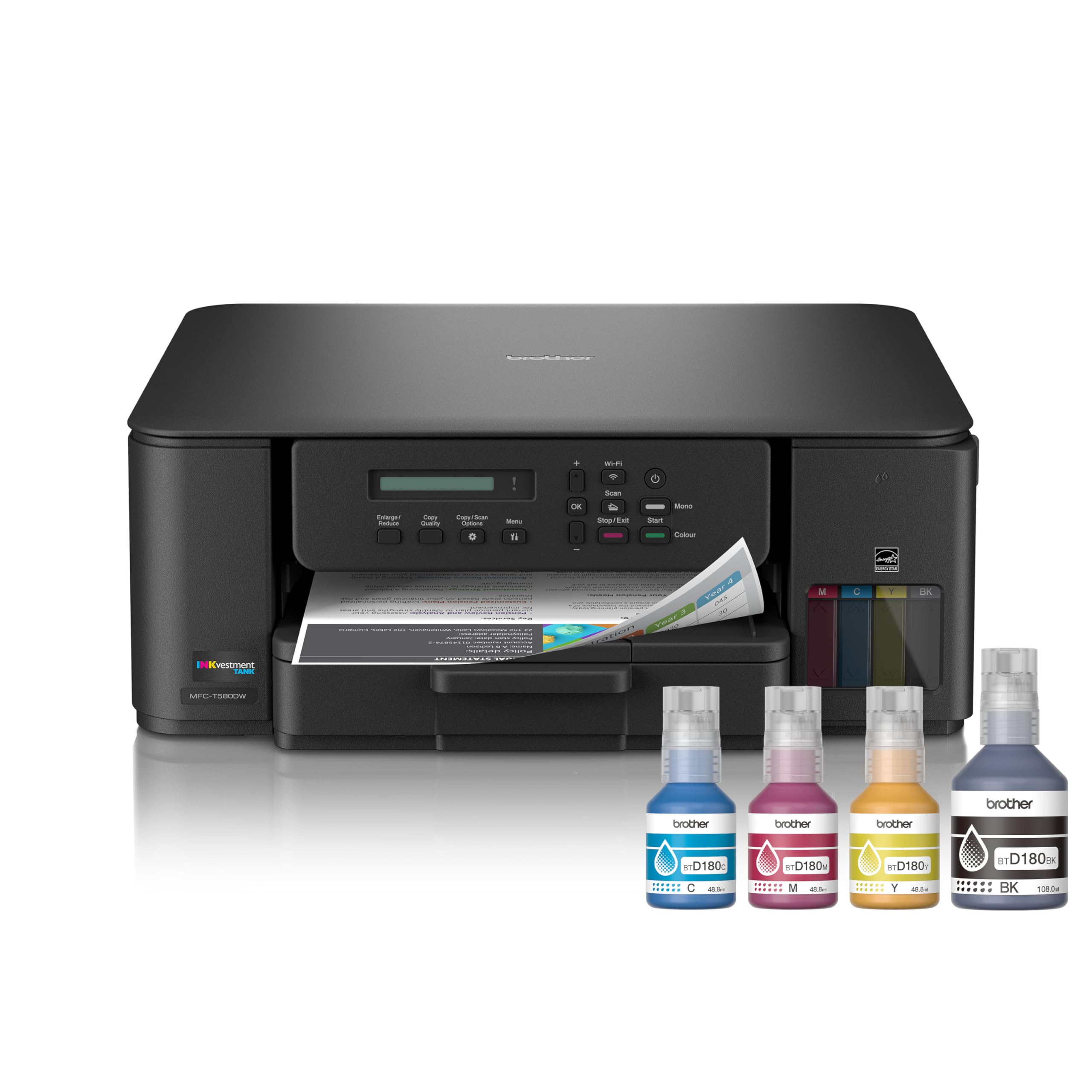
The Brother MFC-T580DW is a refillable ink tank all-in-one that focuses on what matters most for home users: low running costs and reliable basics. It prints at 16 ppm black and 9 ppm color using Brother’s no-spill ink bottles that refill in about 30 seconds per color and 65 seconds for black — a genuinely mess-free experience thanks to the keyed bottle design that prevents inserting the wrong ink. The printer ships with enough ink for up to three years of moderate use, and Brother backs it with a three-year limited warranty.
Automatic duplex printing and a 150-sheet paper tray cover the essential productivity needs, and the Brother Mobile Connect app provides a clean interface for scanning and printing from smartphones. The printer is notably quiet during operation and feels sturdy despite its compact footprint. For users who primarily print documents, text quality is crisp and black text is well-saturated on plain paper.
The single-line LCD display is the weakest element — it is not backlit, making it very difficult to read in dim environments, and the tiny screen limits what you can do without the app. WiFi setup has been reported as finicky by some users, requiring multiple attempts before the printer connects to the network. Color photo quality is acceptable for basic snapshots but lacks the vibrancy and detail you would get from a dedicated photo printer or a higher-end model.
Why it’s great
- No-spill, keyed ink bottles for quick, clean refilling
- Three years of ink included plus a three-year warranty
- Sturdy build with quiet operation
Good to know
- Non-backlit single-line display is very hard to read
- WiFi setup can be temperamental
8. Canon MegaTank MAXIFY GX2020 All-in-One

The Canon MegaTank MAXIFY GX2020 is a compact ink tank all-in-one that prioritizes document printing without sacrificing photo quality. It prints at 15 ppm black and 10 ppm color with pigment-based GI-25 ink bottles that deliver up to 3,000 black and 3,000 color pages per set — excellent yield for a small office or dedicated home workspace. The 2.7-inch color LCD touchscreen makes menu navigation and maintenance tasks much more pleasant than button-based systems, and the 35-sheet ADF handles multi-page documents efficiently.
Auto duplex printing is included, and Canon’s pigment inks produce sharp, water-resistant text that is ideal for business correspondence and forms. Users consistently report that the ink level barely drops even after hundreds of pages, which is the core promise of the MegaTank system. Wireless connectivity via Wi-Fi is reliable and easy to set up on both Windows and Mac, and Canon’s mobile app provides full print, scan, and copy control from a smartphone.
The primary limitation is media handling — printing on cardstock can result in pronounced curl and streaking when using the high-quality setting, though standard mode is acceptable. The printer is also on the louder side during operation, generating noticeable mechanical noise that may be distracting in a quiet shared space. Color accuracy for photo printing is good for pigment-based ink but cannot match the depth of dye-based photo printers, so expect somewhat muted colors on glossy photo paper.
Why it’s great
- 2.7-inch color LCD touchscreen for intuitive control
- Pigment-based inks deliver 3,000 pages each black and color
- Auto duplex, ADF, and reliable Wi-Fi connectivity
Good to know
- Cardstock printing shows curl and streaks on high-quality settings
- Audible operating noise may be disruptive in quiet environments
9. HP Smart Tank 7001 Wireless All-in-One

The HP Smart Tank 7001 is designed for hassle-free high-volume printing with an included two-year supply of ink right in the box — up to 8,000 color pages or 6,000 black pages. The mess-free refill system uses a simple plug-and-drain design that eliminates the need for squeezing bottles or worrying about spills, and the ink tank windows make it easy to monitor remaining levels. Print speeds of 15 ppm black and 9 ppm color are competitive for this class, and auto duplex printing is standard.
HP’s AI-assisted formatting is a genuinely useful feature that automatically cleans up web pages and email threads before printing, eliminating wasted pages and awkward cutoffs. The 7001 also supports borderless printing up to 8.5×14 inches, which is useful for marketing materials and presentations. The setup process through the HP Smart app is streamlined, and the printer maintains a stable Wi-Fi connection once configured.
The control panel is minimal — a small monochrome display that is functional but far less capable than the touchscreens found on competitors in this price range. The paper tray design is a weak point, with some users reporting that the input tray feels flimsy and can cause paper misalignment if not loaded carefully. User reports also indicate that HP’s customer support can be difficult to navigate when issues arise, often defaulting to suggesting a refurbished replacement rather than troubleshooting on-site.
Why it’s great
- Two years of ink included for up to 8,000 color pages
- Mess-free plug-and-drain ink bottle refill system
- AI formatting removes web page clutter before printing
Good to know
- Minimal control panel lacks a full touchscreen
- Paper tray design can cause occasional misalignment
10. Epson EcoTank ET-2800 All-in-One Supertank Printer

The Epson EcoTank ET-2800 is the most affordable entry point into cartridge-free A4 printing, offering a 5760 x 1440 dpi resolution for crisp text and detailed images. While it does not support A3 paper, it is included in this guide because many shoppers exploring ink tank printers start here and later upgrade. The Micro Piezo Heat-Free Technology provides instant-on printing without warmup, and the printer manages 10 ppm black and 5 ppm color — adequate for light home use or student projects.
The included T522 ink bottles are the standard EcoTank high-yield bottles, and the EcoFit keyed design prevents accidental cross-filling. Users who have converted the ET-2800 for sublimation printing report consistent results after a single print head cleaning, which speaks to the reliability of the printhead assembly. The printer is also a popular choice as a dedicated sublimation printer for use with Cricut and other heat press setups due to its rear paper feed and lack of heat-based printing technology.
Speed is the primary limitation — at 5 ppm color, the ET-2800 is noticeably slower than mid-range models, and the print queue can build up quickly during multi-page jobs. There is no automatic duplex printing, so double-sided output requires manual flipping, and the paper tray capacity is the standard 100 sheets, which means more frequent refilling. The lack of an ADF also makes copying multi-page documents tedious, as each page must be placed individually on the scanner glass.
Why it’s great
- Lowest-cost entry to Epson’s EcoTank cartridge-free system
- 5760 x 1440 dpi resolution for detailed print quality
- Reliable Micro Piezo Heat-Free Technology with zero warmup
Good to know
- A4 only — no A3 paper support
- No auto duplex, no ADF, and a 100-sheet paper tray
11. SENORTIAN A3 DTF Printer with Oven Bundle
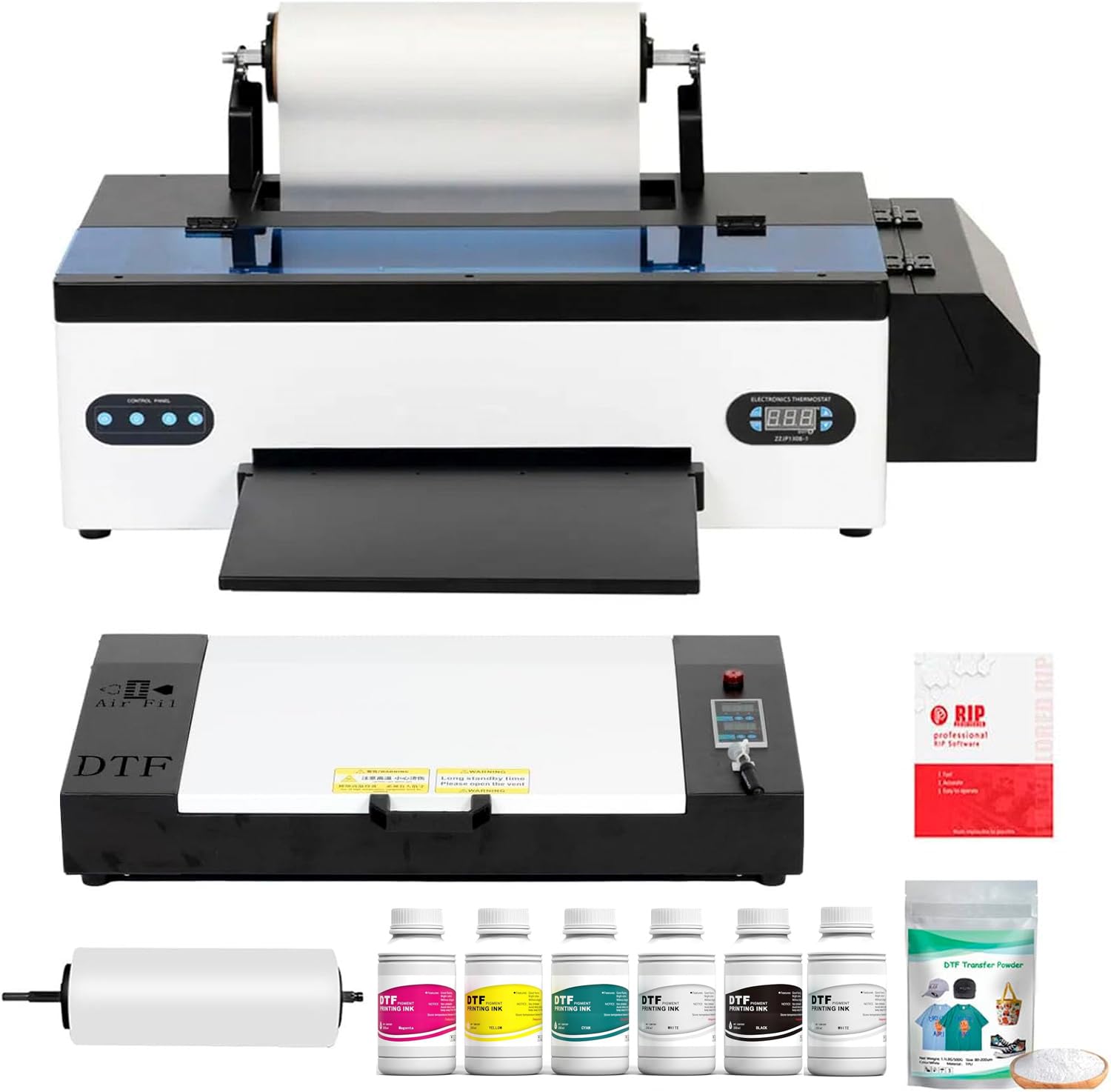
The SENORTIAN A3 DTF Printer is a specialized direct-to-film transfer printer designed for garment decoration businesses, printing onto transfer film that is then heat-pressed onto t-shirts, bags, hats, and other textiles. It uses an L1800 printhead with 540 nozzles across six colors (including white ink) at a maximum resolution of 5760×1440 dpi. The advanced white ink circulation and agitation system prevents pigment sedimentation during storage, ensuring consistent opaque white output that makes patterns vivid on dark fabrics.
The bundle includes an oven for curing the adhesive powder onto the printed film, creating a complete production system for small businesses or side hustles. The printer only supports Windows computers, as Mac and Bluetooth connections are not supported due to potential data transmission instability. Customer support is responsive and provides helpful video guides for maintenance and troubleshooting, with several users reporting successful free replacement of printheads that failed outside of typical warranty periods.
This is not a general-purpose office printer — it prints exclusively onto transfer film and requires a heat press (sold separately) to transfer the image onto fabric. The waste ink pump has been reported as a failure point by some users, and the circulation pumps on early units occasionally caused chain reaction failures. The printer is slow on large, color-rich designs, and the included oven can drip oil onto paper edges during operation, though this does not affect the final garment quality.
Why it’s great
- White ink circulation system prevents clogging and ensures consistent output
- High 5760×1440 dpi resolution for detailed garment prints
- Comes with oven bundle for a complete DTF production setup
Good to know
- Windows-only; no Mac or Bluetooth support
- Waste ink pump and circulation pumps are common failure points
FAQ
What is the real cost per page of an A3 ink tank printer compared to a traditional cartridge model?
Can an A3 ink tank printer produce photo-quality prints?
How long does the included ink last in an A3 ink tank printer?
Final Thoughts: The Verdict
For most users, the a3 inkjet printer with ink tank winner is the Brother MFC-J6960DW because it combines the fastest print speeds in its class with reliable dual-tray A3 paper handling and a productive 50-sheet duplex ADF. If you want the absolute lowest cost per page for high-volume monochrome and color document printing, grab the Epson EcoTank Pro ET-5800. And for professional photo-quality A3 output where color accuracy matters more than speed, nothing beats the Canon Pixma PRO-200S.