
Landing on a 32-inch 4K panel that also hits 120Hz or higher means you are hunting for the single most impactful upgrade for both immersive gaming and sharp productivity. The jump from 1440p or 1080p to 4K on a 32-inch frame changes pixel density and desktop real estate dramatically, but the refresh rate floor of 120Hz is what guarantees that the motion stays fluid across fast-paced shooters, racing sims, and general desktop navigation.
I’m Min — the co-founder and writer behind Gadgets Feed. I’ve spent countless hours dissecting panel technologies, refresh rate performance, and color accuracy specs across the latest release cycles to map out which monitors genuinely deliver on their promises and which cut corners that matter.
After researching and comparing the most compelling contenders on the market, this guide breaks down the top performers to help you confidently choose the right 32 inch 4k 120hz monitor for your setup and budget.
How To Choose The Best 32 Inch 4K 120Hz Monitor
Selecting the right 32-inch 4K high-refresh monitor requires understanding how panel technology, connectivity, and real-world performance intersect. These are the key factors that separate a great purchase from a regret.
Panel Technology: IPS, VA, or OLED
Fast IPS panels offer wide viewing angles and consistent color, making them a reliable choice for mixed-use scenarios. VA panels provide deeper blacks and higher contrast but can suffer from slower response times in dark transitions. QD-OLED and W-OLED panels deliver the best contrast and response times, with true blacks and vivid colors, but require more careful management of static UI elements to avoid burn-in.
Quick Comparison
On smaller screens, swipe sideways to see the full table.
| Model | Category | Best For | Key Spec | Amazon |
|---|---|---|---|---|
| ASUS ROG Swift PG32UCDM | Premium OLED | High-end gaming & HDR | 240Hz / 0.03ms / QD-OLED | Amazon |
| MSI MPG 321URX | Premium OLED | Gaming & productivity | 240Hz / 0.03ms / QD-OLED | Amazon |
| LG 32GX870A-B | Premium OLED | Dual-mode competitive gaming | Dual 4K 240Hz / FHD 480Hz | Amazon |
| Samsung Odyssey G8 G81SF | Premium OLED | Bright room use & immersion | 240Hz / 0.03ms / Glare Free | Amazon |
| Alienware AW3225QF | Premium OLED | Curved QD-OLED immersion | 240Hz / QD-OLED / Dolby Vision | Amazon |
| ASUS ROG Strix XG32UCG | Mid-Range IPS | Versatile dual-mode usage | Dual 4K 160Hz / FHD 320Hz | Amazon |
| INNOCN Mini LED 32” | Mid-Range Mini-LED | HDR brightness & color work | 2304 zones / 1000 nits / 160Hz | Amazon |
| LG 32GQ750-B | Mid-Range VA | Gaming with deep contrast | 144Hz / 1ms / FreeSync Premium | Amazon |
| Dell 32 Plus S3225QC | Mid-Range OLED | Console & multimedia | 120Hz / QD-OLED / 90W USB-C | Amazon |
| KTC 32″ 4K H32P22P | Budget-Friendly IPS | Entry-level 4K gaming | 165Hz / Fast IPS / 1ms | Amazon |
| CRUA 32” Curved | Budget-Friendly VA | Curved immersive gaming | 240Hz / 1500R / FreeSync | Amazon |
In‑Depth Reviews
1. ASUS ROG Swift PG32UCDM

The ASUS ROG Swift PG32UCDM sits at the apex of 32-inch 4K high-refresh monitors, combining a QD-OLED panel with a 240Hz refresh rate and a 0.03ms GtG response time. Its custom heatsink and graphene film manage heat effectively, reducing burn-in risk while maintaining the deep blacks and vibrant colors that define the QD-OLED experience. The VESA DisplayHDR True Black 400 certification and 99% DCI-P3 coverage make HDR content look punchy and cinematic without the blooming artifacts typical of edge-lit LCDs.
Connectivity includes HDMI 2.1, DisplayPort 1.4a, and a 90W USB-C port, covering modern GPUs and laptops alike. The included 3-year warranty with burn-in coverage provides peace of mind for heavy users. The uniform brightness setting is a thoughtful addition for productivity work, keeping luminance consistent across the panel.
The glossy finish enhances perceived clarity and contrast, though it may reflect ambient light in bright rooms. Users who require a matte surface or who primarily work in static-app workflows should weigh the burn-in mitigation features carefully. For uncompromising gaming and media consumption, this monitor is a top-tier investment.
Why it’s great
- Superb QD-OLED contrast and color volume
- Effective custom heatsink and burn-in warranty
- High-quality build with full ergonomic adjustability
Good to know
- Glossy finish may reflect bright room lights
- Premium price point limits budget accessibility
2. MSI MPG 321URX QD-OLED

The MSI MPG 321URX delivers a 31.5-inch UHD QD-OLED panel running at 240Hz with a 0.03ms GtG response time. Its VESA DisplayHDR True Black 400 certification and 99% DCI-P3 color gamut produce deep blacks and saturated colors that rival the best OLEDs on the market. The included KVM function and PiP/PbP modes make it a strong candidate for mixed productivity and gaming environments.
MSI’s OLED Care 2.0 suite includes pixel shift and panel refresh features designed to extend the display’s lifespan. The stand offers a full range of ergonomic adjustments, including height, tilt, swivel, and pivot. Connectivity is covered by HDMI 2.1, DP 1.4a, and a 90W USB-C port.
Some users note that the base takes up significant desk space, and the text clarity on QD-OLED panels can appear slightly less sharp than high-PPI IPS screens. The lack of a matte coating means reflections can be an issue in brightly lit rooms. For pure gaming and HDR movies, this is a fantastic premium choice.
Why it’s great
- Excellent QD-OLED contrast and color accuracy
- Robust OLED Care features for longevity
- Full ergonomic adjustability and KVM support
Good to know
- Glossy panel can show reflections
- Text clarity slightly softer than premium IPS
3. LG 32GX870A-B Ultragear OLED

The LG 32GX870A-B leverages a W-OLED panel with Micro Lens Array+ technology, delivering a peak brightness of up to 1300 nits for standout HDR performance. Its dual-mode capability allows switching from 4K 240Hz to Full HD 480Hz, catering to both visually rich single-player titles and hyper-competitive shooters. The VESA DisplayHDR True Black 400 certification and 1.5M:1 contrast ratio ensure deep blacks and vivid highlights.
NVIDIA G-SYNC Compatible and AMD FreeSync Premium Pro certification promise tear-free gameplay with minimal latency. The built-in stereo speakers offer clear audio, and the DTS Headphone:X support enhances spatial awareness in FPS titles. The ergonomic stand provides height, tilt, swivel, and pivot adjustments.
The matte anti-glare coating reduces reflections effectively, though some users note a slight grainy texture on bright white backgrounds. The initial vertical banding reported by some owners tends to diminish after the first few hours of use. For those seeking future-proof connectivity with DP 2.1 and a dual-mode panel, this is a compelling flagship option.
Why it’s great
- Peak brightness of 1300 nits for HDR
- Dual-mode 240Hz/480Hz for versatility
- Matte coating reduces reflections effectively
Good to know
- Matte coating can appear slightly grainy
- Premium pricing with niche dual-mode benefit
4. Samsung Odyssey G8 G81SF

The Samsung Odyssey G8 G81SF features a QD-OLED panel with Samsung’s Glare Free technology, reducing reflections by 54% compared to conventional anti-reflection films. This makes it a standout choice for brightly lit rooms where glossy OLEDs would otherwise be impractical. The 240Hz refresh rate and 0.03ms response time deliver exceptionally smooth motion, backed by AMD FreeSync Premium Pro and G-Sync Compatible certifications.
VESA DisplayHDR True Black 400 ensures deep blacks and rich contrast, while the 99% DCI-P3 color gamut provides vivid, lifelike colors. The monitor’s CoreSync and CoreLighting+ features add ambient lighting that syncs with on-screen content. The ergonomic stand allows height and tilt adjustments.
A few users have reported dead pixel clusters appearing after several months of use, so checking warranty terms is advisable. The matte-like finish of the Glare Free coating may be slightly less sharp than glossy alternatives, but it significantly improves usability in non-controlled lighting. For bright room gamers and content consumers, this is an excellent OLED solution.
Why it’s great
- Industry-leading Glare Free coating
- Excellent QD-OLED color and contrast
- Comprehensive adaptive sync support
Good to know
- Some reports of pixel defects after extended use
- Glare Free coating reduces sharpness slightly
5. Alienware AW3225QF

The Alienware AW3225QF brings a curved QD-OLED panel to the 32-inch 4K 240Hz space, offering a slightly immersive wrap-around feel that benefits cinematic games and movies. The inclusion of Dolby Vision support and a 12-bit color depth sets it apart for HDR content consumption. VESA DisplayHDR True Black 400 ensures the deep blacks and vibrant highlights expected from a premium OLED.
Connectivity includes HDMI 2.1, DisplayPort, and USB 3.2 Gen 1 ports. The build quality is typical Alienware solid, with a sleek white and black aesthetic. The monitor also supports G-Sync Compatible and FreeSync Premium Pro for variable refresh rate functionality.
Some Mac users have noted that HDMI on M1-based machines is limited to 60Hz, requiring a USB-C to DisplayPort cable to achieve 120Hz. The curved form factor may not suit all workspace setups, particularly for productivity tasks where straight lines are preferred. For a curved, feature-rich QD-OLED experience with Dolby Vision, it stands out as a premium contender.
Why it’s great
- Dolby Vision and 12-bit color support
- Immersive curved QD-OLED panel
- Sturdy build with comprehensive warranty
Good to know
- Curve may not suit all productivity tasks
- Mac M1 HDMI limited to 60Hz
6. ASUS ROG Strix XG32UCG

The ASUS ROG Strix XG32UCG uses a Fast IPS panel capable of 4K at 160Hz or FHD at 320Hz via a hotkey toggle, giving gamers the flexibility to prioritize resolution or raw frame rate depending on the title. The 0.3ms response time and ELMB Sync technology combine to eliminate ghosting and tearing, providing a crisp and fluid experience. The 130% sRGB and 95% DCI-P3 coverage deliver accurate, punchy colors.
Connectivity includes HDMI 2.1, DisplayPort 1.4a, and a USB-C port with DP Alt mode. The stand offers height, tilt, and swivel adjustments, plus a tripod socket for streaming setups. The ROG Gaming AI features add convenience, such as crosshair overlays and timer functions.
Some users note that the semi-gloss screen strikes a good balance between vividness and reflection control. The static contrast ratio of 1000:1 is typical for IPS, meaning deep black levels are not as strong as OLED or high-end VA panels. For a versatile mid-range IPS monitor with dual-mode capability, it offers strong value.
Why it’s great
- Dual-mode 4K 160Hz / FHD 320Hz
- Fast 0.3ms response with ELMB Sync
- Strong color accuracy and coverage
Good to know
- IPS contrast ratio limits black depth
- Stand adjustments lack pivot
7. INNOCN 32″ Mini LED 4K
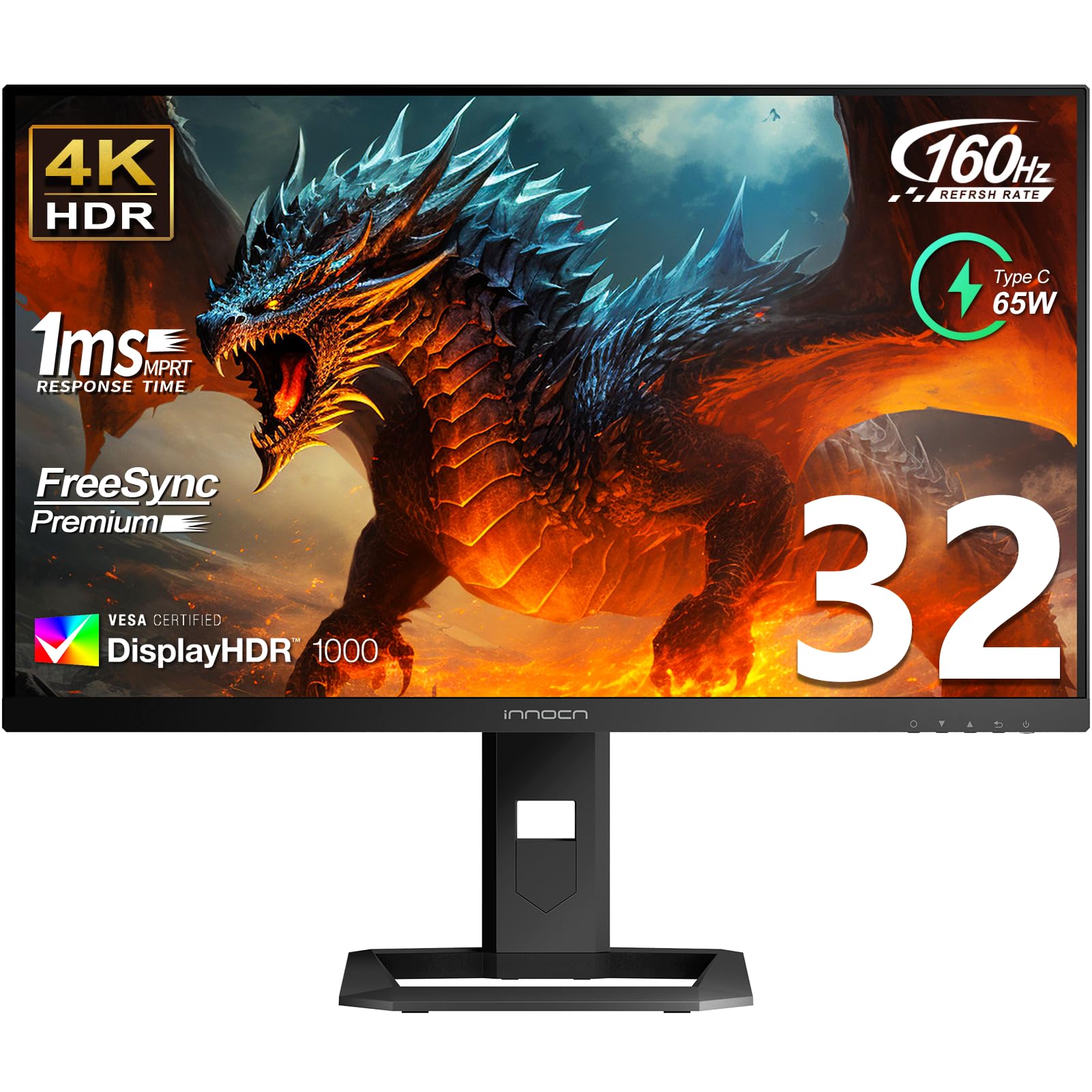
The INNOCN 32-inch Mini LED monitor brings 2304 independent local dimming zones to the 4K 160Hz space, allowing it to achieve a sustained brightness of 1000 nits. This makes it a strong HDR performer, capable of delivering punchy highlights and decent black levels for an LCD panel. The IPS panel covers 99% DCI-P3 and 99% Adobe RGB with Delta E < 2 factory calibration, suiting color-critical work.
Connectivity includes HDMI 2.1, DisplayPort 1.4, and a USB-C port with 65W power delivery. The stand offers height and tilt adjustments. Built-in 5W speakers provide adequate audio for casual use.
Some users report that the local dimming algorithm can be aggressive, causing blooming in certain scenes, and the OSD is clunky. A few buyers have noted defects in shipping, so careful inspection upon arrival is recommended. For those who need high brightness and HDR performance without moving to OLED, this Mini-LED monitor is a capable alternative.
Why it’s great
- Extremely high peak brightness for HDR
- Excellent color gamut coverage for creative work
- Decent local dimming implementation
Good to know
- Aggressive local dimming can cause blooming
- OSD navigation is dated and clunky
8. LG 32GQ750-B Ultragear

The LG 32GQ750-B employs a VA panel that achieves a 2500:1 contrast ratio, offering noticeably deeper blacks than typical IPS monitors. The 144Hz refresh rate (up to 120Hz on consoles via HDMI 2.1) and 1ms GtG response time deliver smooth gameplay for competitive titles. FreeSync Premium certification ensures a tear-free experience without needing a G-Sync module.
The monitor includes built-in 5W stereo speakers with Waves MaxxAudio, which provide louder and clearer sound than many integrated monitor speakers. The ergonomic stand supports height, tilt, swivel, and pivot adjustments, maximizing flexibility. Connectivity covers HDMI 2.1 and DisplayPort 1.4.
Some users have reported dead pixels upon arrival and minor ghosting in fast-moving dark scenes, which is a known limitation of VA technology. The lack of USB-C connectivity is a downside for modern laptop users. For those prioritizing contrast ratio over viewing angles and wanting a solid mid-range 4K gaming experience, this LG is a strong choice.
Why it’s great
- Excellent contrast ratio for deep blacks
- Good built-in speakers with Waves MaxxAudio
- Full ergonomic stand with pivot
Good to know
- VA panel slower in dark transitions
- No USB-C connectivity
9. Dell 32 Plus S3225QC QD-OLED
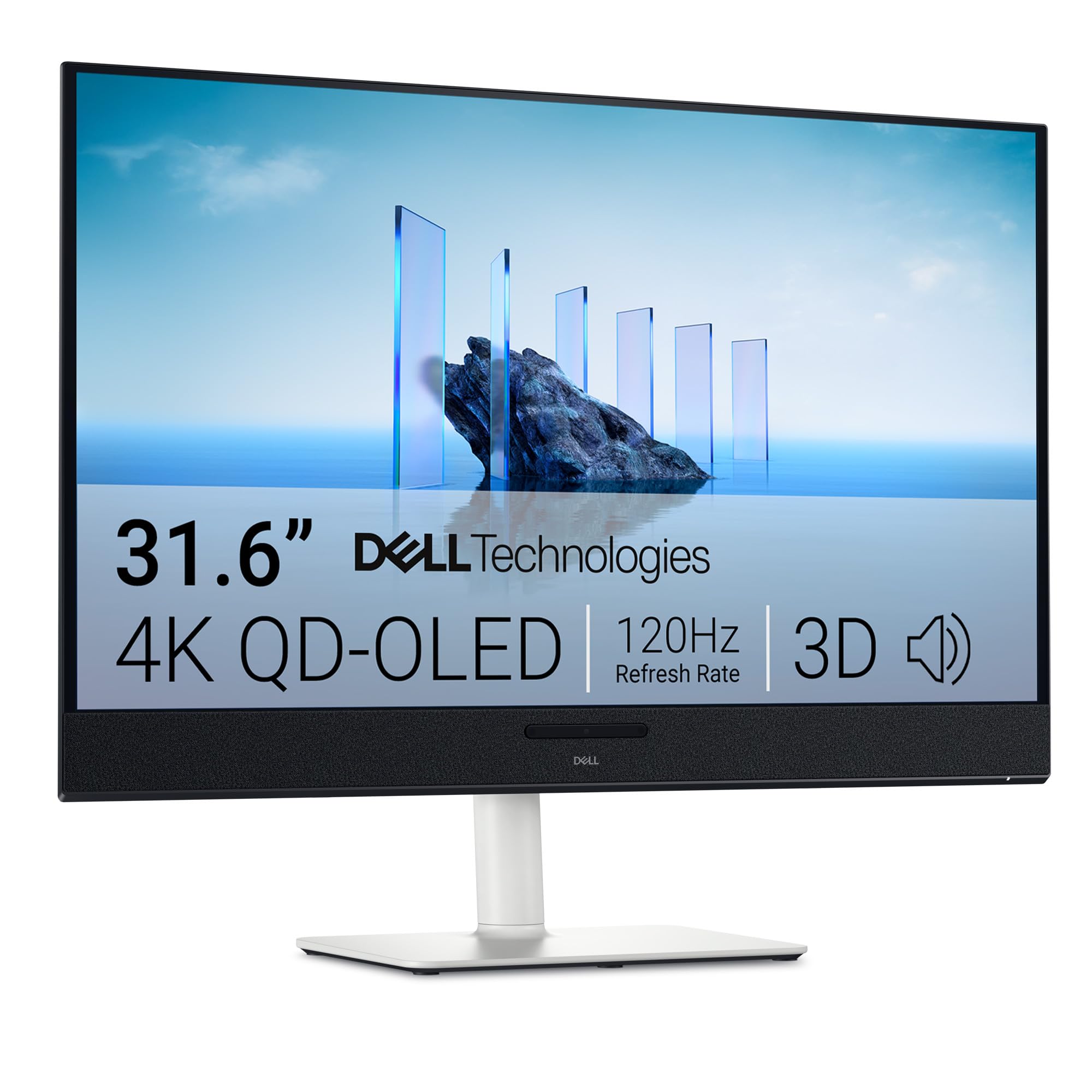
The Dell 32 Plus S3225QC brings QD-OLED technology to a more accessible price point, offering a 120Hz refresh rate that matches the output of current-gen consoles. The VESA DisplayHDR True Black 400 and 99% DCI-P3 coverage deliver stunning HDR performance, with deep blacks and vivid colors that elevate games and movies significantly. The AI-enhanced spatial audio from five 5W speakers is a unique feature for a monitor, providing immersive sound without external speakers.
Connectivity is streamlined with a single USB-C cable supporting up to 90W power delivery, making it an excellent choice for laptop users. The stand offers height, tilt, swivel, and slant adjustments. ComfortView Plus reduces blue light exposure without compromising color accuracy.
Some firmware issues have been reported, particularly with screen-off timeout and pixel refresh cycles interfering with Windows display wake behavior. The lack of USB-A ports and only one HDMI input may limit desktop setups. For console gamers and Mac users seeking a high-quality OLED at a relatively lower entry price, this is a compelling option.
Why it’s great
- QD-OLED quality at a competitive price point
- 90W USB-C power delivery for laptops
- Unique AI spatial audio from built-in speakers
Good to know
- Firmware bugs related to sleep/wake function
- Limited connectivity (single HDMI, no USB-A)
10. KTC 32 Inch 4K H32P22P

The KTC 32-inch 4K monitor features a Fast IPS panel with a 165Hz refresh rate and 1ms MPRT response time, making it one of the most affordable ways to get high-refresh 4K gaming on a 32-inch screen. The 3000:1 contrast ratio is unusually high for an IPS panel, providing decent black depth, while the 121% sRGB color gamut ensures vibrant colors. Adaptive Sync technology (compatible with both FreeSync and G-Sync) minimizes tearing and stuttering.
Connectivity includes HDMI 2.1 and DisplayPort 1.4 ports. The stand offers tilt and height adjustments, and the 100x100mm VESA mount allows for alternative mounting solutions. The included three-year warranty adds peace of mind.
Some users have noted that the on-screen display (OSD) menu has a learning curve, and there have been isolated reports of backlight bleed in darker scenes. The panel’s 300 cd/m² brightness is sufficient for indoor use but may struggle in very bright rooms. For budget-conscious buyers who want a 32-inch 4K 120Hz experience without compromising on refresh rate, the KTC is a fantastic value proposition.
Why it’s great
- Excellent price-to-performance ratio
- 165Hz refresh rate with adaptive sync
- Good color coverage and contrast for an IPS
Good to know
- OSD menu can be unintuitive
- Some backlight bleed reported on dark screens
11. CRUA 32″ 4K Curved Gaming Monitor

The CRUA 32-inch curved gaming monitor offers a 240Hz refresh rate and a 1500R curvature at a price point that is aggressively low for these specs. The VA panel delivers a 3000:1 contrast ratio, providing deep blacks that enhance immersion in dark game scenes. The 120% sRGB color gamut ensures reasonably vibrant colors, and the 1.07 billion color support (8-bit+FRC) prevents color banding in gradients.
Connectivity includes HDMI 2.1 and DisplayPort 1.4, plus a PIP/PBP function for multitasking with two input sources. The stand offers tilt adjustment only, and the 75x75mm VESA mount is available for alternative setups. Rear RGB lighting adds ambiance for late-night sessions.
Some users have reported that the panel height is non-adjustable, requiring a riser for ergonomic setup, and the built-in speakers are basic. The budget price point may also mean less rigorous quality control, with isolated reports of screen uniformity issues. For a curved, high-refresh 4K monitor at an entry-level price, the CRUA offers remarkable surface-level specifications.
Why it’s great
- Aggressively priced 4K 240Hz curved monitor
- Strong contrast ratio from VA panel
- PIP/PBP support for dual-source workflow
Good to know
- Stand lacks height and swivel adjustment
- Quality control can be inconsistent
FAQ
How much GPU power do I need for a 32 inch 4K 120Hz monitor?
Is a curved 32 inch 4K 120Hz monitor good for productivity?
Final Thoughts: The Verdict
For most users, the 32 inch 4k 120hz monitor winner is the ASUS ROG Swift PG32UCDM because it combines a QD-OLED panel, a 240Hz refresh rate, and a comprehensive 3-year burn-in warranty into a single, high-performing package. If you want dual-mode flexibility for both high-resolution and high-frame-rate gaming, grab the LG 32GX870A-B. And for a premium QD-OLED experience at the most accessible price, nothing beats the Dell 32 Plus S3225QC.