
A true 13 inch gaming laptop is the holy grail of portable performance: it must fit in a compact backpack sleeve yet still deliver frame rates that satisfy AAA titles. Finding a machine that balances thermal headroom, GPU power, and a sub-4-pound chassis is the central challenge for gamers who travel or commute daily. The market is crowded with 15- and 16-inch behemoths, but the 13-inch segment demands a stricter engineering trade-off between raw power and physical restraint.
I’m Min — the co-founder and writer behind Gadgets Feed. I have analyzed the thermal design, GPU wattage limits, and display refresh rates across every current 13-inch gaming chassis to separate the genuinely capable from the thermally throttled also-rans.
After weeks of cross-referencing spec sheets and real-world benchmarks, this guide ranks the most compelling options on Amazon today for anyone searching for a best 13 inch gaming laptop.
How To Choose The Best 13 Inch Gaming Laptop
The 13-inch gaming laptop category is ruthless about trade-offs. You cannot cram a desktop-class 150W GPU into a thin chassis without aggressive throttling or unbearable fan noise. The three non-negotiable factors are GPU power limit and VRAM capacity, display quality and refresh rate, and the effectiveness of the cooling solution. Ignore any of these and you will end up with a machine that either heats up quickly or cannot run modern games at native resolution.
GPU TGP and VRAM — The Real Performance Metric
A laptop GPU’s Total Graphics Power (TGP) matters far more than the GPU model number alone. A low-TGP RTX 4070 can be beaten by a high-TGP RTX 4060. In 13-inch designs, manufacturers often cap TGP to fit the thermal budget. Look for at least 6GB of VRAM for 1080p gaming at high textures — 8GB is far preferable for longevity. The RTX 4070 in the Acer Predator Triton 14 offers the best VRAM-to-TGP ratio in this size class.
Display Resolution and Refresh Rate Synergy
A 13-inch screen at 1920×1200 already delivers sharp pixel density near 170 PPI, so 4K is unnecessary and drains battery. A 144Hz to 250Hz refresh rate paired with G-Sync or Adaptive-Sync eliminates tearing without taxing the GPU unnecessarily. Mini LED panels, like the one on the Predator Triton 14, offer HDR600 certification and superior contrast — a rare advantage in the compact segment.
Cooling Architecture — Vapor Chamber vs. Standard Fans
Standard dual-fan heatpipe designs work for 15-inch laptops but often fall short in 13-inch chassis. Vapor chamber cooling, liquid metal on the CPU, and tri-fan configurations are the hallmarks of a properly engineered compact gaming machine. Without these, expect the CPU to hit 95°C and downclock within 15 minutes of gameplay. The ASUS ROG Flow Z13 uses a stainless steel vapor chamber to keep its powerful APU cool without excessive noise.
Quick Comparison
On smaller screens, swipe sideways to see the full table.
| Model | Category | Best For | Key Spec | Amazon |
|---|---|---|---|---|
| Acer Predator Triton 14 | Premium | Best Overall 13-inch gaming | RTX 4070 + Mini LED 250Hz | Amazon |
| ASUS ROG Flow Z13 | Premium | 2-in-1 ultimate portability | RDNA 3.5 + 180Hz touchscreen | Amazon |
| ASUS ROG Strix G16 | Mid-Range | Best value premium gaming | RTX 5060 + 165Hz FHD+ | Amazon |
| GIGABYTE Gaming A16 | Mid-Range | Best value RTX 5070 | RTX 5070 + 165Hz WUXGA | Amazon |
| msi Crosshair 18 HX AI | Premium | Large screen premium experience | RTX 5070 + 240Hz QHD+ | Amazon |
| Dell Alienware 18 Area-51 | Premium | Absolute top-tier performance | RTX 5090 + 64GB DDR5 | Amazon |
| Alienware 16 Aurora | Mid-Range | Balanced mid-range gaming | RTX 5050 + 120Hz WQXGA | Amazon |
| Microsoft Surface Laptop (2025) | Mid-Range | AI productivity and light gaming | Snapdragon X Plus + 23hr battery | Amazon |
| msi Thin 15 | Mid-Range | Best value RTX 4050 gaming | RTX 4050 + 144Hz FHD | Amazon |
| ASUS ROG Strix G15 | Budget-Friendly | Best budget RTX 3050 gaming | RTX 3050 + 144Hz FHD | Amazon |
| acer Nitro V | Budget-Friendly | Best entry-level gaming | RTX 4050 + 144Hz FHD | Amazon |
| HP Victus 15 | Budget-Friendly | Best budget 32GB RAM gaming | RTX 2050 + 144Hz FHD | Amazon |
| Lenovo Gaming Laptop | Budget-Friendly | Budget general gaming and work | Radeon 660M + 24GB DDR5 | Amazon |
In‑Depth Reviews
1. Acer Predator Triton 14

The Acer Predator Triton 14 is the definitive 13-inch gaming laptop, packing an RTX 4070 with 8GB GDDR6 into a 3.75-pound silver chassis. Its 14-inch Mini LED display at 2560×1600 with a 250Hz refresh rate and DisplayHDR 600 certification delivers exceptional contrast and fluidity for competitive titles. The 13th Gen Intel i7-13700H handles CPU-bound games without bottlenecking the GPU.
Cooling relies on 5th Gen AeroBlade 3D fans and liquid metal on the CPU, which keeps the system running at sustained clock speeds during extended sessions. The Thunderbolt 4 port supports 100W PD charging, making it viable for travel without the heavy 330W brick. The 76Wh battery provides roughly 6 hours of light productivity, respectable for this class.
Predator Sense software is the primary pain point — users report buggy keyboard lighting and occasional GPU driver conflicts that require manual reinstallation. The RAM is soldered and capped at 16GB LPDDR5, so there is no upgrade path. For gamers who need a genuinely compact laptop with top-tier graphics, this remains the strongest choice.
Why it’s great
- Mini LED 250Hz display with HDR600 — rare at this size
- RTX 4070 with 8GB VRAM handles 1440p gaming comfortably
- Thunderbolt 4 with PD charging for lighter travel
Good to know
- 16GB soldered RAM cannot be upgraded
- Predator Sense software can be buggy and unstable
- Turbo fan mode is noticeably loud under heavy load
2. ASUS ROG Flow Z13 (2025)

The ASUS ROG Flow Z13 is a 13-inch gaming tablet with a detachable keyboard, powered by the AMD Ryzen AI MAX+ 395 processor with 16 cores and integrated RDNA 3.5 graphics. This is not a traditional laptop — it is a 2-in-1 that doubles as a Windows tablet with a 180Hz WQXGA touchscreen. The 128GB LPDDR5X quad-channel memory dynamically allocates up to 96GB to the GPU, making it an absurdly capable machine for both gaming and local AI workloads.
The stainless steel vapor chamber and liquid metal cooling keep the APU quiet during gaming, but the chassis does get warm in the tablet position. The 10-hour battery life claim holds up for video playback, but under gaming load or AI inference, expect closer to 3-4 hours. The kickstand offers 170 degrees of adjustment, which works well on a desk but is awkward on a lap.
The keyboard deck feels slightly unstable when typing on a soft surface, and the base model price is steep. For a gamer who also runs LLM inference or heavy creative workloads on the go, this is the most versatile compact machine available. For pure gaming, the Acer Predator Triton 14 offers a better dedicated GPU experience at a lower price.
Why it’s great
- 128GB unified memory with up to 96GB allocable to GPU
- 180Hz WQXGA touchscreen with 100% DCI-P3 color
- Stainless steel vapor chamber cooling keeps noise low
Good to know
- Keyboard wobbles during lap typing — better on a desk
- APU graphics roughly match an RTX 4060, not a 4070
- Price is high for the pure gaming performance tier
3. ASUS ROG Strix G16 (2025)

The ASUS ROG Strix G16 runs on a 14th Gen Intel Core i7-14650HX and an NVIDIA GeForce RTX 5060 laptop GPU with 8GB GDDR7. The 16-inch FHD+ display runs at 165Hz with 3ms response time and an ACR film that reduces glare while boosting contrast. This is a larger chassis than 13 inches, but its 16:10 aspect ratio and narrow bezels keep the footprint relatively compact for a gaming machine with this level of GPU power.
ROG Intelligent Cooling uses a tri-fan vapor chamber with liquid metal on the CPU, which keeps temperatures under 85°C during prolonged gaming sessions. The 360° RGB lightbar can be switched to stealth mode for professional settings. The 1TB PCIe Gen 4 SSD provides fast load times, and the 16GB DDR5-5600MHz memory handles multitasking well.
The RTX 5060 is a mid-tier GPU — it handles 1080p ultra settings at around 110 FPS but struggles with 1440p ray tracing. The 8GB VRAM is sufficient for current titles but may become a bottleneck in upcoming AAA releases. The battery life of roughly 2 hours under gaming load is poor, but this is standard for high-performance gaming laptops in this price range.
Why it’s great
- Tri-fan vapor chamber cooling with liquid metal for sustained performance
- 165Hz FHD+ display with ACR anti-glare film
- 1TB PCIe Gen 4 SSD and 16GB DDR5-5600MHz memory
Good to know
- RTX 5060 8GB VRAM limits 1440p ray tracing ability
- Battery life drops to about 2 hours under heavy gaming load
- Requires manual BIOS and driver updates for peak performance
4. GIGABYTE Gaming A16

The GIGABYTE Gaming A16 delivers an RTX 5070 with 8GB GDDR7 and an Intel Core i7-13620H at a price point that undercuts most competitors. The 16-inch WUXGA display at 1920×1200 with a 165Hz refresh rate and 180-degree hinge provides a responsive gaming experience with good color reproduction. The 32GB DDR5 RAM and 1TB PCIe Gen 4 SSD ensure there is no waiting for game loads or application switching.
The 19.45mm slim chassis houses a dual-fan cooling system that keeps GPU temps under 71°C during gaming, but the fans become loud under sustained load. The included GiMate AI software is flashy but reportedly uses up to 2.5GB of RAM at idle and can interfere with GPU detection — many users recommend uninstalling it. The battery lasts 5-7 hours during non-gaming tasks, but gaming requires the AC adapter.
The RTX 5070 provides a significant uplift over the RTX 4060 in ray tracing and DLSS 4 performance. In Cyberpunk 2077 at 1080p Ultra with Ray Tracing and DLSS 4X, it averages 165 FPS. Path Tracing drops that to around 30 FPS. For the price, this is the strongest value proposition in the mid-range segment.
Why it’s great
- RTX 5070 with 8GB GDDR7 at a competitive price point
- 32GB DDR5 RAM and 1TB PCIe Gen 4 SSD included
- 180-degree hinge and 19.45mm slim chassis for portability
Good to know
- GiMate AI software is buggy and RAM-intensive
- Fans become loud under sustained gaming load
- Battery drains quickly during gaming — requires AC power
5. msi Crosshair 18 HX AI

The msi Crosshair 18 HX AI pairs an Intel Core Ultra 9 275HX with 24 cores and an NVIDIA RTX 5070 8GB GDDR7 in an 18-inch chassis with a 2560×1600 QHD+ display running at 240Hz. Despite the large screen, the 1.17-inch thickness and 6.83-pound weight make it relatively portable for a desktop replacement. The 100% DCI-P3 color gamut ensures the display is suitable for both gaming and content creation.
The 90Wh battery and 240W adapter provide enough power for extended sessions, but battery life under gaming is limited to about 2 hours. The SteelSeries 24-zone RGB keyboard with 99 anti-ghost keys is responsive for competitive gaming. The 32GB DDR5-5600MHz RAM and 1TB NVMe SSD handle multitasking and storage needs without compromise.
The RTX 5070 at its full TGP in this larger chassis delivers sustained frame rates in demanding titles, but the 8GB VRAM may become a constraint in future AAA releases at the native QHD+ resolution. The Intel Wi-Fi 6E and Bluetooth 5.3 ensure low-latency connectivity. Users praise the display quality and build but note that removing the pre-installed MSI software improves responsiveness.
Why it’s great
- 240Hz QHD+ display with 100% DCI-P3 for vibrant visuals
- Intel Core Ultra 9 275HX with 24 cores for heavy multitasking
- 32GB DDR5 RAM and 1TB NVMe SSD provide ample performance
Good to know
- 8GB VRAM on RTX 5070 is tight for native QHD+ gaming
- MSI pre-installed software can slow the system
- Requires a cooling pad for sessions longer than 4 hours
6. Dell Alienware 18 Area-51

The Dell Alienware 18 Area-51 is an 18-inch monster with an RTX 5090, 64GB DDR5 RAM, and a 2TB PCIe SSD. The 2.5K WQXGA anti-glare display runs at an unspecified high refresh rate, but given the RTX 5090, it can drive the panel at well over 200 FPS in most titles. The Intel Core Ultra 9 275HX provides the CPU horsepower to avoid any bottleneck in CPU-bound scenarios.
The chassis is large and heavy, making it unsuitable for daily commuting, but the cooling system is extensive enough to keep the RTX 5090 running at full TGP without throttling. DLSS 4 with Multi Frame Generation and Ray Reconstruction delivers cinematic visuals in supported titles. NVIDIA Reflex 2 with Frame Warp reduces input latency to near-instant levels.
This is a desktop replacement that happens to be portable. The battery life under gaming is poor, and the power brick is massive. The screen bleeding is present but not severe in most units. For a gamer who demands maximum performance and does not need to move the machine frequently, this is the ultimate choice.
Why it’s great
- RTX 5090 delivers desktop-class ray tracing and DLSS 4 performance
- 64GB DDR5 RAM and 2TB PCIe SSD for heavy multitasking and storage
- Extensive cooling system prevents throttling during long sessions
Good to know
- Large and heavy chassis — not for daily travel
- Battery life is very limited under gaming load
- Some units may exhibit minor screen bleeding
7. Alienware 16 Aurora

The Alienware 16 Aurora is equipped with an Intel Core 7-240H processor, an NVIDIA GeForce RTX 5050 with 8GB VRAM, and a 16-inch WQXGA display at 120Hz. The 300-nit brightness is adequate for indoor gaming, and the Cryo-Chamber cooling structure focuses airflow on the core components to maintain stable temperatures. The design is refined for a mid-range gaming laptop, with a comfortable keyboard and a solid build.
The 16GB DDR5 RAM and 1TB SSD are standard for the price, but the RTX 5050 is an entry-level Blackwell GPU — it handles 1080p gaming at high settings but struggles at the native 2560×1600 resolution. The 120Hz refresh rate is acceptable for most titles, but competitive gamers may prefer higher refresh rates. The Dell Onsite Service provides in-home support for hardware issues.
Some users report random shutdowns after waking from sleep, likely due to overheating or firmware issues. The build quality feels solid overall, but the plastic chassis can feel less premium than ASUS ROG alternatives. For a mid-range gaming laptop with decent build and service support, this is a reasonable pick.
Why it’s great
- Cryo-Chamber cooling with focused airflow on core components
- 1-year Dell Onsite Service for in-home hardware support
- Solid build quality with comfortable keyboard and good port selection
Good to know
- RTX 5050 struggles at native WQXGA resolution in demanding games
- Some units experience random shutdowns after sleep
- Plastic chassis feels less premium than aluminum competitors
8. Microsoft Surface Laptop (2025)

The Microsoft Surface Laptop (2025) is a Copilot+ PC with a Snapdragon X Plus processor that delivers up to 23 hours of battery life. The 13-inch PixelSense touchscreen display provides vibrant colors and crisp detail, making it excellent for content consumption and productivity. With 16GB RAM and a 512GB SSD, it handles multitasking and storage for daily use without issues.
This is not a traditional gaming laptop — it relies on the integrated Snapdragon graphics, which are roughly comparable to an Intel Iris Xe GPU. It can run esports titles like League of Legends and Valorant at playable frame rates, but AAA PC games are largely off the table. The AI engine with up to 45 TOPS supports built-in Windows AI features for writing and summarization.
The build quality is excellent with a lightweight design, but the trackpad feels slightly cheap to some users. This is the best choice for a student or professional who needs all-day battery and occasional light gaming. For a proper gaming machine, dedicated GPU options from ASUS or Acer are required.
Why it’s great
- 23-hour battery life — industry-leading endurance
- 13-inch PixelSense touchscreen with vibrant colors
- Snapdragon X Plus with AI engine for Windows Copilot features
Good to know
- Integrated graphics cannot run AAA PC games at playable settings
- Trackpad quality is considered subpar by some users
- Only 16GB RAM and no dedicated GPU upgrade option
9. msi Thin 15

The msi Thin 15 packs a 12th Gen Intel Core i7-12650H and an NVIDIA GeForce RTX 4050 with 6GB GDDR6 into a very thin chassis. The 15.6-inch FHD 144Hz display delivers smooth visuals for esports and older AAA titles. At its price point, it offers genuine dedicated GPU performance for beginners entering PC gaming for the first time.
Cooler Boost 5 technology uses dual fans with multiple heat pipes to keep thermals manageable, but the thin chassis means the fans spin loudly under load. The battery lasts only 3-4 hours with light use and drains rapidly while gaming. The RTX 4050 supports DLSS 3, which helps in titles that support frame generation, but the 6GB VRAM is a limiting factor for modern games at high textures.
The build is plastic but feels reasonably sturdy. The keyboard is comfortable for both typing and gaming. This is a great entry point for someone who wants a real gaming laptop without spending premium money. The RTX 4050 cannot run ray tracing at high settings, but for 1080p medium-high gaming, it delivers a solid experience.
Why it’s great
- RTX 4050 with DLSS 3 support at an entry-level price
- 144Hz FHD display provides smooth competitive gaming visuals
- Thin and lightweight chassis for easy portability
Good to know
- 6GB VRAM limits texture quality in modern AAA games
- Fans are loud under sustained gaming load
- Battery life is short — requires AC for gaming
10. ASUS ROG Strix G15 (2022)

The ASUS ROG Strix G15 (2022) is powered by an AMD Ryzen 7 6800HS and an NVIDIA GeForce RTX 3050 at 95W Max TGP. The 15.6-inch FHD 144Hz display with Adaptive-Sync provides a tear-free gaming experience. The MUX Switch allows the RTX 3050 to bypass the iGPU, providing a direct frame route to the display for higher FPS in competitive titles.
ROG Intelligent Cooling uses liquid metal on the CPU, which helps maintain performance over long sessions. The 16GB DDR5-4800MHz memory and 512GB PCIe 4×4 SSD are sufficient for most users, but the storage may fill quickly with modern game installs. The RTX 3050 with 4GB VRAM is the primary bottleneck — it handles 1080p medium settings in most games but struggles with ray tracing and high textures.
The build is mostly plastic with an RGB keyboard and a gamer aesthetic that some find polarizing. The battery life is around 5 hours for light use. For someone on a tight budget who wants a genuine ROG gaming experience, this is a capable entry-level machine. The RTX 3050 is dated, but the price reflects that.
Why it’s great
- MUX Switch improves gaming FPS by bypassing iGPU
- 144Hz FHD display with Adaptive-Sync for smooth visuals
- Liquid metal cooling on CPU for sustained gaming performance
Good to know
- RTX 3050 with 4GB VRAM is weak for ray tracing and high textures
- Plastic build feels less premium than aluminum competitors
- Limited 512GB storage may fill quickly with modern games
11. acer Nitro V 15

The acer Nitro V 15 combines a 13th Gen Intel Core i5-13420H with an NVIDIA GeForce RTX 4050 laptop GPU at a budget-friendly price. The 15.6-inch FHD IPS 144Hz display provides fast response times for competitive gaming. The 8GB DDR5 and 512GB Gen 4 SSD are the minimum viable configuration for gaming, and both are user-upgradable — a major advantage at this price tier.
The Nitro V uses a dual-fan exhaust system to manage thermals, but the battery life is only 2-3 hours with light use, and gaming requires AC power. The RTX 4050 with 6GB VRAM supports DLSS 3 for better frame rates in supported titles. In RDR2 and The Last of Us Part 1, it runs at high settings with stable frame rates, though the 8GB system RAM can cause stuttering in memory-heavy scenarios.
The build is all plastic, and the screen has been reported as fragile by some long-term users. The bloatware load at first boot is excessive — several antivirus trials, multiple browsers, and Acer utilities need to be cleaned out for optimal performance. For a gamer on a strict budget who is comfortable with upgrading RAM and SSD, this is the best value entry point.
Why it’s great
- RTX 4050 with DLSS 3 at an aggressive price point
- User-upgradeable RAM and SSD for future-proofing
- 144Hz FHD IPS display for smooth gaming visuals
Good to know
- 8GB RAM causes stuttering in memory-heavy games — upgrade recommended
- Heavy bloatware requires cleanup on first boot
- Battery life is limited to 2-3 hours for light use
12. HP Victus 15

The HP Victus 15 is a budget gaming laptop that prioritizes RAM capacity over GPU performance. It comes with 32GB DDR5 RAM and a 1TB PCIe M.2 SSD, paired with an AMD Ryzen 5 7535HS and an NVIDIA GeForce RTX 2050 with 4GB GDDR6. The 15.6-inch FHD 144Hz anti-glare display is adequate for the RTX 2050’s capabilities.
The RTX 2050 is an entry-level GPU that handles low-to-medium settings in modern games and struggles with ray tracing. The 32GB RAM is excessive for gaming alone but useful for content creation or heavy multitasking. The battery life is poor — under 2 hours on efficient settings, making this a tethered gaming machine. Some users report WiFi disconnects and crackling speaker issues.
The build is lightweight with a silver finish and a backlit keyboard with numeric keypad. The primary concern is that some units have been shipped with only 16GB RAM despite being advertised as 32GB — buyers should verify immediately upon receipt. This is a choice for someone who needs massive RAM for work and wants light gaming on the side.
Why it’s great
- 32GB DDR5 RAM and 1TB SSD provide massive multitasking capacity
- 144Hz FHD anti-glare display smooth for competitive gaming
- Lightweight design with backlit keyboard and numeric keypad
Good to know
- RTX 2050 with 4GB VRAM is weak for modern AAA games
- Battery life under 2 hours — requires AC for extended use
- Some units have RAM discrepancies and WiFi/audio issues
13. Lenovo Gaming Laptop
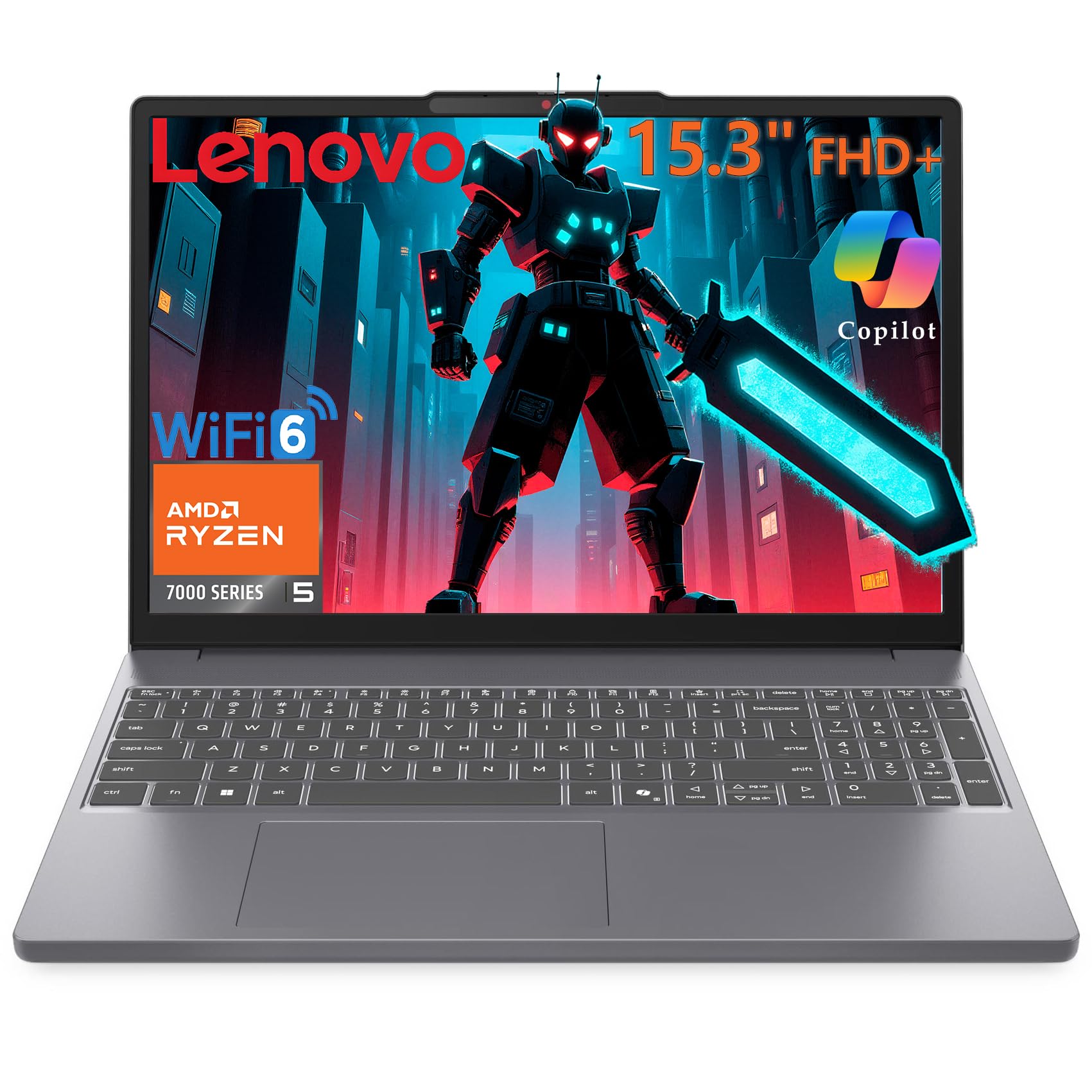
The Lenovo Gaming Laptop is built around an AMD Ryzen 5 7535HS processor with Radeon 660M integrated graphics, paired with 24GB DDR5 RAM and a 1TB PCIe SSD. The 15.3-inch WUXGA IPS display at 1920×1200 with a 16:10 aspect ratio provides extra vertical space for work and browsing. This is not a dedicated gaming laptop — it relies on integrated RDNA 2 graphics.
The Radeon 660M is equivalent to an entry-level discrete GPU from a few generations ago. It can handle esports titles like League of Legends, CS2, and Valorant at playable frame rates at lower settings, but modern AAA games will not run well. The 24GB RAM is excellent for productivity, virtual machines, and heavy browser multitasking. The 4.08-pound weight makes it easy to carry.
Some users report that the laptop is not suitable for gaming beyond light titles, which matches its hardware profile. The 16:10 display and anti-glare coating make it a strong choice for school or office work. For someone who needs a powerful work laptop with light gaming capability, this is a decent option. For dedicated gaming, the Acer Nitro V or msi Thin 15 are better choices.
Why it’s great
- 24GB DDR5 RAM and 1TB SSD provide excellent productivity performance
- 16:10 WUXGA IPS display with anti-glare for comfortable work sessions
- Lightweight at 4.08 lbs with WiFi 6 and Bluetooth 5.3
Good to know
- Radeon 660M integrated graphics cannot run AAA games
- Only suitable for esports titles at lower settings
- Battery life is average and drops significantly under gaming load
FAQ
Can a 13-inch gaming laptop run AAA games at high settings?
Is a 144Hz display enough for competitive gaming on a 13-inch laptop?
How important is a vapor chamber cooler in a compact gaming laptop?
Final Thoughts: The Verdict
For most users, the best 13 inch gaming laptop winner is the Acer Predator Triton 14 because it packs an RTX 4070 into a 3.75-pound chassis with a Mini LED 250Hz display — an unmatched combination of power and portability. If you want a versatile 2-in-1 that doubles as an AI workstation, grab the ASUS ROG Flow Z13. And for a pure gaming desktop replacement with the RTX 5090, nothing beats the Dell Alienware 18 Area-51.