
Stuttering motion and visible screen tearing during fast gameplay are the primary enemies of an immersive gaming session. A monitor that hits 120 frames per second with a 1080p resolution eliminates these distractions, delivering a fluid visual experience that dramatically improves your reaction time and overall enjoyment across competitive shooters, racing sims, and action RPGs.
I’m Min — the co-founder and writer behind Gadgets Feed. I’ve spent hundreds of hours digging through panel types, response time claims, connectivity options, and real-world performance data to separate the genuinely responsive monitors from the ones that just look good on paper.
Whether you are upgrading from a standard 60Hz office display or building your first dedicated gaming station, this guide breaks down the top models to help you find the perfect 1080p 120hz monitor for your setup and budget.
How To Choose The Best 1080P 120Hz Monitor
Finding the right monitor at this resolution and refresh rate is about balancing three things: panel technology, connectivity to reach 120Hz, and the size of the screen. 1080p at 27 inches offers a lower pixel density than a 24-inch model, which can make text and fine details appear softer. The panel type determines color accuracy, contrast, and viewing angles, while your GPU and cable choice dictate whether you can actually drive that 120Hz signal without issues.
Panel Technology: IPS vs VA vs OLED
IPS panels are the most common choice for this category, offering wide 178-degree viewing angles and strong color reproduction. VA panels deliver superior contrast ratios—often 3000:1 or higher—resulting in deeper blacks, but they can suffer from slower pixel response times that create visible ghosting in dark scenes. OLED panels produce pure blacks and near-instantaneous 0.03ms response times, but they command a premium price and introduce burn-in considerations over long-term static use. For pure gaming responsiveness at a reasonable cost, an IPS panel with a 1ms MPRT rating provides the best balance.
Connectivity and Adaptive Sync
To actually achieve 120Hz at 1080p, you need the appropriate cable and port. HDMI 2.0 or DisplayPort 1.2 both support 1080p at 120Hz without issue. Using an older HDMI 1.4 cable or a laptop’s USB-C port that doesn’t support video output can cap your refresh rate to 60Hz. Adaptive sync technologies like AMD FreeSync and Nvidia G-Sync Compatible match the monitor’s refresh rate to your GPU’s frame output, eliminating screen tearing without the input lag penalty of V-Sync. Most modern monitors in this range support FreeSync, which works readily with both AMD and recent Nvidia cards.
Screen Size and Pixel Density
At 1080p, a 24-inch display yields a pixel density of about 92 PPI—sharp enough for detailed gaming and text. Jumping to 27 inches drops the density to roughly 81 PPI, which makes individual pixels more visible and can cause a slightly softer image. A 27-inch 1080p monitor gives you more screen real estate and an immersive feel, but you lose the sharpness of a smaller panel. Consider your viewing distance: if you sit close to the screen, 24 inches is often the better fit for 1080p.
Quick Comparison
On smaller screens, swipe sideways to see the full table.
| Model | Category | Best For | Key Spec | Amazon |
|---|---|---|---|---|
| ASUS VA279QG | Premium Value | All-around daily use & casual gaming | 99% sRGB coverage | Amazon |
| Amzfast AMZG27C1 | Mid-Range | Curved immersion with high refresh | 200Hz refresh rate | Amazon |
| Pixio PX246 Wave | Mid-Range | Compact setup with bold aesthetic | 4ms GTG response time | Amazon |
| EVICIV Portable Monitor | Portable | Travel second screen for laptops | 350 nits brightness | Amazon |
| Samsung Odyssey G7 G75F | Premium | High-refresh ultrawide gaming | 180Hz refresh rate | Amazon |
| Samsung Odyssey OLED G9 | Flagship | Ultimate visual fidelity and immersion | 0.03ms OLED response | Amazon |
| Generic 34-Inch Curved | Budget Ultrawide | Wide-screen productivity on a budget | WQHD 3440×1440 resolution | Amazon |
In‑Depth Reviews
1. ASUS 27″ Computer Monitor (VA279QG)
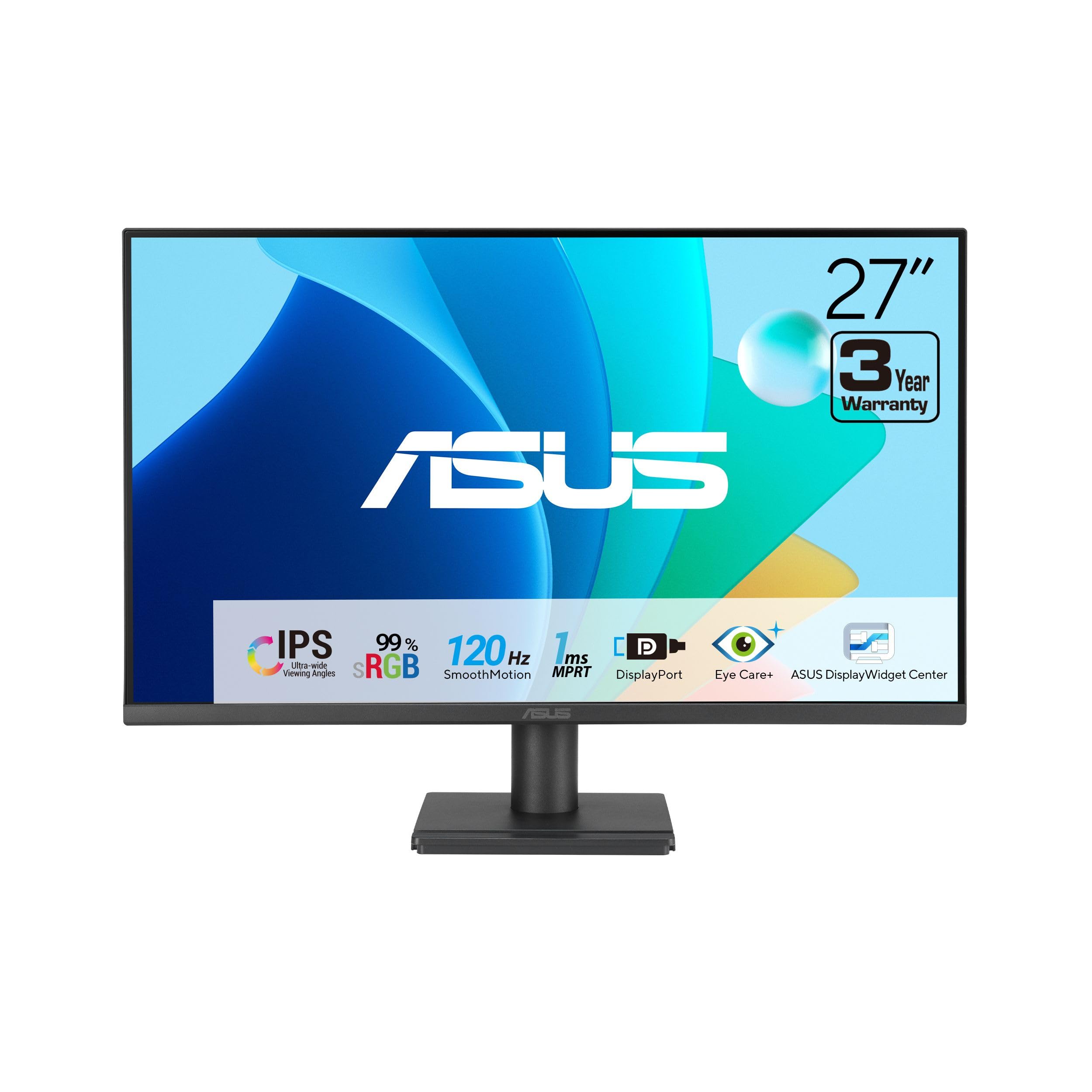
The ASUS VA279QG delivers exactly what the mid-range buyer needs: a 27-inch IPS panel running at 120Hz with a 1ms MPRT rating and 99% sRGB color coverage. This combination makes it equally competent for casual gaming, streaming content, and daily productivity tasks. The inclusion of HDMI, DisplayPort, and VGA inputs offers genuine legacy device support that many modern monitors omit.
ASUS Eye Care technology with TÜV-certified Low Blue Light and Flicker-Free backlight reduces eye strain during extended sessions, which is a practical advantage for users who spend eight or more hours in front of the screen. The built-in 2W speakers are functional for system audio but not for immersive gaming, and the matte screen finish effectively cuts glare in brightly lit rooms.
VESA mount compatibility (100x100mm) plus a dedicated phone slot in the base allows for desk space optimization without sacrificing organization. The static contrast ratio of 3000:1 is unusually high for an IPS panel, delivering noticeably deeper blacks than typical IPS displays at this price tier. For a balanced, reliable daily driver that does not compromise on gaming smoothness, this is the strongest all-around pick.
Why it’s great
- Excellent 99% sRGB color accuracy out of the box
- 120Hz with 1ms MPRT delivers smooth, tear-free motion
- Diverse connectivity includes VGA for older systems
Good to know
- Built-in speakers are tinny and lack bass
- Stand offers tilt only—no height or swivel adjustment
- Pixel pitch of 0.311mm may feel soft for text at close range
2. Amzfast 27 inch 200Hz Curved Gaming Monitor (AMZG27C1)
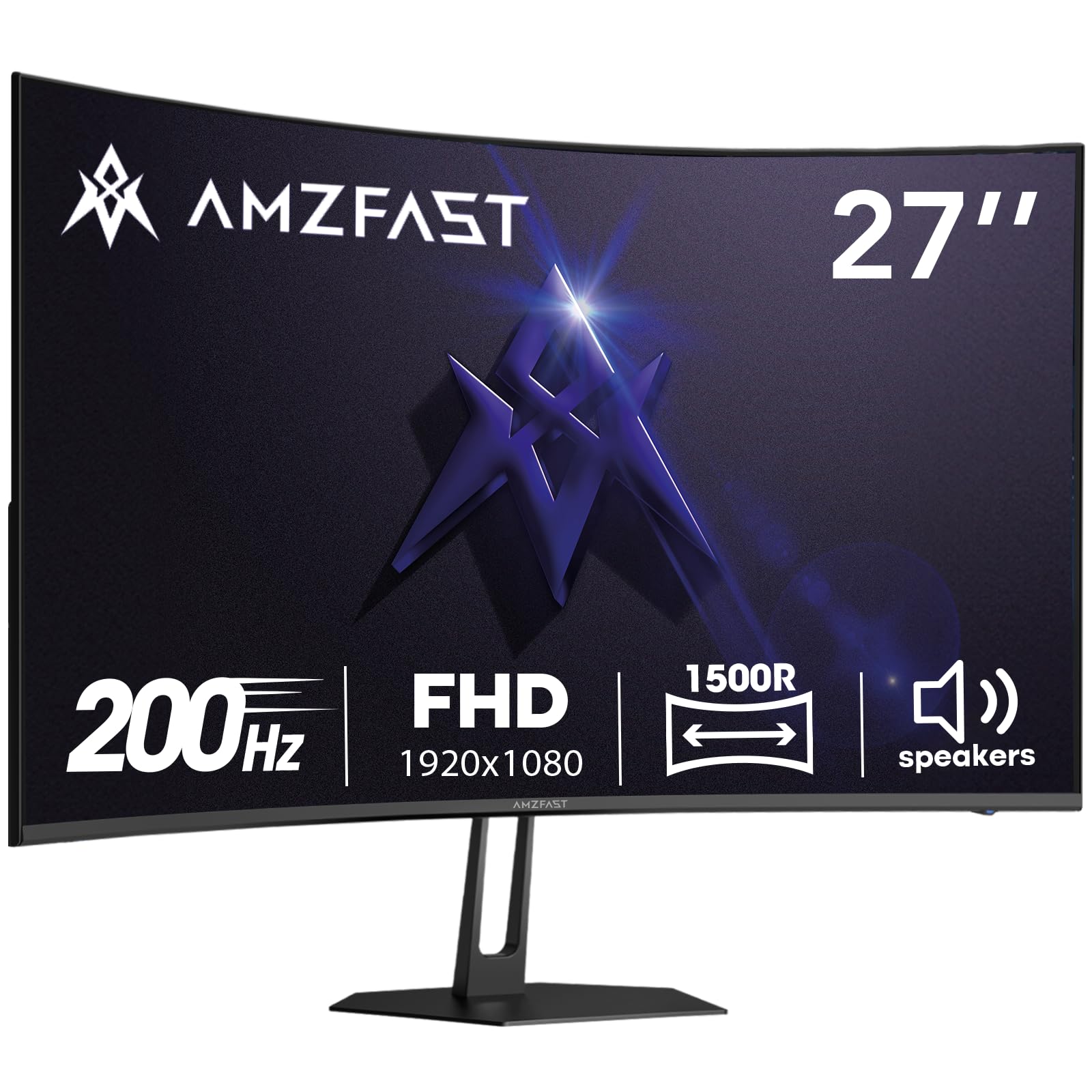
The Amzfast AMZG27C1 pushes the refresh rate ceiling to 200Hz while retaining a 1080p resolution, making it a strong option for competitive gamers who prioritize motion fluidity above all else. The 1500R curvature wraps the 27-inch VA panel gently around your field of view, enhancing immersion without the distortion sometimes seen on tighter curves like 1000R.
VA panel technology gives this monitor a 3000:1 contrast ratio and 300 nits of brightness, producing deeper blacks and more impactful highlights in dark game environments compared to IPS alternatives. The 130% sRGB color gamut coverage is noticeably more saturated than standard 99% panels, which can make games and media appear more vivid, though color accuracy for photo editing may be slightly off without calibration.
Built-in 2W speakers provide adequate system audio, and the inclusion of both HDMI 2.0 and DisplayPort 1.4 ensures full support for the 200Hz refresh rate from modern GPUs. The Zero-Bright-Dot warranty adds a safety net against dead pixels, which is a welcome assurance at this price point. The stand lacks height adjustment and has a wide footprint, so a VESA mount may be necessary for a clean desk setup.
Why it’s great
- 200Hz refresh rate exceeds the standard 120Hz target for extra smoothness
- 3000:1 contrast ratio provides deep blacks typical of VA panels
- Zero-Bright-Dot warranty protects against dead pixels
Good to know
- Stand is wide and lacks height adjustment
- MPRT mode can introduce reverse ghosting in some scenarios
- Color accuracy out of the box may require calibration for creative work
3. Pixio PX246 Wave Pink 24 inch 120Hz Monitor
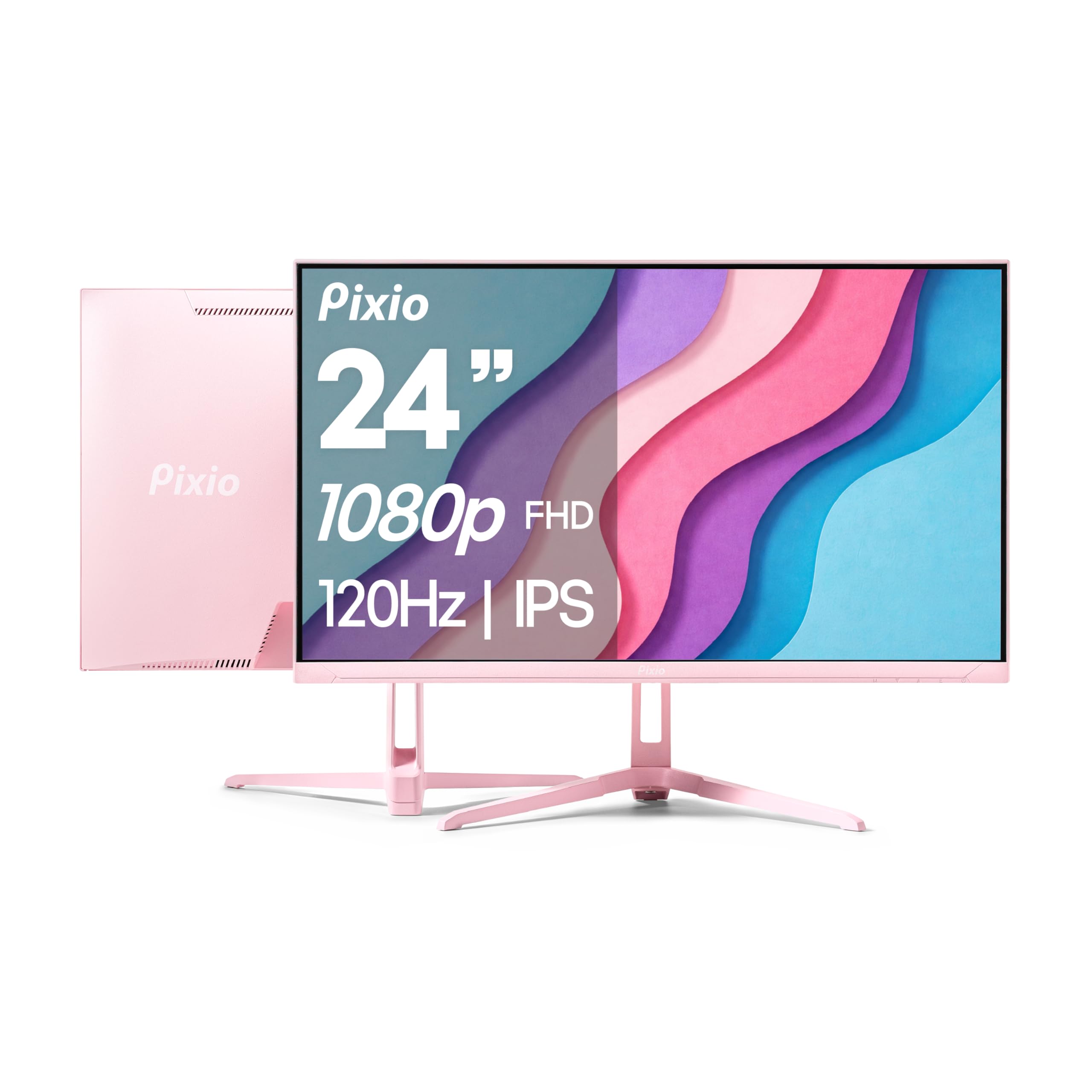
The Pixio PX246 Wave brings a 24-inch IPS panel to the 1080p 120Hz category with a 4ms GTG response time and Adaptive Sync support. The smaller screen size results in a sharper pixel density (approximately 92 PPI), which makes text and game UI elements appear crisp without the softness you get at 27 inches. This makes it an excellent monitor for students or users with limited desk space who still want high refresh rates.
The standout feature here is the bold Wave Pink color scheme. The monitor’s aesthetic is a deliberate choice for users who want their setup to reflect personal style, and Pixio has executed it cleanly with a slim bezel design. The matte screen finish reduces reflections effectively, and the IPS panel delivers consistent colors across the full 178-degree viewing angle, which is useful for co-op gaming or sharing the screen.
Adaptive Sync eliminates screen tearing when paired with an AMD GPU or a recent Nvidia card, and the 4ms GTG response time is sufficient for casual to moderate competitive gaming. The stand only offers tilt adjustment, and the built-in speakers are weak—similar to most monitors in this range. For a dedicated secondary gaming screen or a primary monitor for a compact desk, this is a strong, visually distinct option.
Why it’s great
- 24-inch size offers sharper pixel density than 27-inch 1080p displays
- Bold Wave Pink design stands out from typical black gaming monitors
- IPS panel provides consistent color and wide viewing angles
Good to know
- 4ms GTG response is slower than 1ms MPRT alternatives
- No height or rotation adjustment on the stand
- Speakers are of mediocre quality
4. EVICIV Portable Monitor 18.5” 120Hz
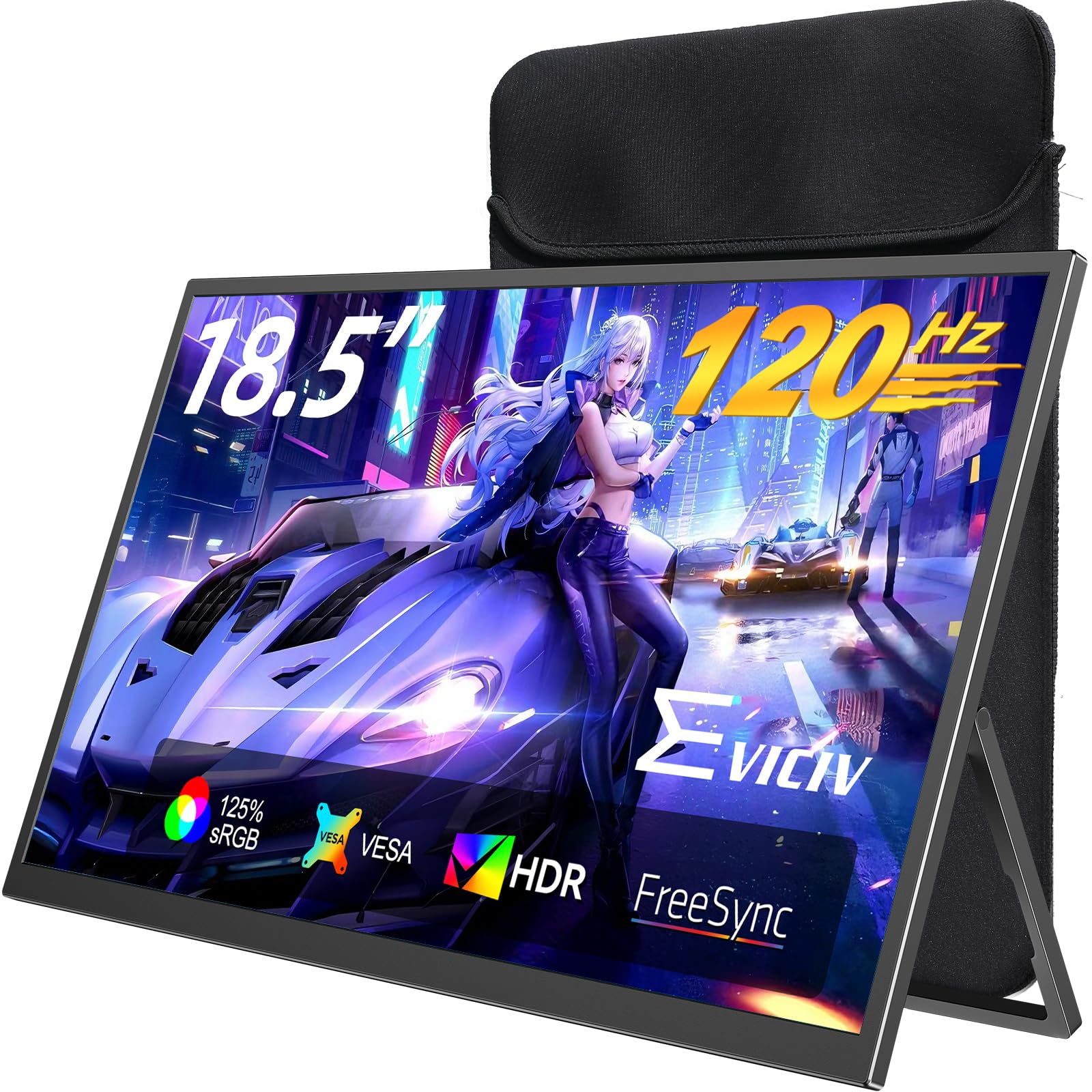
The EVICIV 18.5-inch portable monitor brings a 120Hz refresh rate into a compact, travel-friendly form factor that measures just over 18 inches diagonally. This is not a standard desktop monitor replacement—it is a secondary screen designed for laptop users who need an extra display on the go. The 350 nits brightness rating ensures it remains usable in well-lit environments like coffee shops or co-working spaces.
The IPS panel delivers 125% sRGB color gamut coverage and a 2000:1 contrast ratio, which is competitive with many desktop monitors in this class. Connectivity is handled through Mini-HDMI and two USB-C ports, one of which supports single-cable video and power delivery for compatible laptops. The inclusion of a multi-layer shock-absorbing sleeve case adds practical protection during transit, and the VESA 75x75mm mount compatibility allows for flexible attachment options.
The 1ms response time and FreeSync support translate well for gaming on handheld PCs like the Legion Go or Steam Deck, where the 18.5-inch size provides a significant upgrade over the built-in screen without being too bulky to pack. The built-in kickstand is stable enough for desk use, though the small screen size limits productivity for side-by-side document work. For mobile professionals and handheld PC gamers, this monitor fills a specific niche with solid execution.
Why it’s great
- 120Hz refresh rate in a truly portable 18.5-inch form factor
- 350 nits brightness remains usable in bright environments
- Includes protective sleeve case and all necessary cables
Good to know
- Small size limits productivity for multi-window workflows
- Requires USB-C with DP Alt mode for single-cable connection
- Mini-HDMI input may require an adapter for some devices
5. Generic 34-Inch Curved Ultrawide WQHD Monitor
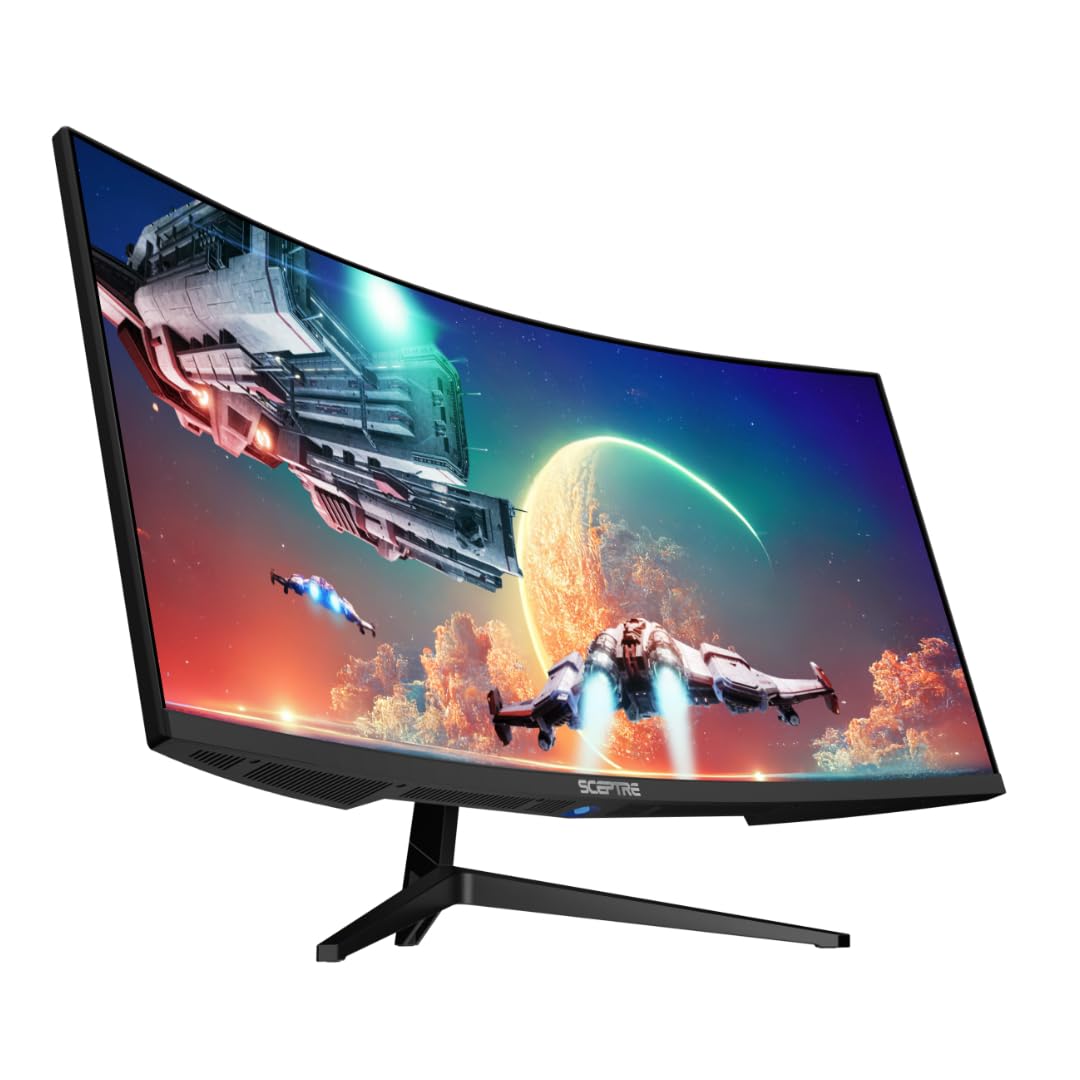
This 34-inch curved ultrawide monitor from a generic brand is the budget-friendly entry point into the ultrawide format, offering a 21:9 aspect ratio and WQHD resolution (3440×1440) at a refresh rate up to 165Hz. The 1500R curvature provides a gentle wrap-around feel that enhances peripheral awareness in racing and flight sim games without the aggressive bend of tighter curves.
The brightness rating of 400 nits is above average for this price segment, and the 1ms MPRT response time helps reduce motion blur during fast-paced scenes. The luminous backcover LED lights add a subtle ambient glow that matches the gaming aesthetic. The 30% extra horizontal screen space compared to a standard 16:9 monitor is genuinely useful for productivity tasks like timeline editing or spreadsheet management.
The main caveats are the generic brand identity, which means warranty and customer support are less established than major manufacturers, and the base is wider than advertised, which may require a larger desk or a VESA mount solution. The monitor works well for console gaming with modern systems that support ultrawide resolutions, though some games may not natively support 21:9. For the price, this offers a massive screen size and high refresh rate that simply does not exist from premium brands at this cost.
Why it’s great
- 34-inch ultrawide screen provides massive immersive space
- 400 nits brightness is bright for its price tier
- 1ms MPRT and 165Hz provide smooth gaming performance
Good to know
- Generic brand with less reliable customer support
- Stand base is wider than specifications suggest
- Some games do not support 21:9 natively
6. Samsung 40” Odyssey G7 (G75F) Curved Gaming Monitor

The Samsung Odyssey G7 G75F steps into the premium segment with a 40-inch 1000R curved VA panel that runs at 180Hz with a 1ms GTG response time. The aggressive 1000R curvature matches the natural curve of the human eye, creating an exceptionally immersive field of view that makes it feel larger than its 40-inch diagonal suggests. The 5120×2160 WUHD resolution (effectively dual QHD) provides pixel density far beyond standard 1080p displays.
VESA DisplayHDR 600 certification delivers a meaningful improvement in contrast and brightness over standard HDR monitors, with deeper blacks and peak highlights that make compatible games and movies pop. The 3000:1 VA contrast ratio provides the black levels that IPS panels cannot achieve, which is critical for horror games and cinema content. AMD FreeSync Premium Pro certification ensures tear-free, low-latency performance with compatible GPUs.
The ergonomic stand includes height, tilt, and swivel adjustments, and the 21:9 aspect ratio is ideal for ultrawide gaming and productivity multitasking. Connectivity includes HDMI and DisplayPort, plus a USB-A to B upstream port for peripherals. The Odyssey’s core strength is delivering high-refresh ultrawide gaming with HDR support in a size class that few competitors match at this performance level.
Why it’s great
- 1000R curvature provides maximum immersion for gaming
- DisplayHDR 600 delivers impressive contrast and brightness
- 180Hz refresh rate with 1ms GTG for responsive gameplay
Good to know
- VA panel may show slight smearing in dark transitions
- Very large footprint requires a spacious desk
- HDR mode may need manual adjustment for optimal results
7. Samsung 49″ Odyssey OLED G9 (G91SD)

The Samsung Odyssey OLED G9 is the flagship of this list, featuring a 49-inch QD-OLED panel with Dual QHD resolution (5120×1440) and a 32:9 aspect ratio that effectively replaces two 27-inch monitors side by side without a bezel gap. The QD-OLED technology produces true black levels with infinite contrast, vibrant colors that exceed 99% sRGB coverage, and a near-instantaneous 0.03ms GTG response time that is literally 30 times faster than standard 1ms displays.
G-Sync compatibility and FreeSync Premium Pro certification ensure stutter-free gameplay across the full 144Hz refresh rate range. The Thermal Modulation System intelligently manages heat to prevent OLED burn-in, and the Logo & Taskbar Detection feature automatically dims static elements to extend panel lifespan. The Screen Saver function dims the display after 10 minutes of inactivity, adding another layer of burn-in protection for mixed-use scenarios.
The ergonomic stand provides height, tilt, and swivel adjustments, and the Picture-in-Picture mode allows you to display two different inputs simultaneously on the same screen. The 250 nits typical brightness is lower than LED monitors, but OLED’s per-pixel luminance control makes HDR content look spectacular. For users who want the absolute best image quality and are willing to pay for it, the Odyssey OLED G9 sets a new standard in this category.
Why it’s great
- QD-OLED delivers perfect blacks and infinite contrast ratio
- 0.03ms response time is the fastest available in this category
- Dual QHD resolution effectively replaces a multi-monitor setup
Good to know
- Burn-in risk with prolonged static content despite protective features
- Only 250 nits typical brightness is lower than premium VA panels
- Single DisplayPort input limits connectivity options
FAQ
Can I run a 1080p 120Hz monitor on an older graphics card?
Is 24 inches or 27 inches better for a 1080p 120Hz monitor?
What is the difference between 120Hz and 144Hz for gaming?
Do I need a DisplayPort cable to run 1080p at 120Hz?
Final Thoughts: The Verdict
For most users, the best 1080p 120hz monitor is the ASUS VA279QG because it combines a reliable IPS panel, 99% sRGB color coverage, and versatile connectivity in a package that handles both gaming and daily productivity without compromise. If you want smooth curved gaming with a higher 200Hz refresh rate, grab the Amzfast AMZG27C1. And for portable use with a laptop or handheld PC, the EVICIV 18.5-inch Portable Monitor delivers 120Hz performance in a travel-friendly form factor that fits in a backpack.