
For anyone who spends hours at a desk, the wrong laptop base means a craned neck, a hot machine, and a cluttered workspace. The market is flooded with flimsy risers, deceptive cooling pads, and overpriced aluminum slabs that don’t actually solve the posture problem. A well-chosen laptop base transforms your setup by lifting the screen to eye level, improving airflow, and reclaiming desk space, all while staying stable under rapid typing.
I’m Min — the co-founder and writer behind Gadgets Feed. I sift through hundreds of technical specifications, customer stress-tests, and hidden design flaws to separate real engineering from marketing gimmicks in the laptop base space.
Whether you need passive cooling, active fan support, or the ultimate portable riser, this guide to the best laptop base focuses exclusively on models that deliver measurable ergonomic and thermal improvements for your daily workflow.
How To Choose The Best Laptop Base
Selecting the right laptop base involves more than just picking a cheap stand. You need to match your use case — desk worker, gamer, or road warrior — with the right combination of cooling, adjustability, and build quality.
Active Cooling vs. Passive Riser
Active cooling pads use built-in fans to force air beneath your laptop, lowering CPU and GPU temperatures by 10–20°C during heavy loads. They are heavier, need USB power, and generate noise. Passive risers rely on airflow from ventilation holes and a raised angle. They are silent, lighter, and better for typing stability, but offer no thermal boost during gaming or rendering.
Ergonomics and Adjustability
Your screen should sit at eye level to prevent neck hunching. Look for a laptop base with at least 6 inches of height adjustment and tilt options. 360-degree rotation is a plus for collaboration. Foldable designs pack flat for travel, but often sacrifice some rigidity compared to fixed metal stands.
Build Material and Stability
Aluminum offers superior heat dissipation and a premium feel, while ABS plastic keeps weight and cost low. A wider base and anti-slip silicone feet prevent shaking when typing at speed. For heavy gaming laptops (over 5 lbs), prioritize a stand with a rated weight capacity and a non-slip tray or grips.
Quick Comparison
On smaller screens, swipe sideways to see the full table.
| Model | Category | Best For | Key Spec | Amazon |
|---|---|---|---|---|
| HUANUO 2 in 1 Function Laptop Mount | Mount | Desk space saving & dual monitor | 19.8 lbs capacity, 18.1″ arm extension | Amazon |
| Lifelong Ergonomic Adjustable Stand | Riser | Standing desk & tall setups | 20″ max height, 13″ arm extension | Amazon |
| Lamicall 360 Rotating Stand | Rotating | Screen sharing & collaboration | 360° rotation, aluminum alloy base | Amazon |
| Lamicall Adjustable Foldable Stand | Riser | Portable desk ergonomics | Foldable, 10-17.3″ compatibility | Amazon |
| Roost V3 Laptop Stand | Travel | Ultralight travel & remote work | 6 oz weight, 6.5-12.5″ height | Amazon |
| Kootek Laptop Cooling Pad | Active | Gaming & intensive workloads | 5 fans, 6 height settings | Amazon |
| havit HV-F2056 Slim Cooler | Active | Budget active cooling | 3 ultra-quiet fans, slim profile | Amazon |
In‑Depth Reviews
1. HUANUO 2 in 1 Function Laptop Mount with Tray
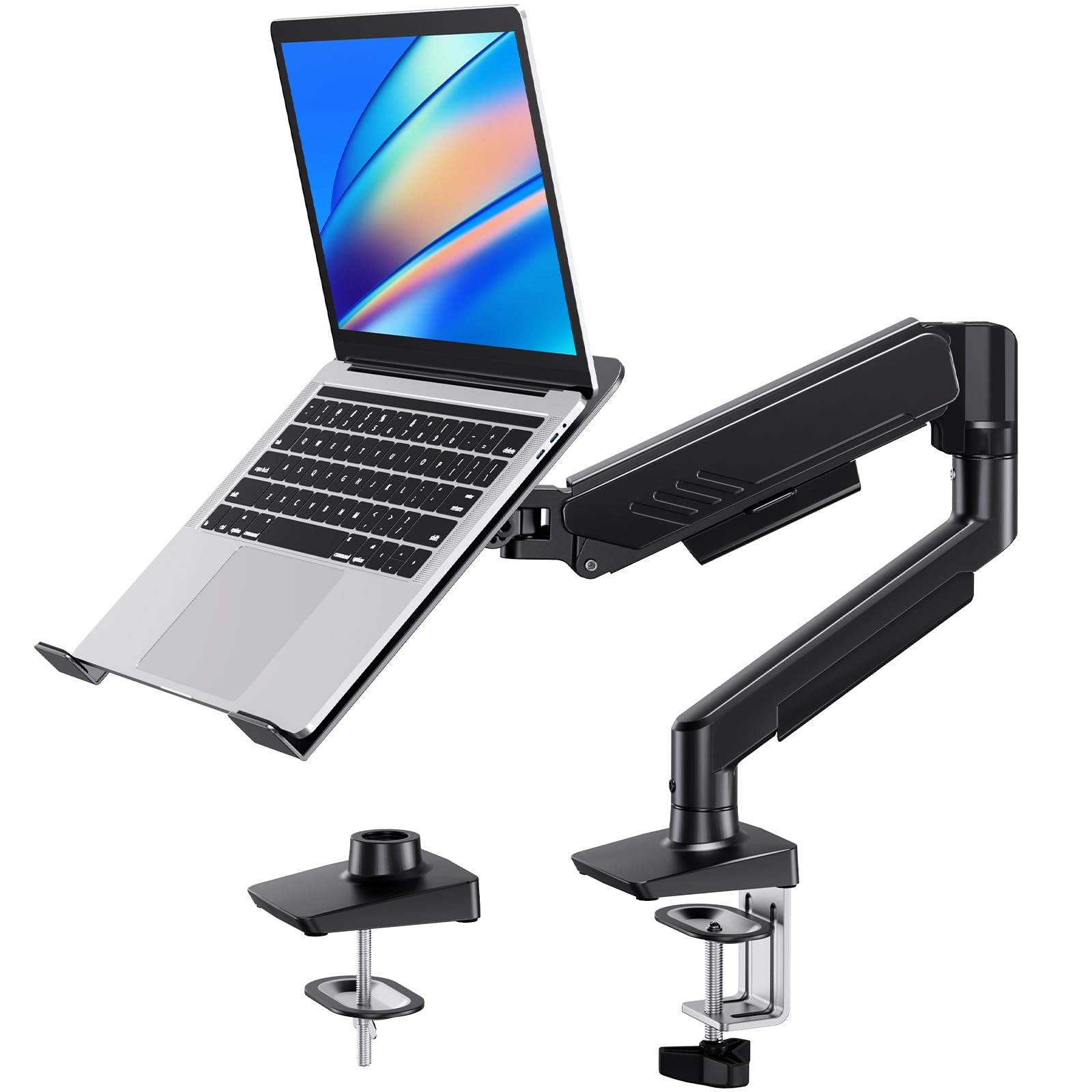
The HUANUO combines a ventilated laptop tray with a full articulating monitor arm. Its 18.1-inch extension and 17.5-inch max height give you rich positioning freedom, while the tray’s 11.8×10.4-inch platform includes six anti-slip pads and Velcro straps to lock your machine in place.
Swiveling 360 degrees and tilting ±45 degrees, this mount clears desk clutter and switches between laptop and monitor modes by simply removing the tray. The heavy-duty steel construction supports up to 19.8 lbs, easily handling 17-inch gaming machines without droop.
Some customers reported the lift-arm tension screw stiff on arrival, but a quick WD40 application resolved the issue. For anyone wanting a permanent, space-saving desk setup that also cools through its perforated tray, this is the top pick.
Why it’s great
- Frees up desk real estate by elevating both laptop and monitor
- Ventilated tray with straps and pads holds heavy laptops securely
Good to know
- Arm may require initial lubrication if tension is too tight
- Velcro straps can cover top-row keyboard keys on certain models
2. Lifelong Ergonomic Adjustable Laptop Stand
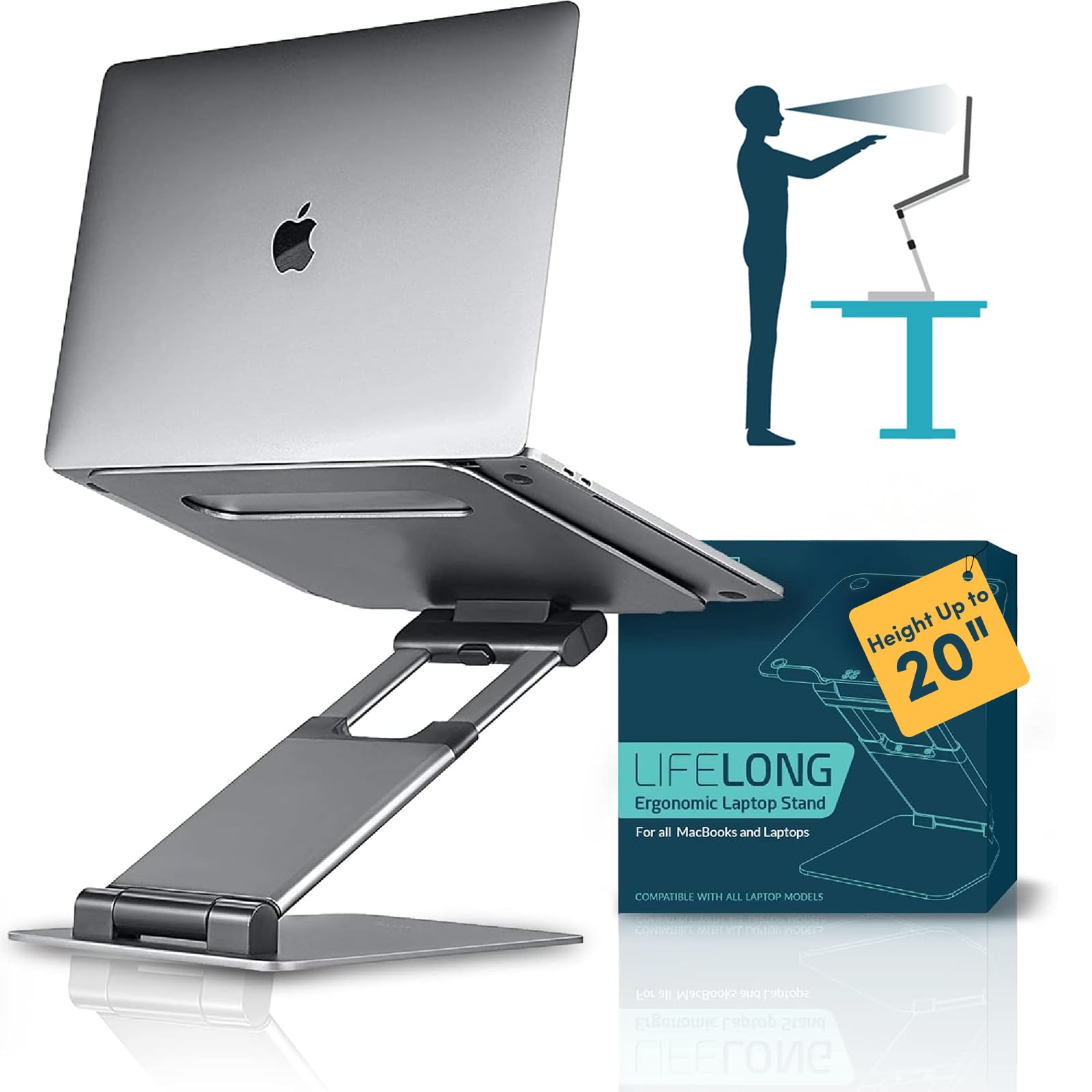
The Lifelong UPRYZE rises up to 20 inches from the base, making it the go-to choice for sit-stand desks and tall desk setups. Its aluminum construction and 13-inch arm extension with 20 discrete locking positions let you fine-tune the screen height for standing or seated use.
Weighing noticeably more than folding risers, the stand relies on a heavy base and stiff joints to resist tipping. Customers confirm it holds laptops securely without sliding, though the L-brackets may slightly overlap ultra-thin chassis like a MacBook Air.
Typing directly on the laptop while the stand is extended creates some bounce — pairing it with an external keyboard solves this entirely. For users who need a tall, stable platform that collapses for occasional transport, this stand delivers robust value.
Why it’s great
- 20-inch maximum height accommodates standing desk use
- Sturdy aluminum frame prevents tipping even at full extension
Good to know
- Noticeable bounce when typing directly on the laptop at higher angles
- Heavy build reduces portability compared to ultralight competitors
3. Lamicall Adjustable Laptop Stand with 360 Rotation
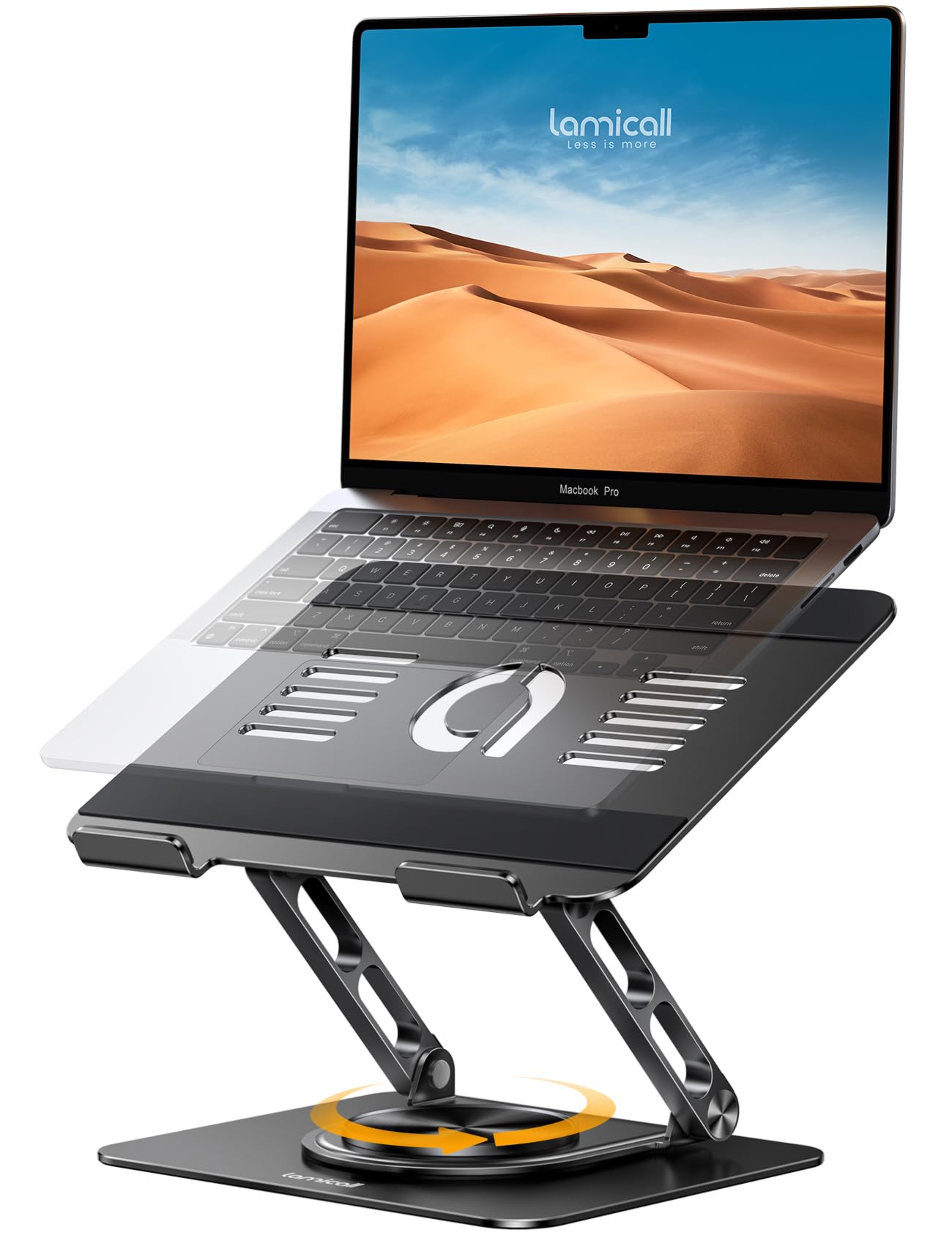
The Lamicall 360 Rotation stand uses a larger, heavier aluminum base to deliver rock-solid stability while allowing you to spin the entire laptop for screen sharing. Its adjustable height and tilt accommodate 10-to-17.3-inch laptops, and the foldable legs keep it backpack-friendly.
Multiple ventilation holes in the tray promote passive airflow, lowering operating temperatures without any fan noise. The silicone pads on the tray and base stop the laptop and stand from sliding on the desk.
Reviewers consistently praise the one-handed rotation mechanism and the lack of wobble during typing. This is the ideal choice for collaborative workspaces where you frequently present your screen to a colleague.
Why it’s great
- Full 360-degree rotation makes screen sharing effortless
- Heavyweight aluminum base eliminates desk shake during use
Good to know
- Rotation may be too stiff for some users initially
- No active cooling fans — relies solely on ventilation holes
4. Lamicall Adjustable Laptop Stand (Foldable)

This Lamicall stand folds completely flat, slipping into a laptop bag sleeve for easy transport. The aluminum body and large base provide a rigid platform that resists wobble, while the vented tray helps keep the chassis cool during extended use.
Height and angle adjustments require some arm strength to reposition, but once locked, the stand stays put under constant typing — no sag or drift. The anti-skid silicone strip along the back lip prevents the laptop from sliding forward.
A few users note that the prongs holding the laptop can feel tight on newer ultrabooks, but the secure fit eliminates any fear of the machine slipping. This is the best balance of desk-grade stability and travel-friendly portability in the mid-range.
Why it’s great
- Folds flat for easy storage and travel
- Solid aluminum construction with no plastic flex
Good to know
- Adjustment mechanism can be stiff and requires two hands
- Some users experience minor wobble when typing in heavy mode
5. Roost V3 Laptop Stand

The Roost V3 weighs just 6 ounces and packs impossibly thin, making it the definitive travel companion for digital nomads. Its interlocking truss frame and engineered-composite construction deliver a zero-flex platform that holds the screen perfectly still even during fast typing.
The self-adjusting PivotGrips automatically clamp onto 12-to-18-inch laptops without any manual tightening. The stand offers seven height settings, spanning 6.5 to 12.5 inches, so you can dial in your ideal ergonomic angle.
While the price sits at the high end of the category, the build quality and portability justify the investment for frequent travelers. Users consistently praise its compact folded size and the included carrying sleeve. For anyone who moves between desks daily, this is the ultimate laptop base.
Why it’s great
- Ultralight 6-ounce design packs flat for travel
- Patented grips securely hold laptops without slipping
Good to know
- Higher price point than most fixed risers
- Cannot adjust height while the laptop is on the stand
6. Kootek Laptop Cooling Pad
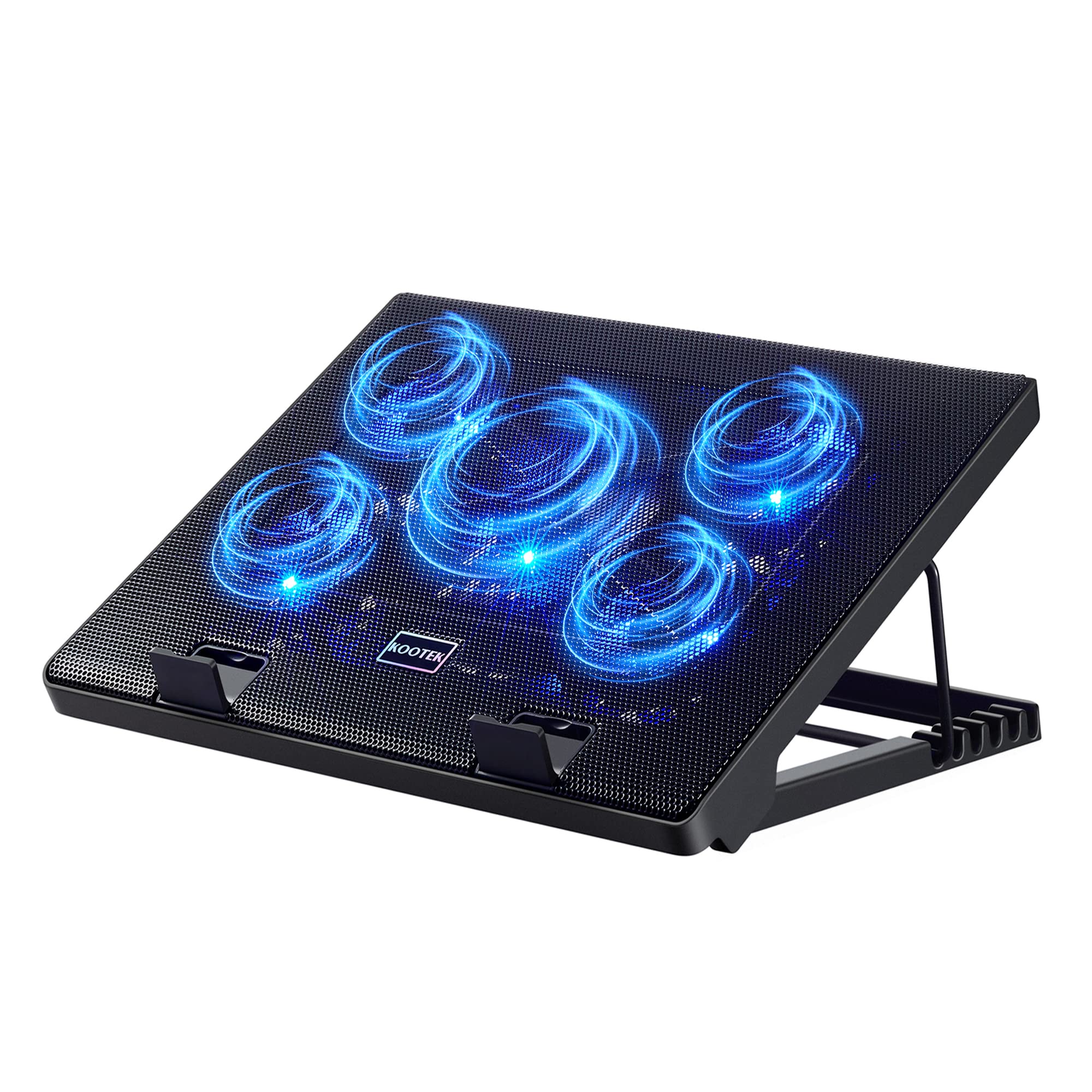
The Kootek cooling pad packs five fans — one large 4.72-inch and four 2.76-inch — all controlled by two switches that let you run 1, 4, or all 5 fans simultaneously. Blue LEDs illuminate the metal mesh surface, and the 6-angle height adjustment supports anything from a casual typing tilt to a near-vertical stand.
Customer tests show it lowers CPU temperatures from the 70-80°C range down to 50-60°C during gaming sessions. The built-in dual USB hub adds extra ports for peripherals, though the included USB cable is short, so plan your desk layout around the port location.
Some users note the airflow is weaker when the pad sits flat — elevating it with the stand feet is essential for maximum cooling. For budget-conscious gamers and heavy users, this provides the best thermal improvement per dollar spent.
Why it’s great
- Drops laptop temps by 10-20°C under load with five fans
- Dual USB hub adds connectivity without sacrificing ports
Good to know
- Short USB cable limits placement flexibility
- Airflow drops significantly when used flat without the stand extended
7. havit HV-F2056 Slim Cooler

The havit HV-F2056 keeps things simple: three ultra-quiet fans in a slim 1.18-inch thick frame, a single USB passthrough port, and two adjustable height settings. It fits 15.6-to-17-inch laptops and weighs under 700 grams, making it easy to toss into a backpack.
While the fans are quiet and move decent air for general use, the cooling effect is modest under heavy CPU loads. One customer measured a drop from 95°C to 87°C on a demanding task — enough to keep fans running at lower speed, but not enough for serious gaming.
The metal mesh surface provides a stable platform, though the rubber strips can slide slightly on the perforated aluminum. For light office work, prolonged media consumption, or extending the life of an older laptop, this is a cost-effective, silent solution.
Why it’s great
- Nearly silent fans create a distraction-free workspace
- Lightweight and slim enough for daily travel
Good to know
- Limited cooling performance for high-end gaming laptops
- Rubber pads may slide on the metal mesh surface
FAQ
Does a passive laptop base cool my computer as well as a fan-based one?
How do I know if a laptop base is stable enough for fast typing?
Final Thoughts: The Verdict
For most users, the best laptop base winner is the HUANUO 2 in 1 Function Laptop Mount because it clears desk clutter and holds heavy laptops securely with full articulation. If you want a 360-degree rotating base for quick screen sharing, grab the Lamicall 360 Rotation Stand. And for ultralight travel that packs into any bag, nothing beats the Roost V3 Laptop Stand.