
Choosing a stylus for your Android tablet is about more than just finding a pointy stick that touches the screen. The right pen transforms a big glass slate into a precise notebook, a detailed sketchbook, or an efficient document-annotation tool, but the wrong one can feel laggy, inaccurate, or simply miss the mark on pressure sensitivity. With a growing field of options ranging from battery-free EMR pens to standalone digital notepads, the decision hinges on how you plan to use it and which specific Android device you own.
I’m Min — the co-founder and writer behind Gadgets Feed. I’ve spent countless hours dissecting the technical specifications, pressure curves, and compatibility lists across dozens of Android stylus models to separate the productivity tools from the digital toys.
Whether you need a replacement for a lost S Pen or a more comfortable writing tool for your e-ink tablet, this guide to the best android tablet pen will clarify the EMR ecosystem and help you find the perfect match for your workflow.
How To Choose The Best Android Tablet Pen
Before you add a stylus to your cart, understand that not every pen works with every tablet. The technology inside the pen must match the digitizer layer in your screen. Here are the three core considerations to get right.
EMR vs. Active Capacitive Stylus
The single biggest differentiator is how the pen powers itself. EMR (Electro-Magnetic Resonance) pens are battery-free — they draw power from a grid behind your tablet’s screen, so you never charge or pair them. Active capacitive styluses contain a battery and communicate via Bluetooth. EMR pens are generally preferred for drawing and note-taking because of lower latency and higher accuracy, but they only work with devices that have an EMR digitizer (like many Samsung Galaxy Tab S models and most e-ink readers).
Pressure Sensitivity and Tilt Recognition
For anyone doing more than tapping, pressure sensitivity is non-negotiable. A 4096-level pen can already register very fine variations in stroke weight, which is plenty for most note-takers and intermediate artists. Professional illustrators may benefit from 16384 levels for ultra-gradual shading. Tilt support (usually around 40 to 60 degrees) enables angled brush strokes and shading effects that mimic real pencils and paintbrushes.
Device-Specific Compatibility
The most common mistake is assuming all pens work with all tablets. A pen designed for the Kindle Scribe will not work on an iPad, and a pen meant for a Samsung Galaxy Tab S series may not work on a Galaxy Tab A series. Always check the manufacturer’s EMR compatibility list. If you own a device from BOOX, reMarkable, Supernote, or a specific Samsung model, confirm your tablet is listed before ordering.
Quick Comparison
On smaller screens, swipe sideways to see the full table.
| Model | Category | Best For | Key Spec | Amazon |
|---|---|---|---|---|
| STAEDTLER Noris Jumbo Digital | EMR Stylus | Comfort & Eraser | 4096 Pressure Levels | Amazon |
| ASUS ProArt Pen MPA01 | EMR Stylus | Pro & Shortcut Key | 4096 Pressure Levels | Amazon |
| 4smarts Magnetic Pro-EMR | EMR Stylus | Value Replacement | 4096 Pressure Levels | Amazon |
| XP-Pen IT640 Drawing Tablet | Drawing Tablet | PC/Android Drawing | 16384 Pressure Levels | Amazon |
| HUION Kamvas Slate 11 | Standalone Tablet | All-in-One Art | 4096 Pressure Levels | Amazon |
| XPPen Artist 12 3rd | Display Tablet | Pro Color & Detail | 16384 Pressure Levels | Amazon |
| STAEDTLER Lumograph Digital | EMR Stylus | Budget Pick | 4096 Pressure Levels | Amazon |
In‑Depth Reviews
1. STAEDTLER Noris Jumbo Digital Stylus Pen with Eraser

The Noris Jumbo Digital strikes an excellent balance between natural writing feel and practical design. Its thick triangular barrel mimics a classic pencil, reducing hand fatigue during long note-taking sessions, and the built-in eraser on the top lets you flip and correct without reaching for a software tool. With 4096 levels of pressure sensitivity and palm rejection, it delivers a responsive, lag-free experience on compatible EMR devices.
This pen works with a wide range of EMR tablets including Samsung Galaxy Tab S, Kindle Scribe, reMarkable 2, BOOX, and Supernote. There is no battery to charge, no Bluetooth pairing required, and the set includes five replacement nibs with a removal tool. Users report smooth, accurate writing with a soft tip that reduces scratching on the screen, making it ideal for both students and professionals.
The only trade-off is the build consistency — some units have experienced the eraser detaching over time, and the plastic body feels less premium than the price suggests. Additionally, the lack of a side button means no shortcut functionality, which some artists may miss. However, for pure writing comfort and reliable EMR performance, this is a top-tier choice.
Why it’s great
- Excellent triangular grip reduces hand fatigue during long sessions
- Built-in eraser end works exactly like a real pencil
- Battery-free design with reliable palm rejection for instant use
Good to know
- Eraser may detach over time in some units
- No side button for programmable shortcuts
- Plastic body feels less premium than higher-end alternatives
2. ASUS ProArt Pen MPA01
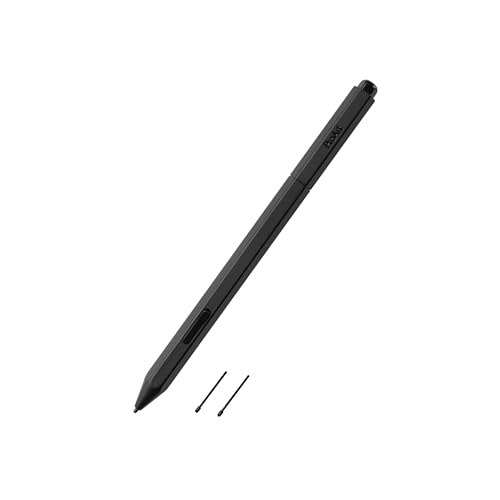
The ASUS ProArt Pen MPA01 is built for creative professionals who need a digital eraser and a shortcut button in a lightweight, battery-free package. Using Wacom EMR technology, it offers 4096 levels of pressure sensitivity and up to 40 degrees of tilt recognition for expressive line work. The pen weighs almost nothing, making it comfortable for extended drawing sessions without hand strain.
Compatibility extends beyond ASUS devices to include many EMR-equipped laptops and tablets such as HP Chromebooks, Acer Concept D models, Dell Chromebooks, and Fujitsu LIFEBOOK series. The set includes two interchangeable nibs to suit different drawing styles. Users appreciate the natural pen-on-paper feel and the convenience of the digital eraser for quick corrections.
However, compatibility is not universal — several customers report that this pen does not work with specific ASUS ProArt laptops like the P16, despite the branding. The lack of a detailed compatibility list from ASUS has caused confusion. If you have a confirmed EMR device, this is a solid performer, but verify your hardware first to avoid an expensive miss.
Why it’s great
- Very lightweight for fatigue-free drawing
- Digital eraser and programmable shortcut button for efficient workflows
- Battery-free with reliable 4096-level pressure response
Good to know
- Compatibility is device-specific — not compatible with all ASUS ProArt laptops
- Plastic enclosure feels less durable than metal alternatives
- No integrated nib storage or magnetic attachment
3. 4smarts Magnetic Pro-EMR Stylus Pen with Eraser
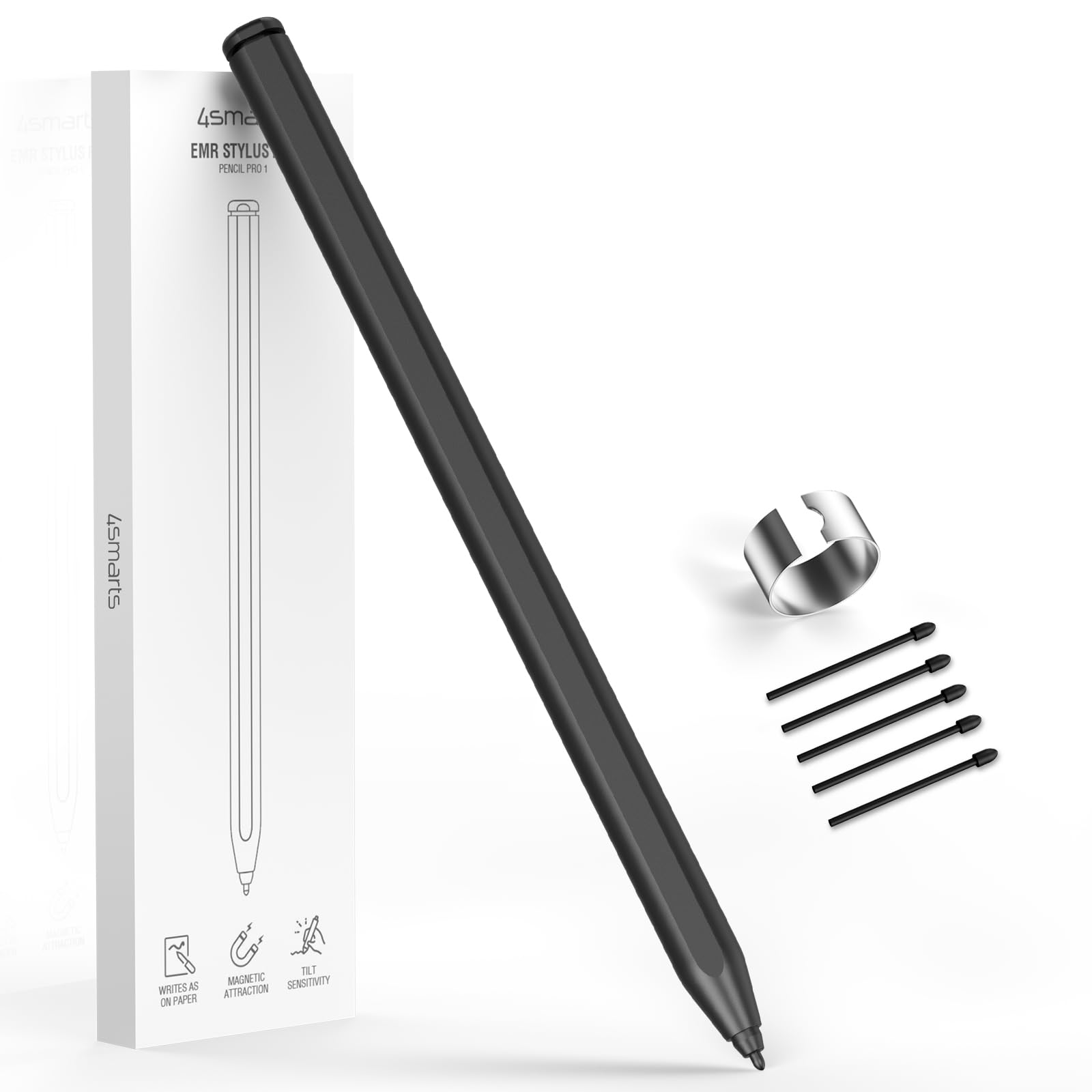
The 4smarts Pro-EMR Stylus is a cost-effective replacement pen that brings a flip-to-erase feature to devices like the Kindle Scribe, reMarkable 2, BOOX, and select Samsung Galaxy Tab S models. With 4096 pressure sensitivity levels and tilt recognition, it captures delicate line weight and shading for annotation, document markup, and sketching. The pen weighs 59 grams and uses a matte black plastic body that feels solid enough for daily use.
One standout feature is the magnetic side storage that keeps the pen attached to your tablet when not in use. The package includes five 0.7mm POM nibs and a metal pen clip. Users upgrading from the Kindle Scribe’s OEM pen report the 4smarts is lighter and more comfortable, with a superior eraser that works consistently at any angle of the pen.
The main limitation is that this is an EMR-only pen with no side buttons for programmable shortcuts. It also requires removing or undocking the OEM pen from your device to avoid detection conflicts. Some users have found it incompatible with certain e-ink models like the reMarkable Paper Pro. For the price, it offers great core functionality, but skip it if you rely on barrel buttons.
Why it’s great
- Magnetic side attachment for convenient storage
- Flip-to-erase works reliably at any angle
- Lighter and more comfortable than many OEM pens
Good to know
- No side button for shortcut programming
- May require undocking OEM pen for proper detection
- Not compatible with all e-ink tablets (check before ordering)
4. XP-Pen IT640 Drawing Tablet with 16384 Pressure Levels
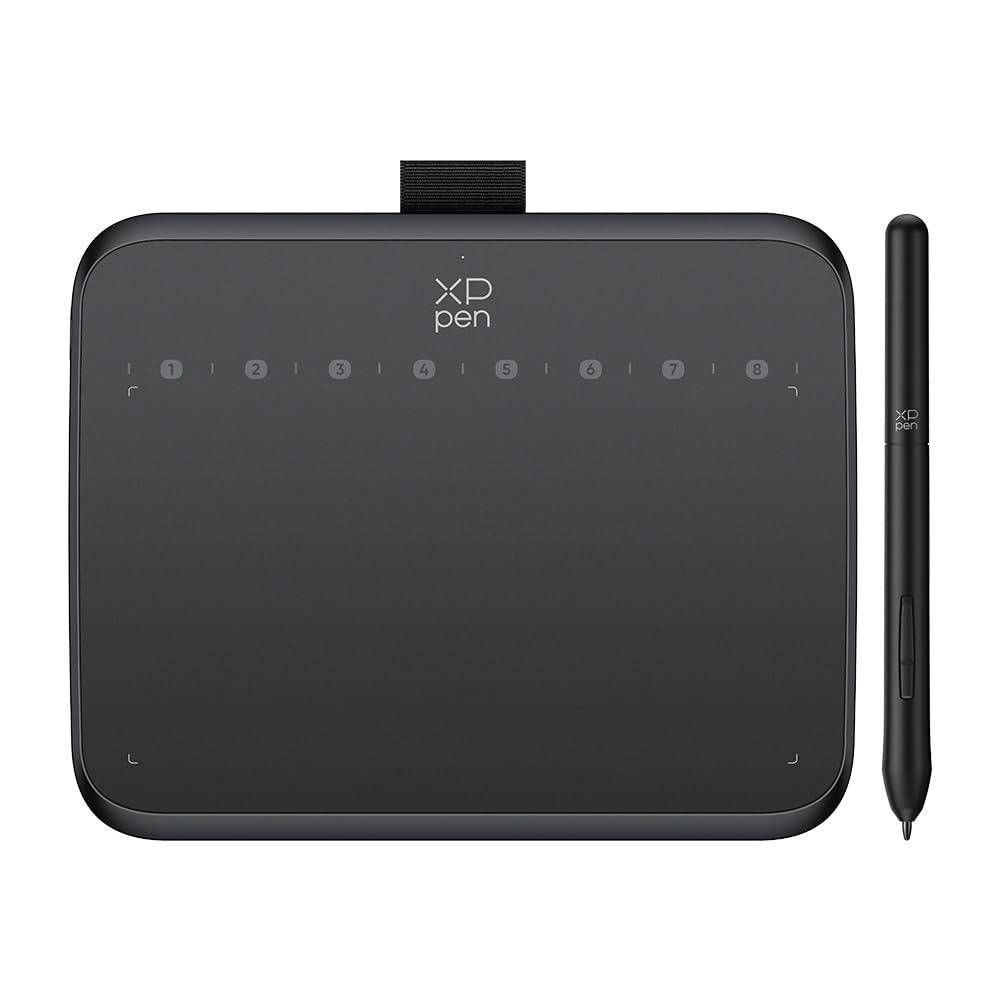
The XP-Pen IT640 is a pen tablet — not a standalone screen — that offers an incredible 16384 levels of pressure sensitivity and 60-degree tilt support in a compact, portable form factor. The battery-free stylus requires no charging, and the 6.4 x 4 inch active area is optimized for OSU performance with ultra-low latency. It connects via USB-C to Windows, macOS, Android, and Chrome OS devices.
Eight customizable soft keys let you program frequent tools like brush, eraser, and undo directly on the tablet surface, reducing dependency on keyboard shortcuts. An OTG adapter is included for direct Android phone connectivity, making it a versatile portable companion for digital artists and remote workers. The slim build at 12mm fits easily into most bags.
The biggest drawback is that this is not a standalone tablet — it must be connected to a computer or smartphone to function. Some users have noted slight cursor latency and a lightweight plastic feel on the stylus. Driver installation is required for full pressure sensitivity on most systems. For beginners or budget-conscious creators, it delivers excellent value for the pressure sensitivity alone.
Why it’s great
- Industry-leading 16384 pressure levels for ultra-fine control
- Compact size with 8 customizable shortcut keys for faster workflows
- Battery-free stylus with 60-degree tilt support
Good to know
- Requires connection to a computer or Android device — not standalone
- Stylus feels lightweight and somewhat cheap in the hand
- Driver installation required for full pressure sensitivity
5. HUION Kamvas Slate 11 Standalone Drawing Tablet

The HUION Kamvas Slate 11 is a full standalone Android tablet built specifically for digital artists. It runs Android 14 out of the box with an 8-core CPU, 8GB of RAM, and 128GB of expandable storage, so there is no need to connect to a PC. The 10.95-inch Full HD screen features a 90Hz refresh rate for smooth visuals and a full-laminated anti-glare glass surface that reduces parallax and glare.
The included H-Pencil offers 4096 levels of pressure sensitivity and 60-degree tilt recognition. The tablet comes pre-installed with Clip Studio Paint and ibisPaint X, plus a 3-month free membership to get started immediately. An 8000mAh battery provides all-day use, and the 13MP rear camera adds versatility for reference photo capture. This is a complete creative workstation in one package.
Quality control has been inconsistent — some users report receiving units with dead screens or pens that fail within months. The palm rejection has also been noted as choppy at times. The included case is functional but not premium. While the Slate 11 is a compelling all-in-one option, buying an extended warranty is strongly recommended to guard against potential defects.
Why it’s great
- Fully standalone Android 14 tablet — no PC connection needed
- Pre-installed Clip Studio Paint and ibisPaint X with free memberships
- High-quality anti-glare, full-laminated screen with 90Hz refresh rate
Good to know
- Inconsistent quality control — some units arrive defective
- Palm rejection can be choppy during use
- Stylus feel is adequate but not as refined as dedicated EMR pens
6. XPPen Artist 12 3rd Drawing Tablet with Screen
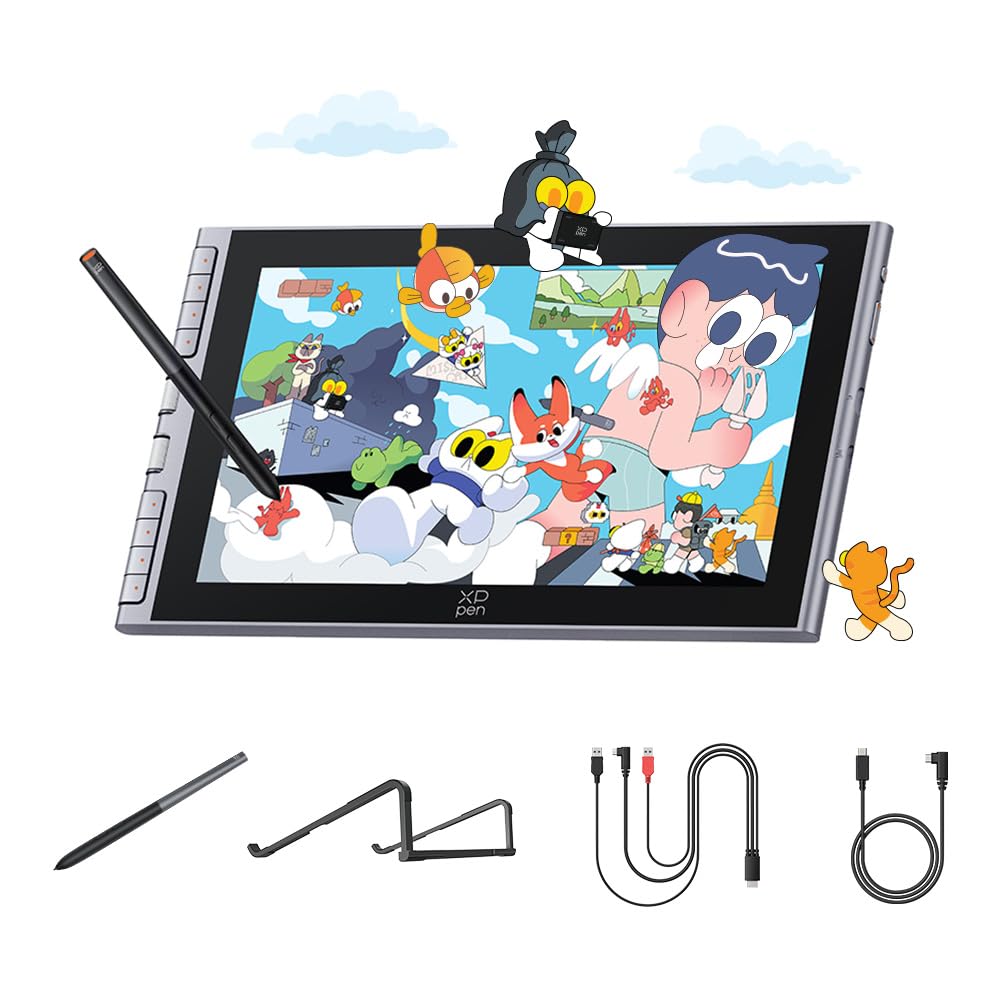
The XPPen Artist 12 3rd is a pen display that brings a dedicated drawing screen to your workflow. The 11.9-inch Full HD panel delivers 99% sRGB color gamut with factory-calibrated accuracy, making it suitable for professional illustration, photo editing, and animation. The X4 chip stylus achieves 16384 pressure levels with a 2-gram activation force for extremely light strokes.
The screen uses AF (anti-fingerprint) and AG (anti-glare) nano-etched glass for a paper-like texture with minimal parallax. Dual roller wheels let you adjust brush size and canvas zoom simultaneously, while 8 tactile shortcut keys reduce keyboard dependency. The tablet connects via USB-C to Windows, macOS, Android, and Chrome OS devices. The ultra-slim 12mm profile and 712g weight make it highly portable.
Compatibility requires attention — the full set of shortcut keys and rollers only functions with driver support on Windows or Mac. On Chromebook or Android devices, the buttons may not work at all without a firmware update performed on a PC first. Some users also report a smaller-than-expected active area for complex illustrations. For dedicated artists with a compatible laptop, the Artist 12 3rd offers exceptional pen feel and color accuracy.
Why it’s great
- 16384 pressure levels with 2g activation force for effortless fine strokes
- Full-laminated anti-glare screen eliminates parallax and reduces reflections
- Dual roller wheels and 8 shortcut keys for efficient workflow
Good to know
- Full functionality requires driver installation on Windows or Mac
- Shortcut keys may not work on Chromebook or Android without firmware update
- Active area is 11.9 inches — may feel small for complex layouts
7. STAEDTLER Lumograph Digital Stylus Pen
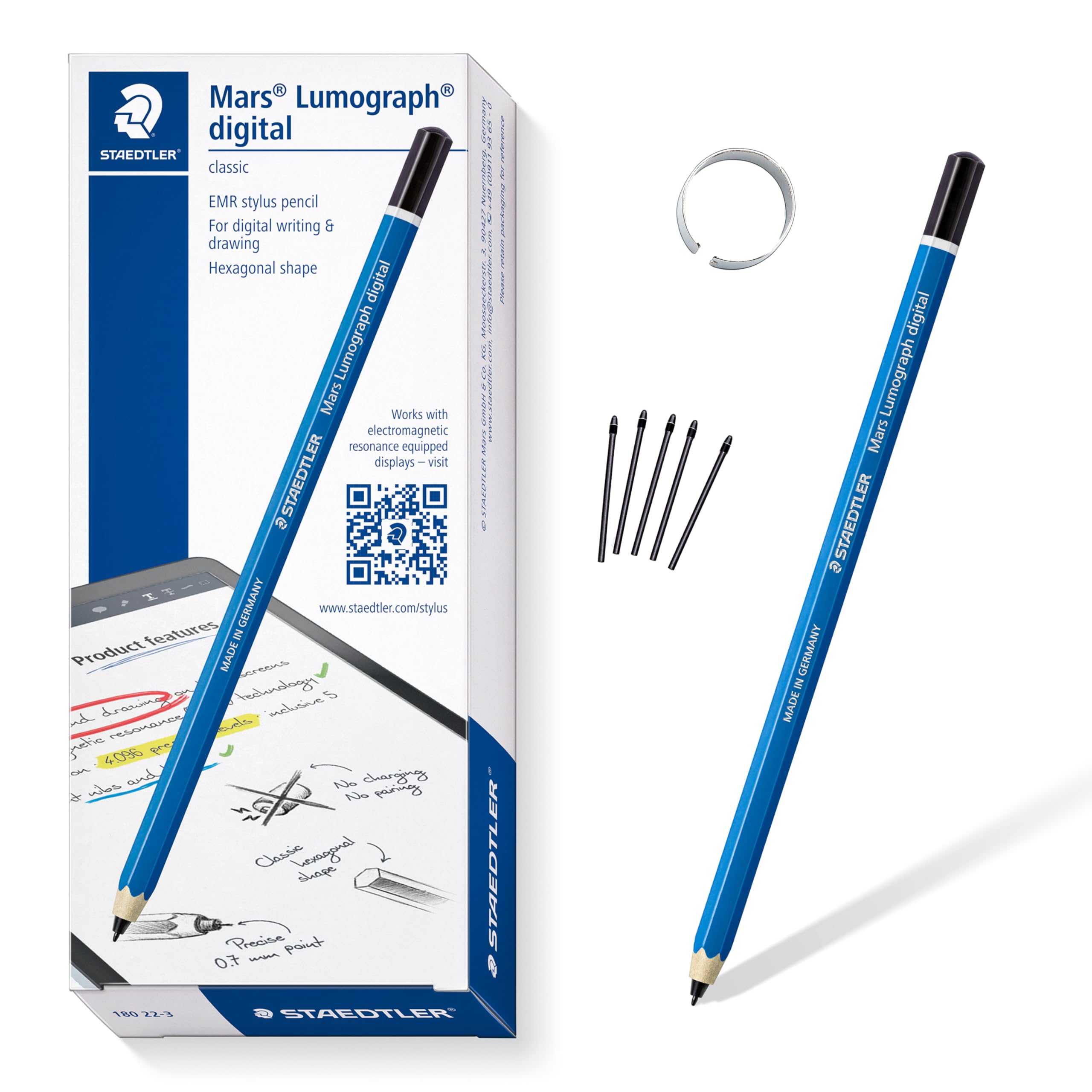
The STAEDTLER Lumograph Digital brings the iconic hexagonal pencil design to the digital world. It uses EMR technology, so it operates without batteries or Bluetooth pairing — just pick it up and write. With 4096 pressure levels, it varies line width naturally based on pressure, which is sufficient for note-taking, annotation, and casual sketching. The wood enclosure gives it a familiar, comfortable weight.
This pen is compatible with Samsung Galaxy Tab S devices, Kindle Scribe, reMarkable 2, BOOX, Supernote, and Wacom EMR tablets. The package includes five replacement nibs and a removal tool. Users praise its natural feel and balance, noting it writes as smoothly as a real pencil. It is also one of the most affordable EMR pens on the market, making it an excellent entry point for new users.
The major omission is the lack of an eraser — the standard version has no eraser end, which is a significant drawback for note-taking. The pen is also quite thin, which can make it difficult to grip securely, and it may slip out of pen loops on tablet cases. There is no side button for shortcuts. For basic writing tasks on a budget, it performs well, but upgraders will quickly miss the eraser.
Why it’s great
- Authentic pencil feel and balance from the iconic hexagonal wooden design
- No charging or pairing — works instantly with compatible EMR devices
- Very affordable entry point for EMR stylus users
Good to know
- No eraser end — a significant limitation for note-taking
- Thin barrel can be difficult to grip and may slip from loops
- No side button for shortcut functionality
FAQ
Will any EMR pen work with my Samsung Galaxy Tab S?
Do I need a screen protector for drawing with an Android tablet pen?
Final Thoughts: The Verdict
For most users, the android tablet pen winner is the STAEDTLER Noris Jumbo Digital because it delivers precise EMR performance, a comfortable triangular grip, and a built-in eraser at a reasonable mid-range price. If you want a premium feel with a shortcut button and digital eraser, grab the ASUS ProArt Pen MPA01. And for the absolute best value in core functionality, nothing beats the 4smarts Magnetic Pro-EMR Stylus.