
Our readers keep the lights on and my morning glass full of iced black tea. As an Amazon Associate, I earn from qualifying purchases.
Nothing kills a home theater setup faster than a signal that drops, flickers, or refuses to play nice with mismatched displays. An active HDMI splitter is the unsung hero that takes one source and delivers a stable, identical signal to multiple screens, but the wrong one introduces lag, blackouts, or audio dropouts that ruin the experience.
I’m Min — the co-founder and writer behind Gadgets Feed. I’ve spent countless hours digging through technical specifications, analyzing EDID management systems, and cross-referencing real user reports to identify which active HDMI splitter designs actually deliver consistent bandwidth and reliable downscaling.
Whether you need to mirror a PS5 to a 4K TV and a legacy 1080p receiver simultaneously, or distribute a single cable box feed across multiple conference room monitors, this guide breaks down the specific performance metrics that separate a reliable best active hdmi splitter from a problematic one that wastes your time and money.
How To Choose The Best Active HDMI Splitter
Choosing the right active HDMI splitter requires matching bandwidth capabilities and resolution handling to your specific display setup. The goal is to avoid common pitfalls like black screens, audio sync issues, or degraded picture quality.
EDID Management Is the Heart of Compatibility
EDID (Extended Display Identification Data) tells the source what resolutions and audio formats each display supports. Without proper EDID handling, your source may output a resolution incompatible with one of your displays, resulting in a black screen. Look for splitters with manual EDID switches or copy modes that let you prioritize one display’s EDID while downscaling for the other.
Bandwidth and HDMI Version Matter for Signal Integrity
An active splitter requires its own power to regenerate the HDMI signal. The bandwidth rating, measured in Gbps, defines the maximum resolution and refresh rate it can handle. HDMI 2.0 splitters handle up to 18Gbps, supporting 4K@60Hz with HDR. HDMI 2.1 splitters push up to 48Gbps, enabling 8K@60Hz or 4K@120Hz, which is critical for modern gaming consoles and high-frame-rate content.
Downscaling Prevents Display Conflicts
When you connect a 4K source to both a 4K TV and an older 1080p monitor, the splitter must downscale the 4K signal to 1080p for the older display while keeping 4K for the newer one. Splitters with dedicated downscaling chips handle this automatically, while cheaper models force both displays to the lowest common resolution.
Quick Comparison
On smaller screens, swipe sideways to see the full table.
| Model | Category | Best For | Key Spec | Amazon |
|---|---|---|---|---|
| SHERRIVA 8K HDMI Splitter 1×4 | Premium | Future-proof gaming and 8K setups | 48Gbps bandwidth, HDMI 2.1, auto downscaling | Amazon |
| EZCOO SP12H2 1×2 | Mid-Range | Mixing 4K TV with 1080p AVR | 4K@60Hz downscale, EDID copy, HDR | Amazon |
| UGREEN 1 in 4 Out | Premium | Reliable multi-TV mirroring with EDID control | 4K@60Hz, 18Gbps, EDID switch, CEC on output 1 | Amazon |
| J-Tech Digital 1×2 MRO | Mid-Range | Budget-friendly mixed-resolution setups | 4K@60Hz, Multi-Resolution Output, HDCP 2.3 | Amazon |
| avedio links 1×2 Audio Splitter | Mid-Range | Sending audio to soundbar while displaying video | 4K@60Hz, EDID M-A-B dial, 7.1ch audio | Amazon |
| MT-VIKI 1×8 Splitter | Budget | Multi-display commercial installations | 8 outputs, 4K@30Hz, 100ft transmission distance | Amazon |
| OREI HD14-EX165-K | Premium | Long-distance distribution via Cat6 cable | 4K@30Hz up to 165ft, IR control, POE receivers | Amazon |
In‑Depth Reviews
1. SHERRIVA 8K HDMI Splitter 1 in 4 Out
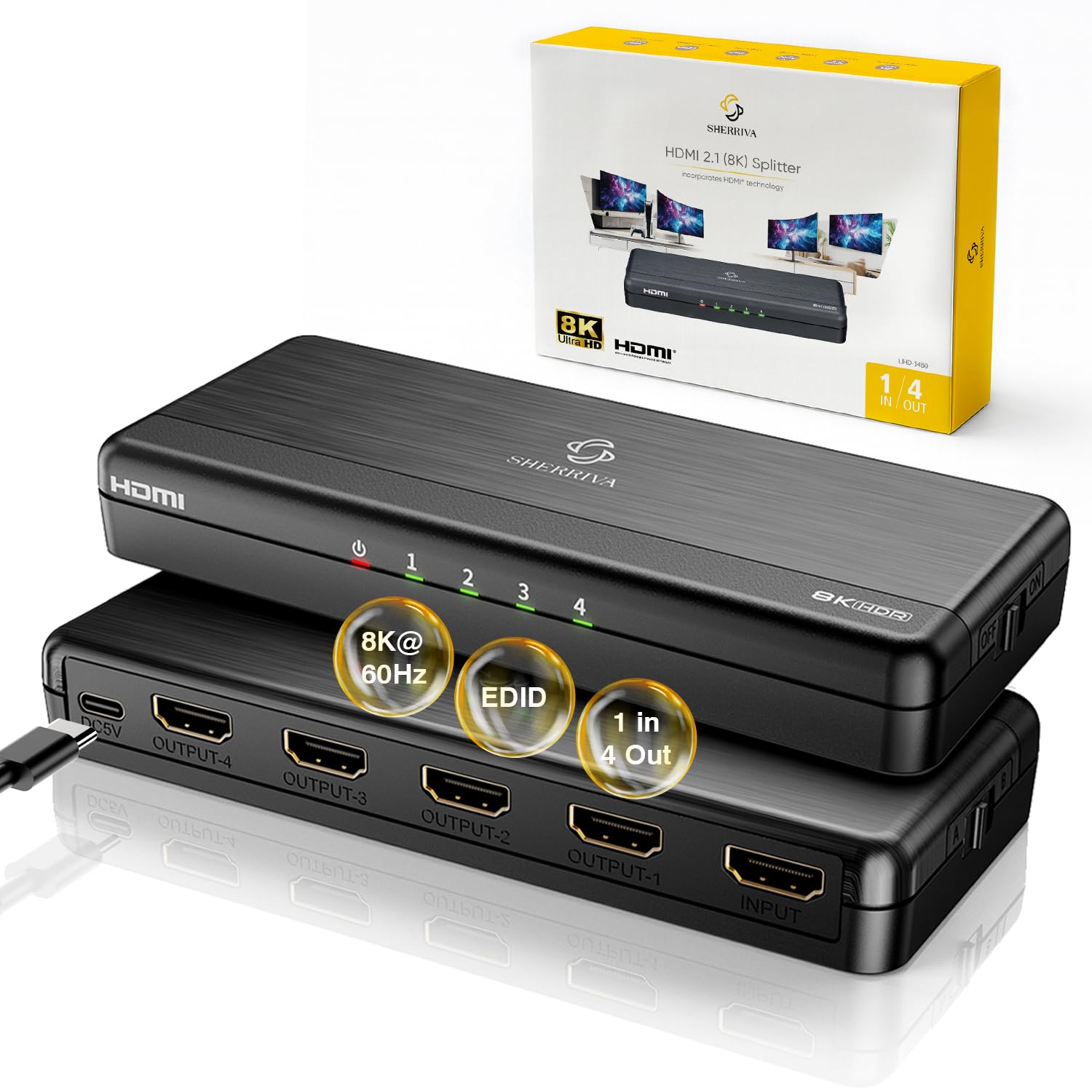
The SHERRIVA delivers the highest bandwidth of any splitter on this list at 48Gbps, supporting resolutions up to 8K@60Hz and 4K@240Hz with DSC. This makes it the only model ready for future HDMI 2.1 source devices without needing a replacement in a few years.
Its auto downscaling and dual EDID detection intelligently handle mixed display setups. If you connect an 8K source to a 4K monitor and a 1080p display, the splitter automatically scales each output to the correct resolution without forcing both to the lowest common denominator.
User feedback consistently highlights its reliability with PS5, Xbox Series X, and high-end gaming PCs. The included USB-C power adapter and HDCP 2.3 compliance ensure compatibility with all modern streaming services and encrypted content.
Why it’s great
- 48Gbps bandwidth handles 8K@60Hz and 4K@240Hz
- Auto downscaling eliminates resolution conflicts across mismatched displays
- HDCP 2.3 compliant for all streaming platforms
Good to know
- Does not support extended desktop mode, only mirroring
- Not compatible with Sonos ARC/eARC audio systems
2. EZCOO SP12H2 1×2 4K HDMI Splitter
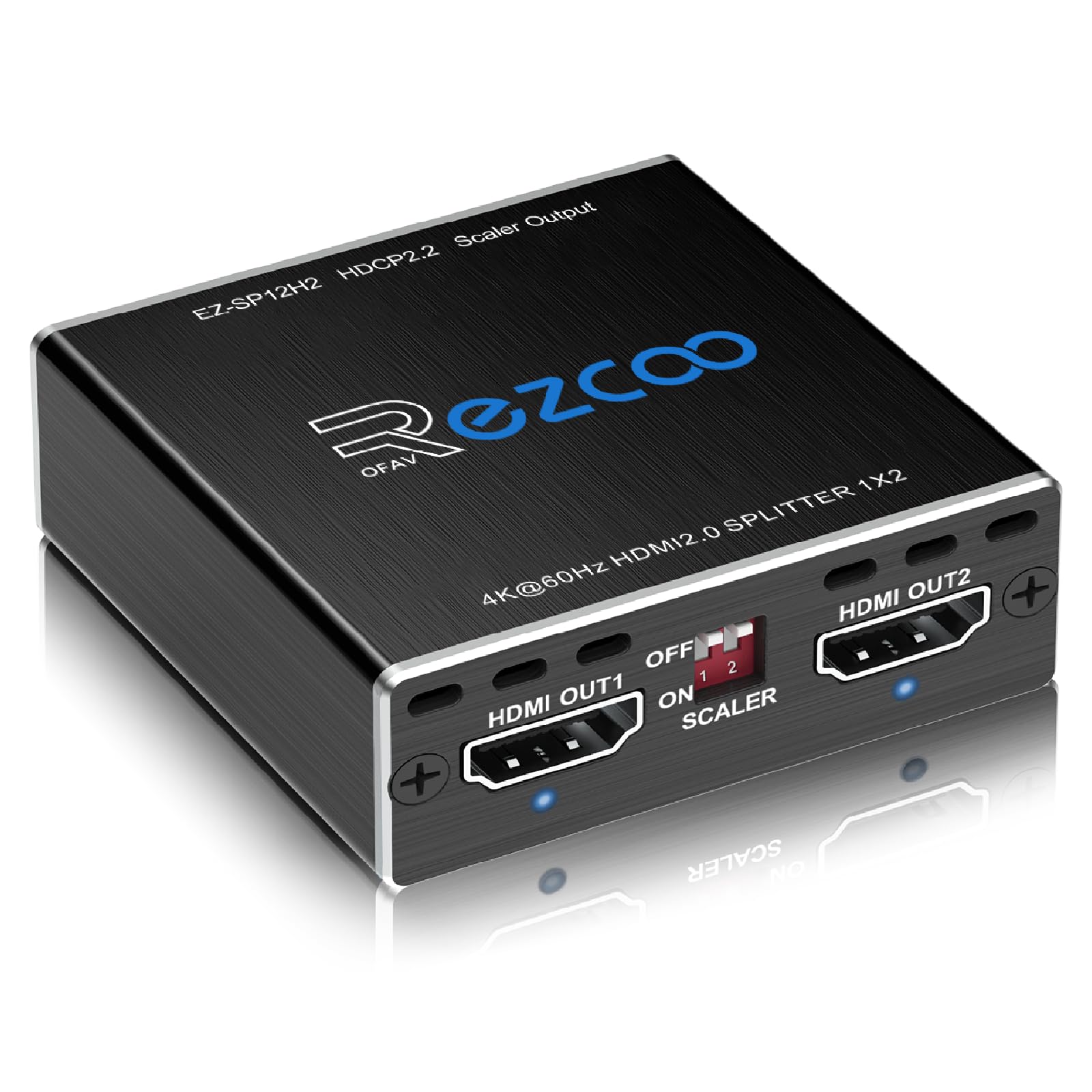
The EZCOO SP12H2 is the go-to solution for users pairing a modern 4K TV with a legacy 1080p audio-video receiver that only supports 7.1 surround sound. Its dedicated downscaling chip converts the 4K HDR signal to 1080p for the AVR output while keeping full 4K HDR on the TV output.
Setup requires careful attention to the EDID DIP switches and boot order — turn on the displays and AVR first, then the source — but once configured, it delivers stable, flicker-free performance. It supports Dolby Vision, Dolby Atmos, and DTS:X, preserving the highest audio quality for the receiver.
Multiple verified buyers confirm this splitter solved the notorious Yamaha RX-A1080 dual HDMI output limitation, preventing a 1080p display from downgrading the 4K signal going to the main TV. The USB power input keeps installation clean and flexible.
Why it’s great
- Hardware downscaling from 4K to 1080p for mixed-resolution setups
- Supports Dolby Atmos, DTS:X, and 7.1 channel audio
- EDID copy mode prevents black screen conflicts
Good to know
- Does not support CEC or ARC/eARC
- HDR downscaled to 1080p may show inaccurate colors
3. UGREEN HDMI Splitter 1 in 4 Out

The UGREEN 1×4 splitter distinguishes itself with full EDID control via a physical switch, allowing you to manually set the EDID to match your highest-resolution display. This eliminates the black screen and flickering issues that plague splitters without EDID management, especially in multi-TV installations.
It supports 4K@60Hz with 18Gbps bandwidth, HDR10, and HDCP 2.2. A notable advantage is CEC support on HDMI output 1, letting you control the source device with a single remote through the TV. The USB-powered design ensures stable signal regeneration for all four outputs.
Real users report reliable performance when splitting signals to four identical TVs in a bar or retail setting, with all screens staying perfectly in sync. The recommended EDID setting for maximum compatibility is switch 1 ON and switch 2 OFF.
Why it’s great
- Physical EDID switch eliminates black screen problems
- CEC support on output 1 for universal remote control
- Stable 18Gbps bandwidth for full 4K@60Hz 4:4:4
Good to know
- Does not include a power block, only a USB cable
- All displays must support the same resolution for best results
4. J-Tech Digital HDMI Splitter 1 in 2 Out MRO

The J-Tech Digital splitter brings Multi-Resolution Output (MRO) technology to an affordable price point. MRO allows the splitter to send a compatible HDMI signal to two displays with different native resolutions simultaneously, such as a 4K projector and a 1080p monitor, without forcing both to the lower resolution.
It supports 4K@60Hz 4:4:4 at 18Gbps, HDR10, Dolby Vision, and all major HD audio formats including Dolby Atmos and DTS:X. The EDID copy priority is set to Output 1, meaning the source sees output 1’s EDID and output 2 must be compatible or scale down accordingly.
Buyers have successfully used this splitter to connect a Roku to a 4K projector and an older Pioneer receiver, achieving full 4K HDR10 on the projector without issues. Some users report reliability concerns with gaming consoles, where intermittent black screen flickering occurred.
Why it’s great
- Multi-Resolution Output handles mixed display setups
- Supports 4K@60Hz 4:4:4 and Dolby Vision
- HDCP 2.3 compliant for protected streaming content
Good to know
- Not recommended for gaming consoles due to intermittent black screen reports
- Some users experienced delayed support from the manufacturer
5. avedio links 4K@60Hz HDMI Splitter 1 in 2 Out
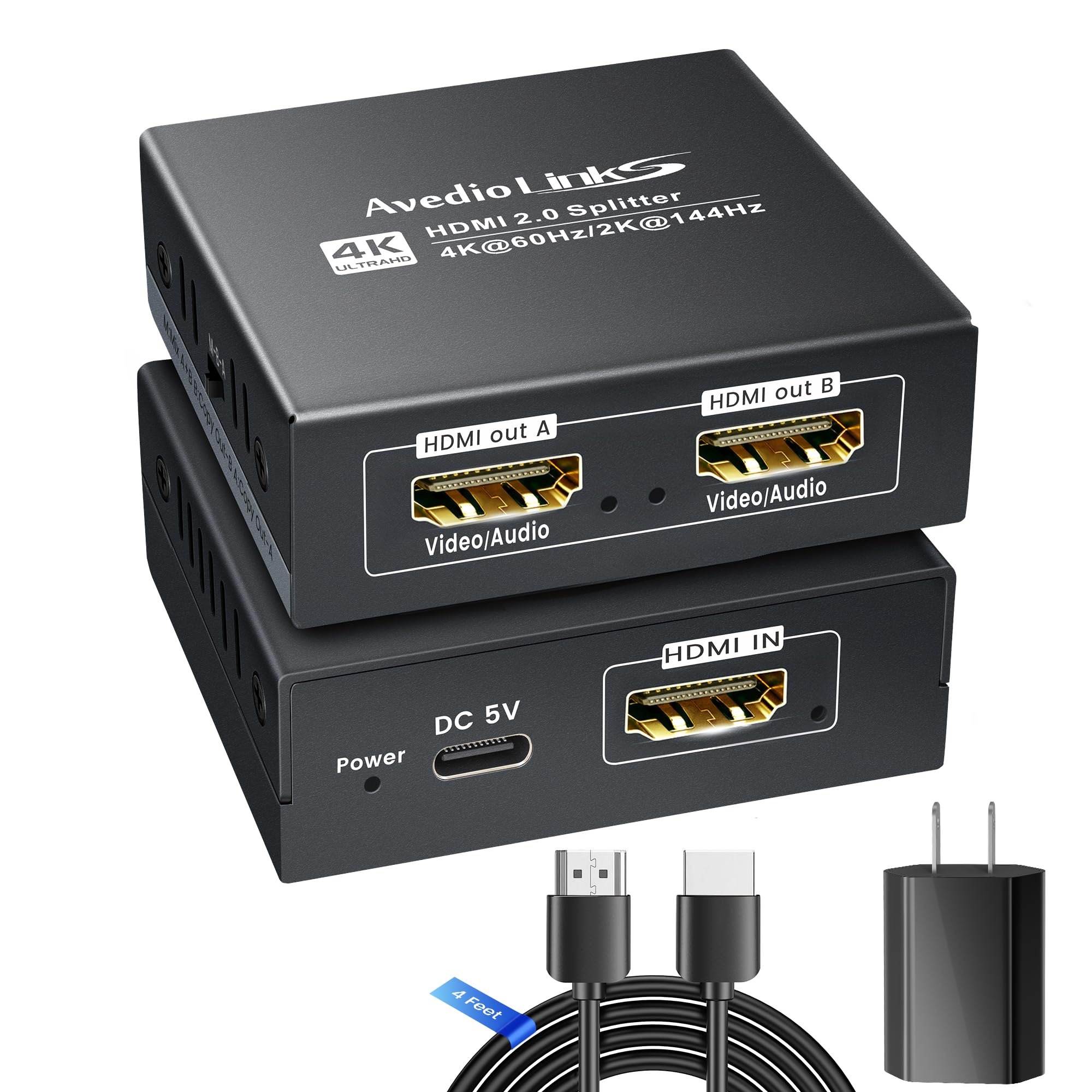
The avedio links splitter is optimized for users who need to send video to a 4K TV while routing audio to a soundbar or AV receiver via HDMI. Its M-A-B EDID dial offers three distinct modes: Mix mode for displays within one resolution level of each other, Copy A mode that prioritizes output A’s EDID, and Copy B mode that prioritizes output B’s EDID.
It supports 4K@60Hz, 2K@144Hz, and 1080P@240Hz, making it suitable for high-refresh-rate gaming on a single monitor while mirroring to a secondary display. The splitter handles Dolby Atmos 7.1, DTS:X, and LPCM 7.1, ensuring no audio format is downgraded.
Some users reported that the included power adapter feels flimsy, and a few experienced signal loss after extended use. Replacing the power supply with a higher-quality 5V 1A adapter resolved these issues. The unit is compact and includes a 4-foot HDMI 2.0 cable.
Why it’s great
- Three-mode EDID dial for flexible resolution management
- Supports high refresh rates up to 1080P@240Hz
- Includes a 4ft HDMI 2.0 cable for immediate setup
Good to know
- Bundled power adapter reported as low quality by multiple users
- Not compatible with ARC/eARC or mobile phones
6. MT-VIKI HDMI Splitter 1 in 8 Out

The MT-VIKI 1×8 splitter is designed for commercial and institutional environments where a single source must feed eight displays simultaneously. With support for cable runs up to 50 feet on the input and 50 feet on each output, the total transmission distance reaches 100 feet, making it practical for conference rooms, churches, and retail signage.
It supports resolutions up to 4K@30Hz and 1080p Full HD, with 3D and deep color compatibility. The included 5V/2A power adapter ensures stable signal regeneration across all eight ports, preventing the signal degradation that occurs with passive splitters over long cable runs.
User feedback is mostly positive for straightforward installations, with buyers reporting easy plug-and-play setup in church video announcement systems and classroom displays. Some users experienced screen blinking, possibly due to insufficient HDMI cable quality or exceeding the recommended cable length.
Why it’s great
- Eight HDMI outputs for large multi-display installations
- 100-foot total transmission distance with stable signal
- Simple plug-and-play setup with no drivers required
Good to know
- Limited to 4K@30Hz, not suitable for 60Hz content
- Some users reported screen blinking issues
7. OREI 4K 1×4 HDMI Extender Splitter Over CAT6
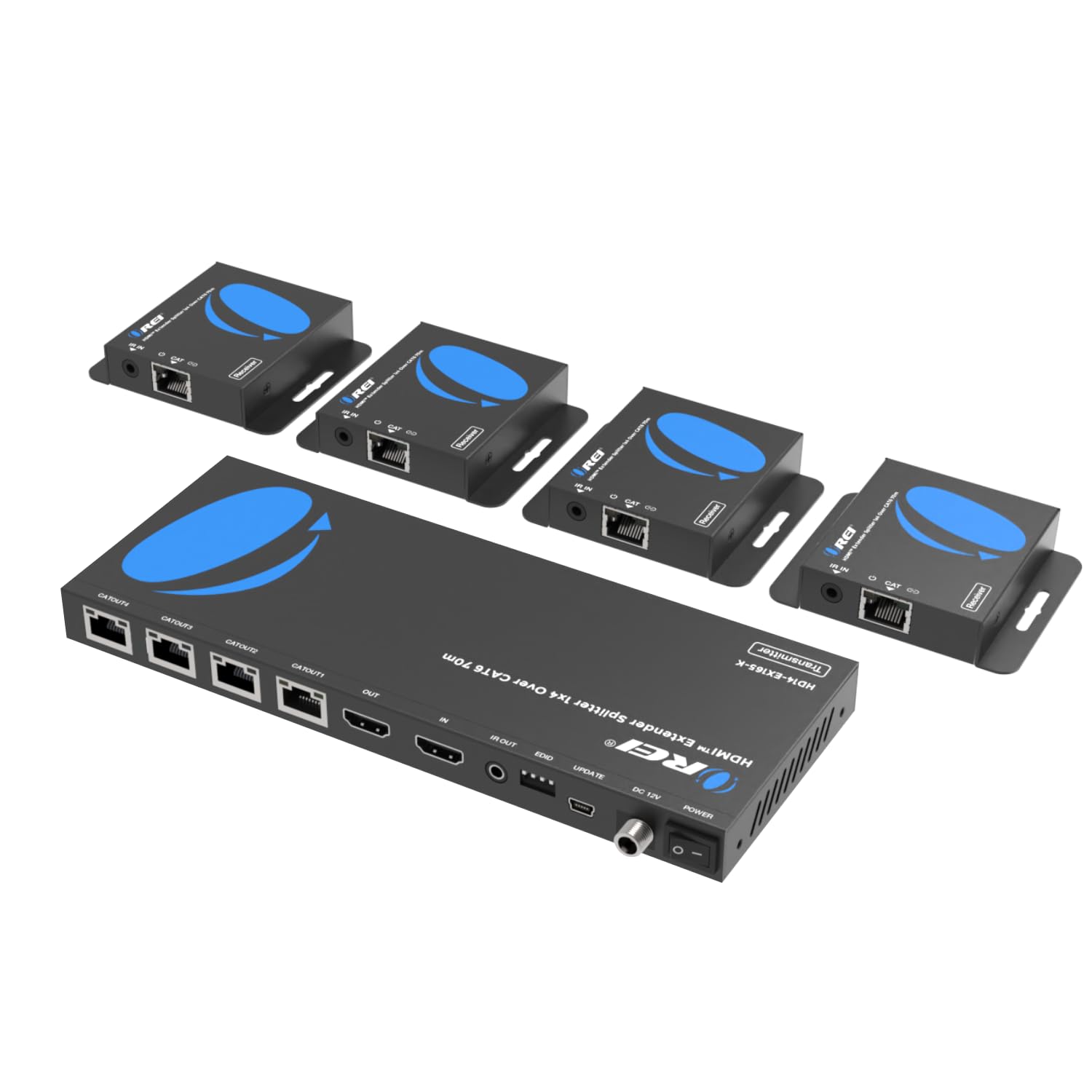
The OREI HD14-EX165-K is a unique hybrid system that uses CAT6/7 Ethernet cables to transmit HDMI signals over distances up to 165 feet at 4K@30Hz or 230 feet at 1080p@60Hz. It includes a transmitter with a local HDMI loop-out and four receiver units that are powered over the Ethernet cable, eliminating the need for separate power adapters at each display.
This design is ideal for installations where displays are far from the source, such as in churches, bars, or large conference rooms. The built-in IR control allows you to send remote commands back to the source device from the display location, using the included IR blaster and receiver cables.
Buyers report excellent results in church video systems running 75-100 foot CAT6 runs, with good picture quality and no signal degradation. Properly terminated Ethernet cables are essential for reliable performance. The system requires only one power adapter at the transmitter, simplifying installation significantly.
Why it’s great
- Extends HDMI up to 165 feet at 4K via standard CAT6 cable
- Power over Ethernet eliminates individual receiver power adapters
- IR passback allows remote control from display locations
Good to know
- Limited to 4K@30Hz, not suitable for high-refresh-rate gaming
- Requires properly terminated Ethernet cables; not plug-and-play with HDMI alone
FAQ
What is the difference between an active and passive HDMI splitter?
Can I use an HDMI splitter for extended desktop mode?
Why does my screen go black when I connect a 4K and 1080p display to the same splitter?
Will an HDMI splitter introduce input lag for gaming?
Final Thoughts: The Verdict
For most users, the best active hdmi splitter winner is the SHERRIVA 8K HDMI Splitter 1×4 because it offers the highest bandwidth at 48Gbps with future-proof HDMI 2.1 support and auto downscaling for mixed displays. If you need a reliable solution for sending 4K HDR to a TV while feeding 1080p to a legacy AVR, grab the EZCOO SP12H2. And for long-distance distribution across a church or commercial space, nothing beats the OREI HD14-EX165-K for its Cat6-based signal extension and IR control.