
A wireless keyboard should deliver a clean desk, lag-free typing, and battery life measured in months—not weeks. But in the budget tier, where prices bottom out, you often trade stability for cost, ending up with sticky keys, flaky connections, or a dead dongle within a year. The right pick dodges those pitfalls entirely.
I’m Min — the co-founder and writer behind Gadgets Feed. I’ve spent countless hours cross-referencing wireless protocols, battery chemistries, and membrane-switch lifespans to separate the genuinely useful budget models from the ones that will frustrate you in a month.
After sorting through dozens of contenders, I’ve narrowed the field to the seven models that prove you don’t need to overspend for a reliable daily driver. This guide to the best budget wireless keyboard options will help you find the right mix of connectivity, comfort, and longevity without burning cash.
How To Choose The Best Budget Wireless Keyboard
A budget wireless keyboard has to balance three things: connection stability, typing comfort, and battery life. If any of those three fails, the keyboard becomes a desk ornament. Here’s what to watch for.
Wireless Protocol: 2.4 GHz vs. Bluetooth
At the budget level, 2.4 GHz with a nano USB receiver wins every time. It offers lower latency and no pairing hassles—plug in and type. Bluetooth options in this price tier often suffer from interference or delayed wake-up. If your device lacks a USB-A port, look for a model that explicitly supports dual-mode connectivity, but understand that pure Bluetooth budget boards are a gamble.
Key Switch Type and Travel Distance
Budget wireless keyboards overwhelmingly use membrane or scissor-switch mechanisms. Scissor switches (common in ultra-slim portables) provide a crisper, more consistent feel with shorter travel—typically 1.5 mm to 2.0 mm. Full-size membrane boards offer cushier, quieter keystrokes but can feel mushy after extended use. Prioritize scissor-switch if you type all day; membrane is fine for occasional use.
Ergonomics and Layout
A wrist rest isn’t a luxury—it’s a necessity for anyone typing more than two hours straight. Look for a detachable or integrated palm support. Also check the bottom-row key spacing: some budget boards compress the left Ctrl, Fn, and Windows keys to save space, which breaks muscle memory. Full-size layouts with a separate numpad add – to the bill but dramatically improve data-entry speed.
Quick Comparison
On smaller screens, swipe sideways to see the full table.
| Model | Category | Best For | Key Spec | Amazon |
|---|---|---|---|---|
| Logitech K345 | Full-Size | Reliable daily driver | 3-year battery life | Amazon |
| Microsoft Designer Compact | Compact | Multi-device switching | 3 Bluetooth profiles | Amazon |
| Nulea RT08 Wave | Ergonomic | Carpal tunnel relief | Wave-shaped keywell | Amazon |
| EDJO Wave Keys | Ergonomic | Large hands | 2.4 GHz + auto sleep | Amazon |
| QUASIO Full-Sized | Full-Size | Budget ergonomics | 104 keys + palm rest | Amazon |
| Logitech MK270 | Combo | Keyboard + mouse bundle | 36-month keyboard battery | Amazon |
| TECKNET X315 | Combo | Ultra-slim travel set | Scissor-switch keys | Amazon |
In‑Depth Reviews
1. Logitech K345 Wireless Keyboard

The Logitech K345 is the reference point for what a budget wireless keyboard should be. It delivers a full-size layout with a dedicated palm rest, quiet membrane keys with a semi-tactile bump, and a rated battery life of up to three years—all over a rock-solid 2.4 GHz connection. The spill-resistant design and sturdy tilt legs mean it survives coffee spills and heavy daily use without developing sticky keys.
Unlike many budget boards that feel hollow, the K345 has a dense chassis that doesn’t flex during fast typing. The media keys (mute, volume, play/pause) sit above the F-row and work out of the box with Windows, macOS, and ChromeOS. The only catch is that it uses Logitech’s older SetPoint software rather than the Logi Options+ app, so custom key remapping isn’t available.
The K345 also ships with batteries included—a small courtesy that saves you a trip to the store. While it lacks Bluetooth and a unifying receiver (it uses a dedicated USB dongle), the raw reliability and typing comfort make it the safest recommendation in this entire category.
Why it’s great
- 3-year battery life on included cells
- Spill-resistant frame and cushioned palm rest
- Solid 2.4 GHz range up to 33 feet
Good to know
- Not compatible with Logitech Unifying receiver
- SetPoint software lacks modern customization
2. Microsoft Designer Compact Keyboard

The Microsoft Designer Compact Keyboard takes a completely different approach: no dongle, no numpad, just a sleek 78-key Bluetooth board that connects to three devices simultaneously. The optimized key spacing and 1.3 mm scissor-switch travel make it feel like typing on a premium laptop keyboard—crisp, consistent, and quiet. At just 0.38 inches thick, it slides into any bag without adding bulk.
The standout feature is the expressive input key that pulls up emojis, symbols, and recent clipboard history on Windows. Pairing is instantaneous with any Bluetooth-enabled PC or Mac, and switching between devices is a single button press. The matte black finish resists fingerprints fairly well, though the soft-touch coating shows smudges over time.
Battery life is excellent—Microsoft claims up to two years on the pre-installed coin cell. The trade-off is the absence of a numeric keypad and the slightly higher price within the budget category. If desk space is at a premium and you juggle multiple computers daily, this keyboard earns its place.
Why it’s great
- Instant switching between 3 Bluetooth devices
- Very slim profile saves desk real estate
- Scissor-switch keys with great tactile feedback
Good to know
- No backlight or numeric keypad
- Coin-cell battery (not rechargeable)
3. Nulea RT08 Wave Keys Wireless Ergonomic Keyboard
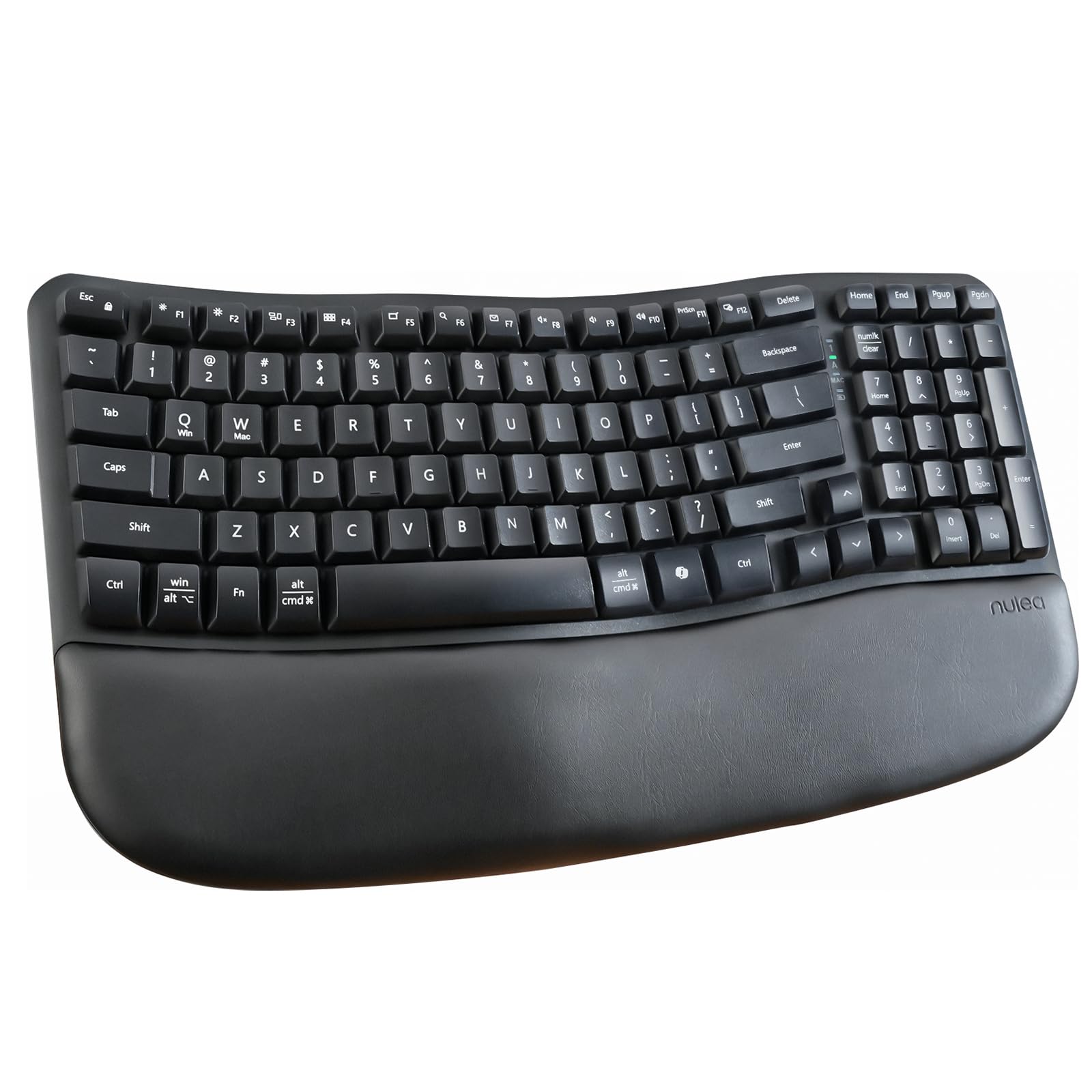
The Nulea RT08 brings genuine ergonomic design to the budget wireless keyboard segment without the learning curve of a split board. Its wave-shaped keywell follows the natural curve of human fingers, and the integrated cushioned palm rest uses memory foam to reduce wrist pressure during long sessions. The 2.4 GHz connection is stable up to 33 feet, and the full key layout includes a numeric pad.
What sets the RT08 apart is the crater-shaped key caps—each concave surface matches your fingertip, and the membrane switch delivers a soft, quiet actuation. The rear adjustable footrests let you set the tilt angle between flat and raised, which helps users with carpal tunnel or arthritis find a neutral wrist position. Multiple verified buyers report noticeable pain reduction within days of switching.
No backlighting is the main omission, and one review notes a sticky shift key after the return window. But given the memory-foam wrist rest and ergonomic wave profile at this price point, the RT08 punches far above its weight for anyone with hand fatigue.
Why it’s great
- Memory-foam palm rest reduces wrist strain
- Wave-shaped keywell fits natural hand curve
- Adjustable tilt footrests for custom angles
Good to know
- No backlight for low-light typing
- Occasional reports of sticky keys after extended use
4. EDJO Wave Keys Ergonomic Wireless Keyboard
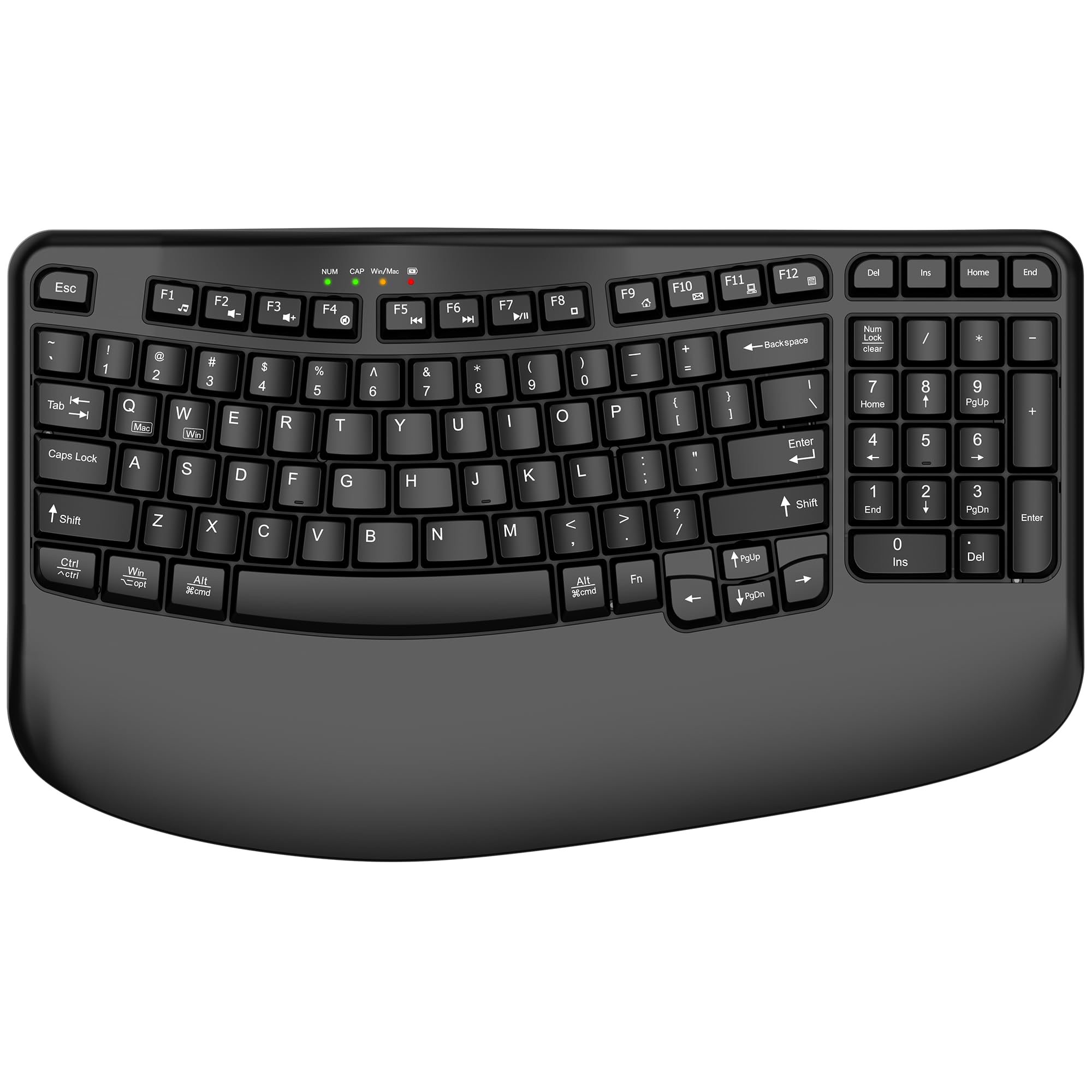
The EDJO Wave Keys keyboard was built specifically for medium-to-large hands. Its wave-shaped key layout is wider than standard, and the integrated palm rest sits at the same height as the keycaps, keeping wrists flat and stress-free. The 2.4 GHz connection is plug-and-play with no driver installation, and the auto-sleep kicks in after 10 minutes of inactivity to preserve the single AA battery.
This board includes a dual-system layout printed for both Mac and Windows, with a dedicated switch to toggle between the two. The compact key design pulls the mouse closer to your body, which reduces shoulder reach. The 12 multimedia shortcut keys let you control volume, playback, and browser functions without lifting your hands from home row.
Some users report 2.4 GHz interference in dense office environments, and the key layout puts Delete, Home, and End in non-standard positions to the right of the Enter key—worth verifying before purchase if you rely on those keys. But for a dedicated ergonomic board that fits larger hands without breaking the bank, this is a strong contender.
Why it’s great
- Wide wave design ideal for larger hands
- Dual OS layout with physical switch
- Auto-sleep after 10 minutes extends battery life
Good to know
- Non-standard key order for Delete/Home/End
- 2.4 GHz may face interference in crowded offices
5. QUASIO Full-Sized Wireless Keyboard with Wrist Rest

The QUASIO Full-Sized Wireless Keyboard is the most straightforward value proposition in this list: a 104-key layout with an integrated palm rest, a 2.4 GHz dongle stashed in the battery compartment, and a 30-minute auto-sleep timer that keeps a single AA battery running for months. The keys are bouncy membrane switches with a soft landing, and the adjustable tilt legs let you dial in a comfortable angle.
The USB receiver is stored inside the battery compartment—a smart design choice that prevents losing the tiny dongle during travel. The Num Lock, Caps Lock, and Power indicator LEDs sit in the upper-right corner, giving you clear visual feedback. Compatibility extends from Windows XP to Windows 11 and macOS, plus Chromebooks and smart TVs.
The major caveat is the wake-up behavior: the keyboard requires a key press to exit sleep mode, and the first character typed is often dropped. There’s also no physical power switch, so you rely entirely on the auto-sleep. If you can live with that quirk, the QUASIO offers a comfortable typing experience at an entry-level price.
Why it’s great
- Full 104-key layout with numpad
- Integrated palm rest reduces wrist fatigue
- Dongle stored inside battery compartment
Good to know
- Drops first character after waking from sleep
- No dedicated power on/off switch
6. Logitech MK270 Wireless Keyboard and Mouse Combo

The Logitech MK270 is the most popular budget keyboard and mouse combo for a reason: it just works. The full-size keyboard offers low-profile quiet keys, a spill-resistant frame, and an absurd 36-month battery life. The included compact mouse runs for 12 months on two AA batteries and tracks smoothly on most surfaces. The single USB receiver handles both devices, saving a USB port.
The keyboard includes 8 multimedia hotkeys for instant access to internet, email, play/pause, and volume control. The mouse is ambidextrous and works equally well for lefties and righties. Build quality is typical Logitech—plastic but dense, with tilt legs that snap into two height positions. Many users report five-plus years of daily use before the spacebar starts wearing out.
The main downside is that the MK270 uses a dedicated receiver rather than Logitech’s Unifying protocol, so you can’t pair it with other Logitech peripherals. It also supports Windows exclusively—Mac and Linux users will need to look elsewhere. But as a pure Windows desktop combo at a floor-level price, it’s the gold standard.
Why it’s great
- 36-month keyboard battery life is class-leading
- Single receiver for keyboard and mouse
- Spill-resistant and durable for daily wear
Good to know
- Windows-only compatibility
- Uses proprietary receiver, not Unifying
7. TECKNET Wireless Keyboard and Mouse Combo
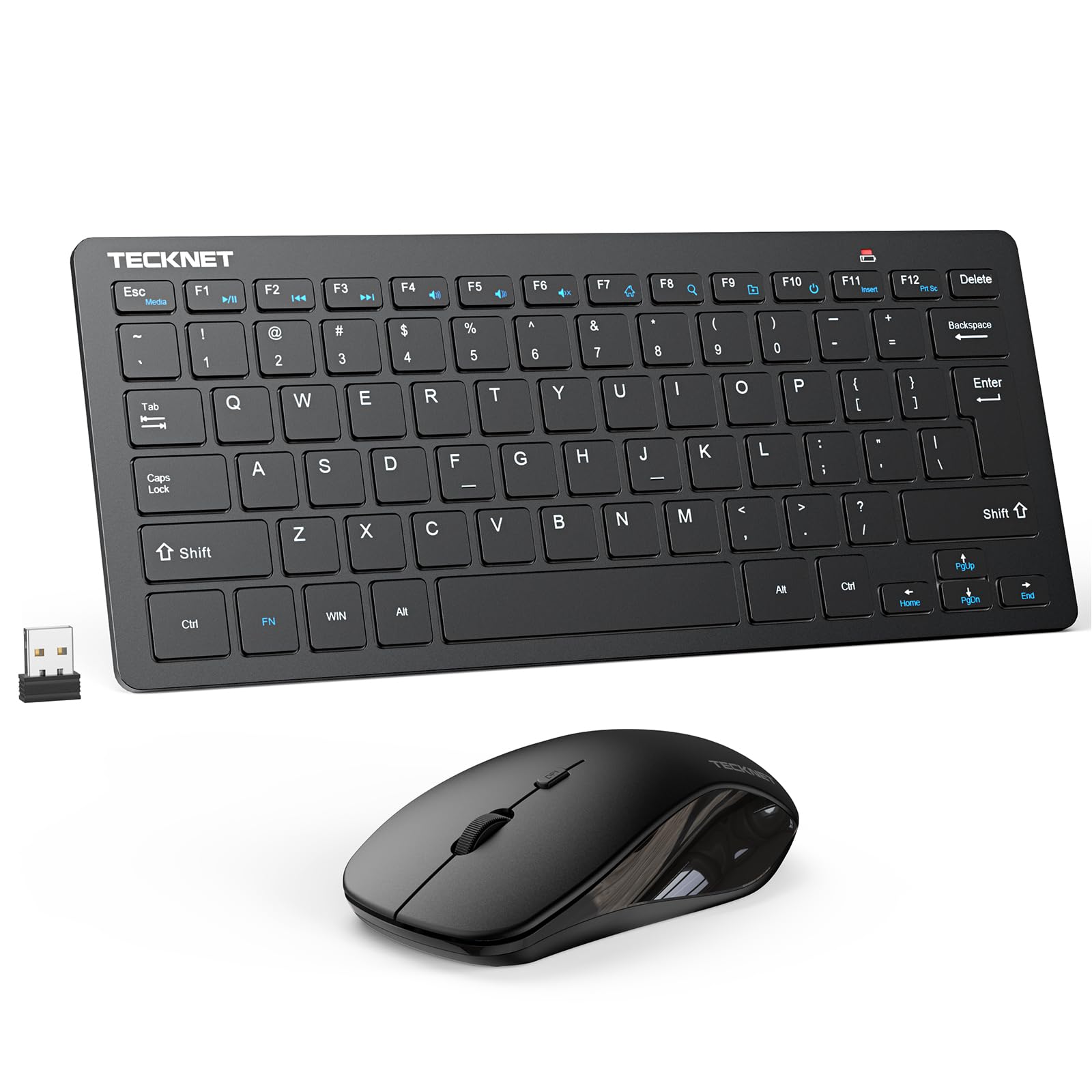
The TECKNET X315 Combo targets the mobile user who needs a wireless keyboard that fits inside a laptop bag without adding weight. Its ultra-slim profile uses scissor-switch keys that mimic a premium ultrabook’s feel—shorter travel, snappier rebound, and quieter operation than most membrane boards. The single nano receiver stores inside the mouse’s battery compartment, so you’ll never lose it.
The 2.4 GHz connection claims a 49-foot range, which is generous for this tier, and the mouse offers adjustable 1600 DPI for faster cursor movement. The keyboard includes 12 multimedia hotkeys, though some functions (like the Fn row defaults) aren’t fully compatible with macOS. Auto-sleep kicks in to save power, and the low-battery indicator flashes the Caps Lock light red when it’s time to replace the batteries.
Build quality is where the TECKNET shows its budget roots: the keyboard lacks folding legs for tilt adjustment, and a small number of reviews report the mouse failing after a few months. You’ll also need to supply four AAA batteries (two for the keyboard, two for the mouse). For the price and portability, though, it’s a capable travel companion.
Why it’s great
- Scissor-switch keys with short travel for fast typing
- 49-foot wireless range outpaces most budget boards
- USB receiver stores inside the mouse
Good to know
- No tilt legs on the keyboard base
- Batteries not included (requires 4 AAA)
FAQ
Can I use a 2.4 GHz wireless keyboard with a Bluetooth-only device?
How often do I need to replace batteries on a budget wireless keyboard?
Why does my budget wireless keyboard sometimes skip or repeat characters?
Final Thoughts: The Verdict
For most users, the budget wireless keyboard winner is the Logitech K345 because it combines a three-year battery, spill resistance, and a comfortable palm rest at a price that undercuts most competitors while delivering Logitech’s proven reliability. If you need to switch between three devices on a tight desk, grab the Microsoft Designer Compact. And for hand pain relief, nothing beats the Nulea RT08 Wave with its memory-foam rest and ergonomic keywell.