
Finding a display that truly replaces the need for three side-by-side monitors without the bezel gap is the central challenge for anyone seeking a 60 Inch Curved Monitor. You are looking for a single, sweeping panel that offers enough horizontal real estate to keep your flight plan, your spreadsheet, and your Discord chat all visible at once, while the curvature wraps the image around your peripheral vision rather than requiring you to turn your head. The market currently offers a fragmented mix of 49-inch, 55-inch, and 57-inch panels that all compete for the title, each with a different resolution density, refresh rate ceiling, and panel technology that dramatically changes the user experience.
I’m Min — the co-founder and writer behind Gadgets Feed. After spending hundreds of hours researching the technical specifications of ultra-wide monitors, analyzing panel data from over ten different brands, and cross-referencing real-world usage reports from gamers, traders, and creative professionals, I built this guide to help you navigate the confusing landscape of large curved displays. My focus was on separating genuine performance from marketing hype by looking at refresh rates, color gamut coverage, response times, and connectivity bandwidth.
I have organized the most important contenders into a clear ranking to help you choose the best 60 inch curved monitor for your specific setup and budget.
How To Choose The Best 60 Inch Curved Monitor
The “60-inch” curved monitor category is a bit of a misnomer, as the most common sizes you will find are actually 49-inch, 55-inch, and 57-inch panels. The key to choosing the right one lies in understanding that raw diagonal size matters less than resolution and pixel density. A 49-inch 5120×1440 display gives you the width of two 27-inch QHD monitors, while a 57-inch 7680×2160 display gives you the width of two 32-inch 4K monitors. Your choice depends entirely on whether you prioritize ultra-wide gaming immersion or maximum pixel real estate for spreadsheets and code.
Panel Technology: VA vs. Mini-LED vs. OLED
The panel type is the single biggest factor determining image quality in this category. VA panels offer great contrast and are the most budget-friendly, but they suffer from slower response times and narrower viewing angles. Mini-LED, found in premium models like the Samsung Odyssey Neo G9, uses thousands of local dimming zones to achieve high brightness and deep blacks without the burn-in risk of OLED. OLED panels, such as the LG UltraGear line, deliver perfect blacks, near-instantaneous response times (0.03ms), and stunning color, but they are more expensive and may have a glossy or semi-glossy coating that can reflect ambient light.
Resolution and Refresh Rate Balance
Driving a massive curved display requires serious graphics power. A 5120×1440 panel at 120Hz is achievable with a mid-range GPU, but a 7680×2160 panel at 240Hz demands a top-tier card like an RTX 4090 or 5080 with DisplayPort 2.1. Do not over-spec the monitor without verifying your computer can push that many pixels per second. If you play fast-paced shooters, a 144Hz or 165Hz panel with a fast response time will matter more than the absolute highest resolution. For productivity, a lower refresh rate (60-120Hz) is perfectly fine and will save you significant money.
Quick Comparison
On smaller screens, swipe sideways to see the full table.
| Model | Category | Best For | Key Spec | Amazon |
|---|---|---|---|---|
| LG 45GX950A-B | Premium OLED | Competitive & Cinematic Gaming | 5120×2160 / 165Hz / 0.03ms | Amazon |
| Samsung Odyssey Ark | Large Screen | Immersive 16:9 & Cockpit Mode | 3840×2160 / 165Hz / 1ms | Amazon |
| Samsung 57″ Neo G9 | Dual 4K | Max Productivity & Sim Racing | 7680×2160 / 240Hz / 1ms | Amazon |
| LG 39GX950B-B | Compact OLED | High PPI Productivity | 5120×2160 / 165Hz / 143 PPI | Amazon |
| GIGABYTE AORUS CO49DQ | OLED Value | Sim Racing & Immersive Gaming | 5120×1440 / 144Hz / 0.03ms | Amazon |
| Deco Gear QD-OLED | QD-OLED | Color-Accurate Work & Play | 5120×1440 / 240Hz / 0.03ms | Amazon |
| Samsung Odyssey G9 (G91F) | Reliable VA | Everyday Gaming & Work | 5120×1440 / 144Hz / 1ms | Amazon |
| Dell UltraSharp U4025QW | Professional | Color-Critical Productivity | 5120×2160 / 120Hz / IPS Black | Amazon |
| KTC H49S66 | Feature Rich | Multitasking with KVM | 5120×1440 / 180Hz / 90W Type-C | Amazon |
| Acer Nitro EI491CUR | Budget VA | Entry-Level Ultrawide Gaming | 5120×1440 / 120Hz / 3ms | Amazon |
| Amzfast AMZG49C7U | Value Pick | Budget-Friendly Ultrawide | 5120×1440 / 120Hz / 1ms MPRT | Amazon |
| INNOCN 49C1G | Dual FHD | Budget Productivity | 3840×1080 / 144Hz / 65W Type-C | Amazon |
| Samsung 57″ Neo G9 Bundle | Bundled Offer | Max Specs with Warranty | 7680×2160 / 240Hz / 1ms | Amazon |
In‑Depth Reviews
1. LG 45GX950A-B 45-inch Ultragear 5K2K OLED

The LG 45GX950A-B is a landmark display, being the world’s first 5K2K (5120×2160) OLED gaming monitor. This resolution hits a sweet spot, offering 125 PPI which makes text much sharper than traditional 1440p ultrawides, effectively eliminating the color fringing that plagued earlier OLED monitors. The 800R curve is aggressively immersive, pulling the edges of the screen into your peripheral vision for a truly wrap-around effect that is fantastic for both flight sims and first-person shooters.
Performance-wise, the 165Hz refresh rate with a 0.03ms GtG response time is instant and fluid. The Dual-Mode feature is a killer addition, letting you switch from the full 5K2K resolution down to Wide Full HD at a blistering 330Hz for ultra-competitive gaming. Connectivity is future-proofed with DisplayPort 2.1, allowing you to run the monitor at its full resolution and refresh rate without chroma subsampling, a feat that HDMI 2.0 monitors cannot achieve.
The build quality is premium, with a sturdy ergonomic stand that offers tilt, swivel, and height adjustment. The anti-glare coating is effective at reducing reflections in bright rooms. While the price is high, the combination of pixel density, OLED contrast, and high-refresh gaming makes this the most versatile and impressive all-rounder in the large curved monitor space right now.
Why it’s great
- World-first 5K2K OLED delivers sharp text and perfect blacks.
- Dual-Mode allows switching to 330Hz for competitive edge.
- DisplayPort 2.1 ensures full bandwidth without compression.
Good to know
- Requires a top-tier GPU to drive its high resolution.
- Expensive, sitting firmly in the premium tier.
2. SAMSUNG 55-inch Odyssey Ark 4K UHD Mini-LED

The Samsung Odyssey Ark is a unique beast in this category because it is a 55-inch 16:9 panel, not a 32:9 ultrawide. This makes it a different tool for a different job. Its massive size and 1000R curve mean it truly envelops you, and its “Cockpit Mode” allows you to physically rotate the screen to a portrait orientation for a stunning vertical FOV in flight or space sims. The Quantum Mini-LED backlight delivers a very bright HDR experience with deep blacks, rated at 600 nits typical brightness.
The included Sound Dome technology with 60W of built-in audio is genuinely impressive for a monitor, featuring four corner speakers and two central woofers that can produce a convincing surround sound effect without external speakers. This makes it a fantastic all-in-one entertainment hub. However, its 165Hz refresh rate is lower than competitors, and some users report that the One Connect box can introduce software quirkiness.
This monitor is best for users who want a single, massive screen for both console and PC gaming, and who value the ability to rotate the display. It is not a traditional productivity monitor due to its 16:9 aspect ratio, but for pure immersion, its size is unrivaled. Be prepared for its substantial weight of 91 pounds, which makes mounting it a two-person job.
Why it’s great
- 55-inch 1000R curve offers unrivaled immersion in any orientation.
- Powerful built-in 60W sound system eliminates need for speakers.
- Quantum Mini-LED provides excellent brightness and HDR contrast.
Good to know
- 16:9 aspect ratio, not ideal for traditional ultrawide multitasking.
- Very heavy and stands take up significant desk depth.
3. Samsung 57″ Odyssey Neo G9 (G95NC)

The Samsung 57″ Odyssey Neo G9 is the ultimate statement in ultra-wide resolution. Its 7680×2160 (Dual 4K) resolution is a staggering number of pixels, effectively giving you the screen real estate of two 32-inch 4K monitors in a single, seamless curved panel. This makes it a productivity powerhouse for professionals who need to see vast timelines, code, or financial data without any bezel gaps.
It is also a gaming monster, with a 240Hz refresh rate and a 1ms response time. To run games at its native resolution and refresh rate, you absolutely need a graphics card with DisplayPort 2.1, such as an RTX 40-series or RX 7000-series. The Quantum Mini-LED backlight with 2,392 local dimming zones delivers an incredible HDR experience with deep blacks and very high peak brightness, making it one of the best HDR monitors available.
The 1000R curvature is well-suited for its massive 57-inch width, ensuring the entire image is equal distance from your eyes. While the stand is functional, the monitor is very heavy and wide, requiring a large and sturdy desk. It is a premium product for those who demand the absolute maximum resolution and smoothness.
Why it’s great
- Dual 4K resolution offers unmatched pixel density for productivity.
- 240Hz refresh rate with DP 2.1 is future-proofed for next-gen GPUs.
- 2,392 Mini-LED zones provide excellent HDR contrast and brightness.
Good to know
- Requires an extremely powerful GPU to game at native resolution.
- Massive size and weight require a large, sturdy desk.
4. LG 39GX950B-B 39-inch Ultragear evo 5K2K OLED
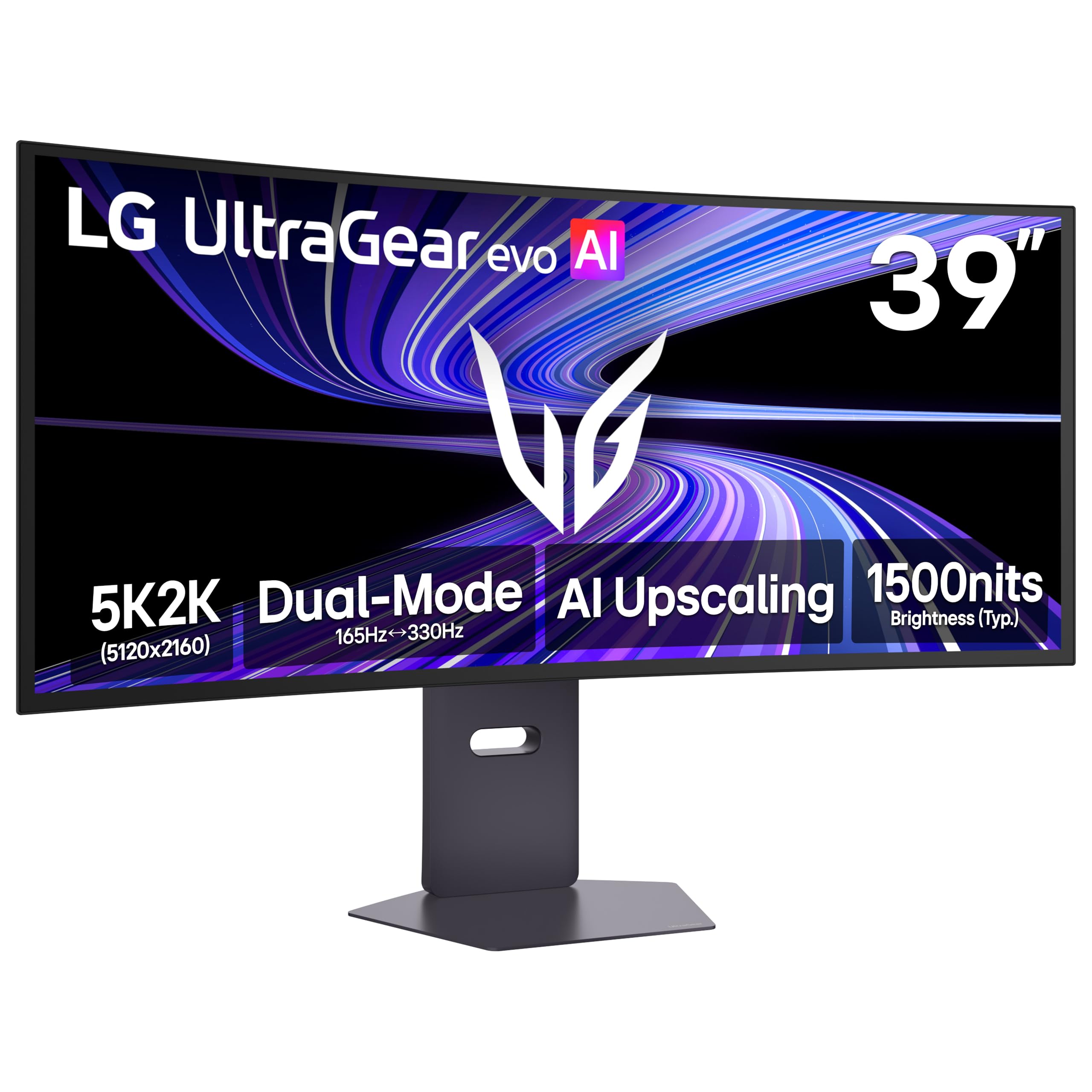
The LG 39GX950B-B is a more compact sibling to the 45-inch model, but it packs an even higher pixel density at 143 PPI. This makes it the absolute best choice in this guide for anyone who prioritizes text clarity above all else. The 5K2K (5120×2160) resolution on a 39-inch screen means every document, line of code, and spreadsheet cell is rendered with breathtaking sharpness and reduced color fringing.
It uses LG’s 4th Gen Primary RGB Tandem OLED, which delivers impressive brightness up to 335 nits typical, and is VESA DisplayHDR True Black 500 certified for deep blacks. The 1500R curve is subtle, making it excellent for productivity multitasking without the aggressive warping of tighter curves. The Dual-Mode feature is present here too, allowing you to switch to Wide Full HD at 330Hz for competitive gaming.
It includes a built-in KVM switch and a USB-C port with 90W power delivery, making it a fantastic hub for a laptop-based workflow. The AI Upscaling feature is a nice touch for lower-resolution content. While it lacks the sheer scale of the 45-inch model, its superior PPI makes it the superior tool for anyone who spends more time reading text than gaming.
Why it’s great
- 143 PPI provides the sharpest text and clearest image in the list.
- 4th Gen OLED panel delivers excellent brightness and true blacks.
- Compact 39-inch form factor fits easier on most desks.
Good to know
- 1500R curve is less immersive for gaming compared to 800R.
- High PPI means you may need to use scaling on some systems.
5. GIGABYTE MONITOR 49″ OLED CURVED AORUS CO49DQ

The GIGABYTE AORUS CO49DQ brings OLED technology to the 49-inch 32:9 form factor at a more accessible price point than the LG models. It features a DQHD (5120×1440) resolution, which is the standard for this class, and pairs it with a 144Hz refresh rate and a near-instantaneous 0.03ms response time. This panel is fantastic for immersive gaming, especially sim racing, where the wide field of view and perfect blacks make a massive difference.
Colors are vibrant and contrast is infinite, typical of OLED, with a dynamic contrast ratio of 1,500,000:1. The monitor supports AMD FreeSync Premium Pro, ensuring tear-free gameplay. Users consistently praise the stunning picture quality, clarity, and the software control via the Gigabyte Control Center, which allows for easy profile switching and customization.
One common note from users is that the VESA mount uses a design that requires a separate mounting plate, which is not included with the monitor. The height is also reported to be slightly lower than expected for a 49-inch panel. However, for a dedicated gamer or sim enthusiast looking for OLED performance without paying for the premium of a 5K2K resolution, this is an excellent high-value choice.
Why it’s great
- OLED panel offers stunning colors and perfect contrast at a good price.
- Near-instant 0.03ms response time eliminates ghosting completely.
- Ideal 32:9 aspect ratio for immersive sim racing games.
Good to know
- VESA mounting plate for 100x100mm standard is not included.
- 144Hz refresh rate is lower than some competing VA panels.
6. Deco Gear 49″ QD-OLED 240Hz Curved Ultrawide
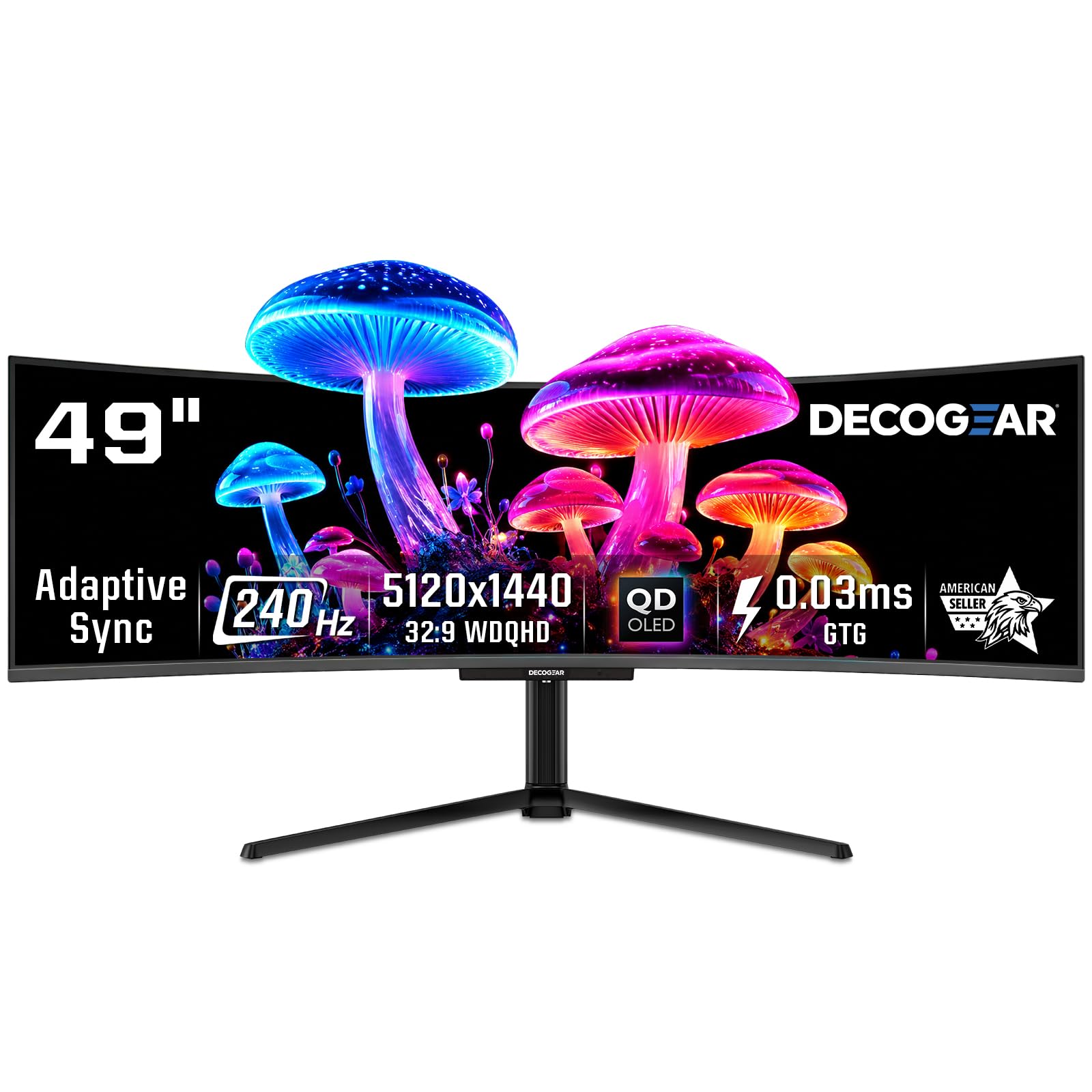
The Deco Gear QD-OLED is a powerhouse that combines Quantum Dot OLED technology with a 240Hz refresh rate and a 0.03ms response time. This combination makes it one of the fastest and most colorful displays in the 49-inch class. The QD-OLED panel provides a wider color gamut than traditional OLED, covering 131% of the sRGB spectrum, which results in incredibly vibrant and lifelike images that are excellent for both gaming and content creation.
Its 5120×1440 resolution is handled easily by modern GPUs, and the 240Hz refresh rate ensures buttery-smooth motion in fast-paced games. The monitor includes a built-in KVM switch for controlling multiple devices with one keyboard and mouse, as well as a 90W USB-C port for powering a laptop. The supporting software includes an anti-burn-in protection program, which is crucial for OLED longevity.
User reviews highlight the incredible color and clarity, noting it completely replaces a dual-monitor setup. It is a strong competitor in the value segment, offering QD-OLED performance at a more competitive price than the Samsung flagship. It is best suited for gamers who want top-tier motion clarity and color fidelity without the massive resolution demands of a Dual 4K screen.
Why it’s great
- QD-OLED panel offers exceptional color volume and vibrancy.
- 240Hz refresh rate with 0.03ms response for elite competitive gaming.
- Includes KVM switch and 90W USB-C for a clean workstation.
Good to know
- QD-OLED burn-in risk still present without proper maintenance.
- Some users reported issues with refurbished unit quality control.
7. SAMSUNG 49-inch Odyssey G9 (G91F) DQHD 144Hz

The Samsung Odyssey G9 (G91F) is the more accessible entry point into the world of Samsung’s 49-inch curved monitors. It uses a VA panel with a 1000R curve and a 5120×1440 resolution, providing the same immersive wide-screen experience as its more expensive siblings. The 144Hz refresh rate and 1ms response time are perfectly adequate for a wide range of games, from RPGs to competitive shooters.
It features AMD FreeSync Premium Pro for tear-free gaming and is VESA DisplayHDR 600 certified, meaning it can display high dynamic range content with decent peak brightness. The ergonomic stand allows for tilt and height adjustment. Users consistently report that this monitor is a fantastic work-from-home companion, replacing multiple smaller monitors and reducing neck strain by keeping everything in one curved view.
A critical note is that this model does not include built-in speakers. Its strength lies in being a reliable, no-fuss ultra-wide monitor with a proven VA panel that offers solid contrast. It is an excellent choice for the user who wants the immersive curved experience with a strong brand reputation, without needing the absolute top-tier performance or features of the Neo G9 line.
Why it’s great
- Reliable 1000R VA panel offers great contrast and immersion.
- Proven Samsung build quality and after-sales support.
- Excellent productivity tool, replacing dual monitors seamlessly.
Good to know
- No built-in speakers, requiring external audio.
- 144Hz is the standard, not class-leading.
8. Dell UltraSharp U4025QW 40″ 5K2K Curved

The Dell UltraSharp U4025QW is not a gaming monitor; it is a professional-grade workstation display designed for color-critical work. It uses an IPS Black panel technology, which offers significantly better contrast than standard IPS displays, with deep blacks and excellent viewing angles. Its 5120×2160 resolution on a 40-inch screen provides a massive, sharp canvas for video editing, photography, and complex data analysis.
It features a high refresh rate of 120Hz, which is a boon for general desktop smoothness and scrolling, though it is not its primary selling point. The built-in connectivity is its strongest feature, with a Thunderbolt 4 port that can deliver up to 140W of power delivery to a laptop, along with a fully featured KVM switch, Ethernet port, and USB hub. This makes it the centerpiece of a high-end, cable-managed desk setup.
Factory-calibrated color accuracy with 99% DCI-P3 coverage ensures that what you see is what you get. The 2000:1 contrast ratio from the IPS Black panel is excellent for this technology. While expensive, for a creative professional who needs color fidelity and a powerful dock, this monitor is a long-term investment that pays for itself in productivity and color trust.
Why it’s great
- IPS Black panel provides deep blacks and accurate, wide color gamut.
- Integrated Thunderbolt 4 hub with 140W charging simplifies desk.
- 120Hz refresh rate makes daily workflow feel incredibly fluid.
Good to know
- Not designed for high-refresh competitive gaming.
- Premium price tag reflects its professional-grade features.
9. KTC Ultrawide 49 In Curved Gaming Monitor H49S66
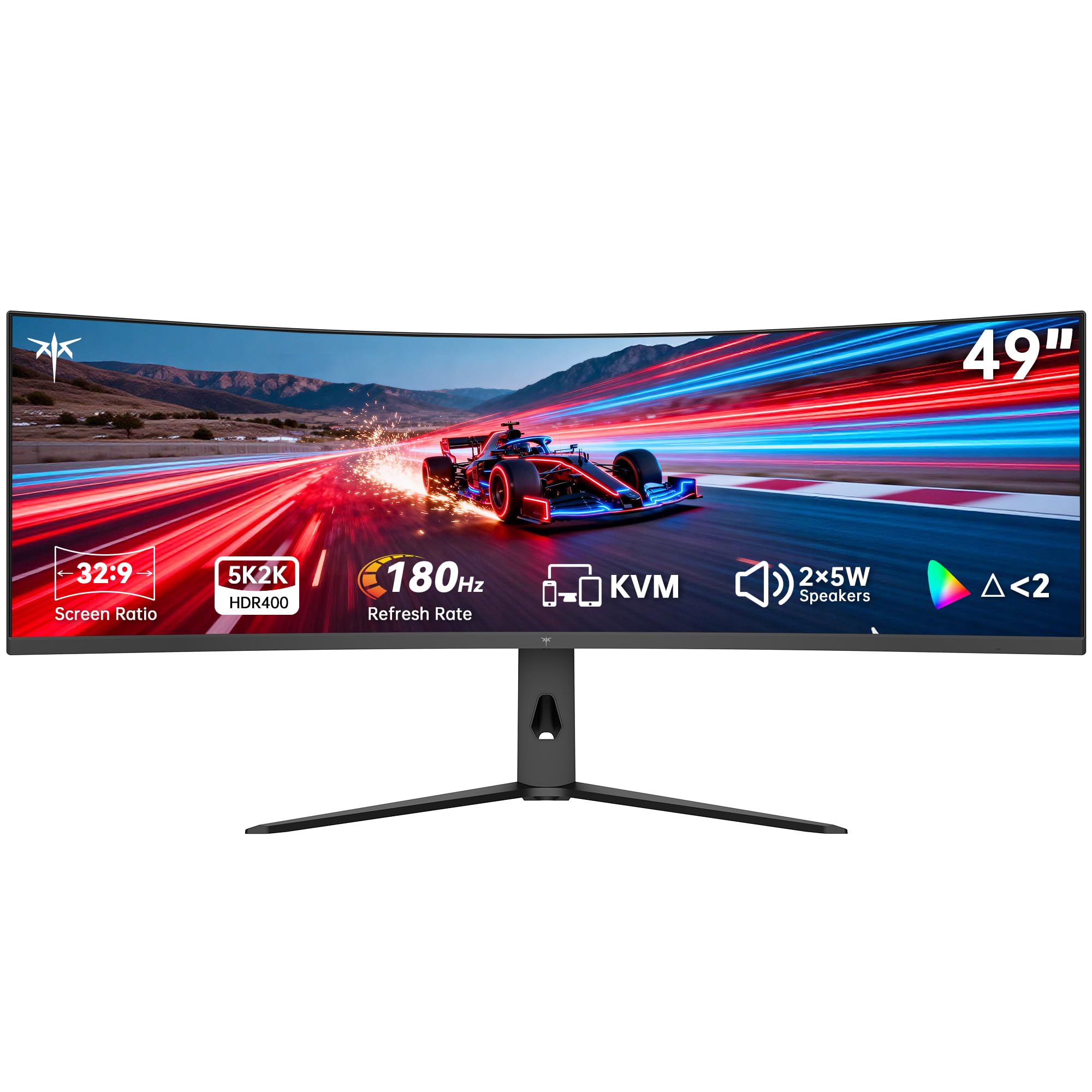
The KTC H49S66 is a feature-packed 49-inch monitor that offers an incredible value proposition. It includes a 180Hz refresh rate, which is higher than many competitors in its price bracket, along with a 5120×1440 resolution and a 1000R curve. This makes it excellent for both fast-paced gaming and immersive productivity. The adaptive sync technology supports both FreeSync and G-Sync, preventing screen tearing.
What sets it apart is the inclusion of a built-in KVM switch and a USB-C port with 90W power delivery. This allows you to switch between a desktop PC and a laptop with a single keyboard and mouse, a feature typically found on much more expensive professional monitors like the Dell mentioned above. It also has built-in dual 5W speakers, which are adequate for casual use. The HDR 400 certification ensures decent dynamic range.
Users praise its picture quality, sharp text, and value for coding and productivity. The 180Hz refresh rate is a genuine highlight for gamers, offering a competitive edge. While the brand may not have the same cachet as Samsung or LG, the specification list is hard to beat at this price point, making it a top pick for the value-conscious buyer who doesn’t want to sacrifice features.
Why it’s great
- 180Hz refresh rate is excellent for competitive gaming on a budget.
- Built-in KVM and 90W USB-C match premium monitor features.
- Includes dual 5W speakers for a clean, all-in-one setup.
Good to know
- VA panel quality may not match premium OLED or Mini-LED.
- Menu toggle is reported as tricky to use.
10. Acer Nitro 49” Gaming Monitor EI491CUR
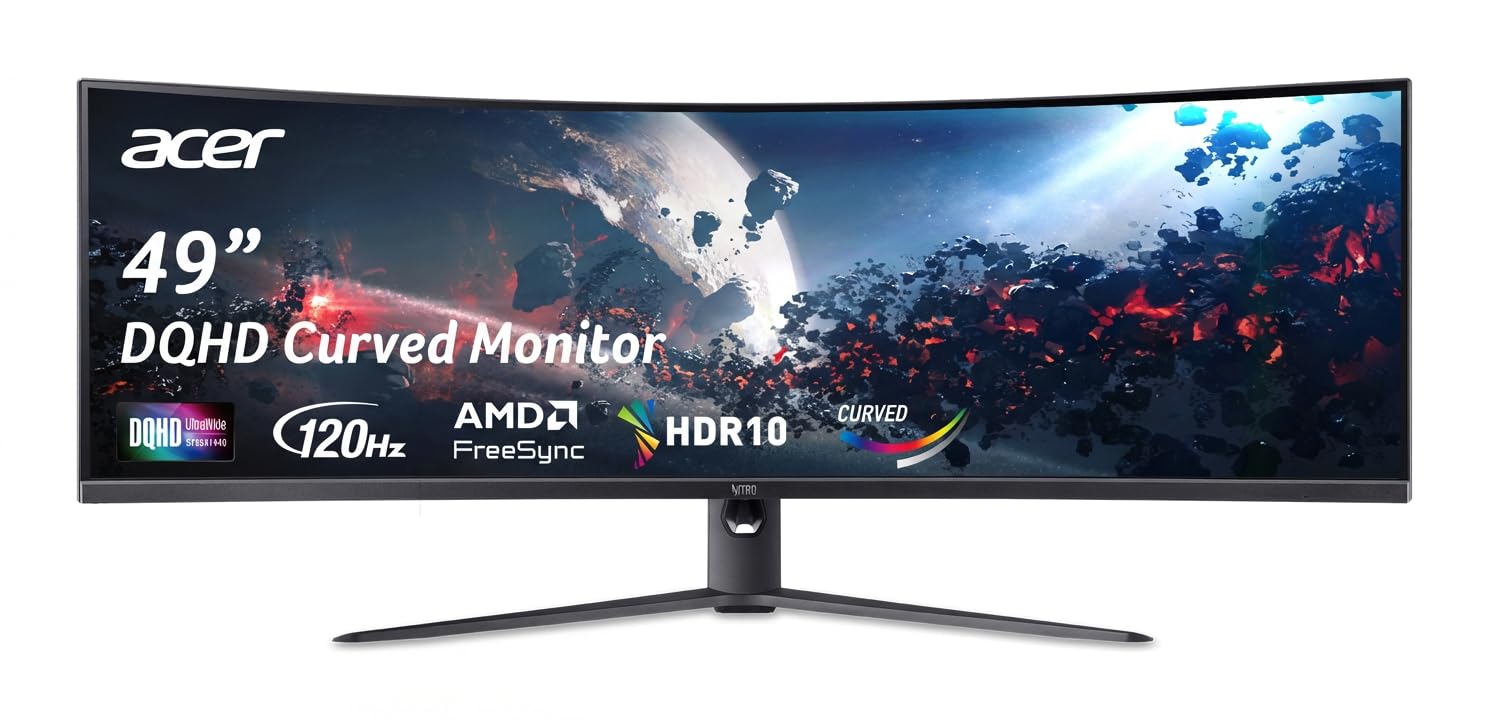
The Acer Nitro EI491CUR is an entry-level 49-inch curved monitor that provides the core ultra-wide experience without the high price tag. It uses a VA panel with a 1000R curve and DQHD resolution (5120×1440), offering a noticeable upgrade in immersion from a standard monitor. The 120Hz refresh rate and 3ms response time are functional for casual and mid-tier gaming, providing smoother motion than a standard 60Hz office display.
Its strong point is its high brightness, rated at over 1000 nits, which is impressive for this class. The stand allows for tilt and height adjustment, and connectivity includes DisplayPort 1.4 and two HDMI 2.0 ports. Users report that the picture quality is excellent for the price, with a great curvature and clear image, making it a good candidate for office work, trading, and gaming alike.
However, it is important to note potential limitations. Some users have reported issues with the PIP/PBP function malfunctioning, and there are known resolution compatibility issues with MacBooks. The 120Hz refresh rate is the base level for this category, and the 3ms response time is not competitive for esports. For a budget-conscious PC gamer who can accept these trade-offs, this is a solid starting point.
Why it’s great
- Immersive 1000R curve in a large 49-inch budget-friendly package.
- Very high brightness (1000+ nits) for better HDR highlights.
- Good entry point into the ultra-wide monitor ecosystem.
Good to know
- Known to have compatibility issues with Mac systems.
- PIP/PBP functionality is reported as unreliable by some users.
11. Amzfast 49 Inch Curved Monitor AMZG49C7U

The Amzfast AMZG49C7U is another budget-friendly contender in the 49-inch curved space. It features a 1500R curvature, which is less aggressive than the 1000R found on many competitors, making it a good choice for users who find tighter curves too distracting. It offers a 120Hz refresh rate and 1ms MPRT response time, aiming to provide a smooth gaming experience without the premium cost.
The monitor supports adaptive sync for tear-free visuals and covers 120% sRGB color gamut for decent color vibrancy. It includes a good selection of ports with two HDMI 2.0 and two DisplayPort 1.4 inputs, along with PIP/PBP functionality for using two separate sources on the screen. The stand is fully adjustable with height, tilt, and swivel options, which is a welcome feature at this entry-level price point.
User feedback indicates that it is a great value for gaming, especially with the 120Hz refresh rate, though some report that the HDR mode is best for vivid SDR rather than true high dynamic range. The stand is one of its strong suits, offering ergonomic adjustments usually found on more expensive models. It is a functional, no-frills ultra-wide monitor that delivers on its core promise of a large, curved display at a low cost.
Why it’s great
- Fully adjustable stand (height, tilt, swivel) for ergonomic comfort.
- 1500R curve is less aggressive and easier on the eyes for some users.
- Good value with 120Hz and adaptive sync for smooth gaming.
Good to know
- MPRT 1ms response time can introduce reverse ghosting artifacts.
- HDR performance is suitable for vivid SDR, not true HDR.
12. INNOCN 49″ Curved Gaming Monitor 49C1G

The INNOCN 49C1G is a unique entry because it uses a 3840x1080p resolution. This is effectively two Full HD (1920×1080) displays side-by-side. While this means lower pixel density than DQHD monitors, it also means it is much easier to drive, requiring less graphics power than even a standard 1440p monitor. It pairs this resolution with a 144Hz refresh rate, making it an interesting option for someone who wants the large curved form factor for productivity and casual gaming without upgrading their GPU.
It uses an 1800R curve VA panel with 99% sRGB coverage and HDR400 certification. It has a powerful set of ports, including a USB-C port with 65W power delivery, HDMI 2.1, and even an RJ45 Ethernet port, allowing it to function as a basic docking station. The stand offers tilt, swivel, and height adjustment. Users find it excellent for multitasking, replacing multiple monitors and saving desk space.
The primary limitation is the resolution. Text and images will not be as sharp as on a 5120×1440 panel. Users also note it is not ideal for PS5 gaming, as the image will be stretched. This monitor is best for users who prioritize size and immersion over pixel density, or those with older hardware that cannot handle a higher resolution ultra-wide.
Why it’s great
- Lower resolution makes it easy to run with any modern GPU.
- Offers a true ultrawide experience at the most accessible price point.
- Includes USB-C 65W PD and RJ45 for a clean desk setup.
Good to know
- 1080p vertical resolution provides lower pixel density than competitors.
- Not recommended for PS5 gaming due to stretching issues.
13. Samsung 57″ Odyssey Neo G9 Bundle

This listing is identical in monitor specifications to the standalone Samsung 57″ Odyssey Neo G9 (G95NC). It features the same world-first Dual UHD (7680×2160) resolution, the same 240Hz refresh rate with DisplayPort 2.1, and the same Quantum Mini-LED panel with 2,392 local dimming zones. It is the absolute pinnacle of resolution and performance available in the consumer market right now.
The key difference is that this bundle includes the Tech Smart USA Elite Suite 18 Standard Editing Software Bundle and a 2-Year CPS Enhanced Protection Pack. The software bundle includes tools like an office suite and photo editor, adding some value for a user who needs those. The 2-year extended warranty provides extra peace of mind for such a high-investment purchase.
It is important to note that this package comes from a third-party seller and not directly from Samsung, which may impact the support experience. Some users have reported that the promised software bundle was not delivered. If you can verify the seller’s reputation, this can be a good way to get extra protection for your investment. However, many users would simply prefer to buy the monitor itself at a lower price from a more direct seller.
Why it’s great
- Top-tier Dual 4K resolution with 240Hz for ultimate clarity and speed.
- Included 2-Year CPS Warranty provides extra long-term protection.
- Same incredible Mini-LED HDR performance as the stand-alone model.
Good to know
- Third-party seller, support quality and warranty fulfillment varies.
- Software bundle may not be delivered as promised.
FAQ
What is the actual difference between a 49-inch and 57-inch curved monitor?
Will a 60-inch curved monitor work with my MacBook?
Final Thoughts: The Verdict
For most users, the 60 inch curved monitor winner is the LG 45GX950A-B because it represents the best all-around package for both gaming and productivity with its sharp 5K2K OLED panel and feature-rich design. If you want the absolute maximum resolution and pixel density for a professional workflow, grab the Samsung 57″ Odyssey Neo G9 (G95NC). And for pure size and immersive sound without needing external speakers, nothing beats the Samsung Odyssey Ark.