
Twenty terabytes is no longer a luxury — it’s the minimum viable archive for a serious media library, a multi-year photography catalog, or a whole-home backup strategy. The wrong choice means losing thousands of hours of irreplaceable data.
I’m Min — the co-founder and writer behind Gadgets Feed. I’ve spent months analyzing the read/write speeds, SMART data patterns, enclosure build quality, and real-world failure reports across every major 20TB external drive on the market to separate the reliable workhorses from the ticking time bombs.
For anyone staring down a full NAS or a desktop choked with loose drives, the right 20tb external hard drive is the difference between a set-and-forget archive and a panic-inducing data recovery bill.
How To Choose The Best 20TB External Hard Drive
At this capacity tier, you are no longer buying a simple storage peripheral — you are buying an archival vault. The enclosure, the internal drive technology, and the warranty all determine whether your data survives the next three to five years. Ignore the marketing fluff about “rugged” plastic shells and focus on what actually matters: the drive inside, the thermal management, and the interface speed that matches your workflow.
Helium Sealing vs. Conventional Air Drives
Every 20TB drive on the market uses either helium-sealed or conventional air-filled platters. Helium drives require fewer platters, run cooler, and consume less power — but they cannot be shucked and dropped into a different enclosure if the USB bridge fails. Air drives are more repairable but generate more heat and vibration at 7200RPM. If you plan to leave the drive connected 24/7, a helium drive with active cooling (a fan in the enclosure) is the safer long-term bet.
USB-C 10Gbps vs. USB 3.0 (5Gbps)
A mechanical hard drive tops out at roughly 280 MB/s sequential read — USB 3.0 at 5Gbps (around 450 MB/s real-world) is technically sufficient for a single drive. But USB-C 10Gbps matters for two reasons: it allows daisy-chaining multiple drives without a bottleneck, and it future-proofs your setup for the day you upgrade to an SSD-based workflow. If you edit video directly off the drive, pay the premium for a USB-C 10Gbps model. For pure backup duty, USB 3.0 is adequate.
Warranty and Data Recovery Services
Seagate’s Rescue Data Recovery Services and WD’s limited warranty are not interchangeable. Rescue services cover internal data recovery in case of mechanical failure, while standard warranties only replace the hardware. A drive that fails after eight months with no recovery option means your entire 20TB archive is gone. Models from Glyph and Oyen Digital include multi-year data recovery coverage — this is the single most important feature for a backup drive, not the color of the LED.
Quick Comparison
On smaller screens, swipe sideways to see the full table.
| Model | Category | Best For | Key Spec | Amazon |
|---|---|---|---|---|
| Oyen Digital HDX Pro C 20TB | Premium Enclosure | Pro editing & daisy-chaining | USB-C 10Gbps / 7200RPM / 270 MB/s | Amazon |
| SanDisk Professional G-Drive 22TB | Enterprise-Class | Mac creative workflows | Ultrastar 7200RPM / USB-C 10Gbps / 280 MB/s | Amazon |
| Glyph BlackBox Pro 20TB | Studio-Grade | 4K/8K production & archiving | USB-C 3.2 Gen2 / 260 MB/s / 3-2-1 Warranty | Amazon |
| WD 24TB My Book | Consumer Pro | Encrypted backup & password protection | 24TB / USB 3.2 Gen1 / Hardware Encryption | Amazon |
| WD 20TB Elements Desktop | Reliable Backup | High-capacity plug-and-play storage | USB 3.0 / Aluminum Enclosure / 18.19 TB usable | Amazon |
| Seagate Expansion 20TB | Value Tier | Simple desktop backup with data recovery | USB 3.0 / Rescue Service / ~460 MB/s read | Amazon |
| WD 24TB Elements Desktop | Mass Capacity | Archiving on a budget | 24TB / USB 3.2 Gen1 / 5Gbps | Amazon |
| Seagate Expansion 22TB | Mid-Range | HDD for NAS shucking projects | 22TB / USB 3.0 / 5000 MB/s transfer rate | Amazon |
| WD 22TB Elements Desktop | Everyday Use | Quiet desktop backup | 22TB / USB 3.0 / Compact aluminum design | Amazon |
| Toshiba MG10ACA20TE 20TB | Enterprise Bare Drive | DIY NAS or server builds | 20TB / SATA 600 / 7200RPM / Helium-sealed | Amazon |
| Avolusion PRO-Z 20TB (Renewed) | Budget Entry | Secondary cold storage on a budget | USB 3.0 / 256 MB Cache / Enterprise HDD inside | Amazon |
In‑Depth Reviews
1. Oyen Digital HDX Pro C 20TB USB-C 7200RPM Enterprise External Hard Drive
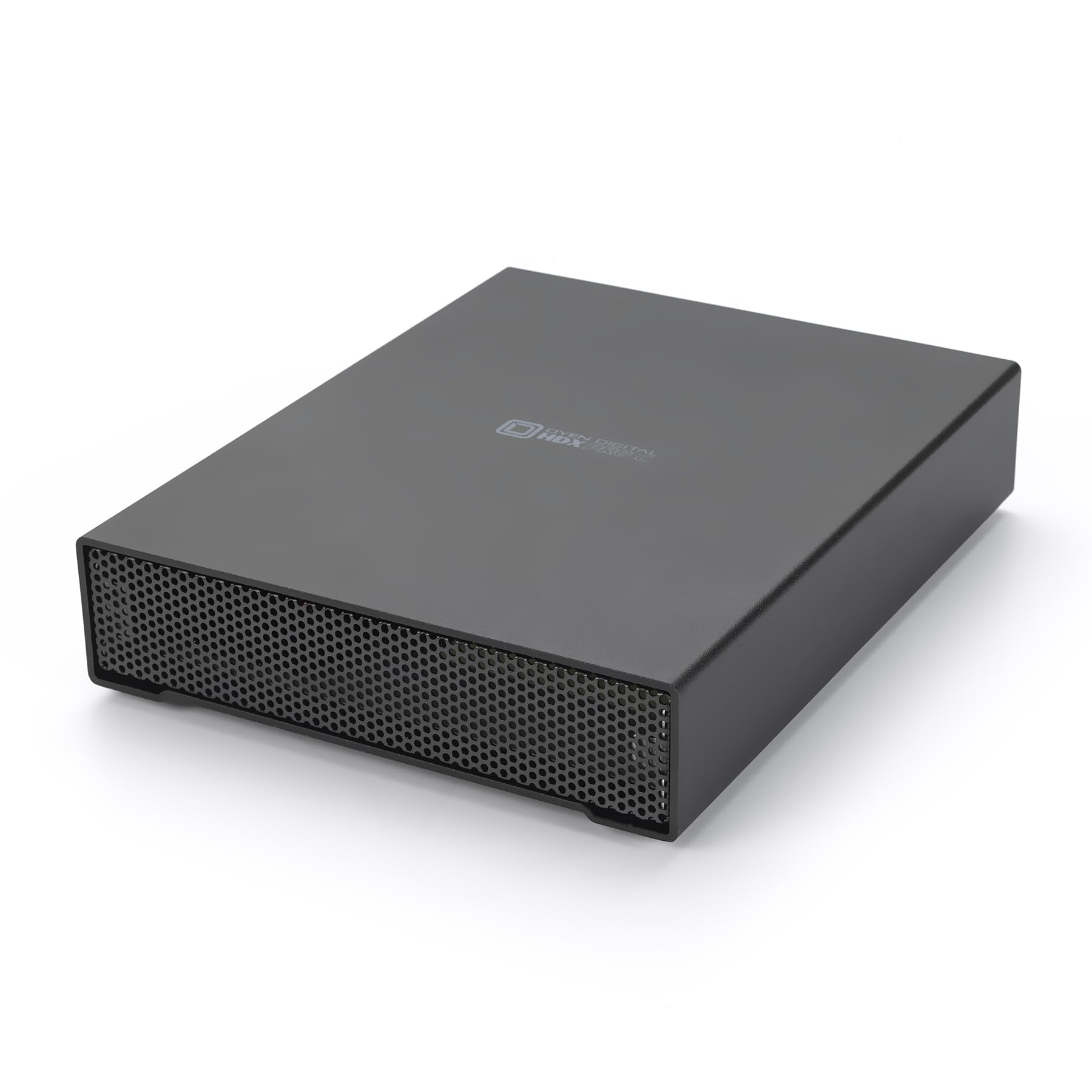
The HDX Pro C is built around a full aluminum chassis with an integrated power supply and an internal fan — the thermal solution most plastic-enclosure drives lack. Real-world writes hover around 160 MB/s on 7200RPM enterprise-class SATA drives, which is conservative for this price tier, but the build quality is exceptional. The dual USB-C ports (one main, one for daisy-chaining) allow you to connect up to four additional drives without a separate hub, making this the best option for on-set video ingest or multi-drive backup workflows.
Users report consistent performance across Windows, Linux, and macOS with no reformatting headaches. The fan is audible but not intrusive — quieter than a desktop computer’s case fans. Some units shipped with less than full capacity due to firmware overhead, but this is standard across all 20TB drives. The 7200RPM drive inside is a genuine enterprise-class unit, not a consumer-grade 5400RPM part shucked into a fancy box.
The main downside is the price-to-speed ratio: at 160 MB/s sustained, you are paying for reliability and build density, not raw throughput. If your primary use case is occasional cold storage backups, a USB 3.0 model at half the price will serve you similarly. But for professionals who need a drive that survives daily hot-swapping and sustained writes, the HDX Pro C justifies every dollar.
Why it’s great
- All-aluminum enclosure with active fan cooling prevents thermal throttling
- USB-C daisy-chaining reduces cable clutter for multi-drive setups
- Enterprise-grade 7200RPM drive with reliable sustained performance
Good to know
- Write speeds (160 MB/s) are lower than some USB-C SSDs at similar price points
- Internal fan is audible in dead-silent office environments
- No built-in data recovery service
2. SanDisk Professional 22TB G-Drive Enterprise-Class External Desktop Hard Drive
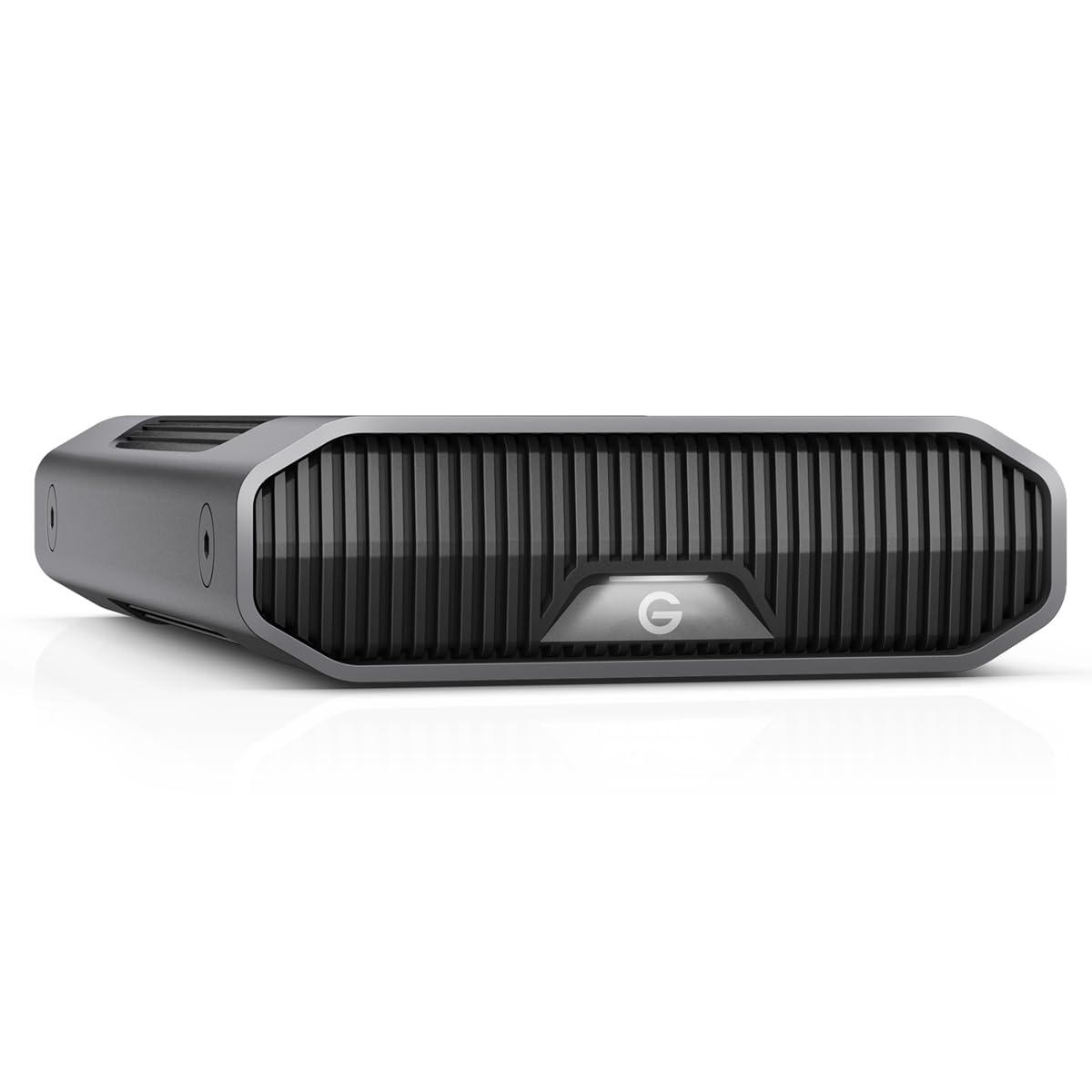
The G-Drive houses a genuine Western Digital Ultrastar 7200RPM enterprise drive — the same hardware found in data centers — inside a stackable anodized aluminum enclosure. Read and write speeds hit up to 280 MB/s according to internal testing, which is at the ceiling of what a single mechanical hard drive can achieve. It ships Mac-ready with exFAT formatting and supports Time Machine out of the box, though Windows users will need to reformat for native NTFS support.
Real-world reports are mixed. Some users experienced volume corruption within months, particularly on Mac systems connected through USB hubs rather than directly to the host port. The Ultrastar inside is a known workhorse, but the USB bridge firmware seems to cause dismount issues in specific configurations. The three-mode LED brightness adjustment is a thoughtful touch for home theater or studio environments where light pollution matters.
The primary risk is reliability variance: for every user reporting flawless operation for years, another reports a drive that died within weeks. The enterprise-class HDD inside is excellent, but the enclosure’s USB bridge is a potential weak point. If you buy this drive, connect it directly to your computer — never through a hub — and run a full SMART diagnostic within the first week of ownership.
Why it’s great
- Ultrastar enterprise drive inside is one of the most reliable HDD platforms ever made
- Stackable aluminum enclosure saves desk space for multi-drive arrays
- Mac-ready formatting with Time Machine compatibility out of box
Good to know
- Multiple reports of volume corruption on Mac systems within first 6 months
- Must connect directly to host — unreliable through USB hubs
- No built-in data recovery service
3. Glyph BlackBox Pro 20TB External Hard Drive 7200 RPM, USB-C (3.1, Gen2)

Glyph targets the broadcast and production market with the BlackBox Pro, and it shows in the details. The drive ships with both USB-C and USB-A cables, a removable rugged cover, and active fan cooling inside an aluminum shell. Sequential write speeds consistently hit 255–260 MB/s — an honest rating that matches or exceeds the advertised 250 MB/s — making it viable for 4K video ingest. The 3-2-1 warranty (three years hardware, two years data recovery, one year advanced replacement) is the most comprehensive coverage in this roundup.
User feedback is overwhelmingly positive. The drive is heavy — the aluminum shell and internal PSU add significant weight — so it is not portable in any meaningful sense. One notable failure report described the drive dying after ten months with the data unrecoverable even through Glyph’s own recovery service, which is a sobering reminder that no warranty is a guarantee. But the general consensus is that Glyph’s build quality and support responsiveness are a cut above consumer brands.
The main drawback is the premium price. At this cost per terabyte, you are paying for the warranty and the brand’s reputation, not raw storage density. If you absolutely cannot afford to lose a single project and need a warranty that covers data recovery, the BlackBox Pro is the safest choice. For less critical data, lower-cost alternatives offer the same capacity at half the price.
Why it’s great
- Best warranty in class includes 2 years of level-1 data recovery service
- Verified write speeds of 255-260 MB/s for video workloads
- Rugged aluminum shell with active fan cooling for 24/7 operation
Good to know
- Very heavy — not suitable for regular transport
- Premium price per terabyte compared to consumer drives
- One documented case where data recovery service could not retrieve data
4. WD 24TB My Book Desktop External Hard Drive with Password Protection and Backup Software

The My Book line is WD’s software-enhanced desktop drive, offering hardware encryption and password protection at the firmware level — not just a software wrapper. The 24TB capacity gives you headroom beyond the 20TB target, and the included WD Backup and WD Discovery software handle scheduled backups and cloud integration. It ships exFAT-formatted for out-of-box compatibility with Windows and Mac, and the USB 3.2 Gen1 interface provides a 5Gbps connection that is adequate for backup speeds.
User experiences highlight a key durability advantage: one reviewer reported the drive surviving a three-foot drop onto hardwood while powered down, requiring only a temporary remount before functioning normally. The internal drive, when shucked, is typically a WD white-label HelioDrive (a rebadged Ultrastar) — one of the most reliable platforms available. Some users found the included backup software intrusive and recommend using third-party tools like Acronis instead, but the hardware encryption is transparent and does not bottleneck transfer speeds.
The biggest tradeoff is the proprietary security ecosystem. If the enclosure’s USB bridge fails, the hardware encryption key is locked inside — you cannot shuck the drive and access the data over a direct SATA connection without the original enclosure’s controller. This makes the My Book a poor choice for NAS shucking, but an excellent one for users who prioritize on-device encryption above all else.
Why it’s great
- Hardware encryption at firmware level — no software performance hit
- 24TB capacity offers more headroom than most 20TB competitors
- Survived documented drop test onto hardwood floor while powered off
Good to know
- Encryption keys locked to original enclosure — cannot shuck and recover data
- Included backup software is often reported as intrusive
- USB 3.2 Gen1 at 5Gbps is bottlenecked compared to USB-C 10Gbps models
5. WD 20TB Elements Desktop External Hard Drive, USB 3.0

The WD Elements Desktop is the no-frills champion of high-capacity backup. It strips away the encryption, the software suite, and the flashy design — you get a USB 3.0 drive in an aluminum enclosure with a power brick and a cable. Real-world transfer speeds average 180 MB/s, which is competitive for a 5400RPM-ish drive at this capacity point. The actual formatted capacity comes out to roughly 18.19 TB, which is standard overhead from the NTFS filesystem and the drive’s internal firmware.
Users consistently praise this drive for its reliability. Multiple reviewers note that Western Digital’s consumer drives have lower failure rates in long-term backblaze-style statistics compared to Seagate equivalents. The drive runs relatively cool — the aluminum shell acts as a passive heatsink — and stays stable on a desk without tipping.
The main limitation is speed. At 180 MB/s, this drive is not suitable for video editing or any workflow that requires random access. It also does not include a data recovery service, so if the drive fails, you are on your own. For pure, set-and-forget backup of photos, documents, and media archives, the WD Elements offers the best ratio of reliability to cost in this class.
Why it’s great
- Proven reliability record across thousands of user reports
- Aluminum enclosure acts as passive heatsink, reducing thermal stress
- Competitive 180 MB/s transfer speeds for a budget-tier backup drive
Good to know
- Formatted capacity is only 18.19 TB out of the box
- USB 3.0 only — no USB-C support
- No data recovery service included
6. Seagate Expansion 20TB External Hard Drive HDD – USB 3.0, with Rescue Data Recovery Services
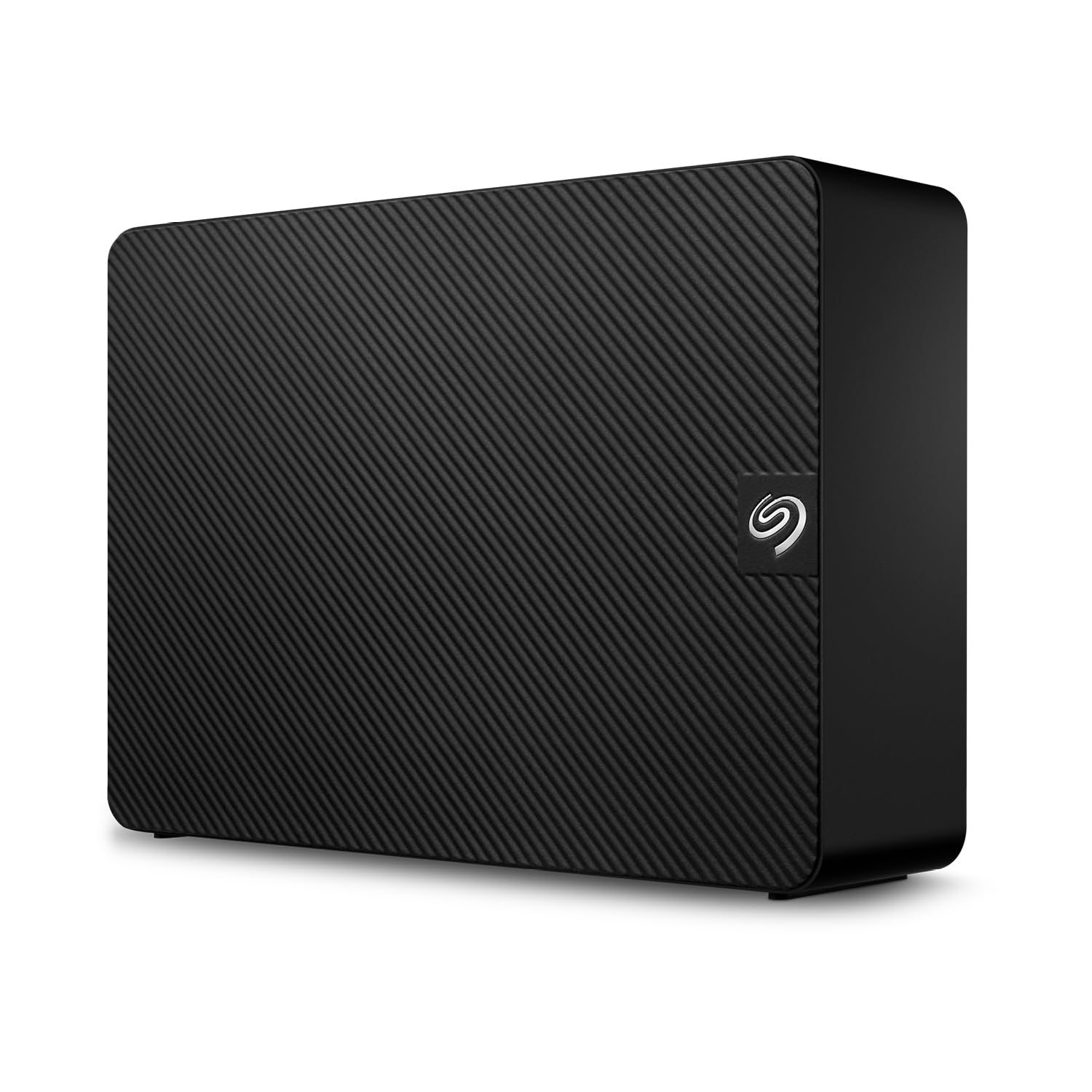
The Seagate Expansion 20TB is the volume leader in this category for a reason. It includes Rescue Data Recovery Services — a two-year plan that covers data recovery from a failed drive — which is a major safety net that most competitors at this price point do not offer. Sequential read speeds hit approximately 460 MB/s and writes around 390 MB/s, which is significantly faster than the WD Elements despite using the same USB 3.0 interface. The drive ships formatted exFAT for instant Mac compatibility and is plug-and-play on Windows.
User feedback is largely positive, but there are concerning reports. One reviewer with 30 years of experience documented a warranty failure where Seagate shipped an internal bare drive instead of a replacement external unit, and the Rescue Services did not honor the data recovery claim. The drive is also known to be louder than the WD equivalent — some users described it as “occasional noise” during active transfers. The external power adapter includes interchangeable plugs for international travel, a thoughtful detail for globetrotting professionals.
The biggest risk is the hit-or-miss nature of Seagate’s customer support. When the drive works, it works well and provides the best speed-to-warranty ratio in the mid-range tier. But if you get a unit with a failing head or a controller issue, the support process can be frustrating. Buy with a credit card that extends warranty coverage, and do not rely solely on the Rescue Service for irreplaceable data.
Why it’s great
- Rescue Data Recovery Services provide a critical safety net for backup data
- Read speeds of ~460 MB/s outpace many competitors at this capacity point
- International travel power adapters included in box
Good to know
- Multiple documented cases of warranty and Rescue Services not being honored
- Noisier during active transfers compared to WD Elements
- USB-A interface only — no USB-C port on enclosure
7. Western Digital 24TB Elements Desktop External Hard Drive, USB 3.2 Gen1

The 24TB version of the WD Elements Desktop offers the same reliable aluminum build as the 20TB model but with an extra 4TB of storage headroom. The USB 3.2 Gen1 interface is functionally identical to USB 3.0 at 5Gbps, though the newer branding suggests a more modern controller chip. The drive uses a SuperSpeed USB-A cable, and the AC adapter is the same small power brick that users have praised for its non-obtrusive size. Real-world transfer speeds hover around 180 MB/s consistent with the 20TB variant.
User feedback mirrors the 20TB model: the drive is quiet during idle, slightly louder during sustained writes, and runs cooler than competing Seagate units due to the aluminum enclosure’s passive cooling. One reviewer noted that the 24TB capacity shows as approximately 21.8 TB usable after formatting, which is within the expected overhead for NTFS. Mac users will need to reformat from the default NTFS to exFAT or APFS, as the drive ships optimized for Windows plug-and-play.
The value proposition here is pure density — you get the most storage per square inch of desk space in the Elements lineup. The 24TB capacity is useful for users who want to consolidate multiple smaller drives into one archive. The tradeoff is the same as the 20TB model: no encryption, no data recovery service, and no USB-C. If you need pure bulk storage and reliability, this is the most cost-effective path to 24TB.
Why it’s great
- 24TB in a compact format — best storage density in the Elements family
- Aluminum enclosure provides excellent passive thermal management
- Plenty of headroom for consolidating multiple legacy drives
Good to know
- USB 3.2 Gen1 is still 5Gbps — no USB-C or 10Gbps option
- No included data recovery or encryption features
- Mac users must reformat for native macOS support
8. Seagate Expansion 22TB External Hard Drive HDD – USB 3.0, with Rescue Data Recovery Services
This 22TB Seagate Expansion drive shares the same chassis and feature set as the 20TB model but swaps in a higher-capacity internal drive. The advertised data transfer rate of 5000 MB/s is misleading — that is the USB interface speed, not the actual HDD throughput. Real-world performance mirrors the 20TB variant at roughly 460 MB/s read and 390 MB/s write. The enclosure material is listed as aluminum, glass, or ceramic, which suggests a running production change rather than a material upgrade.
User experiences again highlight the Seagate customer support variability. One reviewer received a replacement that was actually an Amazon Renewed insert, suggesting that some units sold as “new” may be factory-refurbished. The drive performs well when healthy — quiet under low load, fast enough for backups, and compatible with macOS after reformatting. The Rescue Data Recovery Service is included, but the same caveats apply: do not rely on it as your sole backup strategy.
The 22TB capacity is a sweet spot for users who need more than 20TB but do not want to pay the premium for 24TB drives. The aluminum or glass enclosure is likely a running change to improve thermal performance. The main risk is receiving a unit that was previously handled, installed, or returned — inspect the packaging carefully and run a full surface scan during the return window.
Why it’s great
- 22TB offers a middle-ground capacity without the 24TB premium
- Rescue Data Recovery Services included for peace of mind
- Quiet operation during idle and light loads
Good to know
- Some units shipped as “new” may have been previously installed
- Advertised 5000 MB/s is interface speed — actual HDD speed is ~460 MB/s
- Seagate warranty support is inconsistent based on user reports
9. Western Digital 22TB Elements Desktop External Hard Drive, USB 3.0

The 22TB WD Elements Desktop is essentially the same drive as the 20TB version with a larger capacity platter inside. The hardware is identical: aluminum enclosure, small power brick, USB 3.0 interface, and plug-and-play setup for Windows. Transfer speeds remain at the ~180 MB/s mark that characterizes the Elements line. The drive is backward-compatible with USB 2.0, though connecting via the older standard will drop speeds to roughly 35 MB/s.
User feedback reiterates the reliability advantage of WD drives. One reviewer who works with hundreds of drives per year recommends WD over Seagate based on data recovery experience, noting that while all consumer drives eventually fail, WD drives have a lower aggregate failure rate. The drive is noticeably quieter than Seagate equivalents during active transfers, and the compact 3.5-inch form factor takes up minimal desk space.
The main limitation is the interface — at USB 3.0 (5Gbps), the drive cannot fully leverage the speed potential of the internal HDD. For backup scenarios where the drive is written to once and read infrequently, this is irrelevant. For users who need faster throughput, the move to USB-C 10Gbps would be justified. The 22TB capacity is ideal for users who have filled a 20TB drive and want one consolidation target without stepping up to 24TB.
Why it’s great
- Proven WD reliability with lower aggregate failure rates than comparable Seagate drives
- Compact 3.5-inch footprint for desktop setups
- Quieter operation during active transfers than Seagate equivalents
Good to know
- USB 3.0 interface caps possible throughput from the internal HDD
- No data recovery service or encryption included
- Backward compatibility with USB 2.0 severely limits transfer speeds
10. Toshiba 20TB MG10ACA20TE SATA 600GB 20in1 HDD

The Toshiba MG10ACA20TE is an enterprise-grade, helium-sealed 20TB hard drive sold as a bare internal drive — not an external USB enclosure. It uses 10 platters and 512 MB of cache, and runs at 7200 RPM for consistent server-class performance. The drive is designed for NAS arrays, data centers, and professional workloads where 24/7 operation is expected. Data transfer rates are specified at 281 Mbps on the product page, which is likely a typo for 281 MB/s — actual benchmarks from similar Toshiba MG drives show sustained reads around 270 MB/s.
Users report the drive runs very quietly for a 7200RPM enterprise unit, and BackBlaze’s published drive statistics show favorable reliability for Toshiba’s MG series. Some units shipped without Toshiba branding on the drive label, instead bearing a generic sticker, which raises questions about the supply chain. One order of two “new” drives arrived with an Amazon Renewed insert in one box, suggesting that some inventory may be previously handled or returned.
This drive is not for the average consumer — it requires a 3.5-inch bay or an external SATA enclosure to function. The price per terabyte is competitive with enterprise alternatives from WD and Seagate, but you must factor in the cost of a separate USB or Thunderbolt enclosure. The helium sealing is a genuine advantage for heat and power consumption, making this ideal for dense NAS builds where every watt matters.
Why it’s great
- Helium-sealed enterprise drive runs cooler and quieter than air-filled alternatives
- 512 MB cache improves random write performance for NAS workloads
- BackBlaze reliability statistics favor Toshiba MG series in enterprise use
Good to know
- Bare internal drive — requires separate enclosure or SATA bay
- Some units shipped may be previously handled or returned
- Vibration can be an issue on thin wooden desk surfaces
11. Avolusion PRO-Z Series 20TB USB 3.0 External Hard Drive (Renewed)

The Avolusion PRO-Z Series 20TB Renewed is the most affordable entry point to 20TB storage, but that price comes with significant caveats. As a renewed product, it typically contains an enterprise-grade hard drive that has been pulled from service, reset, and resold. One user reported receiving a drive with 2-3 years of active power-on hours but zero reallocated sectors — a decent find for a backup drive. Write speeds ranged from 300 MB/s down to 180 MB/s as the drive filled, which is typical for an HDD with previous writes on the platters.
The product is strictly for Windows systems — the documentation explicitly states no Mac compatibility. The white plastic enclosure is lightweight and feels less durable than the aluminum options from WD, Seagate, or Oyen. Multiple user reports of drives arriving dead-on-arrival or failing within months are a recurring theme, though the low price mitigates the risk for buyers who are willing to gamble on secondary storage. The cache is a generous 256 MB, which helps with burst write performance.
This drive is only suitable for cold, secondary, non-critical backup — never for primary data or anything you cannot afford to lose. Buy it as a tertiary copy of data you already have backed up elsewhere, and run a full surface scan within the first week. The renewal packaging may include a warranty, but the provider is Avolusion rather than the original manufacturer, so support will be limited. If the drive works, you save significant money. If it fails, expect the data to be gone.
Why it’s great
- Lowest cost per terabyte for a 20TB external drive
- Enterprise-grade HDD inside with large 256 MB cache
- Acceptable read/write speeds for non-primary backup duties
Good to know
- Renewed product may have 2-3 years of prior power-on hours
- High DOA rate and early failure reports in user reviews
- Only works with Windows — no Mac compatibility
FAQ
Should I buy a 20TB external drive or a NAS with two 10TB drives?
Can I shuck a 20TB external drive and use it internally in my PC or NAS?
How long does a 20TB external hard drive typically last?
Final Thoughts: The Verdict
For most users, the 20tb external hard drive winner is the Oyen Digital HDX Pro C 20TB because its enterprise-grade 7200RPM drive, aluminum enclosure with active fan cooling, and USB-C daisy-chaining make it the most versatile and durable option for both backup and professional workflows. If you want built-in data recovery coverage at a lower price point, grab the Seagate Expansion 20TB. And for pure bulk capacity with proven WD reliability, nothing beats the WD 20TB Elements Desktop.