
The 14-inch laptop with a dedicated GPU occupies a rare space in the market — it promises genuine graphical horsepower in a chassis small enough to slip into a day bag without announcing itself as a gaming rig. The thermal challenge alone is formidable: packing an RTX 4050, 4070, or even a 4080 into a frame barely wider than a sheet of paper demands engineering compromises that most 15.6-inch machines never face. The payoff, for the buyer who chooses wisely, is a machine that edits 4K timelines, renders 3D scenes, and runs modern titles at respectable frame rates without chaining you to a desk.
I’m Min — the co-founder and writer behind Gadgets Feed. I’ve spent weeks combing through factory spec sheets, BIOS-level thermal configurations, GPU TGP ratings, and real-world user feedback to separate the genuinely capable 14-inch GPU laptops from the ones that sacrifice too much on the altar of thinness.
Whether you need CUDA acceleration for creative work or ray-traced gaming on a compact frame, this guide to the best 14 inch laptop with gpu cuts through the noise to match you with the right silicon, display, and thermal solution for your actual workload.
How To Choose The Best 14 Inch Laptop With GPU
Selecting a compact laptop with discrete graphics is about balancing thermal capacity, GPU power budget, and display fidelity. You cannot simply drop a high-end desktop card into a slim chassis — the power limits and cooling solutions define real-world performance more than the GPU name alone.
GPU TGP and Thermal Design
The same RTX 4070 chip can perform 30% differently depending on whether the manufacturer allocates 80W or 120W of power budget. In 14-inch laptops, the TGP is often constrained by the limited cooling capacity. Look for models that publish their GPU TGP and use vapor chambers or liquid metal thermal compounds — these handle sustained loads without aggressive throttling.
Processor-GPU Balance
A powerful GPU paired with a weak processor creates a bottleneck. The best 14-inch GPU laptops use processors with enough PCIe lanes and core count to feed the GPU — look at Intel Core i7 H-series, Core Ultra 9 H-series, or AMD Ryzen 7/9 HS-series. U-series processors (like the i7-150U) lack the thermal headroom and memory bandwidth for efficient discrete GPU pairing.
Display Resolution and Refresh Rate
A 1440p or 2.8K OLED display on a 14-inch screen looks stunning, but it demands significantly more GPU power than 1080p. If your primary use is gaming, a 1080p 144Hz IPS panel will deliver higher and more consistent frame rates. For creative work (photo editing, video grading), prioritize color accuracy (100% DCI-P3 or sRGB) and resolution over refresh rate.
Quick Comparison
On smaller screens, swipe sideways to see the full table.
| Model | Category | Best For | Key Spec | Amazon |
|---|---|---|---|---|
| GEEKOM GeekBook X14 Pro | Ultraportable Creator | Color-accurate creative work on an OLED panel | Intel Arc GPU / 2.8K OLED 120Hz | Amazon |
| Acer Swift X SFX14-42G | Portable Creator | Content creation with RTX 3050 Ti | RTX 3050 Ti 4GB / 100% sRGB display | Amazon |
| HP OmniBook 5 14 | AI Productivity | Ultra-long battery with AI acceleration | Qualcomm Adreno GPU / 34-hour battery | Amazon |
| Dell 14 DC14250 | Business Ultraportable | Secure, reliable daily productivity | Intel Graphics / Fingerprint reader | Amazon |
| HP Victus 15 | Entry-Level Gaming | Budget-friendly 1080p gaming | RTX 4050 6GB / 144Hz 15.6″ display | Amazon |
| MSI Katana 15 (B13VGK) | Mid-Range Gaming | High-FPS gaming with RTX 4070 | RTX 4070 8GB / 144Hz display | Amazon |
| Lenovo Legion 5i (RTX 4070) | Premium Gaming | High-res gaming with 16″ WQXGA display | RTX 4070 8GB / 2560×1600 display | Amazon |
| ASUS ROG Strix G16 (2025) | Next-Gen Gaming | DLSS 4 gaming with RTX 5060 | RTX 5060 8GB / 165Hz display | Amazon |
| Lenovo Legion 5i (RTX 5070) | Elite Gaming | Ray tracing on a 15″ OLED display | RTX 5070 8GB / OLED 165Hz | Amazon |
| Acer Predator Triton Neo 16 | Creator Gaming | High-res 3200×2000 gaming and creation | RTX 4070 8GB / 3200×2000 165Hz | Amazon |
| MSI GE68HX Raider | High-End Gaming | Multi-monitor productivity and VR | RTX 4070 8GB / 144Hz FHD+ display | Amazon |
| MSI Katana 15 HX (RTX 5070) | Competitive Gaming | QHD gaming with RTX 5070 | RTX 5070 8GB / QHD 165Hz | Amazon |
| Alienware X16 R2 | Ultra-Premium Gaming | Maximum portable gaming performance | RTX 4080 12GB / QHD+ 240Hz | Amazon |
In-Depth Reviews
1. GEEKOM GeekBook X14 Pro

The GEEKOM GeekBook X14 Pro challenges the assumption that a premium 14-inch GPU laptop must cost a fortune. Its Intel Core Ultra 9 185H processor, paired with Intel Arc integrated graphics, delivers surprisingly capable performance for photo editing, light 4K video work, and moderate gaming at 1080p — all within a 2.2-pound magnesium alloy chassis that is genuinely portable. The standout feature is the 2.8K OLED display with a 120Hz refresh rate, covering 100% of the DCI-P3 color space, which puts many more expensive laptops to shame in visual fidelity.
With 32GB of LPDDR5x RAM clocked at 7500MHz and a 1TB Gen4 NVMe SSD, this machine handles multitasking with ease — opening 20 Chrome tabs alongside Photoshop and Slack shows no perceptible slowdown. The 72Wh battery delivers up to 16 hours of real-world mixed use, and the included 65W GaN charger brings the battery to 80% in about an hour. The metal chassis stays cool under load thanks to the IceBlade 2.0 thermal system, and the dual USB4 ports support 40Gbps data transfer and external GPU enclosures if you ever need more graphical horsepower.
The trade-offs are minor but worth noting: the Intel Arc GPU cannot compete with a dedicated RTX 4050 in raw gaming frame rates, and the touchpad has a slightly rough texture that some users find distracting. The lack of a touchscreen may disappoint those coming from premium ultrabooks, and the 2.2-pound weight, while impressive, means the keyboard lacks the deep travel of thicker machines. However, for creative professionals who need a color-accurate, lightweight laptop that can handle GPU-accelerated tasks, this is an exceptional value proposition.
Why it’s great
- Stunning 2.8K OLED display with 120Hz refresh rate and 100% DCI-P3 coverage
- Weighs only 2.2 pounds yet includes 32GB RAM and 1TB storage
- Excellent 16-hour battery life with fast 65W GaN charging
Good to know
- Intel Arc GPU limited to light to moderate gaming at 1080p
- No touchscreen option — all-glass displays not available
- Touchpad texture is slightly rough compared to glass trackpads
2. Acer Swift X SFX14-42G

The Acer Swift X remains a compelling choice for creative professionals who need dedicated NVIDIA graphics in a 3.06-pound package. The combination of an AMD Ryzen 7 5825U processor and an RTX 3050 Ti with 4GB of GDDR6 VRAM enables smooth 1080p video editing in Premiere Pro, fast GPU-accelerated renders in Blender, and comfortable gaming at medium settings in titles like Overwatch and GTA V. The 14-inch Full HD IPS display covers 100% sRGB, making it suitable for photo editing and color-critical web design work.
The chassis uses a metal build that feels premium for its price category, and the dual M.2 SSD slots allow for storage expansion up to 2TB — a rarity in this weight class. Battery life reaches 7 to 8 hours of mixed productivity use, and the 90W power adapter supports fast charging. The RTX 3050 Ti, while not cutting-edge, benefits from NVIDIA’s mature driver support and DLSS upscaling, which helps maintain playable frame rates at 1080p in modern titles. The DTS Audio speakers provide decent sound quality for a laptop of this size.
Potential buyers should be aware that the 16GB of LPDDR4X RAM is soldered and cannot be upgraded, and the 60Hz display refresh rate limits gaming smoothness. The barrel-style power connector feels outdated compared to modern USB-C charging, and the laptop runs hot under sustained gaming load — a cooling pad is recommended for extended sessions. The lack of a Thunderbolt 4 port is notable, though the USB-C 3.2 Gen 2 port supports DisplayPort and charging.
Why it’s great
- Dedicated RTX 3050 Ti GPU enables smooth 1080p gaming and creative work
- Dual M.2 slots allow storage expansion up to 2TB
- Full HD IPS display with 100% sRGB coverage for color-accurate work
Good to know
- 16GB RAM is soldered and not upgradeable
- 60Hz display limits gaming smoothness
- Barrel power connector instead of USB-C charging
3. HP OmniBook 5 14

The HP OmniBook 5 represents a new class of laptop — the AI PC with an ARM-based Snapdragon X Plus processor and integrated Qualcomm Adreno GPU. This combination delivers exceptional battery life of up to 34 hours on a single charge, with HP Fast Charge bringing the battery from 0 to 50% in roughly 30 minutes. The 14-inch OLED display at 1920×1200 resolution with 300 nits brightness and 0.2ms response time provides vibrant colors and deep blacks for multimedia consumption and productivity tasks.
The Adreno GPU handles everyday graphics tasks, 4K video playback, and light creative work efficiently, but it is not designed for AAA gaming or GPU-accelerated 3D rendering. The NPU (Neural Processing Unit) enables on-device AI features like Live Captions for real-time subtitling and the HP AI Companion for task automation. The metal chassis with recycled materials feels premium, and the 16GB of LPDDR5x RAM paired with a 1TB SSD ensures smooth multitasking in web-based workflows and office applications.
Buyers should be aware of the limited port selection — only two USB-C ports and one USB-A, with no HDMI or Ethernet jack. The lack of a touchscreen is a notable omission at this price point, and the ARM architecture may cause compatibility issues with legacy x86 software and some professional creative applications. The Qualcomm Adreno GPU cannot match the performance of even an entry-level RTX 3050 Ti, so this machine is best suited for productivity users who prioritize battery life and AI features.
Why it’s great
- Up to 34 hours of battery life with fast charging from 0 to 50% in 30 minutes
- Vibrant 14-inch OLED display with 0.2ms response time
- On-device AI features with NPU for real-time captioning and optimization
Good to know
- Qualcomm Adreno GPU not suitable for AAA gaming or heavy 3D rendering
- Limited to 3 ports total — no HDMI or Ethernet
- ARM architecture may cause compatibility issues with some x86 software
4. Dell 14 DC14250

The Dell 14 DC14250 is a business-oriented machine that prioritizes security and reliability over raw GPU performance. Its Intel Core 5 120U processor with integrated Intel Graphics handles office productivity, video conferencing, and 4K video playback smoothly, but lacks the dedicated VRAM needed for gaming or 3D rendering. The 14-inch Full HD+ anti-glare display with 300 nits brightness is ideal for long work sessions in bright environments, and the fingerprint reader provides fast, secure Windows Hello login.
The chassis is built to military-grade durability standards and features adaptive thermals that sense when the laptop is on a stable surface, optimizing power delivery and fan curves for quieter operation. The backlit keyboard with a numeric keypad is comfortable for extended typing sessions, and the 512GB SSD with 16GB of RAM provides adequate performance for everyday tasks. The 1-year Dell Onsite Service adds peace of mind for business users who cannot afford downtime.
The integrated Intel Graphics severely limits this laptop’s versatility for any GPU-accelerated workload — forget about modern gaming or GPU rendering entirely. Battery life is average at around 6 hours of mixed use, falling short of modern ultrabooks. The 65W AC adapter is bulky compared to compact GaN chargers, and the display, while functional, lacks the color accuracy needed for photo editing.
Why it’s great
- Military-grade durability testing for reliable business use
- Adaptive thermals automatically optimize performance on stable surfaces
- Fingerprint reader and 1-year Onsite Service for business security
Good to know
- Integrated Intel Graphics cannot handle gaming or GPU rendering
- Average battery life of 6 hours in mixed use
- Bulky 65W AC adapter and average color accuracy on display
5. HP Victus 15 (RTX 4050)
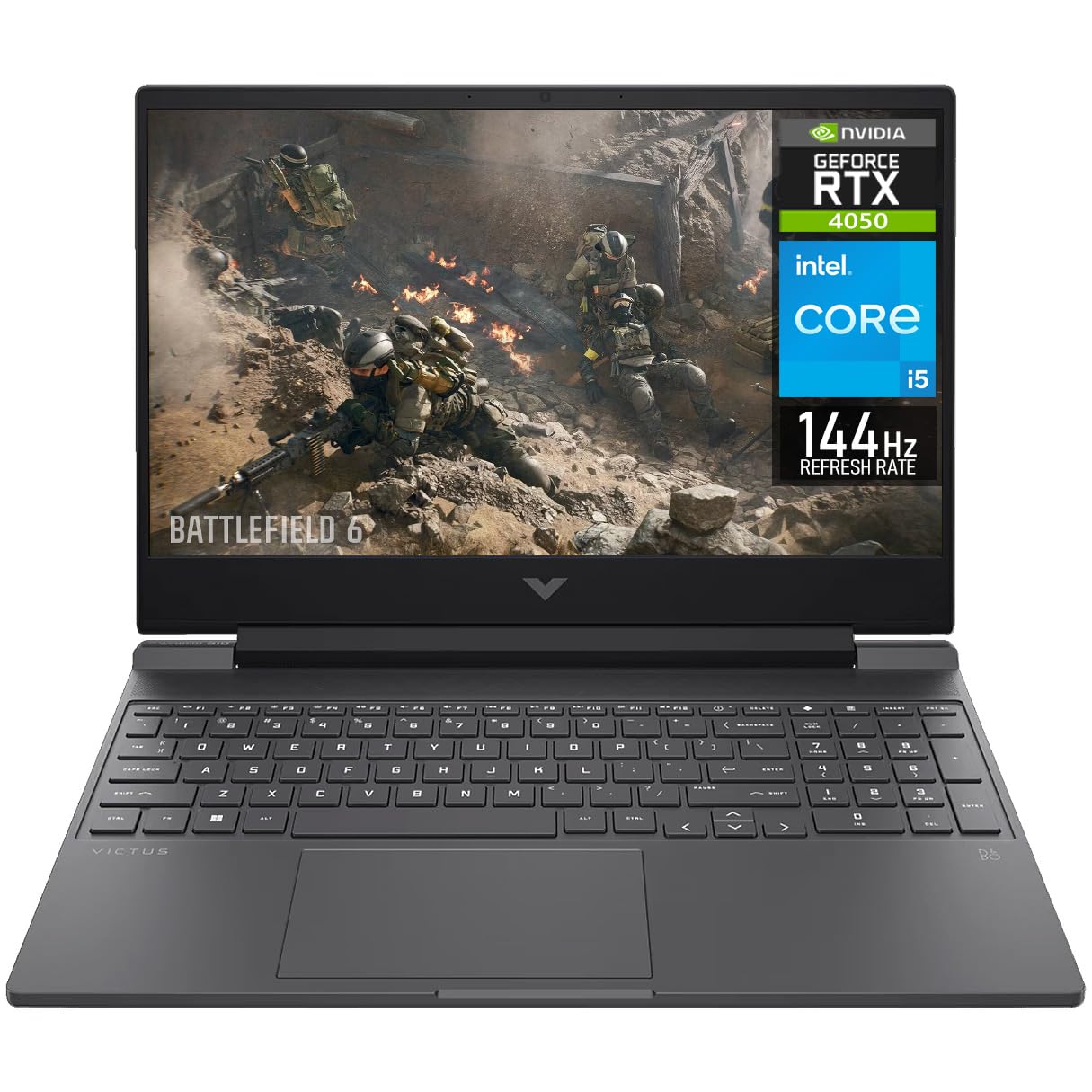
The HP Victus 15 offers the most accessible entry point into dedicated RTX-class gaming performance. Its Intel Core i5 13420H processor paired with an RTX 4050 with 6GB of GDDR6 VRAM delivers solid 1080p gaming at medium to high settings in e-sports titles and current-gen games, with DLSS 3 frame generation providing a further boost in compatible titles. The 15.6-inch 144Hz Full HD display with micro-edge anti-glare coating keeps motion smooth and reduces reflections during intense gaming sessions.
The 16GB of DDR4 RAM and 512GB NVMe SSD provide adequate storage and speed for the price, and the overall chassis design is understated enough for use in a classroom or office setting. The RTX 4050, while the entry point in NVIDIA’s 40-series lineup, supports ray tracing and DLSS 3 at levels that surpass GTX 16-series laptops by a significant margin. The 144Hz refresh rate is a genuine asset for competitive gaming, reducing motion blur in fast-paced shooters.
The build quality feels budget-conscious — the plastic chassis flexes under pressure and the screen hinge shows some wobble. The laptop ships with significant bloatware that needs to be cleaned out, and the battery life is below average at around 4 to 5 hours of mixed use. The 15.6-inch size, while great for gaming, pushes it beyond the 14-inch compact form factor, and the power adapter is notably bulky for travel.
Why it’s great
- RTX 4050 with 6GB VRAM provides solid 1080p gaming with DLSS 3 support
- 144Hz display reduces motion blur for competitive gaming
- Understated design suitable for both gaming and professional settings
Good to know
- Plastic chassis feels less premium than metal alternatives
- Significant pre-installed bloatware requires cleanup
- Battery life limited to 4-5 hours; bulky power adapter
6. MSI Katana 15 (B13VGK-484US)

The MSI Katana 15 delivers desktop-level gaming performance at a mid-range price point, thanks to the combination of a 13th Gen Intel Core i7-13620H processor and an RTX 4070 with 8GB of GDDR6 VRAM. This GPU configuration can handle 1440p gaming at high settings in most titles, with ray tracing enabled in many games thanks to DLSS 3 upscaling. The Cooler Boost 5 thermal system, with dual fans and shared heat pipes, keeps temperatures between 60°C and 75°C under sustained gaming loads — impressive for a laptop in this price bracket.
The 15.6-inch 144Hz Full HD display, while not the sharpest or most color-accurate, provides smooth gameplay for fast-paced titles. The DDR5-4000 memory and Thunderbolt 4 port offer fast data transfer and future-proofing for external GPUs and high-speed peripherals. The chassis is lighter and quieter than many gaming laptops in its class, and the 1TB NVMe SSD provides ample storage for a large game library. The included 230W power adapter provides enough headroom for sustained GPU performance.
The display is the weakest link — it is only 1080p with mediocre contrast and color gamut, which feels limiting for the RTX 4070’s capabilities. The battery life is poor at around 2 hours under gaming load, and the fans become very loud under sustained load despite Cooler Boost 5. The left side of the chassis can become warm to the touch during gaming sessions, and the lack of a second SSD mounting screw is an annoyance for upgraders.
Why it’s great
- RTX 4070 provides desktop-level gaming performance at a mid-range price
- Cooler Boost 5 keeps temps under 75°C under sustained gaming load
- Thunderbolt 4 and DDR5-4000 for fast data transfer and future-proofing
Good to know
- 1080p display with mediocre contrast limits GPU potential
- Very loud fans under gaming load; poor battery life
- Left side chassis gets warm during extended gaming sessions
7. Lenovo Legion 5i (RTX 4070)

The Lenovo Legion 5i pairs a powerful Intel Core i7-14650HX processor with an RTX 4070 GPU, creating a balanced gaming machine that excels at 1440p gaming on its 16-inch WQXGA (2560×1600) display. The higher resolution panel reveals significantly more detail than 1080p screens, and the 16:10 aspect ratio provides extra vertical space for productivity tasks and immersive gaming. The RTX 4070 handles this resolution well in most titles, with DLSS 3 providing a welcome boost in demanding games.
The chassis design is understated with a Luna Grey finish that looks professional outside of gaming contexts. The 32GB of RAM ensures smooth multitasking even with multiple Chrome tabs, Discord, and a game running simultaneously. The 512GB SSD feels undersized for a gaming laptop at this price, but the system includes an open M.2 slot for expansion. The rapid charge feature adds two hours of battery life in just 15 minutes, which is genuinely useful for mobile gaming sessions.
The battery life is poor — around 2 to 3 hours in gaming mode — though this is typical for high-performance gaming laptops. The 230W power adapter is large and heavy, making this less portable than thinner alternatives. Some units have reported screen quality issues, and the single-channel RAM configuration on some variants can impact CPU performance. The 512GB storage fills up quickly with modern games averaging 50-100GB each.
Why it’s great
- 2560×1600 display provides excellent detail and 16:10 aspect ratio
- 32GB RAM ensures smooth multitasking for gaming and productivity
- 15-minute rapid charge adds 2 hours of battery life
Good to know
- 512GB storage fills quickly; needs an SSD upgrade for large game libraries
- Battery life limited to 2-3 hours in gaming mode
- Bulky 230W power adapter reduces portability
8. ASUS ROG Strix G16 (2025)

The ASUS ROG Strix G16 represents the latest generation of gaming hardware with its RTX 5060 GPU based on the NVIDIA Blackwell architecture. The 8GB VRAM and DLSS 4 support enable smooth gameplay at the 1920×1200 resolution, with the 165Hz refresh rate panel delivering butter-smooth motion in fast-paced titles. The new ACR film on the display enhances contrast and reduces glare, making it more usable in bright rooms than typical glossy gaming screens.
The ROG Intelligent Cooling system uses a vapor chamber with tri-fan technology and liquid metal on the chipset, keeping temperatures manageable even during extended gaming sessions. The 16GB of DDR5-5600MHz memory is fast enough for current games, and the 1TB Gen4 SSD provides generous storage. The 360-degree RGB light bar around the chassis can be customized to match keyboard lighting or turned off entirely with Stealth Mode for more professional environments. The keyboard layout is comfortable with well-spaced keys and bright WASD lighting.
The battery life is limited to around 2 hours under gaming load, which is typical for high-performance gaming laptops. Some units have reported backlight bleed on the LCD panel, and the RTX 5060’s 8GB VRAM may become a limiting factor for 4K textures in future titles. The chassis runs hot at the bottom center during intensive gaming, and the fan noise is noticeable even in balanced mode.
Why it’s great
- RTX 5060 with DLSS 4 delivers next-gen gaming performance at 1200p
- Vapor chamber cooling with liquid metal keeps temps under control
- 165Hz display with ACR film reduces glare for bright-room gaming
Good to know
- Battery life limited to about 2 hours under gaming load
- Some units may have LCD backlight bleed
- Chassis bottom center gets hot during intensive gaming sessions
9. Lenovo Legion 5i (RTX 5070)

The Lenovo Legion 5i with an RTX 5070 GPU and a 15-inch 2.5K WQXGA PureSight OLED display sets a new standard for visual quality in a gaming laptop. The OLED panel delivers infinite contrast, perfect blacks, and vibrant colors at a 165Hz refresh rate, making games and movies look stunning. The RTX 5070, built on the NVIDIA Blackwell architecture, handles 1440p gaming at high settings with ease, and DLSS 4 upscaling ensures smooth performance even in the most demanding titles. The Intel Core i7-14700HX processor provides excellent single-threaded and multi-threaded performance for gaming and creative workloads.
The Legion Coldfront Hyper cooling system uses turbo-charged stealth fans and robust copper heat pipes to keep temperatures in check, and the system runs whisper-quiet during light tasks. The 16GB of DDR5 RAM is fast but comes in single-channel configuration on some units, which can cost up to 10% CPU performance in memory-sensitive tasks. The included 3-month PC Game Pass subscription adds immediate value for new gamers, and the AI Engine+ optimizes performance automatically through Legion Space software.
The single-channel RAM configuration is a notable downgrade at this price point — dual-channel memory should be standard for an RTX 5070 laptop. The speakers are mediocre, lacking bass and clarity at higher volumes. The 512GB storage is inadequate for a gaming laptop of this caliber, and the lack of a fingerprint reader or Windows Hello IR camera is surprising. The OLED display, while beautiful, is prone to potential burn-in over long-term use with static UI elements.
Why it’s great
- Stunning 2.5K OLED display with 165Hz refresh rate and perfect blacks
- RTX 5070 provides exceptional 1440p gaming performance
- AI Engine+ optimizes performance automatically for each game
Good to know
- Single-channel RAM on some units reduces CPU performance by up to 10%
- Mediocre speakers with limited bass and clarity
- No fingerprint reader or Windows Hello IR camera
10. Acer Predator Triton Neo 16

The Acer Predator Triton Neo 16 blends gaming performance with creator-oriented display quality in a thin, silver chassis that could pass for a workstation. Its 16-inch WQXGA+ (3200×2000) IPS display operates at 165Hz with a 3ms overdrive response time and is Calman Verified for color accuracy — making it equally suitable for video editing and competitive gaming. The Intel Core Ultra 9 185H processor with AI acceleration pairs well with the RTX 4070 for GPU-accelerated rendering in Premiere Pro and DaVinci Resolve.
The 32GB of LPDDR5X memory and 1TB Gen4 SSD provide ample headroom for creative projects, and the 5th Gen AeroBlade 3D Fan technology with liquid metal thermal grease keeps temperatures manageable during long render sessions. The Thunderbolt 4 port with Power Delivery allows for single-cable connection to high-resolution monitors, and the HDMI 2.1 port supports up to 4K 120Hz external displays. The PurifiedVoice 2.0 AI noise reduction system with three microphones ensures clear voice capture during video calls and streaming.
The fans are noticeably loud under gaming load, and the placement of USB ports on the sides can be inconvenient for users who prefer rear cable management. The PredatorSense software for fan and performance control is prone to occasional crashes that require a system restart. The 3200×2000 resolution is demanding on the RTX 4070 — achieving high frame rates in AAA games requires DLSS upscaling. The lack of an Ethernet port means gaming relies entirely on Wi-Fi 6E.
Why it’s great
- 3200×2000 Calman Verified display with 165Hz refresh rate for creators and gamers
- 32GB LPDDR5X RAM and 1TB SSD for demanding creative projects
- AI noise reduction with three microphones for clear streaming and calls
Good to know
- Fans are loud under gaming load
- 3200×2000 resolution demands DLSS for high frame rates in AAA games
- PredatorSense software can crash, requiring a system restart
11. MSI GE68HX Raider

The MSI GE68HX Raider packs a 14th Gen Intel Core i9-14900HX with 24 cores and 32 threads, making it one of the most powerful processor options available in a gaming laptop. The RTX 4070 with 8GB VRAM handles 1440p gaming at high settings, and the combination of 32GB DDR5 RAM and a 1TB NVMe SSD provides ample headroom for multitasking and game libraries. The 16-inch IPS display at 1920×1200 with 144Hz refresh rate offers a good balance of resolution and frame rate for competitive gaming.
The Raider series is known for its premium build quality and extensive connectivity options, including Killer Wi-Fi 7 and Bluetooth 5.4 for low-latency wireless connections. The Thunderbolt 4 ports support dual 4K monitor outputs, making this machine ideal for content creators who need multiple screens. The RGB backlit keyboard with per-key customization adds a premium feel, and the cooling system handles sustained loads well thanks to the generous chassis size.
The battery life is limited to around 2 to 3 hours under standard use, which is below average even for gaming laptops. The 1080p display resolution feels underutilized for the powerful i9 CPU and RTX 4070 GPU combination — a 1440p panel would have been more appropriate. The build is heavy at over 5 pounds, reducing portability, and some users have reported units arriving with hardware defects that are difficult to return due to seller policies.
Why it’s great
- 24-core i9-14900HX is one of the fastest processors available in a laptop
- 32GB RAM and 1TB SSD provide ample headroom for multitasking
- Thunderbolt 4 ports support dual 4K monitor output for creators
Good to know
- 1080p display feels underutilized for the i9 and RTX 4070 combination
- Heavy at over 5 pounds; battery life limited to 2-3 hours
- Some users report hardware defects and difficult return processes
12. MSI Katana 15 HX (RTX 5070)

The MSI Katana 15 HX combines an Intel Core i9-14900HX with an RTX 5070 GPU and a QHD 165Hz display, creating a potent configuration for high-resolution gaming. The 24-core i9 processor handles CPU-intensive titles and streaming simultaneously without breaking a sweat, while the RTX 5070 with DLSS 4 delivers smooth frame rates at 1440p in the latest AAA releases. The display’s 100% DCI-P3 color coverage makes it suitable for content consumption and light creative work alongside gaming.
The Cooler Boost 5 thermal system with its 5-heat-pipe design keeps the CPU and GPU cool during extended gaming sessions, and the 32GB of DDR5 RAM ensures smooth multitasking even with demanding applications running in the background. The 1TB Gen4 NVMe SSD provides fast load times and ample storage, and the 4-zone RGB keyboard with highlighted WASD keys adds a gaming aesthetic. The port selection includes USB-C Gen 2 with DisplayPort, HDMI 2.1 supporting up to 8K output, and multiple USB-A ports for peripherals.
The battery life is poor at around 2 hours under gaming load and only slightly better for general use, making this essentially a desktop replacement. The chassis is heavy and bulky, and the power brick is notably large and runs hot. Some users have reported audio glitches immediately out of the box, and the shutdown/sleep resume function has been unreliable in some units. The QHD display, while sharp, is not OLED-quality, so color-critical creative work may benefit from an external monitor.
Why it’s great
- 24-core i9-14900HX with RTX 5070 provides exceptional gaming performance
- QHD 165Hz display with 100% DCI-P3 coverage for vivid visuals
- 32GB DDR5 RAM and 1TB SSD for smooth multitasking and fast load times
Good to know
- Battery life limited to about 2 hours; essentially a desktop replacement
- Heavy chassis and bulky, hot-running power brick
- Some units report audio glitches and sleep resume issues
13. Alienware X16 R2

The Alienware X16 R2 represents the pinnacle of portable gaming performance, featuring an RTX 4080 with 12GB of GDDR6 VRAM — the most powerful GPU in this comparison. The 16-inch QHD+ (2560×1600) display with a 240Hz refresh rate, 3ms response time, and 100% DCI-P3 color coverage provides a stunning visual experience that matches the GPU’s capabilities. The Intel Core Ultra 9-185H processor, while not as powerful as a full HX-series chip, balances well with the RTX 4080 for most gaming workloads.
The thermal design is sophisticated for a thin gaming laptop, expelling warm air through side vents while drawing cooler air from the top of the keyboard area. The 32GB of integrated LPDDR5 memory and 1TB SSD provide a smooth experience, and the 1080p IR camera enables Windows Hello facial recognition without compromising image quality. The 6-speaker system with separate tweeters and woofers delivers impressive audio for a laptop, and the Alienware software suite provides extensive customization for performance and lighting.
The price is exceptionally high, putting it out of reach for most buyers. The RTX 4080 in this thin chassis may not reach the same performance levels as thicker laptops with higher TGP configurations. Battery life is poor, lasting only 1 to 2 hours under gaming load. Some units have reported charging issues and system failures within the first two weeks, and the Alienware software can feel bloated and slow to load. The 360-watt power adapter is massive and reduces portability significantly.
Why it’s great
- RTX 4080 with 12GB VRAM is the most powerful GPU in this comparison
- QHD+ 240Hz display with 3ms response time and 100% DCI-P3 coverage
- 6-speaker system with separate tweeters and woofers for immersive audio
Good to know
- Extremely high price limits accessibility for most buyers
- RTX 4080 may be power-limited in thin chassis compared to thicker alternatives
- Some units report charging issues within the first two weeks
FAQ
Can a 14-inch laptop with a GPU run AAA games at high settings?
Is the Intel Arc GPU in the GEEKOM X14 Pro sufficient for video editing?
How does the Qualcomm Adreno GPU in the HP OmniBook 5 compare to NVIDIA RTX GPUs?
What is the minimum RAM configuration I should consider for a 14-inch laptop with a GPU?
Do I need an external GPU (eGPU) with these laptops for professional work?
Final Thoughts: The Verdict
For most users, the best 14 inch laptop with gpu winner is the GEEKOM GeekBook X14 Pro because it delivers a stunning 2.8K OLED display, 32GB RAM, and a featherlight 2.2-pound chassis with Intel Arc graphics that handle creative work and light gaming without breaking the bank. If you want dedicated NVIDIA RTX performance for serious gaming, grab the Lenovo Legion 5i (RTX 5070) for its breathtaking OLED display and next-gen GPU. And for ultra-premium portable power, nothing beats the Alienware X16 R2 with its RTX 4080 and 240Hz QHD+ display — if your budget allows.