
A cluttered desk isn’t just ugly—it drags down your focus, makes you hunt for cables, and leaves expensive gear scratching against hard surfaces. The right additions transform a chaotic workstation into a cockpit for deep work and immersive gaming, but one wrong purchase wastes desk real estate and your budget.
I’m Min — the co-founder and writer behind Gadgets Feed. I’ve spent many hours analyzing PC accessory specs, reading through thousands of verified user reports, and comparing build materials, cable types, and connectivity standards to find what truly holds up under daily use.
This guide breaks down the essential upgrades that solve real desk problems, from cable spaghetti to dull monitor lighting. Use it to simplify your search for the best accessories for pc setups that balance build quality, functionality, and smart design.
How To Choose The Best Accessories For PC
PC accessories fall into three functional pillars: ergonomic elevation, cable management, and ambient lighting. A monitor riser tackles neck strain, a cable tray hides the power brick tangle, and an RGB light bar kills harsh screen contrast. You don’t need all three, but buying the wrong material or size in any category creates more problems than it solves. Measure your desk depth and monitor curvature before clicking buy, and always check whether an accessory uses adhesive, clamps, or screws—renters and glass-desks owners need clamp-on options.
Material and Build Quality
Carbon steel monitor risers hold up to 50+ pounds of dual screens without bowing, while acrylic headphone stands are lighter but can crack under heavy gaming headsets. For cable trays, 600D oxford fabric with a flame-retardant rating is safer near power strips than basic mesh. Extension cables need 18AWG copper wire—anything thinner risks voltage drop that causes system instability or blue screens under load.
Lighting Features That Actually Matter
Not all RGB is equal. Monitor backlights with Govee’s VibraMatch technology read screen pixels in real time for color-matched immersion, but that processing eats CPU cycles—expect a frame rate hit in demanding titles like Baldur’s Gate 3. A simpler alternative is a monitor light bar with an auto-dimming sensor and high CRI (RA98+) to reduce eye strain without software overhead. For headphone stands, look for stands with a weighted base and anti-slip feet to prevent toppling.
Quick Comparison
On smaller screens, swipe sideways to see the full table.
| Model | Category | Best For | Key Spec | Amazon |
|---|---|---|---|---|
| Govee Gaming Light G1 | Monitor LED | Immersive RGB gaming | 108 LED beads, RGBIC | Amazon |
| Quntis Curved Monitor Light Bar | Monitor Light | Ultrawide desk lighting | RA98 CRI, 26-inch span | Amazon |
| FIFINE AmpliGame D6 | Stream Deck | OBS shortcut control | 15 LCD macro keys | Amazon |
| AsiaHorse Hydrus-24PIN | PSU Cable | Clean interior cable routing | 18AWG, 90° right angle | Amazon |
| Univivi Cable Management Tray | Cable Organizer | Hidden under-desk storage | 36 x 5.5 in, 600D fabric | Amazon |
| OUTIOE Dual Monitor Stand | Desk Riser | Ergonomic screen elevation | Carbon steel, 2.31 kg | Amazon |
| OAPRIRE Acrylic RGB Stand | Headphone Stand | Gaming desk flair | 213 lighting modes | Amazon |
In‑Depth Reviews
1. Govee Gaming Light for Monitor G1

The Govee G1 uses 108 high-density LED beads to wrap around 27-34 inch monitors with 360-degree RGBIC color matching. Its VibraMatch technology reads on-screen pixel data in real time, syncing explosions and lightning flashes to the backlight for deep immersion. The adhesive backing stuck firmly during testing, and the included control box supports both the Govee Home app and desktop software for fine-tuning.
Gamers running CPU-intensive titles should note that dynamic color matching can spike processor usage, causing frame drops in demanding games like Baldur’s Gate 3. For lighter games and video content, the 123 preset scene modes and 11 music-reactive patterns deliver lag-free ambiance. The light strip is also compatible with Razer Chroma and Govee’s PC DreamView, allowing synchronization with up to 10 additional Govee lights for a room-wide glow.
The USB-powered setup takes about five minutes: peel, stick to the monitor back, connect the control box, and calibrate the color zone in the app. Owners of 24-inch monitors reported the strip was slightly too long, but for standard 27-inch gaming panels the fit is exact. The 18-watt LED output is bright enough to cast visible wall wash even in daylight.
Why it’s great
- Real-time screen color matching for immersive gameplay
- Bright, even 108-LED array with no hot spots
- Razer Chroma and multi-device DreamView sync
Good to know
- Color matching uses CPU cycles, may reduce frame rates in heavy games
- Slightly long for 24-inch monitors
- No physical remote; app control only
2. Quntis Curved Monitor Light Bar
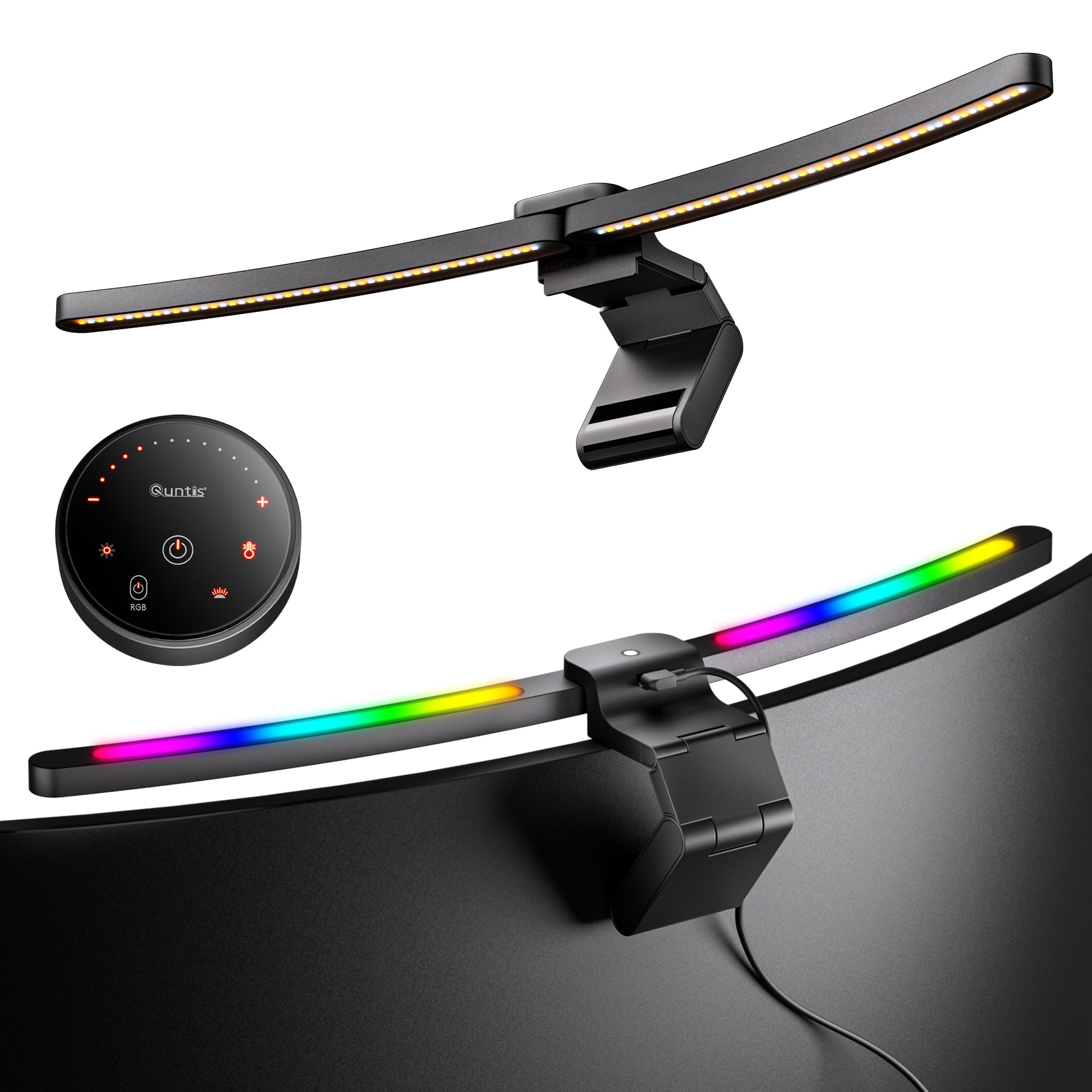
The Quntis ScreenLinear bar extends 26 inches to match 34-inch and larger ultrawide monitors with 1000R to 3000R curvature. Its patented clamps grip screens up to 3.35 inches thick without scratching, and the 45-degree asymmetrical optical design directs light onto the desk surface—not into your eyes or onto the display. The RA98 color rendering index ensures text and graphics look natural under warm or cool white.
A built-in ambient light sensor automatically adjusts brightness as room lighting changes, which is particularly useful for late-night sessions. The foldable dual-light design lets you aim a focused 1400-lux spot for detailed work while the secondary RGB backlight casts colored bias light against the wall. Stepless dimming from 3000K to 6500K covers warm reading to cool concentration tones. The included right-angle USB-C cable leaves room for a webcam mount above the monitor.
Setup took under two minutes—no tools, no adhesive. The reinforced three-section clamp held securely even when the desk was bumped. Some users noted the all-plastic puck controller feels less premium than the aluminum light bar body, and the remote requires a CR2032 battery with a constantly-on LED indicator. For ultrawide owners who want even, glare-free desk illumination with eye-protection certification (RG0), this is the top contender.
Why it’s great
- Perfect 26-inch span for ultrawide curved monitors
- Auto-dimming sensor reduces eye strain hands-free
- RA98 CRI delivers accurate color rendering
Good to know
- Plastic remote controller feels less durable
- Remote battery indicator stays on constantly
- Heavier build may need snug clamp adjustment
3. FIFINE AmpliGame Stream Controller D6

The FIFINE D6 packs 15 customizable LCD macro keys into a compact chassis that fits beside any keyboard. Each key displays a custom icon or label through the AmpliGame software, which supports drag-and-drop assignment for OBS Studio, Streamlabs, Twitch, and YouTube. Scene switches, mute toggles, transition triggers, and audio level adjustments become single-press actions, eliminating the need to tab out of a game or stream.
Build quality is unexpectedly solid for the price—the rubberized base grips the desk without sliding, and the tactile keys have enough resistance to prevent accidental presses during intense gaming. The nine-mode RGB ring around the perimeter is customizable through the Genie software, though the LEDs are noticeably dimmer than FIFINE’s own AM8 microphone and SC8 mixer. The USB-C connection is convenient, and the controller works plug-and-play on both Mac and PC after installing the companion app.
Streamers and content creators will appreciate the visual feedback: pressing a key triggers an on-screen confirmation and the LCD icon updates instantly. The folder system lets you create nested menus for different games or productivity apps. Some users reported slight button wobble due to key travel distance, but this is a trade-off for the tactile feedback that prevents misfires. For multi-taskers who regularly jump between editing, streaming, and office work, the D6 streamlines repetitive workflows.
Why it’s great
- 15 programmable LCD keys with custom icons
- Drag-and-drop software works with OBS, Streamlabs, Twitch
- Tactile button feel prevents accidental presses
Good to know
- RGB lighting is dimmer than other FIFINE gear
- Keys have slight wobble due to travel distance
- Software requires firmware update before initial use
4. AsiaHorse Hydrus-24PIN PSU Extension Cable
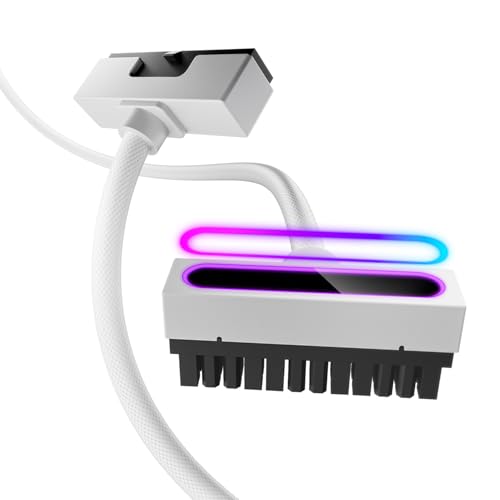
The Hydrus-24PIN extension replaces the chunky ribbon-style motherboard cable with a sleeved, 18AWG copper wire that bends more cleanly inside the case. Its 90-degree right-angle connector presses flat against the motherboard header, reducing strain on the port and freeing vertical space for GPU cable routing. The white braided finish with a diamond-pattern texture adds subtle depth under direct light without looking garish.
Each 30-centimeter extension supports up to 900 watts per single wire and a combined 2500-watt system rating, making it safe for high-draw builds with RTX 40-series cards. The ARGB lighting syncs with motherboard software or a separate hub, offering color options and dynamic modes that match the rest of the build. The PVC insulation is rated for over 40,000 bends, and the brass-tin-plated terminals resist corrosion and high-temperature degradation.
Installation is straightforward—the cable is an extension, not a replacement, so it plugs directly into the existing PSU cable. Users reported no power delivery issues or performance drops after installation. The only limitation is that the 90-degree design is fixed, so the cable exit direction must be planned before routing. For DIY builders who want a clean, low-profile 24-pin connection without the wide ribbon look, this extension delivers a polished finish.
Why it’s great
- 90-degree connector reduces motherboard port strain
- 18AWG copper wire handles up to 900W per lead
- ARGB syncs with motherboard software
Good to know
- Fixed 90-degree angle requires careful routing
- Not a modular replacement cable
- White color shows dust more easily
5. Univivi No Drill Under Desk Cable Management Tray
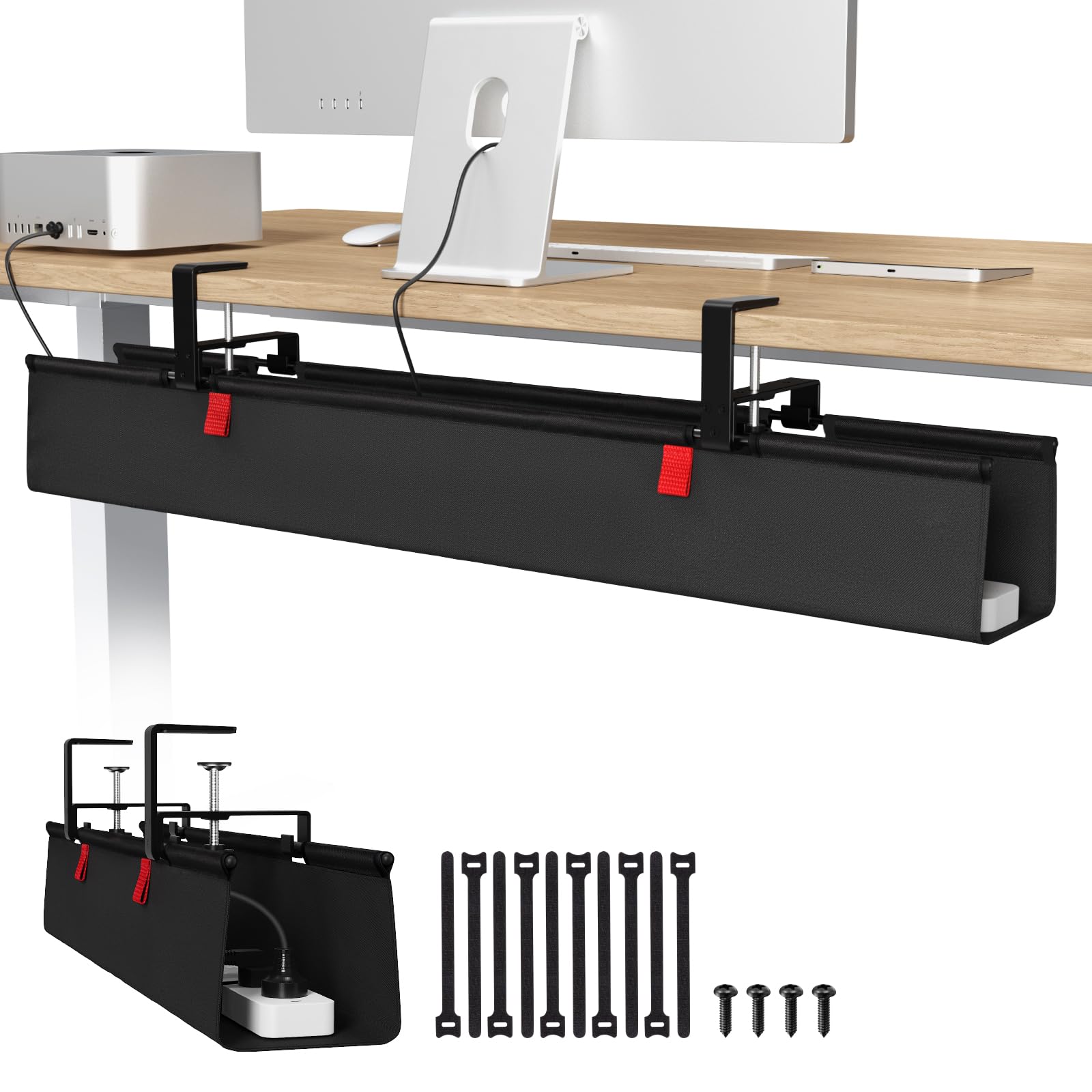
The Univivi tray uses heavy-duty metal clamps that attach to the desk edge without drilling—making it ideal for glass-top desks, rental apartments, or anyone avoiding permanent modifications. The 36-inch x 5.5-inch 600D oxford fabric sling unrolls and hooks onto the brackets, providing a deep pocket that swallows power strips, USB hubs, and tangled cables. Built-in Velcro straps secure individual adapters so nothing shifts when you adjust the desk.
The flame-retardant fabric is a smart safety feature for power strips running at full load. The bottom support bar prevents sagging even when the tray is packed with heavy adapters. The clamp design requires at least 5.3 inches of clearance along the table edge—desks with built-in drawers or back rods may not have room for the clips. Installation took about 10 minutes: tighten the brackets, snap the tray hooks on, and route the cables.
Users praised the instant visual cleanup—once cables are hidden, the desk surface feels twice as large. The fabric is breathable, which helps prevents heat buildup around power bricks. Some noted that the Velcro on the inside can overlap outlet access depending on power strip placement, so it’s worth planning which outlets you need to reach regularly before securing everything.
Why it’s great
- No-drill clamp installation works on glass and wood desks
- Flame-retardant 600D fabric for safety
- Holds full power strips and large adapters securely
Good to know
- Requires 5.3-inch clearance along desk edge
- Velcro may block outlet access depending on placement
- Fabric sling isn’t rigid—hangs below desk
6. OUTIOE Dual Monitor Stand
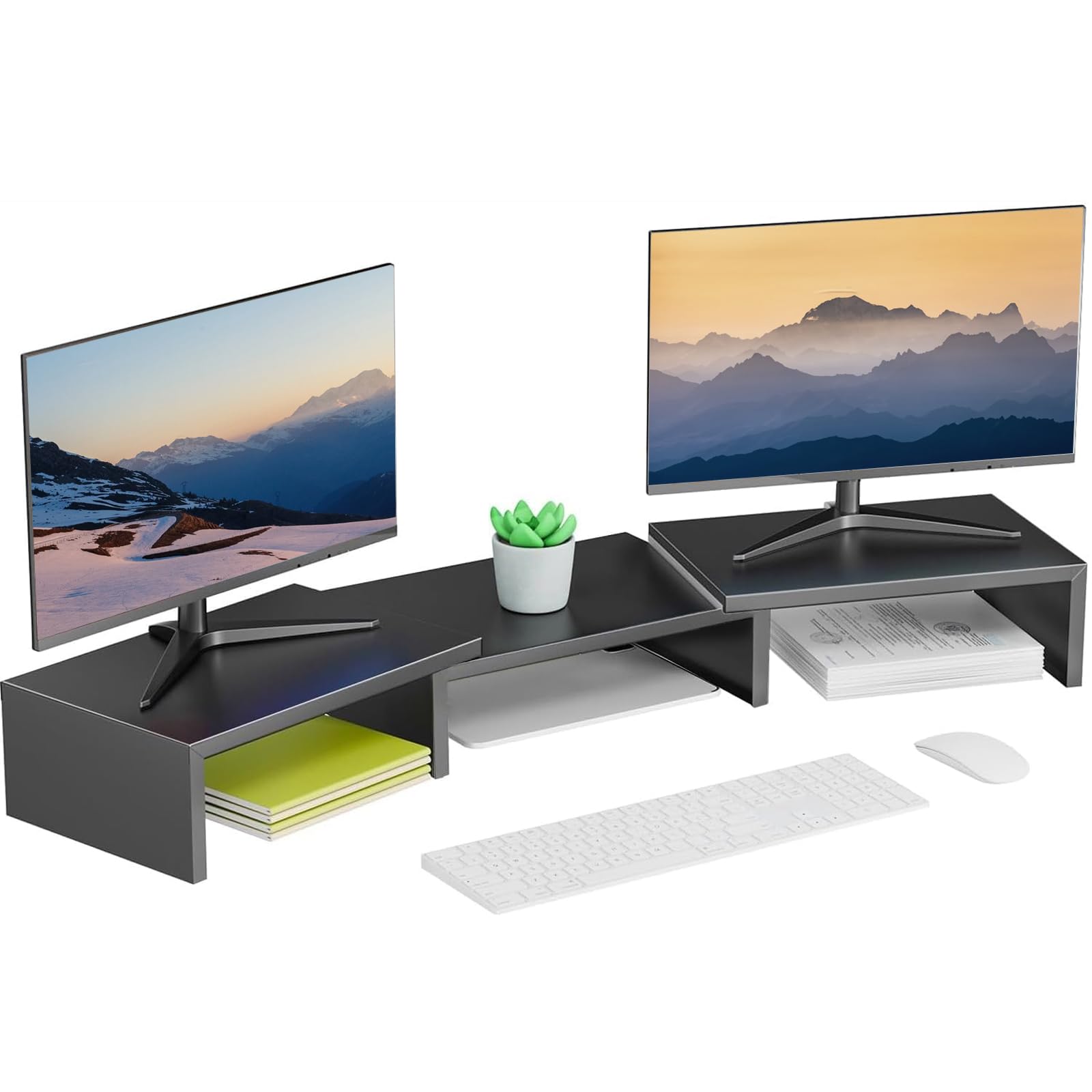
This powder-coated carbon steel riser comes fully assembled—unbox it, place it on the desk, and set both monitors on top. The 40-inch width accommodates two standard 24-inch displays side by side, while the 4.27-inch height lifts screens to ergonomic eye level. Anti-slip rubber strips on the top and foot pads underneath prevent the monitors or the stand itself from shifting during use.
The open rectangular design creates a 9-inch deep shelf underneath that fits a keyboard, notebook, or small peripherals, effectively adding usable desk space. Each side shelf slides independently, letting you adjust the gap width to control footprint and storage volume. The 2.31-kilogram metal build feels substantial—owners reported holding two 27-inch monitors without noticeable flex or wobble.
At this price point, the OUTIOE stand competes with plastic risers that warp over time. The carbon steel construction and powder-coated finish resist scratches and rust. The only catch is the fixed height: 4.27 inches works for most users, but taller individuals may want additional lift. For a zero-effort ergonomic fix that instantly clears desktop clutter, this metal riser is a practical entry point.
Why it’s great
- Pre-assembled, ready to use out of the box
- Carbon steel construction holds dual monitors securely
- Adjustable side shelves customize storage footprint
Good to know
- Fixed 4.27-inch height not adjustable
- Bulky for smaller desks
- Black finish may show dust and fingerprints
7. OAPRIRE Acrylic RGB Headphone Stand
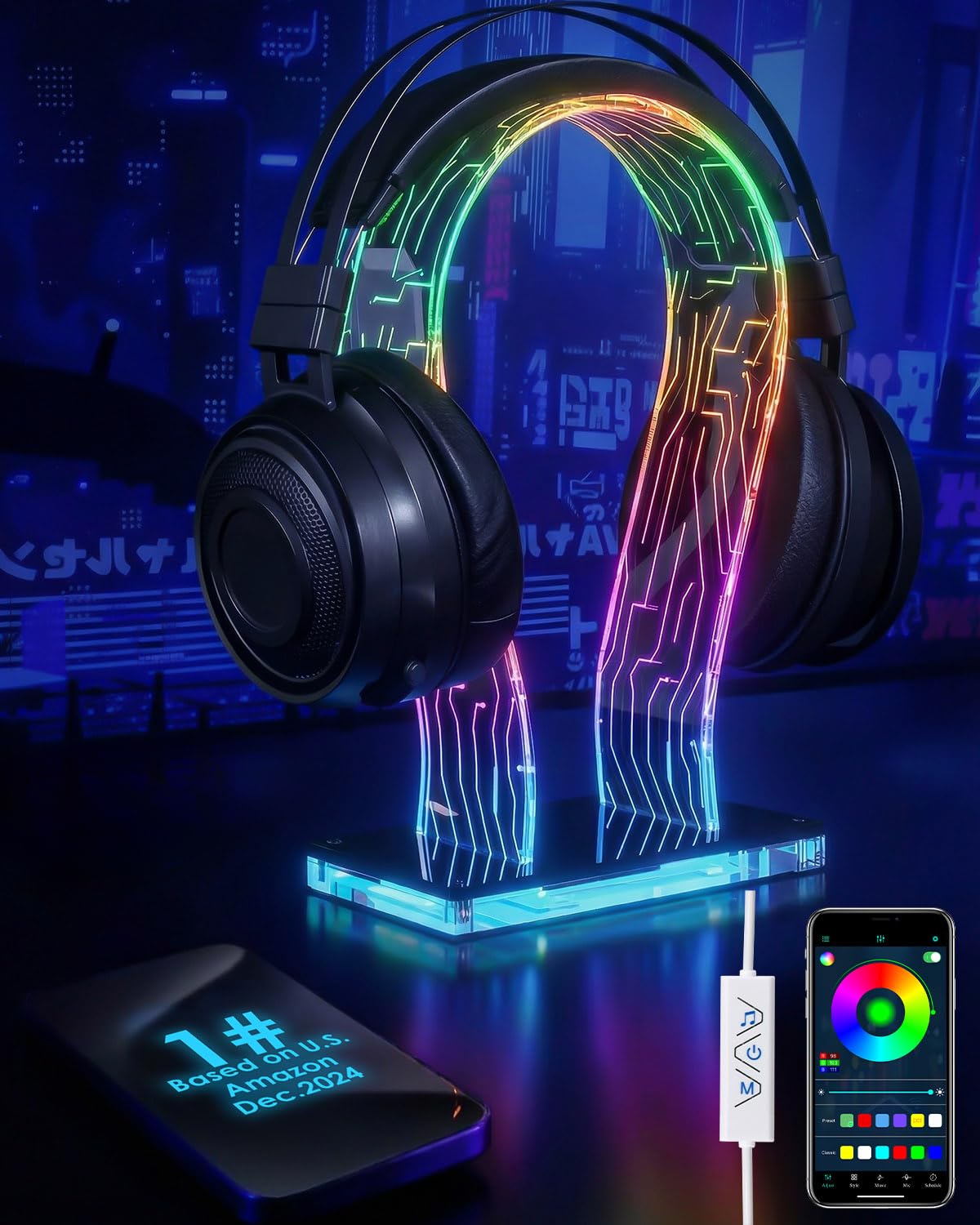
The OAPRIRE stand combines a clear acrylic tower with a weighted base and rubber anti-slip feet to securely hold large gaming headsets without tipping. Its standout feature is the 213 lighting modes with 60,000 color options, controllable through a wired remote or a smartphone app. The lights can sync to music rhythms, pulsing and shifting in real time to audio cues, which adds dynamic flair to any desk setup.
The USB-powered design draws power through a 4.8-foot cable, and the stand assembles in under a minute by screwing the acrylic pieces together. An ergonomic curved top prevents scratches on headphone headbands, and the open tower design accommodates different headset sizes, from lightweight chat headsets to chunky gaming cans. The app provides granular control over brightness, pattern, and speed—no need to open a PC software launcher.
Users praised the visual polish it adds to a gaming or office desk, noting that the RGB is evenly diffused through the clear acrylic. The weighted base is heavy enough that even a 400-gram headset won’t cause wobble during cable adjustments. The only downside is the wired controller’s placement—if the cable is too short, the controller sits near the base rather than on the desk surface, making quick mode changes less convenient.
Why it’s great
- 213 RGB modes with music sync for immersive ambiance
- Weighted base and anti-slip feet prevent tipping
- USB-powered, easy 1-minute assembly
Good to know
- Wired controller placement can be inconvenient
- Acrylic is prone to scratches if moved frequently
- No app control for Linux users
FAQ
Will a monitor light bar work on a curved ultrawide screen?
How do I know if a PSU extension cable is safe for my power supply?
Can I use a no-drill cable tray on a glass desk?
Why does my RGB headphone stand light look uneven?
Final Thoughts: The Verdict
For most users, the best accessories for pc winner is the Govee Gaming Light G1 because it delivers real-time RGBIC screen color matching that transforms gaming immersion without requiring a second monitor or expensive Philips Hue sync box. If you want eye-care lighting for an ultrawide curved monitor, grab the Quntis Curved Monitor Light Bar with its auto-dimming sensor and RA98 color accuracy. And for streamers managing multiple scenes and audio sources, nothing beats the tactile efficiency of the FIFINE AmpliGame D6.