
Finding a gaming laptop that balances a low price tag with genuine gaming performance is a high-wire act. Most budget machines pack an entry-level GPU that struggles with modern titles, cheap out on RAM to hit a number, or use a display that ruins immersion with ghosting. The real challenge isn’t finding a laptop under a certain cost—it’s finding one where the manufacturer didn’t cut the wrong corners.
I’m Min — the co-founder and writer behind Gadgets Feed. I’ve spent countless hours dissecting spec sheets, cross-referencing benchmark data, and analyzing hundreds of verified buyer reviews to separate the true value picks from the marketing traps in this narrow price tier.
After weeks of deep research into CPU generations, GPU wattage limits, display refresh rates, and upgrade paths, I’ve built this guide to the best cheap gaming laptop options that actually deliver playable frame rates without hidden compromises.
How To Choose The Best Cheap Gaming Laptop
The phrase “cheap gaming laptop” usually means a compromise between graphical fidelity, build quality, and portability. Understanding which compromises are acceptable and which are deal-breakers is the key to a satisfying purchase.
Prioritize the GPU Over the CPU
In this price band, the dedicated graphics card is the single most important component. An NVIDIA GeForce GTX 1650 or RTX 3050 will deliver playable frame rates at 1080p, while a system relying on integrated Radeon or Intel UHD graphics will choke on anything beyond esports titles. Look for a dedicated GPU with at least 4GB of VRAM—this is the bare minimum for textures in modern games.
RAM Isn’t Optional—It’s a Bottleneck
Many budget laptops ship with only 8GB of DDR4 or DDR5 memory. While 8GB is enough for Windows 11 and a single browser tab, most AAA games will push the system into page-file territory, causing stutter. The best cheap gaming laptop you can buy will either come with 16GB or have an accessible SO-DIMM slot for a future upgrade. 8GB is a starting point; 16GB is the practical floor for a smooth experience.
Refresh Rate Matters More Than Resolution
At this price, a 1080p display is standard, but refresh rate varies wildly. A 60Hz panel is fine for strategy games, but a 120Hz or 144Hz screen makes first-person shooters and racing games feel dramatically smoother. The difference between 60 FPS and 120 FPS is not a luxury—it’s a competitive edge and a reduction in eye strain during long sessions.
Thermal Design and Build Quality
A cheap gaming laptop that thermal-throttles is a bad value regardless of its specs. Look for models with dual-fan setups and multiple heat pipes. The chassis material matters less than the cooling solution. A plastic chassis with excellent ventilation will outperform a metal one that suffocates the hardware. Check reviews for mentions of sustained clock speeds during gaming, not just peak benchmarks.
Quick Comparison
On smaller screens, swipe sideways to see the full table.
| Model | Category | Best For | Key Spec | Amazon |
|---|---|---|---|---|
| Acer Nitro V ANV15-52-586Z | Premium Budget | Best Overall | RTX 4050, 165Hz, 8GB DDR5 | Amazon |
| ASUS TUF Gaming A15 FA506NC-ES51 | Premium Budget | Durability & Cooling | RTX 3050, 144Hz, 8GB DDR5 | Amazon |
| NIMO N158 (Ryzen 7 8745HS) | Mid-Range | Ultra-Portable Creator | Radeon 780M, USB4, 16GB DDR5 | Amazon |
| HP Victus 15 (Ryzen 5 7535HS) | Mid-Range | Value with 144Hz | RTX 2050, 144Hz, 16GB DDR5 | Amazon |
| MSI Thin (i5-13420H, RTX 3050) | Mid-Range | Thin & Light Gaming | RTX 3050, 144Hz, 16GB DDR4 | Amazon |
| HP Victus 15 (i5-12500H) | Mid-Range | Intel Power on a Budget | RTX 3050, FHD, 8GB DDR4 | Amazon |
| NIMO N15A (Ryzen 7 Pro 6850U, 32GB) | Mid-Range | Max RAM & Storage | Radeon 680M, 32GB LPDDR5, 1TB | Amazon |
| Lenovo Gaming (Ryzen 5 7535HS) | Value | Best Battery Life | Radeon 660M, 16GB DDR5, 512GB | Amazon |
| MSI GF63 (i5-10300H) | Budget | Entry-Level Gaming | GTX 1650, 8GB DDR4, 256GB | Amazon |
| MSI GF63 Thin (i5-9300H) | Budget | Proven Budget Workhorse | GTX 1650 Max-Q, 8GB DDR4 | Amazon |
| Apple MacBook Neo 13 (A18 Pro) | Premium Ultrabook | Productivity & Casual Gaming | A18 Pro, 16h battery, 512GB | Amazon |
| NIMO N15A (Ryzen 7 Pro 6850U, backlit) | Budget | Backlit Keyboard Value | Radeon 680M, 32GB LPDDR5, 1TB | Amazon |
| KAIGERR (Ryzen R2544) | Budget | Light Work & Media | Integrated UHD, 16GB DDR4 | Amazon |
In‑Depth Reviews
1. Acer Nitro V ANV15-52-586Z

The Acer Nitro V punches well above its price tier by pairing a 13th Gen Intel Core i5-13420H with the significantly more powerful NVIDIA GeForce RTX 4050 laptop GPU. This is the only machine in its price range to feature an RTX 4050—a GPU that supports DLSS 3.5 with frame generation, giving it a clear advantage over RTX 3050 competitors in titles like Cyberpunk 2077 and Hogwarts Legacy.
The 15.6-inch FHD IPS display features a 165Hz refresh rate, which is exceptional for the category and ensures buttery-smooth motion in fast-paced games. The 82.64% screen-to-body ratio makes the chassis feel more modern than many budget rivals. A Thunderbolt 4 port, Wi-Fi 6, and Killer Ethernet E2600 round out a surprisingly robust connectivity suite.
The biggest catch is the 8GB of DDR5 memory—it’s the bare minimum and will cause stutter in memory-heavy titles. The two SO-DIMM slots support up to 32GB, so budget for a RAM stick upgrade. The 512GB Gen 4 SSD is fast but fills quickly with modern game installs. The cooling system is adequate but can get loud under sustained load, though the NitroSense software gives you granular fan control.
Why it’s great
- RTX 4050 delivers DLSS 3.5 frame-gen for a massive FPS boost in supported games.
- 165Hz IPS display is the fastest in this price tier, with good color and minimal ghosting.
- Thunderbolt 4, Wi-Fi 6, and Killer Ethernet provide future-proof connectivity.
Good to know
- 8GB RAM is insufficient; a 16GB upgrade is essentially mandatory for smooth gameplay.
- Fans ramp up noticeably under load; gaming with headphones is recommended.
- Battery life is limited to 2-3 hours for gaming and about 5 hours for light use.
2. ASUS TUF Gaming A15 FA506NC-ES51

The ASUS TUF Gaming A15 distinguishes itself with MIL-STD-810H certification, meaning it passed drop, vibration, humidity, and extreme temperature tests. This is the only budget gaming laptop you can accidentally knock off a desk and expect to survive. The AMD Ryzen 5 7535HS pairs with an RTX 3050 running at up to 70W TGP with Dynamic Boost, giving it a measurable performance edge over lower-wattage implementations.
The 15.6-inch FHD 144Hz display includes Adaptive-Sync technology, which eliminates screen tearing during gameplay by synchronizing the display’s refresh rate with the GPU’s frame output. The Arc Flow Fans with 84 blades each provide efficient cooling without excessive noise, and the keyboard features a four-zone RGB backlight that adds a gamer aesthetic without looking cheap.
As with many in this tier, the 8GB of DDR5-5600MHz is insufficient for modern AAA gaming. The good news is the RAM is upgradeable via two SO-DIMM slots. The 512GB PCIe 4.0 SSD is adequate but not spacious. Battery life is a weak point—expect around 2 hours of browsing and under 1 hour of gaming on battery. The speakers are mediocre, but the headphone jack output is clean.
Why it’s great
- MIL-STD-810H certification means exceptional build durability for a budget laptop.
- Adaptive-Sync on the 144Hz display eliminates tearing without V-Sync input lag.
- 70W RTX 3050 with Dynamic Boost outperforms lower-wattage Max-Q variants.
Good to know
- 8GB RAM is a choke point; plan for a 16GB upgrade immediately.
- Battery life is poor—under 2 hours for general use and less than an hour for gaming.
- Plastic build feels less premium than metal-chassis alternatives.
3. NIMO N158 (Ryzen 7 8745HS)

The NIMO N158 is a fascinating hybrid: it uses the AMD Ryzen 7 8745HS processor with integrated Radeon 780M graphics, which is roughly on par with a GTX 1650 for gaming but in a much thinner, lighter chassis. This isn’t a dedicated GPU machine, but the 780M is powerful enough for 1080p esports titles like Valorant and Rocket League at high settings, and it can handle lighter AAA games at medium presets.
The real differentiator here is the USB4 port, which supports external GPU enclosures. This means you can buy the laptop today for its portability and excellent 16GB DDR5 RAM and 1TB PCIe 4.0 SSD, then plug in a desktop-class GPU later for serious 4K rendering or VR gaming. The 15.6-inch FHD IPS display is good, and the 180-degree hinge makes sharing presentations easy. Weight is under 2.1 kg, making it one of the most portable options in this guide.
The Radeon 780M is an integrated solution, so it shares system RAM and won’t match a dedicated RTX 3050 in raw rasterization. The build quality is good but not MIL-STD-rated. The 58Wh battery delivers around 6-7 hours of light use, which is better than most gaming laptops. The keyboard is backlit and comfortable for long typing sessions, but the trackpad is average.
Why it’s great
- USB4 port enables future eGPU upgrades for desktop-grade gaming performance.
- 16GB DDR5 and 1TB SSD provide generous out-of-box specs with upgrade headroom.
- Ultra-light 2.1kg chassis with 180-degree hinge is ideal for students and mobile creators.
Good to know
- Integrated Radeon 780M is weaker than dedicated RTX 3050 for demanding AAA games.
- No dedicated GPU means VRAM is shared with system memory, limiting texture quality.
- Build quality feels good but not rugged; plastic elements are present in the chassis.
4. HP Victus 15 (Ryzen 5 7535HS, RTX 2050)

The HP Victus 15 with the Ryzen 5 7535HS is one of the few budget laptops that ships with a full 16GB of DDR5 RAM out of the box, which immediately eliminates the biggest bottleneck in this category. The NVIDIA GeForce RTX 2050 is a lower-tier GPU than the RTX 3050, but paired with 16GB of memory and a 144Hz anti-glare display, it delivers a surprisingly smooth experience in esports and mid-tier AAA titles.
The AMD Ryzen 5 7535HS is a 6-core, 12-thread processor with a 4.55GHz boost clock that handles multitasking and streaming without breaking a sweat. The 144Hz anti-glare display is excellent for the price, reducing eye strain during long sessions. Connectivity is solid with Wi-Fi 6, Bluetooth 5.2, HDMI 2.1, and a USB-C port. The Bang & Olufsen speakers are notably above average for a budget gaming laptop.
The RTX 2050 is based on the older Turing architecture, not the newer Ampere, meaning it lacks DLSS support. This makes it noticeably slower than an RTX 3050 in ray-traced or DLSS-enabled titles. Battery life is unimpressive at 3-5 hours for office work and under 2 hours for gaming. The fans are always on, even at idle, which may annoy some users in quiet environments.
Why it’s great
- 16GB DDR5 RAM out of the box eliminates the need for an immediate upgrade.
- 144Hz anti-glare display is smooth and reduces reflections in bright rooms.
- Bang & Olufsen speakers provide above-average audio quality for a budget laptop.
Good to know
- RTX 2050 lacks DLSS support and is slower than the RTX 3050 in modern games.
- Fans are always active, creating a constant low hum even during light tasks.
- Battery life is on the lower end; expect to stay plugged in for gaming sessions.
5. MSI Thin (i5-13420H, RTX 3050)

The MSI Thin lives up to its name with a slim profile that doesn’t scream “gaming laptop,” making it suitable for professional environments. Inside, it packs a 13th Gen Intel Core i5-13420H and an NVIDIA GeForce RTX 3050 with 4GB of GDDR6 VRAM. The 15.6-inch FHD display has a 144Hz refresh rate, and the 16GB of DDR4 RAM is a welcome upgrade over the 8GB standard in this price bracket.
Performance is solid for 1080p gaming: Dota 2 and Rocket League run at maximum settings without breaking a sweat, and more demanding titles like Marvel Rivals are playable at medium-high presets. The 512GB NVMe SSD offers fast load times, and the minimalist gray design with a subtle MSI logo makes it the most discrete gaming laptop in this lineup. The keyboard has good key travel and a clean, white backlight.
The main trade-off for the thin chassis is thermal performance. Under sustained gaming loads, the top panel can become uncomfortably hot, and the fans ramp up significantly. Battery life is the weakest in this tier—expect only 45-60 minutes of gaming and 2-3 hours of video playback on a full charge. The build is mostly plastic, which helps with weight but doesn’t feel as premium as the price suggests.
Why it’s great
- Slim, understated design fits into professional settings without drawing attention.
- 144Hz display and 16GB RAM provide a smooth out-of-box experience for most games.
- RTX 3050 handles 1080p gaming at medium-to-high settings in most current titles.
Good to know
- Thermal throttling is a concern; sustained gaming causes high chassis temperatures.
- Battery life is very poor: under 1 hour for gaming and around 2.5 hours for video.
- Plastic build feels less durable than the ASUS TUF or more expensive alternatives.
6. HP Victus 15 (i5-12500H, RTX 3050)

The HP Victus 15 with the 12th Gen Intel Core i5-12500H is a compelling entry-level gaming laptop that combines a powerful hybrid architecture CPU with the reliable NVIDIA GeForce RTX 3050. The 12500H features 4 performance cores and 8 efficiency cores (12 cores, 16 threads total), giving it exceptional multi-threaded performance for video encoding, streaming, and background tasks while gaming.
The 1080p IPS display offers good viewing angles and color reproduction, though it’s limited to 60Hz. The build quality is decent for the price, with a clean silver finish that looks more like a productivity laptop than a gaming rig. The backlit keyboard is comfortable, and the enhanced thermal design keeps the CPU and GPU from throttling during extended gaming sessions, with temperatures staying below 60°C in many scenarios.
The biggest limitation here is the 8GB of RAM—8GB is simply not enough for modern gaming, and you will see stutter in games like Call of Duty or Assassin’s Creed. Fortunately, the RAM is upgradeable. The 512GB SSD is standard for the class. Battery life is mediocre at 2-3 hours for gaming and around 4-5 hours for light use. The 60Hz display is a missed opportunity; a 120Hz panel at this price would have been ideal.
Why it’s great
- 12th Gen i5-12500H offers excellent multi-core performance for streaming and multitasking.
- Enhanced thermal design keeps temperatures under control during long gaming sessions.
- Clean, professional design with a backlit keyboard that looks good in any setting.
Good to know
- 8GB RAM is the bare minimum and will bottleneck performance in demanding games.
- 60Hz display limits the smoothness advantage even when the GPU can push higher FPS.
- Battery life is unremarkable; plan to keep the power adapter handy.
7. NIMO N15A (Ryzen 7 Pro 6850U, 32GB RAM, 1TB)

The NIMO N15A redefines what “budget” means by offering a staggering 32GB of LPDDR5 RAM and a 1TB PCIe 4.0 SSD at a price point where competitors deliver half that. The AMD Ryzen 7 Pro 6850U is an 8-core, 16-thread processor with integrated Radeon 680M graphics, which is roughly comparable to a GTX 1650 for gaming while drawing significantly less power. This makes the N15A a dual-purpose machine: a productivity powerhouse with a generous spec sheet that can also handle light gaming.
The 15.6-inch FHD IPS display has an 85% screen-to-body ratio, making it feel more modern than many budget offerings. The 100W USB-C fast charging is a standout feature—15 minutes of charging delivers up to 2 hours of use, and the charger is compact enough to fit in a small bag. The fingerprint reader and backlit keyboard add convenience, and the aluminum-look chassis feels more premium than its price suggests.
The integrated Radeon 680M graphics are not a replacement for a dedicated GPU in demanding games. It will play Sims 4 with all expansions smoothly and run older titles at medium settings, but don’t expect to play Cyberpunk 2077 or Starfield at high details. The RAM and storage are generous, but the GPU is the bottleneck for modern AAA gaming. The trackpad is functional but not precision-class, and there’s no dedicated ethernet port.
Why it’s great
- 32GB LPDDR5 RAM is overkill for gaming but incredible for productivity and multitasking.
- 1TB PCIe 4.0 SSD provides ample storage and lightning-fast load times.
- 100W USB-C fast charging is fast and portable; 15-minute top-ups are genuinely useful.
Good to know
- Integrated Radeon 680M is roughly GTX 1650-level, limiting AAA gaming potential.
- No dedicated GPU means no VRAM for high-resolution textures in demanding games.
- Trackpad quality and placement may frustrate users accustomed to premium glass trackpads.
8. Lenovo Gaming (Ryzen 5 7535HS, 16GB DDR5)
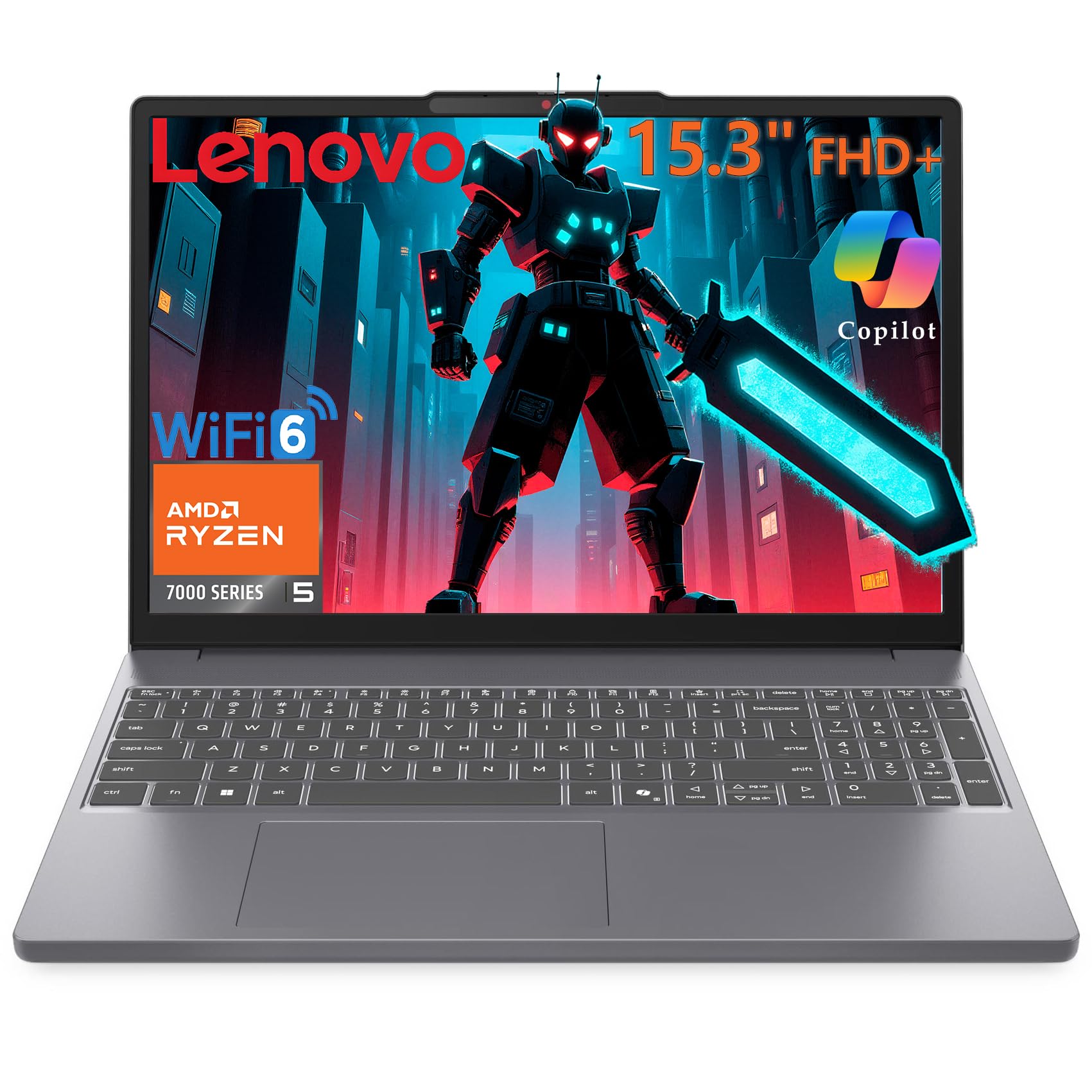
The Lenovo Gaming Laptop offers a unique value proposition: a 15.3-inch 1920×1200 WUXGA IPS display with a 16:10 aspect ratio, which provides more vertical screen space than the standard 16:9 panels on competing laptops. The AMD Ryzen 5 7535HS processor handles gaming and productivity effectively, and the 16GB of DDR5 RAM is a welcome spec that removes the need for an immediate upgrade.
The keys to its versatility are the integrated AMD Radeon 660M graphics, which are more power-efficient than a dedicated GPU. This means the laptop runs cooler and quieter during light use, and the battery life is notably better than any machine with an RTX 3050. The 512GB PCIe SSD is fast, and the aluminum chassis in Luna Grey looks professional and weighs a manageable 4.08 lbs. Wi-Fi 6 and Bluetooth 5.3 are current-gen standards.
The Radeon 660M is not as powerful as a dedicated GTX 1650, let alone an RTX 3050. It’s suitable for esports titles like CS2, Valorant, and League of Legends at medium-high settings, but it will struggle with modern AAA games. The absence of a dedicated GPU limits the “gaming” label somewhat. The trackpad is serviceable, and the 16GB of RAM is shared with the GPU, reducing available memory for other tasks during gaming.
Why it’s great
- 16:10 display provides extra vertical space, ideal for productivity and document work.
- 16GB DDR5 RAM ensures smooth multitasking without stutter.
- Better battery life than dedicated-GPU laptops, lasting through a full workday of light use.
Good to know
- Integrated Radeon 660M is weaker than both the GTX 1650 and RTX 3050.
- No dedicated GPU means gaming performance is capped at esports and older titles.
- Some units may have shared memory bandwidth issues during memory-intensive gaming.
9. MSI GF63 (i5-10300H, GTX 1650)

The MSI GF63 with the 10th Gen Intel Core i5-10300H and NVIDIA GeForce GTX 1650 is a well-established budget gaming laptop that has proven its reliability over time. The GTX 1650 with 4GB of dedicated VRAM is the baseline for entry-level 1080p gaming, capable of running Fortnite, Apex Legends, and Minecraft at high settings with solid frame rates. For older AAA titles from 2018-2020, medium settings are perfectly playable.
The 15.6-inch IPS display at 1920×1080 has good color reproduction, and the 256GB PCIe NVMe SSD is fast for boot times and game loading. The design is understated, making it suitable for school or work environments. The Dragon Center software allows for easy fan speed adjustment, and many users report that upgrading the RAM and SSD themselves gives this laptop a second life.
The 10th Gen i5-10300H is showing its age compared to newer 12th and 13th Gen chips, and the 8GB of RAM is a significant bottleneck for modern games. The GTX 1650 lacks features like ray tracing and DLSS, which means it won’t support newer graphical enhancements. Battery life is rated at 7 hours but realistic use is closer to 4 hours.
Why it’s great
- Proven, reliable design with a strong track record of user satisfaction and longevity.
- GTX 1650 handles 1080p esports and older AAA games at medium-high settings well.
- Understated black design fits into professional and academic environments discreetly.
Good to know
- 8GB RAM is insufficient for modern AAA gaming; an upgrade to 16GB is recommended.
- GTX 1650 lacks ray tracing and DLSS support, limiting graphical options in newer games.
- 256GB SSD is small; you’ll need to manage storage carefully or upgrade the drive.
10. MSI GF63 Thin (i5-9300H, GTX 1650 Max-Q)

The MSI GF63 Thin is an older but still capable budget gaming laptop built around the 9th Gen Intel Core i5-9300H and the NVIDIA GeForce GTX 1650 Max-Q. The “Max-Q” designation means this GPU is tuned for efficiency and a slimmer chassis, which results in slightly lower performance than the standard GTX 1650. For 1080p gaming in titles from 2019 and earlier, it still delivers a very playable experience.
The 15.6-inch FHD IPS display with thin bezels looks good, and the 256GB NVMe SSD provides snappy responsiveness. The laptop’s thin and lightweight design (weighing under 4.1 lbs) makes it genuinely portable—a rarity for gaming laptops. Users consistently praise its ease of use for games like The Sims 4 and older titles, and the build quality has proven reliable over years of ownership with many units still going strong after RAM and SSD upgrades.
The 9th Gen i5-9300H is now several generations behind, and its single-threaded performance lags behind newer options. The GTX 1650 Max-Q is the weakest GPU in this guide, and modern AAA games like GTA V may struggle or crash, as some users have reported. The battery life is poor, and the 8GB of RAM is a bottleneck. The laptop runs hot under load, though the fan noise is manageable. It’s strictly for light or older gaming.
Why it’s great
- Slim and lightweight design makes it one of the most portable budget gaming options.
- Decent entry-level performance for esports, The Sims, and games from 2019 and earlier.
- Proven build reliability; many units remain in active use after several years with upgrades.
Good to know
- GTX 1650 Max-Q is slower than the standard GTX 1650 and much slower than RTX options.
- 9th Gen i5 is dated; suffers in CPU-intensive titles like strategy and simulation games.
- 8GB RAM and 256GB SSD are both undersized for modern gaming without upgrades.
11. Apple MacBook Neo 13 (A18 Pro)

The Apple MacBook Neo 13 with the A18 Pro chip is not a traditional gaming laptop, but it’s included here because its performance in certain gaming scenarios is surprisingly strong, especially for macOS-native titles, Apple Arcade games, and console-emulated retro games. The A18 Pro’s integrated GPU is powerful enough to run games like Sims 4 smoothly and can even emulate GameCube and PS2 titles effectively, making it a valid option for a subset of gamers.
The 13.6-inch Liquid Retina display with a 2408×1506 resolution is stunning, offering vivid colors, crisp text, and 500 nits of brightness. The build quality is premium with a durable aluminum chassis, and the battery life is exceptional at up to 16 hours. The 512GB SSD is ample for a casual game library, and Touch ID adds convenience. The system runs macOS Sequoia, which benefits from excellent power management and thermal efficiency.
The MacBook Neo is severely limited by its game library—most AAA PC games are not available on macOS or require workarounds. The 8GB of unified memory is shared between the system and GPU, and while Apple’s memory architecture is efficient, it’s still a constraint for demanding games. The lack of a backlit keyboard on the base model is a surprising omission. It’s an excellent laptop for productivity and casual gaming, but a poor choice for someone whose primary goal is gaming.
Why it’s great
- Premium build quality, stunning Liquid Retina display, and exceptional 16-hour battery life.
- A18 Pro chip handles macOS games, Apple Arcade, and console emulation with ease.
- Ecosystem integration with iPhone and iPad is seamless for creative and productivity workflows.
Good to know
- Extremely limited native game library for AAA titles; PC gaming compatibility is poor.
- 8GB unified memory is insufficient for demanding creative or gaming workloads.
- No backlit keyboard on the base model; this is a notable omission for a laptop at this price.
12. NIMO N15A (Ryzen 7 Pro 6850U, Backlit Keyboard)

This NIMO N15A variant is nearly identical to the previous model, with the key differentiator being the inclusion of a backlit keyboard and a 175-degree flexible hinge. Powered by the same AMD Ryzen 7 Pro 6850U with Radeon 680M graphics, it offers 32GB of LPDDR5 RAM and a 1TB PCIe 4.0 SSD. It’s built for users who need a backlit keyboard for late-night work or study sessions without external lighting.
The 15.6-inch FHD anti-glare display reduces eye strain during long work sessions, and the 175-degree hinge makes it easy to share the screen in collaborative environments. The dual full-function USB-C ports support power delivery, display output, and data transfer at up to 10Gbps, making it a versatile hub for peripherals. The fingerprint reader on the touchpad adds a layer of biometric security that is convenient for logging in.
The Radeon 680M remains an integrated GPU, so its gaming performance is capped at the level of a GTX 1650. It runs Baldur’s Gate 3 at high settings at playable frame rates, but demanding AAA titles will require lower settings. The build quality, while functional, feels less premium than the aluminum MacBook Neo, and the trackpad is not as responsive as a precision glass trackpad. The 9-hour battery life is excellent for a budget laptop.
Why it’s great
- Backlit keyboard with adjustable lighting makes typing in the dark effortless.
- Generous 32GB RAM and 1TB SSD provide ample headroom for heavy multitasking.
- 175-degree hinge and dual USB-C ports offer versatile connectivity and screen sharing.
Good to know
- Integrated Radeon 680M limits AAA gaming to lower settings and resolutions.
- Build quality is adequate but not premium; plastic elements are present in the chassis.
- Trackpad performance is average; a precision glass trackpad would be a significant upgrade.
13. KAIGERR (Ryzen R2544, Integrated Graphics)
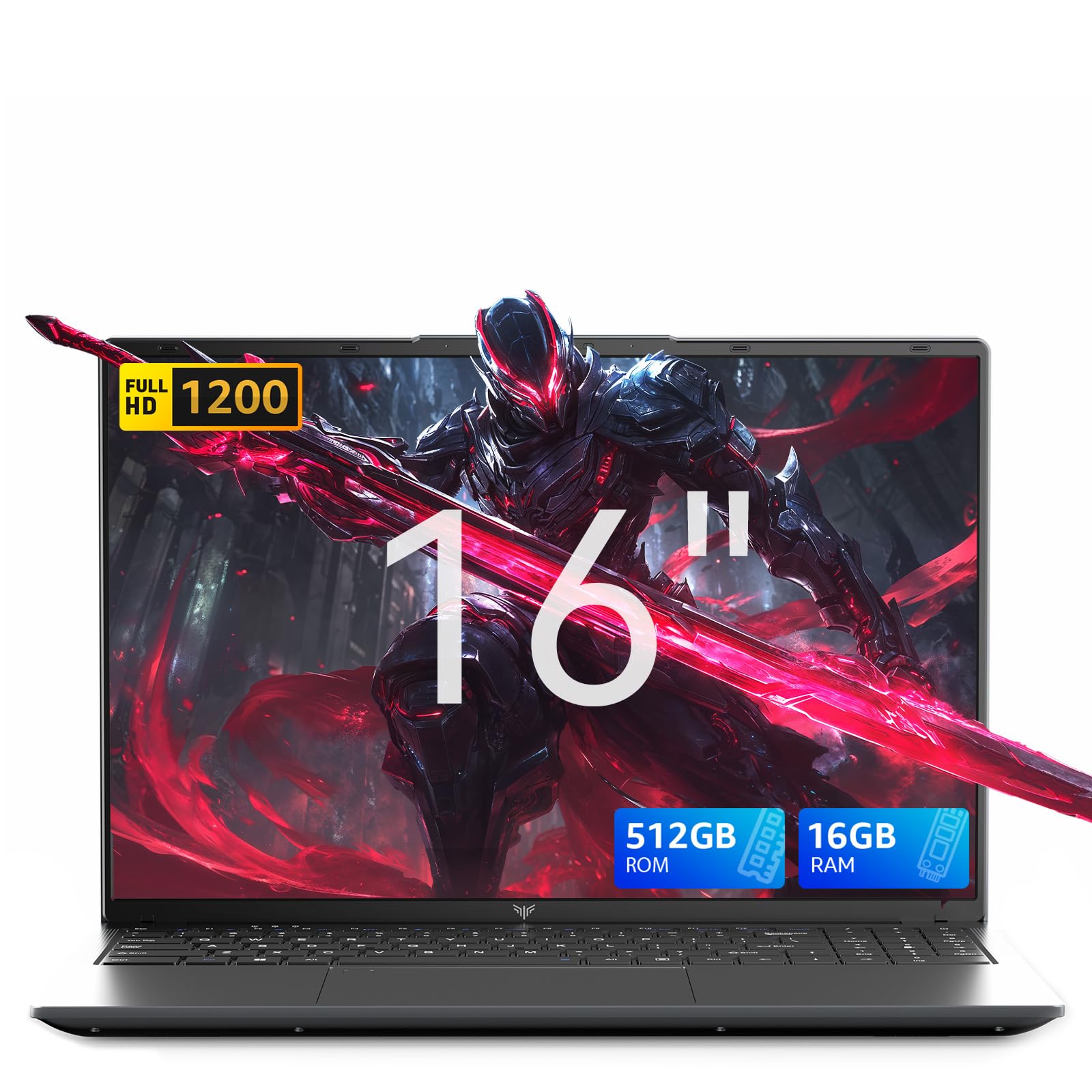
The KAIGERR laptop is the most budget-focused entry in this guide, built around the AMD Ryzen R2544 processor with integrated UHD graphics that operate at up to 1200MHz. This is not a gaming laptop in the traditional sense—it’s a general-purpose productivity machine that can handle very light gaming, such as League of Legends at low settings, older strategy games, and 2D indie titles. It outperforms Celeron N-series laptops but is in a different tier from anything with a dedicated GPU.
The 16-inch LCD display at 1920×1080 offers a generously sized screen for a budget laptop, and the 16GB of DDR4 RAM and 512GB SSD provide a smooth Windows 11 experience for web browsing, office work, and media consumption. The 54.72Wh battery is large for the class, and some users report running Palworld while streaming—an indication that for very specific, undemanding games, it can deliver a playable experience.
The integrated UHD graphics are extremely limited. There is no dedicated VRAM, and the GPU shares system memory. Modern AAA titles will not be playable. The Ryzen R2544 is a low-power processor designed for efficiency, not performance. The build quality is budget-level, with a plastic chassis that feels solid but not premium. The 512GB SSD is replaceable up to 2TB, but the system won’t benefit from that extra space for gaming.
Why it’s great
- 16GB RAM and 512GB SSD provide a smooth Windows 11 experience for productivity tasks.
- 16-inch FHD display offers a large workspace for the price.
- Long 54.72Wh battery life handles a full day of light work away from a power outlet.
Good to know
- Integrated UHD graphics are unsuitable for modern gaming beyond 2D and very old titles.
- Ryzen R2544 is a low-power CPU that will struggle with heavy multitasking or encoding.
- Budget build quality with plastic chassis; no dedicated GPU at all.
FAQ
Can a cheap gaming laptop run modern AAA games like Cyberpunk 2077?
Is 8GB of RAM enough for a gaming laptop in 2025?
What is the difference between GTX 1650 and RTX 3050 in a budget laptop?
Can I upgrade the RAM and storage in a budget gaming laptop?
How important is the display refresh rate for a cheap gaming laptop?
Final Thoughts: The Verdict
For most users, the best cheap gaming laptop winner is the Acer Nitro V ANV15-52-586Z because its RTX 4050 GPU with DLSS 3.5, 165Hz display, and upgradeable RAM provide the best balance of raw performance and future-proofing at an accessible price point. If you want max durability and MIL-STD-810H toughness, grab the ASUS TUF Gaming A15 FA506NC-ES51. And for portable, quiet power with an eGPU upgrade path, nothing beats the NIMO N158 with Ryzen 7 8745HS.