
Accounting students live inside spreadsheets, tax software, and multi-tab research sessions. A laptop that stutters while you reconcile a trial balance or compile a financial statement isn’t just annoying—it costs you time and focus during high-stakes exams and deadlines. The trick is finding a machine that keeps up without draining your entire book budget for the semester.
I’m Min — the co-founder and writer behind Gadgets Feed. I’ve spent countless hours dissecting spec sheets, comparing real-world benchmark scores, and reading through thousands of verified customer experiences to separate the genuine student workhorses from the marketing fluff in the budget laptop space.
This guide breaks down the performance, portability, and real-world reliability you need, so you can confidently find the best budget laptop for accounting students without second-guessing your choice.
How To Choose The Best Budget Laptop For Accounting Students
Accounting coursework demands a laptop that handles Microsoft Excel, QuickBooks, and multi-window research smoothly without freezing at a critical moment. Focusing on the right specs from the start saves you from frustrating lag and expensive mid-semester upgrades.
Prioritize RAM and Storage Speed Over Raw CPU Power
A modern Intel N-series or AMD Ryzen 3 processor handles spreadsheet calculations and basic multitasking just fine. The true bottleneck for an accounting student is insufficient RAM—aim for 12GB or 16GB to keep multiple browser tabs, PDFs, and accounting software running simultaneously without stuttering. Pair that with a PCIe NVMe SSD for instant boot times and file access; a slow eMMC drive will make you wait every time you open a large workbook.
A Full Keyboard with a Numeric Keypad Is Non-Negotiable
Entering large sets of financial data or typing in account codes on a cramped keyboard without a number pad is painfully inefficient. A dedicated numeric keypad saves minutes per data entry session and significantly reduces input errors during exams or real-world projects. Backlighting is a nice bonus for late-night library sessions, but the keypad itself is the dealbreaker.
Display Size and Resolution Affect Your Endurance
A 15.6-inch Full HD (1920×1080) screen gives you enough real estate to view large spreadsheets without constant scrolling. Higher resolution displays make text crisper and reduce eye fatigue during long reading and data analysis sessions. An anti-glare coating helps if you work under harsh overhead lights or near windows.
Quick Comparison
On smaller screens, swipe sideways to see the full table.
| Model | Category | Best For | Key Spec | Amazon |
|---|---|---|---|---|
| Auusda Business Laptop | Mid-Range | Best Overall Value | 16GB RAM / 1TB NVMe SSD | Amazon |
| HP Laptop 2026 Edition (8GB) | Mid-Range | Budget-Friendly HP | 8GB RAM / 128GB UFS | Amazon |
| jumper 15.6″ Laptop | Budget | Value with Office 365 | 12GB RAM / 640GB Storage | Amazon |
| Acer Aspire 3 | Mid-Range | Lightweight Performance | 8GB LPDDR5 / AMD Ryzen 3 | Amazon |
| ASUS Vivobook Go 15 | Mid-Range | Military-Grade Build | 8GB RAM / 256GB SSD | Amazon |
| Lenovo IdeaPad 1 | Mid-Range | Generous Storage Combo | 12GB RAM / 512GB+128GB | Amazon |
| Dell 15 Laptop | Premium | 120Hz Display Work | 120Hz FHD / Intel Core 3 | Amazon |
| HP Laptop 2026 Edition (16GB) | Premium | Copilot AI Ready | 16GB RAM / 256GB SSD | Amazon |
| Apple MacBook Neo | Premium | Ultra-Portable & Eco | 8GB Unified / A18 Pro | Amazon |
| HP Business & Student i5 | Premium | Office Lifetime Included | 32GB RAM / 1TB SSD | Amazon |
| Dell Inspiron 15 3530 | Premium | Top-Tier Power | 64GB RAM / i7-1355U | Amazon |
In‑Depth Reviews
1. Auusda Business Laptop Computer

The Auusda packs 16GB of DDR4 RAM and a 1TB PCIe NVMe SSD into a chassis that weighs just 3.7 pounds—a combination that directly addresses the two biggest pain points for accounting students: multitasking headroom and storage for semester-long projects. That 16GB RAM ceiling means you can keep Excel, QuickBooks, a dozen browser tabs, and Zoom running without hitting the swap file.
The 15.6-inch Full HD IPS display with a 180-degree hinge makes group study sessions or sharing your screen with a tutor effortless. The full-size backlit keyboard includes a numeric keypad, and the fingerprint reader speeds up secure logins between classes. With a 6000mAh battery rated for up to 6 hours of active use, it easily covers a full day of lectures and library sessions.
Upgradability is a hidden strength here—you can bump the RAM to 32GB and the storage up to 8TB down the road as your needs grow. Verified buyers consistently praise its lightweight build and snappy performance, with several noting it feels premium despite its budget positioning.
Why it’s great
- 16GB RAM eliminates lag during heavy multitasking with accounting software and research tabs
- 1TB NVMe SSD provides fast boot times and ample storage for large financial datasets
- Backlit keyboard with numeric keypad speeds up data entry
Good to know
- Speakers lack volume for group video playback without external speakers
- Battery life sits around 6 hours—plan for a charger on long days
2. jumper 15.6″ FHD Laptop

The jumper S7Hi offers a clever storage configuration—128GB eMMC paired with a 512GB SSD for a total of 640GB—giving you fast app loading on the SSD side while keeping archival files on the larger pool. With 12GB of RAM and an Intel Celeron 5205U processor, this machine handles the core accounting workload without breaking a sweat, though power users may notice the 2.3 GHz base clock during heavy multi-threaded tasks.
The 15.6-inch Full HD IPS display delivers clear text and decent color reproduction at this price tier, and the inclusion of a numeric keypad on the keyboard is a welcome addition for spreadsheet work. A notable bonus is the 1-year Office 365 subscription pre-installed, saving you a significant recurring cost right out of the box.
Connectivity is fairly generous with two USB 3.0 ports, HDMI, Type-C, and a micro TF slot. The 38Wh battery provides moderate endurance—enough for a few hours of classes, but you’ll need the charger for full-day study marathons. Buyers consistently mention the smooth Windows 11 performance and the silent cooling as strong positives.
Why it’s great
- 12GB RAM provides comfortable headroom for multitasking with accounting tools
- Includes a full 1-year Office 365 subscription—saves real money
- Hybrid 640GB storage gives you speed plus capacity
Good to know
- Processor is entry-level Celeron—not suited for number-crunching beyond spreadsheets
- eMMC portion of storage is slower than a pure SSD
3. HP 15.6″ FHD Laptop 2026 Edition (8GB)
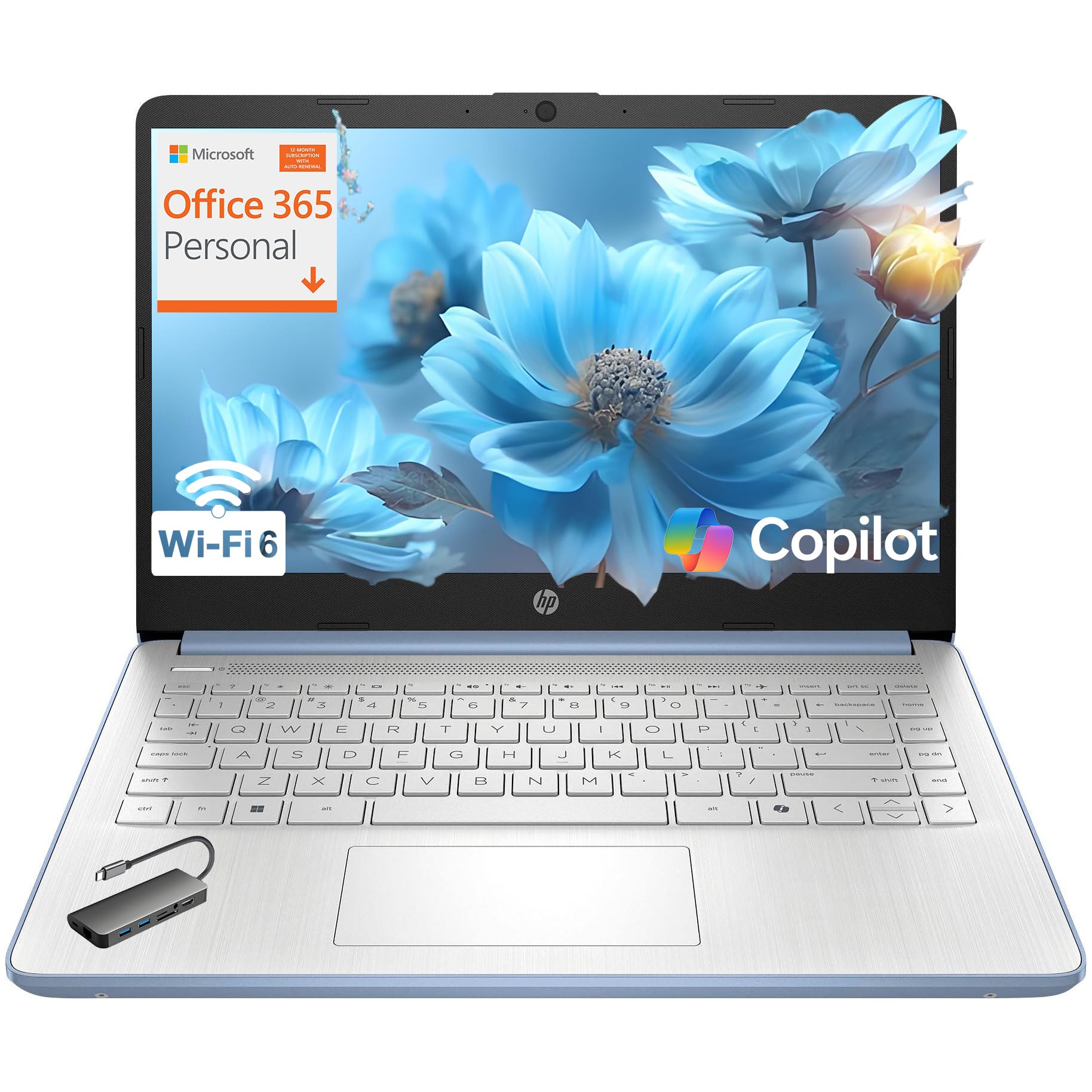
This HP model prioritizes portability with a 14-inch chassis that weighs just 3.11 pounds, making it one of the lightest options for carrying between lecture halls and the library. The Intel N150 quad-core processor running up to 3.6 GHz handles everyday spreadsheet work and web research with responsive performance, though the 8GB of RAM means you’ll need to be mindful of how many heavy applications you keep open.
The HD (1366×768) display is a step down from Full HD, which means less screen real estate for large Excel grids and slightly softer text. However, the anti-glare coating does help reduce reflections during extended use. HP includes a 1-year Microsoft 365 Personal subscription, which directly supports your accounting coursework needs.
With WiFi 6 and Bluetooth 5.4, you get modern wireless connectivity for fast file transfers and stable video calls. The privacy shutter on the 720p webcam is a thoughtful touch for test-taking environments. Some users note the boot time is slower than pure SSD-equipped rivals, as the 128GB UFS storage prioritizes capacity over raw speed.
Why it’s great
- Very lightweight at 3.11 lbs—easy to carry all day
- Pre-loaded with Microsoft 365 Personal for 1 year
- Includes privacy shutter for webcam security
Good to know
- 1366×768 display limits spreadsheet viewing area compared to Full HD
- UFS storage is slower than a typical NVMe SSD
4. Acer Aspire 3 A315-24P-R7VH

The Acer Aspire 3 brings the AMD Ryzen 3 7320U processor to the budget table—a quad-core chip that offers significantly snappier performance than Intel Celeron alternatives, especially for multi-threaded tasks like running QuickBooks alongside heavy Excel models. The 8GB of LPDDR5 RAM is soldered and non-upgradable, so this is a pick-and-lock decision, but the fast memory standard helps keep things fluid within that 8GB envelope.
The 15.6-inch Full HD IPS display delivers sharp, clear visuals that make financial statement review much easier on the eyes than lower-resolution panels. Acer’s TNR technology enhances the front-facing camera for better low-light quality during late-night Zoom study groups, and the PurifiedVoice AI noise reduction filters out background chatter during calls.
With an 11-hour battery rating, this laptop genuinely lasts through a full day of classes and study sessions without needing a power outlet. The 128GB NVMe SSD is fast but limited—you’ll likely want to upgrade to a larger M.2 drive (like the 1TB 3500MB/s option one reviewer installed) for storing multiple semesters of data. At 11.5 x 8.4 x 0.74 inches, it’s slim enough to slide into most bags.
Why it’s great
- AMD Ryzen 3 processor outperforms Celeron rivals for spreadsheet calculations
- Excellent 11-hour battery life covers a full day of classes
- 15.6-inch Full HD IPS display is crisp and comfortable for reading
Good to know
- 8GB RAM is soldered and cannot be upgraded later
- 128GB SSD fills up quickly with accounting software and documents
5. ASUS Vivobook Go 15 E1504FA-AB34

The ASUS Vivobook Go 15 distinguishes itself with MIL-STD 810H military-grade durability, meaning it has passed tests for high and low temperatures, shock, vibration, and altitude. For students who toss their laptop into a backpack between rushed commutes, this ruggedness provides real peace of mind. Under the hood, the AMD Ryzen 3 7320U quad-core processor with Radeon Graphics delivers the same smooth performance for Excel and accounting software as the Acer Aspire 3.
The 15.6-inch Full HD display runs at 250 nits brightness with a 45% NTSC color gamut—adequate for spreadsheets and documents but not color-critical work. The chiclet keyboard includes a numeric keypad, which is essential for data entry, and the 720p webcam features a physical privacy shutter for security during exams.
One important limitation: the RAM and storage are not user-upgradeable, so the 8GB DDR5 and 256GB SSD are locked in. Battery life reaches up to 11 hours on light workloads, and fast charging helps top up quickly between classes. Verified buyers appreciate the quiet fan operation and the solid build quality, though the lack of upgrade options may deter students who plan to keep this laptop for multiple years.
Why it’s great
- MIL-STD 810H certification adds real durability for daily campus carry
- AMD Ryzen 3 with Radeon Graphics handles accounting apps smoothly
- Up to 11 hours of battery life supports all-day campus use
Good to know
- RAM and storage are soldered and non-upgradeable
- WiFi 5 instead of WiFi 6—slower on congested campus networks
6. Lenovo IdeaPad 1 Student Laptop

Lenovo’s IdeaPad 1 offers a compelling storage setup with 512GB PCIe NVMe SSD plus 128GB eMMC, giving you the speed of an NVMe drive for your operating system and applications alongside extra capacity for archived financial statements and projects. The 12GB of RAM provides a comfortable multitasking buffer for running Excel, a browser with ten tabs, and PDF reader simultaneously without noticeable slowdown.
The 15.6-inch Full HD IPS anti-glare display at 250 nits delivers clear text and decent brightness for indoor use. The Intel Celeron N4500 dual-core processor is the weakest link here—it handles basic office tasks and web research well, but stutters if you push it with heavy number-crunching or large datasets. The inclusion of a 1-year Office 365 license adds real value for accounting students.
Port selection covers the essentials: USB-C, USB 3.2, USB 2.0, HDMI 1.4b, and a card reader. Wi-Fi 6 support ensures fast, reliable internet on modern campus networks. Several buyers note occasional freezing or laggy scrolling, which tracks with the Celeron processor’s limitations when multitasking too aggressively. For strictly spreadsheet and document work, this machine performs admirably.
Why it’s great
- Generous 512GB NVMe + 128GB eMMC storage for large files and fast boot
- 12GB RAM handles everyday multitasking with ease
- Includes 1-year Office 365 subscription
Good to know
- Celeron N4500 processor may lag during heavy multitasking
- Some users report intermittent freezing or stuttering
7. Dell 15 Laptop DC15250

The Dell 15 stands out with a 120Hz Full HD display—a rarity at this price bracket that makes scrolling through long financial statements and large spreadsheets feel remarkably fluid. The Intel Core 3 100U processor boosts up to 4.7 GHz, offering significantly more processing headroom than the Celeron or N-series chips found in many budget laptops. With 8GB of DDR4 RAM and a 512GB SSD, this configuration balances speed and storage well for accounting coursework.
The lifted hinge design tilts the keyboard to an ergonomic typing angle, reducing wrist strain during long data entry sessions. Dell’s ComfortView software reduces blue light emissions to ease eye fatigue during evening study sessions. The full-size keyboard includes a numeric keypad and a calculator hotkey—small touches that data-entry-heavy users will appreciate daily.
Dell backs this machine with a 1-year onsite service warranty, meaning a technician will come to your location if hardware issues arise. Battery life is the main trade-off here—reviewers note it’s shorter than average for this class. The 120Hz panel also consumes more power than a standard 60Hz screen, so plan your charging stops accordingly.
Why it’s great
- 120Hz display makes spreadsheet scrolling silky smooth
- Intel Core 3 processor delivers strong performance for the price
- Ergonomic lifted hinge design reduces typing strain
Good to know
- Battery life is shorter than average due to the 120Hz panel
- Only 8GB of RAM in an otherwise capable machine
8. HP 15.6″ FHD Laptop 2026 Edition (16GB)

HP’s 2026 Edition with Copilot AI brings 16GB of RAM to the table, making it one of the best-equipped units for heavy multitasking in this lineup. The Intel N100 quad-core processor runs at up to 3.4 GHz and handles accounting software, video calls, and research browsing without breaking a sweat. The 256GB SSD provides ample storage for a semester’s worth of coursework, though power users may want an external drive for long-term archiving.
At 3.64 pounds, this laptop strikes a solid balance between screen size (15.6-inch Full HD) and portability. The anti-glare display reduces reflections during long study sessions under bright lights. HP includes lifetime Office for web access, which covers the core productivity needs of an accounting student without ongoing subscription fees.
Wi-Fi 6 ensures fast, stable connections on modern campus networks, and the full-size keyboard with numeric keypad makes data entry comfortable. Quick charge support means you can top up the battery during a short break between classes. Buyer feedback highlights reliable performance and good value, though some received units with Windows 11 S Mode restrictions that require a quick deactivation step for full software flexibility.
Why it’s great
- 16GB RAM provides excellent multitasking headroom for accounting workflows
- Copilot AI integration offers smart assistance features
- Quick charge support for rapid top-ups between classes
Good to know
- May ship in Windows 11 S Mode, requiring deactivation for full app access
- 256GB SSD may be tight for storing multiple years of coursework locally
9. Apple 2026 MacBook Neo 13-inch

Apple’s MacBook Neo with the A18 Pro chip marks a significant entry into the budget-friendly Mac space. The 13-inch Liquid Retina display (2408×1506 resolution) delivers sharp text and accurate colors that make reviewing complex spreadsheets and financial statements less fatiguing. The A18 Pro chip provides exceptional performance for macOS applications, handling Excel, QuickBooks, and heavy browsing with ease despite the 8GB of unified memory.
Battery life is a standout feature here—up to 16 hours means you can go multiple days of classes and library sessions without hunting for an outlet. At just 2.71 pounds, it’s the most portable option in this roundup, slipping easily into even a small bag. The 1080p FaceTime HD camera and dual-mic array ensure clear video calls for group projects or virtual study sessions.
The aluminum chassis feels premium and durable, and the four color options (Silver, Blush, Citrus, Indigo) add personality. The main trade-off: 8GB of unified memory is less flexible than 16GB on Windows machines for extreme multitasking, and the 256GB SSD fills quickly with large datasets. The lack of a numeric keypad on the 13-inch layout is also a consideration for accounting students who do heavy data entry.
Why it’s great
- Outstanding 16-hour battery life for multi-day campus use
- Premium aluminum build at a surprisingly accessible price
- Excellent 13-inch Liquid Retina display reduces eye strain
Good to know
- No numeric keypad on the compact 13-inch keyboard layout
- 8GB unified memory is less generous than similarly priced Windows rivals
10. HP 15.6″ FHD Business & Student i5
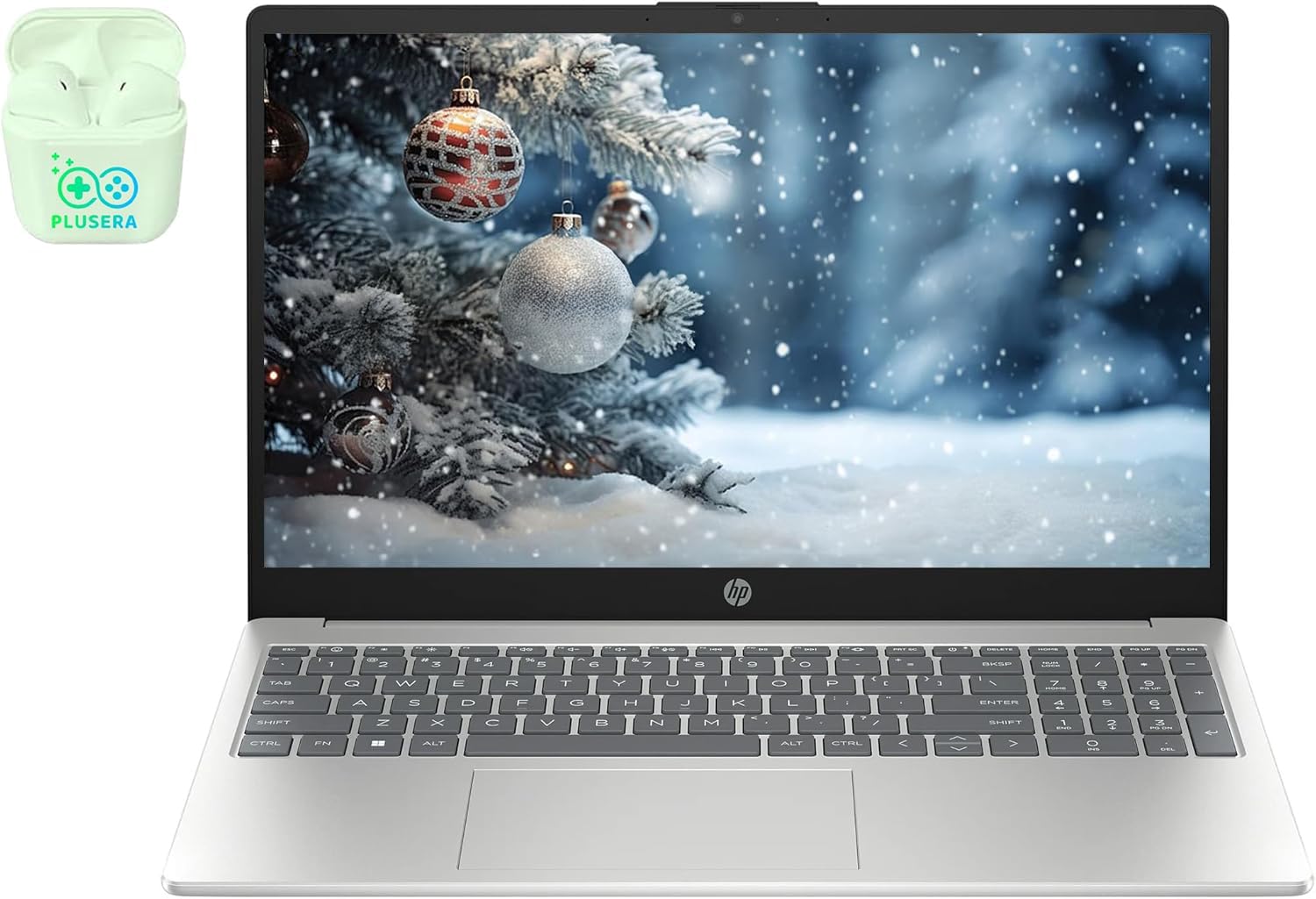
The HP Business & Student laptop steps up to a 10-core Intel Core i5 processor (up to 4.4 GHz) with Iris Xe Graphics, providing the kind of processing power that handles advanced Excel models, large datasets, and virtualization without breaking a sweat. With 32GB of DDR4 RAM and a 1TB PCIe SSD, this configuration is future-proof through graduation and into early professional life—no more worrying about running out of memory during a tax simulation project.
The 15.6-inch Full HD IPS anti-glare display (300 nits) offers excellent clarity even in bright lecture halls. Windows 11 Pro provides advanced security and remote desktop features that some accounting software requires, and the inclusion of a Microsoft Office Lifetime License eliminates subscription costs entirely. The full numeric keypad and camera privacy shutter round out the professional feature set.
At 9.5 hours of video playback battery life, it holds up well for full-day use. HP Fast Charge gets you back to working quickly during short breaks. Verified buyers consistently praise the smooth multitasking and professional build quality, though one review noted a network card failure under warranty that required resolution. For students who want a machine that doubles as a professional workstation, this is a compelling option.
Why it’s great
- 32GB RAM and 1TB SSD provide serious multitasking and storage headroom
- Includes Microsoft Office Lifetime License—no subscription fees ever
- 10-core Intel i5 processor tackles advanced accounting software with ease
Good to know
- Premium price reflects the high-end specs—more than a basic student needs
- One warranty resolution issue reported by a verified buyer
11. Dell Inspiron 15 3530 Business Laptop

The Dell Inspiron 15 3530 sits at the top of the performance pyramid with a 13th-gen Intel Core i7-1355U processor (10 cores, up to 5.0 GHz) and a staggering 64GB of DDR4 RAM. This configuration is built for students who run resource-intensive accounting software, virtual machines, or data analytics tools alongside their regular coursework. The 1TB PCIe NVMe SSD ensures lightning-fast boot and file access for even the largest financial datasets.
The 15.6-inch Full HD touchscreen display with anti-glare coating offers flexible interaction during presentations or collaborative work. Intel Iris Xe Graphics handles visual content smoothly, and the ExpressCharge feature charges the battery to 80% in just 60 minutes—a lifesaver during tight class schedules. Windows 11 Pro and a Microsoft Office Lifetime License are included, eliminating recurring software costs.
At nearly 6 pounds with the adapter, this is not a laptop you carry lightly—it’s best suited as a primary workstation that stays in a dorm room or home office. The build quality is solid, but some users report hinge durability concerns on extended units. For accounting students who need absolute performance headroom and don’t prioritize portability, this machine delivers everything and more.
Why it’s great
- 64GB RAM handles the most demanding accounting and analytics workflows
- i7-1355U processor delivers top-tier performance for intensive tasks
- ExpressCharge reaches 80% battery in 60 minutes
Good to know
- Heavy at nearly 6 pounds—not ideal for daily campus commuting
- Touchpad quality reported as subpar by some users
FAQ
How much RAM do I really need for accounting software like QuickBooks and Excel?
Is a numeric keypad essential for an accounting student laptop?
Can I use a Chromebook for accounting coursework?
Final Thoughts: The Verdict
For most accounting students, the best budget laptop for accounting students winner is the Auusda Business Laptop because its 16GB RAM, 1TB NVMe SSD, and numeric keypad deliver everything you need for spreadsheets and multitasking without overspending. If you want the longest battery life and a premium build, grab the Apple MacBook Neo. And for absolute performance headroom that handles advanced datasets and professional accounting software, nothing beats the Dell Inspiron 15 3530.