
You bought a new 4K TV, but the Blu-ray player, game console, and old receiver are screaming at each other in an HDMI handshake nightmare. The fix isn’t a new receiver or more cables—it’s the right 1-in-2-out HDMI splitter that bridges signal gaps, manages EDID conflicts, and mirrors exactly what you see to a second display without killing your audio format or resolution.
I’m Min — the co-founder and writer behind Gadgets Feed. I’ve spent dozens of hours analyzing tech sheets, cross-referencing user reports of flickering, audio dropouts, and HDCP bypass behavior to separate the splitters that actually hold a signal from the ones that die after six hours.
Whether you’re trying to send 4K HDR to a projector and a 1080p monitor simultaneously, or just need one source on two identical TVs, this guide isolates the specific EDID handling, HDMI version support, and power delivery that make a splitter reliable. Here is your definitive resource for finding the best 1 in 2 out hdmi splitter.
How To Choose The Best 1 In 2 Out HDMI Splitter
The core job of a 1-in-2-out HDMI splitter is to duplicate a single source signal onto two displays simultaneously. While that sounds simple, the real-world headaches—flickering, black screens, audio loss, or resolution mismatch—almost always come down to three specific performance factors. Beginners often grab the cheapest box on Amazon and wonder why their PlayStation causes the TV to go dark every 30 seconds. Knowing these specs before you buy saves hours of frustrating plugging and unplugging.
HDMI Version and Bandwidth Ceiling
The splitter’s internal chipset determines the maximum data throughput it can handle. An HDMI 2.0 spec guarantees 18 Gbps of bandwidth, enough for 4K resolution at 60 Hz with 4:4:4 chroma (full color detail). An older HDMI 1.4 splitter is capped at 10.2 Gbps and typically tops out at 4K@30Hz or 1080p@60Hz. If you’re running an Apple TV 4K, a PS5, or a modern 4K Blu-ray player, you need HDMI 2.0 support. Always check for the explicit “18 Gbps” or “4K@60Hz 4:4:4” claim—packages that only say “4K Ultra HD” without the frame rate are often 30 Hz units.
EDID Emulation and Downscaling
Extended Display Identification Data (EDID) is the handshake protocol that tells the source what resolution and audio format each display can accept. When one monitor is 4K and the other is 1080p, a dumb splitter forces both to the lowest common denominator—or worse, causes a black screen on the 4K display because the EDID conflicts. A splitter with EDID emulation or DIP switch management allows you to copy the EDID from output 1, ensuring the source sees a consistent capability profile. Auto-downscaling goes a step further by converting 4K to 1080p for the older display while keeping 4K on the newer one—essential for mixed-resolution setups.
HDCP Compliance and Active Power
High-bandwidth Digital Content Protection (HDCP) is the encryption standard that streaming devices and Blu-ray players enforce. A splitter that only supports HDCP 1.4 will fail to pass a signal from a 4K Fire Stick or Roku that requires HDCP 2.2 or 2.3. For capture or archival purposes, some splitters are designed to strip HDCP entirely—but for normal living-room viewing, look for HDCP 2.2 passthrough at minimum. Also, never assume a splitter works without power. USB-powered units often need a 5V 1A wall adapter (not included) to maintain stable output; running them off a TV’s USB port can cause intermittent signal dropout due to insufficient current.
Quick Comparison
On smaller screens, swipe sideways to see the full table.
| Model | Category | Best For | Key Spec | Amazon |
|---|---|---|---|---|
| HBAVLINK Splitter | Premium | Dolby Vision passthrough & EDID management | HDMI 2.0, 18 Gbps, EDID DIP switches | Amazon |
| J-Tech Digital JTECH-4KSP2 | Premium | Multi-resolution output (MRO) setups | 4K@60Hz, HDCP 2.3, HDR10 | Amazon |
| OREI UHDS-102C | Mid-Range | Reliable auto-downscaling to 1080p | 4K@60Hz, 18 Gbps, auto-downscaling | Amazon |
| Amazon Basics Splitter | Mid-Range | Simple 4K@60Hz duplication | HDMI 2.0 class, metal casing | Amazon |
| U9 ViewHD VHD-1X2MN3D | Mid-Range | HDCP stripping for legacy capture | 1080p@60Hz, HDMI 1.3, AC adapter | Amazon |
| avedio links Splitter | Budget | Low-cost 4K@30Hz mirroring | 4K@30Hz, 4ft HDMI cable included | Amazon |
| OREI HD-102C | Budget | Affordable 1080p duplication | 4K@30Hz, HDCP 1.4 only | Amazon |
In‑Depth Reviews
1. HBAVLINK HDMI Splitter 1 in 2 Out 4K 60Hz
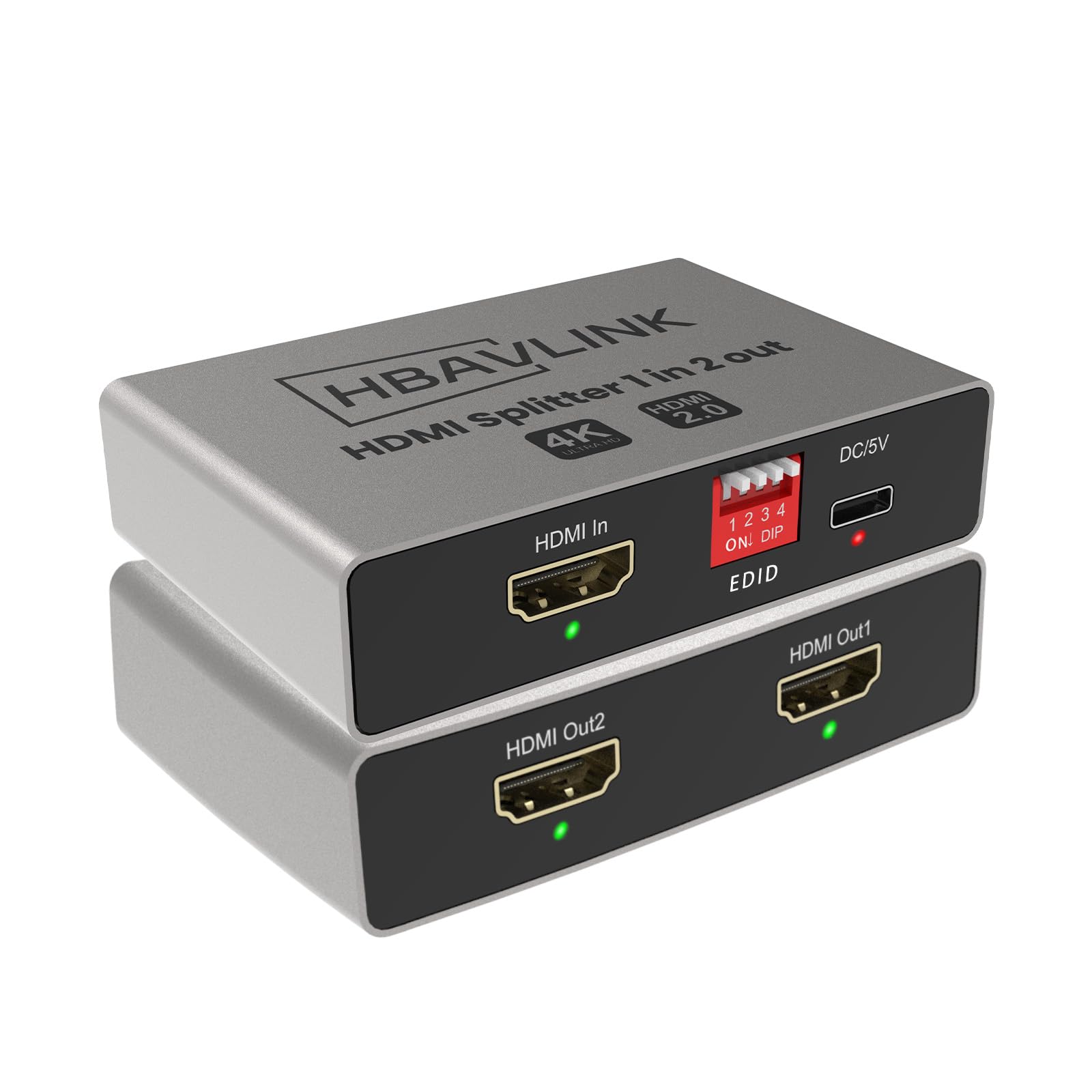
The HBAVLINK splitter solves the most common handshake failures in mixed-resolution setups. Its onboard DIP switches let you copy EDID from output 1 or output 2, meaning a 4K TV and a 1080P monitor can both get their correct signal without either display going black. Dolby Vision and Dolby Atmos pass through cleanly at up to 4K@60Hz 4:4:4, making this unit the top choice for users with Apple TV 4K, PS5, or high-bitrate Blu-ray sources.
The aluminum housing dissipates heat effectively—important because unpowered or poorly ventilated plastic splitters often drop signals after an hour of use. It also ships with a dedicated USB-C power plug, not just a bare USB cable, so you avoid the under-powering issue that causes intermittent flickering on budget units. The only limitation is that it does not support soundbars relying solely on ARC/eARC ports, so verify your soundbar’s input type before buying.
For users needing a reliable splitter that handles today’s 4K HDR sources and yesterday’s 1080p displays without constant unplugging, the HBAVLINK delivers the most complete feature set. The EDID control alone saves hours of troubleshooting that cheaper splitters force you to endure.
Why it’s great
- Hardware EDID management via DIP switches resolves black screen and resolution conflicts
- Full Dolby Vision and Dolby Atmos passthrough at 4K@60Hz 4:4:4
- Includes power adapter (not just a cable) ensuring stable 5V delivery
Good to know
- Not compatible with soundbars that only have ARC/eARC input ports
- Does not support extended desktop mode (mirror only)
2. J-Tech Digital HDMI Splitter 1 in 2 Out 4K 60Hz

The J-Tech Digital JTECH-4KSP2 stands out for its Multi-Resolution Output (MRO) capability, which allows one display to run 4K@60Hz while the other runs at a lower resolution—rather than forcing both screens to the lowest common denominator. This is critical for users who connect a 4K projector to a 1080p monitor or a modern gaming console to a legacy TV. It supports 18 Gbps bandwidth with 4:4:4 chroma, HDR10, and Dolby Vision through its HDMI 2.0 interface.
HDCP 2.3 compliance ensures compatibility with the latest streaming sticks and 4K Blu-ray players, while the unit’s EDID priority is hardwired to output 1. That means your primary display dictates the handshake, and the secondary display inherits whatever it can handle. The included power adapter avoids the common “power from USB port” failure mode that plagues cheaper units. Some users have noted black-screen flickering with Xbox consoles in certain setups, so console gamers should confirm handshake behavior before committing.
If you run a mixed-resolution system with an eye on future-proofing against HDCP 2.3 requirements, the J-Tech Digital splitter is the most forgiving for varied display hardware. The MRO feature alone makes it a strong competitor for home theater enthusiasts who refuse to upgrade both displays at once.
Why it’s great
- Multi-Resolution Output allows 4K and 1080p displays simultaneously
- HDMI 2.0 with 18 Gbps bandwidth and HDCP 2.3 compliance
- Supports HDR10, Dolby Vision, and Dolby Atmos audio formats
Good to know
- Some users report intermittent black screen flickering with Xbox consoles
- EDID fixed to output 1—cannot be manually switched
3. OREI 4K HDMI Splitter UHDS-102C
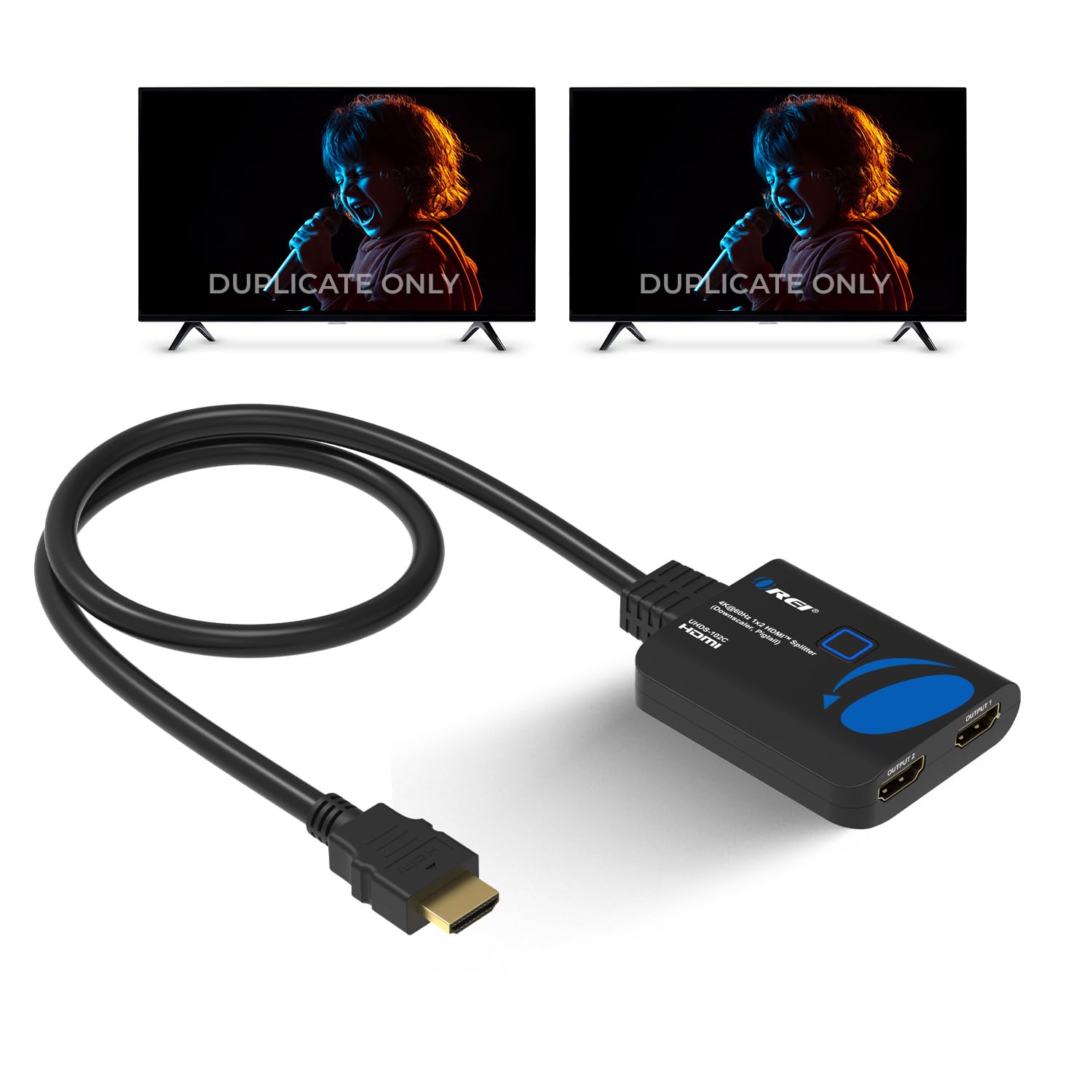
The OREI UHDS-102C brings auto-downscaling to the mid-range tier—a rare find at this price point. When one display accepts 4K@60Hz and the other only supports 1080p, the splitter automatically delivers the appropriate resolution to each. No DIP switches, no EDID trickery: it just works. The 18 Gbps chipset handles 4K@60Hz 4:4:4 alongside all common audio formats including DTS-HD Master Audio and Dolby TrueHD.
Build quality is solid with a compact metal enclosure, and it can drive HDMI cables up to 30 feet without signal degradation—important for installations where the splitter sits far from the displays. One catch: the package includes only a micro-USB power cable, not the wall adapter. Using a standard 5V 1A phone charger is fine, but users who skip the power brick may experience dropouts. Additionally, the splitter does not extract audio, so you can’t route audio separately to a receiver via optical or analog.
For office presentations, church AV racks, or restaurant signage where automated downscaling saves configuration headaches, the OREI UHDS-102C offers the most hassle-free experience in its class. If you hate fiddling with settings and just need two screens showing the correct resolution, this is your splitter.
Why it’s great
- Auto-downscaling from 4K to 1080p without manual configuration
- 18 Gbps bandwidth supports 4K@60Hz 4:4:4 with full audio
- Metal housing and reliable signal over long cable runs (up to 30 ft)
Good to know
- Wall adapter not included—must supply your own 5V 1A USB charger
- No audio extraction or analog output for soundbar setups
4. Amazon Basics HDMI Splitter 1 in 2 Out

Amazon Basics keeps things simple and functional. This splitter supports 4K@60Hz resolution, making it one of the few entry-to-mid options that actually delivers full 60 fps at 4K without falling back to 30 Hz. Build quality is a step above the commodity plastic units—it uses a metal casing that dissipates heat and feels substantial in hand. The unit mirrors one source to two displays with no additional software or configuration.
Compatibility spans PCs, laptops, Xbox, Roku, Chromecast, and DVD players. The splitter ships with a 3.3-foot USB-A to micro-USB power cable, but as with most units in this class, you need to supply your own 5V power adapter. A minority of customers have reported units that arrived with a faulty output port, so inspecting the unit promptly after delivery is wise. When it works—which it does for the overwhelming majority—the signal is stable with no noticeable input lag.
For a no-frills 4K@60Hz splitter at a mid-range price, the Amazon Basics model is hard to beat. It doesn’t offer EDID management or downscaling, but if both your displays are similar resolution, this is the most straightforward plug-and-play option.
Why it’s great
- Legitimate 4K@60Hz support for full frame rate duplication
- Compact metal housing for heat dissipation and durability
- Broad device compatibility with PCs, consoles, and streaming sticks
Good to know
- Inconsistent quality control—some units arrive with defective ports
- No power adapter included; requires separate 5V USB wall charger
5. U9 ViewHD 2 Port 1×2 Powered HDMI Splitter (VHD-1X2MN3D)

The U9 ViewHD VHD-1X2MN3D is a specialized tool for users who need to bypass HDCP encryption when capturing or recording from HDMI sources like PS3, PS4, or legacy cable boxes. It operates on HDMI 1.3, which means its ceiling is 1080p@60Hz and 3D—no 4K support. The full metal jacket construction and inclusion of a 100V-240V AC adapter make it physically robust and reliably powered, unlike USB-powered units that starve for current.
What sets this splitter apart is its ability to strip HDCP from the output signal, enabling capture cards like Elgato or cheap USB sticks to record protected content. This is a legal gray area in many jurisdictions, but for users recording their own gameplay or home videos, it’s a functional necessity. The unit specifically does not support CEC, which prevents the “one remote controls everything” conflicts that plague multipurpose splitters. Note that the manufacturer explicitly warns this model may fail with HDMI 2.0 sources and displays—do not buy this for modern 4K setups.
If your primary need is 1080p capture with reliable HDCP stripping, the VHD-1X2MN3D is the most proven solution in the market. For anything involving 4K, skip this and look at the U9-Pluto model instead.
Why it’s great
- Known for effective HDCP stripping on 1080p sources for capture cards
- Solid metal construction and included AC power adapter
- No CEC interference—avoids remote control conflicts
Good to know
- HDMI 1.3 only—no 4K support whatsoever
- Manufacturer warns it may not work with HDMI 2.0 sources or displays
6. avedio links HDMI Splitter 1 in 2 Out

The avedio links 1×2 splitter achieves a low entry price by targeting 4K@30Hz and HDMI 1.4 compatibility. For users whose source material caps at 1080p—cable boxes, older gaming consoles, DVD players—this unit delivers clean mirroring without the cost premium of 18 Gbps chipsets. Backward compatibility covers a wide range of formats from 480i up through 4K@30Hz, and it includes a 4-foot HDMI cable in the package, which is a nice cost-saving bonus.
Power must come from a 5V 1A USB source (adapter not included). The splitter is tiny—2.5 x 2.1 x 0.5 inches—so it hides easily behind furniture. That said, there are reliability concerns: a notable number of user reports describe the unit failing after several hours of continuous use, then working again after being unplugged and reset, suggesting thermal or capacitor instability under load. The lack of HDCP 2.2 support means newer Fire Sticks and Roku devices at 4K may refuse to output a signal through this splitter.
For a secondary TV setup or a temporary solution where 1080p is the permanent resolution, the avedio links splitter offers the lowest functional cost. If you need all-day reliability or 4K@60Hz, invest in a higher-tier option.
Why it’s great
- Includes a 4-foot HDMI cable, reducing initial purchase cost
- Ultra-compact footprint at 2.5 x 2.1 x 0.5 inches
- Broad backward compatibility with legacy video formats
Good to know
- Reports of the unit dying after continuous hours of use (requires power cycle)
- HDMI 1.4 only—no 4K@60Hz, no HDCP 2.2 support
7. OREI 4K HDMI Splitter 1 in 2 Out (HD-102C)
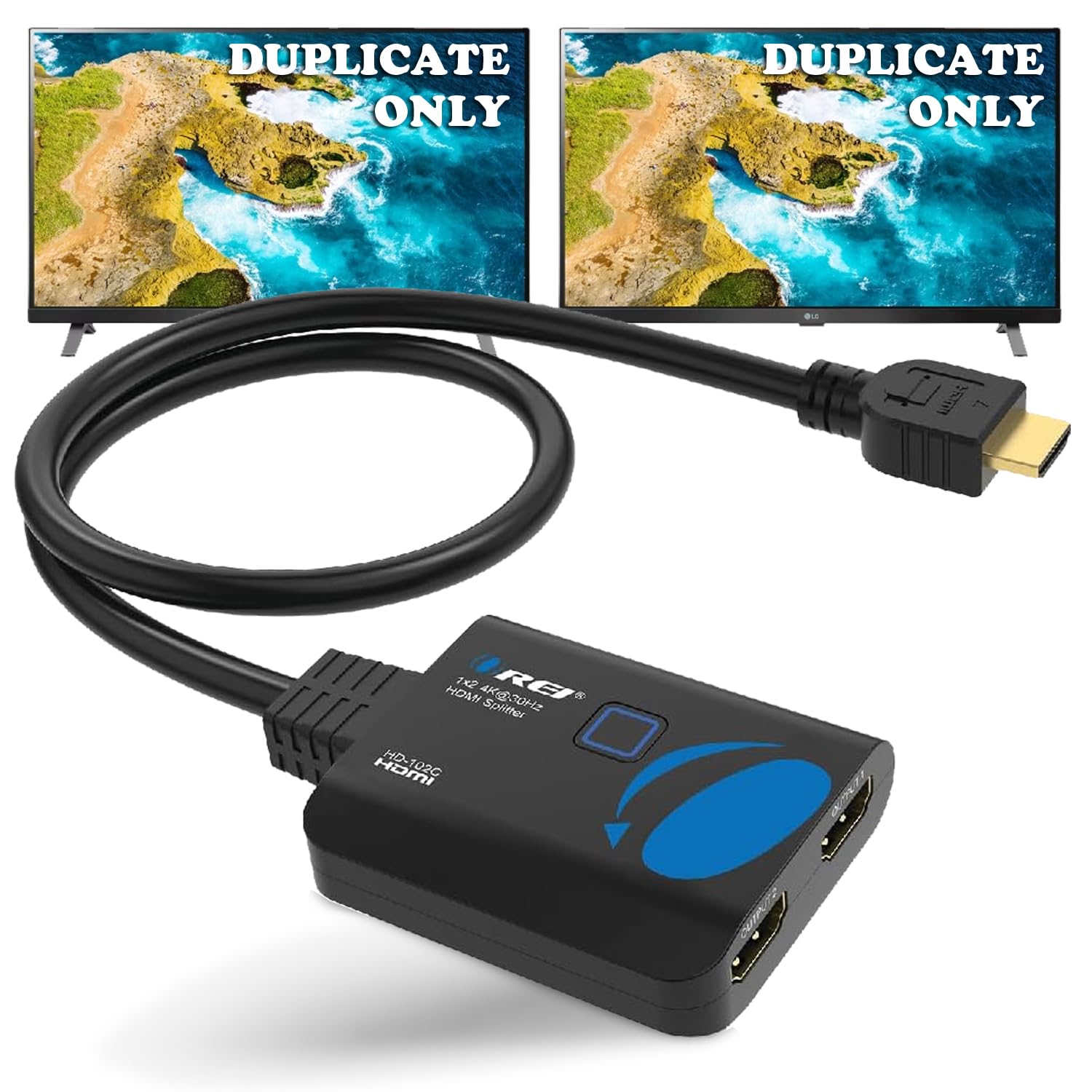
The OREI HD-102C is another HDMI 1.4 -based splitter tuned for 4K@30Hz or full HD 1080p@60Hz duplication. It’s the most affordable offering in the OREI lineup and makes sense when your source is a standard Blu-ray player, PS4, or HD cable box—devices that don’t output beyond 1080p in normal use. The splitter includes a USB-to-micro-USB power cable and a 1-year warranty from OREI, which adds some peace of mind at the value entry point.
Performance is straightforward: plug it in, connect the cable, and both displays mirror the same content. Customer feedback is almost universally positive for basic use cases like splitting a Dish receiver to two camper TVs or driving a DVD player to a bedroom and living room display. The hard limit is HDCP 1.4—any source requiring HDCP 2.2 (such as a 4K Fire Stick or Apple TV 4K with 4K HDR output) will cause a blank screen or “no signal” error. Also, do not expect HDR passthrough; this splitter is not HDR-capable.
If you need the lowest possible cost for mirroring a 1080p signal and your equipment predates the HDCP 2.2 mandate, the OREI HD-102C is perfectly adequate. It is not future-proof and will fail the moment you upgrade to a 4K HDR streaming device.
Why it’s great
- Lowest entry price for basic 1080p duplication tasks
- Includes USB power cable and covers 1-year warranty
- Positive real-world performance with legacy cable boxes and DVD players
Good to know
- HDCP 1.4 only—incompatible with modern 4K streaming sticks and PS5
- Maximum resolution is 4K@30Hz with no HDR support
FAQ
Can I use a 1-in-2-out HDMI splitter to extend my desktop across two monitors?
Why does my 4K splitter show a black screen with my Fire Stick 4K Max?
Can I connect a 4K TV and a 1080p monitor to the same splitter?
Final Thoughts: The Verdict
For most users, the best 1 in 2 out hdmi splitter winner is the HBAVLINK HDMI Splitter because it combines EDID DIP switch management, Dolby Vision passthrough, and a metal housing at a mid-range cost—instantly solving the handshake problems that drive splinter buyers insane. If you need reliable downscaling to mix 4K and 1080p displays without configuration, grab the OREI UHDS-102C. And for the specific need of stripping HDCP on 1080p capture setups, nothing beats the U9 ViewHD VHD-1X2MN3D.