
A basic WiFi router shouldn’t make you choose between price and reliability. Yet most underpowered units choke on just a handful of devices or drop connections at the first wall. You need a gateway that handles streaming, browsing, and smart home gear without daily resets. That’s what this guide exists to find — the one that stays stable.
I’m Min — the co-founder and writer behind Gadgets Feed. I’ve sorted through thousands of spec sheets and real user reports to identify which basic routers actually hold up under a standard household load versus which ones just look good on paper.
After digging through performance data, antenna configurations, and real-world throughput tests across dozens of models, I’ve narrowed the field to the routers that truly deliver. Here is the definitive list of the best basic wifi router picks you should actually buy right now.
How To Choose The Best Basic WiFi Router
A basic router doesn’t mean stripped-down. The key is avoiding the two traps: buying too old (AC750) because it’s cheap, or buying too much (Wi-Fi 6E) when your devices can’t use it. Here’s what actually matters.
Wi-Fi Class vs. Real-World Speed
Classes like AC1200 and AX1500 represent theoretical max throughput, not sustained speeds. For a basic router, AC1200 is the floor: 300 Mbps on 2.4 GHz and 867 Mbps on 5 GHz. If you have more than ten devices or plan to stream 4K, jump to an AX1500 or AX1800 Wi-Fi 6 class. The OFDMA and MU-MIMO features in Wi-Fi 6 reduce lag when multiple devices talk to the router at once.
Antenna Count and Gain
More antennas aren’t always better — gain matters. A router with four 6dBi fixed antennas will push a stronger signal through walls than a box with five lower-gain antennas. Basic routers typically use 4×4 or 2×2 antenna layouts. For a 1,500-2,000 sq ft home, look for at least four external antennas with 5dBi or 6dBi ratings. Internal antennas often lead to weak corner coverage.
Wired Gigabit Ports
If your internet plan delivers more than 100 Mbps, every port on the router must be gigabit-capable. Many entry-level routers sneak in 10/100 Fast Ethernet ports that bottleneck your wired connection. A basic router should have at least three gigabit LAN ports plus one gigabit WAN port. This ensures your PC and smart TV get full speed without capping at 100 Mbps.
Quick Comparison
On smaller screens, swipe sideways to see the full table.
| Model | Category | Best For | Key Spec | Amazon |
|---|---|---|---|---|
| Tenda AC1200 (AC8) | Mid-Range | Budget-conscious homes with 15-20 devices | 4x 6dBi antennas + Beamforming | Amazon |
| TP-Link Archer AX10 (Renewed) | Mid-Range | Gamers wanting Wi-Fi 6 on a budget | 1.5 GHz tri-core processor | Amazon |
| Cudy AX1500 (WR1500) | Mid-Range | Shoppers needing a Wi-Fi 6 router + AP mode | 60+ device capacity | Amazon |
| Cudy AC1200 (WR1300) | Mid-Range | Tech-savvy users who value a rich GUI | OpenWrt-based firmware | Amazon |
| Tenda AX3000 (RX12Pro) | Premium | 4K streaming and multi-user smart homes | AX3000 with 5x 6dBi antennas | Amazon |
| TP-Link Archer AX21 V5 | Premium | Users who want separate 2.4/5 GHz SSIDs | 1.8 Gbps total Wi-Fi 6 bandwidth | Amazon |
| Linksys MR7350 | Premium | Mesh-ready expansion for larger spaces | Intelligent Mesh + 1,700 sq ft coverage | Amazon |
In‑Depth Reviews
1. Tenda AC1200 Gigabit WiFi Router (AC8)

The Tenda AC8 uses four high-gain 6dBi antennas paired with beamforming to push a strong 2.4 GHz signal across a 5,400 sq ft two-level home, according to user reports, penetrating multiple walls from a second-floor corner. This is unusual for a mid-range AC1200 router, where 5dBi is the norm. The 3 gigabit WAN/LAN ports ensure your wired devices aren’t capped at 100 Mbps.
Setup is app-driven, taking minutes, and the router supports AP mode, guest Wi-Fi, and IPv6. The 1.2 Gbps dual-band ceiling (867 Mbps on 5 GHz, 300 Mbps on 2.4 GHz) handles 4K streaming and downloading comfortably. User feedback consistently praises the antenna range and simple setup, with the unit performing well for a household of ~18 devices.
The primary downside is a device cap around 20 concurrent connections. If you push past this, the router drops most connections. Additionally, a small subset of users reported signal drop-offs after the first hour, requiring a reset. This router is best for modest homes with a moderate number of smart home gadgets.
Why it’s great
- Exceptional range with 6dBi antennas and beamforming
- Full gigabit ports for wired speed
- Simple app-based setup in under 2 minutes
Good to know
- Caps out around 20 simultaneous devices
- Some units require a modem restart to stabilize after first hour
2. TP-Link Archer AX10 (Renewed) AX1500

The Archer AX10 brings Wi-Fi 6 (802.11ax) to the mid-range market with a 1.5 GHz tri-core processor that handles OFDMA and MU-MIMO simultaneously. This means less lag when multiple devices — especially gaming consoles or VR headsets like the Quest 2 — are active. User reports show speed bumps from 50 Mbps to over 500 Mbps on a 1 Gbps fiber line when using this router as an access point.
The dual-band router delivers 300 Mbps on 2.4 GHz and 1201 Mbps on 5 GHz, totaling AX1500. Beamforming focuses the signal toward connected devices, and the renewed unit typically arrives in near-pristine condition. Setting it up is straightforward via the Tether app or a browser, though performing a factory reset and firmware update first is recommended.
The router is backward compatible with all previous Wi-Fi standards, and its compact design runs quiet and cool. However, the renewed condition means you may receive a unit with wear or missing accessories. Some users needed to change the operation mode to access point to get the blue uplink port working correctly. If Wi-Fi 6 at a low investment is your goal, this is a top candidate.
Why it’s great
- Tri-core processor keeps multiple streams lag-free
- Wi-Fi 6 with OFDMA and MU-MIMO
- Exceptional value for entry-level Wi-Fi 6 performance
Good to know
- Renewed product may need factory reset and firmware update
- AP mode requires using the blue uplink port
3. Cudy AX1500 Dual Band WiFi 6 Router (WR1500)

The Cudy WR1500 is a lightweight Wi-Fi 6 router weighing just 7.8 ounces yet claiming support for over 60 devices. It uses four fixed 5dBi antennas with beamforming to concentrate the signal toward your gear. The AX1500 class delivers 1200 Mbps on 5 GHz and 300 Mbps on 2.4 GHz, which is 1.38x faster than a typical AC1200 router. This makes it a direct upgrade path for older Wi-Fi 5 networks.
Setup is quick, and the router doubles as an access point, giving you flexibility if you want to bypass a modem/router combo. Users report excellent coverage, with the signal penetrating multiple walls and even reaching upstairs from a basement location. The lightweight plastic build is the trade-off — it doesn’t feel premium — but the functional performance is rock solid.
The WR1500 also supports Multi-VPN pass-through, WPA3 security, and OFDMA for better device management. The main caveat is the build material: the chassis is cheap and light, which may feel flimsy on a desk. Additionally, while the device claims support for 60+ devices, real-world user reports suggest stability is better with 30 or fewer. For the price, the coverage and Wi-Fi 6 support are hard to beat.
Why it’s great
- Excellent Wi-Fi 6 performance at a low investment
- Surprisingly long range through multiple walls
- 2-in-1 router and access point mode
Good to know
- Build is lightweight plastic, not sturdy
- Best with 30 or fewer connected devices
4. Cudy AC1200 Gigabit WiFi Router (WR1300)

The Cudy WR1300 stands out for its firmware: it runs an OpenWrt-based interface that gives you deep control over QoS, transmission power, and Wi-Fi channels. This is a highly attractive feature for users who want to tweak settings like channel width or disable the 5 GHz band entirely. The router offers four full gigabit LAN ports, a rarity at this level, ensuring no wired bottleneck.
With dual-band AC1200 (300 Mbps 2.4 GHz, 867 Mbps 5 GHz) and four external antennas with beamforming, the WR1300 covers up to 200 feet on both bands. MU-MIMO on the 5 GHz band helps when multiple devices stream simultaneously. Users report strong signals through cinder block walls and a wall-mountable design that’s easy to place.
The unit runs noticeably hot, lacking ventilation holes — some users added a small fan to prevent overheating. Also, while the gigabit ports are present, a few users reported throughput only reaching ~300 Mbps on the 5 GHz band in certain configurations. Tweaking the channel width to 80 MHz on 5 GHz and 40 MHz on 2.4 GHz usually resolves this. For the tech-savvy, this is a hidden gem.
Why it’s great
- OpenWrt-based firmware offers deep customization
- Four gigabit LAN ports for wired devices
- Long range through cinder block walls
Good to know
- Runs hot — may need a fan for long-term stability
- 5 GHz speed may require manual channel width adjustment
5. Tenda AX3000 Dual Band Gigabit WiFi Router (RX12Pro)
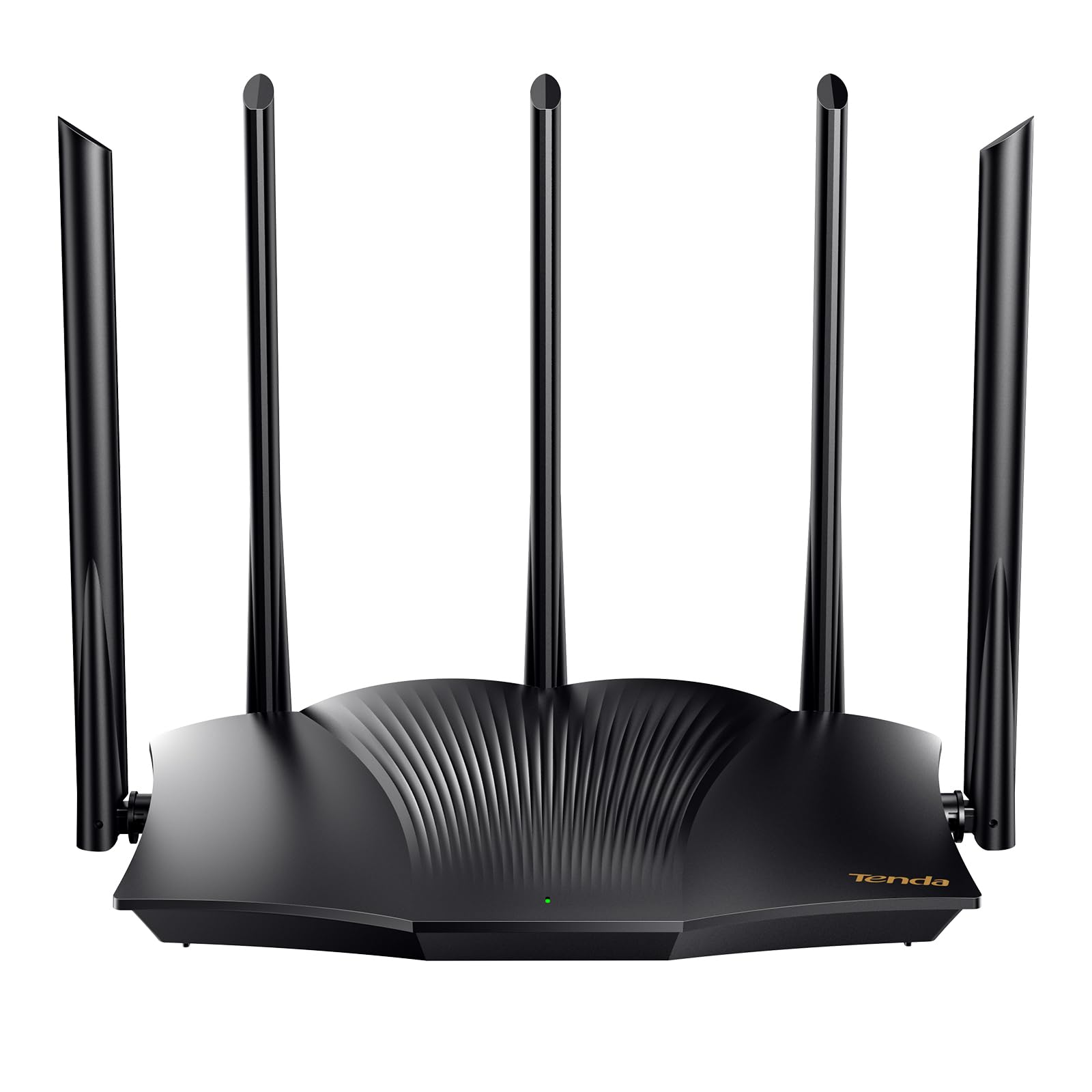
The Tenda RX12Pro leaps to AX3000 performance (2402 Mbps on 5 GHz, 574 Mbps on 2.4 GHz) with five 6dBi antennas and five signal enhancement modules. This is a significant step above the basic routers in this guide — it targets 4K streaming, web conferencing, and large downloads with very low latency. The router also features a one-click intelligent diagnosis that self-checks and repairs network problems from the web interface.
Wi-Fi 6 technologies like MU-MIMO and OFDMA keep the network stable when many devices connect simultaneously. The RX12Pro also supports OpenVPN and WireGuard (via the latest firmware), plus PPTP/L2TP for secure remote access. The Wi-Fi+ function lets you mesh multiple RX12Pro units without complex configuration, making it a future-proof option for expanding coverage.
The main concern is inconsistency: while many users praise the easy setup and strong performance as an access point, a notable number report poor range and laggy connections. This suggests possible unit variation or the need for a modem restart after initial setup. Also, the router is not a modem — you must supply your own. If you get a good unit, it’s the most powerful basic router here.
Why it’s great
- AX3000 speeds handle 4K streaming and gaming easily
- One-click diagnosis can fix network issues automatically
- Supports OpenVPN and WireGuard for secure connections
Good to know
- Unit quality can be inconsistent; some report poor range
- May require a modem restart after initial setup
6. TP-Link Archer AX21 V5 (AX1800)

The Archer AX21 V5 solves a common problem with ISP-provided routers: it allows you to separate the 2.4 GHz and 5 GHz bands into distinct SSIDs. This is critical if you have older smart devices (Echo Dots, 2G cameras, thermostats) that refuse to connect to a combined network. TP-Link also includes an advanced front-end module (FEM) chipset alongside four antennas and beamforming for reliable coverage.
With an AX1800 total bandwidth (1200 Mbps on 5 GHz, 574 Mbps on 2.4 GHz), this router comfortably handles a 1,500 sq ft home with 15+ devices. Users report speed increases from 90 Mbps to over 160 Mbps when upgrading from older Wi-Fi 4 routers. The Tether app makes setup easy, though many prefer the browser interface for granular control. It also supports OpenVPN and PPTP VPN servers.
The router’s web interface is somewhat basic compared to competitors — custom QoS options are minimal. Some users noted that the Smart Connect feature can cause 5 GHz devices to stick to the 2.4 GHz band, requiring it to be disabled. For a reliable, user-friendly Wi-Fi 6 router that doesn’t lock you into a single SSID, this is a top choice. It’s also a “Certified for Humans” device, meaning simpler setup.
Why it’s great
- Allows separate SSIDs for 2.4 GHz and 5 GHz networks
- FEM chipset improves range and penetration
- Reliable Wi-Fi 6 performance with easy setup
Good to know
- Basic web interface with limited QoS controls
- Smart Connect can cause band-steering issues
7. Linksys MR7350 AX1800 Mesh WiFi 6 Router

The Linksys MR7350 uses Intelligent Mesh technology, meaning it can be expanded with additional nodes to cover larger spaces without losing performance. As a standalone unit, it covers up to 1,700 sq ft and supports 25+ devices with AX1800 speeds. The Qualcomm chipset provides low latency and stable streaming, making it a strong choice for game streaming and video calls.
Setup is app-driven and typically takes under 10 minutes. Users report speeds doubling compared to older routers, and the mesh network performs well in ~2,400 sq ft homes when two additional units are added. The MR7350 supports OFDMA and 1024-QAM for increased network efficiency. It also allows remote management and device prioritization from the Linksys app.
The router lacks 160 MHz channel support, which means it can’t hit the highest theoretical speeds of some AX3000 routers. Management is also app-centric — local web access is limited or disabled when remote management is on, which power users may find frustrating. Also, some units shipped with old stock that had already entered the warranty period. For mesh-ready reliability and simplicity, it still delivers.
Why it’s great
- Intelligent Mesh technology for expandable coverage
- Strong performance for 25+ devices
- Simple app setup with remote management
Good to know
- No 160 MHz channel support
- Local web access is limited when using the app
FAQ
Can a basic router handle a 500 Mbps internet plan?
How many antennas do I need for a 2,000 sq ft home?
Do I need MU-MIMO on a budget router?
Final Thoughts: The Verdict
For most users, the best basic wifi router winner is the Tenda AC1200 (AC8) because its four 6dBi antennas deliver exceptional range and reliability for moderate device loads at a very low entry point. If you want Wi-Fi 6 performance on a shoestring budget, grab the Cudy AX1500 (WR1500). And for mesh-ready expandability, nothing beats the Linksys MR7350.