
That single 13-inch laptop screen is the reason you’re constantly alt-tabbing between a spreadsheet, a browser, and an email client — a workflow that eats minutes every hour. A 2-in-1 monitor solves this by giving you a second (or third) panel that slips into your bag alongside your laptop, turning any coffee shop table into a proper dual-display workstation without the bulk of a traditional desktop monitor.
I’m Min — the co-founder and writer behind Gadgets Feed. I’ve spent countless hours researching the portable monitor market, cross-referencing resolution specs, brightness figures, panel types, and real-world compatibility data to separate the truly productive travel companions from the underpowered fakes that leave you squinting at a washed-out image.
The right portable secondary display should feel like an extension of your laptop, not a burden to carry. That’s exactly what this guide to the best 2-in-1 monitor delivers — a filtered list of panels that earn their space in your backpack through sharp visuals, reliable connectivity, and genuinely portable builds.
How To Choose The Best 2-In-1 Monitor
Buying a portable secondary monitor involves more than just matching the screen size to your laptop. You need to evaluate panel quality, connectivity standards, power delivery, and the physical design that dictates how you’ll use it on a daily basis.
Panel Type and Resolution
IPS panels dominate the portable monitor space for good reason — they offer consistent color and wide viewing angles up to 178 degrees, which matters when you’re sharing your screen with a colleague in a meeting. OLED panels, found on premium models like the ASUS ZenScreen Duo, deliver true blacks and a 1,000,000:1 contrast ratio but come at a significant price premium. For resolution, 1920×1080 (FHD) is the baseline for sharp text and clear spreadsheets on 14- to 16-inch screens, while 2560×1600 (2.5K) and 3840×2160 (4K) provide finer detail for photo editing and design work.
Connectivity and Power Delivery
The cleanest setup uses a single USB-C cable that carries both video signal and power — this requires your laptop to support USB-C DisplayPort Alt Mode (DP Alt Mode). Many modern laptops from Apple, Dell, Lenovo, and HP include this, but older models or budget machines may need an HDMI connection plus a separate USB-A power cable. Pay attention to power delivery wattage: monitors that pass through 90W or more can keep your laptop charged, while models that only offer 15W may still drain the battery over long work sessions.
Physical Design and Portability
Three common designs exist: clip-on extenders that attach to your laptop lid (like the Blackview and Macsecor models), kickstand panels that stand independently (ASUS ZenScreen, Lenovo L15), and foldable dual-screen units (ASUS ZenScreen Duo, InnoView). Clip-on models save desk space but add weight to your laptop lid, while kickstand panels offer flexible placement but take up more physical desk area. Consider thickness — anything under 0.3 inches is genuinely slim — and weight, where 1.5 pounds or less is ideal for daily carrying.
Quick Comparison
On smaller screens, swipe sideways to see the full table.
| Model | Category | Best For | Key Spec | Amazon |
|---|---|---|---|---|
| ASUS ZenScreen Duo OLED MQ149CD | Premium | Color-accurate dual-screen work | Dual 14″ 1920×1200 OLED, 100% DCI-P3 | Amazon |
| BenQ MA270UP | Premium | MacBook users wanting one-cable setup | 27″ 4K, 90W USB-C PD, Mac color match | Amazon |
| InnoView Dual Monitor 4K | Premium | 4K dual-screen video/photo editing | Dual 15.6″ 3840×2160, foldable | Amazon |
| cocopar 16″ 2.5K 120Hz | Mid-Range | High-refresh gaming and sharp productivity | 16″ 2560×1600, 120Hz, 110% sRGB | Amazon |
| Rizpak Triple Monitor P7 PRO | Mid-Range | Triple-screen multitasking on the road | Dual 15.6″ 1080p, one-cable, aluminum housing | Amazon |
| Macsecor Triple Monitor | Mid-Range | Affordable triple-screen office work | Dual 14″ 1080p IPS, 120% sRGB | Amazon |
| Lenovo L15 | Mid-Range | Lightweight everyday portable monitor | 15.6″ 1080p IPS, under 2 lbs, USB-C | Amazon |
| ASUS ZenScreen MB16AHV | Mid-Range | Durable, anti-glare travel monitor | 15.6″ 1080p IPS, anti-bacterial, 0.9 kg | Amazon |
| Blackview SCM6 | Budget | Ultra-light single-screen travel extender | 14″ 1080p IPS, 1.3 lbs, TÜV blue light | Amazon |
In‑Depth Reviews
1. ASUS ZenScreen Duo OLED MQ149CD

The ASUS ZenScreen Duo OLED MQ149CD sets a new standard for portable dual-screen productivity. Its two 14-inch OLED panels deliver a combined 21-inch workspace with a 1920×1200 resolution per panel, offering sharper vertical real estate than standard 1920×1080 screens. The 100% DCI-P3 color gamut and Delta-E <2 accuracy make it suitable for photo editing and design work, while the DisplayHDR 400 True Black certification ensures deep contrast in video content — blacks are truly black, not dark gray.
The 360-degree hinge lets you fold the panels back-to-back for presentation mode or lay them flat for collaboration. Weighing just 1.07 kg (2.36 lbs) with a 0.2-inch thickness per panel, the Duo fits easily into a laptop bag. The integrated kickstand supports both landscape and portrait orientations, and the tripod mount adds mounting flexibility. Dual USB-C ports and a mini-HDMI input provide broad device compatibility, though the one-cable USB-C solution may require your laptop to support DP Alt Mode.
Build quality is exceptional — the aluminum chassis feels premium and the hinge mechanism inspires confidence after repeated folding. The included zip-up carry case adds protection without bulk. The price is undeniably high, but the combination of OLED color purity, a practical dual-screen form factor, and a 3-year warranty justifies the investment for professionals who spend hours daily on portable multi-screen workflows.
Why it’s great
- OLED panels deliver true blacks and 100% DCI-P3 color coverage ideal for creative work.
- Folds into a compact 14-inch footprint that slides into most laptop bags.
- 3-year warranty backs a premium investment.
Good to know
- No USB-C pass-through charging for the laptop.
- One-cable operation may require a separate power cable depending on laptop model.
2. BenQ MA270UP

The BenQ MA270UP is designed specifically for MacBook users who want a larger desktop display without the Apple Studio Display price tag. Its 27-inch 4K (3840×2160) IPS panel uses BenQ’s exclusive color tuning to match the color output of MacBook Pro and MacBook Air screens, resulting in a near-seamless visual experience across both displays. The glossy screen finish enhances contrast and text clarity, though you’ll need to control ambient light to avoid reflections.
Connectivity is where this monitor shines for Mac users. A single USB-C cable delivers 90W Power Delivery, enough to charge a 14-inch MacBook Pro at full speed while carrying the video signal. A second USB-C port provides 15W for charging an iPad or iPhone. The monitor also includes two HDMI ports for connecting additional sources. You can adjust brightness and volume directly from your MacBook keyboard, an integration that removes the need for reaching behind the monitor or using on-screen menus daily.
The height-adjustable stand supports tilt, swivel, and pivot adjustments, making it easy to find an ergonomic position. The 400-nit brightness is comfortable for well-lit rooms, and the 2000:1 contrast ratio from the IPS panel provides decent depth for text work and video. For MacBook users who need a single-cable 4K desktop setup with accurate color, the MA270UP delivers without the Apple tax. The build is solid, though the stand feels less premium than the Studio Display’s — a reasonable trade-off at this price point.
Why it’s great
- Single USB-C cable handles 4K video and 90W laptop charging simultaneously.
- Color calibration matches MacBook displays for consistent editing work.
- Integrated MacBook controls for brightness and volume add daily convenience.
Good to know
- Glossy screen is prone to reflections in bright rooms.
- Built-in speakers are mediocre — plan to use external audio.
3. InnoView Portable Dual Monitor 4K

The InnoView Dual Monitor delivers a rare combination for portable screens: two 15.6-inch 4K UHD (3840×2160) panels in a foldable design. With a 100% sRGB color gamut and support for 1.07 billion colors, each panel provides the resolution and color depth needed for high-res photo editing, 4K video timeline work, or reviewing detailed CAD drawings on the go. The matte screen finish reduces glare, which is helpful in brightly lit co-working spaces.
This unit uses a stacked foldable design — the screens sit on top of each other when closed, creating a footprint roughly the size of a 15-inch laptop. The Owl Eye Vision feature uses AI to enhance image sharpness and contrast in real-time, which can improve visibility in mixed lighting conditions. Connectivity options include dual USB-C ports, an HDMI input, and a DisplayPort input, though compatibility with M1/M2 MacBooks may require an additional dock for full 4K output at 60 Hz.
The adjustable stand supports 0-180 degrees of tilt, and the 315-degree screen rotation allows you to position each panel independently. The kit includes a 30W PD charging adapter, all necessary cables, and an 18-month warranty. At 3.5 lbs, it’s heavier than single-panel options, but the 4K resolution on each screen makes it a compelling choice for visual professionals who need portable dual-monitor fidelity without sacrificing pixel density.
Why it’s great
- True 4K resolution on both panels — rare in the portable monitor category.
- Foldable design packs two large screens into a compact travel footprint.
- Matte finish and AI-enhanced sharpening improve visibility in varied lighting.
Good to know
- M1/M2 MacBooks may need a dock to drive both panels at 4K.
- Included cables are short — you may need longer replacements for desk setups.
4. cocopar 16″ 2.5K 120Hz Portable Monitor
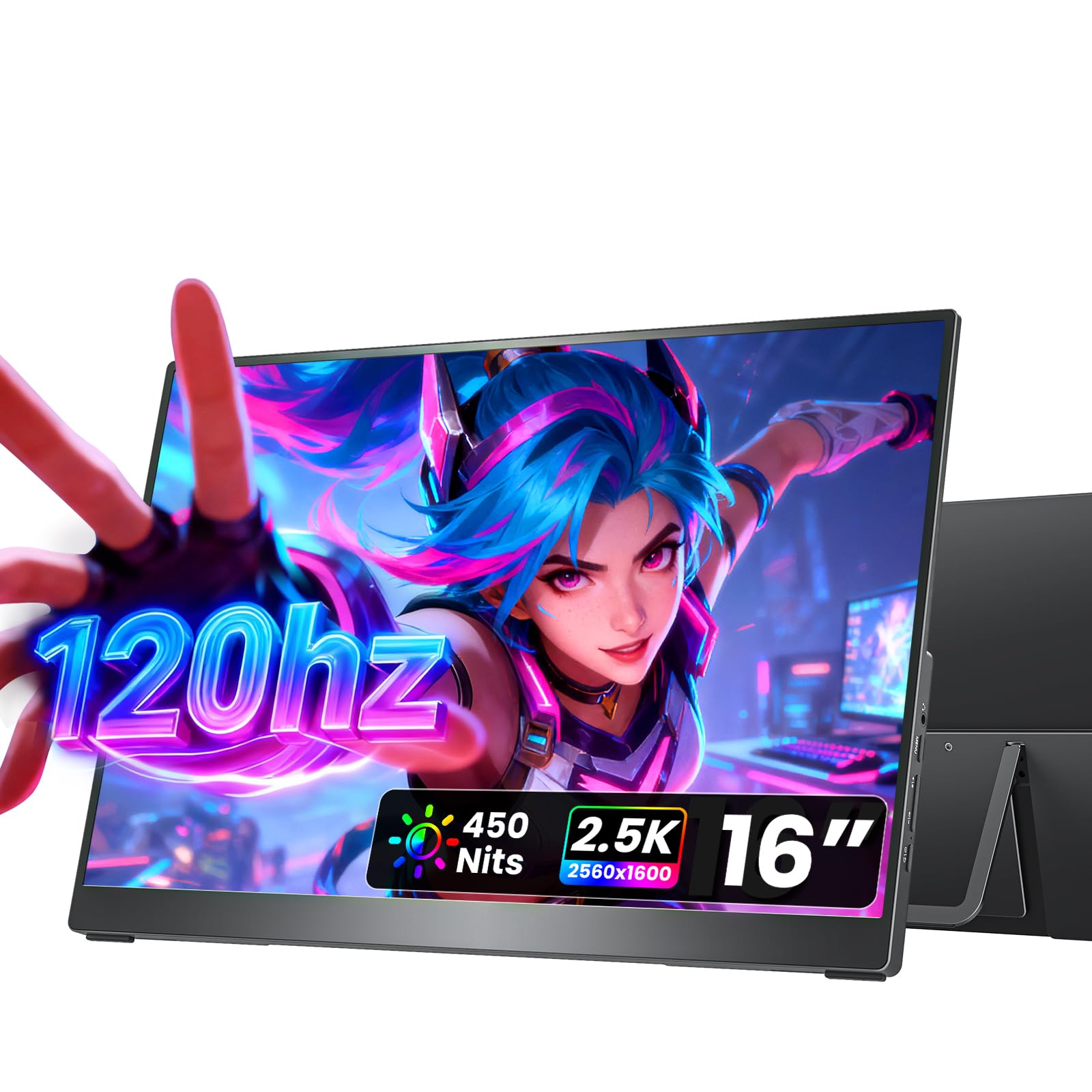
The cocopar 16-inch portable monitor disrupts the mid-range category with a 2.5K (2560×1600) resolution and a 120 Hz refresh rate — specs usually reserved for desktop gaming monitors. The 16:10 aspect ratio provides extra vertical pixels compared to the standard 16:9 panels, which means less scrolling through long documents, code, or web pages. The 110% sRGB color gamut and 450-nit peak brightness deliver punchy, vibrant visuals that stand out in bright coffee shop environments.
The 120 Hz refresh rate makes this an excellent companion for gaming on the road. Connect a PS5, Xbox Series X, or a gaming laptop via HDMI, and you get smooth motion without the tearing or stuttering common on 60 Hz portable panels. The 1200:1 contrast ratio and HDR support add depth to games and streaming content. For productivity work, the high pixel density (188 PPI) makes text look crisp and legible at native resolution without scaling.
Build quality is a step up from budget panels — the full metal chassis feels rigid and premium, and the integrated metal kickstand adjusts from 0 to 90 degrees without wobbling. VESA mount compatibility allows you to attach the monitor to an arm for a permanent desk setup. Weighing only 1.5 pounds and 0.2 inches thick, it’s genuinely portable. The dual 1.5W speakers are adequate for system sounds and calls but lack the volume for media consumption in noisy spaces.
Why it’s great
- 120 Hz refresh rate makes this the best portable option for gaming.
- 2.5K resolution on a 16-inch panel delivers sharp text and detailed images.
- Full metal chassis and VESA mounting add desk-workstation flexibility.
Good to know
- Built-in speakers are quiet — external headphones or speakers are recommended.
- Requires USB-C DP Alt Mode for single-cable power and video.
5. Rizpak Triple Monitor P7 PRO
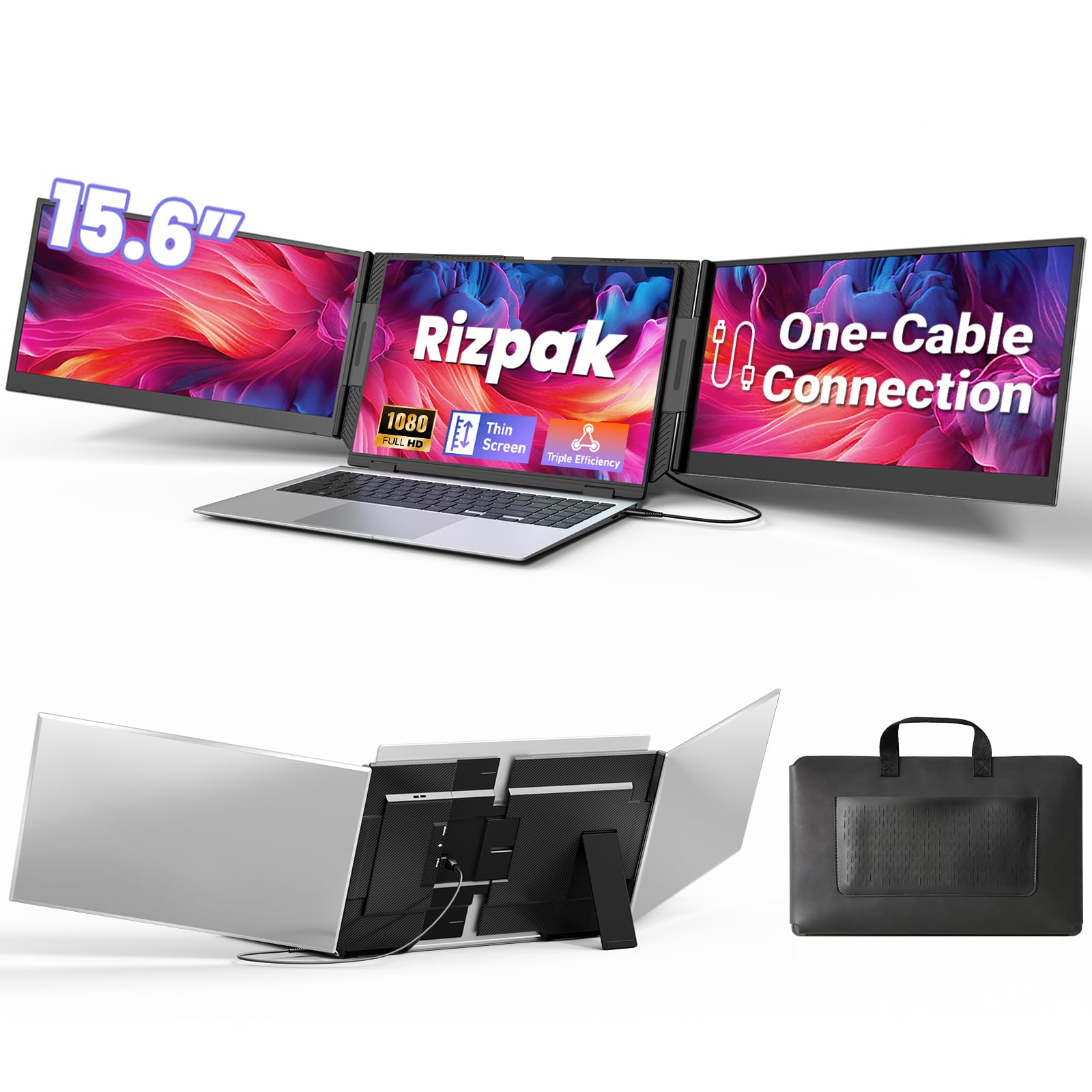
The Rizpak P7 PRO delivers a triple-screen experience using a single USB-C or USB-A cable after a one-time driver installation. Its two 15.6-inch 1080p IPS panels attach to your laptop via a reinforced aluminum frame that doesn’t clamp onto the laptop lid, reducing strain on the hinge compared to clip-on designs. The 100% sRGB color gamut and 300-nit brightness provide respectable image quality for office tasks, spreadsheets, and coding.
The independent aluminum stand is a key differentiator here — it supports both screens without relying on your laptop’s hinge for stability. This design also means the monitors can sit independently from the laptop, allowing you to position them at different heights and angles using the 180-degree foldable hinges. The 0.2-inch screen thickness and 4-pound total weight are reasonable for a dual-panel setup that includes the stand and housing.
One-cable connectivity is genuinely convenient once the driver is installed. The package includes a power adapter, a USB flash drive with the driver, and a carrying bag. A note: the driver installation is required for the single-cable solution to work — without it, you may need two cables. For users who work across multiple operating systems (Windows, macOS, Chrome OS, Android, Linux), this monitor offers broad compatibility and solid build quality at a mid-range price.
Why it’s great
- Single USB-C or USB-A cable powers both screens after driver install.
- Independent stand design removes weight and stress from the laptop hinge.
- Aluminum housing provides durability and good heat dissipation.
Good to know
- Driver installation required for single-cable operation — not truly plug-and-play out of the box.
- 4-pound total weight is heavier than single-panel portable monitors.
6. Macsecor Triple Monitor Extender
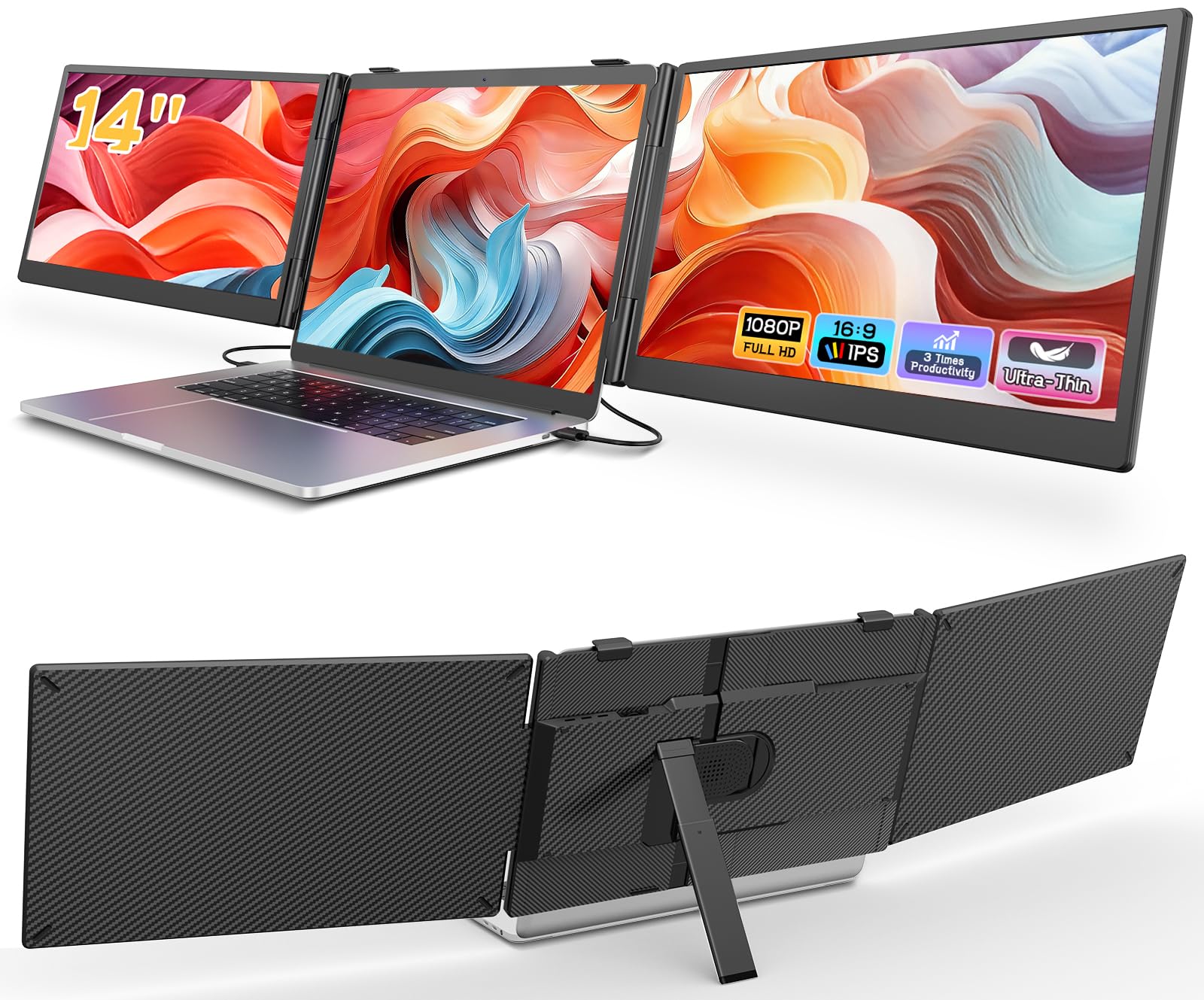
The Macsecor triple laptop screen extender attaches two 14-inch 1080p IPS panels directly to your laptop lid using a clamp-on backplate design. This clip-on approach creates a near-seamless triple-screen setup where the additional panels flank your built-in display, extending the workspace horizontally. The 120% sRGB color gamut and 300-nit brightness are solid for a unit in this price tier, and the HDR mode adds visual punch for presentations and media playback.
Setup requires two cables — one USB-C and one HDMI — to drive both screens simultaneously. The 0.27-inch ultra-slim profile keeps the added bulk manageable, and the included aluminum stand adjusts up to 90 degrees for stable desk placement when the clamp isn’t suitable. The 178-degree wide viewing angle ensures consistent image quality when sharing your screen with others during meetings. The 3-pound total weight is light enough for a backpack.
Compatibility covers laptops from 13 to 17.3 inches, and the no-driver plug-and-play operation works well with Windows, macOS, Chrome OS, Android, and Linux. Note that M1/M2/M3 MacBooks may require an additional H5-T cable (sold separately) for proper video output. The 1-year replacement warranty adds some peace of mind. For its price, the Macsecor delivers a genuine triple-screen experience that boosts workflow efficiency for multitasking-heavy users.
Why it’s great
- Clamp-on design creates a seamless triple-screen layout for under .
- 120% sRGB gamut provides good color performance for the price tier.
- Lightweight enough for daily carry in a backpack.
Good to know
- Requires two cables (USB-C and HDMI) for both screens; not a one-cable solution.
- M1/M2/M3 MacBooks may need an additional cable for compatibility.
7. Lenovo L15 Portable Monitor

The Lenovo L15 is a no-frills portable monitor that focuses on the essentials: a 15.6-inch 1080p IPS display, a height-adjustable stand, and dual USB-C ports for pass-through connectivity. At under two pounds, it’s one of the lightest full-size portable monitors available, making it an easy choice for travelers who want a second screen without adding noticeable weight to their bag. The 250-nit brightness is adequate for indoor use and shaded outdoor spots.
The built-in height-adjustable stand is a standout feature at this price point. It allows you to tilt and adjust the viewing angle more precisely than basic kickstand designs, reducing neck strain during long work sessions. The USB-C ports support both video input and power delivery, so you can run video through one port and power the monitor through the other, or use a single cable if your laptop supports DP Alt Mode. Flicker-free technology helps reduce eye fatigue during extended use.
Build quality feels solid, with a brushed metal finish that matches the aesthetic of most Lenovo and ThinkPad laptops. The included sleeve offers basic protection during transport. Some users have reported reliability concerns after extended use, so it’s worth considering an extended warranty if this is your primary travel monitor. For the price, the L15 delivers competent performance for office work, document editing, and web browsing in a very portable package.
Why it’s great
- Under two pounds makes it one of the lightest 15.6-inch portable monitors.
- Height-adjustable stand provides ergonomic flexibility rare in this price range.
- Dual USB-C ports allow for simple pass-through power connection.
Good to know
- 250-nit brightness is on the lower end — not ideal for bright outdoor use.
- Some reliability reports suggest potential longevity concerns.
8. ASUS ZenScreen MB16AHV

The ASUS ZenScreen MB16AHV is built for the road warrior who values durability and hygiene. Its 15.6-inch 1080p IPS panel features an anti-glare surface that cuts reflections in brightly lit cafes and airports, alongside an embedded ionic silver antibacterial treatment that inhibits 99.9% of surface bacteria — a thoughtful addition for shared workspaces. The 250-nit brightness is standard for the category, but the anti-glare coating makes the effective usable brightness feel higher than the measured number suggests.
Connectivity includes dual USB-C ports (one with 15W power delivery) and a mini-HDMI port, giving you flexibility when connecting to older laptops or gaming consoles. The 10mm ultra-slim profile and 0.9 kg (2 lbs) weight make it one of the thinnest and lightest models from a major brand. The fold-out kickstand is based on ASUS’s proven design and provides stable support at multiple viewing angles. A tripod socket adds mounting flexibility for standing desk or presentation setups.
The auto-rotate DisplayWidget software automatically switches between portrait and landscape modes when you rotate the monitor, which is useful for reading long documents or coding. TÜV-certified flicker-free and low blue light technology reduces eye strain during extended sessions. The 3-year warranty and 3-month Adobe Creative Cloud subscription add significant value. For professionals who move between co-working spaces and need a reliable, hygienic, and well-supported portable monitor, the MB16AHV is a strong mid-range choice.
Why it’s great
- Anti-glare screen and antibacterial treatment are unique hygiene-focused features for shared spaces.
- 10mm thin and 0.9 kg — genuinely portable from a trusted brand.
- 3-year warranty and auto-rotate software add long-term value.
Good to know
- 250-nit brightness is moderate; direct sunlight will wash out the screen.
- 15W power delivery may not be enough to charge larger laptops during use.
9. Blackview Laptop Screen Extender SCM6
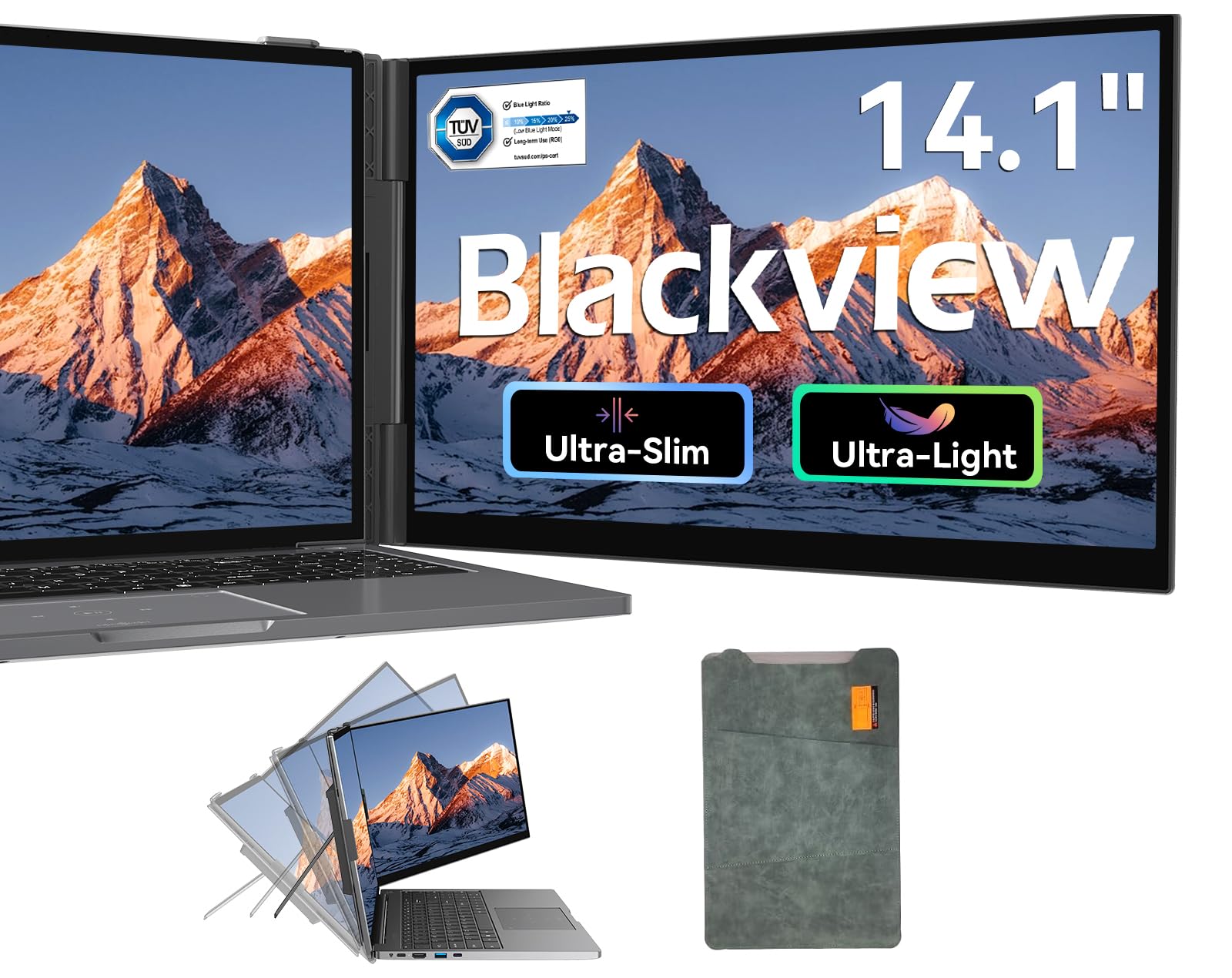
The Blackview SCM6 is the lightest single-panel screen extender in this list at just 1.3 pounds, with a profile that measures 0.17 inches at its thinnest point. Its 14-inch 1080p IPS panel delivers 300 nits of brightness and 100% sRGB coverage — numbers that punch above its price tier. The clip-on design attaches to the side of your laptop without adding significant weight or bulk, making it the go-to option for travelers who prioritize minimal carry weight above all else.
Setup is genuinely plug-and-play with no driver installation required. The package includes both a USB-C-to-USB-C cable and a USB-C-to-USB-A cable, plus an HDMI adapter, ensuring compatibility with laptops that lack full-function USB-C ports. The reinforced springs and non-slip pads on the clip mechanism securely hold laptops from 13 to 17 inches without wobbling. TÜV SÜD-certified low blue light filtering operates at the hardware level, which is more effective than software-based filters for reducing eye strain.
For the price, the Blackview SCM6 offers an impressive balance of weight, clarity, and build quality. The included protective case keeps the monitor safe during transit. The 24-month warranty is notably longer than the industry standard of 12 months, which adds confidence for a low-cost device. If you need a single extra screen for basic office tasks, remote work, or travel productivity, this is the budget option that doesn’t force major compromises on screen quality or portability.
Why it’s great
- 1.3-pound weight makes it the most travel-friendly option in the guide.
- 300-nit brightness and 100% sRGB exceed expectations for the price tier.
- 24-month warranty is double the standard 12-month coverage.
Good to know
- 14-inch screen is smaller than the 15.6-inch panels common in this category.
- Clip-on design adds a small amount of weight to the laptop lid.
FAQ
Can I use a portable monitor with a smartphone?
Will a clip-on screen extender damage my laptop hinge?
What brightness do I need for outdoor or coffee shop use?
Final Thoughts: The Verdict
For most users, the best 2-in-1 monitor winner is the ASUS ZenScreen Duo OLED MQ149CD because its dual OLED panels deliver unmatched color accuracy and contrast in a truly foldable, portable form factor that redefines what a mobile workspace can be. If you want a high-refresh screen for gaming and sharp productivity, grab the cocopar 16-inch 2.5K 120Hz monitor. And for a budget-friendly single-screen travel extender that won’t weigh you down, nothing beats the Blackview SCM6.