
A 16-inch monitor sits at the sweet spot between a cramped laptop display and a full desktop setup, yet most buyers grab the first panel they see without checking pixel density or port compatibility. The difference between a blurry 1080p extender and a sharp 4K travel companion is measured in real productivity minutes saved per day, not pixels on a spec sheet. You need a screen that matches your device’s output capability and survives daily bag life without adding pounds to your carry.
I’m Min — the co-founder and writer behind Gadgets Feed. I’ve spent countless hours cross-referencing panel types, brightness nits, color gamut coverage, and connectivity standards across the current 16-inch monitor market to separate the truly portable performers from the plastic shelf-fillers.
Whether you are a digital nomad, a remote worker, or a console gamer on the move, this guide cuts through the marketing fluff to help you find the absolute best 16 inch monitor for your specific use case and budget.
How To Choose The Best 16 Inch Monitor
Picking the right 16-inch monitor means balancing resolution, brightness, refresh rate, and build quality against your actual daily carry habits. A panel that looks great on a desk but cannot survive a backpack commute is not portable — it is just small. Focus on the specs that match your primary device and your typical lighting environment, then weigh the physical design trade-offs.
Resolution and Pixel Density
A 16-inch panel with 1080p resolution delivers roughly 138 PPI, which is serviceable for text but shows visible pixel structure during photo editing or reading small fonts. At 2560×1600 (QHD), you get around 188 PPI, close to many laptop Retina-class screens. The 3840×2400 (4K UHD) option pushes past 282 PPI, offering razor-sharp text and image detail that professional creative workflows demand. Higher resolution requires more GPU power and may force scaling on some operating systems, but the clarity gain on a 16-inch display is immediately noticeable when switching between spreadsheets and design software.
Brightness and Outdoor Usability
Standard portable monitors hover around 250 to 400 nits, which works indoors under controlled lighting. If you work near windows, in coffee shops with overhead glare, or occasionally outside, aim for 450 nits or higher. Panels rated at 1200 nits (peak) handle direct sunlight remarkably well, though they typically require external power to reach those levels. Also check for matte vs glossy screen finishes — matte coatings reduce reflections significantly but can soften detail slightly, while glossy panels deliver punchier colors at the cost of mirror-like glare.
Refresh Rate and Adaptive Sync
Productivity users can comfortably stick with 60Hz, but gamers targeting fast-paced shooters or racing sims benefit from 120Hz or 144Hz panels. Adaptive Sync (FreeSync) eliminates screen tearing without adding input lag when paired with compatible GPUs or consoles like the Xbox Series X and PS5. The 120Hz 2.5K panels strike a strong balance between motion clarity and sharpness at 16 inches, though 4K at 60Hz remains the standard for color-accurate creative work.
Connectivity and Power Delivery
Single-cable USB-C operation is the gold standard for portable monitors — the same cable carries video signal and power to the display. Confirm that your laptop supports USB-C DisplayPort Alt Mode or Thunderbolt 3/4/5, otherwise you will need a separate power adapter. Dual USB-C ports plus a full-size or Mini HDMI port offer the widest compatibility across phones, gaming consoles, and older laptops. Also verify the wattage your device outputs: a MacBook Pro can deliver 96W through its USB-C ports, while some ultraportables only provide 15W, requiring a separate power brick for the monitor.
Quick Comparison
On smaller screens, swipe sideways to see the full table.
| Model | Category | Best For | Key Spec | Amazon |
|---|---|---|---|---|
| MAGICRAVEN 4K Portable | Mid-Range | 4K productivity on a budget | 3840×2400, 400 nits, 16:10 | Amazon |
| InnoView 2.5K 120Hz | Mid-Range | High-refresh gaming plus sharp text | 2560×1600, 120Hz, 400 nits | Amazon |
| ViewSonic VX1654 | Mid-Range | 144Hz competitive gaming | 1920×1080, 144Hz, 250 nits | Amazon |
| EVICIV 4K 1200 Nits | Premium | Outdoor and bright-room use | 3840×2400, 1200 nits, 2000:1 | Amazon |
| Newsoul 4K 1200 Nits | Premium | Vibrant colors with high contrast | 3840×2400, 145% sRGB, 2000:1 | Amazon |
| cocopar 2.5K 120Hz | Premium | Travel-ready build with metal stand | 2560×1600, 120Hz, 450 nits | Amazon |
| FLYTOCCA Screen Extender | Premium | Dual-screen laptop attachment | 2x 1920×1200, rotating arms | Amazon |
| Magedok OLED 4K | Premium | True blacks and photo editing | 3840×2400, OLED, 100% DCI-P3 | Amazon |
| SOTSU FlipAction Elite | Premium | Premium build and pivot rotation | 3840×2400, 450 nits, CNC metal | Amazon |
In‑Depth Reviews
1. MAGICRAVEN 4K Portable Monitor

The MAGICRAVEN delivers a native 3840×2400 resolution on a 16-inch IPS panel at a price that undercuts many 2.5K competitors. The 400-nit brightness and 1500:1 contrast ratio produce deep blacks and punchy highlights, while the 100% sRGB coverage ensures photo edits translate accurately between your laptop screen and this extender. The 16:10 aspect ratio adds vertical screen real estate that spreadsheet users and document reviewers will appreciate compared to standard 16:9 panels.
Connectivity is handled through two USB-C 3.2 ports and a full-size HDMI 2.0 port, covering modern laptops, phones, and game consoles without adapter headaches. The monitor draws power directly from a single USB-C cable when connected to a MacBook or Thunderbolt-compatible device, eliminating the need for a separate power brick during travel. The built-in smart cover folds into a stand, and the 75x75mm VESA pattern adds mounting flexibility for desk or wall setups.
The IPS panel delivers wide 178-degree viewing angles, making it easy to share your screen in collaborative workspaces. The 1.54-pound weight and 0.39-inch thickness slide into most laptop bags without adding noticeable bulk, and the magnetic cover protects the display during transit. Some users note that custom settings like brightness and contrast reset after power cycles, and the onboard speakers are adequate for system sounds but lack bass for media consumption.
Why it’s great
- True 4K resolution at a mid-range price point
- Single USB-C cable operation with most modern laptops
- VESA mountable for permanent desk setups
Good to know
- On-screen display settings do not persist through power cycles
- Integrated speakers lack volume and bass for media
- Case/stand design is functional but feels basic
2. InnoView 16″ Portable Monitor 120Hz 2.5K

The InnoView combines a 2560×1600 resolution with a 120Hz refresh rate, delivering roughly 188 PPI for crisp text alongside smooth motion for fast-paced gaming. The 16:10 panel covers 100% sRGB, and the 400-nit brightness keeps visuals visible in moderate ambient light. FreeSync support eliminates screen tearing when paired with compatible GPUs or AMD-equipped consoles, making this a strong choice for gamers who also need a productivity display.
Connectivity includes two USB-C ports and a full-size HDMI input, supporting laptops, smartphones, and consoles like the PS5 and Xbox Series X. The monitor is plug-and-play across Windows, macOS, and Linux with no driver installation required. The lightweight build and slim profile fit easily into a backpack, though the built-in kickstand is basic and benefits from a dedicated third-party stand or VESA mount for stable positioning during intense gaming sessions.
For creative professionals, the 100% sRGB gamut ensures color-accurate photo editing, though some users report that HDR mode on MacBooks must be disabled in system settings to avoid a washed-out appearance. The 1200:1 contrast ratio provides decent shadow detail, and the 16:10 aspect ratio shows more vertical content than standard 16:9 monitors, reducing scrolling in web pages and code editors.
Why it’s great
- 120Hz refresh rate at 2.5K resolution for smooth gameplay
- FreeSync support eliminates tearing without input lag
- Full-size HDMI port simplifies console connection
Good to know
- HDR mode on MacBooks requires manual disabling for accurate colors
- Built-in stand is basic and not as stable as metal alternatives
- No protective folio or cover included in the box
3. ViewSonic VX1654 16 Inch 1080p Portable Gaming Monitor

The ViewSonic VX1654 prioritizes refresh rate over resolution, packing a 144Hz panel with FreeSync support into a 15.6-inch chassis at a budget-friendly entry point. The 1920×1080 IPS display delivers 141 PPI, which is adequate for gaming and general productivity, though text sharpness falls behind 2.5K and 4K competitors. The 250-nit brightness is sufficient for indoor use but struggles in brightly lit rooms or near windows.
The monitor weighs 1.5 pounds with a 0.7-inch thickness, and the built-in stand folds flat for travel while supporting both landscape and portrait orientations. USB-C connectivity provides power, video, and audio over a single cable when connected to compatible devices, and the Mini HDMI input extends compatibility to older laptops and game consoles. The included protective sleeve doubles as a screen cover during transport, though it lacks a dedicated pocket for cables.
The 144Hz refresh rate makes a measurable difference in competitive shooters and racing games, reducing motion blur and providing a responsive feel that 60Hz panels cannot match. The integrated speakers are loud enough for casual gaming but distort at maximum volume and lack bass. Color accuracy is decent for a gaming-focused panel but falls short for photo editing or color-critical work.
Why it’s great
- 144Hz refresh rate for smooth competitive gaming
- Single USB-C cable handles power and video
- Built-in stand supports both portrait and landscape modes
Good to know
- 250-nit brightness limits usability in bright rooms
- Speakers distort at high volume with bass-light output
- 1080p resolution shows visible pixels at close viewing distances
4. EVICIV Portable Monitor 4K 1200 Nits
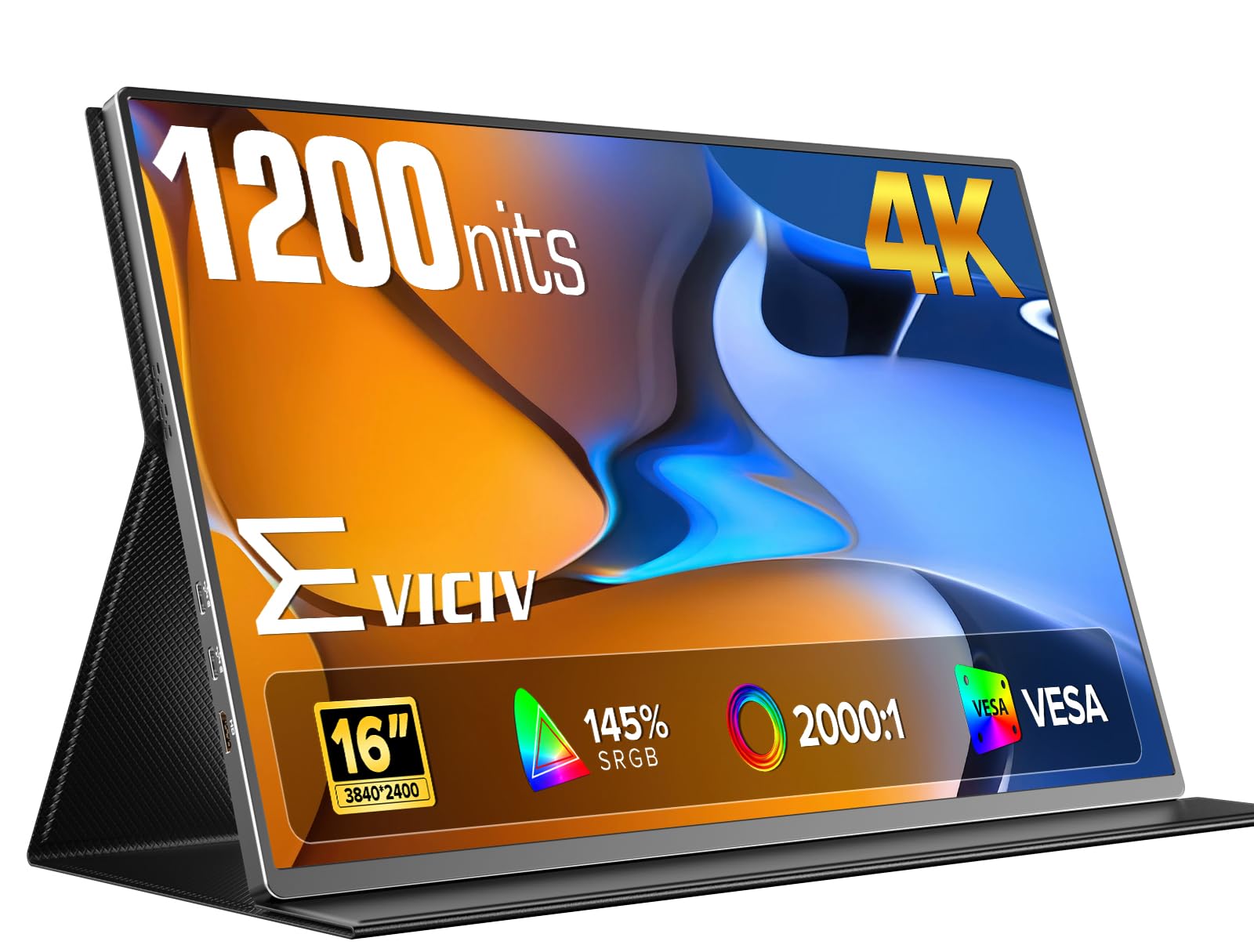
The EVICIV stands out with a peak brightness of 1200 nits on a 3840×2400 IPS panel, making it the best option for outdoor work or brightly lit environments where standard 250-400 nit displays become unusable. The 2000:1 contrast ratio delivers deep blacks and strong highlight separation, and the aluminum alloy body provides a premium feel and better heat dissipation than plastic alternatives. The matte screen finish effectively cuts reflections, maintaining readability even under direct sunlight.
The 16:10 aspect ratio at 4K resolution translates to roughly 282 PPI, offering incredibly sharp text and image detail that benefits CAD work, photo editing, and detailed spreadsheet analysis. Connectivity includes two USB-C ports and a Mini HDMI input, with plug-and-play support across Windows, macOS, and Linux. The 75x75mm VESA mount adds flexibility for fixed desk or wall installations, and the included smart cover functions as a basic stand.
The FreeSync support and 1ms response time make this panel usable for light gaming despite the 60Hz refresh rate ceiling. The 1200-nit peak requires external power to achieve full brightness, but the monitor still operates at a very usable 400-500 nits via single USB-C bus power. Some users report that achieving the full 1200 nits requires a white background and a dedicated power adapter, so outdoor users should plan to carry the included power brick.
Why it’s great
- 1200-nit peak brightness for outdoor readability
- 2000:1 contrast ratio for deep blacks and vibrant highlights
- Premium aluminum build feels durable and dissipates heat well
Good to know
- Peak brightness requires external power and white background
- 60Hz refresh rate limits high-refresh gaming potential
- Mini HDMI input may require an adapter for some devices
5. Newsoul 4K Portable Monitor 1200Nits

The Newsoul pushes color saturation beyond standard sRGB monitors with a 145% sRGB gamut coverage on its 3840×2400 IPS panel, delivering noticeably punchier reds, greens, and blues that make photos and videos pop. The 1200-nit peak brightness matches the EVICIV for outdoor usability, and the 2000:1 contrast ratio produces deep blacks that improve perceived image depth. The matte anti-glare coating reduces reflections effectively, making this monitor usable in coffee shops, near windows, and outdoors.
The aluminum alloy shell provides a sturdy feel while keeping weight manageable for daily carry. Connectivity includes two USB-C ports and one Mini HDMI port, with FreeSync support for tear-free gaming. The 75x75mm VESA mount allows for desk arm or wall installation, and the included magnetic protective cover doubles as a stand. The plug-and-play setup works across Windows, macOS, Linux, and game consoles with no driver installation required.
The 145% sRGB coverage means colors are more saturated than standard sRGB content intends, which can be appealing for media consumption but less ideal for color-critical photo editing where accuracy matters over vibrancy. The monitor ships with a 30W power adapter, and achieving the full 1200 nits requires external power. Users report that the on-screen menu is more intuitive than previous generations, and the display settings persist through power cycles.
Why it’s great
- 145% sRGB gamut for vivid and saturated colors
- 1200-nit peak brightness with effective matte anti-glare finish
- VESA mountable with magnetic cover/stand included
Good to know
- Over-saturated colors may not suit color-accurate photo editing
- Peak brightness requires external power adapter
- Mini HDMI input may limit cable compatibility without adapters
6. cocopar Portable Monitor 16 Inch 2.5K 120Hz
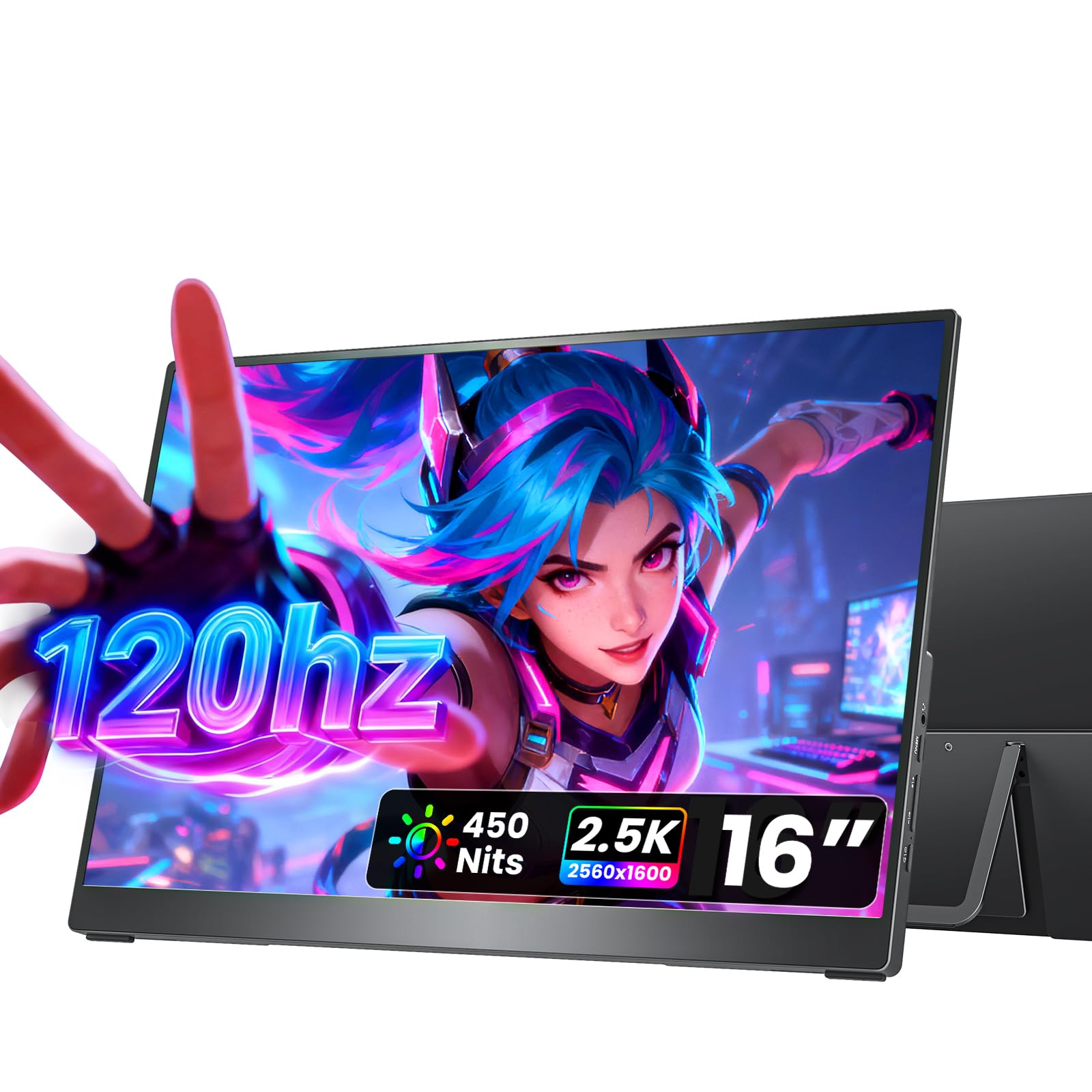
The cocopar combines a full metal chassis with a 2560×1600 resolution and 120Hz refresh rate, offering a premium build that resists flex and feels far more substantial than the plastic panels common at this price tier. The 450-nit brightness and 110% sRGB coverage produce vibrant colors with enough headroom for use in well-lit environments, and the 1200:1 contrast ratio delivers acceptable shadow detail for gaming and video content.
The integrated metal kickstand adjusts smoothly from 0 to 90 degrees and provides a stable base on desk surfaces, eliminating the wobble that plagues magnetic folio stands. Dual VESA mounting holes support vertical or horizontal orientations on monitor arms, and the two full-function USB-C ports plus an HDMI input cover most modern devices. The monitor ships with a premium fabric sleeve rather than a cheap plastic cover, and the included cables are of noticeably higher quality than the generic offerings that come with budget portable monitors.
Weighing just 1.5 pounds with a slim profile of 0.2 inches at its thinnest point, the cocopar slides easily into a laptop bag alongside a 13-inch or 14-inch ultrabook. The 120Hz refresh rate with FreeSync support ensures smooth gameplay in fast-paced titles, and the 16:10 aspect ratio provides extra vertical space for coding and document work. The dual 1.5W speakers deliver clear audio for video calls and casual viewing, though they lack the low-end response for immersive gaming sound.
Why it’s great
- Full metal chassis with adjustable kickstand for stable use
- 450 nits brightness paired with 120Hz refresh rate
- Premium fabric sleeve and high-quality included cables
Good to know
- Speakers are adequate but lack bass for immersive audio
- VESA mount requires separate adapter plate for some arms
- No magnetic cover included; sleeve provides basic protection
7. FLYTOCCA 16″ Laptop Screen Extender

The FLYTOCCA takes a fundamentally different approach by attaching two 16-inch 1920×1200 IPS panels directly to your laptop via a clip-on bracket, creating a triple-screen workstation without occupying desk space. Each panel rotates 235 degrees horizontally and 90 degrees vertically, enabling over a dozen configurations including side-by-side extended mode, stacked portrait mode, or folding one screen behind the other for focused work. The 16:10 aspect ratio provides more vertical pixels than standard 1080p extenders.
The magnetic attachment system makes setup and removal quick, and the entire assembly folds into a carrying case roughly the size of a laptop bag. The 1200p resolution delivers 141 PPI per panel, which is sharp enough for productivity tasks like coding, writing, and spreadsheet analysis. The built-in speakers on each panel provide basic audio output, and the included cable bundle covers USB-C, USB-A, and HDMI connections to maximize laptop compatibility.
The total weight of 9.94 pounds makes this extender unsuitable for daily backpack carry or air travel, but it excels as a semi-permanent home office or dorm setup that can be packed away when not in use. Some laptops with limited video output bandwidth may require the included H5 cable and a driver installation to drive both screens simultaneously. Users with M1/M2/M3 MacBooks should verify dual-screen support before purchasing, as Apple silicon chips limit external display count.
Why it’s great
- Creates a triple-screen laptop workstation without desk space
- Panels rotate 235° horizontally and 90° vertically for flexible layouts
- Magnetic attachment makes setup and removal quick
Good to know
- 9.94-pound total weight is heavy for regular travel
- M1/M2/M3 MacBooks may require extra cables and drivers for dual output
- Some configurations cause screens to angle inward rather than parallel
8. Magedok OLED Portable Monitor 4K

The Magedok uses a Samsung E4 AM-OLED panel at 3840×2400 resolution, delivering true blacks, an infinite 100,000:1 contrast ratio, and 100% DCI-P3 coverage with a Delta E less than 1 for reference-grade color accuracy. The 283 PPI pixel density makes text incredibly sharp, and the pixel-level lighting control means HDR content shows zero blooming around bright objects on dark backgrounds. The 16:10 aspect ratio adds 10 percent more screen area than standard 16:9 monitors, expanding gaming field of view and reducing scrolling in productivity apps.
The 400-nit brightness is lower than the high-nit LCD competitors, but OLED’s per-pixel lighting makes perceived brightness feel higher because black areas emit no light at all. The adjustable kickstand provides 0 to 90 degrees of tilt with a stable non-slip base, and the 75x75mm VESA mount offers permanent installation options. Connectivity includes Mini DisplayPort, USB-C, and standard HDMI ports, covering PCs, laptops, phones, and gaming consoles like the Switch, PS5, and Xbox Series X.
The 2-pound weight and 0.22-inch thickness at the edges make the Magedok genuinely slim, though the 0.46-inch center thickness accommodates the OLED panel’s driver board. The glossy screen finish delivers punchier colors and deeper perceived contrast than matte panels, but creates noticeable reflections in brightly lit rooms. Some units have reported USB-C to DisplayPort functionality failing after extended use, so buyers should verify warranty coverage and return policies before purchasing.
Why it’s great
- OLED panel with true blacks and 100,000:1 contrast ratio
- 100% DCI-P3 coverage with Delta E less than 1 for photo editing
- 283 PPI pixel density delivers exceptionally sharp text and images
Good to know
- 400 nits is dimmer than high-nit LCD competitors for outdoor use
- Glossy screen creates reflections in bright environments
- Some units have reported USB-C connectivity failures over time
9. SOTSU FlipAction Elite 16″ 4K Portable Monitor

The SOTSU FlipAction Elite represents the most portable high-end monitor by collapsing to a half-inch thickness with its stand magnetizing flat against the back, eliminating the bulk that plagues traditional portable monitors with detachable covers. The full metal CNC-machined chassis uses aerospace-grade materials with an anodized finish that matches the aesthetic of MacBooks and premium Windows ultrabooks. The 3840×2400 IPS panel delivers 450 nits of brightness with 100% DCI-P3 coverage, placing it among the most color-accurate LCD portable monitors on the market.
The hinge mechanism allows height adjustment and rotation from 0 to 180 degrees, supporting landscape, portrait, and viewing-angle-optimized positions without detaching the monitor from its base. The kickstand includes a full-size SD card slot, eliminating the need for a separate card reader during photo shoots on location. Power pass-through charging lets you plug your laptop charger into the monitor to power both the display and the connected device, reducing cable clutter on a coffee shop table.
The connectivity set includes USB-C and Mini HDMI ports, and the monitor works out of the box with Mac and Windows systems. The build quality is genuinely premium, with strong magnets, smooth hinge action, and no creaking or flex in the chassis. The included protective case is thin and offers minimal impact protection, so daily commuters may want to invest in a padded 16-inch laptop sleeve. Some users report a high-pitched electronic buzz when the monitor is plugged in with the screen off, and the auto-rotation feature does not function reliably across all operating systems.
Why it’s great
- Packs flat to half-inch thickness with magnetized stand
- CNC-machined aerospace aluminum with premium anodized finish
- Power pass-through charges laptop and monitor from one brick
Good to know
- High-pitched electronic buzz reported when screen is off and plugged in
- Included protective case is thin and offers minimal padding
- Auto-rotation feature does not work reliably on all systems
FAQ
Can I connect a 16-inch portable monitor to a MacBook with a single USB-C cable?
Is a 1080p 16-inch monitor sharp enough for photo editing?
What is the difference between 60Hz, 120Hz, and 144Hz on a portable monitor?
Does a 16-inch portable monitor support VESA mounting?
Final Thoughts: The Verdict
For most users, the best 16 inch monitor winner is the MAGICRAVEN 4K Portable Monitor because it delivers true 3840×2400 resolution, 400-nit brightness, and single-cable USB-C operation at a price that undercuts most 2.5K competitors. If you want a 120Hz high-refresh panel for gaming and productivity without stepping up to 4K, grab the InnoView 2.5K 120Hz. And for outdoor work in bright sunlight, nothing beats the EVICIV 4K 1200 Nits with its industry-leading brightness and effective anti-glare coating.