
Forget static textbooks or flat instructional videos. Augmented reality overlays interactive, 3D holograms directly onto your real-world environment, turning a living room into a biology lab or a desk into an interactive engine diagram. The barrier to entry has dropped significantly, with powerful headsets now offering sharp micro-OLED displays, integrated spatial tracking, and crystal-clear audio at various price points.
I’m Min — the co-founder and writer behind Gadgets Feed. I’ve spent countless hours dissecting the technical specifications, field-of-view measurements, and processing chips of the latest spatial computing devices to help you separate genuine educational tools from gimmicky displays.
Whether you’re a student dissecting a virtual frog or a professional learning a complex mechanical assembly, this guide to the best ar headsets for immersive learning breaks down the critical specs and real-world performance of today’s top models.
How To Choose The Best AR Headsets For Immersive Learning
Picking the right headset for learning is different from picking one for gaming. You need text clarity for reading instructions, stable screen anchoring so diagrams don’t drift, and long-wearing comfort for study sessions. The spec sheet tells only part of the story.
Display Quality and Optics
For learning, a micro-OLED panel with high pixel density is non-negotiable. A resolution of 1920×1080 per eye is the baseline for sharp text, but a wider field of view (50° or more) makes virtual whiteboards and complex 3D models feel less tunnel-visioned. High brightness, measured in nits, ensures you can see the overlay clearly in a lit room — essential for referencing a physical textbook or working at a desk.
Spatial Tracking: 3DoF vs. 6DoF
3DoF (Three Degrees of Freedom) tracks your head’s rotation — looking left, right, up, and down. This is fine for a virtual monitor that follows your gaze. 6DoF (Six Degrees of Freedom) tracks both rotation and positional movement (leaning in, walking around), allowing you to inspect a 3D model from all angles. For the most immersive learning experiences where you walk around a holographic object, 6DoF is critical.
Connectivity and Ecosystem
Most AR glasses are “plug-and-play” displays that require a host device — a smartphone, laptop, or gaming handheld — via USB-C DisplayPort. This makes them lightweight, but they are dependent on the host’s processing power. Standalone headsets like the Meta Quest 3 have the computer built-in, offering total freedom from wires but adding weight to the headset. Consider what devices you already own and whether you want a pure display or a self-contained computer.
Quick Comparison
On smaller screens, swipe sideways to see the full table.
| Model | Category | Best For | Key Spec | Amazon |
|---|---|---|---|---|
| XREAL One Pro | Premium | Widest FOV & 6DoF Ready | 57° FOV, 120Hz, 700 nits | Amazon |
| XREAL 1S | Premium | Native 3DoF & 500″ Screen | 52° FOV, 120Hz, Bose Audio | Amazon |
| Meta Quest 3 512GB | Standalone | Full VR/AR Learning Apps | 4K+ Display, XR2 Gen 2 | Amazon |
| VITURE Luma Ultra | Premium | Hand Gesture & 6DoF | 52° FOV, 1500 nits, 1200p | Amazon |
| Rokid AR Spatial + Station2 | High-End | 3-Screen Multitasking | 50° FOV, 120Hz, 5000mAh battery | Amazon |
| TOZO VIZO Z1 | Mid-Range | Ultra-Light & Portable | 160″ Screen, 63g, 120Hz | Amazon |
| Meta Quest 3S 128GB | Standalone | Budget VR/AR Entry | XR2 Gen 2, Color Passthrough | Amazon |
| Rokid Max 2 | Mid-Range | Lightweight Plug-and-Play | 215″ Screen, 75g, 600 nits | Amazon |
| VITURE Luma | Mid-Range | Best 2D-to-3D Conversion | 146″ Screen, 1200p, 120Hz | Amazon |
| RayNeo Air 4 Pro (Batman Edition) | Mid-Range | HDR10 & Premium Audio | 120Hz, 1200 nits, B&O Audio | Amazon |
| SYNCO XTALK XPRO | Communication | Wireless Intercom | 24H Battery, 500m Range | Amazon |
In‑Depth Reviews
1. XREAL One Pro AR Glasses

The XREAL One Pro is the current benchmark for AR glasses built on clarity and tracking. Its self-developed X1 chip delivers native 3DoF tracking with an incredibly low 3ms motion-to-photon latency, meaning the 171-inch virtual screen stays perfectly locked in place as you move your head — a critical feature for reading dense text or observing static diagrams in an educational app. The 57° field of view is the widest among glasses-style headsets, making a virtual whiteboard feel legitimately usable rather than a narrow window.
At 700 nits brightness with an electrochromic dimming layer, you can use these glasses comfortably in a well-lit room or even outdoors, allowing you to reference physical notes or a laptop keyboard without the display washing out. The dual IPD design (M and L sizes) ensures a proper fit for a wide range of face shapes, reducing eye strain during long study sessions. Sound is tuned by Bose, providing clear audio for lectures or language learning without the need for earbuds.
While the One Pro requires a USB-C DisplayPort host device (smartphone, laptop, Steam Deck), its plug-and-play nature means no setup, no pairing, and no batteries to charge on the glasses themselves. For learners who need the widest, sharpest, and most stable virtual display tethered to their existing computer or phone, this is the definitive choice. The optional XREAL Eye accessory adds full 6DoF spatial anchoring for walking around 3D models.
Why it’s great
- Industry-leading 57° FOV for an expansive learning workspace.
- Native 3DoF with ultra-low latency keeps text and diagrams rock solid.
- High brightness (700 nits) and electrochromic dimming for any lighting.
Good to know
- Requires an external host device via USB-C; not standalone.
- May still cause some discomfort when side-lying or during extreme head movement.
2. XREAL 1S AR/XR Glasses

The XREAL 1S offers many of the same core strengths as the One Pro but at a more accessible price point. It retains the native 3DoF spatial screen powered by the X1 chip, giving you a 500-inch virtual screen that doesn’t drift, and a 52° FOV that still feels significantly larger than earlier generations. The 120Hz refresh rate in 3DoF mode ensures smooth scrolling through articles or navigating complex 3D user interfaces without judder.
Audio is co-developed with Bose, utilizing custom AR-grade drivers in a dedicated acoustic chamber. The result is a spacious, balanced soundstage with excellent vocal clarity — ideal for listening to narrated tutorials, podcasts, or language lessons without feeling isolated from your surroundings. The TÜV Rheinland eye comfort certification also provides peace of mind for long study sessions, with flicker-free visuals and low blue light emission.
Where the 1S differs from the One Pro is in the optical engine and FOV. The 1S uses the previous generation’s optical design, offering a slightly smaller virtual screen size than the Pro’s 57° FOV. It also lacks the advanced anti-glare design of the newer model. For learners who prioritize a rock-solid screen anchor, great audio, and certified eye comfort but want to save a bit compared to the flagship, the 1S is a superb choice. The REAL 3D mode adds an extra layer of depth to compatible content.
Why it’s great
- Rock-solid native 3DoF anchor mode keeps the display stable for reading.
- Certified eye comfort (TÜV Rheinland) for extended study periods.
- Highly rated Bose audio system with clear vocal reproduction.
Good to know
- 52° FOV is good but not as expansive as the One Pro’s 57°.
- Some users report visual clutter from the frame and tinted lenses in bright rooms.
3. Meta Quest 3 512GB

The Meta Quest 3 is not a pair of glasses — it’s a full standalone headset. However, its color passthrough mixed reality mode makes it one of the most versatile devices for immersive learning. You can bring up a massive virtual screen for coding or reading while keeping your real desk in view, or place full 3D objects into your living room that you can walk around using 6DoF tracking. The Snapdragon XR2 Gen 2 chip delivers 2x the graphical processing of the Quest 2, enabling high-fidelity educational apps on the Meta Horizon store.
The key advantage for learning is the standalone nature: no phone or PC is required. This allows for true spatial computing where virtual objects are anchored to real-world surfaces. The pancake lenses provide a much clearer and sharper image with a larger sweet spot compared to older fresnel lenses, making text legible across the entire field of view. The 4128×2208 display resolution (nearly 30% sharper than Quest 2) is excellent for reading fine print in a virtual textbook.
Battery life is around 2 hours, which is a limiting factor for extended study sessions, though you can plug it in to play while charging. The 512GB model offers ample storage for downloading multiple educational apps, 3D models, and video content. For learners who want the deepest immersion with full hand and controller tracking, no wires, and access to a massive library of mixed reality educational experiences, the Quest 3 is the undisputed standalone champion.
Why it’s great
- Fully standalone; no external device needed for mixed reality.
- Full-color passthrough AR blends digital models with your real room.
- Vast library of educational and productivity apps on the Quest store.
Good to know
- Heavier and less discreet than glasses-style AR headsets.
- Battery life is limited to approximately 2 hours per charge.
4. VITURE Luma Ultra AR Glasses
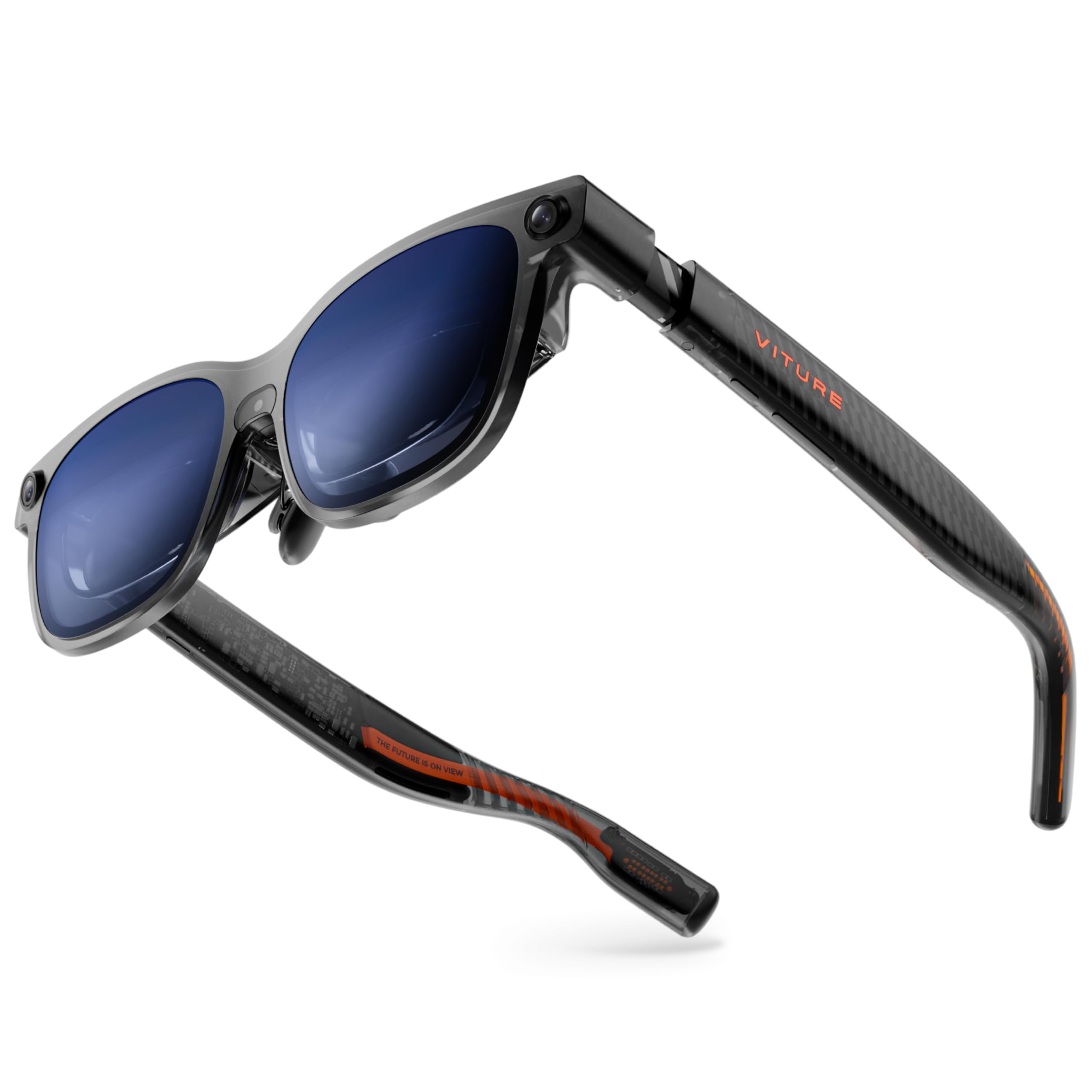
The VITURE Luma Ultra steps up from the standard Luma by adding a front RGB camera and dual depth cameras, enabling full 6DoF spatial computing and hand gesture recognition when paired with the VITURE Pro Neckband. This transforms it from a simple display into a device where you can reach out, grab, and interact with a virtual object — a major leap for interactive learning scenarios like assembling a model engine or navigating a 3D map. The 152-inch virtual screen is incredibly sharp at 1200p resolution, powered by Sony’s latest micro-OLED display that pushes 1500 nits of peak brightness.
For pure display quality, this is one of the sharpest headsets on the market. The 52° FOV is generous, and the 120Hz refresh rate ensures fluid motion. The Harman-tuned audio provides deep bass and crisp highs, making educational content feel cinematic. The built-in myopia adjustment up to -4.0D is a welcome feature, eliminating the need for prescription inserts for many users.
The catch is that the full spatial computing features (6DoF, hand tracking) are best realized with the VITURE Pro Neckband, which is an additional investment. Without it, the glasses function as a very high-end display with 3DoF. Some early adopters have reported software stability issues with the SpaceWalker app and certain device compatibility problems. For the learner who wants the absolute sharpest display and the promise of hand-tracked interaction, the Luma Ultra is a forward-looking choice.
Why it’s great
- Sharpest display with 1200p micro-OLED and 1500 nits brightness.
- Full 6DoF and hand gestures with the VITURE Pro Neckband.
- Built-in myopia adjustment up to -4.0D.
Good to know
- Advanced spatial features require the separate VITURE Pro Neckband.
- Software ecosystem (SpaceWalker) still maturing with some stability issues.
5. Rokid AR Spatial Video Glasses & Station2

The Rokid AR Spatial bundle, pairing the Max 2 glasses with the Station 2 spatial computer, is designed for productivity first. Its standout feature is native 3-screen multitasking, allowing you to have a video tutorial on one virtual screen, a web browser on another, and a code editor on the third — all floating in your space. This is a direct advantage for complex learning tasks that require referencing multiple sources simultaneously, reducing the cognitive load of alt-tabbing on a physical monitor.
The Max 2 glasses themselves feature a 50% larger micro-OLED display than the prior generation, with a 120Hz refresh rate and 600 nits of brightness. The Station 2 provides the compute power with 8GB of RAM and 128GB of storage, running on the YodaOS-Master system and offering a 5000mAh battery for about 3.5 hours of runtime. This keeps the system self-contained: you don’t need to drain your phone’s battery.
The 3DoF functionality means your screens stay fixed in space, and you can adjust between Wide, Narrow, and Ultra-Wide aspect ratios. The 3-screen feature is limited to DLNA protocol when connected to Android phones and is not supported on iPhones. While the overall user interface is responsive, some users have found the wireless screencast feature buggy after firmware updates. For dedicated learners who need a mobile multi-monitor setup, this is the only package that delivers it natively out of the box.
Why it’s great
- Unique 3-screen multitasking for referencing multiple learning materials.
- Self-contained spatial computer with 3.5-hour built-in battery.
- Intuitive gesture and voice controls for navigating content.
Good to know
- 3-screen display is limited on iPhones and Android via DLNA only.
- Wireless screencast feature reported as unreliable after some updates.
6. TOZO VIZO Z1 AR Glasses
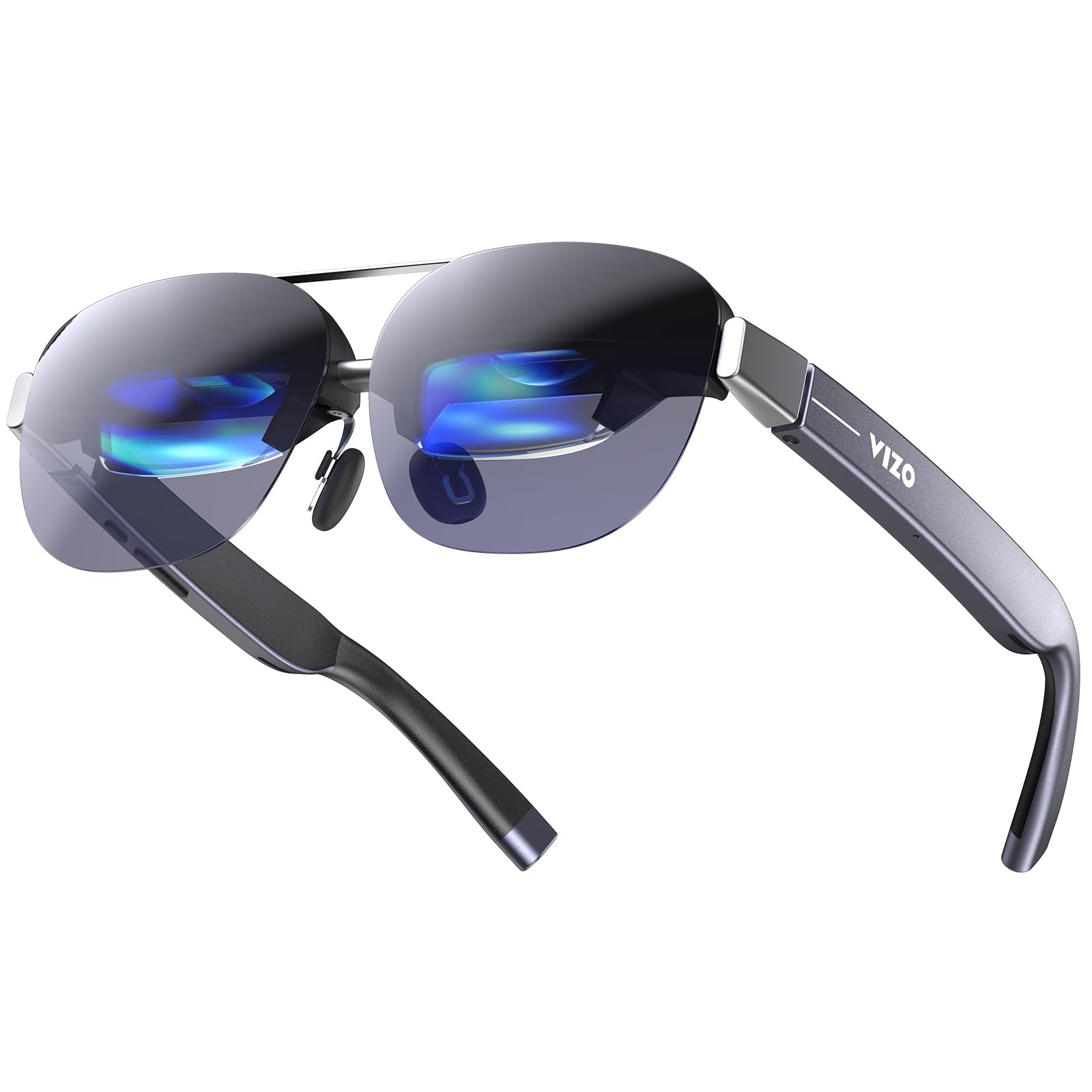
If comfort is your primary concern, the TOZO VIZO Z1 is a standout. At just 63 grams with a detachable frame and 4-level adjustable nose pads, it is among the lightest AR glasses available, making them ideal for marathon study sessions or wearing while moving around a classroom or workspace. The 160-inch virtual screen is sharp, with a 1080p micro-OLED panel that supports a 120Hz refresh rate for smooth scrolling.
The VIZO Z1 offers a peak brightness of 6000 nits and a 200,000:1 contrast ratio with 98% DCI-P3 color gamut, making colors vibrant and blacks deep. This is a premium display specification for the weight class. The 2D/3D switchable mode allows you to toggle between standard viewing and spatial depth for compatible content, and the built-in stereo speakers are surprisingly decent for casual listening.
The trade-off for the light weight and price is in the feature set. The Z1 lacks any built-in degrees of freedom (DoF) tracking — it is a simple fixed display, meaning the screen follows your head. There is no spatial anchoring, no app ecosystem, and no screen size/distance adjustment. It also does not come with a lens cover. For pure media consumption where you just need a large, clear screen floating in front of you, it excels. For interactive 3D learning, you will want a model with 3DoF or 6DoF.
Why it’s great
- Extremely lightweight at 63g for hours of comfortable wear.
- Excellent display with high brightness and wide color gamut.
- Plug-and-play simplicity with no app or tracking setup.
Good to know
- No spatial tracking (0DoF); the screen moves with your head.
- Lacks adjustable screen size, distance, and built-in lens cover.
7. Meta Quest 3S 128GB

The Meta Quest 3S is the entry point into the world of standalone mixed reality, offering the same Snapdragon XR2 Gen 2 processor and color passthrough cameras as the more expensive Quest 3. This means it can run the same high-fidelity educational apps from the Meta store, with the ability to bring virtual objects into your real room for interactive learning. You get the core mixed reality experience without paying the premium for the highest resolution display.
The display is still a significant upgrade over the Quest 2, with improved sharpness and a 120Hz refresh rate. The 4096×2160 resolution provides clear text and visuals for reading and watching instructional content. The included Touch Plus Controllers offer fine-tuned precision for manipulating virtual objects, which is a major advantage over hand-tracking-only glasses for tasks that require pinpoint accuracy, like circuit assembly or anatomy dissection apps.
The main compromises are the 128GB of storage (which can fill up quickly with apps and games) and the Fresnel lenses, which have a smaller sweet spot compared to the Quest 3’s pancake lenses. This means you need to keep the headset perfectly positioned for the sharpest image, and the field of view is slightly narrower. The battery life is also around 2.5 hours. For learners on a tighter budget who still want a fully untethered 6DoF experience, the 3S is the best gateway.
Why it’s great
- Full standalone 6DoF mixed reality at a budget-friendly price.
- Same powerful processor (XR2 Gen 2) as the flagship Quest 3.
- Precise Touch Plus Controllers for interactive learning apps.
Good to know
- Fresnel lenses require precise alignment for optimal clarity.
- Smaller FOV and lower resolution than the standard Quest 3.
- Storage is limited to 128GB.
8. Rokid Max 2 AR Glasses
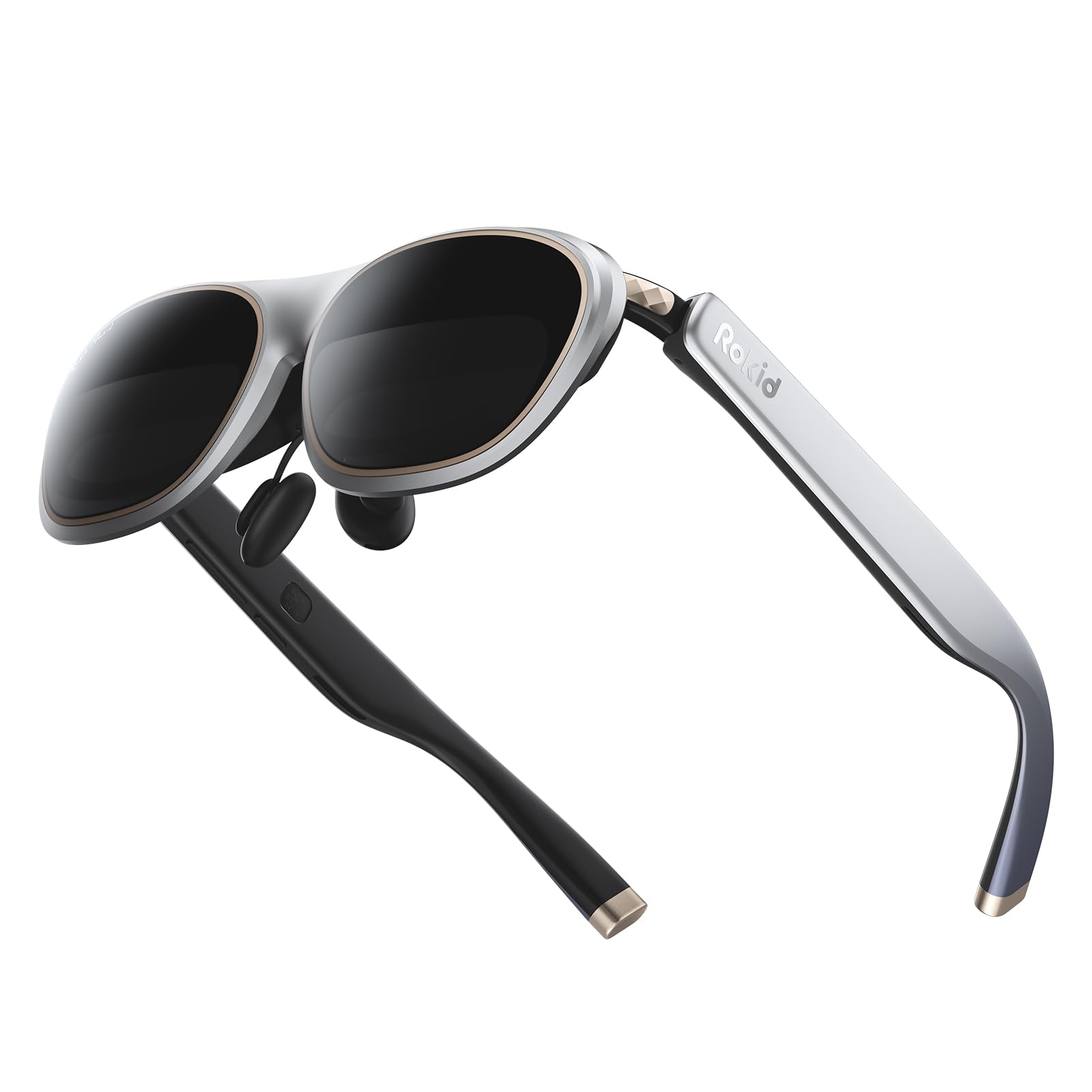
The Rokid Max 2 offers a solid, no-fuss approach to large-screen AR. It projects a 215-inch virtual screen powered by a micro-OLED display with a 50° FOV, a 120Hz refresh rate, and 600 nits of adjustable brightness. The image is sharp and high-contrast, making it suitable for watching educational documentaries, reading PDFs, or following along with a coding tutorial. The glasses weigh just 75 grams and feature a redesigned nose pad with an airy cushion to prevent slipping during use.
One of its key features is the built-in myopia adjustment dial, offering up to 600 degrees of correction directly on the glasses. This is a huge convenience for users who need vision correction, as it removes the need for separate prescription lens inserts. The USB-C connection is direct and power-efficient — the glasses draw power from your host device, meaning no internal battery to manage.
The Max 2 does not include any spatial computing capabilities. It functions purely as a monitor, so the screen follows your head. There is no 3DoF or 6DoF anchor mode, and you will need the Rokid Station or another accessory to add spatial functionality. The sound quality is adequate but not the standout feature. For learners who simply want a clear, large, and comfortable screen for passive content consumption at a mid-range price, the Max 2 delivers.
Why it’s great
- Built-in myopia adjustment up to 600 degrees (no inserts needed).
- Lightweight (75g) with a comfortable air-cushion nose pad.
- Sharp 120Hz micro-OLED display with good brightness.
Good to know
- No spatial tracking; acts solely as a fixed monitor.
- Sound quality is decent but not a premium feature.
9. VITURE Luma AR/XR Glasses
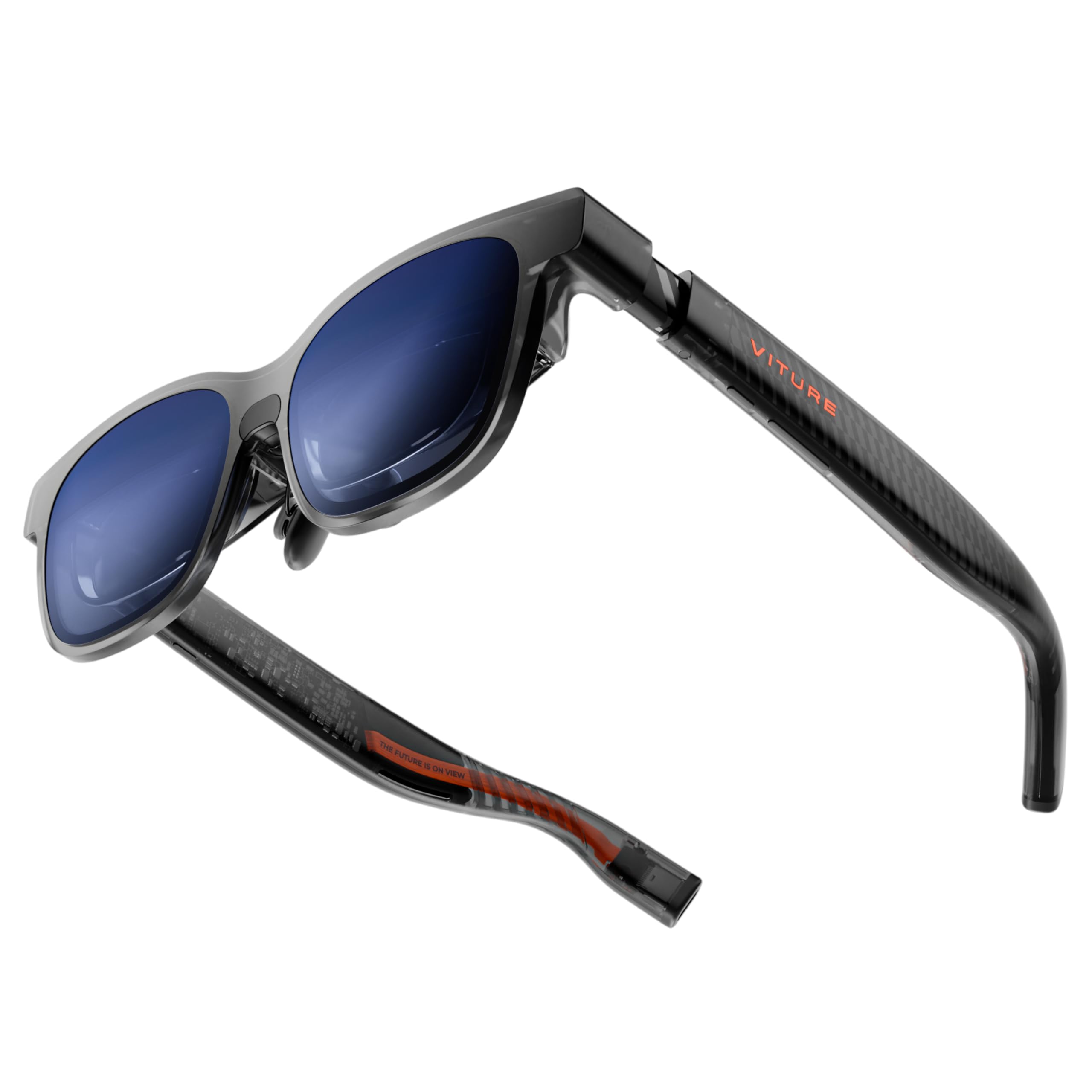
The base VITURE Luma is a fantastic entry point into the VITURE ecosystem, offering the same crystal-clear 1200p display as its more expensive siblings. The 146-inch virtual screen with a 50° FOV is sharp and vibrant, with a peak brightness of 1000 nits that handles bright rooms well. The standout software feature, available across all VITURE models, is the world’s first real-time 2D-to-3D conversion, which can add a surprising amount of depth to flat educational videos and images.
The hardware is well-designed, with a lightweight frame, flexible arms, and magnetic nose pads. It also offers built-in myopia adjustment up to -6.0D. The electrochromic film is a useful addition, allowing you to darken the lenses with one tap to increase contrast in bright environments. Audio is provided by the quad-speaker system, which is clear and adequate for learning content, though not as refined as the XREAL’s Bose partnership.
The main differentiator is the “Immersive 3D” feature and the SpaceWalker app, which offers multi-screen productivity modes. However, the Luma’s 3DoF functionality requires the SpaceWalker app (available for iOS/macOS/Windows/Android) and is not a native hardware feature. Some users find the 3DoF implementation cuts off portions of the screen depending on the app. For learners who want the best pure display quality in this price segment and value the 2D-to-3D feature, the VITURE Luma is a compelling choice.
Why it’s great
- Real-time 2D-to-3D conversion adds depth to educational content.
- Excellent display resolution (1200p) with high pixel density.
- Flexible myopia adjustment up to -6.0D.
Good to know
- 3DoF tracking is software-based and can limit screen visibility.
- No native 3DoF or 6DoF hardware tracking on the glasses themselves.
10. RayNeo Air 4 Pro × Batman Edition
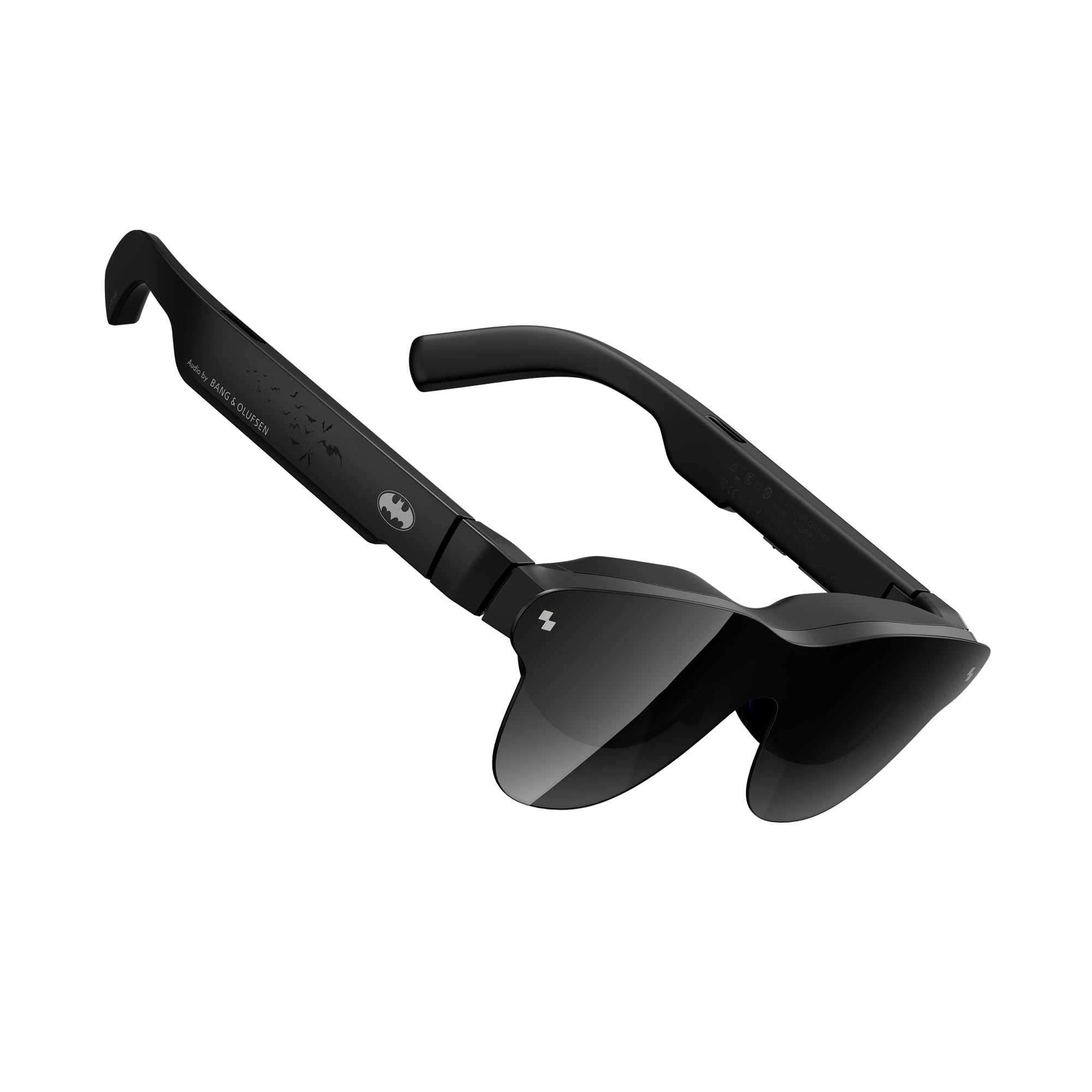
The RayNeo Air 4 Pro is unique for its inclusion of true HDR10 support, a rarity among AR glasses. Combined with an AI-powered brightness of 1200 nits, the visual experience is genuinely cinematic, with punchy highlights and deep blacks that make high-quality educational videos and visualizations pop. The audio, co-tuned by Bang & Olufsen, features a quad-speaker system with sound tubes that create an impressive 360-degree soundstage, making spatial audio in learning apps feel immersive.
The Batman Limited Edition is a collector’s piece, but the underlying hardware is what matters for learning. The Vision 4000 chip with AI-powered SDR-to-HDR conversion can enhance standard content, and the immersive 3D narrative depth feature uses AI to add a multi-layered depth to 2D content, which is genuinely useful for visualizing layered concepts in biology or architecture. The glasses are also among the lightest on the market, making them easy to wear for hours.
The display resolution is relatively low at 345 x 201 (perception-based), which is fine for watching video but may not be sharp enough for extended text reading or detailed schematics. The connectivity is limited to USB-C, and it is purely a display with no spatial tracking. The tinted lenses can cause reflections in bright rooms, and the build quality feels a bit plastic to some reviewers. For a learner who prioritizes cinematic visuals and audio for video-based learning, this is a unique and excellent option.
Why it’s great
- True HDR10 support for outstanding dynamic range and color.
- Impressive Bang & Olufsen quad-speaker audio system.
- Very lightweight design for extended wear.
Good to know
- Resolution is not ideal for reading dense text or fine details.
- No spatial tracking; acts purely as a monitor.
- Build quality feels somewhat plastic to some users.
11. SYNCO XTALK XPRO 4
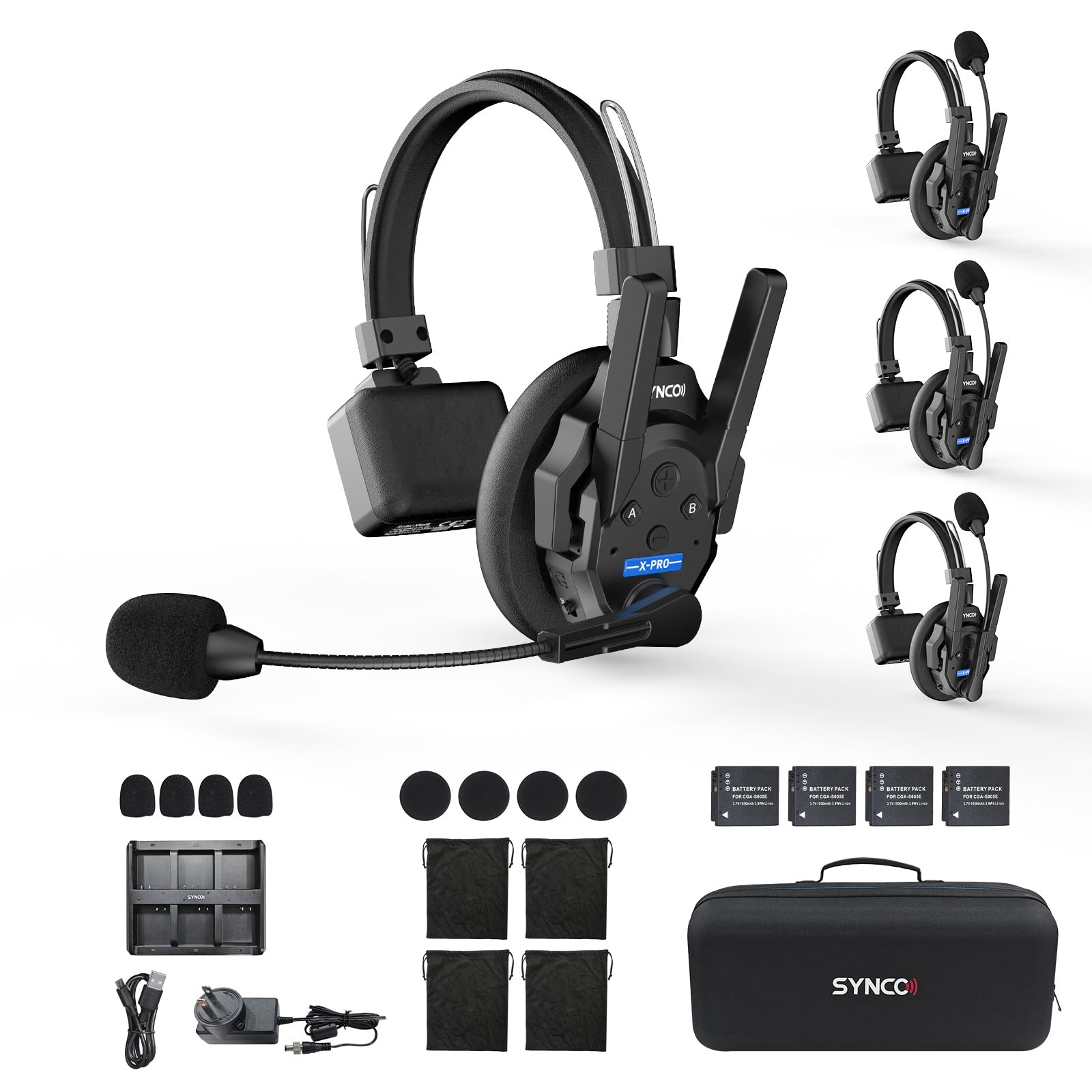
The SYNCO XTALK XPRO is a different category entirely — a professional wireless intercom headset system, not a visual AR display. It serves a crucial role in team-based learning environments, production sets, or live event coordination where clear, hands-free communication over a distance is critical. Powered by SYNCO’s MasterFree 2.0 algorithm, the XPRO 4 supports a 4-user full-duplex network with a reliable 500-meter range, ensuring no single point of failure.
The 24-hour replaceable battery life is a standout feature, eliminating worries about power during a full day of learning or production. The advanced AEC 2.0 technology effectively cancels echo and ambient noise, ensuring that speech from 150Hz to 7KHz is transmitted clearly even in noisy environments. The “Dominant mode” (Push to Mute) gives a master user the ability to mute all other remotes, which is very useful for maintaining control during a lecture or instruction.
This headset is not for displaying virtual models or watching content — it is for communication. For educators coordinating a large classroom, film students managing a set, or teams conducting a live event, the SYNCO XTALK XPRO provides a professional-grade, low-latency radio communication backbone that no AR display can replace. It is an essential part of a complete immersive learning production toolkit, not the display itself.
Why it’s great
- Robust 500-meter range with strong anti-interference (no single point of failure).
- Excellent 24-hour battery life with replaceable batteries.
- Advanced noise and echo cancellation for clear audio.
Good to know
- This is a communication intercom, not a visual AR display.
- Some users report echo when standing very close to another user.
FAQ
Can I use AR glasses to replace a monitor for learning?
Do I need a powerful phone or PC to use AR glasses?
What is the difference between Fresnel and pancake lenses in AR/VR?
Final Thoughts: The Verdict
For most users, the best ar headsets for immersive learning winner is the XREAL One Pro because it combines the widest field of view, rock-solid native 3DoF tracking, and high brightness in a comfortable glasses form factor. If you want a fully standalone experience with hand tracking and the deepest mixed reality apps, grab the Meta Quest 3 512GB. And for a lightweight, budget-friendly entry into large-screen AR with no spatial tracking needed, nothing beats the TOZO VIZO Z1.