
Four thousand pixels across at 160 frames every second — that is the raw promise of the current generation of high-refresh 4K monitors, and the gap between 60Hz and 160Hz in a 3840 x 2160 panel is not subtle. It changes how fast-paced shooters track, how dense desktop work feels, and how much GPU headroom you actually need. Choosing the right panel type, size, and connectivity for that spec stack is where most buyers go wrong.
I’m Min — the co-founder and writer behind Gadgets Feed. I’ve spent hundreds of hours analyzing the technical specifications, panel technologies, and real-world performance characteristics of the latest high-refresh 4K monitors to build a guide that cuts through the marketing noise.
Every monitor in this roundup was selected and ranked based on its ability to deliver a genuine 4K 160Hz experience across gaming, productivity, and mixed-use scenarios. After weeks of deep spec analysis, this is the definitive guide to finding your ideal best 4k 160hz monitor for 2024 and beyond.
How To Choose The Best 4K 160Hz Monitor
Picking the right 4K 160Hz monitor is more than matching a refresh rate number. The panel technology, local dimming solution, connectivity port version, and color performance all define whether that 160Hz delivers a genuinely smooth, sharp, and vibrant image—or just a high number on a box.
Panel Technology: IPS, VA, Mini-LED, or OLED?
IPS panels offer wide viewing angles and consistent color but often struggle with contrast, producing grayish blacks in dark scenes. VA panels deliver deeper blacks and higher native contrast ratios, but narrow viewing angles and slower pixel response times can introduce smearing in fast motion. Mini-LED solves the contrast problem of IPS by adding thousands of local dimming zones for bright, punchy HDR, though blooming around bright objects remains a trade-off. OLED provides the ultimate contrast with perfect blacks and near-instantaneous response times, but current 4K OLED panels peak at around 240Hz rather than exactly 160Hz, and their subpixel structure can make text appear less sharp for productivity work.
Connectivity: HDMI 2.1 vs DisplayPort 1.4 vs DP 2.1
To drive 3840 x 2160 at 160Hz with 10-bit color, you need at least HDMI 2.1 (48 Gbps) or DisplayPort 1.4 with Display Stream Compression (DSC). HDMI 2.1 is the standard for console compatibility—PS5 and Xbox Series X output 4K at 120Hz natively. DisplayPort 1.4 with DSC can handle 4K 160Hz, but DP 2.1 (UHBR20 at 80 Gbps) allows the same bandwidth without compression, which matters for text clarity and stable HDR pass-through. Always check the port version on both your monitor and graphics card before purchasing.
HDR Performance and Local Dimming
HDR brightness is measured in nits, and a 4K 160Hz monitor needs at least 600 nits of peak brightness for a convincing HDR experience. VESA DisplayHDR 600 is the baseline; DisplayHDR 1000 or True Black 400/600 is far better. Local dimming—whether edge-lit, full-array, or Mini-LED zone-based—determines how well the monitor handles bright highlights next to dark areas. More zones means less blooming and more credible contrast. OLED panels, with per-pixel dimming, offer the gold standard for HDR but have lower sustained brightness compared to the best Mini-LED implementations.
Quick Comparison
On smaller screens, swipe sideways to see the full table.
| Model | Category | Best For | Key Spec | Amazon |
|---|---|---|---|---|
| ASUS ROG Swift PG27UCDM | QD-OLED | Competitive 4K Gaming | 240Hz / DP 2.1a UHBR20 | Amazon |
| Samsung Odyssey OLED G8 G80SH | QD-OLED | High-DPI PC Gaming | 166 PPI / 240Hz | Amazon |
| MSI MPG 321URX QD-OLED | QD-OLED | HDR Gaming & Media | 240Hz / 99% DCI-P3 | Amazon |
| Alienware AW3225QF | QD-OLED | Premium Immersive Setup | 240Hz / Dolby Vision | Amazon |
| LG 32GX850A-B UltraGear | WOLED | OLED Value Pick | 165Hz / 0.03ms | Amazon |
| ASUS ROG Strix XG32UCG | Fast IPS | Dual-Mode Gaming | 0.3ms / 320Hz FHD Mode | Amazon |
| INNOCN 32″ Mini LED | Mini-LED | HDR Content Creation | 2304 Zones / 1000 nits | Amazon |
| Dell UltraSharp U2725QE | IPS Black | Professional Productivity | 120Hz / Thunderbolt 4 | Amazon |
| Samsung Odyssey Ark | Mini-LED | Ultrawide Immersion | 55″ 1000R / 165Hz | Amazon |
| MSI MAG321CUP | VA | Budget 4K Gaming Entry | 1500R / 350 nits | Amazon |
In‑Depth Reviews
1. ASUS ROG Swift PG27UCDM

The ASUS ROG Swift PG27UCDM is a 26.5-inch 4K QD-OLED monitor that pushes the category forward with a 240Hz refresh rate, 0.03ms response time, and the latest 4th-gen QD-OLED panel tech. The inclusion of DisplayPort 2.1a UHBR20 at full 80 Gbps bandwidth means you can drive 4K at 240Hz without DSC compression, a rare advantage for users with next-generation GPUs. Dolby Vision support and VESA DisplayHDR 400 True Black compliance ensure HDR content pops with deep contrast and accurate highlights.
Color performance is exceptional: 99% DCI-P3 coverage, true 10-bit color depth, and factory Delta E <2 calibration out of the box. The Neo Proximity Sensor is a standout OLED Care feature — it detects when you step away and automatically switches to a black screen to reduce burn-in risk, while the custom heatsink improves thermal management for longer panel life. The anti-flicker 2.0 algorithm cuts luminance flicker by 20% compared to the previous generation.
Connectivity includes HDMI 2.1, USB-C with 90W power delivery, and a tripod socket for desk-mounted cameras. The 27-inch form factor hits a sweet spot for high-PPI gaming where text clarity from the QD-OLED subpixel layout is less intrusive than at larger sizes. It is expensive, but the DP 2.1a support plus burn-in coverage in the 3-year warranty make this a future-proof flagship for 4K gaming at high refresh rates.
Why it’s great
- DP 2.1a UHBR20 delivers uncompressed 4K 240Hz bandwidth
- Neo Proximity Sensor automates OLED burn-in prevention
- Factory-calibrated Delta E <2 with 99% DCI-P3 coverage
Good to know
- QD-OLED triangular subpixel layout may blur Windows text edges
- Downward-facing ports can be inconvenient in tight setups
- No built-in speakers at this price point
2. Samsung Odyssey OLED G8 G80SH
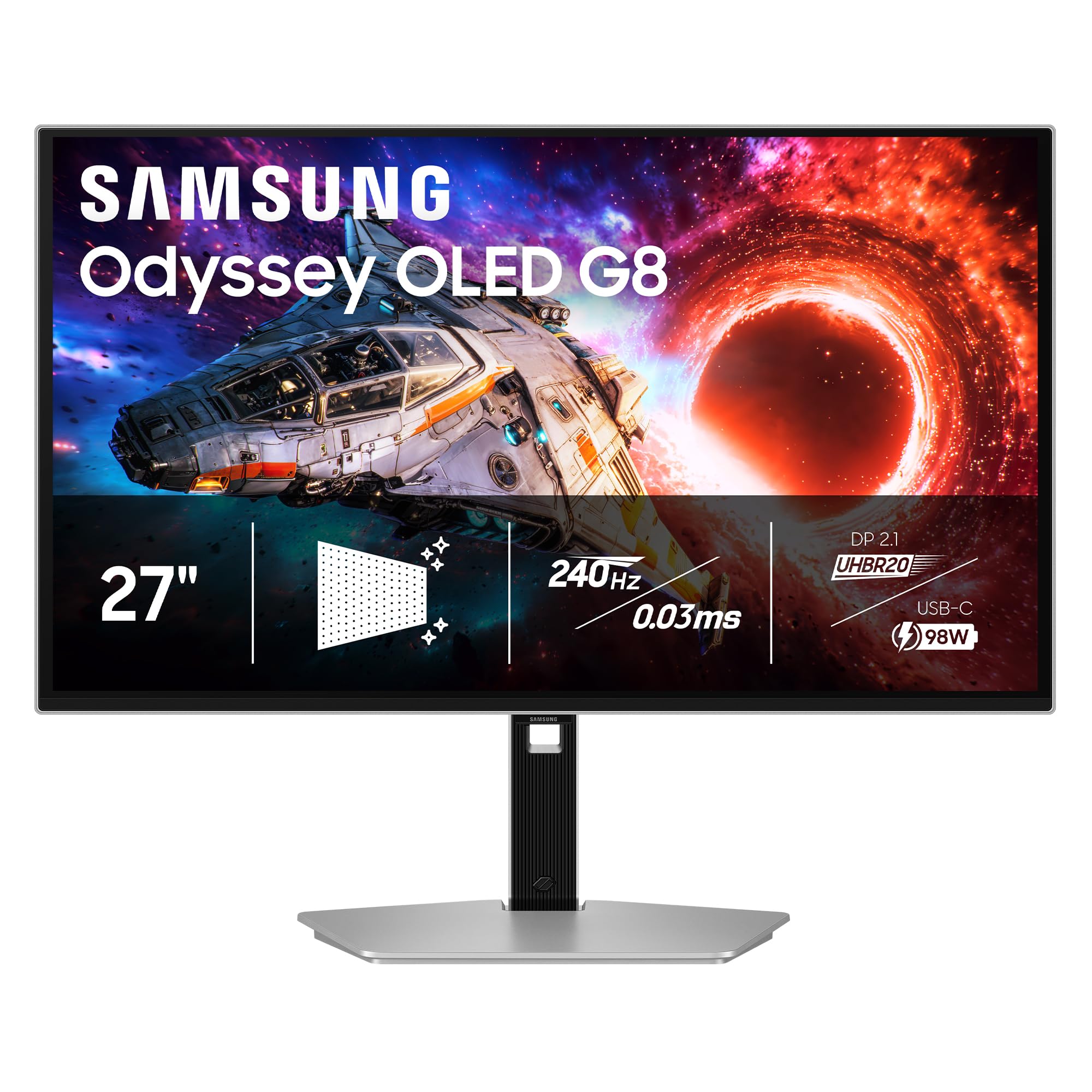
Samsung’s 27-inch Odyssey OLED G8 G80SH packs a 4K QD-OLED panel into a compact chassis with a 240Hz refresh rate and a pixel density of 166 PPI — the highest of any monitor in this roundup. The Glare Free technology effectively diffuses ambient reflections, making the glossy-like contrast of OLED usable even in brightly lit rooms. VESA DisplayHDR True Black 400 certification ensures HDR titles deliver the inky blacks and specular highlights that OLED is famous for.
Connectivity is modern with DP 2.1 (up to 80 Gbps) and a USB-C port delivering 96W of power delivery, which can charge a high-end gaming laptop directly. The ergonomic stand offers height, tilt, swivel, and pivot adjustments for desk flexibility. OLED Safeguard+ includes pixel refresh and logo detection to mitigate burn-in over extended use. The 27-inch size avoids the scaling compromises of larger 4K panels while maintaining sharp text and UI elements.
Out-of-the-box color accuracy requires manual calibration for neutral whites; the default preset runs slightly warm. There are no built-in speakers, and the external power brick is larger than typical monitor bricks. The anti-glare coating, while effective, introduces a faint graininess that some users notice on uniform gray backgrounds. For a 27-inch high-PPI 4K gaming setup with console-grade connectivity, this is a reference-grade choice.
Why it’s great
- 166 PPI offers the sharpest 4K text of any OLED monitor
- DP 2.1 and USB-C 96W PD cover modern PC and laptop setups
- Glare Free coating reduces reflections without compromising OLED contrast
Good to know
- Requires manual color calibration out of the box
- No built-in speakers
- Large external power brick takes up desk or floor space
3. ASUS ROG Strix XG32UCG

The ASUS ROG Strix XG32UCG carves a unique position in the 4K 160Hz market with its Dual Mode capability: you get native 4K at 160Hz for visually rich story-driven titles, and a single-button switch to 1080p at 320Hz for competitive shooters where frame rate is king. The Fast IPS panel delivers a 0.3ms minimum response time, which eliminates visible ghosting even at the higher frame rate. ASUS ELMB Sync technology allows the backlight strobe to work simultaneously with VRR, reducing motion blur without introducing the flicker typical of older strobe implementations.
Color coverage hits 95% DCI-P3 with ASUS advanced gray-scale tracking for smooth gradations. The 32-inch size pairs well with both PC and console gaming; the semi-gloss screen finish preserves color saturation better than aggressive matte coatings. Connectivity includes USB-C with DP Alt Mode, two HDMI ports, and a DisplayPort input. The DisplayWidget Center software lets you adjust settings through a mouse cursor, which is far more convenient than digging through the OSD joystick.
The stand offers height, tilt, swivel, and pivot adjustments. A built-in tripod socket on top of the monitor is a rare addition for webcam mounters. The 0.3ms response time is rated at the minimum overdrive setting; at faster overdrive levels, overshoot can appear. Below a premium OLED at a mid-range price, the XG32UCG delivers the best IPS 4K 160Hz gaming experience available today.
Why it’s great
- Dual Mode toggle between 4K 160Hz and FHD 320Hz is unique and useful
- 0.3ms Fast IPS response eliminates ghosting in fast motion
- ELMB Sync combines backlight strobing with VRR
Good to know
- IPS contrast ratio of 1000:1 means blacks are gray in dark rooms
- Peak brightness is modest for impactful HDR performance
- Semi-gloss screen may reflect strong ambient light sources
4. INNOCN 32″ Mini LED
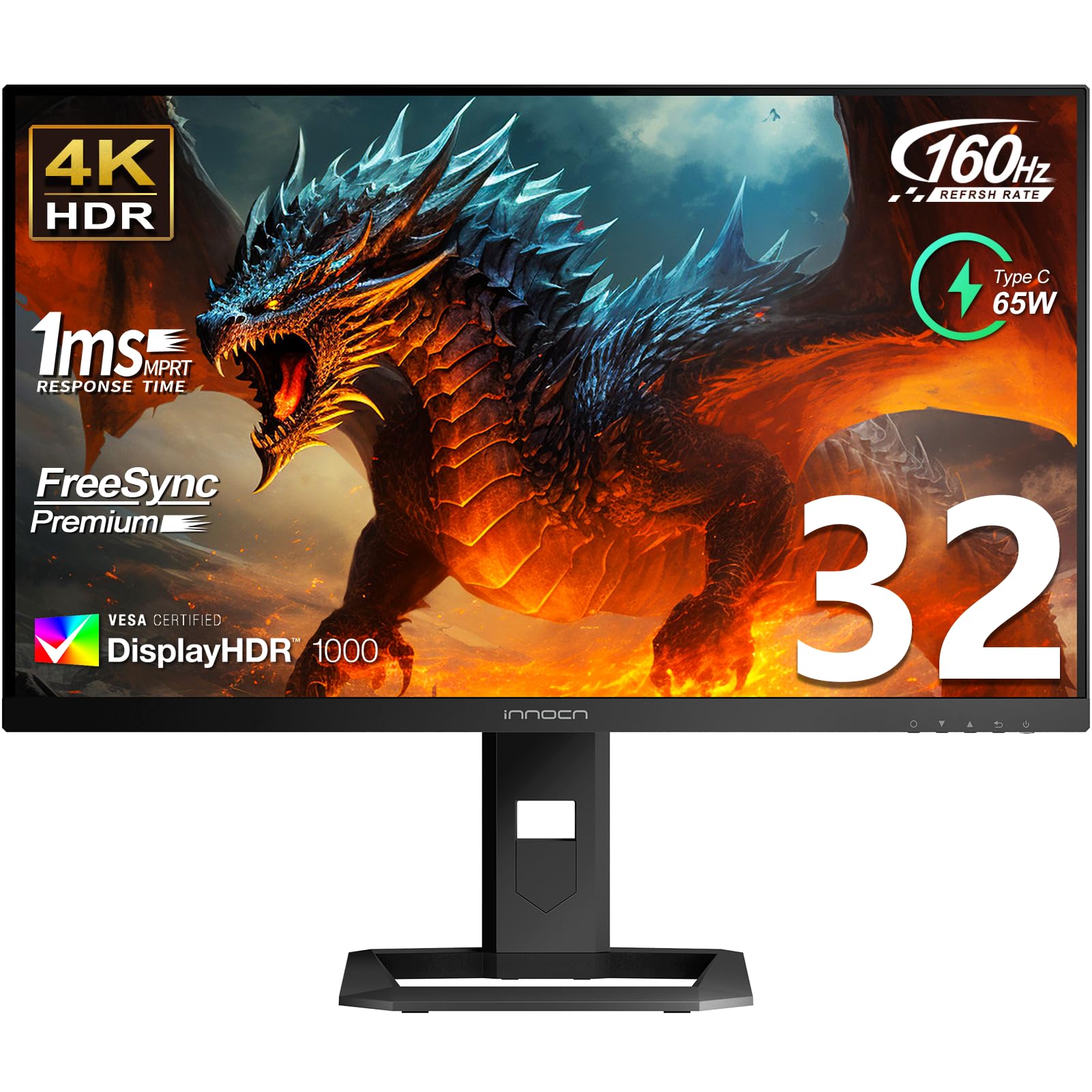
The INNOCN 32″ Mini LED is a dark horse that delivers HDR performance far above its price point with 2304 local dimming zones on a 32-inch IPS panel, reaching a peak brightness of 1000 nits. This is enough brightness for true VESA DisplayHDR 1000, making highlights in games and movies pop with real intensity. The 160Hz refresh rate and 1ms response time keep motion smooth, while the 99% DCI-P3 and 99% Adobe RGB coverage make it equally suitable for color-critical creative work alongside gaming.
Connectivity is generous: USB-C with 65W power delivery, DisplayPort 1.4, and two HDMI 2.1 ports that support 4K at 120Hz or 144Hz for console use. The ergonomic stand supports height, tilt, swivel, and pivot adjustments. The factory color calibration report included in the box adds confidence for photo editors. Built-in 5W stereo speakers are adequate for casual use without external desktop speakers.
The local dimming algorithm isn’t as refined as premium monitors from Samsung or ASUS — blooming around bright UI elements is visible on dark backgrounds, especially in the 2304-zone implementation. The 2026 model revision was reported by some customers as having a matte coating instead of the advertised glossy finish. The OSD is basic and functional, but the core IPS panel and Mini-LED backlight represent the best HDR brightness value in this roundup.
Why it’s great
- 2304 Mini-LED zones deliver genuine HDR1000 brightness
- 99% Adobe RGB and DCI-P3 suit both gaming and creative work
- USB-C 65W PD plus dual HDMI 2.1 cover all modern devices
Good to know
- Local dimming blooming is noticeable around bright objects
- OSD menu interface feels older and less polished
- No FreeSync Premium Pro support; basic FreeSync only
5. MSI MPG 321URX QD-OLED

The MSI MPG 321URX is a 31.5-inch QD-OLED monitor that targets the sweet spot between immersive screen real estate and high-refresh gaming, with a 240Hz refresh rate and a 0.03ms GtG response time. The QD-OLED panel covers 99% DCI-P3 with a Delta E of ≤2 out of the box, so colors are vibrant and accurate without tinkering. The 10-bit panel produces 1.07 billion colors with smooth gradients, and VESA DisplayHDR True Black 400 certification ensures depth in shadow detail without crushing blacks.
MSI includes OLED Care 2.0 with pixel shift, panel refresh, and taskbar detection to protect against burn-in. The KVM switch with Picture-in-Picture and Picture-by-Picture support lets you control two systems from one keyboard and mouse setup. Connectivity covers HDMI 2.1, DP 1.4a, and USB-C with 90W power delivery. The 4-way adjustable stand offers full ergonomic flexibility, and Mystic Light RGB adds a subtle ambient glow to the desk.
Some Mac users report a dual-monitor issue where Display Stream Compression must be disabled, locking the monitor to 120Hz on the DP input. The QD-OLED panel exhibits a slight purple tint on reflections from bright room lighting, a characteristic of the quantum dot layer. The stand base is large and takes significant desk space. For pure gaming visual quality at 32 inches, the MPG 321URX is one of the strongest packages available at its price.
Why it’s great
- QD-OLED delivers infinite contrast and 99% DCI-P3 coverage
- KVM switch with PiP/PbP is rare at this price point for OLED
- OLED Care 2.0 with multiple anti-burn-in features
Good to know
- Large stand base takes up significant desk area
- Mac dual-monitor setup requires DSC-off workaround
- QD-OLED purple tint under direct reflections
6. Alienware AW3225QF
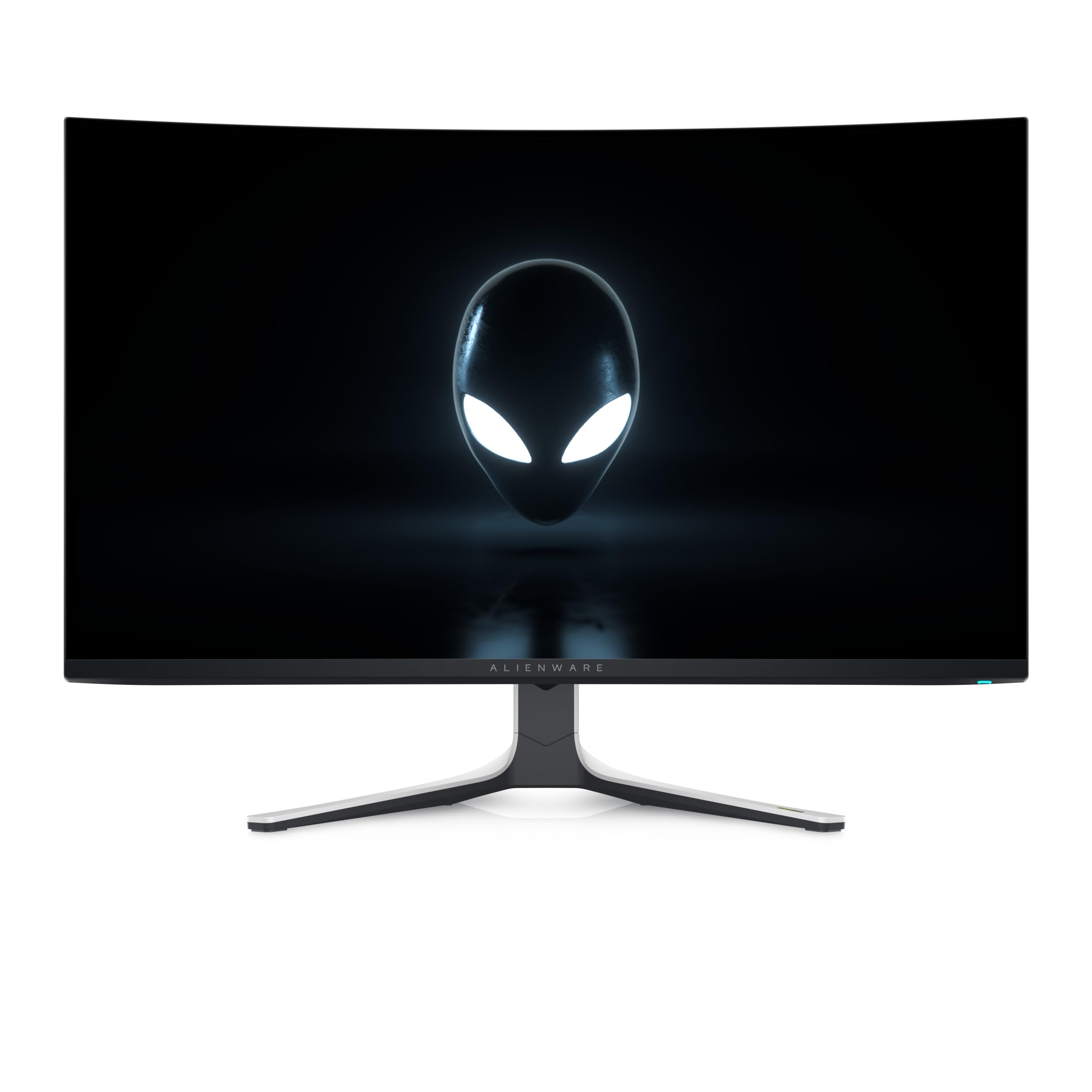
The Alienware AW3225QF is a 32-inch QD-OLED monitor that prioritizes HDR and color volume above all else, with support for Dolby Vision alongside VESA DisplayHDR True Black 400. The 4K resolution at 3840 x 2160 on a 32-inch panel delivers a pixel density equivalent to 140 PPI, which hits a balance between sharp desktop text and large screen immersion. The QD-OLED panel offers infinite contrast, deep blacks, and vibrant saturation that rivals high-end HDR TVs.
Design-wise, the AW3225QF features the signature Alienware lunar white finish with a thin bezel and a compact stand that doesn’t dominate the desk. The connectivity suite includes DisplayPort, dual HDMI 2.1 ports, and USB 3.2 Gen 1, supporting 4K at 120Hz on consoles. The monitor includes automatic burn-in protection features like pixel refresh and logo dimming, though these run silently in the background without user interaction.
The 240Hz refresh rate is well above the 160Hz baseline, providing extra headroom for motion clarity in supported titles. The panel is notably curved with a subtle 1700R curve, which helps immersion but may bug users who prefer a flat screen for productivity work. Some international reviews mention HDMI limitations on older Mac models where 4K 120Hz requires a USB-C to DisplayPort adapter. The AW3225QF is a strong choice for buyers who want a premium QD-OLED that looks as good as it performs.
Why it’s great
- Dolby Vision support improves HDR color volume and accuracy
- Elegant white design with minimal desk footprint
- 240Hz refresh rate exceeds the 160Hz baseline comfortably
Good to know
- Curved 1700R screen not ideal for multi-monitor productivity setups
- No built-in speakers or KVM switch
- Premium price reflects the Dolby Vision licensing cost
7. LG 32GX850A-B UltraGear

The LG 32GX850A-B UltraGear brings a WOLED panel to the 4K high-refresh market at a price point well below QD-OLED alternatives, offering a 165Hz refresh rate and a 0.03ms GtG response time. The Micro Lens Array+ technology boosts typical brightness to 275 nits, with improved viewing angles over previous OLED generations. The Dual Mode feature lets you switch from 4K 165Hz to 1080p 330Hz via hotkey, giving competitive gamers a frame rate boost in fast-paced titles.
VESA DisplayHDR True Black 400 certification ensures deep blacks and high contrast, while the 98.5% DCI-P3 color gamut covers most professional content creation needs. The glossy OLED finish enhances color vibrancy and contrast compared to matte OLED panels. LG includes three UL certifications for anti-glare, flicker-free, and low blue light, making extended sessions easier on the eyes.
Build quality is excellent with a metal border, full ergonomic support (height, tilt, swivel, pivot), and thoughtful cable management. Some users report slight text fringing due to the WOLED subpixel layout, though this is less pronounced than on earlier LG OLED monitors. The 165Hz cap, while still excellent, is slightly below the 160Hz target set by competing 4K monitors. For buyers wanting OLED performance without the premium QD-OLED price tag, the GX850A is a compelling choice.
Why it’s great
- WOLED panel delivers OLED contrast at a lower cost than QD-OLED
- Dual Mode 4K 165Hz / FHD 330Hz covers both quality and competitive gaming
- Full ergonomic stand with height, tilt, swivel, and pivot
Good to know
- WOLED text clarity is slightly softer than IPS or QD-OLED
- Peak brightness is lower than Mini-LED alternatives
- VESA mounting requires an adapter plate for some arms
8. Dell UltraSharp U2725QE

The Dell UltraSharp U2725QE targets a different buyer than the gaming-focused entries in this roundup: it uses an IPS Black panel that delivers a 2000:1 contrast ratio — double the standard IPS figure — for deeper blacks while maintaining wide viewing angles and accurate color. The 120Hz refresh rate is lower than the 160Hz benchmark, but for productivity users who want smooth scrolling and UI animation without gaming latency, it is a meaningful upgrade from 60Hz. The factory calibration achieves Delta E < 1.5 with 99% DCI-P3 coverage.
The single-cable Thunderbolt 4 solution is the star feature: it transmits video, data, and up to 140W of power delivery to a single connected laptop, with daisy chain support for two additional 4K monitors. The built-in ambient light sensor and ComfortView Plus reduce blue light exposure without shifting the color temperature to an unusable yellow. The ergonomic stand includes height, tilt, swivel, and pivot adjustments.
Some Mac users report a compatibility error that requires firmware updates for certain Thunderbolt configurations. The 120Hz cap means it won’t match the fluidity of a 160Hz gaming monitor, and the 5ms response time is slower than gaming-focused panels. The integrated KVM switch and Ethernet port through the single Thunderbolt 4 cable make it a standout choice for multi-device professional setups where color accuracy and connectivity matter more than raw refresh rate.
Why it’s great
- IPS Black panel delivers 2000:1 contrast for deeper blacks
- Thunderbolt 4 with 140W PD and daisy chain for clean desks
- Factory calibrated Delta E < 1.5 guarantees professional color accuracy
Good to know
- 120Hz refresh rate is below the 160Hz benchmark
- Mac compatibility may require firmware updates
- 5ms response time is slower for competitive gaming
9. Samsung Odyssey Ark

The Samsung Odyssey Ark is a 55-inch 4K Mini-LED monitor with an aggressive 1000R curvature that completely fills your peripheral vision, creating the most immersive single-monitor experience for gaming and media. The 165Hz refresh rate with 1ms response time leverages Quantum Mini-LED technology for peak brightness up to 600 nits, with a contrast ratio of 1,000,000:1. The Ark can rotate into Cockpit Mode, turning the massive screen into a vertical command center for streaming, productivity, or flight simulators.
The built-in Sound Dome technology uses four corner speakers and two central woofers for a 60W 2.2.2-channel system with Dolby Atmos support. Eclipse Lighting provides ambient backlight sync for enhanced immersion in dark rooms. Multi View allows up to four simultaneous input sources on the single display, useful for content creators who need to monitor multiple feeds. The included One Connect box cleanly houses all connections with a single cable running to the monitor.
The sheer size — 91 lbs — makes placement and assembly a two-person job, and the software-driven features including the Ark Dial remote have persistent stability complaints from users. The absence of DisplayPort limits PC flexibility, and the 165Hz cap feels modest next to the 240Hz options on smaller 4K monitors. For buyers with the desk space and GPU power to drive it, the Odyssey Ark offers an unmatched field of view, but it compromises on software polish and plug-and-play reliability.
Why it’s great
- 1000R curve on a 55-inch panel delivers extreme peripheral immersion
- Cockpit Mode rotation enables unique vertical gaming and streaming setups
- Built-in 60W 2.2.2-channel sound eliminates the need for desktop speakers
Good to know
- Extremely heavy at 91 lbs; requires two-person setup
- Software UI and Ark Dial have stability and usability issues
- No DisplayPort input; limited to HDMI 2.1 for PC connection
10. MSI MAG321CUP

The MSI MAG321CUP is the most affordable entry into genuine 4K 160Hz gaming, using a 32-inch VA panel with a 1500R curvature. The VA panel delivers high native contrast ratio, producing deep blacks that outperform IPS panels in dark gaming scenes. The 160Hz refresh rate with adaptive sync support ensures smooth, tear-free gameplay when driven by a modern graphics card. The 1ms response time helps reduce ghosting, though at the faster overdrive setting, some VA dark-level smearing is still present in very fast transitions.
The frameless design with thin bezels creates a clean multi-monitor look, and the height-adjustable stand provides basic ergonomic support — tilt and height but no swivel or pivot. HDMI 2.1 ports support console mode at 120Hz in both FHD and WQHD modes, making it functional with PS5 and Xbox Series X. The brightness caps at 350 nits, which limits HDR effectiveness and makes the panel look slightly dim in brightly lit rooms.
Customer feedback reveals that enabling 160Hz requires DisplayPort overclocking in the OSD rather than working automatically out of the box. Xbox users report smearing, ghosting, and flickering that make the monitor unplayable for certain titles, so console gamers should look elsewhere. The built-in speakers are weak. At its core, the MAG321CUP is a viable 4K 160Hz gaming monitor for PC users on a tight budget who are willing to tweak settings and can live with VA viewing-angle limitations.
Why it’s great
- Lowest cost entry point to 4K 160Hz gaming on a 32-inch screen
- VA panel offers high native contrast for deep blacks
- 1500R curve enhances immersion in single-player titles
Good to know
- Requires DP Overclocking in OSD to enable 160Hz
- Poor Xbox performance with ghosting and flickering issues
- Low 350 nit brightness limits HDR; built-in speakers are weak
FAQ
Can my GPU handle 4K at 160Hz?
What cable do I need for 4K 160Hz?
What is the difference between 4K 160Hz and 4K 240Hz?
Final Thoughts: The Verdict
For most users, the best 4k 160hz monitor winner is the ASUS ROG Strix XG32UCG because it combines a 32-inch Fast IPS panel with the unique Dual Mode toggle — 4K at 160Hz for visuals, FHD at 320Hz for competition — at a mid-range price that balances performance and value. If you want uncompromising OLED contrast and color, grab the ASUS ROG Swift PG27UCDM. And for creative professionals who need Thunderbolt 4 connectivity and factory-calibrated accuracy, nothing beats the Dell UltraSharp U2725QE.