
Augmented reality goggles have moved past the prototype phase and are now legitimate tools for entertainment, productivity, and gaming. The current generation delivers virtual screen sizes that rival home theaters, with refresh rates and resolutions that make text sharp and motion fluid. But with specs like micro-OLED panels, field-of-view measurements, and spatial chips entering the conversation, choosing the right pair requires understanding what each spec actually means for your use case.
I’m Min — the co-founder and writer behind Gadgets Feed. I’ve spent countless hours analyzing the optical engines, display technologies, and processing chips used in modern AR glasses to separate genuine performance from marketing claims, focusing specifically on how each model handles real-world scenarios like travel gaming or multi-monitor productivity.
Whether you are looking for a personal theater for your next flight or a spatial computing device for your desk, understanding the differences between these wearable displays is critical. This guide breaks down the top models to help you find the best augmented reality goggles for your needs.
How To Choose The Best Augmented Reality Goggles
Buying your first pair of AR goggles can feel overwhelming given the mix of technical jargon. The key is to understand how each spec translates into your daily experience, whether that is watching a movie, working with multiple screens, or gaming on a handheld console.
Field of View (FOV) and Virtual Screen Size
FOV determines how much of your peripheral vision the virtual display covers. A 50-degree FOV typically projects a 200-inch virtual screen from a 6-meter distance, while a 57-degree FOV pushes that to around 300 inches. Wider FOV creates a more immersive experience, but it also requires higher resolution to maintain pixel density and avoid the screen-door effect. If you plan to read text or work with spreadsheets, prioritize pixel-per-degree (PPD) over raw screen size.
Spatial Processing and Head Tracking
This is the biggest differentiator in the current generation. Goggles with dedicated spatial chips, like the X1 chip from XREAL, offer low-latency 3DoF tracking—meaning the virtual screen stays anchored in space as you move your head. This eliminates motion sickness and allows for anchored modes where the screen feels like a real monitor. Goggles without this chip rely on your phone or PC for processing, which adds latency and can cause screen drift.
Display Technology and Brightness
Micro-OLED panels offer superior contrast ratios exceeding 100,000:1, true blacks, and vibrant colors compared to standard LCDs. Brightness, measured in nits, is critical for outdoor or well-lit use. Entry-level models hover around 600 nits, while premium options push toward 1500 nits. If you plan to use the goggles on a plane or in bright rooms, look for a model with high brightness and an electrochromic dimming feature to block ambient light.
Quick Comparison
On smaller screens, swipe sideways to see the full table.
| Model | Category | Best For | Key Spec | Amazon |
|---|---|---|---|---|
| XREAL 1S | Premium | Best Overall | X1 Chip, 3ms M2P latency | Amazon |
| XREAL One Pro | Premium | Widest FOV & Spatial Anchor | 57° FOV, 171″ Screen | Amazon |
| VITURE Luma Ultra | Premium | 6DoF & Hand Gestures | 1500 nits, RGB camera | Amazon |
| VITURE Luma Pro | Mid-Range | Sharpest Display & Software | 1200p, DeltaE < 2 | Amazon |
| Rokid AR Spatial + Station2 | Premium | 3-Screen Multitasking | 5000mAh Station2 | Amazon |
| INAIR 2 Pro | Mid-Range | Productivity & Multi-Screen | 4 virtual screens, 49 PPD | Amazon |
| Rokid Max 2 | Mid-Range | Value Myopia Adjustment | 75g, 600 diopter dial | Amazon |
| TOZO VIZO Z1 Pro | Mid-Range | Ultra-Light Travel | 63g, 160″ Screen | Amazon |
| RayNeo Air 4 Pro Batman | Mid-Range | HDR & Collector Appeal | HDR10, B&O Audio | Amazon |
| HTC Vive XR Elite | Premium | Standalone XR & PC VR | 3840×1920, diopter dials | Amazon |
| HTC Vive Focus Vision | Premium | Full VR & Eye Tracking | 5K per eye, 120° FOV | Amazon |
In‑Depth Reviews
1. XREAL 1S AR/XR Glasses

The XREAL 1S is the most polished all-rounder in the current AR landscape, largely due to its self-developed X1 chip. This chip delivers a 3ms motion-to-photon latency at 120Hz, which is far below the threshold for perceptible lag. The result is a native 3DoF experience that feels rock-solid—no screen drift, no jitter—whether you are watching a movie in anchor mode or gaming on a Steam Deck. The 52-degree FOV projects a sharp 1920×1080 image per eye that feels like a 500-inch virtual screen, and the individually color-tuned OLED panel delivers natural, consistent hues across the entire display.
The audio system, co-developed with Bose, is a standout. It uses custom AR-grade drivers and a dedicated acoustic chamber to produce a spacious soundstage with clear mids and highs. The low blue light and flicker-free certification from TÜV Rheinland means you can wear these for long sessions without eye strain. Unlike many competitors that rely purely on the host device for processing, the X1 chip handles all spatial rendering onboard, which also means the glasses work with any USB-C DP device without requiring specific app support for basic functions.
Comfort is excellent at 80 grams, and the IPD range of 59.5–70.5 mm covers most users. The REAL 3D mode, which converts standard 2D content to spatial depth, is a clever addition that works at up to 30fps. The main tradeoff is the lack of native 6DoF without the XREAL Eye accessory, but for the vast majority of buyers who want a plug-and-play spatial display for gaming and media, this is the best execution available.
Why it’s great
- Ultra-low 3ms M2P latency with X1 chip makes spatial tracking feel instant
- Bose audio system delivers immersive open-ear sound without headphones
- Certified for low blue light and flicker-free viewing
Good to know
- No built-in myopia adjustment beyond software IPD
- 6DoF requires the separate XREAL Eye accessory
2. XREAL One Pro AR Glasses

The XREAL One Pro takes everything the 1S does well and pushes the FOV further to 57 degrees, creating a 171-inch virtual screen from a 4-meter viewing distance. This is the widest FOV available in a glasses-style AR form factor, and it makes a noticeable difference in immersion during movies and gaming. The new X-Prism optics use an ultra-slim projection system that reduces glare and reflections, and the dual IPD design ensures a precise fit for a wider range of users with two size options (M: 57–66mm, L: 66–75mm).
Brightness is rated at 700 nits, which is sufficient for indoor use and shaded outdoor environments. The electrochromic dimming lets you instantly darken the lenses for total immersion, and the built-in controls allow quick switching between display modes. When paired with the XREAL Eye, you unlock full 6DoF spatial anchoring—meaning your virtual screen stays locked to a physical location in the room, even as you walk around. The X1 chip remains the core advantage, offering the same 3ms M2P latency for smooth head tracking.
Bose audio is integrated into the arms, and the hinge mechanism with adjustable arms ensures a secure fit without pressure points. The primary limitation is the lack of on-board myopia adjustment—users with prescriptions will need to use the included prescription lens frame. The display resolution remains 1920×1080 per eye, which is sharp for media but may show slight pixelation if you are used to high-PPI monitors for text-heavy work.
Why it’s great
- Industry-leading 57° FOV for a more immersive virtual screen
- Electrochromic dimming and 700-nit brightness for varied lighting
- 6DoF capable with XREAL Eye accessory
Good to know
- No built-in diopter adjustment for myopia
- Requires prescription lens insert for glasses wearers
3. VITURE Luma Ultra AR Glasses
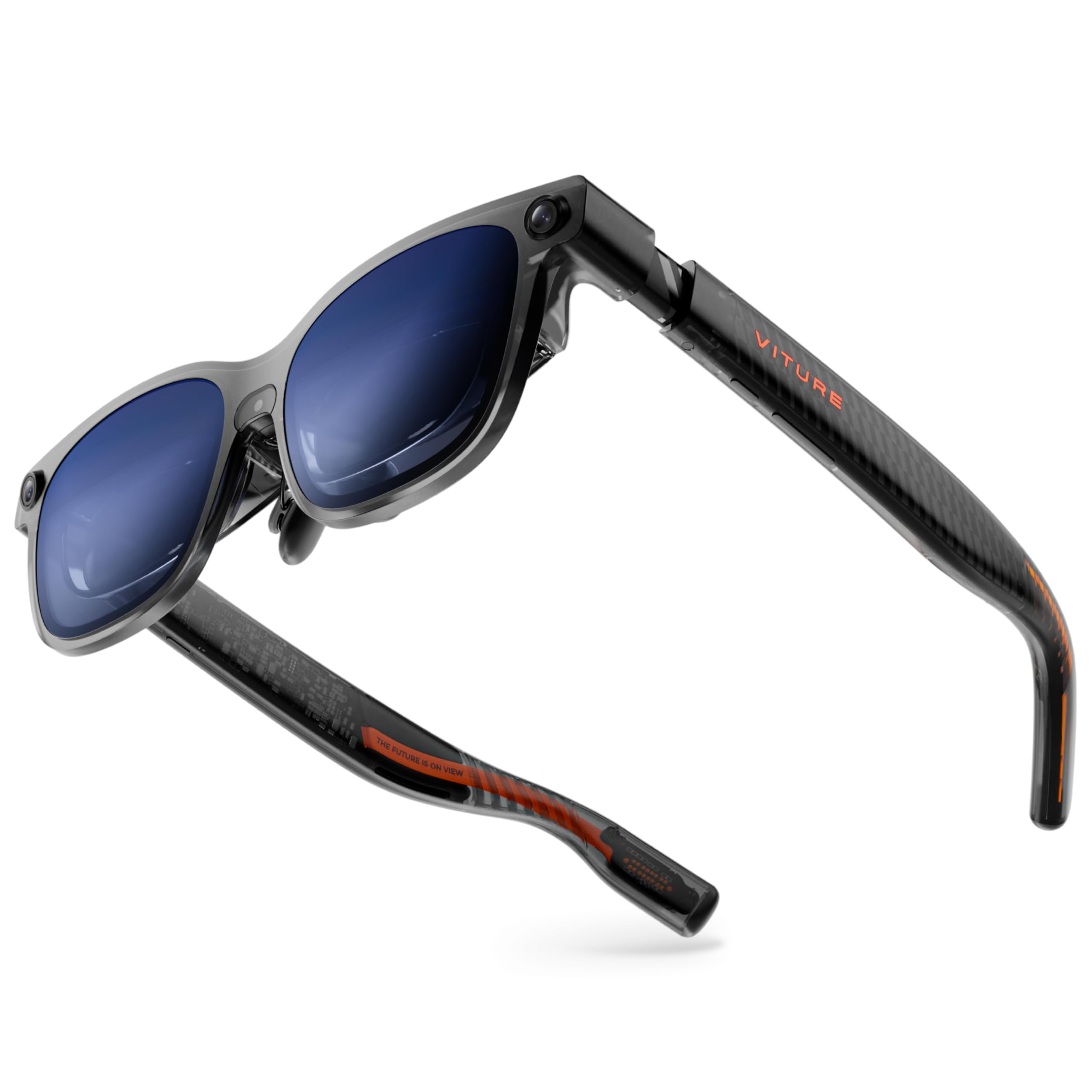
The VITURE Luma Ultra is one of the few AR glasses to include a front-facing RGB camera and dual depth cameras for true spatial computing. This hardware enables 6DoF tracking and hand gesture recognition when paired with the VITURE Pro Neckband, making it the most capable standalone AR experience in this roundup. The Sony micro-OLED display reaches 1500 nits peak brightness, which is the highest in this list and makes the 152-inch virtual screen usable even in direct sunlight.
The 1200p per-eye resolution delivers sharper text than standard 1080p AR glasses, and the DeltaE < 2 color accuracy ensures faithful color reproduction. The built-in myopia adjustment goes up to -4.0D, eliminating the need for prescription inserts for most users. The dynamic RGB lighting on the frame is a distinctive design choice that can be customized via software, adding a gamer-friendly aesthetic.
The primary drawback is the current state of the software ecosystem. Hand tracking feels laggy, and full 6DoF support is limited to Windows and macOS via SpaceWalker, with mobile compatibility still pending. Some users have reported instability with certain Android devices and the Switch 2. This is the most future-proof hardware but comes with the most beta-feeling software at launch.
Why it’s great
- 1500 nits brightness for outdoor use, highest in category
- 6DoF tracking with depth cameras and hand gesture support
- Sharp 1200p micro-OLED display with excellent color accuracy
Good to know
- Software stability issues reported across different platforms
- Hand tracking and full 6DoF require Pro Neckband for best experience
4. VITURE Luma Pro XR Glasses
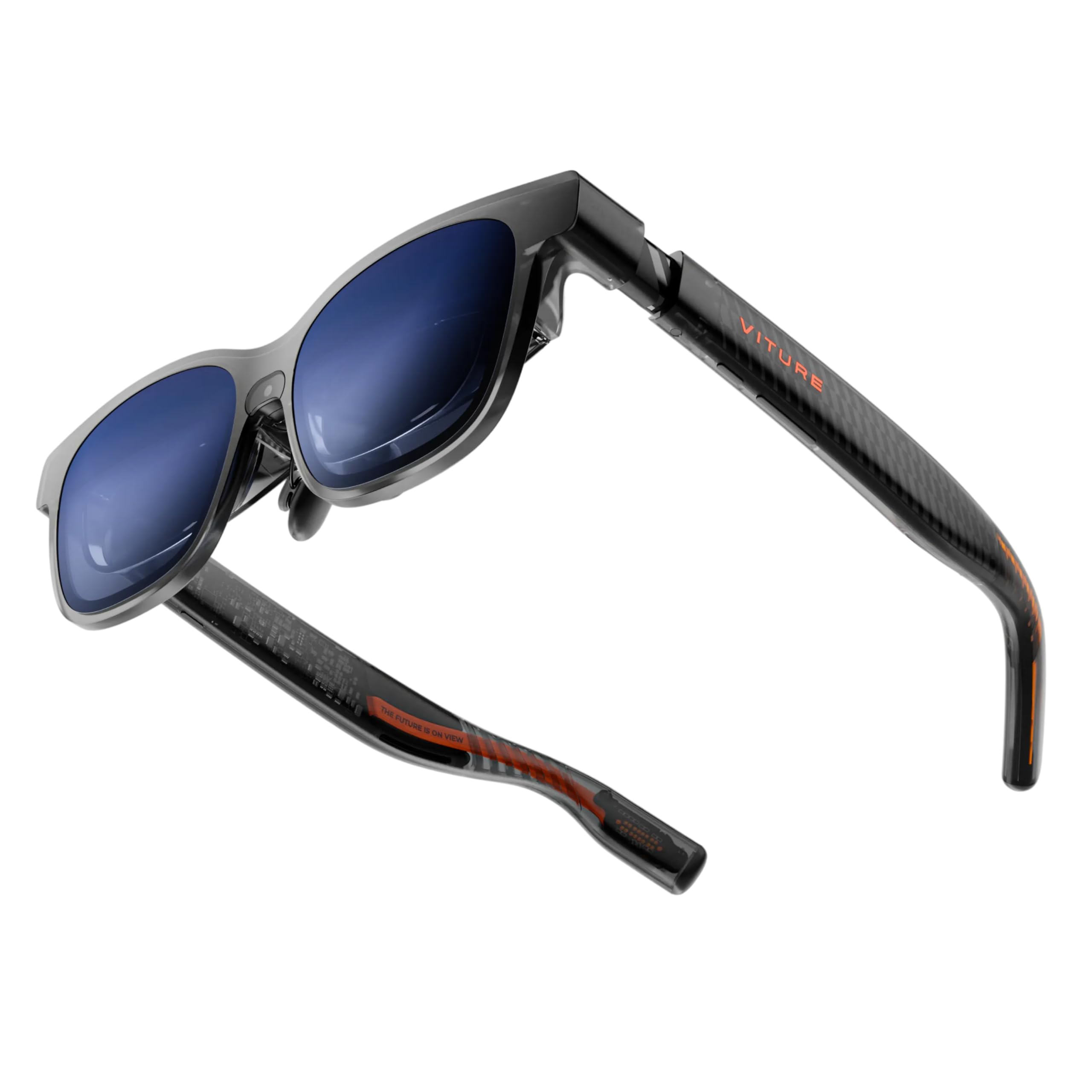
The VITURE Luma Pro offers the sharpest display in the mid-range tier, with a 1200p per-eye resolution that out-resolves the 1080p standard found on most competitors. The 152-inch virtual screen is bright at 1000 nits, and the 120Hz refresh rate keeps motion smooth. The electrochromic film allows one-tap darkening, and the built-in myopia adjustment up to -4.0D means most nearsighted users won’t need inserts. The dual-size IPD option (Regular for 64mm average, Large for 68mm) improves fit for different face shapes.
The standout feature is the SpaceWalker software, which supports multi-screen productivity with up to three virtual monitors on Mac and PC. The real-time 2D-to-3D conversion is a gimmick but works well for photos and certain video content. Harman audio engineers tuned the speakers, and while they lack deep bass, they offer clear dialogue and effective spatial separation. The programmable RGB lighting is a nice touch for gamers who want to sync colors with their setup.
Build quality is solid, with a flexible arm hinge and magnetic nose pads. The 83-gram weight is balanced, though some users with wider faces have noted the top of the display cuts off slightly. The main limitation is the lack of a dedicated spatial chip—it relies on the host device for processing, so you won’t get the same drift-free 3DoF as the XREAL models.
Why it’s great
- Sharpest 1200p display in mid-range segment
- Excellent SpaceWalker software for multi-screen work
- Built-in myopia adjustment up to -4.0D
Good to know
- No dedicated spatial chip, relies on host device tracking
- Some display clipping reported for certain face shapes
5. Rokid AR Spatial + Station2

The Rokid AR Spatial bundle pairs the Max 2 glasses with the Station2 spatial computer, creating a self-contained AR system with a 5000mAh battery that delivers roughly 3.5 hours of runtime. The Station2 runs on the YodaOS-Master system and provides 8GB of RAM and 128GB of storage, enabling three-screen multitasking with DLNA streaming from Android phones. The Max 2 glasses themselves feature a 50% larger micro-OLED display than the original Max, with a 1920×1200 resolution, 120Hz refresh rate, and 600 nits brightness.
The 4 smart modes (Reading, Giant Screen, Sports, Multi-Screen) allow flexible use cases, and the 3DoF functionality keeps screens anchored in space. The myopia adjustment dial goes up to 600 degrees, and the auto-IPD adjustment works when paired with the Station2 for precise lens alignment. The 75-gram weight and airy cushioning nose pad make this one of the more comfortable options for extended sessions.
The main issue is the Station2’s software stability. Some users have reported black screen issues, and the wireless screen casting broke after a firmware update for some units. The 3-screen mode is also limited to DLNA, meaning Miracast and ChromeCast connections only support single-screen. At this price, you are paying for the integrated ecosystem, but it is still rougher around the edges compared to the XREAL experience.
Why it’s great
- Integrated Station2 spatial computer for standalone operation
- Three-screen multitasking capability
- 600-degree myopia dial and auto-IPD with Station2
Good to know
- Station2 software reliability concerns
- 3-screen mode limited to DLNA protocol
6. INAIR 2 Pro AR Glasses

The INAIR 2 Pro is designed specifically for office productivity, with a 49 PPD edge clarity that keeps text sharp from center to periphery. The dual-eye 3840×1080 resolution at 120Hz provides a crisp 135-inch virtual screen, and the AI spatial rendering engine can convert 2D images into stereoscopic 3D. The electrochromic technology allows 0.1% to 16% light transmission, letting you switch between fully immersive and see-through modes with a swipe on the left temple.
The most compelling feature is the INAIR Space software for Mac and Windows, which supports up to four virtual screens for multi-monitor setups. The 80-gram weight is evenly distributed, and the 500-nit brightness is comfortable for indoor office environments. Privacy mode blacks out your computer screen when the glasses are connected, and the reverse sound field technology minimizes audio leakage for shared workspaces.
Setup is not straightforward—users have reported spending hours on initial configuration due to poor documentation. The multi-screen feature has been reported as buggy on some Windows 11 systems, and the field of view feels narrow, requiring head tilting to see the full display. This is a productivity-focused device for patient users who need a portable multi-monitor setup.
Why it’s great
- 49 PPD edge clarity for crisp text in productivity tasks
- Up to four virtual screens via INAIR Space software
- Electrochromic light transmission for privacy and immersion
Good to know
- Complex setup process with limited documentation
- Multi-screen feature can be unstable on some systems
7. Rokid Max 2 AR Glasses
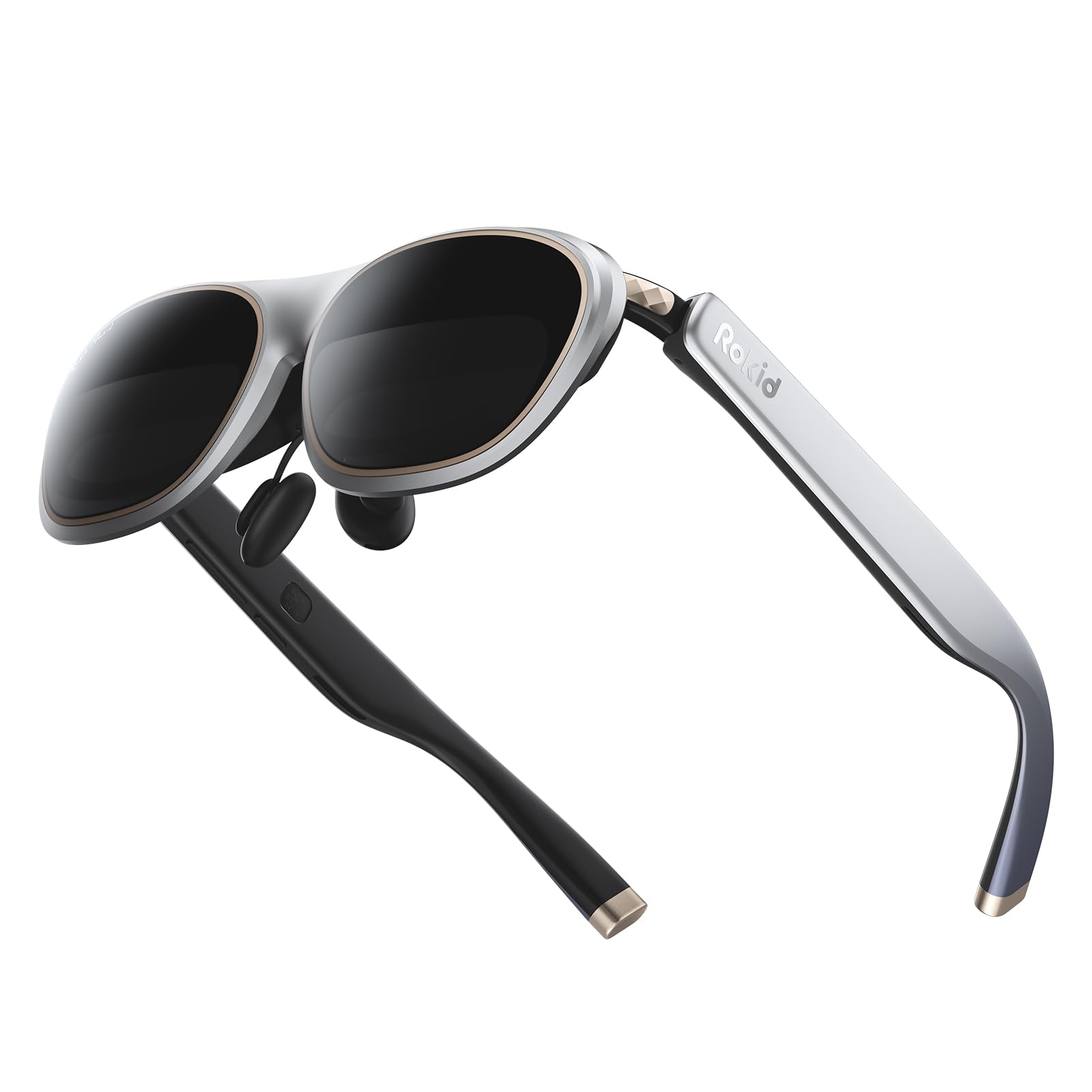
The Rokid Max 2 is a straightforward AR display that delivers a 215-inch virtual screen with a 50-degree FOV, powered by micro-OLED technology. At just 75 grams, it is one of the lightest options, and the airy cushioning nose pad prevents slippage during extended wear. The standout feature is the on-board myopia adjustment dial that corrects up to 600 diopters—no prescription lens inserts needed for users with mild to moderate nearsightedness.
The 600 nits brightness is adequate for most indoor environments, and the 120Hz refresh rate keeps motion smooth. The glasses are powered entirely via USB-C from your host device, meaning no batteries to charge. The package includes spare see-through and blackout lenses, which is a nice touch for adjusting the level of ambient light isolation. Compatibility is broad across USB-C DP devices including iPhones, Android phones, Steam Deck, and MacBooks.
The 50-degree FOV is narrower than the premium options, and the lack of a spatial chip means there is no anchored screen mode—the display moves with your head. The built-in speakers are functional but lack the depth of the Bose or Harman-tuned systems. This is a solid entry-level option for someone who wants a no-fuss personal display at a low cost.
Why it’s great
- Very lightweight at 75 grams with comfortable nose pad
- 600 diopter myopia adjustment dial built-in
- No internal battery, powered directly via USB-C
Good to know
- No spatial chip or anchored screen tracking
- Narrower 50-degree FOV compared to premium models
8. TOZO VIZO Z1 Pro AR Glasses
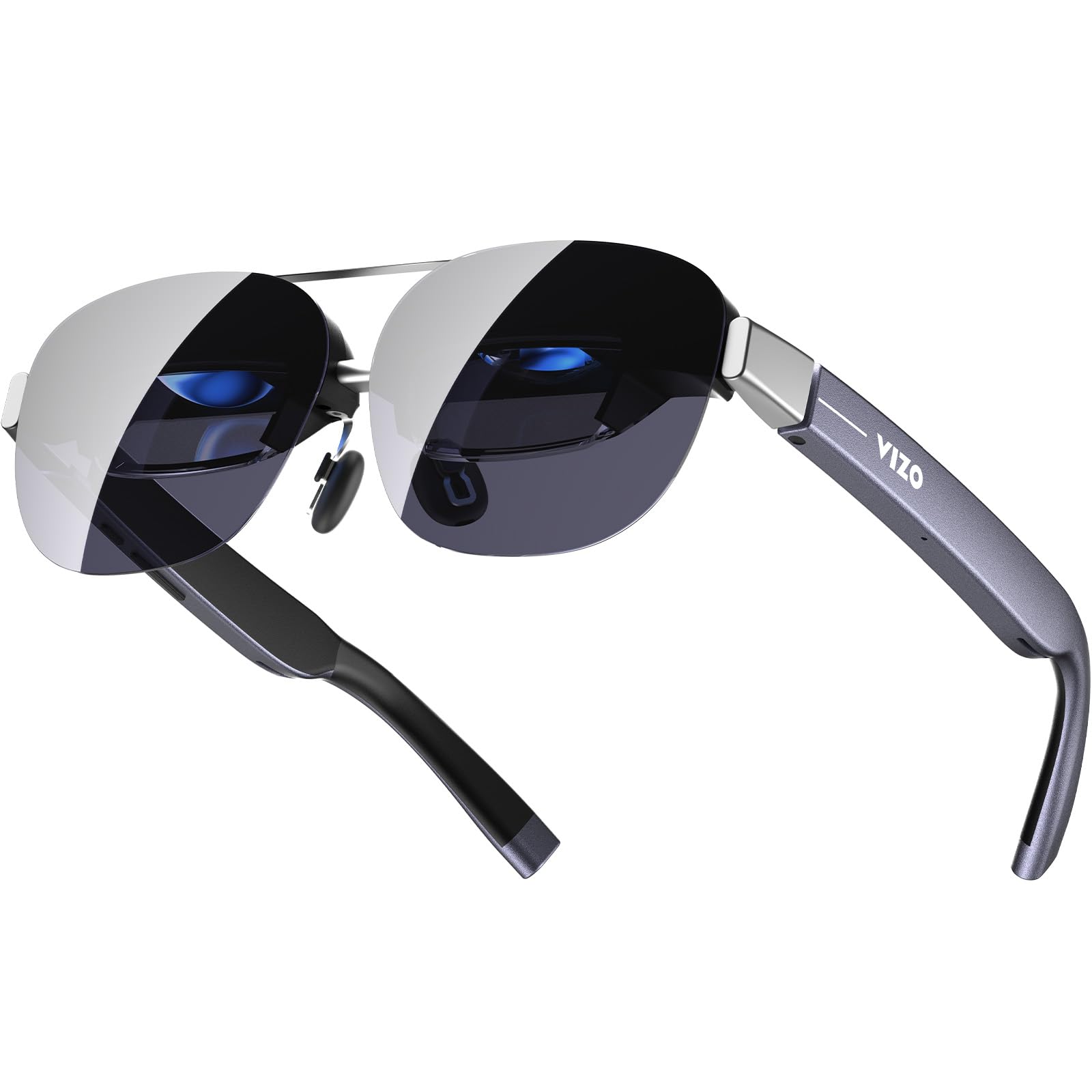
The TOZO VIZO Z1 Pro is the lightest AR glasses in this roundup at roughly 63 grams, making them ideal for travel or extended wear. The 3840×1080 dual-eye resolution produces a 160-inch virtual screen with 98% DCI-P3 color coverage and a 200,000:1 contrast ratio. The 120Hz refresh rate ensures fluid motion for gaming, and the physical buttons on the frame provide intuitive volume and mode control.
The 47.5-degree FOV is on the narrower side, and the glasses lack a spatial chip, meaning the screen follows your head. The built-in speakers have noticeable audio bleed, so you will want headphones for private listening in public spaces. The matte blue design with a detachable frame allows for easy prescription lens installation. The 0-to-600 diopter adjustment is a welcome inclusion for users who do not want to deal with separate lenses.
The main drawbacks are the lack of a lens cover, no degrees of freedom tracking, and an inability to adjust screen size or distance. At this price, it competes well as a pure display for media consumption, but it lacks the software ecosystem and spatial features that the more expensive options offer. For frequent flyers who want the lightest possible private theater, this is a compelling choice.
Why it’s great
- Ultra-light at 63 grams for comfortable all-day wear
- Wide 98% DCI-P3 color gamut with high contrast
- 0-to-600 diopter adjustment built in
Good to know
- No spatial or DoF tracking features
- Audio bleed from built-in speakers
9. RayNeo Air 4 Pro Batman Limited Edition
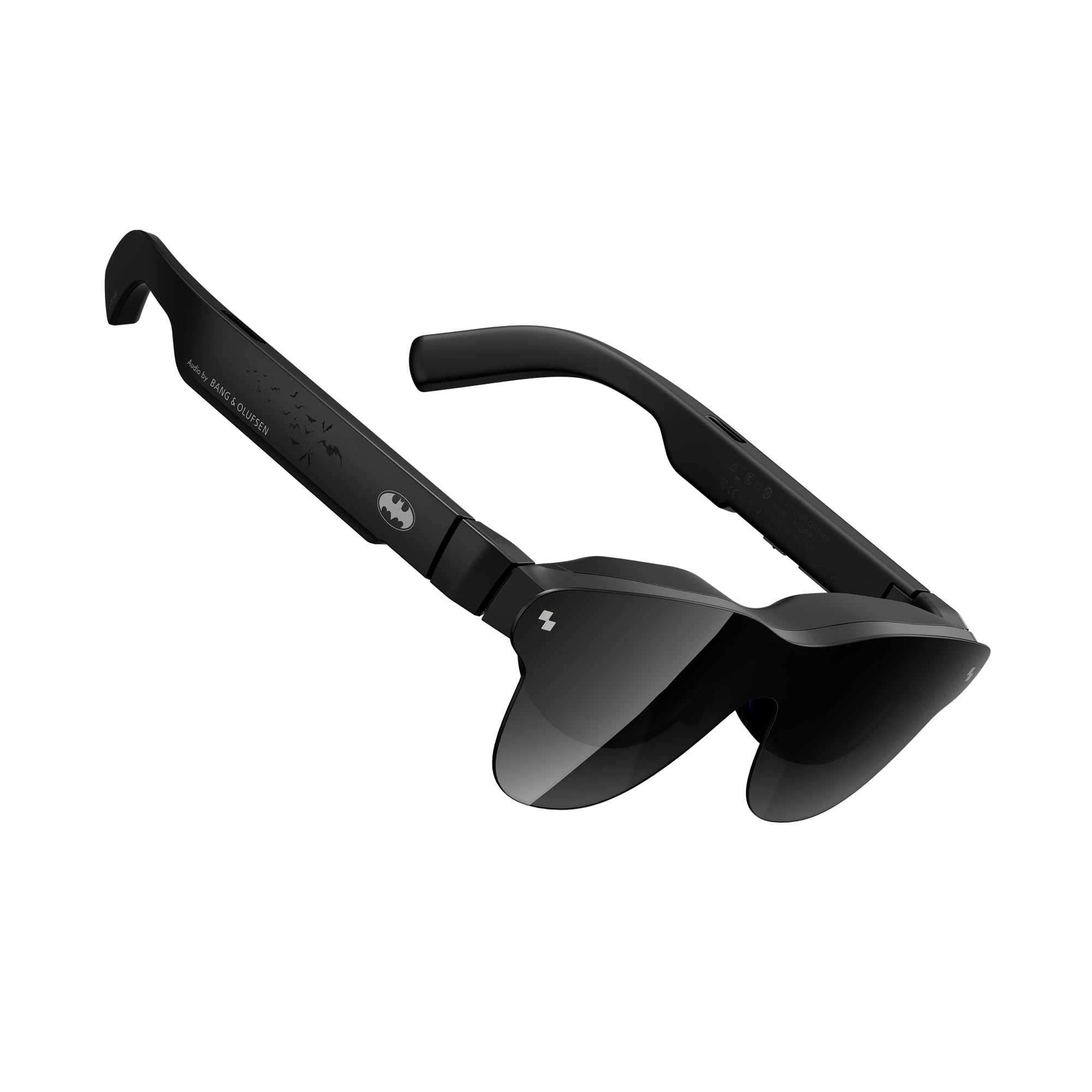
The RayNeo Air 4 Pro Batman Edition is a collector-grade AR glasses with a distinct Bat Shade design and a premium vault. Under the thematic exterior, it packs genuine performance: HDR10 support with AI-enhanced brightness reaching 1200 nits, and a Vision 4000 chip that handles SDR-to-HDR conversion. The 120Hz refresh rate and 345×201 display resolution per eye deliver a 201-inch virtual screen that looks vibrant and detailed.
The Bang & Olufsen quad-speaker system is the best audio implementation in this list, offering a 360-degree soundstage with deep lows and clear highs. The included sound tubes enhance isolation and bass response. The AI-powered 3D conversion transforms standard 2D content into spatial depth, and the glasses support mixed reality modes. The USB-C connectivity works with smartphones, PCs, and gaming consoles.
The main limitations are the relatively low display resolution compared to the 1080p and 1200p competitors, and the tinted lens which can cause reflections in certain lighting conditions. Some users with poor eyesight have reported edge blur. The plastic build feels less premium than the XREAL or VITURE options. This is a niche product for Batman fans who also want a capable AR display for HDR movie watching.
Why it’s great
- HDR10 with AI-enhanced 1200 nits peak brightness
- Best audio in category with Bang & Olufsen quad speakers
- Unique collector-grade Batman design
Good to know
- Display resolution is lower than 1080p competitors
- Tinted lens can cause internal reflections
10. HTC Vive XR Elite with Deluxe Pack

The HTC Vive XR Elite is a standalone XR headset that bridges the gap between AR glasses and fully immersive VR. With a 3840×1920 combined resolution (1920×1920 per eye), a 110-degree FOV, and a 90Hz refresh rate, it delivers crisp, wide-angle visuals. The stepless IPD and diopter adjustment dials provide a customized fit without needing glasses, and the hot-swappable battery offers around 2 hours of continuous use.
The Deluxe Pack adds a face gasket, deluxe strap, temple clips, and an MR gasket for mixed reality use. The four wide-FOV tracking cameras enable base-station-free positional tracking, and the full-color passthrough camera with depth sensor supports mixed reality experiences. The headset can connect to a VR-ready PC via USB for low-latency PC VR gaming through SteamVR, making it a hybrid device that handles both standalone and PC-powered content.
The ergonomic design is comfortable for a VR headset, with the battery acting as a counterweight at the back. Hand tracking is supported but works best within VR apps designed for it. The main drawbacks are the relatively short battery life and the premium price, which places it in competition with the Meta Quest 3. The audio is decent but lacks the spatial depth of the Bose system on the XREAL glasses.
Why it’s great
- Hybrid standalone XR and PC VR capability
- Stepless IPD and diopter adjustment built in
- 110-degree FOV for immersive VR experiences
Good to know
- Battery life limited to approximately 2 hours
- Higher price compared to dedicated AR glasses
11. HTC Vive Focus Vision
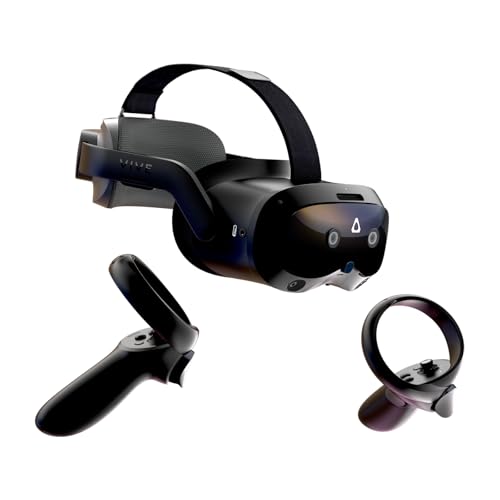
The HTC Vive Focus Vision is the most powerful headset in this roundup, designed for high-end VR and mixed reality. It features a 5K resolution (2448×2448 per eye) with a 120-degree FOV and a 90Hz refresh rate. The auto-IPD adjustment aligns the lenses with your pupils for optimal clarity, and the built-in eye tracking enables foveated rendering and more natural avatar interactions in social VR apps like VRChat.
The headset includes low-light hand tracking, and supports face and body trackers for full-body immersion. The hot-swappable battery system uses a reserve front battery that keeps the headset running while you swap the main battery, effectively eliminating downtime. The DisplayPort mode allows lossless PC VR streaming from a VR-ready computer, delivering high-fidelity visuals without compression artifacts. The depth sensor enables scene understanding for mixed reality, letting you interact with physical objects.
The biggest issues are the Fresnel lenses, which suffer from god rays and edge blur, and the finicky auto-IPD system that sometimes fails to adjust properly. The PC VR connection cable has been reported as unreliable, with a low detection rate. The premium price is hard to justify unless you need eye tracking and professional-grade VR features. For most buyers, the XR Elite or a standard VR headset offers better value.
Why it’s great
- 5K per-eye resolution with eye tracking for foveated rendering
- Hot-swappable battery system for uninterrupted use
- 120-degree FOV for wide-angle VR immersion
Good to know
- Fresnel lenses cause god rays and edge blur
- PC VR connection can be unreliable with DisplayPort mode
FAQ
Can I use AR goggles without a phone or PC?
What is the difference between AR glasses and a VR headset?
Why does my AR glasses display look blurry around the edges?
Can I wear AR goggles with prescription glasses?
Final Thoughts: The Verdict
For most users, the augmented reality goggles winner is the XREAL 1S because its X1 spatial chip delivers the smoothest anchored-screen experience with Bose audio and a 500-inch virtual display. If you want the absolute widest field of view with 6DoF potential, grab the XREAL One Pro. And for a true standalone spatial computing device with hand tracking and the brightest display, nothing beats the VITURE Luma Ultra.