
Using a mouse with an Android device transforms how you interact with a tablet, phone, or even a DeX-powered Samsung setup. The standard touch interface simply cannot match the precision of a dedicated pointer for editing documents, navigating spreadsheets, or managing file systems. Finding one that pairs effortlessly and tracks smoothly across Android’s ecosystem is the real challenge.
I’m Min — the co-founder and writer behind Gadgets Feed. I’ve spent countless hours digging through technical specifications, user feedback, and connection protocols to separate the few truly reliable Android-compatible mice from the dozens that promise seamless pairing but deliver frustrating stutter and dropped connections.
Whether you need a silent click for a library or a multi-device switcher for a hybrid desk, this guide cuts through the noise to help you pick the precise android computer mouse that matches your workflow and budget.
How To Choose The Best Android Computer Mouse
Not every Bluetooth mouse plays nice with Android. The OS handles input differently than Windows or macOS, and many budget models rely on drivers that simply do not exist on Android. Focus on connection stability, battery management, and physical ergonomics to avoid constant frustration.
Connection Protocol and Bluetooth Version
Android devices lack the software stacks to manage proprietary 2.4GHz dongle pairing seamlessly. A Bluetooth 5.0 or higher radio ensures lower latency and better power efficiency during extended use. Tri-mode models that include Bluetooth 5.2 alongside a universal dongle offer the safest fallback for devices that struggle with pure Bluetooth.
DPI Adjustability and Sensor Quality
Android desktops like Samsung DeX benefit greatly from adjustable DPI. A 1200 DPI setting feels natural for productivity on a 12-inch tablet, while 1600 DPI or higher helps navigate a phone screen connected to a monitor without exaggerated arm movements. Look for at least three levels of hardware-switchable DPI without needing an app.
Silent Clicks and Build Weight
Shared workspaces and late-night sessions demand near-silent switches. Mechanical clicks that register at under 30 dB preserve peace without sacrificing tactile feedback. Weight matters too — an Android mouse often lives in a bag alongside a tablet, so a sub-70 gram build is ideal for portable setups. Anything above 80 grams starts to feel heavy in a travel kit.
Quick Comparison
On smaller screens, swipe sideways to see the full table.
| Model | Category | Best For | Key Spec | Amazon |
|---|---|---|---|---|
| XBG B15pro | Premium | Real-time status visibility | 500 mAh battery, LED screen | Amazon |
| FYBC RGB Mouse | Premium | Built-in jiggler mode | USB-A & USB-C dual receiver | Amazon |
| CITLLA Wireless | Mid-Range | Rapid 4-way scrolling | 40-month battery life | Amazon |
| hunart H6 | Mid-Range | Ultra-light travel companion | 49g weight, USB-C rechargeable | Amazon |
| TECKNET Wireless | Mid-Range | Multi-device productivity | 4800 DPI max, 6 levels | Amazon |
| wegear WL300 | Value | Entry-level silent work | 24-month battery, 3 million clicks | Amazon |
| Tiktok Scrolling Ring | Niche | Hands-free media control | 33 ft range, ring form factor | Amazon |
In‑Depth Reviews
1. XBG B15pro Wireless Bluetooth Mouse

The XBG B15pro stands out for its integrated LED display that shows real-time battery percentage, current DPI level, and active connection mode. This eliminates guesswork when switching between an Android tablet and a laptop — you know exactly which device is active and how much charge remains. The 500 mAh internal battery provides roughly a month of moderate use before needing a USB-C top-up, and the 2.4GHz dongle offers a backup connection if Bluetooth proves unreliable in crowded RF environments.
Ergonomics are thoughtful for all-day use. The contoured thumb rest and arched palm support reduce wrist strain during extended spreadsheet work or document editing on Samsung DeX. Five DPI levels ranging from 800 to 2400 let you dial in cursor speed precisely for different screen sizes, and the silent buttons register without the loud clicking that annoys coworkers or family members in quiet rooms.
Compatibility is broad but Android users benefit most from the plug-and-play nature. The mouse connects to Android 5.0 and later without any driver installation, and the built-in auto-sleep after five minutes conserves battery during idle periods. The only downside is the lack of button remapping, but for most productivity tasks, the default layout works perfectly out of the box.
Why it’s great
- LED display shows battery and DPI status clearly.
- Tri-mode connectivity with Bluetooth 5.0 and 2.4GHz dongle.
- Comfortable ergonomic design with thumb rest for long sessions.
- USB-C rechargeable with auto-sleep power management.
Good to know
- Button functions are not customizable on Android.
- Sleep timing is fixed at five minutes with no adjustment.
2. FYBC Bluetooth LED Wireless Mouse

The FYBC mouse is one of the few models that integrates an undetectable mouse jiggler directly into the hardware. Holding the DPI button for three to five seconds activates a movement pattern that prevents your Android device from locking the screen while you step away — a genuinely useful feature for remote workers monitoring dashboards or attending long video calls without constant interaction.
Connectivity is versatile thanks to the included dual-mode 2-in-1 receiver that supports both USB-A and USB-C. This matters for Android tablets like the Samsung Galaxy Tab S9 that use USB-C exclusively. You can plug the dongle directly or rely on Bluetooth 5.2 for a wireless connection. The 7-color breathing LED adds a subtle aesthetic touch, but purists can ignore it since the lighting does not affect performance or tracking accuracy.
Weighing only 65 grams, this mouse is light enough for daily carry in a tablet sleeve. The silent clicks reduce noise by roughly 90 percent compared to standard switches, and the slim profile fits small to medium hands comfortably. The only compromise is the DPI range, which tops out at 1600 — sufficient for standard productivity but slightly limiting for high-resolution external monitors connected via Android.
Why it’s great
- Built-in jiggler mode keeps Android devices awake.
- USB-A and USB-C dual receiver included for tablet compatibility.
- Ultra-light 65g design is perfect for travel.
- Silent clicks with 90% noise reduction.
Good to know
- Maximum DPI of 1600 limits high-res external monitor use.
- Best suited for small to medium hands only.
3. CITLLA Wireless Bluetooth Mouse
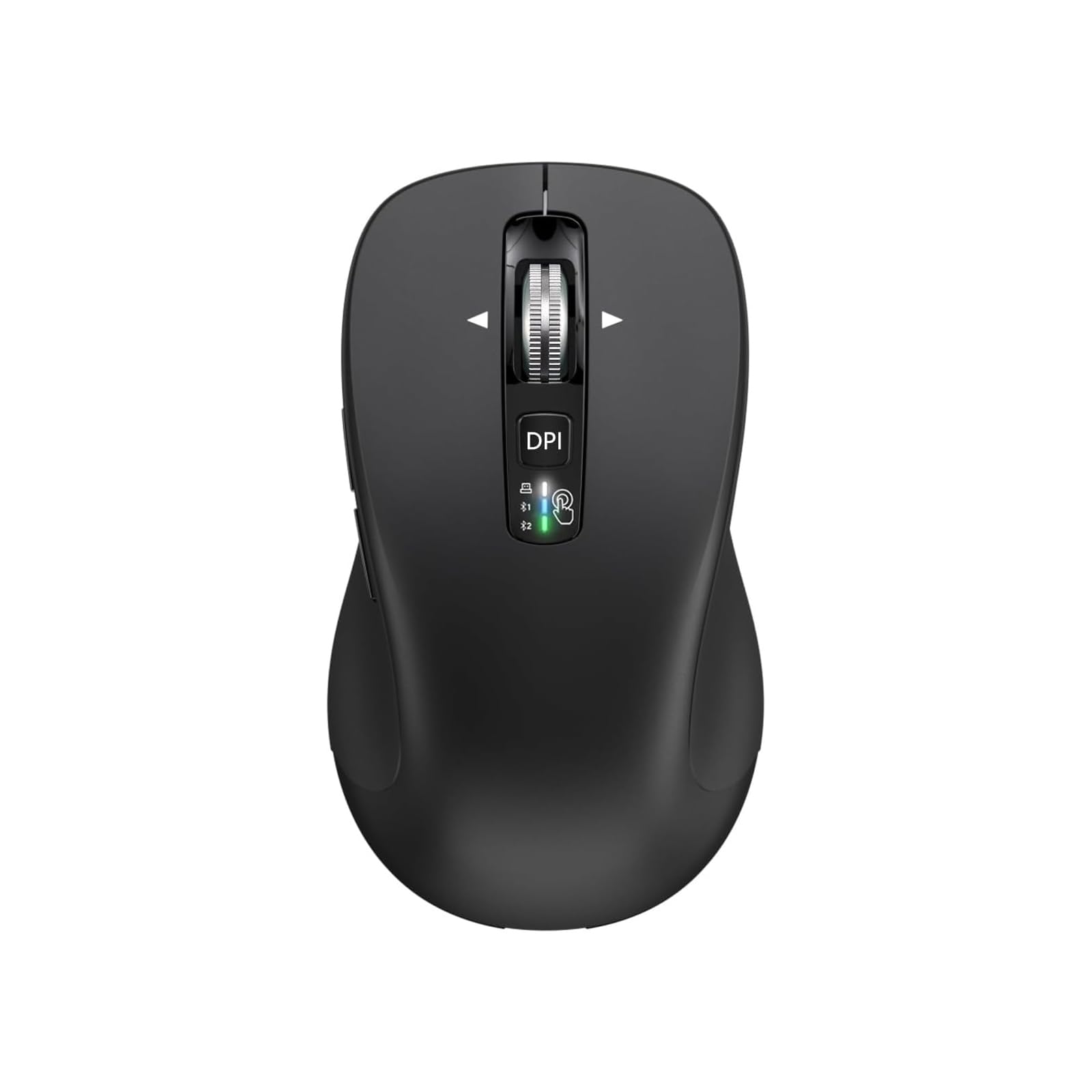
CITLLA distinguishes itself with a 4-way scrolling wheel that adds horizontal navigation — a feature rarely found at this price point. Pressing the scroll wheel sideways lets you pan across wide spreadsheets or timelines in Android productivity apps without grabbing the scrollbar. The wheel itself spins freely and moves several times faster than conventional mouse wheels, drastically reducing scrolling time through long documents or web pages.
Battery life is exceptional. The mouse runs on two included AA batteries with a claimed lifespan of up to 40 months thanks to an aggressive power control system. For users who hate remembering to charge devices, this set-and-forget approach is a massive convenience. The dual Bluetooth and 2.4GHz USB receiver support switching between three devices via a top-mounted button with color-coded LED indicators (white, blue, green) for instant visual confirmation.
The full-size body measures 4.6 x 2.6 x 1.6 inches with rubber side grips that resist sweat and slippage during long use. The DPI button cycles through four levels from 1000 to 3000, giving Android users flexibility across different screen densities. The only catch is size — this mouse is larger than expected, so it feels less natural in a cramped travel bag or for users with smaller hands.
Why it’s great
- 4-way scrolling enables horizontal navigation in Android apps.
- 40-month battery life with included AA batteries.
- Tri-device switching with visual LED indicators.
- Rubber side grips provide secure handling.
Good to know
- Full-size design may feel bulky for travel.
- Side buttons have limited functionality on macOS.
4. hunart H6 49g Wireless Mouse
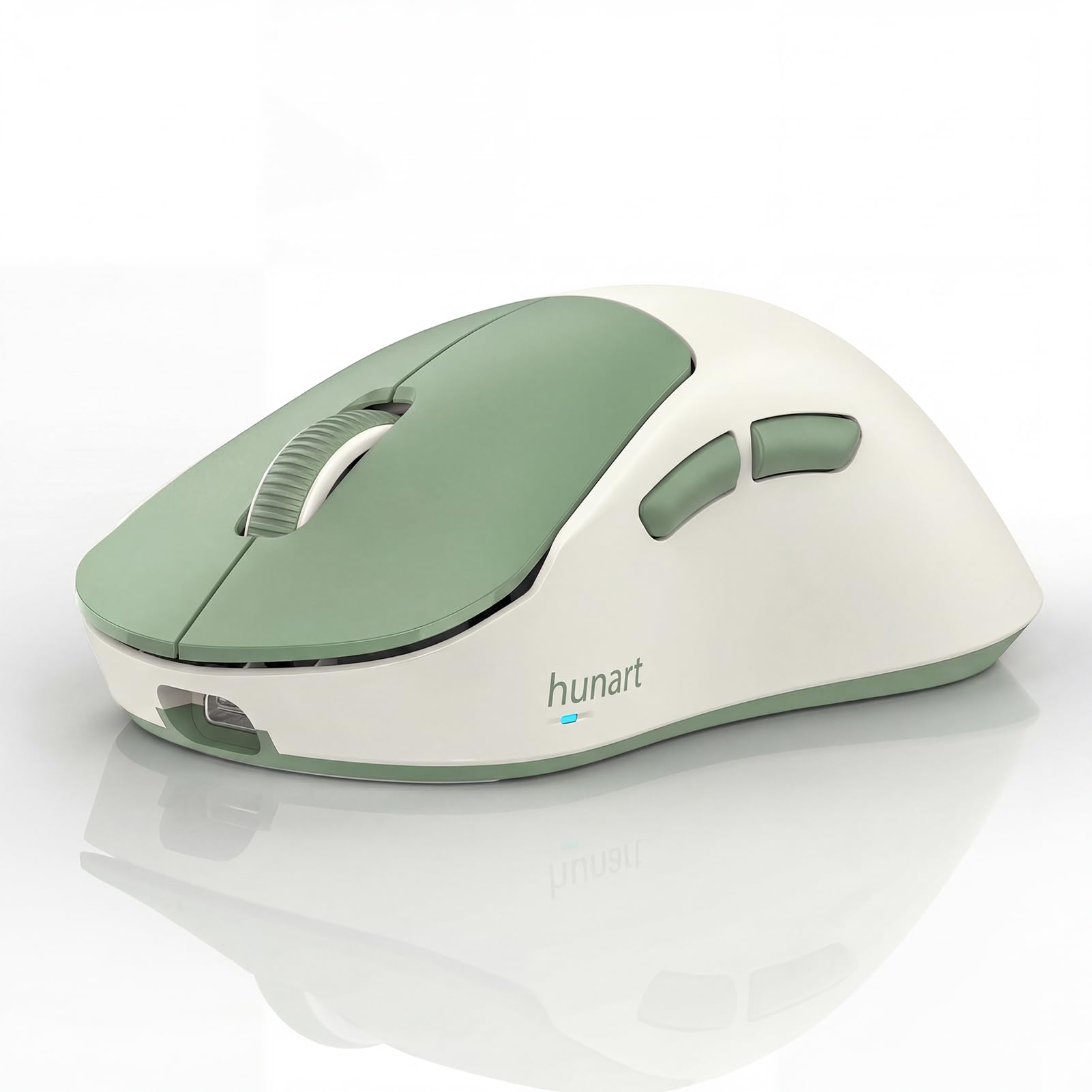
At just 49 grams, the hunart H6 is one of the lightest rechargeable Bluetooth mice available. This weight savings makes a tangible difference when you carry the mouse alongside an Android tablet daily — it disappears into a bag pocket without adding noticeable bulk. The compact dimensions of 4.29 x 2.64 x 1.57 inches suit small to medium hands perfectly, though users with larger hands may find the reduced surface area causes cramping over extended periods.
Dual-mode connectivity covers Bluetooth and 2.4GHz via the included USB receiver. The built-in 500 mAh polymer lithium battery recharges through USB-C, eliminating the need for disposable batteries. Three DPI settings (800, 1200, and 1600) cover the essential range for Android productivity, and the silent click buttons ensure you can work in quiet environments without attracting attention.
The right-hand ergonomic shape features a gentle contour that encourages a natural palm grip. The matte plastic finish resists fingerprints better than glossy alternatives, keeping the mouse looking clean after months of use. The main limitation is the maximum DPI of 1600, which feels slightly slow when navigating high-resolution Android tablets connected to external monitors, but it performs admirably for standard laptop and tablet workflows.
Why it’s great
- Extremely lightweight at 49g for effortless portability.
- USB-C rechargeable 500 mAh battery reduces waste.
- Silent click buttons for disturbance-free work.
- Compact design fits easily in tablet sleeves.
Good to know
- 1600 DPI max limits performance on large external monitors.
- Size is optimized for small to medium hands only.
5. TECKNET Bluetooth Wireless Mouse
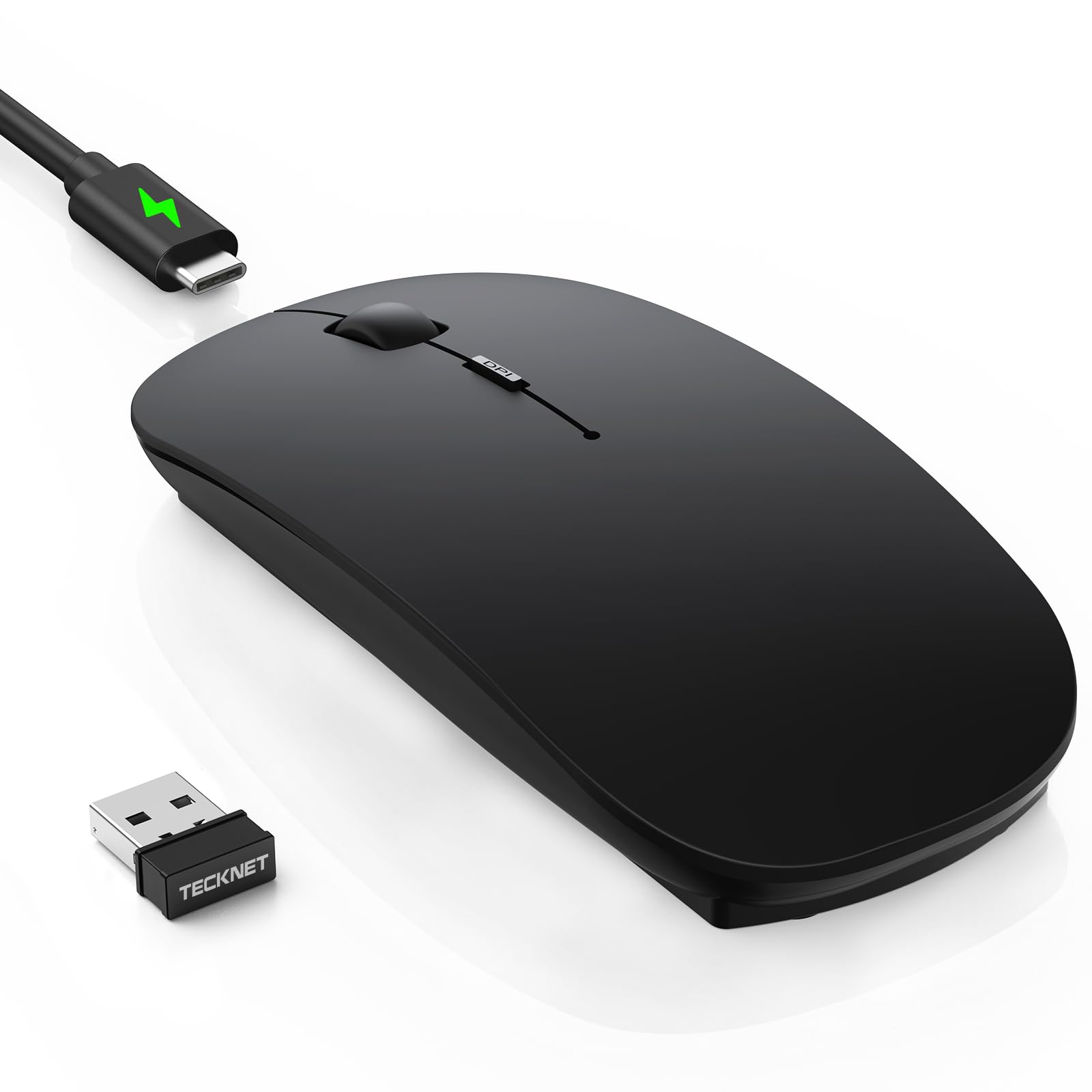
TECKNET crams impressive specs into an ultra-thin chassis. The 4800 DPI maximum sensitivity with six adjustable levels gives Android users precise control across everything from a standard phone screen to a high-resolution external monitor connected through DeX. Switching between 800 DPI for detailed photo editing and 4800 DPI for rapid cursor movement is handled by a dedicated DPI button with tactile feedback.
The mouse supports tri-mode connectivity with Bluetooth 5.2, Bluetooth 3.0, and a 2.4GHz USB receiver. You can pair up to three devices and switch between them instantly, making it easy to jump from an Android tablet to a Chromebook to a work laptop without re-pairing each time. The USB-C fast charging delivers 60 days of use from a 2.5-hour charge, and the 30-minute auto-sleep timer preserves battery during idle periods.
The slim profile measures just 0.93 inches thick, sliding easily into a laptop sleeve or bag compartment. The matte black finish resists fingerprints, though sweaty hands can leave marks over time. The ambidextrous shape works for both left and right-handed users, and the silent clicks are significantly quieter than standard switches — roughly 90 percent noise reduction based on user feedback. The initial pairing can occasionally exhibit tracking lag for the first day, but this typically resolves as the sensor calibrates.
Why it’s great
- 4800 DPI max with six adjustability levels for any screen size.
- Tri-mode connectivity with Bluetooth 5.2 for stable pairing.
- Ultra-slim 0.93-inch profile for easy portability.
- USB-C rechargeable with 60-day battery life.
Good to know
- Occasional initial tracking lag may require a day to resolve.
- Matte finish can show marks from sweaty hands.
6. wegear WL300 Bluetooth Mouse
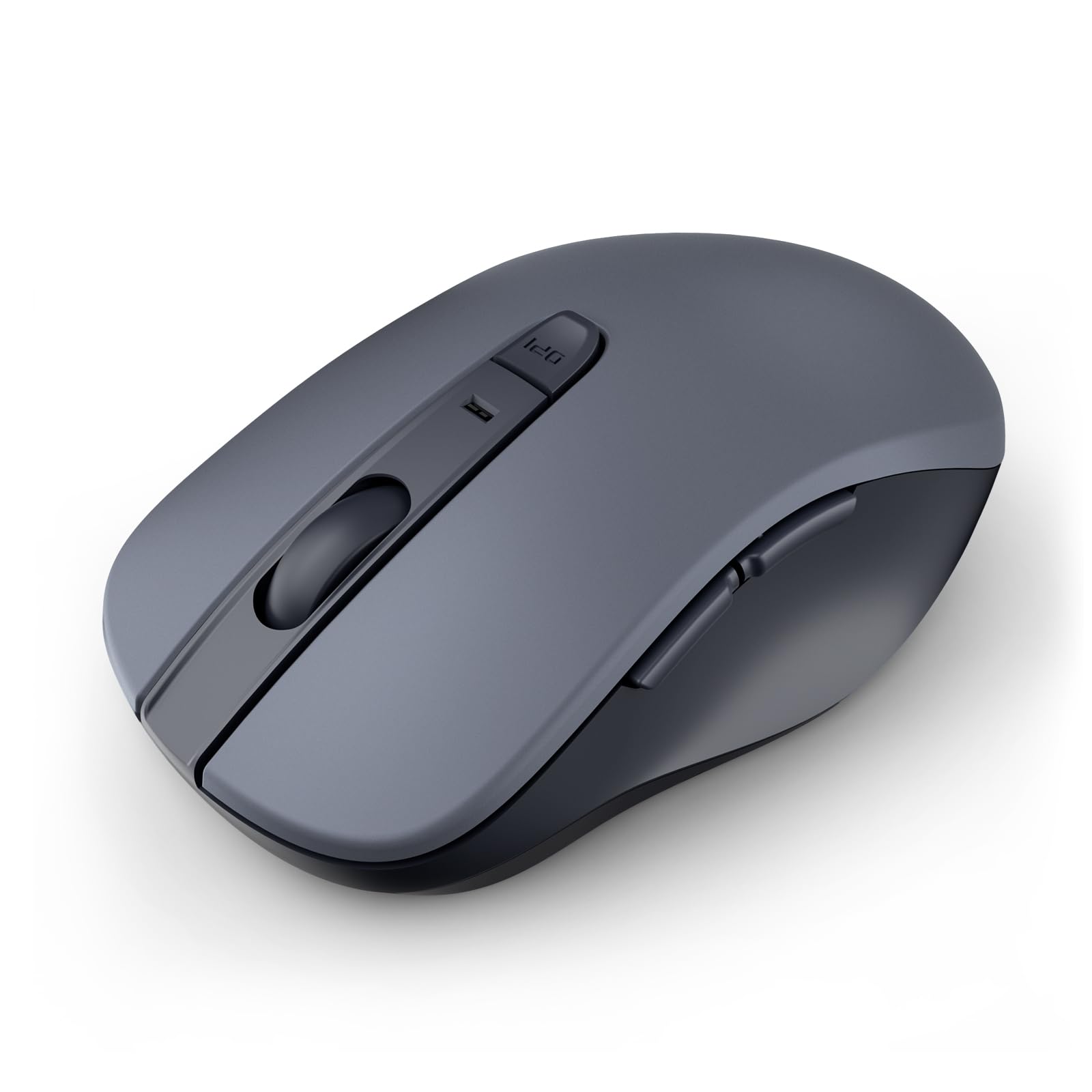
The wegear WL300 delivers essential Bluetooth functionality at an entry-level price without cutting corners on battery life. A single AA battery (not included) provides up to 24 months of use thanks to an automatic sleep mode that engages after 30 seconds of inactivity. The mouse wakes instantly when moved, so there is no noticeable delay when returning to work after a short break.
Connectivity relies on Bluetooth 5.0 with Microsoft Swift Pair support, which simplifies pairing with Android tablets and phones that support the standard. The optical sensor tracks across wood, leather, fabric, and paper surfaces, giving you flexibility to work on unconventional desks or coffee shop tables without needing a mouse pad. Three DPI levels (800, 1200, and 1600) cover the basic range for daily productivity tasks.
The sculpted grip curves naturally to the right hand, providing decent support for extended sessions. Six buttons include forward and backward navigation for web browsing, though these side buttons are not recognized on macOS — Android users should test compatibility, as functionality varies by device. The switches are rated for 3 million clicks and the scroll wheel for 300,000 cycles, indicating reasonable long-term durability for the price tier.
Why it’s great
- 24-month battery life from a single AA battery.
- Bluetooth 5.0 with Swift Pair for easy Android setup.
- Tracks on multiple surfaces without a mouse pad.
- Durable switches rated for 3 million clicks.
Good to know
- AA battery is not included in the package.
- Side buttons may not work on all Android devices.
7. TikTok Scrolling Ring Mouse
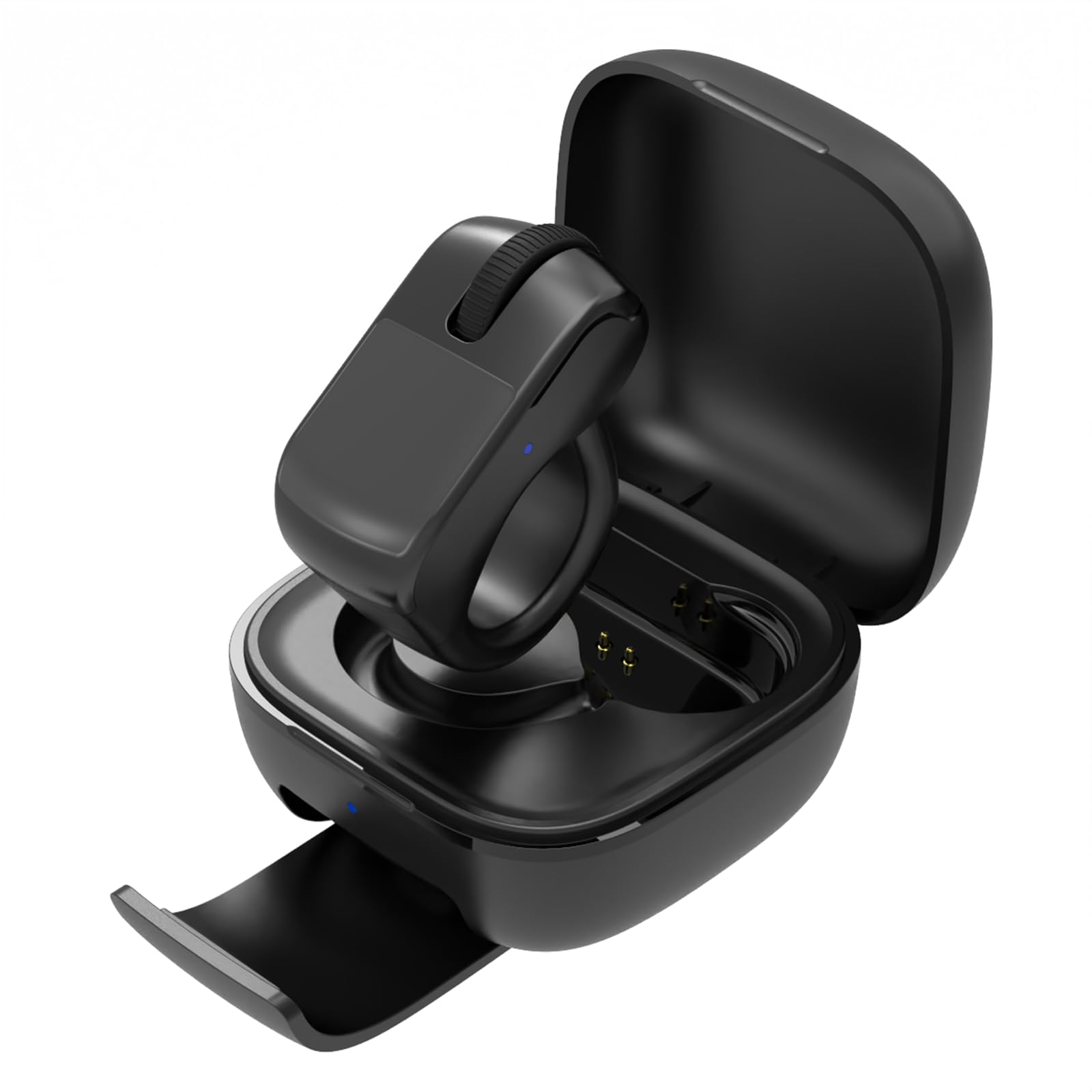
This wearable ring mouse breaks the traditional pointing device mold entirely. It straps onto your finger and uses a tiny touchpad, scroll wheel, and side buttons to control your Android device from up to 33 feet away. The primary use case is hands-free media control — scrolling through TikTok during a treadmill workout, turning pages in the Kindle app while bundled under blankets, or triggering the camera shutter for group photos without touching the phone.
Compatibility requires Android devices running Android 9.0 or later with Bluetooth. Pairing is quick and the connection remains stable within the advertised range. The touchpad supports basic cursor movement for remote computer access, though the small surface area means precise pointing is less comfortable than a traditional mouse. The included charging case keeps the ring powered during storage, and the open ring design fits most finger sizes without excessive pressure.
User experience varies by app. Scrolling in TikTok and Kindle works reliably, but some users report glitchy behavior on Samsung phones with accidental cursor movement during scrolling. The right-click side button can be overly sensitive, triggering unintended actions. This device excels as a secondary controller for specific use cases like reading and media consumption, but it cannot replace a full-size mouse for productivity tasks like document editing or spreadsheet navigation.
Why it’s great
- Hands-free control from up to 33 feet away.
- Works great for scrolling TikTok and Kindle apps.
- Compact charging case keeps the ring powered on the go.
- Reduces arm and hand strain during long scrolling sessions.
Good to know
- Touchpad accuracy is limited for detailed cursor work.
- Some users report glitchy scrolling on Samsung devices.
FAQ
Will any Bluetooth mouse work with Android tablets?
Does the 2.4GHz dongle work with USB-C Android tablets?
How do I check and change DPI on an Android mouse?
What is Samsung DeX mouse support like?
Final Thoughts: The Verdict
For most users, the android computer mouse winner is the XBG B15pro because its LED display removes all guesswork from battery and DPI management, and the tri-mode connectivity guarantees stable pairing with any Android device. If you need a built-in jiggler to prevent screen locks during remote work, grab the FYBC RGB Mouse. And for the lightest possible travel companion that disappears into a tablet sleeve, nothing beats the hunart H6.