
Building a PC on the AM4 platform is a clever move — you get access to some of the best-value processors AMD has ever made, but the motherboard and chipset choices can make or break your graphics card upgrade path. Choosing the right AM4 GPU requires balancing your CPU’s PCIe generation support with the card’s bandwidth needs, ensuring you are not leaving performance on the table.
I’m Min — the co-founder and writer behind Gadgets Feed. I’ve spent hundreds of hours poring over chipset specs, PCIe lane configurations, and real-world benchmark data to understand exactly how each AM4 motherboard communicates with a dedicated graphics card.
Whether you are building a new system or upgrading an older Ryzen rig, this guide breaks down the best motherboards and processors to pair with your next graphics card, helping you find the ideal am4 gpu combination without wasting a cent.
How To Choose The Best AM4 GPU
Selecting the right motherboard for your AM4 GPU involves more than just picking a chipset. The board’s PCIe version, VRM quality, and physical layout directly impact how your graphics card performs and how easy the build is. Here are the key factors to consider.
PCIe Generation: 3.0 versus 4.0
The single most critical spec for your AM4 GPU is the PCIe generation of the primary x16 slot. B550 and X570 boards offer PCIe 4.0, doubling the bandwidth per lane compared to the PCIe 3.0 found on A520 and older B450 boards. While mid-range cards like the RX 6600 see minimal loss on PCIe 3.0, higher-end cards with smaller memory buffers (like the RX 6400 or RTX 3050) can suffer noticeable frame rate drops on 3.0 slots.
VRM Quality and Power Delivery
Your motherboard’s voltage regulator modules (VRMs) supply clean power to the CPU, and a stable CPU is essential for feeding your GPU data. A board with weak VRMs can throttle your processor under sustained gaming loads, which indirectly stutters your graphics card’s performance. Look for boards with at least a 6-phase VRM design and proper heatsinks if you plan to pair a power-hungry GPU with a Ryzen 7 or 9.
M.2 Slot and Lane Sharing
Many AM4 boards share PCIe lanes between the primary M.2 slot and specific SATA or PCIe slots. Installing a fast NVMe SSD on a board like the A520M-A Pro can disable a SATA port, while on some B550 boards, the second M.2 slot runs at PCIe 3.0 and shares bandwidth with the chipset. Understanding these lane-sharing rules prevents nasty surprises when you plug in your GPU and an SSD simultaneously.
Quick Comparison
On smaller screens, swipe sideways to see the full table.
| Model | Category | Best For | Key Spec | Amazon |
|---|---|---|---|---|
| ASUS Prime B550-PLUS AC-HES | Premium ATX | High-end GPU pairing | PCIe 4.0, 8+1 DrMOS | Amazon |
| ASRock Radeon RX 7600 | Dedicated GPU | 1080p gaming | 8GB GDDR6, 2695MHz | Amazon |
| AMD Ryzen 5 5600G | APU | GPU-less builds | Vega 7 graphics | Amazon |
| GIGABYTE B550M K | Micro-ATX | Compact mid-range builds | PCIe 4.0, 4 DIMMs | Amazon |
| ASUS Prime B550M-A WiFi II | Micro-ATX | Wireless connectivity | WiFi 6, PCIe 4.0 | Amazon |
| ASRock B550M-HDV | Budget Micro-ATX | Entry-level GPU builds | PCIe 4.0, 2 DIMMs | Amazon |
| MSI A520M-A Pro | Entry-Level | Ultra-budget servers | PCIe 3.0, 2 DIMMs | Amazon |
In‑Depth Reviews
1. ASUS Prime B550-PLUS AC-HES

The ASUS Prime B550-PLUS AC-HES is the full-package motherboard for anyone serious about their AM4 GPU. Its full ATX form factor provides generous spacing between the PCIe x16 slots, meaning even a triple-fan graphics card won’t block adjacent slots for Wi-Fi cards or capture devices. The 8+1 DrMOS power stage design delivers clean, stable current to the CPU VRMs, ensuring your Ryzen processor can feed frames to the GPU without voltage droop.
Connectivity is where this board flexes its premium status. You get rear USB 3.2 Gen 2 Type-A and Type-C ports, a front USB 3.2 Gen 1 Type-C header, and dual M.2 slots — one running at PCIe 4.0 x4 directly from the CPU for your OS drive. The integrated Wi-Fi 5 and Bluetooth mean you can skip the dongle, and the Realtek ALC887/897 codec delivers clean 7.1-channel audio through the rear jacks.
User feedback confirms the board’s reliability for high-demand builds like home arcade machines and multi-drive workstations. The only hiccup reported is that the first unit shipped may lack video output, but Amazon replacements resolve that quickly. For users who need six SATA ports, full PCIe 4.0 support, and a board that handles a high-end GPU without bottlenecks, this is the clear winner.
Why it’s great
- 8+1 DrMOS VRM ensures stable power delivery for Ryzen 7/9 CPUs
- Dual PCIe 4.0 M.2 slots for fast NVMe SSDs
- Integrated Wi-Fi 5 and Bluetooth for cable-free setup
Good to know
- Some units may arrive with no video output and require replacement
- Wi-Fi 5 is older standard; future-proof users may want Wi-Fi 6
2. ASRock Radeon RX 7600 Challenger 8GB OC

The ASRock Radeon RX 7600 Challenger is the dedicated AM4 GPU you want when a motherboard-integrated display output isn’t enough. Built on the RDNA 3 architecture, this card delivers 2048 stream processors running at a boost clock of up to 2695MHz, making it a beast for 1080p high-refresh gaming. The PCIe 4.0 x8 interface is a key detail — on a B550 board with PCIe 4.0, there is zero bandwidth loss, but on an A520 board limited to PCIe 3.0, the x8 link halves the available lanes, potentially bottlenecking performance.
Cooling is handled by ASRock’s dual-fan design with striped axial fans and an ultra-fit heatpipe. The 0dB Silent mode stops the fans entirely under low load, keeping your system whisper-quiet during desktop work or light browsing. The metal backplate adds rigidity, while the single 8-pin power connector makes installation simple — just ensure your PSU is at least 550W as recommended.
Real-world users report excellent results: playable 1440p gaming, smooth 60 FPS on modded Arma Reforger servers, and flawless Linux compatibility with Ubuntu 24.04. The dual-fan cooler keeps temperatures under control, and the 8GB GDDR6 memory handles modern textures at 1080p without stutter. For a budget-friendly dedicated card that pairs perfectly with a B550 board, the RX 7600 is a no-brainer.
Why it’s great
- 2695MHz boost clock delivers smooth 1080p high-refresh gaming
- 0dB Silent mode for near-silent operation at low loads
- Single 8-pin power connector simplifies installation
Good to know
- PCIe 4.0 x8 interface can bottleneck on PCIe 3.0 boards
- 8GB VRAM may limit ultra textures at 1440p in future titles
3. AMD Ryzen 5 5600G with Radeon Graphics

The AMD Ryzen 5 5600G is a unique entry in this AM4 GPU guide because it is an APU — a processor with integrated Radeon graphics that eliminates the need for a separate graphics card entirely. The Vega 7 iGPU features 7 compute units running at up to 1.9 GHz, capable of driving 1080p gaming at low-to-medium settings in titles like Overwatch 2, CS:GO, and indie games. For users on an ultra-tight budget or building a home theater PC, this is the smartest play.
The processor itself is no slouch: six cores and twelve threads with a max boost of 4.4 GHz, backed by 19 MB of cache. It supports overclocking on B550 boards, and the bundled Wraith Stealth cooler keeps it around 70°C under load. The key limitation is that the 5600G only supports PCIe 3.0 for its integrated graphics, and the chip only exposes 8 PCIe lanes for the iGPU — fine for the Vega 7, but a future dedicated GPU upgrade will run at x8 rather than x16 on the 5600G’s lanes.
Users consistently praise the 5600G for its balance of CPU and GPU power, with many reporting smooth streaming and multitasking alongside light gaming. Fast RAM (3600 MHz+) is recommended to feed the Vega 7 graphics, as memory bandwidth directly impacts iGPU performance. For a no-compromise CPU that also handles modern games at 1080p without a discrete card, the 5600G remains unmatched.
Why it’s great
- Integrated Vega 7 GPU eliminates the need for a discrete graphics card
- 6 cores/12 threads deliver smooth multitasking and streaming
- Overclockable on B550 boards with bundled Wraith Stealth cooler
Good to know
- Future GPU upgrade will run at x8 speed due to lane limitation
- Requires fast RAM (3600+ MHz) for optimal iGPU performance
4. GIGABYTE B550M K

The GIGABYTE B550M K is the motherboard that punches above its price class. It offers the full PCIe 4.0 x16 slot for your AM4 GPU, plus two M.2 slots — one PCIe 4.0 directly from the CPU and one PCIe 3.0 from the chipset. The micro-ATX form factor fits easily into smaller cases without sacrificing expansion options, and the four DIMM slots support up to 128GB of DDR4 memory at speeds up to 3200 MHz natively (higher with overclocking).
The 3+3 digital VRM design is adequate for Ryzen 5 and even some Ryzen 7 processors, though the lack of VRM heatsinks means sustained all-core loads may push temps higher. The chipset heatsink helps keep the B550 chipset cool, and the dual BIOS (Q-Flash) lets you update the firmware without a CPU installed — useful if you are pairing with a 5000-series Ryzen out of the box.
User experiences highlight the immediate performance uplift when upgrading from an A320 board, with snappier system response and stable gaming. The only common complaint is the lack of an M.2 heatsink, which can lead to thermal throttling on high-end NVMe drives under prolonged writes. For a budget-friendly B550 board that gives you PCIe 4.0 for your GPU without the premium price, the B550M K is the smart pick.
Why it’s great
- Full PCIe 4.0 support for modern graphics cards
- Two M.2 slots (one PCIe 4.0) for flexible NVMe storage
- Four DIMM slots support up to 128GB of DDR4
Good to know
- No M.2 heatsink can cause SSD thermal throttling
- 3+3 VRM lacks heatsinks, limiting high-core CPU support
5. ASUS Prime B550M-A WiFi II

The ASUS Prime B550M-A WiFi II brings integrated Wi-Fi 6 (802.11ax) to the micro-ATX form factor, making it the go-to choice for users who need robust wireless connectivity for their AM4 GPU build. The board supports PCIe 4.0 x16 for the graphics card, plus a PCIe 4.0 M.2 slot for a lightning-fast NVMe drive. The four DIMM slots accept up to 128GB of DDR4, with support for overclocked speeds up to 4866 MHz through ASUS’s OptiMem trace layout.
The rear I/O includes HDMI 2.1 (supporting 4K at 60Hz), DVI, and D-Sub, alongside dual USB 3.2 Gen 2 ports. The integrated Wi-Fi 6 provides real-world throughput of 500-800 Mbps, while the Realtek gigabit LAN delivers over 900 Mbps for wired connections. The comprehensive 5X Protection III suite includes LANGuard, DRAM overcurrent protection, and SafeSlot Core for the PCIe slot.
User feedback is overwhelmingly positive, with reviewers noting the rock-solid Wi-Fi signal, user-friendly BIOS for easy XMP setup, and reliable performance with Ryzen 5 processors. The only drawback reported is that one USB port can be defective and cause instant power-off when used, though this appears to be a rare manufacturing variance. For a compact board with built-in Wi-Fi 6 that doesn’t compromise on PCIe 4.0 GPU support, this is the top pick.
Why it’s great
- Integrated Wi-Fi 6 for high-speed wireless connectivity
- Four DIMM slots with support for up to 4866 MHz OC
- HDMI 2.1 output supports 4K at 60Hz for APU builds
Good to know
- Some units may have a defective USB port causing power-off
- Graphics card may physically block PCIe slots in tight cases
6. ASRock B550M-HDV

The ASRock B550M-HDV strips away unnecessary features to deliver PCIe 4.0 support at the lowest possible price. Despite its entry-level positioning, the primary PCIe x16 slot runs at full PCIe 4.0 speeds (with compatible 3rd Gen Ryzen CPUs and above), ensuring your modern graphics card runs at full bandwidth. The two DDR4 DIMM slots support dual-channel memory up to 4733 MHz OC, providing plenty of headroom for fast RAM.
The board includes a single Hyper M.2 slot (PCIe 4.0 x4 and SATA3), four SATA3 ports, and six USB 3.2 Gen 1 ports on the rear I/O. The 6-phase power design with 50A chokes is actually more robust than some competing budget boards, providing stable power for Ryzen 5 processors. The legacy display outputs (HDMI 4K 60Hz, DVI-D, D-Sub) make it flexible for office or HTPC builds.
Real-world users confirm the board’s high build quality and easy 30-40 minute build process. One reviewer noted the thin metal on the case, and another mentioned the glass panel not being perfectly flush, but the motherboard itself is reliable. For a budget-friendly B550 board that gives you PCIe 4.0 for your AM4 GPU without any frills, the B550M-HDV is a solid foundation.
Why it’s great
- Full PCIe 4.0 x16 slot for modern GPU support
- 6-phase power design with 50A chokes for stable CPU delivery
- Legacy display outputs for maximum monitor compatibility
Good to know
- Only two DIMM slots limit future memory expansion
- Micro-ATX form factor may not fit all cases
7. MSI A520M-A Pro
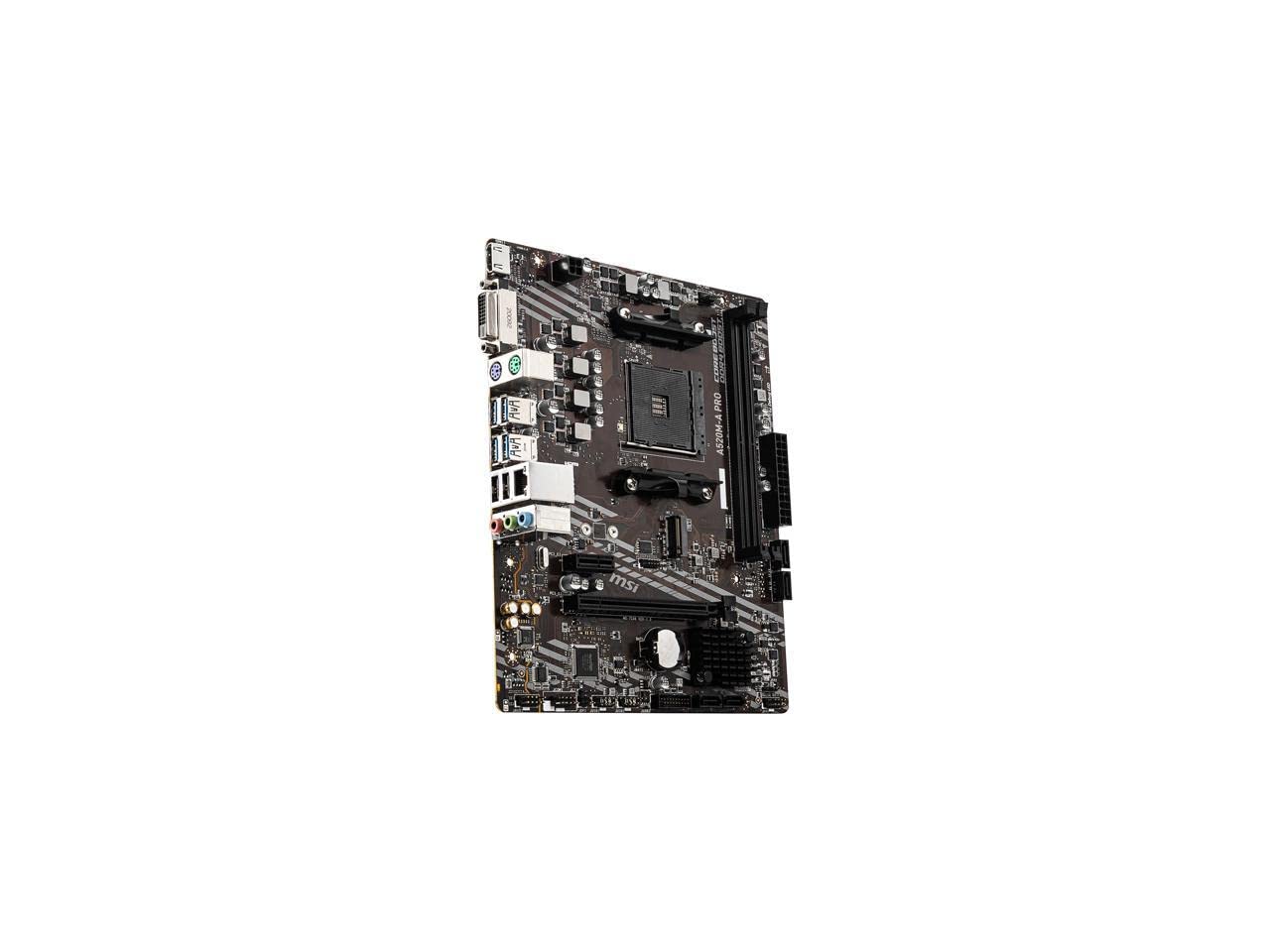
The MSI A520M-A Pro is the entry point into the AM4 ecosystem, and it makes sense for ultra-budget builds where every dollar matters. The A520 chipset limits the primary PCIe x16 slot to PCIe 3.0, which means your GPU runs at half the bandwidth of a B550 board. For low-end cards like the GTX 1650 or RX 6400, the performance loss is minimal, but any mid-range or higher GPU will see a measurable bottleneck.
The board supports 3rd Gen AMD Ryzen and Ryzen 4000 G-Series processors, with two DDR4 DIMM slots supporting up to 64GB of memory at speeds up to 4600 MHz OC. The Turbo M.2 slot runs at PCIe 3.0 x4, decent for NVMe SSDs, and the Audio Boost delivers studio-grade sound quality through the Realtek ALC887 codec. The Dragon Center software provides a unified interface for system monitoring and tuning.
User reviews consistently praise the board’s reliability, with multiple users reporting years of trouble-free operation as home servers and basic gaming rigs. Some users noted the lack of Wi-Fi (no onboard module) and only a single chassis fan header, requiring a splitter for multi-fan cases. For a no-nonsense motherboard that gets the job done at the lowest price, the A520M-A Pro is reliable, but be aware of its PCIe 3.0 limitation when planning your GPU upgrade.
Why it’s great
- Extremely budget-friendly entry point into AM4 platform
- Reliable MSI build quality with years of proven use
- Audio Boost for studio-grade sound quality
Good to know
- PCIe 3.0 x16 slot limits bandwidth for modern GPUs
- Only one chassis fan header and no integrated Wi-Fi
FAQ
Will a PCIe 4.0 GPU work on a PCIe 3.0 AM4 motherboard?
Which AM4 chipset is best for a dedicated gaming GPU?
Does the Ryzen 5 5600G support PCIe 4.0 for its integrated graphics?
Final Thoughts: The Verdict
For most users, the am4 gpu winner is the ASUS Prime B550-PLUS AC-HES because its full ATX form factor, 8+1 DrMOS VRM, and dual PCIe 4.0 M.2 slots provide the ideal foundation for any modern graphics card. If you want a dedicated GPU without the motherboard fuss, grab the ASRock Radeon RX 7600 Challenger for smooth 1080p gaming. And for a GPU-less build with integrated graphics that still handles light gaming, nothing beats the AMD Ryzen 5 5600G.