
Standard 120mm and 140mm fans often force a trade-off between noise and airflow that leaves high-performance builds running warm or sounding like a small vacuum. A 160mm case fan solves this by shifting more cubic feet of air per minute at substantially lower RPM, which directly translates to quieter operation under load.
I’m Min — the co-founder and writer behind Gadgets Feed. I’ve analyzed dozens of fan specifications, bearing types, and noise curves across multiple price tiers to identify which 160mm models genuinely outperform their smaller counterparts without introducing compatibility headaches.
Whether you are building a high-airflow workstation or upgrading an existing chassis, this guide breaks down the genuine performance differences among the top contenders to help you find the best 160mm case fan for your specific cooling needs and budget.
How To Choose The Best 160mm Case Fan
Selecting the right 160mm fan requires understanding three distinct factors: the physical compatibility with your chassis, the bearing type that matches your noise tolerance, and the PWM speed range that delivers adequate cooling at your system’s thermal load. Ignoring any one of these can result in a fan that either fails to fit or fails to perform.
Mounting Hole Spacing and Case Compatibility
Not all 160mm fans share the same screw hole pattern. Some use the less common 160mm frame with 140mm mounting holes, meaning they fit only in cases designed for that specific spacing. The SilverStone Shark Force 160, for example, uses 140mm mounting points, which limits its compatibility compared to fans built around a full 160mm frame. Always check your case’s fan mount dimensions before ordering.
Airflow (CFM) vs. Static Pressure (mmH₂O)
Larger fans naturally excel at moving high volumes of air (CFM), but the static pressure rating determines how well that air passes through restrictive components like radiator fins, thick dust filters, or dense mesh panels. For an unrestricted intake or exhaust position, prioritize CFM. For radiator or filtered use, look for a fan with a static pressure above 2.5 mmH₂O.
Bearing Technology and Longevity
The bearing type directly affects both noise levels and the fan’s usable life. Fluid Dynamic Bearings (FDB) and SSO2 bearings deliver the best balance of low noise and longevity (typically 60,000 to 150,000 hours). Sleeve or rifle bearings are significantly cheaper but prone to noise degradation after a year of continuous use. Premium fans like the Noctua NF-A14x25 G2 use SSO2 bearings rated for over 150,000 hours.
PWM Range and Minimum Speed
A wide PWM range (e.g., 300–1600 RPM) provides finer control over your fan curve, allowing the fan to run near-silently at idle and ramp up only under heavy load. Pay attention to the minimum start-stop voltage — some fans cannot go below 400–500 RPM, while quality models can operate at 300 RPM or even stop completely below 5% PWM duty cycle.
Quick Comparison
On smaller screens, swipe sideways to see the full table.
| Model | Category | Best For | Key Spec | Amazon |
|---|---|---|---|---|
| Noctua NF-A14x25 G2 | Premium | Ultra-quiet high-performance | 1500 RPM, 24.8 dBA | Amazon |
| SilverStone Shark Force 160 | Premium | High CFM for large cases | 160 CFM, 1600 RPM | Amazon |
| Sudokoo MACH140 | High-End | Thick 30mm radiator cooling | 129 CFM, 2200 RPM | Amazon |
| ARCTIC P14 Pro PST 5-Pack | Value | Multi-fan builds on a budget | 2500 RPM, 110 CFM | Amazon |
| be quiet! Light Wings 140mm | Mid-Range | Silent RGB intake | 1500 RPM, 25.5 dBA | Amazon |
| NZXT F140Q | Mid-Range | Quiet general case airflow | 1500 RPM, 29.8 dBA | Amazon |
| darkFlash DM8 3-Pack | Budget | Reverse-blade RGB aesthetic | 1600 RPM, 56 CFM | Amazon |
In‑Depth Reviews
1. Noctua NF-A14x25 G2 PWM chromax.Black
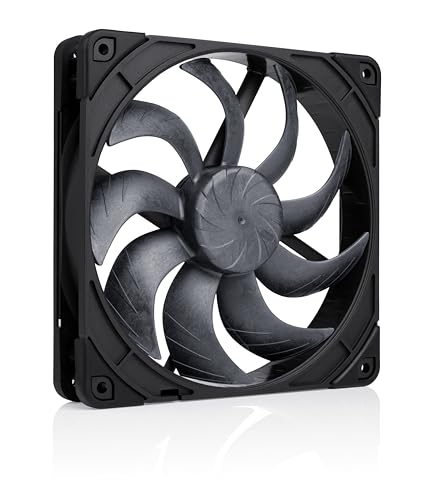
The Noctua NF-A14x25 G2 represents a serious engineering step forward for 140mm-class fans. Its Progressive-Bend impeller with winglets and a Centrifugal Turbulator work together to produce a noise level of just 24.8 dBA at 1500 RPM, making it nearly inaudible at idle speeds of 300 RPM. The Sterrox LCP material prevents blade warping at high RPM and maintains ultra-tight tip clearance that boosts static pressure for radiator use.
In real-world testing, this fan consistently drops CPU and GPU temperatures by several degrees compared to older 140mm generations while producing a smoother, less intrusive sound profile. The all-black chromax version includes anti-vibration mounts, a low-noise adaptor, and a Y-cable splitter, though some users note that the Y-cable can interfere with accurate RPM monitoring on certain motherboards.
The price is undeniably high, but for builders who prioritize silence combined with class-leading airflow, the NF-A14x25 G2 justifies its premium position. It also carries a 150,000-hour MTTF rating with safety certifications from UL and TÜV, making it a long-term investment for a high-end build.
Why it’s great
- Quietest 140mm fan at 24.8 dBA max noise
- Sterrox LCP construction prevents high-RPM warping
- SSO2 bearing rated for over 150,000 hours
Good to know
- Premium price well above budget alternatives
- Y-cable may interfere with motherboard RPM monitoring
2. SilverStone Shark Force 160 SST-SF160B

SilverStone’s Shark Force 160 uses a distinctively aggressive blade geometry and a three-phase, six-pole motor to achieve a staggering 160 CFM while maintaining a 0–1600 RPM PWM range. The blade design is optimized to reduce noise-generating turbulence, and users consistently report that this single 160mm fan can replace three 140mm fans in terms of total airflow, simplifying cable management and reducing overall system noise.
The fan uses a Fluid Dynamic Bearing for longevity, and the modular cable design simplifies installation. However, the Shark Force 160 uses 140mm mounting holes rather than a full 160mm frame, which means it will not fit cases like the Lian Li Lancool 216 that require a larger frame with custom spacing. Check your chassis specifications carefully before purchase.
At moderate speeds, the Shark Force 160 stays remarkably quiet given the volume of air it moves. Some owners have reported PWM control issues with ASRock motherboards, though this appears to be a compatibility edge case rather than a widespread defect. For large tower cases that can accommodate its mounting pattern, this fan delivers exceptional cooling density.
Why it’s great
- Highest CFM in class at 160 CFM
- Three-phase motor runs smoother than dual-phase designs
- Can replace multiple smaller fans in a build
Good to know
- 140mm mounting holes limit case compatibility
- Rare PWM compatibility issues with ASRock boards
3. Sudokoo MACH140
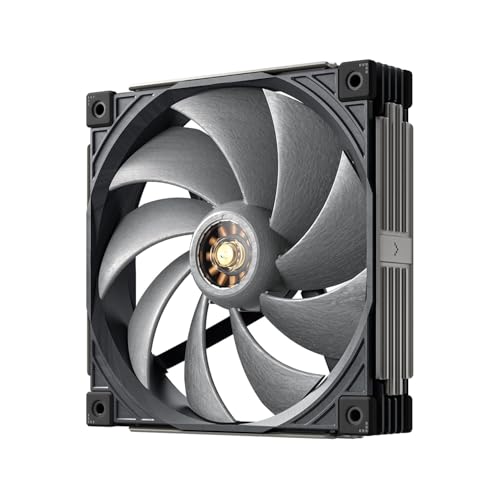
The MACH140 stands out for its 30mm thickness — 5mm thicker than standard 140mm fans — which allows larger blades and a more powerful three-phase, 10-pole FOC closed-loop motor. This translates to a PWM range of 500–2200 RPM, delivering 129 CFM at 5.91 mmAq static pressure, making it an exceptional choice for radiator duty or high-restriction intake positions.
The blade material is a Liquid Crystal Polymer with 40% glass fiber reinforcement, which resists deformation at high RPM far better than standard ABS plastic. A hybrid hydraulic bearing from Japan’s PORITE CORPORATION provides extended durability backed by a 6-year warranty. Users also appreciate the switchable white LED motor window and the 3D printable side panel file for custom aesthetics.
Noise output reaches 39.9 dBA at full speed, but actual user reports indicate the fan is whisper-quiet below 1400 RPM and only becomes audible under extreme load. The 30mm thickness requires 5mm of additional clearance compared to standard fans, so measure your case space carefully before installing.
Why it’s great
- 30mm thick frame delivers higher static pressure
- LCP + glass fiber blades prevent high-RPM warping
- 6-year warranty with hybrid hydraulic bearing
Good to know
- Thicker body may not fit slim cases
- Noise spikes above 1400 RPM
4. ARCTIC P14 Pro PST 5-Pack
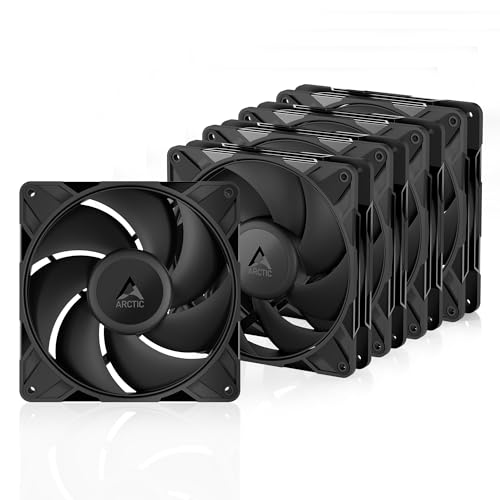
ARCTIC’s P14 Pro PST delivers impressive performance density with a 2500 RPM maximum speed and a redesigned blade geometry that generates high static pressure even through dense radiator fins. The PWM range allows the fan to stop completely below 5% duty cycle, enabling semi-passive cooling setups where fans spin only during active system load.
The 5-pack includes the PST (Power Sharing Technology) Y-cable splitter, letting you daisy-chain multiple fans from a single motherboard header. At 110 CFM per fan, a full set of five can move an enormous volume of air — some users report achieving over 1000 CFM total case flow in combination with smaller fans. The FDB bearing keeps noise manageable at lower speeds, though at 100% PWM the fans are noticeably louder than premium alternatives.
Cable length is slightly shorter than some competing models, and the included metal screws can be soft and prone to stripping in tight threads. For the price per fan, however, this pack delivers exceptional value for builders who need to populate multiple positions without spending premium-tier money on each unit.
Why it’s great
- Excellent price-to-performance per fan
- 0 RPM mode below 5% PWM for silent idle
- High static pressure ideal for radiator use
Good to know
- Loud at 100% PWM speed
- Included screws may strip easily
5. be quiet! Light Wings 140mm PWM Reverse Black
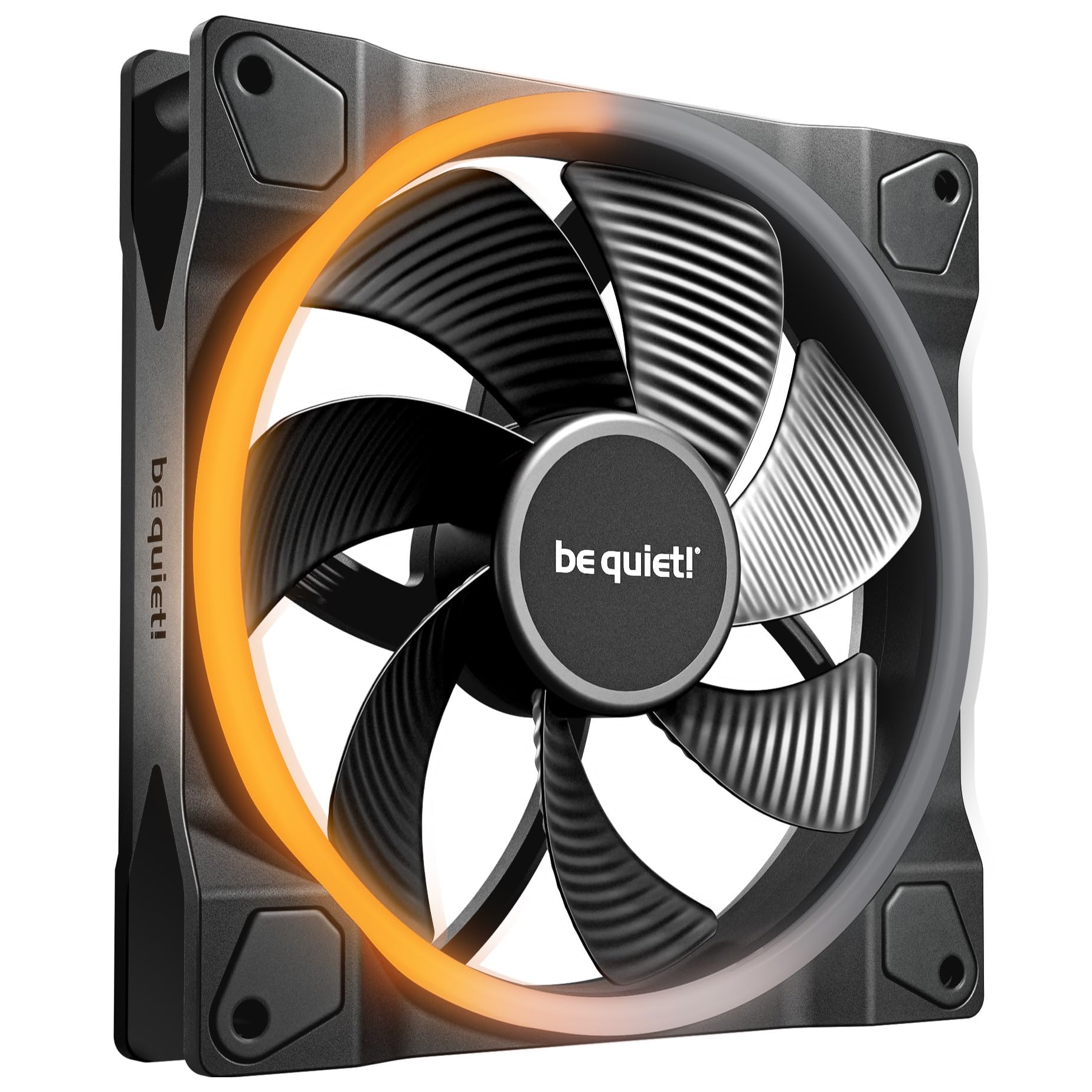
The be quiet! Light Wings 140mm Reverse edition combines the brand’s signature silence optimization with ARGB customization. The reverse blade orientation is specifically designed for side or bottom intake positions where the non-standard rotation improves airflow path through the case. Seven airflow-optimized blades minimize turbulence and keep noise at just 25.5 dBA at full speed.
The dual-ring RGB lighting features 20 LEDs spread across front and rear rings, producing vibrant colors without the harshness of raw LED spots. PWM control allows the fan to ramp between idle and full speed automatically, and the build quality is noticeably heavier and sturdier than budget RGB fans. Users note that the ring lighting leans slightly blue, requiring a small adjustment to the blue channel in software for accurate white balance.
Cable management is straightforward with long enough cables to reach most controller hubs, though the fans do not daisy-chain natively — each fan requires its own motherboard or controller header unless you use a third-party splitter. For builders who want ARGB flair without sacrificing the quiet operation be quiet! is known for, this fan strikes a compelling balance.
Why it’s great
- Very quiet at 25.5 dBA max noise level
- Reverse blade design improves intake airflow path
- 20 ARGB LEDs with dual-ring diffusion
Good to know
- No daisy-chain connector included
- White balance may need blue channel adjustment
6. NZXT F140Q

NZXT’s F140Q is a straightforward, no-frills high-airflow fan built around nine sickle-style blades that reduce turbulence while maximizing the effective spinning area. The chamfered frame design concentrates the airflow into a focused stream that travels deeper into the case, improving cooling on components that are not directly adjacent to the fan mount — a meaningful advantage for deep tower chassis.
The Fluid Dynamic Bearing is rated for 60,000 hours of continuous operation, and PWM control from 0 to 1500 RPM allows the fan to adjust output based on real-time system temperatures. At maximum speed the fan registers 29.8 dBA, which is audible but not intrusive. Users running multiple units report that the fans remain quiet at daily driving speeds and only become noticeable under sustained gaming or rendering loads.
Build quality is solid, with good cable length for routing around the back of the case. The F140Q does not include any lighting or aesthetic frills, making it a strong choice for builders who value clean, understated performance over visual flair. It is also versatile enough for either intake or exhaust positioning.
Why it’s great
- Concentrated airflow pattern reaches deep into case
- Fluid Dynamic Bearing for 60,000-hour reliability
- Quiet operation at typical daily speeds
Good to know
- No RGB or aesthetic lighting
- Not ideal for high-restriction radiator use
7. darkFlash DM8 3-Pack Reverse Blade RGB PWM
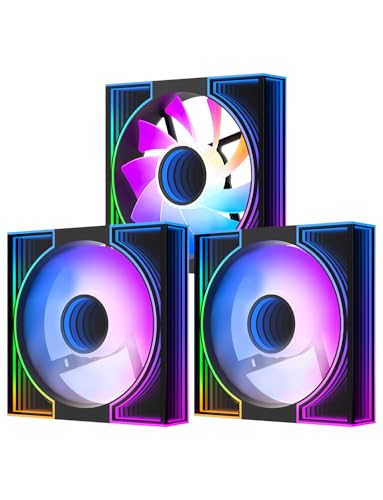
The darkFlash DM8 3-pack is an entry-level RGB fan set that punches above its price point in visual presentation. The dual-ring lighting uses an infinity mirror effect with inner and outer rings, producing deeper visual layers than most budget LED fans. The reverse blade orientation is designed to maintain correct airflow direction when mounted as intake on the bottom or side of cases without needing to flip the fan over.
Performance specs land at 1600 RPM maximum with 56 CFM of airflow and 32.5 dBA noise output. While these numbers are lower than premium 140mm fans, they are entirely adequate for a mid-range gaming build where visual customization is a higher priority than maximum cooling headroom. Users report that the fans remain quiet at lower speeds and only become slightly audible when approaching the 1600 RPM ceiling.
The 3-pack provides excellent value for populating multiple fan positions, though the packaging has been noted as vulnerable to shipping damage. The rubber mounting corners help isolate vibration, and the included PWM functionality ensures automatic speed control. For builders on a tight budget who want a cohesive RGB look across multiple fan mounts, the DM8 delivers.
Why it’s great
- Impressive dual-ring infinity mirror RGB
- Reverse blade design for proper intake orientation
- Cost-effective 3-pack for budget builds
Good to know
- Lower CFM compared to mid-range alternatives
- Packaging may not prevent damage during shipping
FAQ
Will a 160mm fan fit in any standard case?
Is a 160mm fan always quieter than a 120mm fan at the same CFM?
Can I use a 160mm fan on a radiator designed for 140mm fans?
What does reverse blade mean on a case fan?
How important is blade material like LCP or glass fiber?
Final Thoughts: The Verdict
For most users, the best 160mm case fan winner is the Noctua NF-A14x25 G2 because its SSO2 bearing, Sterrox LCP construction, and state-of-the-art blade aerodynamics produce the best noise-to-performance ratio in the 140mm class. If you need raw airflow density and can accommodate 140mm mounting holes, the SilverStone Shark Force 160 moves 160 CFM from a single fan. And for budget-conscious builders seeking a premium-feeling 5-pack, the ARCTIC P14 Pro PST 5-Pack offers unbeatable value without sacrificing core performance metrics.