
Muffled footsteps, hollow explosions, and teammates you can barely understand — that’s the reality of relying on a motherboard’s built-in audio. The difference between a compromised signal chain and a dedicated audio card isn’t subtle; it’s the line between hearing a Valorant defuse from two rooms away and mistaking it for ambient noise. A proper audio card handles isolation, amplification, and digital-to-analog conversion separately, eliminating the electrical interference that plagues onboard sound.
I’m Min — the co-founder and writer behind Gadgets Feed. I’ve spent countless hours dissecting the technical specifications of audio interfaces and sound cards, comparing signal-to-noise ratios, DAC architectures, and headphone impedance ratings to separate genuine performance gains from marketing hype.
The right audio card fundamentally changes how you hear your games, music, and voice calls, delivering spatial awareness and clarity that onboard audio simply cannot match.
How To Choose The Best Audio Card
An audio card is a dedicated component that handles all sound processing outside your motherboard. The key decisions come down to your primary use case — competitive gaming, music recording, or content creation — and which connectivity standard fits your setup.
DAC Quality and Signal-to-Noise Ratio
The digital-to-analog converter (DAC) chip determines how accurately digital audio data is translated into analog signals. Look for a signal-to-noise ratio (SNR) of at least 114 dB for clear background separation. Premium DACs like the ESS SABRE-class 9018 deliver 127 dB SNR and can handle sample rates up to 384 kHz, ensuring zero audible noise floor even with sensitive IEMs.
Headphone Amplifier and Impedance Matching
High-impedance headphones (250Ω to 600Ω) require more voltage to drive properly. A dedicated amplifier stage with low output impedance — ideally under 2Ω — ensures consistent frequency response across your headphone range. Cards with Xamp discrete bi-amp designs drive each earcup independently for superior stereo separation.
Connectivity: USB, PCIe, or XLR
External USB audio interfaces offer portability and easy switching between PC, console, and mobile. Internal PCIe sound cards provide direct CPU access with lower latency and zero USB bandwidth contention. If you use an XLR microphone, look for a card with a dedicated preamp that delivers at least +48V phantom power and +60 dB clean gain.
Quick Comparison
On smaller screens, swipe sideways to see the full table.
| Model | Category | Best For | Key Spec | Amazon |
|---|---|---|---|---|
| Creative Sound Blaster AE-7 | PCIe Sound Card | Competitive gaming & audiophile listening | 127 dB SNR, 384 kHz, 600Ω headphone driver | Amazon |
| Focusrite Scarlett Solo 4th Gen | USB Audio Interface | Studio recording & podcasting | 120 dB dynamic range, Air mode preamp | Amazon |
| Universal Audio Volt 276 | USB Audio Interface | Vocalists & instrumentalists | Vintage 610 preamp, 1176 compressor | Amazon |
| Creative Sound Blaster GC7 | USB Sound Card | Console & PC competitive gaming | AKM4377 DAC, SXFI Battle Mode, 120dB SNR | Amazon |
| Shure MVX2U Gen 2 | XLR-to-USB Interface | Mobile recording & portable streaming | +60 dB gain, Real-Time Denoiser DSP | Amazon |
| Fifine Gaming Mixer SC8 | USB Mixer | Streaming & multi-platform chat | Game/Chat balance dial, 7.1 virtual surround | Amazon |
| Focusrite Scarlett Solo 3rd Gen | USB Audio Interface | Entry-level recording & upgrading from onboard | 24-bit/192 kHz converters, Air preamp | Amazon |
In‑Depth Reviews
1. Creative Sound Blaster AE-7

The AE-7 is the purest expression of a dedicated internal audio card currently available. Its ESS SABRE-class 9018 DAC delivers an extraordinary 127 dB dynamic range and supports 32-bit/384 kHz playback, which means your audio source is reproduced with virtually no artifacts or added noise. The Xamp discrete bi-amp drives each earcup independently, with 1Ω output impedance capable of powering studio-grade headphones up to 600Ω — planars like the Audeze LCD-XC included.
The quad-core processor handles all audio processing on the card itself, offloading your CPU entirely. This delivers true hardware-accelerated virtual 7.1 surround through Sound Blaster’s Surround Virtualization technology, and the discrete 5.1 output via Dolby Digital Live and DTS Connect encoding adds theatrical depth to movies and game cutscenes. The included Audio Control Module gives you a volume knob, mic mute, and both ¼” and ⅛” headphone jacks within arm’s reach.
Bottleneck potential: the ACM volume pot can introduce channel imbalance at low levels, and the software suite (Sound Blaster Command) requires multiple apps and account registration. Install the dedicated drivers from Creative’s site rather than the disc to avoid bloatware. For anyone running high-impedance headphones on a desktop PC, this card sets the standard.
Why it’s great
- Class-leading 127 dB SNR with ESS SABRE 9018 DAC
- Xamp bi-amp drives 600Ω headphones independently
- Hardware-accelerated processing frees CPU resources
Good to know
- ACM volume knob can cause channel imbalance at low levels
- Software setup requires multiple installations
2. Focusrite Scarlett Solo 4th Gen
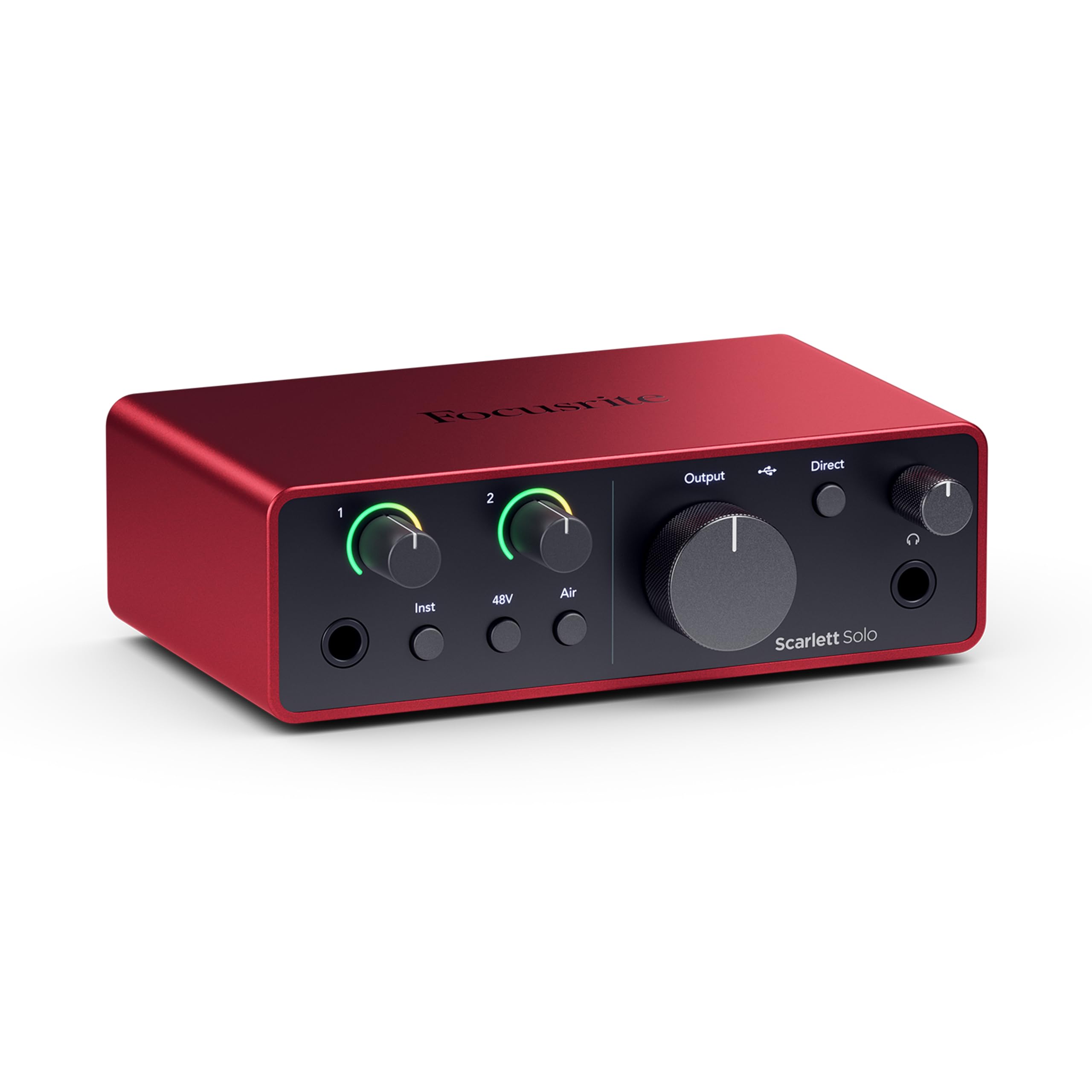
The 4th Gen Scarlett Solo borrows the same converter architecture found in Focusrite’s flagship RedNet interfaces, delivering a massive 120 dB dynamic range. This translates to exceptionally low noise floor and headroom that captures transients — guitar strings, vocal plosives — without clipping. The improved Air mode engages a fixed high-pass filter and presence boost that pushes vocals and acoustic guitar forward in the mix with harmonic richness.
Recording at 24-bit/192 kHz is standard here, but the practical advantage is the Gain Halo metering: the ring around the input knob glows green for healthy signal, turns amber near clipping, and red when you hit the ceiling. Combined with the included software bundle — Pro Tools Intro+, Ableton Live Lite, Cubase LE, and the Hitmaker Expansion plugin suite — this is a turnkey recording solution for singer-songwriters and podcasters who need zero setup friction.
The included cable is USB-A to USB-C, not USB-C to USB-C, which is an odd choice given the 4th Gen’s USB-C port. Some units require a firmware update out of the box to fix simultaneous headphone and line output, and the company’s background software tries to add firewall exceptions on Windows. Once tuned, however, the preamps are clean, the latency is negligible, and the build feels denser than the 3rd Gen.
Why it’s great
- 120 dB dynamic range from flagship converter design
- Improved Air mode adds harmonic presence to vocals
- Comprehensive DAW and plugin bundle included
Good to know
- Firmware update required out of the box for some configurations
- Does not include USB-C to USB-C cable
3. Universal Audio Volt 276

The Volt 276 stands apart from every other interface in this guide because of its built-in analog compressor circuit modeled after the legendary UA 1176. The Vintage button engages a preamp mode based on the classic UA 610 tube console, adding saturation and warmth to your signal path before it hits the converter. This means you can track vocals, acoustic guitar, or even bass DI with studio-grade compression right at the source, removing the need for plugin compression during mixing.
The preamps deliver up to +60 dB of clean gain with an exceptionally low noise floor, making it capable of driving a Shure SM7B without an external Cloudlifter. Headphone output volume is notably louder than competing interfaces in its class, and the monitor mix blends direct and DAW signals with zero latency. The aluminum chassis feels robust, and the LUNA DAW integration gives you access to UA’s analog console workflow for free.
The main drawback on Windows is the mandatory background UA software, which some users find intrusive. Linux users can run it without any drivers, which is a rare advantage. The two input channels are limited to one XLR and one instrument input, so larger recording sessions will require stepping up to the Volt 476. For solo creators who want a single device that handles preamp character and compression before the DAW, the Volt 276 is unmatched.
Why it’s great
- Built-in 1176-style analog compressor on input
- Vintage 610 preamp mode adds analog warmth
- Powerful headphone amp with high output volume
Good to know
- Requires UA background software on Windows
- Only one XLR input channel
4. Creative Sound Blaster GC7

The GC7 is the ultimate gaming companion because it brings dual-DSP processing — Super X-Fi and Sound Blaster audio — into a compact external box. The AKM4377 audiophile-class DAC delivers 120 dB SNR with 24-bit/192 kHz playback, which pairs with the GameVoice Mix knob that lets you balance Discord chat against game audio without alt-tabbing. The four programmable buttons can store macros, audio profiles, or RGB lighting presets.
SXFI Battle Mode uses head-tracking data and ear-mapping profiles to create a holographic soundstage that recreates multi-speaker directional cues in headphones. Scout Mode compresses dynamic range and boosts quiet sounds like footsteps and weapon reloads. The optical input allows console connection (PS5, Switch) alongside USB audio from your PC, making this a true cross-platform solution.
The software ecosystem is the weak link: you need the Sound Blaster Command app, the SXFI app, and a Creative account, and the SXFI head-mapping process requires photographing your ears with a mobile app. The chassis feels plasticky despite the solid knob action, and there is no physical mute button for the mic. For PC and console gamers who want one device to rule all their audio routing, the GC7 is the most practical choice.
Why it’s great
- Dual DSP with Super X-Fi holographic audio and Scout Mode
- GameVoice Mix knob for real-time chat balance
- Optical and USB inputs for multi-platform use
Good to know
- Software requires multiple apps and account registration
- No physical microphone mute button
5. Shure MVX2U Gen 2

The MVX2U Gen 2 solves a specific problem: getting studio-quality sound out of any XLR microphone when you’re away from a desktop. It packs Shure’s Digital Audio Processing suite — Auto Level Mode, Real-Time Denoiser, and Digital Popper Stopper — directly into a thumb-drive-sized dongle. The +60 dB clean gain stage with 48V phantom power means you can run a condenser mic like the SM81 or a dynamic SM7B without an external preamp.
The onboard DSP operates with zero latency, adjusting gain in real-time via Auto Level Mode while applying compression, EQ, and a high-pass filter defined in the MOTIV app. The Tone presets (Dark, Natural, Bright) give you three distinct sonic signatures without manual tweaking. The Real-Time Denoiser is particularly effective at eliminating HVAC hum and background chatter during livestreams.
The main limitation is channel count — it is strictly a single-mono XLR input. It also requires an Apple Lightning to USB Camera Adapter for older iPhones, though iPads with USB-C connect directly. The build feels dense and premium, but the weight (100 grams) is noticeable when plugged into a tablet’s port. For mobile podcasters and field recordists who need a Shure-grade interface in their pocket, this is the one.
Why it’s great
- Real-Time Denoiser and Auto Level Mode DSP
- +60 dB clean gain with 48V phantom in a compact form
- Works with iPhone, iPad, Mac, and Windows natively
Good to know
- Single XLR input limits to mono recording
- Requires adapter for older iPhone models
6. Fifine Gaming Mixer SC8
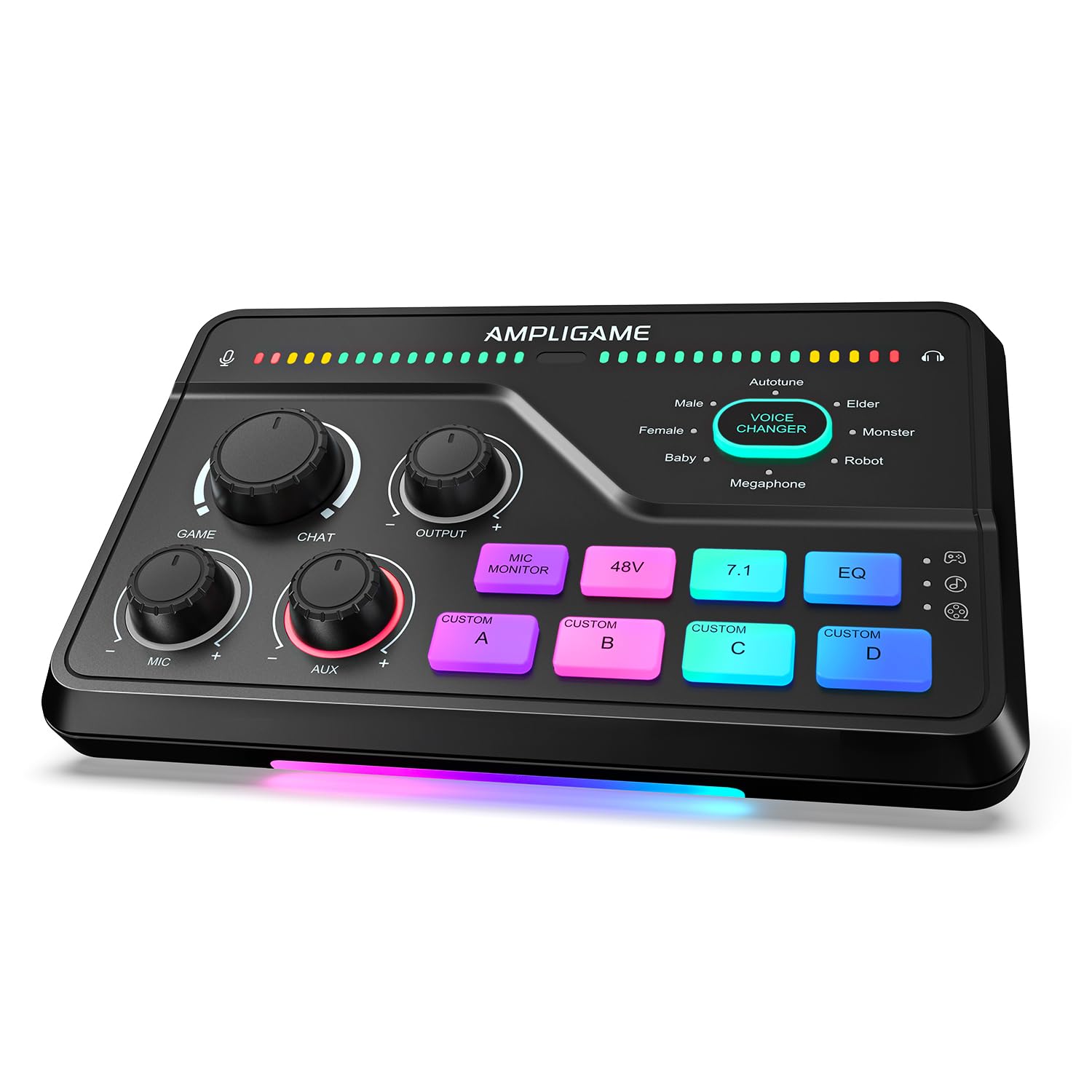
The SC8 is a full-featured streaming mixer that brings XLR connectivity and game/chat audio routing to a budget-friendly price point. The XLR preamp delivers 48V phantom power and up to -50 dB gain with less than 0.2% THD and 75 dB SNR, which is adequate for entry-level condenser mics. The three physical knobs map to mic volume, game audio, and background music, giving you on-the-fly mixing without looking at a software panel.
The 7.1 virtual surround mode works with any stereo headset, and the three EQ presets (Game, Music, Movie) let you quickly shift between competitive tuning and cinematic sound. The eight-voice changer includes Demon, Robot, and Megaphone modes that trigger via a single button press, and four customizable sample buttons let you store sound clips for streams. The RGB lighting reacts to audio peaks, adding visual feedback to your mic level.
The SC8 does not support USB microphones — it is strictly for XLR or 6.35mm inputs. The XLR cable is not included, and the preamp performance, while impressive for the tier, cannot match the 120 dB SNR of Focusrite or Creative units. The plastic chassis feels light, but the knob action is satisfying and the foot pads keep it planted. For streamers building their first setup on a tight budget, the SC8 is a smart starting point.
Why it’s great
- Dedicated game/chat balance dial and 3 EQ presets
- 8-voice changer and 4 programmable sample buttons
- 48V phantom power for XLR condenser mics
Good to know
- Not compatible with USB microphones
- XLR cable not included in the box
7. Focusrite Scarlett Solo 3rd Gen

The 3rd Gen Scarlett Solo is the go-to entry point for anyone upgrading from onboard audio to a dedicated interface. Its two high-headroom instrument inputs handle guitar and bass without clipping, and the switchable Air mode adds presence to vocals by emulating the Focusrite ISA preamp’s impedance curve. The Gain Halos around the input knobs change color to indicate signal level, removing guesswork from setting levels.
The 24-bit/192 kHz converters are the same generation found in Focusrite’s larger interfaces, delivering clean playback with -127 dB noise floor on the outputs. The headphone output is independently controlled and can drive moderate-impedance headphones (up to roughly 200Ω) adequately. The included software bundle — Pro Tools Intro+, Ableton Live Lite, and Hitmaker Expansion — provides everything needed to start recording immediately.
The 3rd Gen lacks the 120 dB dynamic range and improved Air mode of the 4th Gen, and its USB-C port only supports USB 2.0 speeds. The plastic body feels less premium than the metal-chassis competition, and the mic preamp’s gain range tops out around +56 dB, which may not be enough for low-output dynamic mics. For the price, however, it remains the most reliable entry-level interface on the market.
Why it’s great
- Reliable 24-bit/192 kHz recording at an accessible price
- Air mode adds clarity to vocals and acoustic instruments
- Comprehensive DAW software bundle included
Good to know
- Limited to USB 2.0 speeds despite USB-C port
- Gain range may not fully drive low-output dynamic mics
FAQ
Can I use a USB audio interface with a gaming console?
What is the difference between a sound card and a DAC?
Do I need an external audio interface if I only use USB headsets?
Final Thoughts: The Verdict
For most users, the audio card winner is the Creative Sound Blaster AE-7 because it combines an audiophile-grade ESS SABRE DAC, a discrete bi-amp capable of driving 600Ω headphones, and hardware-accelerated virtual surround in a single internal PCIe card — the ultimate upgrade for serious gamers and music listeners. If you need to record vocals or instruments with studio-quality converters, grab the Focusrite Scarlett Solo 4th Gen. And for portable XLR recording where size matters, nothing beats the Shure MVX2U Gen 2.