
Staring at a sea of spreadsheets, code windows, and palettes across two separate monitors means your neck is constantly turning, and a plastic bezel always breaks your line of sight. A 49-inch ultrawide monitor eliminates that bezel and wraps the workspace around you, turning a multi-screen tiled workflow into a single, fluid canvas where you keep your head centered and your focus uninterrupted.
I’m Min — the co-founder and writer behind Gadgets Feed. I’ve spent countless hours digging through technical specs, real-user complaints, and comparative testing data to separate the productivity beasts from the gaming gimmicks in this specific ultra-wide category.
After reviewing dozens of models across various price tiers, I’ve put together this detailed guide to help you find the absolute best 49 inch monitor for work that balances resolution, connectivity, and color accuracy for your professional setup.
How To Choose The Best 49 Inch Monitor For Work
Picking the right 49-inch ultrawide for a professional environment is different from choosing a gaming display. Office work demands sharp text, seamless multi-source workflows, and ergonomic flexibility. Here’s what to prioritize when the tabs are for Excel, not Counter-Strike.
Resolution and Pixel Density: The Make-or-Break Spec for Text
A 49-inch screen spanning 3840×1080 pixels delivers a pixel density so low that text looks jagged and small. For professional use, you need Dual Quad HD (DQHD) at 5120×1440. This resolution gives you roughly 109 PPI, which makes fonts crisp and allows you to comfortably view two or three full-size documents side-by-side without squinting. Higher resolution panels (like 5K2K on 40-inch models) push pixel density further, but for the 49-inch format, 5120×1440 is the baseline for a productive day.
Connectivity: The Single-Cable Office Dream
Your desk setup lives or dies by the ports on the back of the monitor. The most valuable feature for work is a USB-C port with Power Delivery — at least 65W, ideally 90W — so a single cable feeds video, data, and power to your laptop. Pair that with a built-in KVM switch, and you can control both a work laptop and a personal desktop with one keyboard and mouse. Look for models that also include an RJ45 Ethernet port for a truly dock-less desk.
Curvature and Ergonomics: Saving Your Neck from Rehab
On a flat 49-inch screen, the outer edges of the display sit so far from your eyes that you must physically turn your head to see them. A tight curve — 1000R is the most aggressive — wraps the entire display into your peripheral vision, dramatically reducing neck rotation over a long workday. Don’t underestimate the importance of a fully adjustable stand (height, tilt, swivel) to dial in your sightline and avoid hunching forward.
Quick Comparison
On smaller screens, swipe sideways to see the full table.
| Model | Category | Best For | Key Spec | Amazon |
|---|---|---|---|---|
| MSI MPG 491CQP QD-OLED | Premium | Color-critical work & gaming crossover | QD-OLED, 144Hz, 0.03ms | Amazon |
| Samsung Odyssey G9 (2024) | Premium | Intense multitasking & high-frame-rate gaming | 1000R, 240Hz, HDR1000 | Amazon |
| Samsung Business LS49C954UANXZA | Premium | Dock-less single-cable office setup | USB-C 90W, 1000R, 120Hz | Amazon |
| LG 49WQ95C-W | Premium | Designers needing wide color gamut | Nano IPS, 98% DCI-P3 | Amazon |
| Dell UltraSharp U4025QW | Premium | High-density pixel work (editing, CAD) | 5K2K, 120Hz, IPS Black | Amazon |
| Dell UltraSharp U4924DW | Premium | Reliable enterprise-grade KVM workflow | KVM, RJ45, 3800R curve | Amazon |
| ASUS ROG Strix XG49VQ | Mid-Range | Light office work & high-FPS gaming | 3840×1080, 144Hz | Amazon |
| INNOCN 49C1R | Value | Budget-conscious multitasking | 5120×1440, 120Hz, USB-C 65W | Amazon |
| Deco Gear 49″ Curved | Value | First-time ultrawide buyer on a budget | 5120×1440, 120Hz, KVM | Amazon |
| Great voell 49″ 165Hz | Mid-Range | Gaming-focused hybrid workstation | 5120×1440, 165Hz, 1ms | Amazon |
| DJiEX 49″ 165Hz | Budget | Entry-level 1440p ultrawide for trading | 5120×1440, 165Hz, HDR400 | Amazon |
In‑Depth Reviews
1. MSI MPG 491CQP QD-OLED

The MSI MPG 491CQP delivers the uncompromised visual quality that professionals who spend hours in front of a screen crave. Its QD-OLED panel produces true blacks with an infinite contrast ratio and vibrant colors covering 99% of the DCI-P3 gamut, making it superb for video editors, designers, or anyone who needs pixel-perfect accuracy. The 144Hz refresh rate and near-instant 0.03ms response time also mean that when the workday is done, this monitor transforms into a formidable gaming rig without any ghosting or motion blur.
For productivity, the 5120×1440 DQHD resolution offers ample room for three side-by-side windows without scaling headaches. The built-in KVM switch lets you toggle between a work laptop and a desktop using the same keyboard and mouse, while USB-C connectivity simplifies the cable situation on your desk. The stand supports height, tilt, and swivel adjustments, making it easy to find your ergonomic sweet spot.
MSI includes OLED Care 2.0 to mitigate burn-in risks, a genuine concern for office users with static UI elements. A daily pixel refresh is required, but it runs automatically when the monitor enters standby. The Delta E≤2 factory calibration ensures you are seeing accurate color from the moment you unbox it, saving you the expense of a professional calibration tool.
Why it’s great
- Infinite contrast ratio makes text and graphics pop.
- Delta E≤2 color accuracy out of the box for professional work.
- KVM and USB-C connectivity streamline a dual-device workflow.
Good to know
- Requires daily pixel refresh to prevent burn-in.
- Brightness (250 nits typical) is lower than high-end LCD panels.
- Premium investment compared to VA panel alternatives.
2. Samsung Odyssey G9 (2024)

The 2024 Odyssey G9 brings the aggressive 1000R curvature that truly wraps the 49-inch display around your field of vision, reducing the need to turn your head when reading content at the edges. This is the single most impactful ergonomic feature for a work monitor of this size. The DQHD 5120×1440 resolution ensures sharp text, and the VESA DisplayHDR 1000 certification delivers peak brightness of 1000 nits, making it comfortable to use in brightly lit offices.
With a 240Hz refresh rate and 1ms GTG response time, this monitor provides buttery-smooth scrolling through long documents and spreadsheets, while also being an absolute beast for gaming. The AMD FreeSync Premium Pro support keeps motion tear-free when connected to a compatible GPU. The stand offers full height, tilt, and swivel adjustments, and the CoreSync lighting adds a subtle ambient glow if that suits your workspace aesthetic.
Connectivity is robust with DisplayPort 1.4 and HDMI 2.1, but the USB-C port does not provide Power Delivery, which means you will still need a separate charger for your laptop. The Auto Source Switch+ feature detects active devices and switches inputs automatically, a small but welcome convenience in a multi-source office setup. Some users report the aggressive curve takes a day to adjust to, but after that, its ergonomic benefit becomes immediately apparent.
Why it’s great
- 1000R curve eliminates neck strain on the widest canvas.
- 240Hz refresh rate for fluid scrolling and gaming.
- HDR1000 peak brightness handles bright office environments.
Good to know
- No USB-C Power Delivery; laptop needs separate power.
- Aggressive curve may feel odd for the first day.
- Reported issues with Samsung support if defects occur.
3. Samsung Business LS49C954UANXZA

This Samsung Business monitor is engineered specifically for the office environment, and its connectivity suite reflects that priority. The USB-C port delivers 90W of Power Delivery, which is enough to charge a 15-inch MacBook Pro or a Dell XPS at full speed while handling video and data over a single cable. This effectively eliminates a dedicated laptop charger and a separate dock from your desk, creating a clean, minimalist workspace.
The 1000R curve matches the Odyssey G9 for ergonomic benefits, wrapping the 49-inch screen around your peripheral vision to reduce head movement. The 5120×1440 DQHD panel delivers sharp text for reading contracts, code, or data sheets. VESA DisplayHDR 400 ensures decent contrast for video conferencing and presentations, though it is not as punchy as the HDR1000 on the gaming-focused G9 model.
Built-in speakers are included, a useful addition for impromptu meetings in a home office without dedicated audio peripherals. The 120Hz refresh rate is more than adequate for smooth window animations and scrolling, though it is not designed for competitive gaming. Eye Care technology with a built-in ambient light sensor automatically adjusts brightness, reducing eye fatigue during long sessions.
Why it’s great
- USB-C 90W PD creates a single-cable dockless desk.
- 1000R curve reduces neck strain over a full workday.
- Built-in speakers free up desk space for meetings.
Good to know
- HDR400 is adequate, not stunning for content creation.
- 120Hz refresh rate is fine for office work, not for gaming.
- Setup with older laptops may require troubleshooting.
4. LG 49WQ95C-W

The LG 49WQ95C-W stands apart from the VA panel crowd by using Nano IPS technology, which delivers superior color accuracy and viewing angles. With 98% coverage of the DCI-P3 color gamut, this monitor is a natural fit for graphic designers, photographers, and video editors who demand precise color reproduction across the entire 49-inch canvas. The 5120×1440 DQHD resolution ensures that fine details in high-res images remain crisp.
USB-C connectivity provides 90W Power Delivery, enabling a clean single-cable connection to a laptop. The integrated KVM switch allows you to seamlessly control two separate source devices (such as a Mac and a PC) with the same keyboard and mouse. Picture-by-Picture mode splits the screen evenly, perfect for running a work laptop on one half and a personal desktop on the other.
The 3800R curve is much gentler than competitors like the G9, which some users find more natural for casual viewing but less effective at wrapping the periphery. At 144Hz, the refresh rate handles smooth window management, and the monitor supports both G-Sync and FreeSync Premium Pro. A potential weak point is the contrast ratio: at 1000:1, blacks on an IPS panel will not match the depth of a VA or OLED panel in a dim room.
Why it’s great
- 98% DCI-P3 color gamut for design and photo work.
- USB-C 90W PD and KVM for a minimalist dual-device desk.
- Excellent viewing angles across the ultrawide format.
Good to know
- 3800R curve is too shallow for immersive peripheral wrap.
- 1000:1 contrast ratio is mediocre compared to VA or OLED.
- Volume control requires navigating the rear joystick menu.
5. Dell UltraSharp U4025QW

The Dell UltraSharp U4025QW pushes beyond the typical 49-inch format at 40 inches with a 5K2K (5120×2160) resolution, offering a significantly higher pixel density than the standard DQHD models. This translates to exceptionally sharp text and UI elements, making it the ultimate choice for code editors, CAD software, and high-resolution photo editing where every pixel matters. The 21:9 aspect ratio is slightly narrower than a 32:9 49-inch panel, but the vertical real estate gain is substantial.
Connectivity is enterprise-grade, including Thunderbolt 4, HDMI 2.1, DisplayPort, a 2.5Gbps Ethernet port, and a built-in KVM that can switch between two connected computers. The IPS Black technology promises a 2000:1 contrast ratio, which is double that of standard IPS panels, delivering deeper blacks while maintaining excellent color accuracy (99% DCI-P3). The 600 nits of brightness ensure visibility even in challenging lighting.
The 120Hz refresh rate smooths out scrolling and window animations, and the anti-glare coating reduces reflections effectively. At this size and resolution, scaling is a factor: most users find 150% scaling in Windows or macOS hits the sweet spot for readability. The stand is fully adjustable, and the build quality feels like a premium corporate monitor. The premium price reflects the cutting-edge panel and connectivity.
Why it’s great
- 5K2K resolution delivers the sharpest text and image detail.
- IPS Black panel offers 2000:1 contrast with wide viewing angles.
- Thunderbolt 4 and Ethernet hub replace a full docking station.
Good to know
- 21:9 aspect ratio is less wide than traditional 49-inch 32:9 panels.
- Premium pricing is significantly higher than comparable DQHD models.
- Plastic build quality on the chassis feels less premium than expected.
6. Dell UltraSharp U4924DW
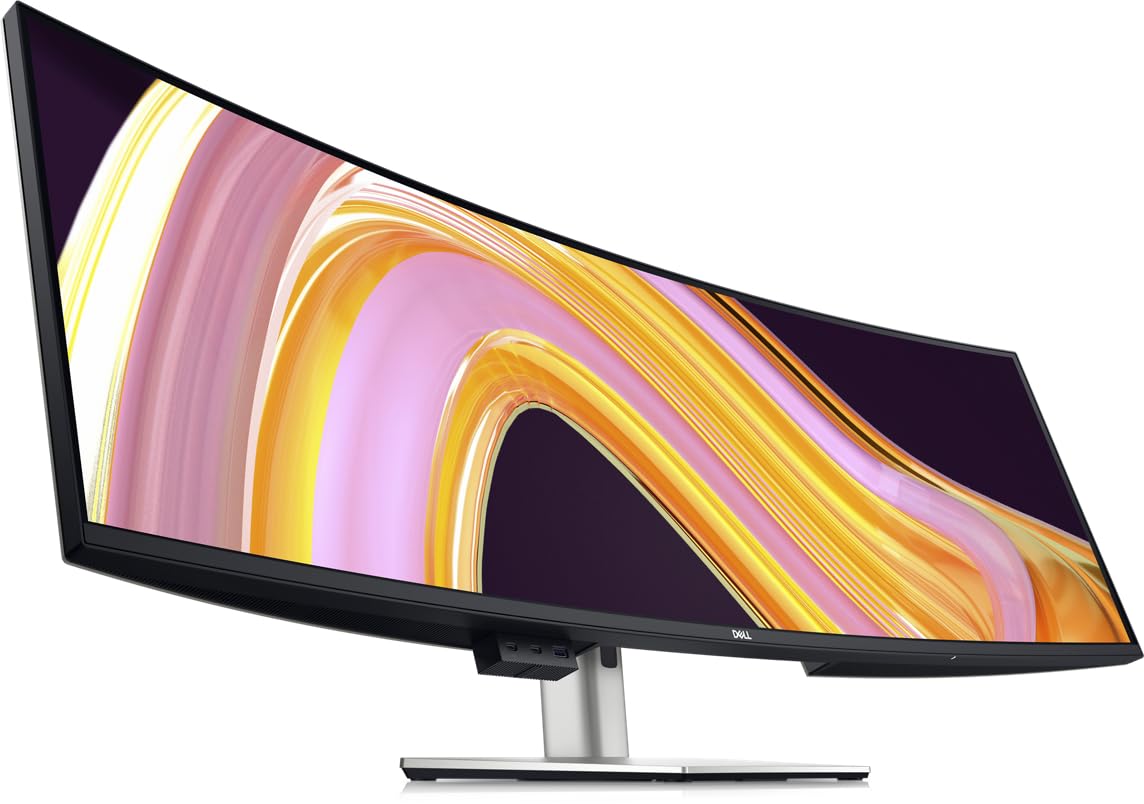
The Dell UltraSharp U4924DW is the enterprise-grade workhorse of the 49-inch category, built for reliability and seamless integration into a professional IT ecosystem. It features a robust built-in KVM switch that supports up to two connected PCs, along with an RJ45 Ethernet port that provides a stable wired network connection without needing a separate dongle. The 5120×1440 DQHD display delivers the same sharpness as other premium panels, making it ideal for data analysts, developers, and project managers.
The 3800R curvature of this model is significantly milder than the 1000R found on gaming-focused screens. This gentle curve is preferable for some users who find the tighter wrap disorienting for graphic or spreadsheet work, though it means the far edges are still somewhat distant. The stand is fully adjustable, and the built-in speakers are adequate for conference calls but not for media consumption.
Dell’s reputation for reliability and warranty support adds peace of mind for a business purchase. The monitor supports Picture-by-Picture mode, allowing you to view two inputs side-by-side in their native resolution. A common user complaint is that the KVM switch takes about five seconds to transition between devices, which can be a minor annoyance in a fast-paced workflow. The panel includes an anti-glare coating that performs well in bright office lighting.
Why it’s great
- Enterprise-level KVM and RJ45 port reduce desk clutter.
- Dell reliability and warranty support for business buyers.
- DQHD resolution provides sharp text across the 49-inch canvas.
Good to know
- 3800R curve is shallow; edges may still require head movement.
- KVM switching is slow (around 5 seconds) between devices.
- Glares from ambient light may still be an issue for some users.
7. ASUS ROG Strix XG49VQ

The ASUS ROG Strix XG49VQ takes a different approach, opting for a 3840×1080 DFHD resolution running at 144Hz. This lower pixel count means the monitor is far easier to drive for gaming — a mid-range GPU can hit high frame rates — but it also means text clarity suffers compared to the 5120×1440 panels. For a pure office setup, the lack of sharpness in fonts becomes apparent, especially when reading small text in code or dense documents.
The 1800R curve is noticeably tighter than Dell’s but less immersive than the 1000R on the G9. It provides a decent middle ground for peripheral vision. The VA panel delivers a 3000:1 contrast ratio, providing good black levels for watching videos or gaming, and the DisplayHDR 400 certification boosts dynamic range for supported content. The stand offers full ergonomic adjustments.
ASUS includes GamePlus overlays for crosshairs and timers, which lean heavily toward gaming. For productivity, the FreeSync 2 HDR support and 144Hz refresh rate make window management and scrolling feel exceptionally fluid. This monitor works best as a hybrid option for a professional who also plays fast-paced shooters or racing games and wants a single large screen that can do both, albeit with a resolution compromise.
Why it’s great
- 144Hz and FreeSync 2 make it a capable gaming partner.
- 1800R curve offers a balanced immersive experience.
- VA panel provides deep contrast for media consumption.
Good to know
- 3840×1080 resolution results in noticeable pixelation for text.
- G-Sync compatibility can cause ghosting or tearing.
- Design is aggressively styled for gaming, not a muted office look.
8. INNOCN 49C1R

The INNOCN 49C1R punches well above its weight, offering the crucial 5120×1440 DQHD resolution at a price that undercuts many competitors by a significant margin. This means you get sharp, readable text for productivity tasks like editing code, managing spreadsheets, or composing documents without the blurry pixels found on lower-resolution ultrawides. The 120Hz refresh rate ensures smooth scrolling, and the 1800R curve provides a comfortable wrap for a 49-inch screen.
Connectivity includes USB-C with 65W Power Delivery, enough to keep a 13-inch laptop charged, plus HDMI 2.1, DisplayPort 1.4, and RJ45 Ethernet. This port selection allows you to connect a laptop, desktop, and peripherals without needing an external hub. The VA panel delivers a 3000:1 contrast ratio for decent black depth, and 99% sRGB coverage is sufficient for most office and web-based tasks, though it falls short of the wide gamut needed for professional design work.
User reviews consistently highlight this monitor’s excellent value, noting that the real-world picture quality and build exceed expectations for the price point. The stand is functional with height and tilt adjustments, though it lacks the premium feel of more expensive competitors. One known fix: disabling the “Auto Power” setting in the OSD resolves an intermittent sleep/wake disconnection issue reported by several users. This monitor is the smart entry point for anyone wanting true DQHD without a premium budget.
Why it’s great
- Full 5120×1440 resolution at an accessible price point.
- USB-C 65W PD and RJ45 reduce desk cable clutter.
- 120Hz panel provides smooth scrolling for office tasks.
Good to know
- Color gamut limited to 99% sRGB; not for wide-gamut design work.
- Stand build quality feels less robust than premium models.
- Sleep/wake issue requires a quick OSD setting adjustment.
9. Deco Gear 49″ Curved
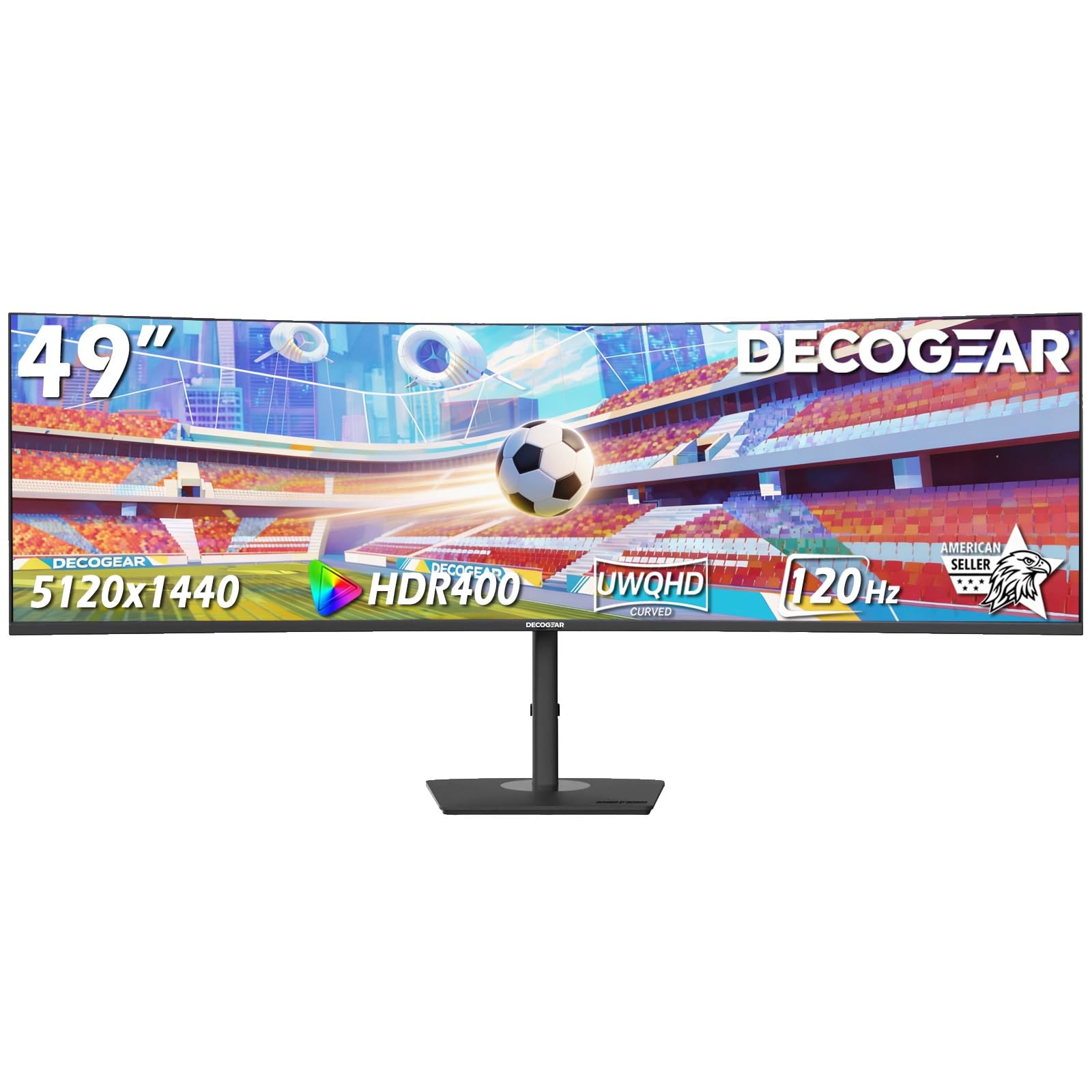
Deco Gear’s 49-inch monitor aims to deliver the core ultrawide experience — 5120×1440 DQHD resolution, 120Hz refresh rate, and a 1500R curve — at a budget-conscious price. The VA panel provides a 3000:1 contrast ratio, offering deep blacks for watching videos and decent color reproduction for general office work. The 100% sRGB coverage is sufficient for email, browsing, and presentations.
A surprising inclusion at this price is a built-in KVM switch, which allows you to share a single keyboard and mouse between two connected devices. This feature is typically found on more expensive enterprise monitors, giving the Deco Gear a clear advantage for users who toggle between a work laptop and a personal desktop. USB-C with 65W Power Delivery provides a single-cable video and charging solution for compatible laptops.
Caveats exist: the stand’s ergonomics are basic (height and tilt only, no swivel), and the rear OSD joystick can be finicky to navigate. Performance-wise, the 120Hz Adaptive Sync range is limited, and HDR400 is present but underwhelming. The brand’s reliability also draws mixed feedback, with some users reporting failures that were resolved by customer support, while others had poor service experiences. For the feature set, it is a compelling entry-level option for multitaskers on a budget.
Why it’s great
- KVM switch and USB-C 65W PD at an affordable price.
- 1500R curve and DQHD resolution for sharp multitasking.
- Built-in speakers reduce the need for external audio.
Good to know
- Build quality and reliability can vary between units.
- 120Hz Adaptive Sync range is limited and may be narrow.
- HDR400 is dim; color accuracy needs manual calibration.
10. Great voell 49″ 165Hz
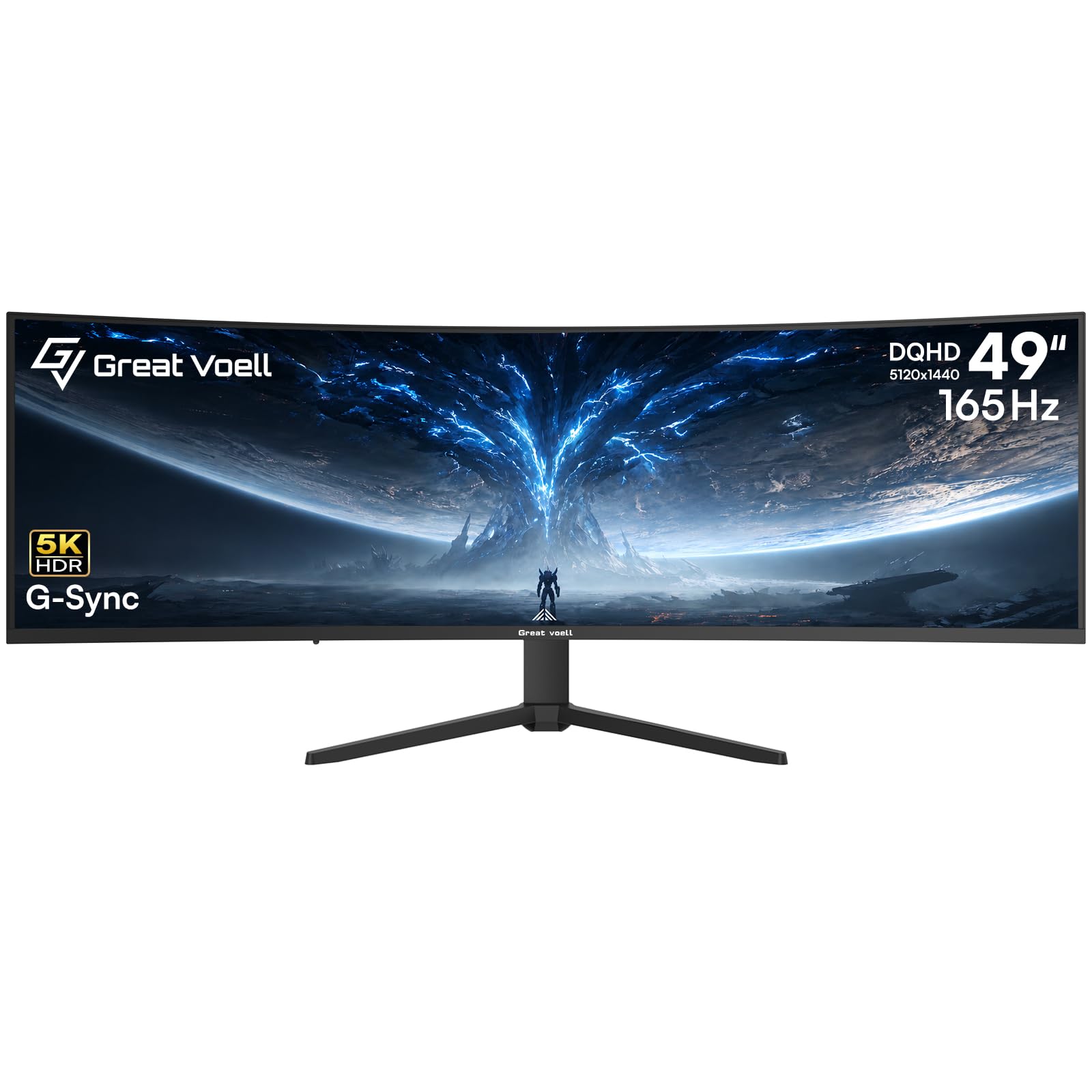
Great voell enters the 49-inch arena with a monitor that pushes the refresh rate to 165Hz, making it one of the fastest VA panels in the mid-range for smooth motion during both work and gaming. The 5120×1440 DQHD resolution keeps text sharp, and the 127% sRGB color gamut provides a slight oversaturation that can make images and videos pop more than standard sRGB panels.
The 1500R curvature is standard for this format, offering a moderate wrap that helps reduce glancing at the edges without feeling as aggressive as a 1000R panel. It supports both G-Sync and FreeSync, ensuring tear-free gameplay regardless of your GPU brand. The 1ms MPRT response time is impressive for a VA panel, minimizing motion blur in fast-paced games.
As a relatively new brand with limited long-term testing and user feedback, reliability is less proven than established names like Dell or LG. Some customers reported missing screws in the package, though the overall picture quality was praised. The stand offers tilt adjustment but lacks height and swivel, so you may need to purchase a VESA arm for proper ergonomics. This monitor is best suited for someone who prioritizes a high refresh rate for gaming and gaming-adjacent work scenarios.
Why it’s great
- 165Hz refresh rate and 1ms response for buttery-smooth motion.
- 127% sRGB gamut for vibrant color in supported content.
- Dual-sync support (G-Sync and FreeSync) for flexibility.
Good to know
- Brand is new; long-term reliability data is limited.
- Stand lacks height and swivel adjustment.
- Some reported quality control issues with included accessories.
11. DJiEX 49″ 165Hz
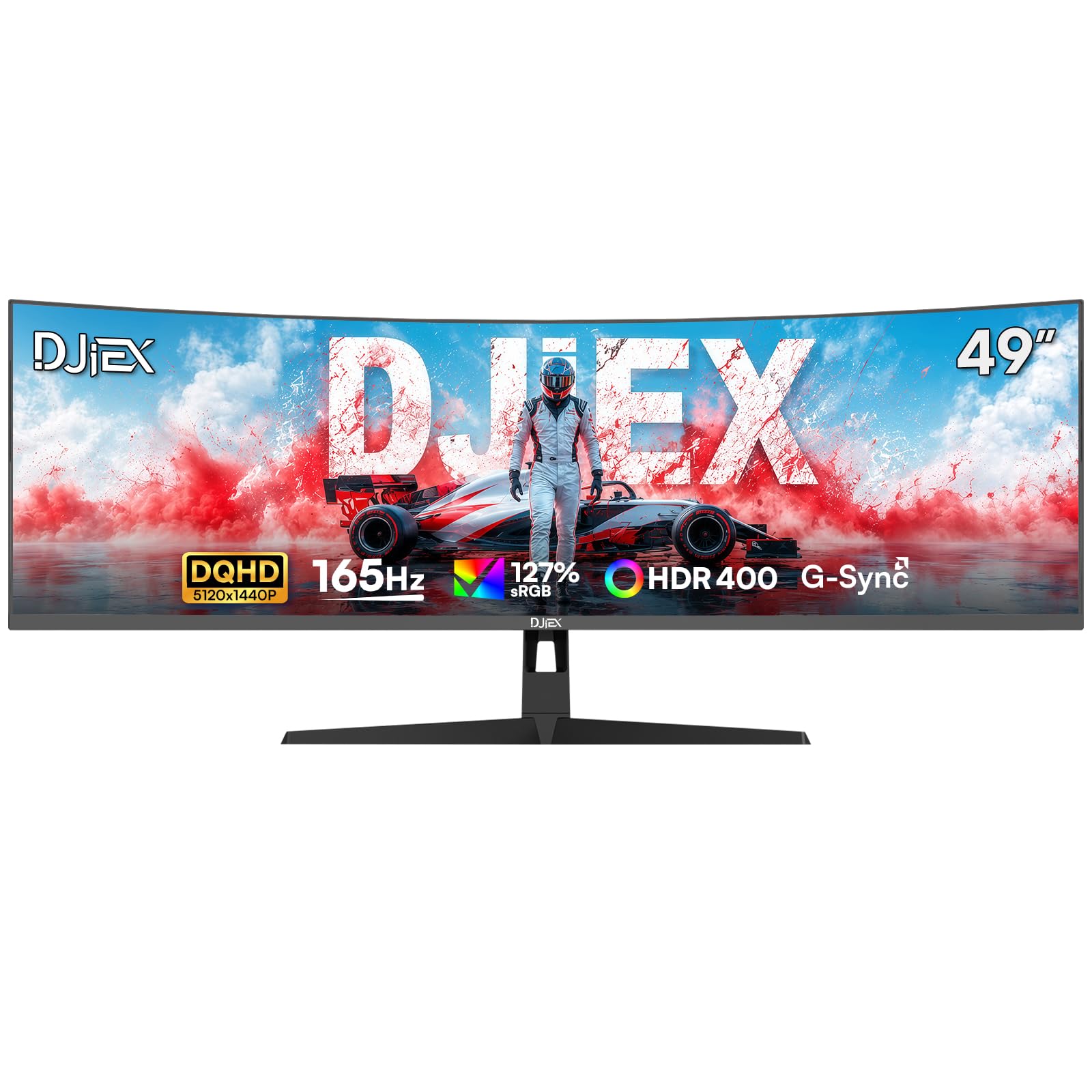
The DJiEX 49-inch monitor delivers the fundamental spec for a working ultrawide — 5120×1440 DQHD resolution — at an aggressively low price. This makes it an enticing entry point for users who want the screen real estate of a 49-inch panel but are working with a limited budget. The 165Hz refresh rate ensures that scrolling through documents feels smooth, and the 1500R curve provides a decent level of immersion.
The VA panel offers a 3000:1 contrast ratio for good black levels, and HDR400 support adds a modest dynamic range for video content. The 127% sRGB color gamut gives colors a bit of extra vibrancy, which may appeal to users who watch media on their work monitor. The stand provides height, tilt, and swivel adjustments, a rarity at this price point, which allows for proper ergonomic positioning without buying an aftermarket arm.
User reviews note that the picture quality and build are better than expected for the price, though the OSD menu is described as complex and unintuitive. The 5120×1440 resolution is explicitly not true 4K, and some users with high-end GPUs may notice the difference when gaming. The DJiEX brand is relatively unknown in the monitor space, so warranty and support are a gamble. This monitor is best for the price-conscious user who understands its limitations and values raw screen size over premium features.
Why it’s great
- DQHD resolution at a budget-friendly cost.
- Fully adjustable stand (height, tilt, swivel) included.
- 165Hz refresh rate provides smooth desktop navigation.
Good to know
- Brand has limited track record for reliability and support.
- On-screen display (OSD) menu is difficult to navigate.
- Not true 4K; resolution is 5120×1440 with lower pixel density.
FAQ
Can a single graphics card drive a 49-inch DQHD monitor for work?
Does a 49-inch monitor work with MacBooks via USB-C?
Is a 49-inch ultrawide monitor good for coding?
Final Thoughts: The Verdict
For most users, the best 49 inch monitor for work winner is the MSI MPG 491CQP QD-OLED because its QD-OLED panel delivers unmatched contrast and color accuracy for professional tasks while also excelling as a high-performance gaming display. If you want a single-cable desk setup with 90W laptop charging, grab the Samsung Business LS49C954UANXZA. And for the sharpest text possible in a productivity-focused package, nothing beats the Dell UltraSharp U4025QW with its 5K2K resolution.