
Moving from a standard 60Hz office panel to a dedicated gaming monitor isn’t just an upgrade — it’s a competitive necessity. A 27-inch 144Hz monitor eliminates the visual tearing and motion blur that hold you back in fast-paced shooters and racing sims, delivering a fluidity that turns split-second reactions into reliable kills. The key is balancing that sought-after refresh rate with the right resolution, panel technology, and input latency to match your specific GPU.
I’m Min — the co-founder and writer behind Gadgets Feed. I’ve spent hundreds of hours digging into refresh rate specs, response time claims, VRR compatibility, and panel uniformity data to separate marketing hype from real in-game performance. This guide is built on deep category research, not surface impressions.
Whether you’re a competitive player or a single-player enthusiast, finding the right 27 inch 144hz gaming monitor means zeroing in on the exact panel tech and feature set that fits your build and budget.
How To Choose The Best 27 Inch 144Hz Gaming Monitor
Choosing a gaming monitor is about matching three core elements — your GPU capability, the panel’s native resolution, and the refresh rate — to the games you play most. At this size and speed, the balance between visual fidelity and raw frame rate determines whether you see a clear advantage on screen.
Panel Type: IPS, VA, or OLED
IPS panels deliver the widest viewing angles and most consistent color reproduction, making them the default choice for competitive and story-driven gaming alike. VA panels trade some viewing angle performance for deeper native contrast — great for dark scenes in RPGs, but prone to slower pixel transitions in the darkest shades. OLED panels offer per-pixel lighting for infinite contrast and the fastest response times, but come at a premium and require burn-in awareness.
Resolution vs. Refresh Rate
A 27-inch 144Hz monitor can run at 1080p, QHD, or 4K. QHD (2560×1440) is the sweet spot for most mid-range and high-end GPUs — it gives you a sharp enough image for desktop use and immersion, while keeping frame rates high enough to actually hit 144 fps in demanding titles. Pushing 4K on a 27-inch screen at 144Hz requires serious GPU horsepower to see the benefit.
VRR Compatibility and Input Lag
Variable Refresh Rate (VRR) standards like FreeSync Premium and G-Sync Compatible remove screen tearing by synchronizing the monitor’s refresh rate with your GPU’s output. At 144Hz, a solid VRR implementation matters more than a slightly lower response time because it ensures every frame is delivered without stutter or split image. Check that the monitor supports your GPU brand’s adaptive sync natively.
Quick Comparison
On smaller screens, swipe sideways to see the full table.
| Model | Category | Best For | Key Spec | Amazon |
|---|---|---|---|---|
| LG 27GX700A-B | Premium OLED | Ultra-low latency & infinite contrast | 280Hz / 0.03ms GTG / OLED | Amazon |
| MSI MPG 271QRX QD-OLED | Premium OLED | Competitive esports & HDR immersion | 360Hz / 0.03ms GTG / QD-OLED | Amazon |
| LG 27GR83Q-B | High-Refresh IPS | High fps QHD with low input lag | 240Hz / 1ms GTG / IPS | Amazon |
| Acer Nitro XV272U F3 | High-Refresh IPS | 300Hz budget speed | 300Hz / 0.5ms GTG / IPS | Amazon |
| Samsung Odyssey G5 G53F | Mid-Range IPS | 200Hz gaming & vibrant colors | 200Hz / 1ms MPRT / IPS | Amazon |
| Alienware AW2725DM | Mid-Range IPS | 180Hz G-Sync & solid HDR | 180Hz / 1ms GTG / IPS | Amazon |
| ASUS TUF Gaming VG27AQA1A | Value IPS | Low-cost QHD 170Hz entry | 170Hz / 1ms MPRT / IPS | Amazon |
| Dell S2725DSM | Value IPS | Productivity-plus-gaming hybrid | 144Hz / 1ms MPRT / IPS | Amazon |
| Samsung Odyssey 4K | Hybrid 4K | Sharp desktop clarity & streaming | 144Hz / 1ms MPRT / IPS | Amazon |
In‑Depth Reviews
1. LG 27GX700A-B 27″ Ultragear OLED

The LG 27GX700A-B brings 4th-generation OLED to the 27-inch QHD form factor with a native 280Hz refresh rate and a 0.03ms gray-to-gray response time. Its Primary RGB Tandem structure delivers up to 1500 nits peak brightness, pushing past typical OLED luminance for better visibility in brightly lit scenes without sacrificing the perfect blacks that define this panel technology.
Certified under VESA DisplayHDR True Black 500, this monitor handles dark game environments with per-pixel precision, eliminating halo and blooming entirely. The inclusion of both NVIDIA G-Sync Compatible and AMD FreeSync Premium Pro means you can lock frames without tearing on either GPU ecosystem, while the 4-pole headphone jack with DTS Headphone:X provides 3D spatial audio without requiring an external DAC.
The adjustable stand offers height, tilt, swivel, and pivot motion, and the virtually borderless bezel maximizes screen immersion. The primary tradeoff is the matte anti-glare coating, which some users report adds a slight graininess in very bright desktop environments, but for pure gaming motion clarity, this is a top-tier pick.
Why it’s great
- 0.03ms GTG response virtually eliminates motion blur
- Dual VRR support (G-Sync & FreeSync Premium Pro)
- 1500 nits peak brightness for OLED standard
Good to know
- Matte coating can introduce subtle grain in bright rooms
- RGB backlighting is basic, not fully dynamic
2. MSI MPG 271QRX QD-OLED

The MSI MPG 271QRX pushes the 27-inch QHD envelope to 360Hz using a QD-OLED panel that delivers a 0.03ms GTG response time and Delta E≤2 factory color calibration. The quantum dot layer expands color volume beyond traditional OLED, covering a wider DCI-P3 gamut that makes in-game environments feel more saturated and dimensional.
It carries VESA DisplayHDR True Black 400 certification, which ensures deep black levels and precise highlight mapping in HDR content. The integrated MSI OLED Care 2.0 runs pixel refresh and shift routines automatically to reduce burn-in risk — a practical necessity for anyone using the monitor as a primary daily driver alongside gaming. The stand supports height and tilt adjustments, and the KVM function lets you control two systems with a single keyboard and mouse set.
Console gamers benefit from the full 48 Gbps HDMI 2.1 bandwidth, enabling 4K 120Hz input from PlayStation 5 or Xbox Series X when paired with a compatible source. The main limitation is the 250 nits SDR brightness, which can feel dim in very bright lit rooms, though HDR content resolves significantly brighter.
Why it’s great
- 360Hz refresh rate and 0.03ms for esports-level clarity
- Built-in OLED Care reduces burn-in risk
- Full 48 Gbps HDMI 2.1 for console gaming
Good to know
- SDR brightness limited to 250 nits
- Stand base takes significant desk space
3. LG 27GR83Q-B Ultragear IPS

The LG 27GR83Q-B is a 27-inch QHD IPS monitor that runs at 240Hz natively over both DisplayPort 1.4 and HDMI 2.1, making it one of the most versatile high-refresh-rate choices for multi-platform gamers. Its 1ms GTG response time is backed by LG’s IPS 1ms technology, which maintains color accuracy and viewing angle consistency while minimizing ghosting.
This unit is NVIDIA G-Sync Compatible and AMD FreeSync Premium certified, providing adaptive sync across a wide VRR window. The DCI-P3 95% color gamut coverage and VESA DisplayHDR 400 support bring out vivid highlights and decent contrast for an IPS panel. The included 4-pole headphone jack with DTS Headphone:X is a rare addition that simplifies spatial audio setup without an external sound card.
The stand offers tilt, height, pivot, and swivel adjustments, and the rear joystick control makes OSD navigation quick. The main complaint from real buyers is pixel quality control inconsistency — some units arrive with stuck or dead pixels, so verify the return policy before purchase.
Why it’s great
- 240Hz over HDMI 2.1 and DisplayPort 1.4
- 95% DCI-P3 color gamut for vibrant gaming
- Full ergonomic stand with pivot support
Good to know
- Pixel quality control can be inconsistent
- IPS glow noticeable in dark room conditions
4. Acer Nitro XV272U F3bmiiprx

The Acer Nitro XV272U F3 delivers a 300Hz refresh rate and 0.5ms GTG response time at QHD resolution on an IPS panel — specs that typically belong in a higher price bracket. The zero-frame bezel design keeps the footprint minimal, and the 99% sRGB color coverage makes it serviceable for color-aware productivity tasks between gaming sessions.
It includes AMD FreeSync Premium support for tear-free gaming across a wide VRR range, and the DisplayHDR 400 certification provides a visible step up in brightness range compared to standard HDR10 panels. The ergonomic stand supports height, swivel, pivot, and tilt adjustments, which is rare at its tier. The HDMI 2.1 ports allow full 300Hz at 12-bit color depth when connected to a compatible GPU.
Real-world feedback highlights that the built-in speakers are usable for casual content but not serious gaming audio. Some units require DSC (Display Stream Compression) enabled to reach the full 300Hz over DisplayPort, so confirm your GPU supports DSC if you plan to use DP instead of HDMI.
Why it’s great
- 300Hz IPS at QHD for under
- Full ergonomic stand included
- HDMI 2.1 supports 300Hz at 12-bit
Good to know
- DSC required for full DP bandwidth
- Built-in speakers are weak for gaming
5. Samsung Odyssey G5 G53F

The Samsung Odyssey G5 G53F refreshes the G5 line with an IPS panel running at 200Hz and 1ms MPRT response time at QHD resolution. The wide 178-degree viewing angle is a significant upgrade over the VA panels found in older G5 models, delivering consistent color even when you shift your posture during long sessions.
It supports AMD FreeSync Premium natively, and the HDR10 compatibility adds extra shadow detail in darker game environments. The Black Equalizer function lets you brighten dark areas without washing out highlights — a practical tool for spotting opponents hiding in shadow. The Auto Source Switch+ automatically detects and switches to the active input, reducing cable fumbling.
The included stand only offers tilt adjustment, so you’ll want a VESA-compatible arm if height and swivel are priorities. Reviewers consistently praise the build quality and the vibrant out-of-box color calibration, though the contrast ratio at 1000:1 is standard IPS territory, not a standout.
Why it’s great
- 200Hz IPS panel with great out-of-box color
- Black Equalizer improves dark scene visibility
- Auto Source Switch+ for multi-device setups
Good to know
- Stand is tilt-only, no height or swivel
- 1000:1 contrast ratio — standard for IPS
6. Alienware AW2725DM

The Alienware AW2725DM is a 27-inch QHD IPS monitor that runs at 180Hz with a 1ms GTG response time, carrying both NVIDIA G-Sync Compatible and AMD FreeSync certification for dual-platform flexibility. The DCI-P3 95% color coverage and VESA DisplayHDR 400 certification deliver richer, punchier visuals than typical mid-range IPS panels.
The stand is a standout feature — it offers height, swivel, pivot, and tilt adjustments with solid metal build quality that feels premium. The hardware-based low blue light solution reduces eye strain during marathon sessions without the yellow tint that software-only modes produce. The anti-glare coating works effectively under typical office lighting.
Note that to achieve the full 180Hz, you must use the DisplayPort 1.4 cable — the HDMI connection is capped at 144Hz. The monitor lacks built-in speakers and a headphone jack, so you’ll need separate audio output. Buyers consistently report zero dead pixels and minimal backlight bleed out of the box, indicating good quality control.
Why it’s great
- Sturdy, fully adjustable stand with premium feel
- Dual VRR support (G-Sync and FreeSync)
- Hardware low blue light with minimal color shift
Good to know
- 180Hz only via DisplayPort, not HDMI
- No built-in speakers or audio output
7. ASUS TUF Gaming VG27AQA1A

The ASUS TUF Gaming VG27AQA1A offers a 170Hz overclocked refresh rate (supports native 144Hz) at QHD resolution with a 1ms MPRT response time on an IPS panel. The Extreme Low Motion Blur (ELMB) technology strobing backlight to reduce perceived ghosting in fast-moving scenes, making this a strong entry-level competitive monitor.
It includes AMD FreeSync Premium support for tear-free variable refresh rate gaming, and the HDR10 compatibility ensures shadow and highlight details are visible in supported titles. The Shadow Boost feature lifts dark areas without overexposing bright sections — useful for tactical shooters where visibility in corners matters. Connectivity covers DisplayPort 1.2 and two HDMI 2.0 ports, enough for a PC plus console setup.
The stand is tilt-only, and the base has a wide footprint that takes up significant desk real estate. Some users report needing to use HDMI initially because their GPU didn’t recognize the DisplayPort connection until a driver update. For the price, the VG27AQA1A delivers QHD resolution and a 144Hz-plus refresh rate with reliable build quality.
Why it’s great
- QHD resolution at a sub- price point
- ELMB reduces motion blur effectively
- Shadow Boost enhances dark area visibility
Good to know
- Stand is tilt-only with a large base
- DisplayPort may require driver update for recognition
8. Dell 27 Plus S2725DSM

The Dell 27 Plus S2725DSM is a 27-inch QHD IPS monitor that runs at 144Hz with a 1ms MPRT response time, positioning it as a hybrid work-and-gaming display. The 1500:1 native contrast ratio is higher than typical IPS panels, delivering deeper blacks that benefit both spreadsheet readability and cinematic game scenes.
It comes with integrated dual 3W speakers that provide clear, usable audio for video calls and casual content consumption, eliminating the need for external speakers in a compact desk setup. The 4-star TÜV-certified low blue light emission maintains color accuracy while reducing eye strain, and the adjustable stand supports height, pivot, swivel, and tilt — rare at this price point. The AMD FreeSync support ensures smooth visuals during gaming without screen tearing.
The only notable drawback is the lack of a USB-C input with display capabilities, which would simplify single-cable laptop connections. HDMI 2.1 (TMDS) and DisplayPort 1.4 are present, but the HDMI port operates at TMDS signaling, not the full FRL bandwidth. Overall, this is an excellent choice for anyone who spends half the day in productivity apps and the other half gaming.
Why it’s great
- 1500:1 contrast ratio for deeper blacks
- Fully adjustable stand (height, pivot, swivel)
- Built-in speakers for dual-purpose use
Good to know
- No USB-C input for single-cable laptops
- HDMI uses TMDS signaling, not full HDMI 2.1
9. Samsung Odyssey 4K 144Hz
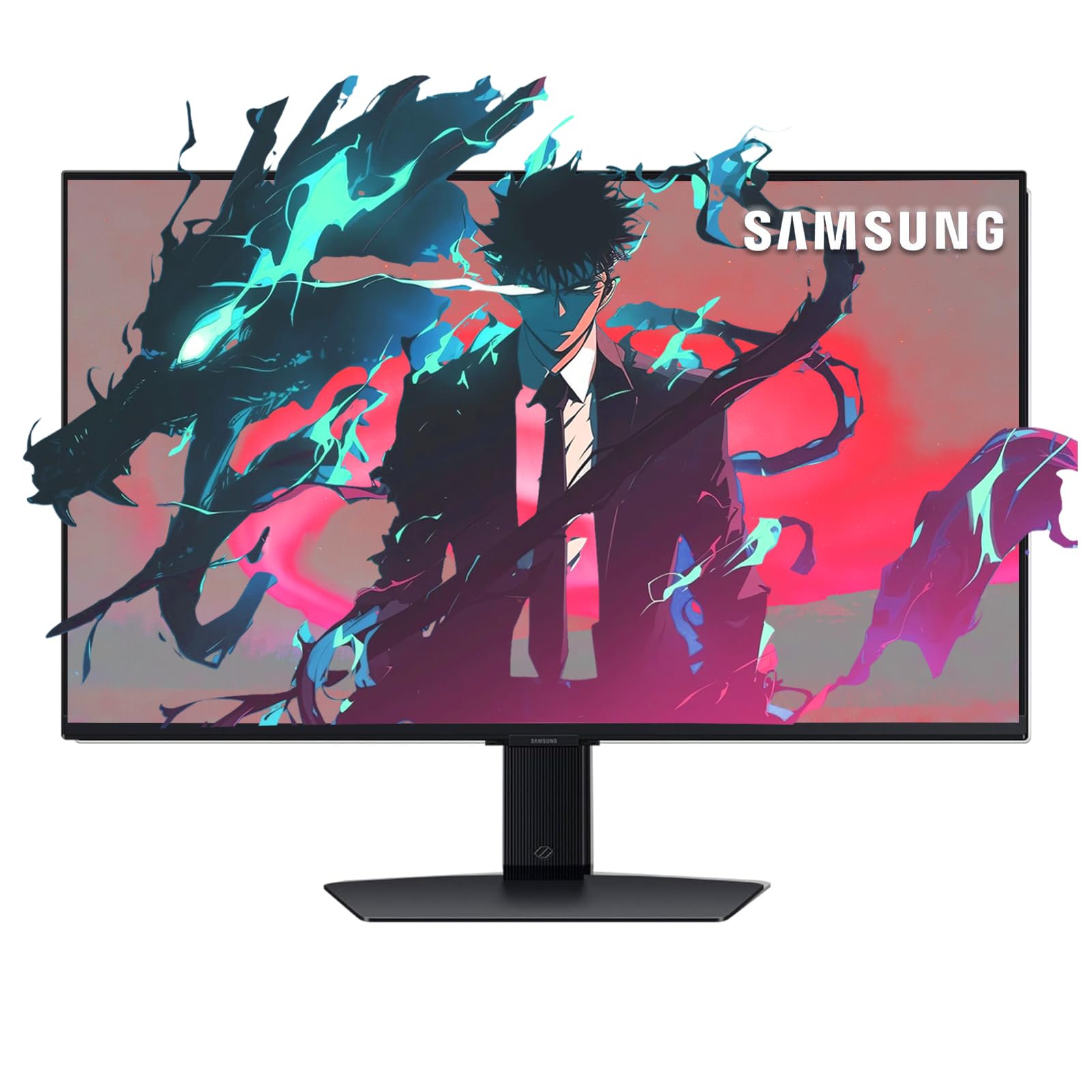
The Samsung Odyssey 4K 144Hz monitor shifts the focus to a 3840×2160 resolution on a 27-inch IPS panel with a 1ms MPRT response time. At this pixel density, text rendering and desktop clarity are substantially sharper than QHD, making it a strong pick for creative professionals who also game. The native 144Hz refresh rate is enough for smooth desktop navigation and most game genres.
This monitor doubles as a smart display via Samsung Gaming Hub, providing built-in access to streaming apps and cloud gaming services like Xbox Game Pass without needing a PC connected. Integrated Wi-Fi, Bluetooth, and an included remote control add convenience for watching content or playing casual games. The DisplayHDR 400 certification delivers better dynamic range than standard HDR10 panels, and both G-Sync and FreeSync Premium reduce tearing across compatible GPUs.
The height-adjustable stand offers ergonomic flexibility, and the wide connectivity includes HDMI, DisplayPort, Ethernet, and USB ports. The tradeoff is that running demanding games at 4K native resolution requires a high-end GPU to maintain 60 fps — you may need to drop to QHD resolution in the game settings. Some users note that text clarity degrades slightly when scaling above 100% in Windows.
Why it’s great
- True 4K resolution for sharp productivity and media
- Samsung Gaming Hub for streaming without a PC
- Included remote control and smart TV features
Good to know
- Requires strong GPU for 4K gaming
- Text scaling can soften at high zoom levels
FAQ
Does a 144Hz monitor require DisplayPort or HDMI?
Is 27 inches too big for a 144Hz gaming monitor?
Can I use a 144Hz monitor with a console?
What’s the difference between 144Hz and 165Hz or 170Hz?
Final Thoughts: The Verdict
For most users, the 27 inch 144hz gaming monitor winner is the LG 27GX700A-B Ultragear OLED because it combines the fastest OLED response time (0.03ms) with a 280Hz refresh rate and dual VRR support in a well-built package. If you want deeper color volume and a higher 360Hz refresh rate for competitive play, grab the MSI MPG 271QRX QD-OLED. And for a pure value proposition that keeps QHD resolution high and cost low, nothing beats the Acer Nitro XV272U F3 for its 300Hz speed at a mid-range price.