
The ultrawide 21:9 aspect ratio is no longer a niche indulgence. A 34-inch diagonal at 3440 x 1440 resolution delivers the pixel density sweet spot—sharper than 2560 x 1080, far less GPU-taxing than 4K. The panel technology beneath that curve, however, determines whether you get deep blacks and fluid motion or washed-out grays and noticeable ghosting. This guide dissects the tradeoffs between VA, IPS, and OLED so you buy the right panel for your eyes and your workflow.
I’m Min — the co-founder and writer behind Gadgets Feed. My research for this guide involved cross-referencing technical datasheets, analyzing color gamut volumes, refresh rate headroom, contrast ratios, and connectivity standards across eleven specific 3440 x 1440 monitors to isolate the winners by use case.
Whether you edit color-critical timelines, chase high-framerate kills, or manage sprawling spreadsheets, the best 3440 x 1440 monitor depends on your primary task’s demand for contrast, speed, or color accuracy.
How To Choose The Best 3440 X 1440 Monitor
The decision is not simply about resolution. You must weigh the panel’s contrast ratio against your room’s ambient light, the refresh rate against your GPU’s output, and the color gamut coverage against your need for color-accurate work. Every choice is a tradeoff.
Panel Type: Contrast, Speed, and Viewing Angles
VA panels deliver a native contrast ratio of 3000:1 or higher, which provides deep blacks without the blooming artifacts of local dimming IPS displays. IPS panels offer wider viewing angles and better color consistency but settle at a 1000:1 contrast ratio, making blacks appear gray in dark rooms. OLED panels achieve true black levels with per-pixel illumination and near-instantaneous pixel response, but they carry a risk of image retention or burn-in when displaying static UI elements for hours daily. For mixed use with office work and media, a premium VA panel is the safer compromise. For pure gaming and HDR content, OLED is transformative.
Refresh Rate and Variable Refresh Rate (VRR)
A 60 Hz panel is sufficient for productivity and video editing, but any gaming scenario benefits from at least 100 Hz. Monitors in this category range from 60 Hz to 240 Hz. The VRR technology—FreeSync Premium or G-Sync Compatible—eliminates screen tearing when the frame rate fluctuates. A higher refresh rate without a matching VRR implementation is wasted potential. Confirm your GPU’s ecosystem (NVIDIA or AMD) and look for monitors that carry explicit G-Sync Compatible certification or FreeSync Premium to guarantee a tear-free experience.
Connectivity and USB-C Power Delivery
A single USB-C cable that carries video signal, data, and up to 96W of laptop charging simplifies a desk setup dramatically. Monitors with a USB-C port supporting at least 65W Power Delivery let you dock a MacBook or thin Windows laptop with one cable. If you run multiple systems, look for a built-in KVM switch so you can share the monitor, keyboard, and mouse between a work laptop and a desktop PC without manually swapping cables.
Quick Comparison
On smaller screens, swipe sideways to see the full table.
| Model | Category | Best For | Key Spec | Amazon |
|---|---|---|---|---|
| AOC Agon PRO AG346UCD | QD-OLED | High-refresh gaming & HDR | 175 Hz / 0.03 ms GtG | Amazon |
| LG 34GX90SA-W | OLED | Immersive gaming & streaming | 240 Hz / 800R curve | Amazon |
| Acer Predator X34 | OLED | Console & PC gaming with KVM | 240 Hz / 0.01 ms / HDMI 2.1 | Amazon |
| Philips Evnia 34M2C6500 | QD-OLED | Rich HDR with TrueBlack 400 | 175 Hz / 1800R curve | Amazon |
| Alienware AW3423DW | QD-OLED | Color-critical creative work | 175 Hz / G-Sync Ultimate | Amazon |
| Dell S3425DW | VA | Productivity with great blacks | 120 Hz / 3000:1 contrast | Amazon |
| ASUS TUF Gaming VG34WQML5A | FastIPS | Competitive eSports speed | 250 Hz / 0.5 ms | Amazon |
| INNOCN 40C1R | IPS | Large 40-inch screen real estate | 144 Hz / 500 nits peak | Amazon |
| LG 34U650A-B | IPS | Office hub with 96W charging | 100 Hz / USB-C PD 96W | Amazon |
| Dell U3421WE | IPS | Professional color accuracy | 60 Hz / 1.07B colors | Amazon |
| Samsung Odyssey OLED G6 | QD-OLED | Competitive 16:9 gaming | 240 Hz / 0.03 ms / 27″ | Amazon |
In‑Depth Reviews
1. AOC Agon PRO AG346UCD

The AOC Agon PRO AG346UCD uses a glossy QD-OLED panel that delivers a 1,500,000:1 contrast ratio with per-pixel illumination. Black levels are absolute, and the 175 Hz refresh rate paired with a 0.03 ms GtG response time eliminates visible motion blur entirely. For HDR content, the DisplayHDR 400 True Black certification means highlights punch without washing out shadow detail—a rare combination at this price tier.
NVIDIA G-Sync Compatible certification ensures the variable refresh rate works seamlessly with GeForce GPUs, and the 21:9 3440 x 1440 resolution offers 110 PPI, which keeps text sharp without requiring scaling. The monitor includes a four-pipe heatsink design for passive cooling, reducing the risk of image retention during long sessions.
Text clarity on this glossy QD-OLED is noticeably better than some previous-generation OLED ultrawides, and the factory calibration targets 99% DCI-P3 coverage. AOC backs the panel with a four-year advance replacement warranty, which provides peace of mind for those wary of OLED burn-in over the long term.
Why it’s great
- Glossy QD-OLED delivers superior black depth and color vibrancy
- 175 Hz at 0.03 ms with G-Sync Compatible for tear-free gaming
- Four-year advance replacement warranty covers the OLED panel
Good to know
- No HDMI 2.1 port—limited to 100 Hz over HDMI
- V-shaped stand base may interfere with large mouse pads
2. LG 34GX90SA-W Ultragear

LG’s 34GX90SA-W combines an OLED panel with the steepest curvature in this roundup—1800R is common, but this monitor uses an 800R curve that wraps the 34-inch diagonal tightly around your peripheral vision. The perceived depth in racing and flight sim games is immediate, and the 240 Hz refresh rate paired with a 0.03 ms response time leaves no room for ghosting or input lag.
The integrated webOS 24 platform provides direct access to Netflix, Prime Video, and cloud gaming services like NVIDIA GeForce NOW without needing a connected PC. This makes the monitor a standalone entertainment hub. The USB-C port delivers 65W of Power Delivery, enough to charge a MacBook Pro during use, and the white chassis blends into bright desk setups better than the all-black standard.
Panel brightness is rated at 275 nits typical with peaks up to 1300 nits in small HDR windows. The DisplayHDR True Black 400 certification confirms the OLED can maintain deep blacks while hitting those highlights. Anti-glare coating reduces reflections without the haze of a matte finish, preserving the OLED’s inherent contrast advantage.
Why it’s great
- 800R curve is the most immersive ultrawide curvature available
- 240 Hz with FreeSync Premium and G-Sync Compatible
- webOS 24 adds smart TV and cloud gaming functionality
Good to know
- 575 nits typical brightness is low for very bright rooms
- Short warranty period compared to AOC or Alienware
3. Acer Predator X34

The Acer Predator X34 is the only OLED in this list with native HDMI 2.1 ports, which means PlayStation 5 and Xbox Series X users can run 3440 x 1440 at 120 Hz without bandwidth compression. The 240 Hz refresh rate and 0.01 ms response time also serve PC gamers well, and the AMD FreeSync Premium Pro certification ensures tear-free gameplay even during VRR transitions.
The built-in KVM switch with USB-C 90W Power Delivery allows seamless switching between a work laptop and a gaming desktop using the same keyboard and mouse. The 99% DCI-P3 color gamut and DisplayHDR True Black 400 rating give the panel excellent HDR performance in dimly lit rooms. The 800R curvature is identical to LG’s implementation, creating strong peripheral wrap.
The monitor includes a two-port USB 3.2 hub and dual 5W speakers. One recurring user note involves an image retention refresh pop-up that appears during gaming sessions—this is a standard OLED maintenance cycle lasting about five minutes. The panel’s peak HDR brightness reaches 1300 nits in a 1.5% window, which makes specular highlights in games and movies genuinely impactful.
Why it’s great
- HDMI 2.1 supports full-bandwidth 120 Hz on consoles
- Built-in KVM switch with 90W USB-C PD for dual-system setups
- High 1300-nit peak HDR brightness for impactful highlights
Good to know
- Periodic pixel refresh notification can interrupt gameplay
- Headphone output may include digital noise on some units
4. Philips Evnia 34M2C6500

The Philips Evnia 34M2C6500 uses the same Samsung QD-OLED panel found in many premium ultrawides but undercuts the price of comparable Alienware and Dell offerings. The 1000-nit peak brightness combined with DisplayHDR TrueBlack 400 creates excellent contrast in both bright and dark scenes. The 1800R curvature provides a gentle wrap that does not distort straight lines, making it suitable for spreadsheet work as well as games.
This monitor supports both FreeSync and G-Sync Compatible, though the lack of a dedicated certification means some NVIDIA users may need to enable VRR manually. The 175 Hz refresh rate is identical to the AOC model, and the QD-OLED coating produces rich, saturated colors without the purple-tinted reflections that early QD-OLED panels exhibited.
The Ambiglow backlight system projects ambient light onto the wall behind the monitor, which can reduce eye strain in dark rooms. However, user feedback indicates the backlight does not sync with on-screen content as accurately as Philips’ television implementation. The OSD menu interface is functional but lacks the polish of LG or Dell systems, and there are no built-in speakers.
Why it’s great
- Best value among 34-inch QD-OLED models
- 1000-nit peak brightness delivers strong HDR impact
- Gentle 1800R curve avoids distortion for productivity work
Good to know
- No built-in speakers require external audio solution
- Ambiglow backlight does not synchronize with on-screen content
5. Alienware AW3423DW

The Alienware AW3423DW remains a benchmark for color-critical work on an ultrawide. Its Creator Mode lets you switch between native DCI-P3 and sRGB color spaces with gamma adjustments, making it viable for photo and video editing. The 1.07 billion color support with a 149% sRGB color gamut volume ensures no color clipping in HDR mode.
NVIDIA G-Sync Ultimate certification guarantees the variable refresh rate works without flicker across the full 1–175 Hz range. The 0.1 ms GtG response time is slower on paper than the 0.03 ms OLEDs listed above, but in practice the difference is imperceptible. The Lunar Light white chassis and stadium loop RGB lighting give it a distinctive premium look.
The monitor includes a three-year warranty that explicitly covers OLED burn-in, which is the strongest protection in this category. A built-in fan provides active cooling for the G-Sync module, and while some users report occasional fan cycling, the noise level remains below 20 dB. The HDMI 2.0 port limits console gaming to 100 Hz at 3440 x 1440.
Why it’s great
- Creator Mode with DCI-P3 and sRGB color space switching
- Three-year warranty covers OLED burn-in
- G-Sync Ultimate guarantees flicker-free variable refresh rate
Good to know
- HDMI 2.0 caps console refresh at 100 Hz
- Built-in fan can be audible in silent environments
6. Dell S3425DW Plus

The Dell S3425DW offers the deepest blacks you can get without moving to OLED, thanks to its 3000:1 native contrast ratio from the VA panel. At 120 Hz, it provides smooth motion for casual gaming and video editing timelines without the cost of high-refresh OLED monitors. The 99% sRGB and 95% DCI-P3 coverage make it a strong candidate for graphic design and video post-production.
ComfortView Plus reduces blue light emissions below 35% while maintaining color accuracy, which makes this monitor viable for 10+ hour workdays. The integrated speakers deliver improved frequency response over the previous Dell generation, though they still lack bass for music or movies. The USB-C port provides 65W Power Delivery, enough for most ultrabooks.
User feedback highlights the excellent VA panel quality with no backlight bleed, which is common on budget IPS monitors. The 0.03 ms response time specified by Dell refers to MPRT, not GtG, so actual pixel transition is closer to 4 ms GtG—still adequate for 120 Hz operation without noticeable ghosting in most content.
Why it’s great
- 3000:1 contrast ratio for deep blacks without OLED concerns
- 120 Hz with FreeSync Premium provides smooth gaming and scrolling
- ComfortView Plus reduces blue light without washing out color
Good to know
- No DisplayPort input—limited to HDMI and USB-C
- Recessed VESA mount requires longer screws than standard
7. ASUS TUF Gaming VG34WQML5A
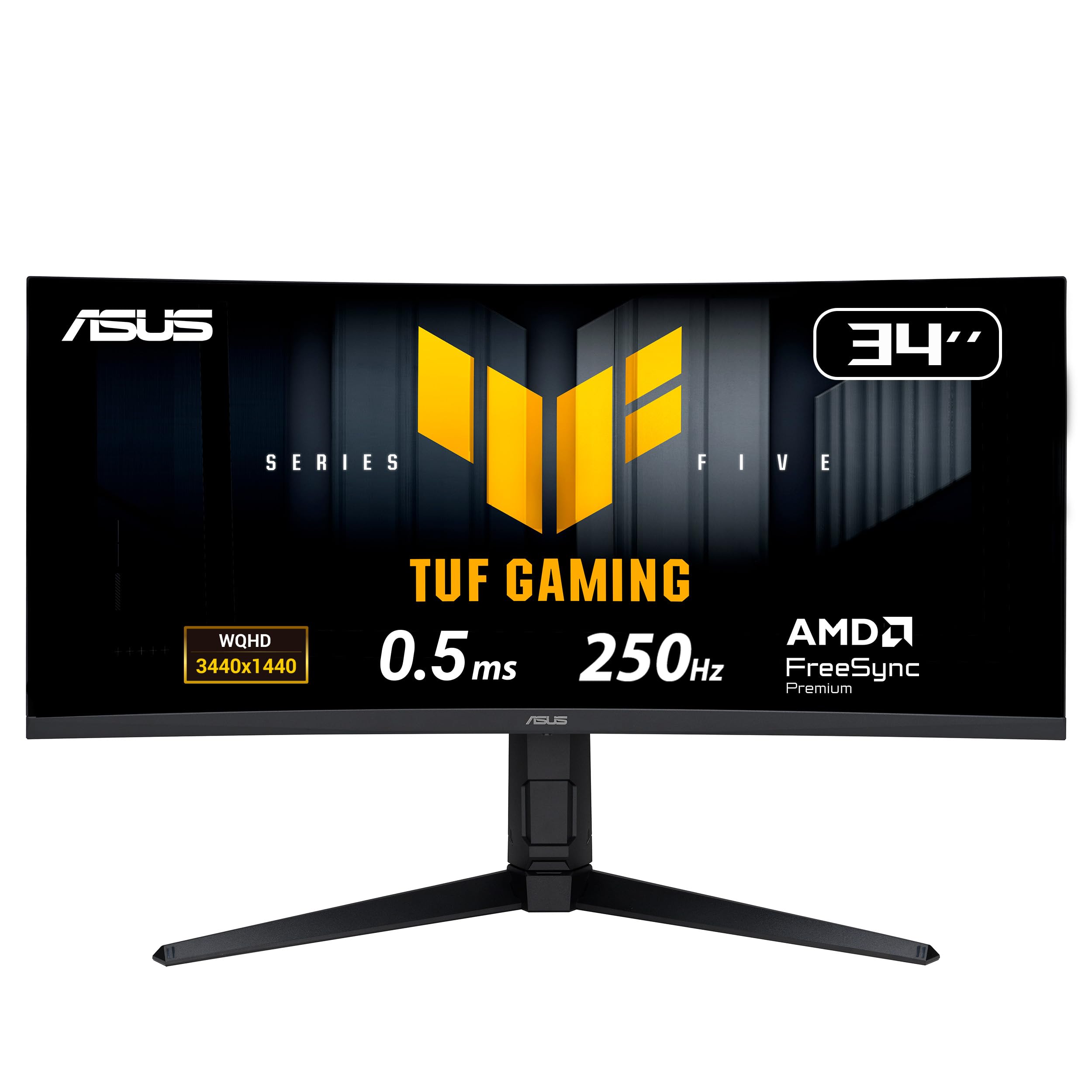
The ASUS TUF Gaming VG34WQML5A stands apart with a 250 Hz refresh rate achievable via overclocking, making it the fastest 3440 x 1440 monitor in this lineup. The FastIPS panel delivers a 0.5 ms MPRT response time and 4000:1 contrast ratio—higher than typical IPS panels because ASUS uses a VA-like technology that they call FastIPS. The 130% sRGB color gamut volume provides oversaturated color that many gamers prefer for competitive titles.
ELMB Sync technology allows the monitor to run both Extreme Low Motion Blur and variable refresh rate simultaneously, eliminating both ghosting and tearing in high-frame-rate scenarios. The FreeSync Premium certification ensures a stable VRR experience on AMD GPUs, and the monitor includes a DisplayPort 1.4 port that can drive the full 250 Hz at 10-bit color depth.
User reviews note that the OSD includes AI-powered features like Dynamic Crosshair and Shadow Boost, though some find these gimmicky. The 1500R curvature is tighter than the standard 1800R, providing better peripheral wrap for immersive single-player titles. The stand provides tilt, swivel, and 130 mm height adjustment, plus VESA 100×100 compatibility.
Why it’s great
- 250 Hz overclocked refresh rate for ultra-smooth competitive gaming
- ELMB Sync eliminates ghosting and tearing simultaneously
- 4000:1 contrast ratio exceeds typical IPS black levels
Good to know
- HDMI 2.1 required for full 250 Hz—HDMI 2.0 caps at 144 Hz
- AI features in OSD may feel unnecessary for most users
8. INNOCN 40C1R

The INNOCN 40C1R is not a 34-inch panel—it is a 40-inch ultrawide that offers 18% more viewable area than a standard 34-inch monitor while keeping the same 3440 x 1440 resolution. This results in a 93 PPI density, which is lower than the 110 PPI of 34-inch models, but at a typical 3-foot viewing distance the pixels are not individually visible. The 144 Hz refresh rate and FreeSync Premium support make it competent for gaming.
The ADS (Advanced Super Dimensional) IPS panel delivers 500 nits of brightness and 95% DCI-P3 coverage out of the box, with a factory calibration report showing Delta E under 2. The 1200:1 contrast ratio is slightly better than standard IPS, and the HDR 400 certification ensures basic HDR compatibility. The USB-C port supports 65W Power Delivery, enough for most laptops.
User feedback is mixed regarding quality control—some units arrive with dead pixels, and the return process can be lengthy because the seller is based in China. However, units that pass inspection demonstrate excellent color accuracy and no backlight bleed. The flat panel design eliminates the fish-eye distortion that curved ultrawides can introduce in productivity applications.
Why it’s great
- 40-inch diagonal offers maximum screen real estate in ultrawide format
- Factory color calibration with Delta E under 2 for creative work
- 500 nits brightness for well-lit room visibility
Good to know
- Lower 93 PPI density makes text less sharp than 34-inch models
- Quality control varies and returns involve China-based seller delays
9. LG 34U650A-B
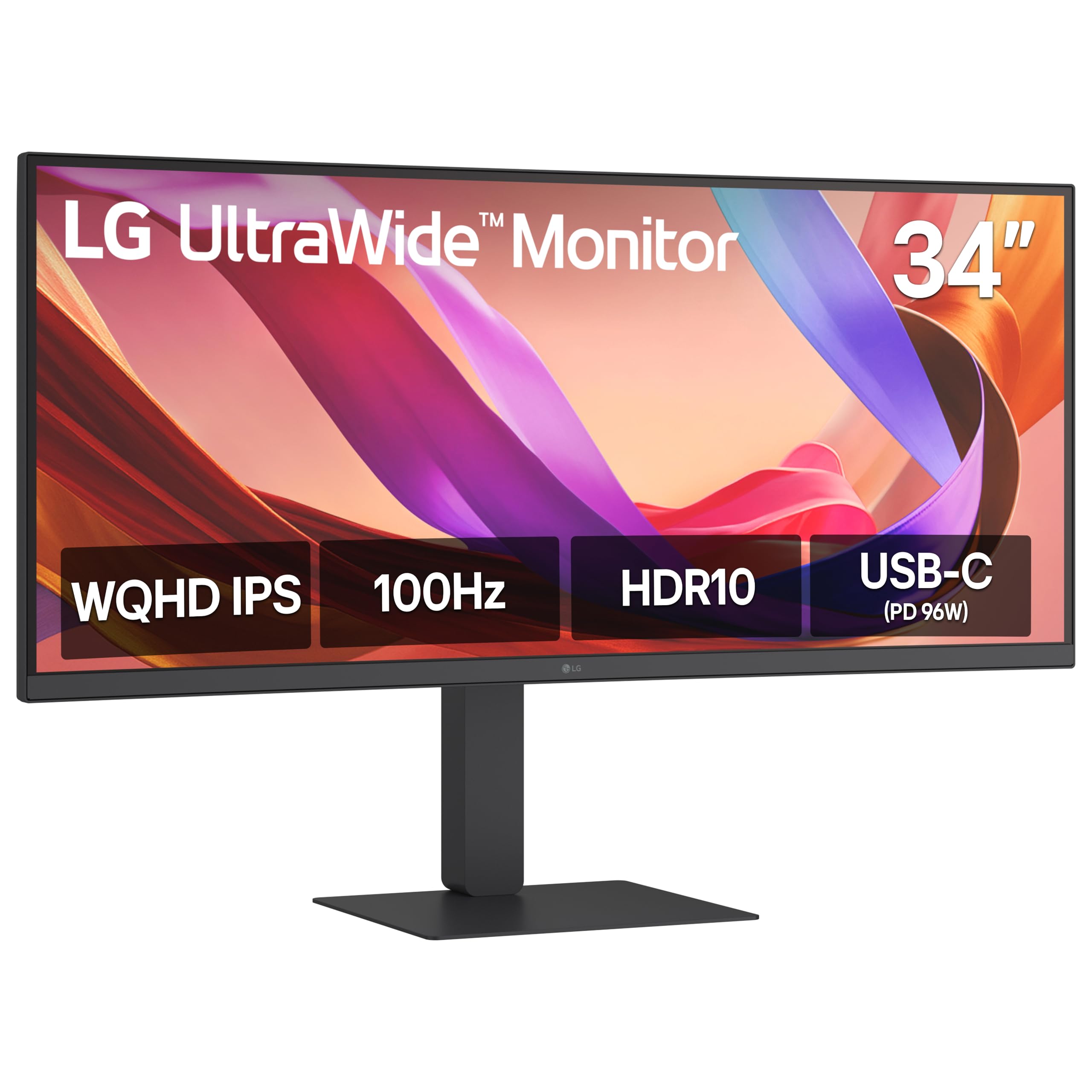
The LG 34U650A-B positions itself as a productivity hub with its USB-C port delivering 96W Power Delivery—the highest charging wattage in this roundup. This single cable carries video, data, and enough power to charge a 16-inch MacBook Pro at full speed. The 100 Hz refresh rate is a step up from standard 60 Hz office monitors, making window dragging and scrolling visibly smoother.
The 3800R curve is the mildest in this list, barely perceptible during use. This design choice reduces distortion for spreadsheet and coding work but provides minimal immersion for gaming. The built-in DepthSound speakers offer improved bass compared to typical monitor audio, sufficient for video calls and background music without external speakers.
The Switch app splits the screen into up to six zones, and the LG Switch software allows custom layout presets. Reader Mode reduces blue light for document work. The stand offers tilt, swivel, and height adjustment, plus a 100×100 mm VESA mount. User reviews consistently praise the build quality and the convenience of the USB-C hub functionality.
Why it’s great
- 96W USB-C Power Delivery charges large laptops at full speed
- 100 Hz refresh rate provides smoother scrolling than 60 Hz monitors
- DepthSound speakers reduce need for external desktop speakers
Good to know
- 3800R curve is too mild to provide meaningful immersion
- Limited to 99% sRGB—not suitable for professional color grading
10. Dell U3421WE UltraSharp

The Dell U3421WE is built for professionals who prioritize color accuracy over refresh rate. The 1.07 billion color support (10-bit panel) and factory-calibrated Delta E under 2 make it suitable for video editing, photography, and design work. The IPS panel provides consistent color across wide viewing angles, essential for collaborative review sessions.
The integrated USB hub includes four USB 3.2 downstream ports and a 2.5G Ethernet port, turning the monitor into a full docking station. The USB-C port delivers 90W Power Delivery, and the KVM functionality allows switching between two connected computers using a single keyboard and mouse. The 60 Hz refresh rate is a hard limit—this monitor is not designed for gaming.
The Platinum Silver finish and thin bezels give the monitor a premium aesthetic on a desk. The anti-glare coating is effective in bright offices. However, the 110 PPI density at 3440 x 1440 on a 34-inch panel is a known point of feedback from Mac users accustomed to Retina displays—text and UI elements will appear less sharp than on a 5K monitor.
Why it’s great
- 10-bit panel with 1.07 billion colors for color-critical work
- Integrated 2.5G Ethernet and USB hub eliminates separate dock
- KVM switch supports seamless dual-system workflow
Good to know
- 60 Hz refresh rate makes it unsuitable for any gaming
- 110 PPI is noticeably less sharp than Retina displays
11. Samsung Odyssey OLED G6 G61SH

The Samsung Odyssey OLED G6 is a 27-inch QD-OLED monitor with a 16:9 aspect ratio and 2560 x 1440 resolution, not a 3440 x 1440 ultrawide. It appears in this guide as the alternative for users who want OLED picture quality but prefer the standard aspect ratio for competitive gaming or compatibility. The 240 Hz refresh rate and 0.03 ms response time match the fastest ultrawide OLEDs in this list.
The panel includes OLED Safeguard technology that actively manages pixel temperatures to prevent burn-in, and the Glare Free coating eliminates reflections without a matte haze. Pantone Validation confirms the panel reproduces over 2100 colors and 110 skin tone shades accurately, making it viable for content creation. The height-adjustable stand offers pivot, tilt, and swivel adjustments.
User feedback highlights the transformative color and black level upgrade from IPS or VA panels, though text clarity on the QD-OLED subpixel layout is slightly less sharp than a standard LCD at the same resolution. The 27-inch size is ideal for users who sit close to their monitor and do not want to turn their head to see the edges of an ultrawide.
Why it’s great
- QD-OLED delivers vibrant color and true black levels in compact 27-inch form
- 240 Hz with FreeSync Premium is competitive-tier refresh rate
- Pantone Validation ensures accurate skin tone reproduction
Good to know
- 16:9 aspect ratio provides less horizontal workspace than 21:9 ultrawides
- Text clarity is slightly less sharp than LCD at same resolution
FAQ
Will a 3440 x 1440 monitor work with a PlayStation 5 or Xbox Series X?
Can I use a 3440 x 1440 monitor for professional photo editing?
What GPU do I need to drive a 3440 x 1440 240 Hz monitor?
Final Thoughts: The Verdict
For most users, the best 3440 x 1440 monitor winner is the AOC Agon PRO AG346UCD because it combines glossy QD-OLED picture quality, a high 175 Hz refresh rate, and a four-year warranty at a price that undercuts comparable premium options. If you want the steepest curvature for full immersion, grab the LG 34GX90SA-W with its 800R curve and integrated webOS streaming. And for color-critical creative work with burn-in protection, nothing beats the Alienware AW3423DW.